PDF Viewer by Nutrient
Herunterladen auf App Store

Diese Seite ist keine offizielle Seite der App oder ihres Entwicklers, sondern eine unabhängige redaktionelle Veröffentlichung, die zu Informations- und Kommentarzwecken erstellt wurde. Sofern nicht ausdrücklich anders angegeben, sind weder die App noch ihr Entwickler mit MWM, Apple, Google Play, dem App-Herausgeber oder dem Entwickler der App verbunden, von ihnen unterstützt, gesponsert, autorisiert oder anderweitig offiziell verbunden, und nichts auf dieser Seite impliziert, dass die App unter Verwendung der Dienste von MWM entwickelt wurde. Alle Marken, Logos, Screenshots und andere Inhalte bleiben Eigentum ihrer jeweiligen Inhaber.


Logo von PDF Viewer by Nutrient
Herunterladen auf App Store

PDF Viewer by Nutrient

Verwandeln Sie Ihr Gerät in eine Hochleistungs-Workstation. Kommentieren, signieren und bearbeiten Sie Dokumente mit einer schnellen, ansprechenden Benutzeroberfläche, die für Profis entwickelt wurde und der weltweit führende Unternehmen vertrauen.

Kennzahlen

Downloads

1M+

Bewertung

4.6/5

Bewertungen gesamt

9K+

Herausgeber

PSPDFKit GmbH

Kategorie

Productivity

Sprachen

28

Neueste Version

2026.1

Größe

99.6 MB

Erstveröffentlichung

24. Okt. 2016
Funktionen

Leistung der Desktop-Klasse für Ihren mobilen Workflow

Nutzen Sie die PDF-Engine, der Unternehmen wie IBM und Dropbox vertrauen. PDF Viewer macht Ihr iPhone und iPad zu einer professionellen Workstation für jede Dokumentenaufgabe.

Intelligente Anmerkungen & Markierungen

Erleben Sie pixelgenaue Präzision mit Apple Pencil-Unterstützung. Markieren Sie Text, fügen Sie Notizen hinzu oder nehmen Sie Audiokommentare auf, um komplexe Informationen schneller zu erfassen.

Professionelles Signieren & Formulare

Schließen Sie Verträge von überall aus ab. Füllen Sie Formulare schnell aus und verwenden Sie sichere, abgeflachte Signaturen, um sicherzustellen, dass Ihre wichtigen Dokumente fälschungssicher bleiben.

Die folgenden Screenshots und die Beschreibung stammen direkt aus dem offiziellen Store-Eintrag der App und sind Eigentum des Entwicklers.

App Store

Screenshots
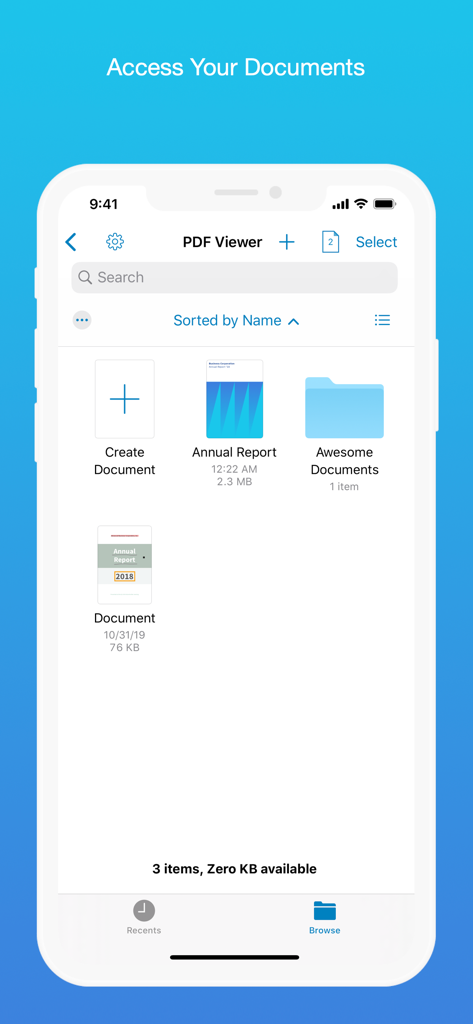
PDF Viewer by Nutrient - Interface der PDF Viewer App, die einen Dokumenten-Browser mit Dateien und Ordnern anzeigt
Interface der PDF Viewer App, die einen Dokumenten-Browser mit Dateien und Ordnern anzeigt

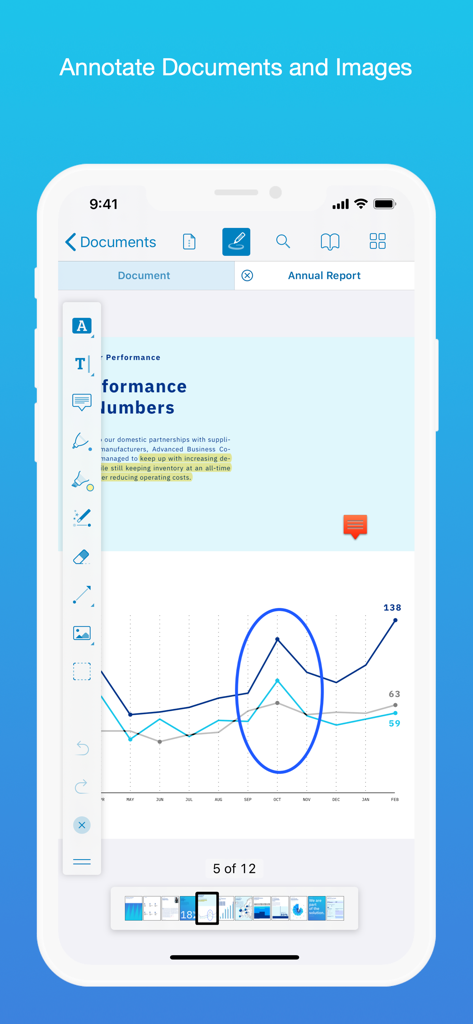
PDF Viewer by Nutrient - iPhone-Screenshot der PDF Viewer App mit Anmerkungswerkzeugen, die ein Liniendiagramm in einem Jahresbericht hervorheben
iPhone-Screenshot der PDF Viewer App mit Anmerkungswerkzeugen, die ein Liniendiagramm in einem Jahresbericht hervorheben

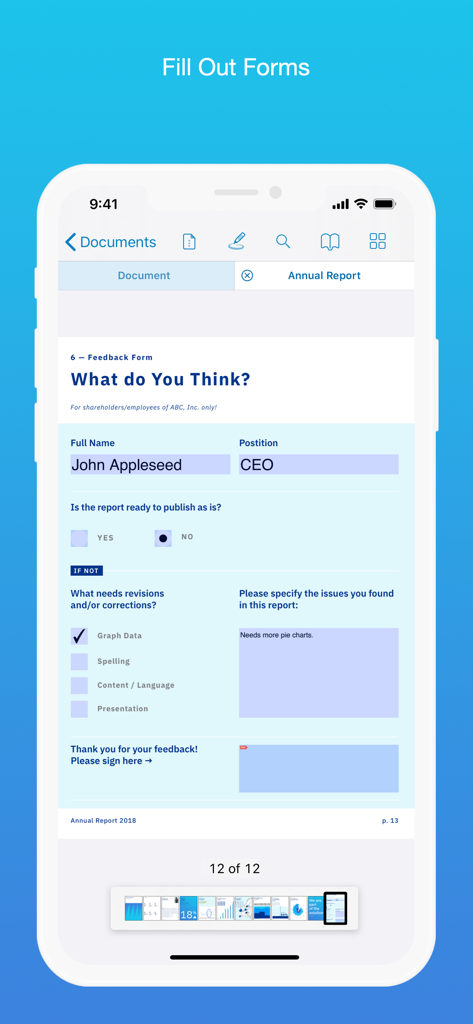
PDF Viewer by Nutrient - Ausfüllen eines PDF-Feedbackformulars auf einem Mobiltelefon
Ausfüllen eines PDF-Feedbackformulars auf einem Mobiltelefon

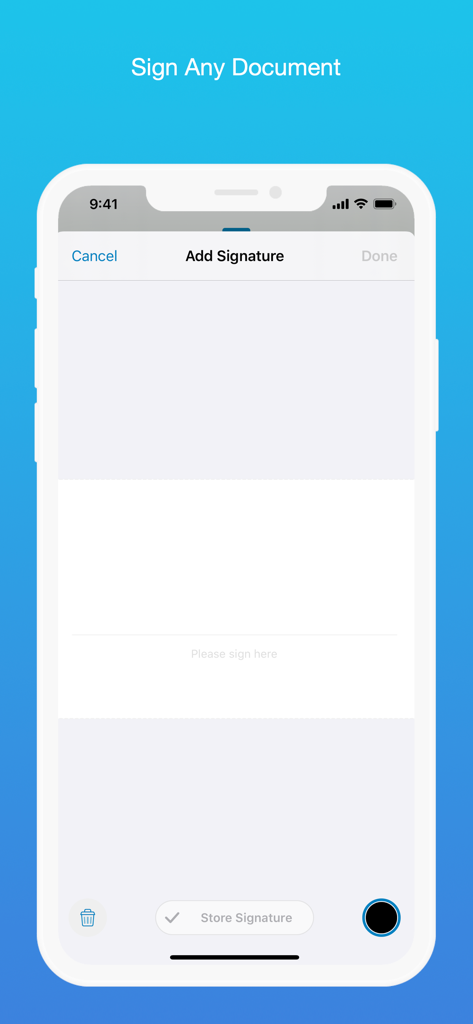
PDF Viewer by Nutrient - Schnittstelle für digitale Signaturen in der PDF Viewer App auf einem iPhone
Schnittstelle für digitale Signaturen in der PDF Viewer App auf einem iPhone

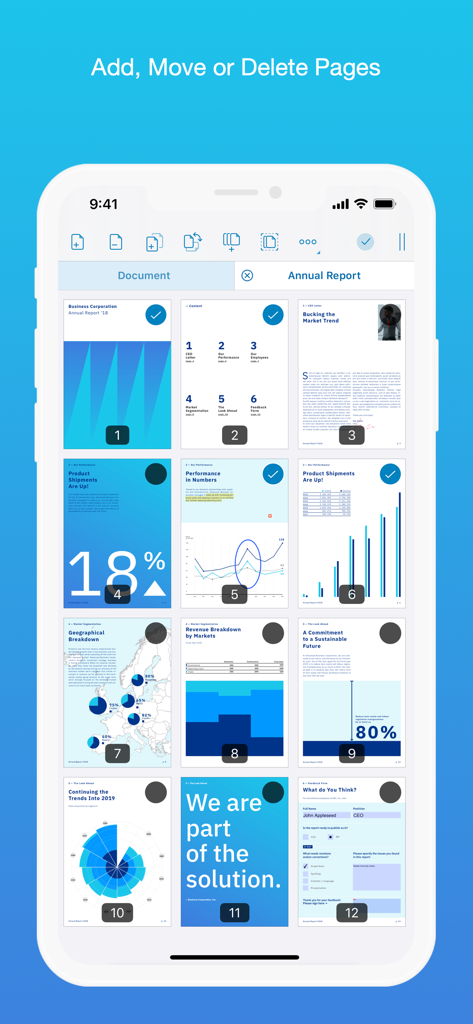
PDF Viewer by Nutrient - Eine mobile Benutzeroberfläche, die ein Raster von PDF-Seiten mit Optionen zum Hinzufügen, Verschieben oder Löschen zeigt
Eine mobile Benutzeroberfläche, die ein Raster von PDF-Seiten mit Optionen zum Hinzufügen, Verschieben oder Löschen zeigt

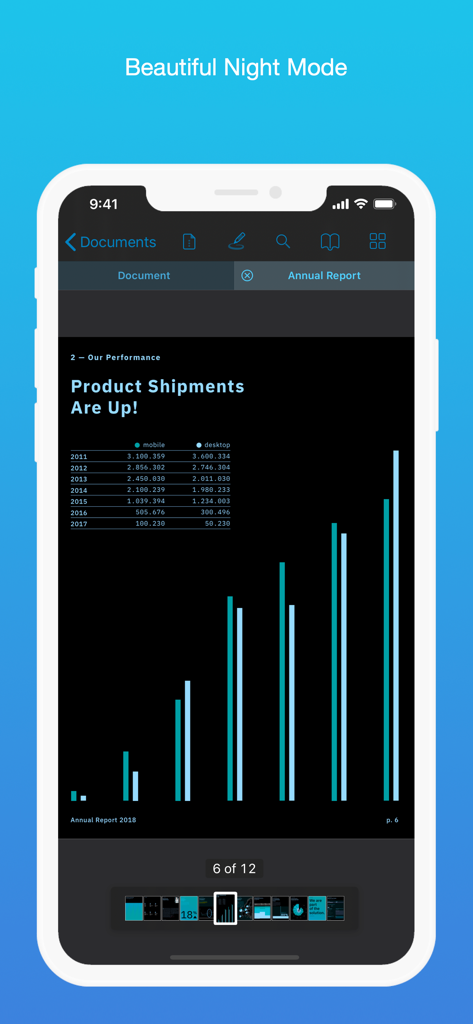
PDF Viewer by Nutrient - PDF Viewer App, die ein Dokument im Nachtmodus auf einem iPhone anzeigt
PDF Viewer App, die ein Dokument im Nachtmodus auf einem iPhone anzeigt

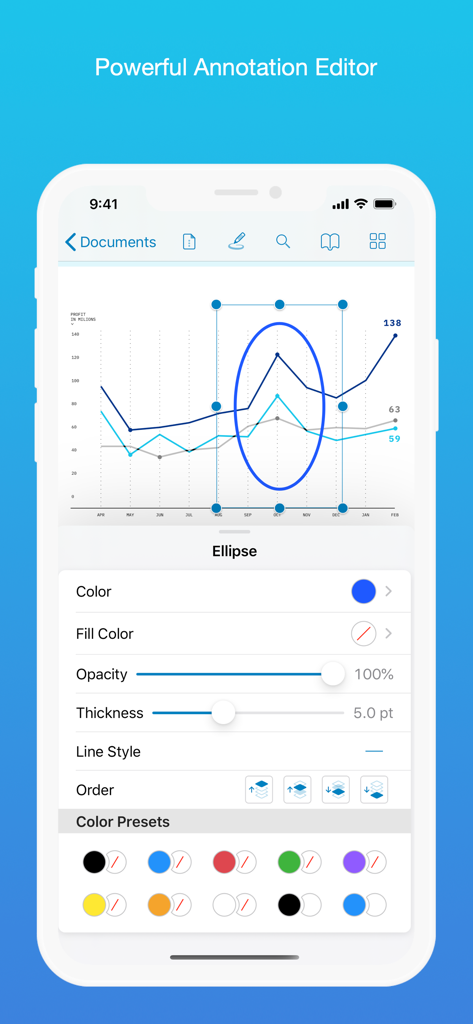
PDF Viewer by Nutrient - iPhone-Bildschirm mit dem Anmerkungseditor von PDF Viewer mit Optionen zum Anpassen einer Ellipse in einem Datendiagramm.
iPhone-Bildschirm mit dem Anmerkungseditor von PDF Viewer mit Optionen zum Anpassen einer Ellipse in einem Datendiagramm.

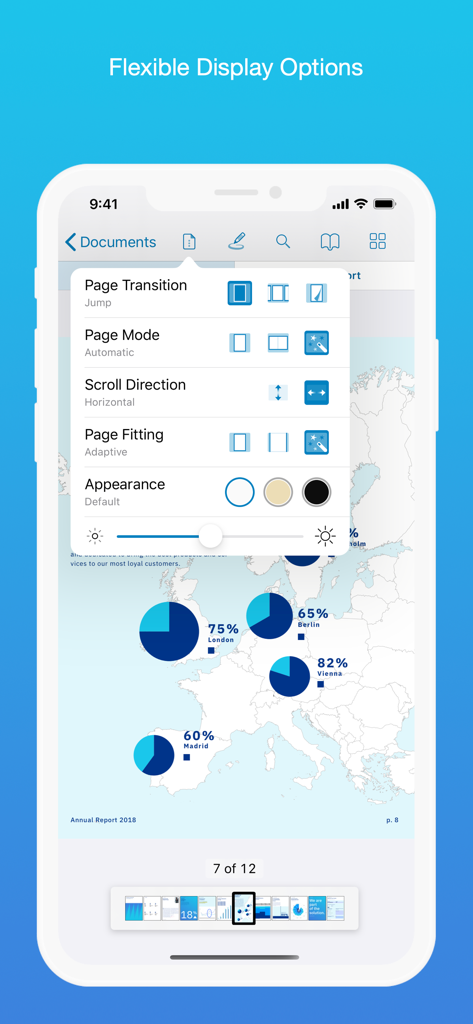
PDF Viewer by Nutrient - Benutzeroberfläche der PDF Viewer App mit flexiblen Anzeigeoptionen, einschließlich Seitenmodus, Scrollrichtung und Darstellungsthemen
Benutzeroberfläche der PDF Viewer App mit flexiblen Anzeigeoptionen, einschließlich Seitenmodus, Scrollrichtung und Darstellungsthemen

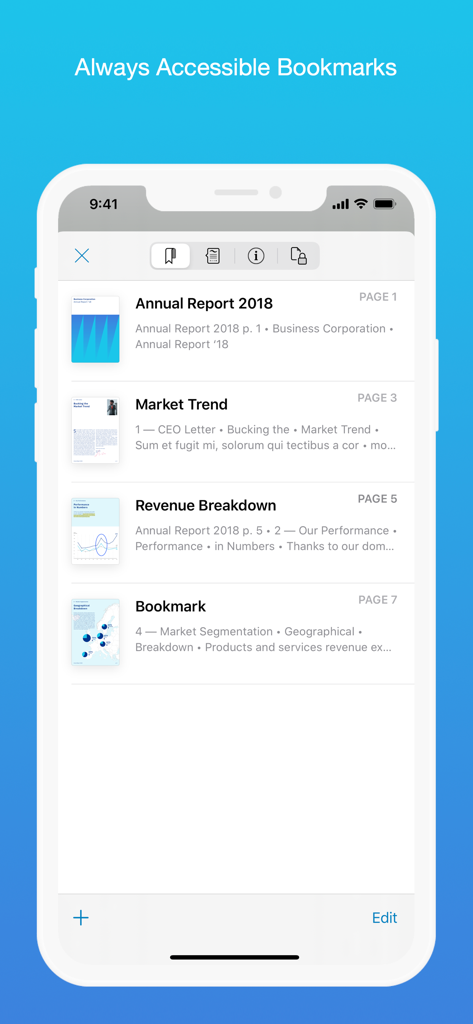
PDF Viewer by Nutrient - iPhone mit der Lesezeichenliste in der PDF Viewer App
iPhone mit der Lesezeichenliste in der PDF Viewer App

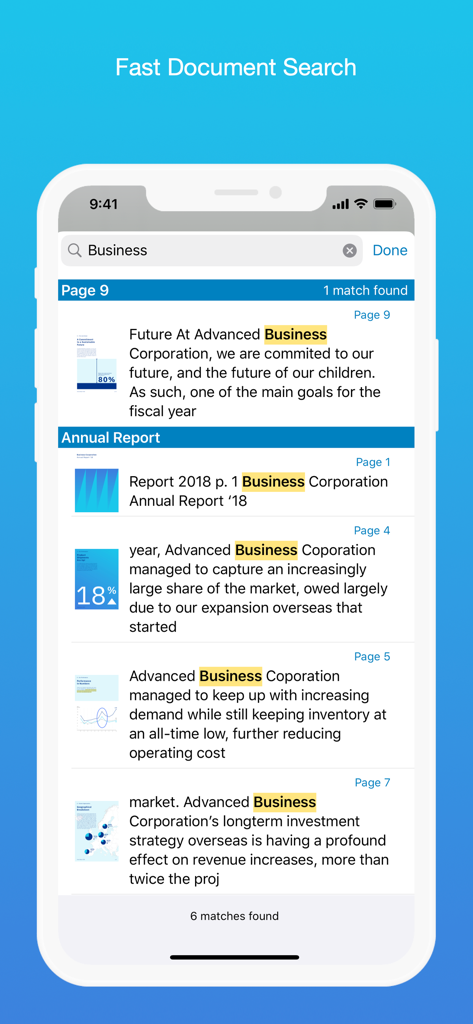
PDF Viewer by Nutrient - Eine mobile Benutzeroberfläche, die Suchergebnisse für das Wort „Business“ in mehreren Dokumenten in der PDF Viewer App anzeigt

Eine mobile Benutzeroberfläche, die Suchergebnisse für das Wort „Business“ in mehreren Dokumenten in der PDF Viewer App anzeigt

Beschreibung

PDF Viewer is a fast and beautiful app, allowing you to view, search, and annotate PDF documents with ease on your iPhone and iPad. Access your files from iCloud, Dropbox, Box, OneDrive, Google Drive or any other cloud solution via Apple's familiar Document Browser interface. +++ Listed as “Productivity lifesaver” on the App Store +++ "A streamlined interface packed with powerful features - it’s like having a desktop-quality PDF toolkit wherever we go" – App Store Editor Notes “I'm impressed by how the folks at PSPDFKit have been able to fine-tune the document browser to the app's needs.” – MacStories.net "If you want a PDF viewer that is designed for reading PDF books, this is it." – App Review VIEW DOCUMENTS ON THE GO • Easily import a PDF from your favorite cloud service provider, email, or directly off a website. • Supports Open In Place, Drag & Drop and features the familiar Apple Document Browser interface from the Files app. • Search for the exact text you are looking for within the document. • Double tap on the screen to Smart Zoom directly to the text you want to read. • Annotate images (JPEG, PNG) non-destructive, just like PDF documents. (PRO) ANNOTATE WITH EASE • While reviewing a document, use your finger or Apple Pencil to highlight and markup text. • Leave comments by adding a note, text, or drawing directly on the PDF. • Add images or audio. • Reply to notes. (PRO) SIGN DOCUMENTS ANYWHERE • Add your signature to any document using your finger or Apple Pencil. • Move and resize your signature as needed. • Flatten a document to ensure the signature doesn’t change. CREATE AND EDIT PDFs • Create new documents from existing documents by moving, rotating, deleting, or adding new pages. • Combine multiple documents into a single one. (PRO) • Add bookmarks to easily return to certain pages in large documents. FILL OUT FORMS • Quickly fill out PDF Forms by adding text to the fields. • Flatten and secure the form once you’re done to ensure the document doesn’t change. • Add a signature to any Form. STORE, ORGANIZE AND SHARE • Store documents, create folders and organize your documents. • Share documents by printing, emailing or saving your edits back any cloud service. PASSWORD PROTECT DOCUMENTS • Read document metadata, title and keywords. • Protect documents with user and owner passwords and limit permissions. (PRO) AND SO MUCH MORE • Conveniently switch to night mode when viewing your documents at night. • Present on external screens without the distraction of toolbars. (PRO) • Have the text from a PDF read out loud to you with text-to-speech. • PDF Viewer remembers where you were down to the page/position where you left off - even across devices. PRICING PDF Viewer comes with a large feature set, completely free. Some advanced features require the purchase of PDF Viewer Pro, available as a subscription. We offer 3-monthly and yearly subscription plans. There’s also a fully functional 7-day trial, so you can test PDF Viewer Pro (including document merging and password editing) before you commit. All plans unlock the app on iPhone and iPad. TRUSTED BY COMPANIES YOU KNOW PDF Viewer is built on top of and powered by PSPDFKit, the same PDF engine trusted around the world by companies like Dropbox, Box, IBM, Atlassian, SAP, and Lufthansa. BE PART OF THE PDF VIEWER COMMUNITY pdfviewer.io twitter.com/pdfviewerapp LEGAL Duration and price of each subscription are displayed in PDF Viewers’ storefront, updated at the time of purchase. Payment will be charged to iTunes account at confirmation of purchase. Subscriptions automatically renew unless auto-renew is turned off no later than 24 hours before the end of the current period. Subscriptions and auto-renewal can be managed/turned off in the iTunes account settings. Any unused portion of a free trial period is forfeited as soon as a subscription is purchased. Terms of Use: https://pdfviewer.io/terms Privacy Policy: https://pdfviewer.io/privacy

Download

Herunterladen auf App Store

Diese Seite ist keine offizielle Seite der App oder ihres Entwicklers, sondern eine unabhängige redaktionelle Veröffentlichung, die zu Informations- und Kommentarzwecken erstellt wurde. Sofern nicht ausdrücklich anders angegeben, sind weder die App noch ihr Entwickler mit MWM, Apple, Google Play, dem App-Herausgeber oder dem Entwickler der App verbunden, von ihnen unterstützt, gesponsert, autorisiert oder anderweitig offiziell verbunden, und nichts auf dieser Seite impliziert, dass die App unter Verwendung der Dienste von MWM entwickelt wurde. Alle Marken, Logos, Screenshots und andere Inhalte bleiben Eigentum ihrer jeweiligen Inhaber.








