
Diese Seite ist keine offizielle Seite der App oder ihres Entwicklers, sondern eine unabhängige redaktionelle Veröffentlichung, die zu Informations- und Kommentarzwecken erstellt wurde. Sofern nicht ausdrücklich anders angegeben, sind weder die App noch ihr Entwickler mit MWM, Apple, Google Play, dem App-Herausgeber oder dem Entwickler der App verbunden, von ihnen unterstützt, gesponsert, autorisiert oder anderweitig offiziell verbunden, und nichts auf dieser Seite impliziert, dass die App unter Verwendung der Dienste von MWM entwickelt wurde. Alle Marken, Logos, Screenshots und andere Inhalte bleiben Eigentum ihrer jeweiligen Inhaber.

Phocus: Portrait Mode Editor
Meistern Sie Tiefe und Bokeh mit echter Linsensimulation. Erstellen Sie filmische Porträts und Videos mit Präzisionswerkzeugen, die für Social-Media-Creator und Ästhetik-Perfektionisten entwickelt wurden.
Downloads
734K+Bewertung
Bewertungen gesamt
1K+Herausgeber
Kategorie
Photo & VideoSprachen
15Neueste Version
3.0.8Größe
239.7 MBErstveröffentlichung
17. Aug. 2017Fotografie auf Profi-Niveau, neu gedacht
Phocus kombiniert fortschrittliche KI mit manuellen DSLR-Steuerungen, um Ihnen zu helfen, atemberaubende, professionelle Porträts und Videos direkt von Ihrem iPhone aus zu erstellen.
KI-Porträt-Meisterschaft
Trennen Sie Motive und Hintergründe sofort mit chirurgischer Präzision mithilfe unserer intelligenten Tiefenmesstechnik für die perfekte Aufnahme.
Echtes DSLR-Bokeh
Emulieren Sie die Physik teurer Objektive mit anpassbaren Blendeneinstellungen, Unschärfeintensität und Vintage-Optikstilen.
Die folgenden Screenshots und die Beschreibung stammen direkt aus dem offiziellen Store-Eintrag der App und sind Eigentum des Entwicklers.
App Store
Screenshots
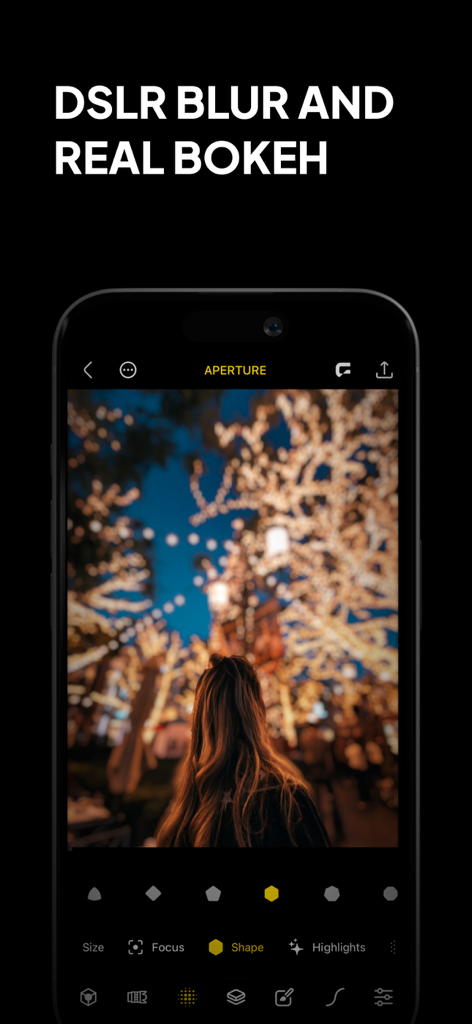
Phocus App-Oberfläche, die DSLR-Unschärfe und echte Bokeh-Effekte auf einem Porträtfoto zeigt
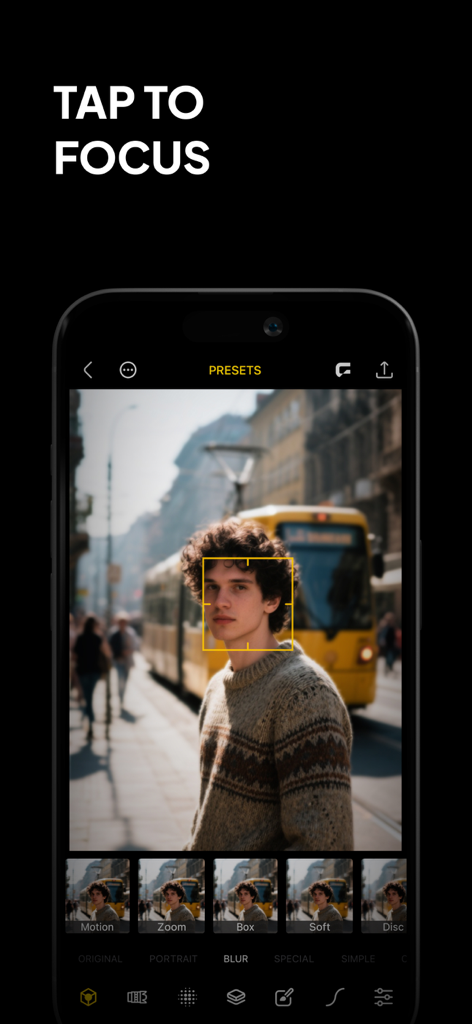
Phocus App-Oberfläche, die die Tap-to-Focus-Funktion auf einem Porträtfoto demonstriert
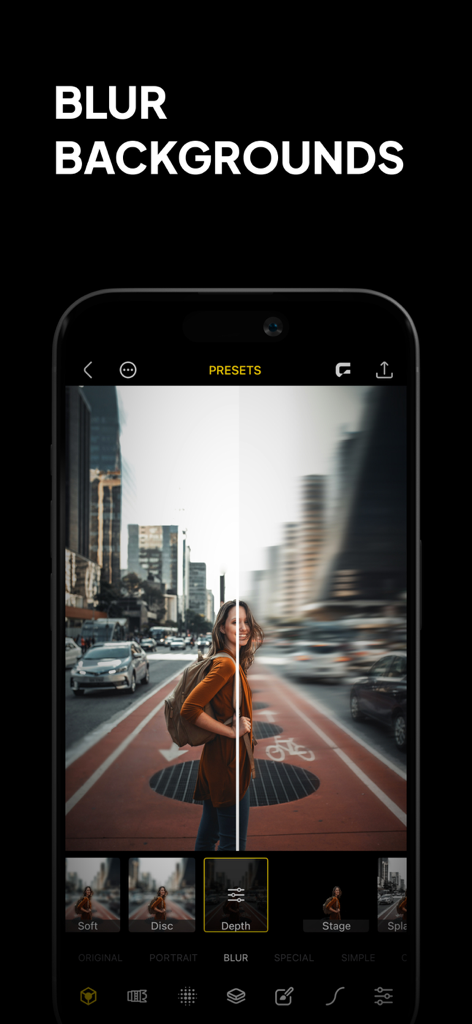
Smartphone-Bildschirm, der die Hintergrundunschärfe-Funktion der Phocus-App mit einem Vorher-Nachher-Vergleich eines Stadtporträts zeigt.
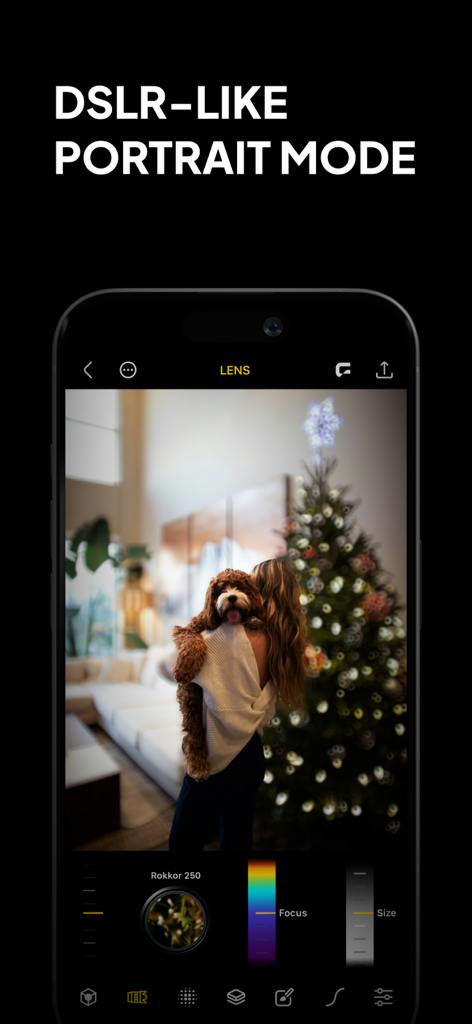
Phocus App-Oberfläche, die einen DSLR-ähnlichen Porträtmodus mit Bokeh-Unschärfe und manuellen Objektivsteuerungen auf einem Foto einer Person mit einem Hund zeigt
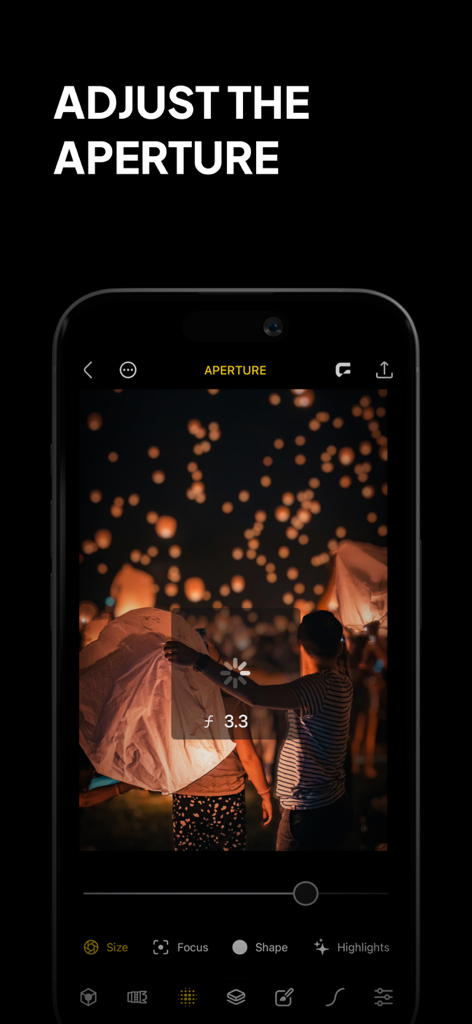
Ein Telefon, das die Phocus App-Oberfläche zeigt, wobei die Blendenanpassungsfunktion bei einem Nachtfoto von Himmelslaternen verwendet wird
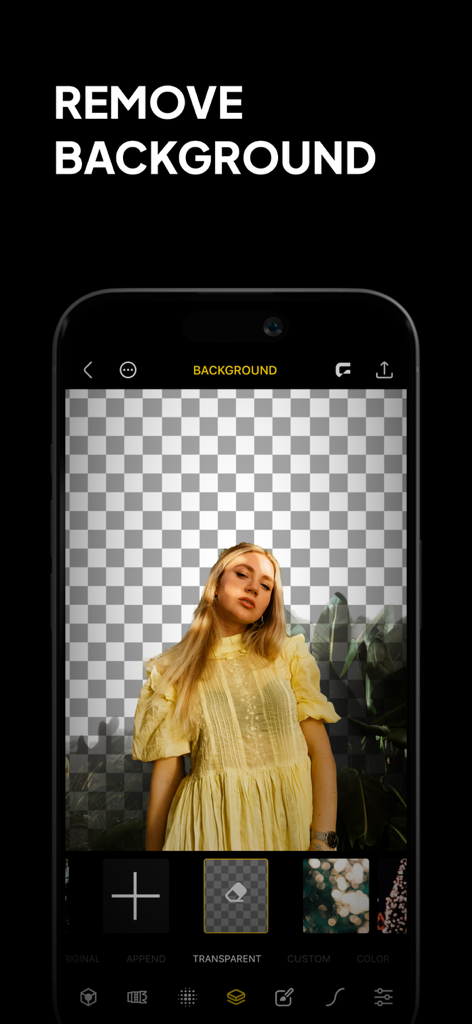
Ein Screenshot der Phocus App-Oberfläche, der ein Frauenporträt mit entferntem Hintergrund vor einem transparenten Raster zeigt
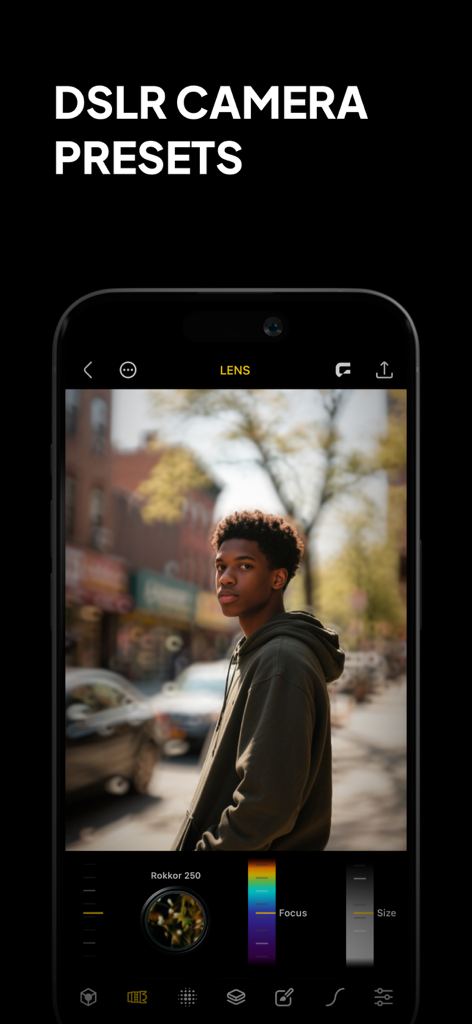
Phocus App-Oberfläche, die ein Männerporträt mit DSLR-Kameravoreinstellungen und professioneller Hintergrundunschärfe zeigt.
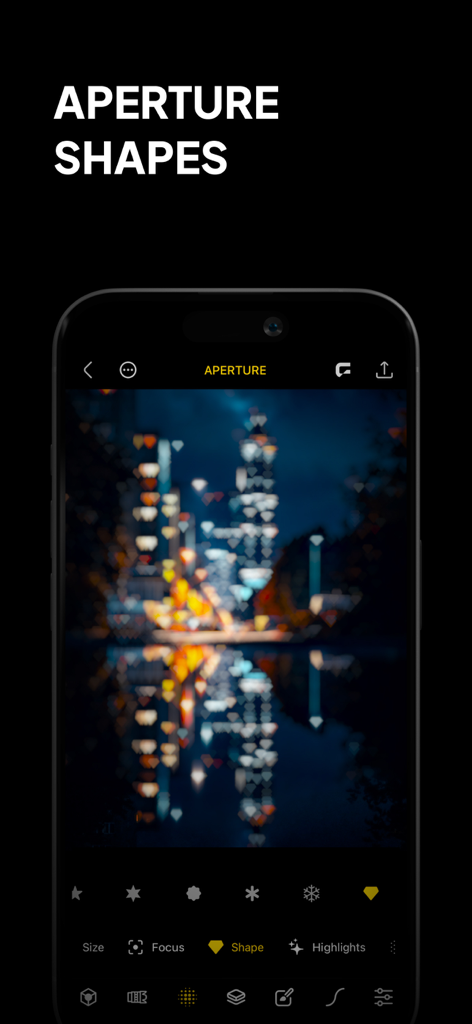
Ein Smartphone, das die Phocus App-Oberfläche mit herzförmigen Bokeh-Effekten auf einer nächtlichen Stadtkulisse zeigt.
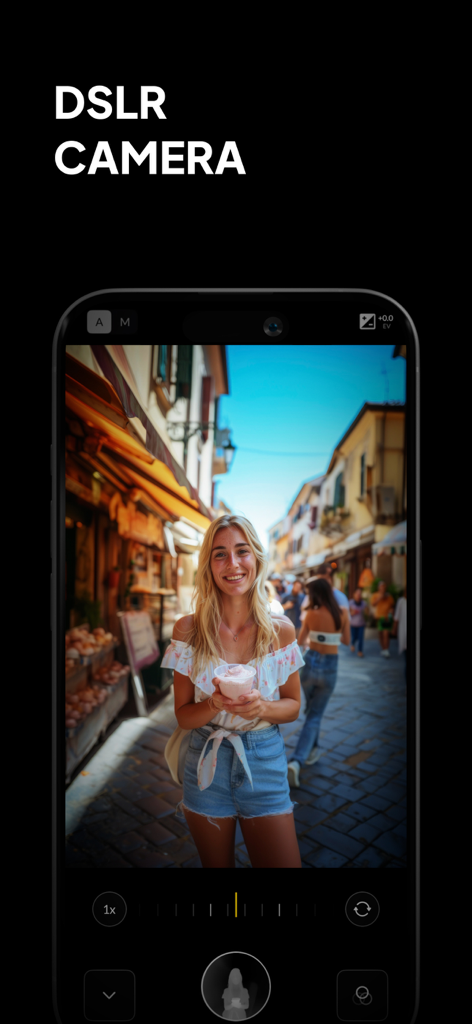
Phocus App-Oberfläche, die manuelle DSLR-Kamerasteuerungen und professionellen Porträt-Bokeh-Effekt zeigt
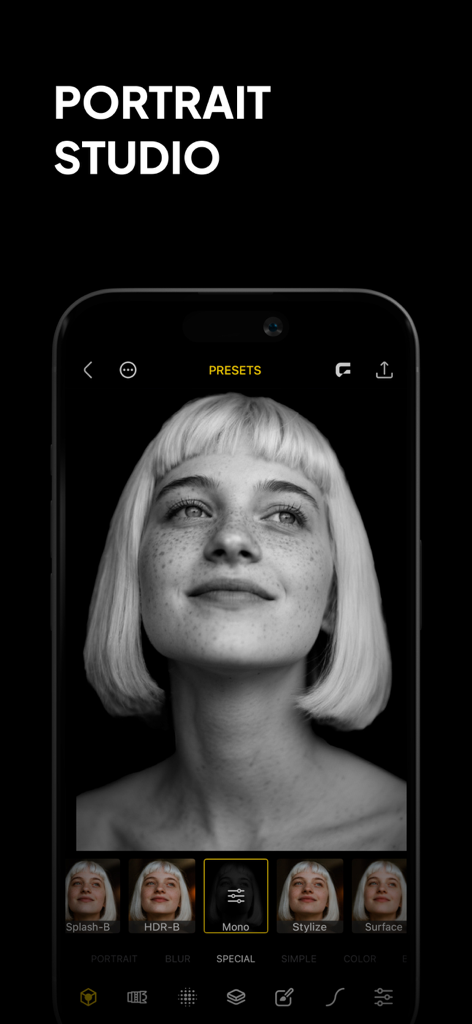
Smartphone-Bildschirm, der die Phocus App mit einem Schwarz-Weiß-Porträtfoto und Bearbeitungsvoreinstellungen anzeigt.
Beschreibung
Download
Ähnliche Apps
Top-gerankte Apps in derselben Kategorie

CapCut: Photo & Video Editor
BYTEDANCE PTE. LTD.

Instagram, Inc.

YouTube
Google LLC

Canva: AI Photo & Video Editor
Canva Pty Ltd

Snapchat
Snap, Inc.

快手
Beijing Kwai Technology Co., Ltd.

Edits: Video Editor
Instagram, Inc.

Meitu- AI Photo & Video Editor
Xiamen Meitu Technology Co., Ltd.

Google Photos: Backup & Edit
Google LLC
Diese Seite ist keine offizielle Seite der App oder ihres Entwicklers, sondern eine unabhängige redaktionelle Veröffentlichung, die zu Informations- und Kommentarzwecken erstellt wurde. Sofern nicht ausdrücklich anders angegeben, sind weder die App noch ihr Entwickler mit MWM, Apple, Google Play, dem App-Herausgeber oder dem Entwickler der App verbunden, von ihnen unterstützt, gesponsert, autorisiert oder anderweitig offiziell verbunden, und nichts auf dieser Seite impliziert, dass die App unter Verwendung der Dienste von MWM entwickelt wurde. Alle Marken, Logos, Screenshots und andere Inhalte bleiben Eigentum ihrer jeweiligen Inhaber.