Photo Collage Maker : Pic Grid
Herunterladen auf App Store

Diese Seite ist keine offizielle Seite der App oder ihres Entwicklers, sondern eine unabhängige redaktionelle Veröffentlichung, die zu Informations- und Kommentarzwecken erstellt wurde. Sofern nicht ausdrücklich anders angegeben, sind weder die App noch ihr Entwickler mit MWM, Apple, Google Play, dem App-Herausgeber oder dem Entwickler der App verbunden, von ihnen unterstützt, gesponsert, autorisiert oder anderweitig offiziell verbunden, und nichts auf dieser Seite impliziert, dass die App unter Verwendung der Dienste von MWM entwickelt wurde. Alle Marken, Logos, Screenshots und andere Inhalte bleiben Eigentum ihrer jeweiligen Inhaber.

Logo von Photo Collage Maker : Pic Grid
Herunterladen auf App Store

Photo Collage Maker : Pic Grid

Erstellen Sie in Sekundenschnelle professionelle, druckfertige Layouts. Wählen Sie aus Hunderten von ausgefallenen Vorlagen und einzigartigen Formen, um Ihre Social-Media-Storys und Urlaubserinnerungen zum Strahlen zu bringen.

Kennzahlen

Downloads

1M+

Bewertung

4.6/5

Bewertungen gesamt

40K+

Herausgeber

Ankur Chauhan

Kategorie

Graphics & Design

Sprachen

10

Neueste Version

2.1.16

Größe

44.0 MB

Erstveröffentlichung

22. Nov. 2017
Funktionen

Erstellen Sie Erinnerungen, die herausstechen

Das All-in-One-Studio, um Ihre Lieblingsmomente in hochauflösende Fotoraster und künstlerische Collagen zu verwandeln.

Unendliche kreative Layouts

Entdecken Sie Hunderte von Rastermustern und einzigartigen Formen wie Herzen und Sechsecke, um Ihren Erinnerungen einen einzigartigen Look zu verleihen.

Sofortiges Remixen

Verwandeln Sie Ihre Galerie in Sekundenschnelle in eine ausgefeilte Collage mit intuitiven Gestensteuerungen und intelligenten Vorlagen.

Die folgenden Screenshots und die Beschreibung stammen direkt aus dem offiziellen Store-Eintrag der App und sind Eigentum des Entwicklers.

App Store

Screenshots
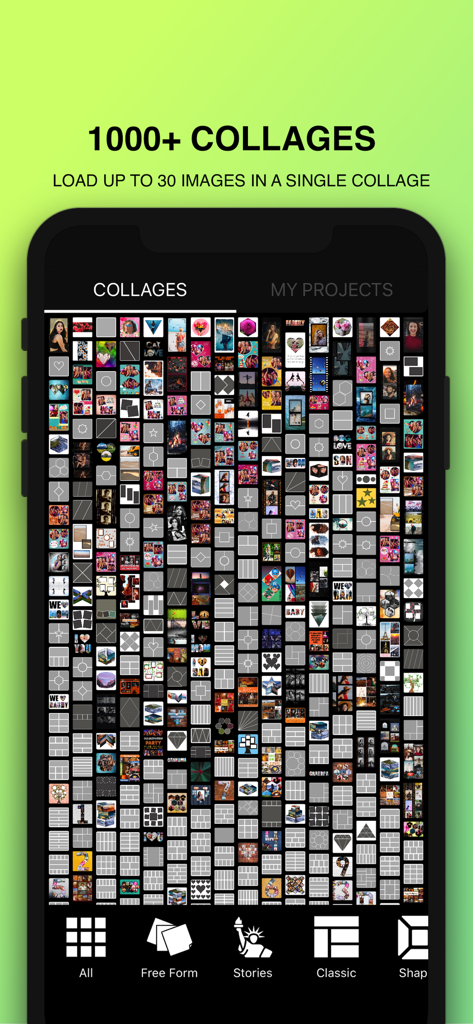
Photo Collage Maker : Pic Grid - Smartphone-Bildschirm mit einer großen Bibliothek vielfältiger Fotocollage-Vorlagen und Rasterlayouts für Social-Media-Beiträge.
Smartphone-Bildschirm mit einer großen Bibliothek vielfältiger Fotocollage-Vorlagen und Rasterlayouts für Social-Media-Beiträge.

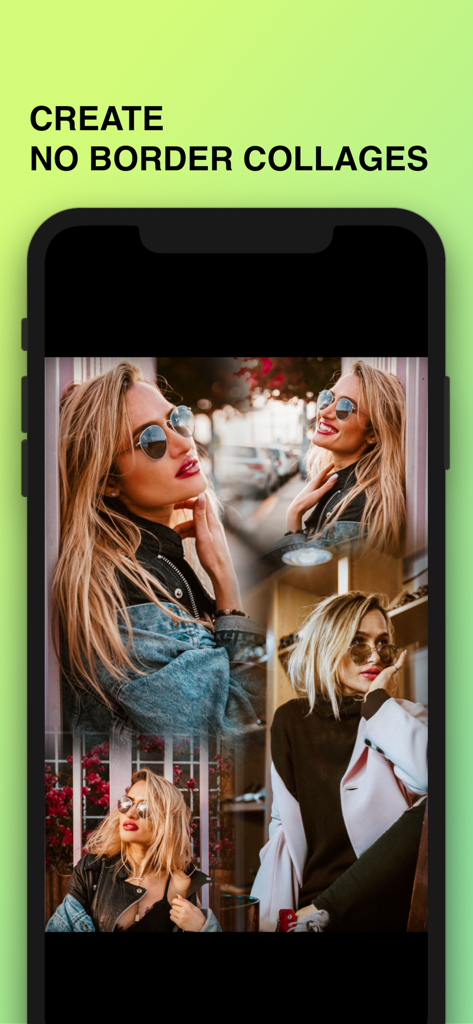
Photo Collage Maker : Pic Grid - Smartphone-Bildschirm, der eine randlose Fotocollage einer Frau in verschiedenen stilvollen Posen anzeigt
Smartphone-Bildschirm, der eine randlose Fotocollage einer Frau in verschiedenen stilvollen Posen anzeigt

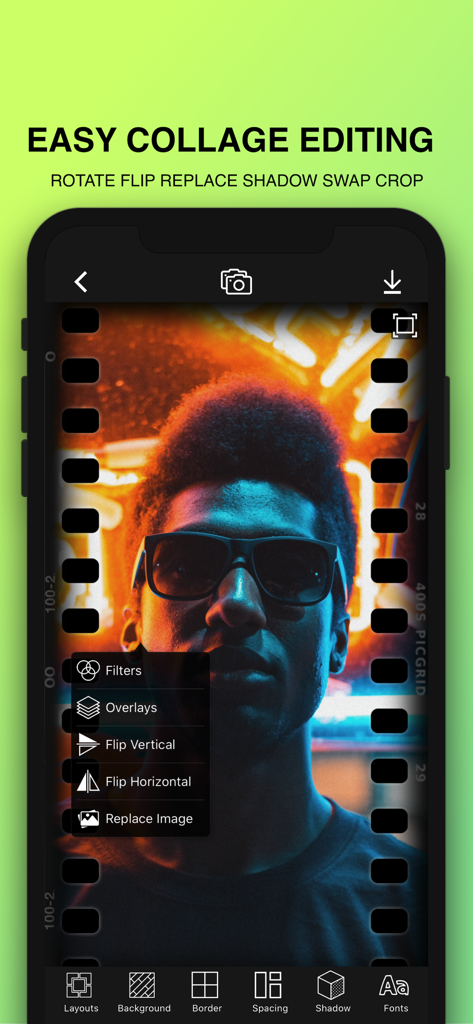
Photo Collage Maker : Pic Grid - Mobile App-Oberfläche mit einfachen Fotocollage-Bearbeitungswerkzeugen und einem Porträt eines Mannes mit Sonnenbrille
Mobile App-Oberfläche mit einfachen Fotocollage-Bearbeitungswerkzeugen und einem Porträt eines Mannes mit Sonnenbrille

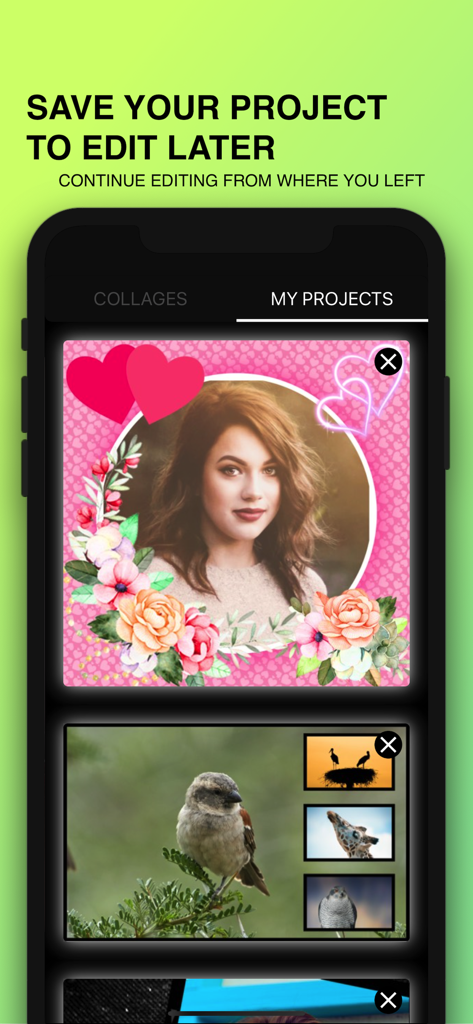
Photo Collage Maker : Pic Grid - Der Bildschirm 'Meine Projekte' der Photo Collage Maker App zeigt gespeicherte Fotolayouts, die zur weiteren Bearbeitung bereit sind
Der Bildschirm 'Meine Projekte' der Photo Collage Maker App zeigt gespeicherte Fotolayouts, die zur weiteren Bearbeitung bereit sind

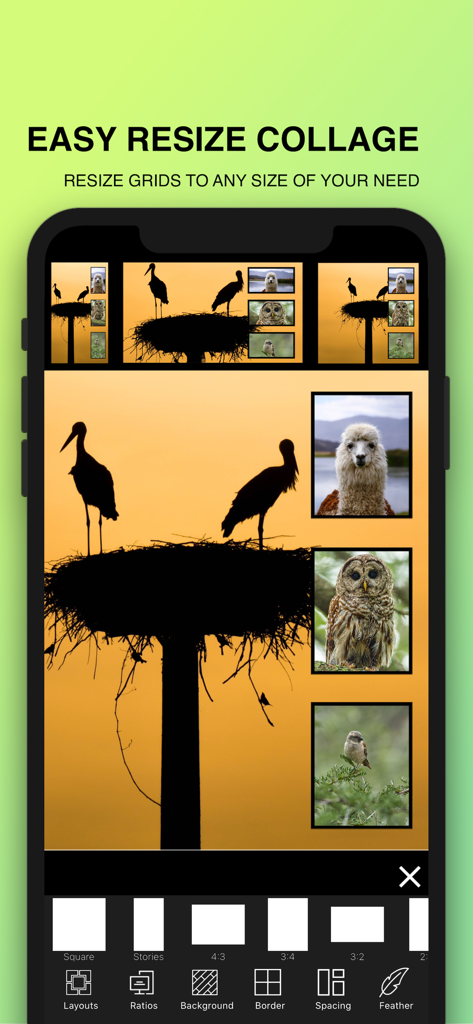
Photo Collage Maker : Pic Grid - Ein mobiler App-Bildschirm, der Optionen zum Ändern der Größe einer Fotocollage in verschiedene Seitenverhältnisse wie Quadrat und Stories zeigt
Ein mobiler App-Bildschirm, der Optionen zum Ändern der Größe einer Fotocollage in verschiedene Seitenverhältnisse wie Quadrat und Stories zeigt

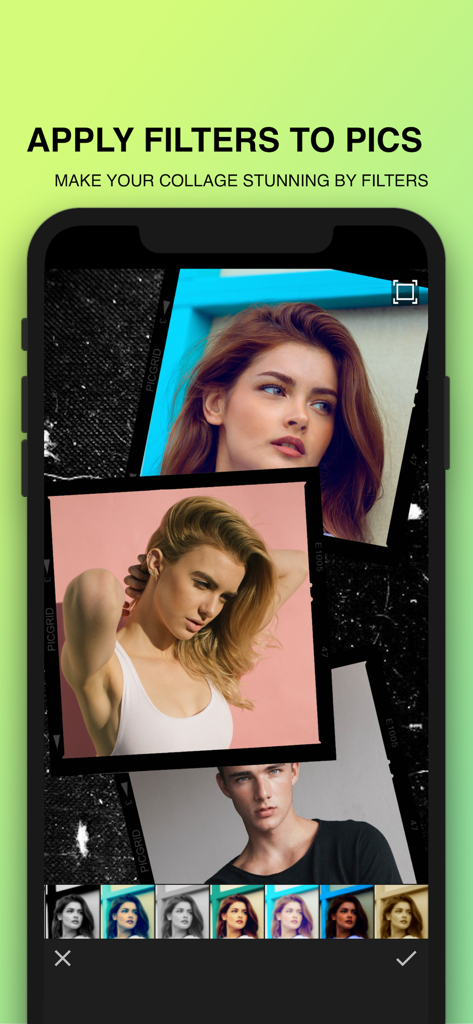
Photo Collage Maker : Pic Grid - Ein Smartphone zeigt eine Fotocollage mit verschiedenen ästhetischen Filteroptionen am unteren Rand.
Ein Smartphone zeigt eine Fotocollage mit verschiedenen ästhetischen Filteroptionen am unteren Rand.

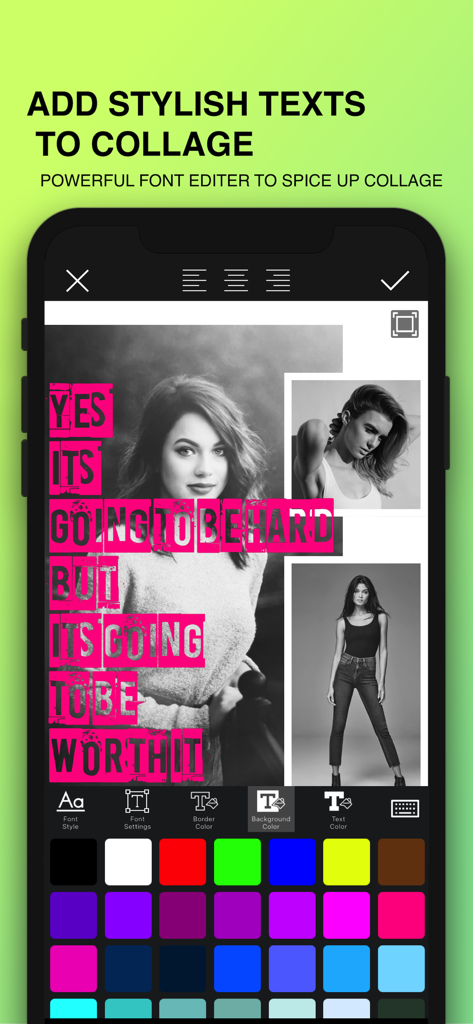
Photo Collage Maker : Pic Grid - Smartphone-Bildschirm, der die stilvollen Text- und Schrifteditor-Tools innerhalb einer Fotocollage-App zeigt

Smartphone-Bildschirm, der die stilvollen Text- und Schrifteditor-Tools innerhalb einer Fotocollage-App zeigt

Beschreibung

PicGrid Fancy Photo Collage Maker is the best collage maker app that makes high definition collages. Best collage maker with photo grid effects for photography fun. PicGrid Photo collage maker turns your phone into a photo studio and lets you create photo collages on a grid. This Photo Collage Editor includes the best collage templates on just simple touch that bring amazing photo collages of your pictures. PicGrid helps you combine photos in a grid in a very less time. Discover best photo collage from layouts for the best pic collages. Custom Gallery to import images from photos library that can help you selecting images very quickly. Choose from tons of photo collage templates to create your stunning photo grid. PicGrid Photo Collage Maker lets you create one of a kind layouts by remixing your own photos and sharing them with your friends. Choose photos from your gallery and instantly see them laid out in a cool collage. Pick the collage template you like best, add shadow to your photo grid, then edit it to make it your own with this photo collage app you can easily swap between pictures. Some of the best features of application are Not just any picture collage maker. You can change shape of the pictures in to shapes like Hexagon, Heart, Triangle, Square, Star, Badge, Diamond, Rhombus,Circle to Give you best shape collage. HD size of the photo grid can help you print without blur. You can add Shadow to individual picture for more depth. Adjust Inner spacing and outer spacing to the pictures. Image Tap, Drag, Zoom, Long Press and Rotate Gestures to Increasing productivity Share your grid photo collages on social platforms. Simple and easy way of inserting pictures in to photo grid. Hundreds of layouts of collage photo frames Adjust the photo border, background with photo collage editor. Find a photo grid to make an image collage in seconds. Free Patterns to make your collage more beautiful. Picture Collage Categories Available: Halloween Collage, Autumn Collage, Thanksgiving Picture Collages, Freestyle Collage, Shape Collage, Heart Collage, Fancy Collage, Heart Shape Collages, Christmas Collage, Happy New Year Collage, Number Collages, Birthday Collages, Photo Mosaic Creator Few words from users: Photo Collage is a powerful fancy collage maker and photo editor for you to create amazing pic collages using your photos, backgrounds and frames. Photo Collage is the best collage maker and photo editor helps you combine multiple photos with various frame patterns and photo grids, then share them at a time. This pic collage editor has a simple design with a powerful photo editor to give you everything you could, add collage templates to your photos to be amazing. Photo Collage is an easy to use and all in one fancy collage maker and photo editor. Best collage maker app, this application can make print quality pic collage. It is the amazing collage app ever I loved it. This app can make corner rounded and shadow to photo, has tons of backgrounds from too so many pic collage layouts. —————————— PicGrid - Photo Collage subscription removes advertisements. PicGrid - Photo Collage Maker plans: - Monthly: $1.99 - Annual: $9.99 Payments and Renewal: - Payment will be charged to iTunes Account at confirmation of purchase. Subscription automatically renews unless auto-renew is turned off at least 24-hours before the end of the current period. - Account will be charged for renewal within 24-hours prior to the end of the current period. - You can manage or turn off auto-renew in your Account settings at any time after purchase - No cancellation of the current subscription is allowed during the active period. Terms of use: http://thewebanalyzers.com/picgrid-terms-conditions.html Privacy policy: http://thewebanalyzers.com/picgrid-privacy-policy.html

Download

Herunterladen auf App Store

Diese Seite ist keine offizielle Seite der App oder ihres Entwicklers, sondern eine unabhängige redaktionelle Veröffentlichung, die zu Informations- und Kommentarzwecken erstellt wurde. Sofern nicht ausdrücklich anders angegeben, sind weder die App noch ihr Entwickler mit MWM, Apple, Google Play, dem App-Herausgeber oder dem Entwickler der App verbunden, von ihnen unterstützt, gesponsert, autorisiert oder anderweitig offiziell verbunden, und nichts auf dieser Seite impliziert, dass die App unter Verwendung der Dienste von MWM entwickelt wurde. Alle Marken, Logos, Screenshots und andere Inhalte bleiben Eigentum ihrer jeweiligen Inhaber.








