Photo Grid - Pic Collage Maker
Herunterladen auf App Store

Diese Seite ist keine offizielle Seite der App oder ihres Entwicklers, sondern eine unabhängige redaktionelle Veröffentlichung, die zu Informations- und Kommentarzwecken erstellt wurde. Sofern nicht ausdrücklich anders angegeben, sind weder die App noch ihr Entwickler mit MWM, Apple, Google Play, dem App-Herausgeber oder dem Entwickler der App verbunden, von ihnen unterstützt, gesponsert, autorisiert oder anderweitig offiziell verbunden, und nichts auf dieser Seite impliziert, dass die App unter Verwendung der Dienste von MWM entwickelt wurde. Alle Marken, Logos, Screenshots und andere Inhalte bleiben Eigentum ihrer jeweiligen Inhaber.

Logo von Photo Grid - Pic Collage Maker
Herunterladen auf App Store

Photo Grid - Pic Collage Maker

Entfessle deine Kreativität mit Hunderten von Layouts, ästhetischen Filtern und individuellen Stickern. Erstelle kostenlose Collagen auf Profi-Niveau für IG und Familienalben – keine Abonnements erforderlich.

Kennzahlen

Downloads

2K+

Bewertung

1.0/5

Bewertungen gesamt

0

Herausgeber

TROSTUN LTD

Kategorie

Photo & Video

Sprachen

49

Neueste Version

1.0.8

Größe

55.7 MB

Erstveröffentlichung

19. Sept. 2023
Funktionen

Alles, was du brauchst, um deine Geschichte zu erzählen

Erstelle in Sekundenschnelle atemberaubende, hochwertige Fotocollagen und individuelle Karten. Schließe dich Tausenden von Nutzern an, die Erinnerungen schaffen, ohne den Aufwand teurer Abonnements.

100% kostenlos, kein Haken

Sag Tschüss zur Abo-Müdigkeit. Greife auf jedes Premium-Layout, jede Schriftart und jeden Filter zu, ohne einen einzigen Cent zu bezahlen oder dir Gedanken über versteckte Gebühren zu machen.

Sofortige 15-Foto-Gitter

Das ultimative Werkzeug für deinen nächsten 'Foto-Dump'. Lade bis zu 15 Bilder auf einmal hoch und sieh zu, wie sie sich sofort in angesagte Social-Media-Layouts verwandeln.

Die folgenden Screenshots und die Beschreibung stammen direkt aus dem offiziellen Store-Eintrag der App und sind Eigentum des Entwicklers.

App Store

Screenshots
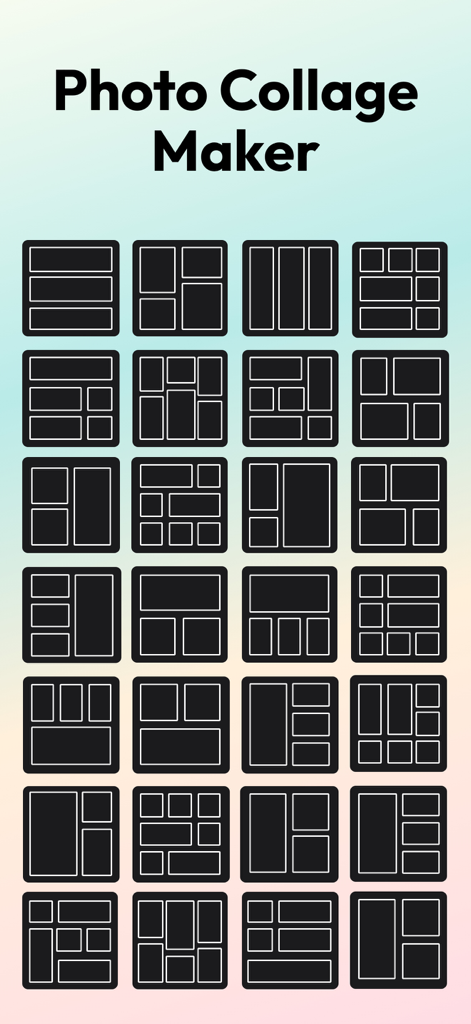
Photo Grid - Pic Collage Maker - Eine Sammlung verschiedener Gitter-Layout-Vorlagen zur Erstellung von Fotocollagen.
Eine Sammlung verschiedener Gitter-Layout-Vorlagen zur Erstellung von Fotocollagen.

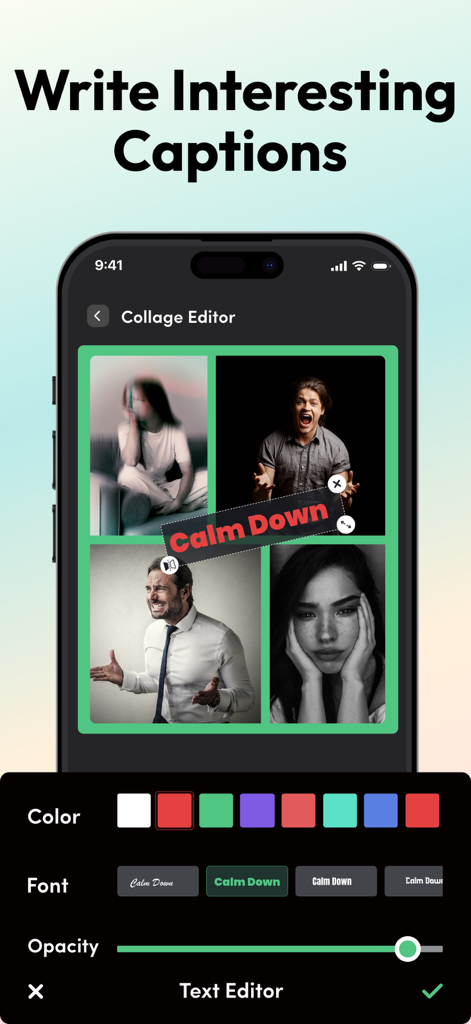
Photo Grid - Pic Collage Maker - Oberfläche zum Hinzufügen und Anpassen von Textunterschriften auf einer Fotocollage innerhalb der Foto Gitter App
Oberfläche zum Hinzufügen und Anpassen von Textunterschriften auf einer Fotocollage innerhalb der Foto Gitter App

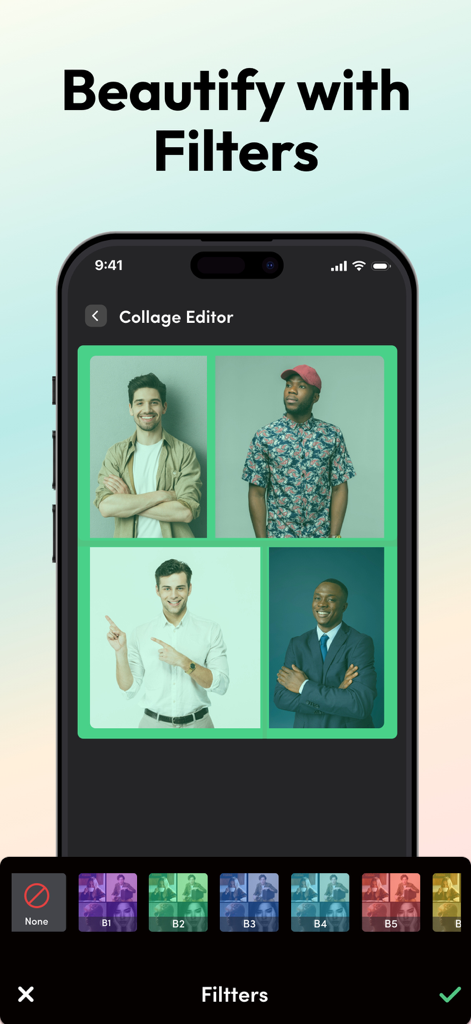
Photo Grid - Pic Collage Maker - Eine mobile Oberfläche der Foto Gitter App, die eine Vier-Foto-Collage mit mehreren Filteroptionen am unteren Rand zeigt.
Eine mobile Oberfläche der Foto Gitter App, die eine Vier-Foto-Collage mit mehreren Filteroptionen am unteren Rand zeigt.

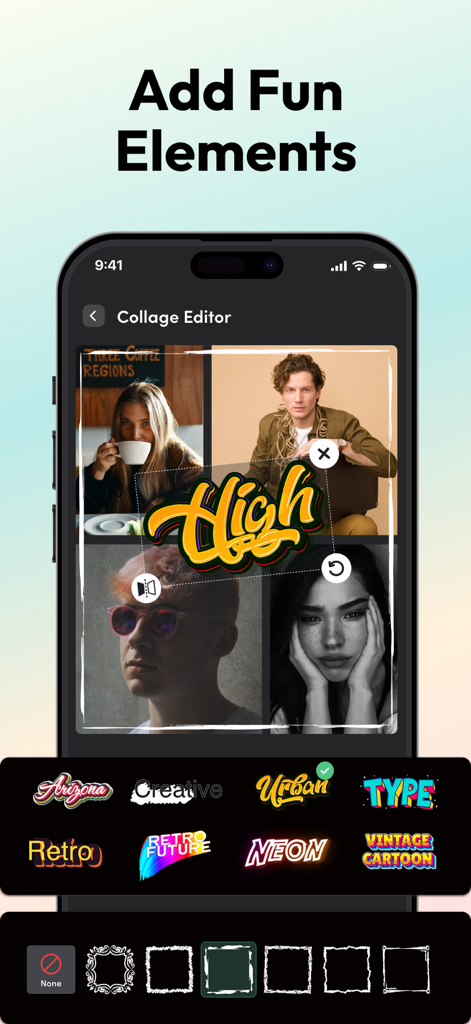
Photo Grid - Pic Collage Maker - Foto Gitter App-Oberfläche, die die Collage-Bearbeitung mit Stickern und Rahmenoptionen zeigt
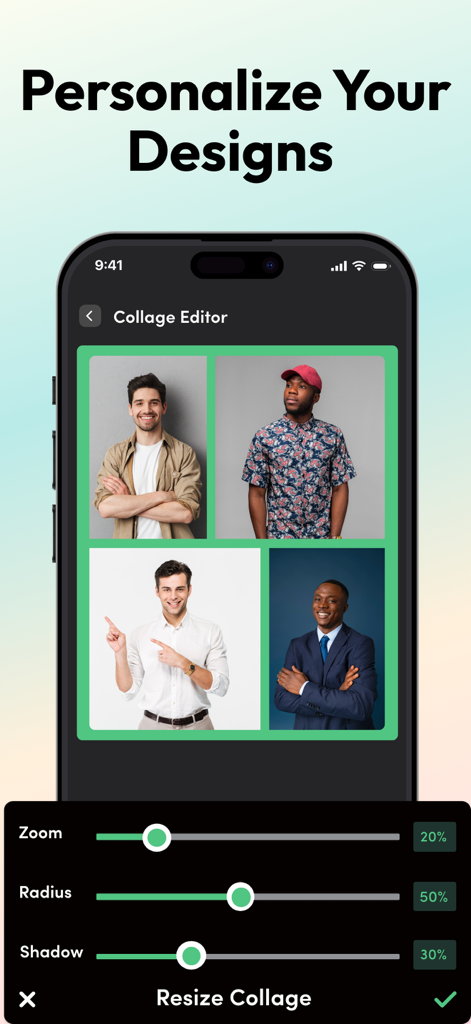
Foto Gitter App-Oberfläche, die die Collage-Bearbeitung mit Stickern und Rahmenoptionen zeigt

Photo Grid - Pic Collage Maker - Foto Gitter Collage-Editor zeigt ein 4-Foto-Layout und Schieberegler für Zoom-, Radius- und Schattenanpassungen

Foto Gitter Collage-Editor zeigt ein 4-Foto-Layout und Schieberegler für Zoom-, Radius- und Schattenanpassungen

Beschreibung

With the pic collage maker, you can save multiple pictures in a grid and turn them into beautiful memories. You can use this collage maker app to stitch together pictures of a trip or adventure you had on your vacation or create quick cards with photos for an event. Our app doesn’t pose any restrictions and lets you unleash your creative side. It is very easy and fun to use, and the best part is you don’t have to pay a single penny to save your memories in collages. Just get the app and start creating your first photo grid now! Overview of Photo Collage Maker App - Create picture grids, collages, cards and enjoy much more - Customize photo grids, add filters, cutouts, and stickers - Access to dozens of layouts, animated templates, predesigned grids - Personalized fonts, stickers, filters, and doodles - Access to unlimited editing tools Try our pic collage maker and get access to tons of customization options that will help you create the best photo grids that you can post on IG or other social platforms. Create Personalized Collages and Cards With our app, you can let loose the creative beast inside you and easily create freestyle grids if you have a great collection of pictures. You can use the ready-to-use grid layouts and animated templates to create good-looking collages. Adding high-quality photos in the grid template lets you easily get an overall appealing picture window. You can find the most trending social media layouts on our app. Edit Collages – Crop, Filter and Retouch You don’t have to rely on our picture collage maker's default grids of layouts. You can easily personalize our templates and your final creations by adding unique frames, cropping images and stickers, and retouching them with filters. You can find many easy-to-use customization options on our app to beautify your photo collage. Choose from Different Font Styles You can add photos and use text in the photo grid. We offer various fonts to add to individual photos or the complete grid. From handwritten fonts to formal ones, there is something special for everyone. Other than the font styles, you can use our editing options to change the size colors and play with the font as you like. Features That Make Our Collage Maker App Better Than Others! Our pic collage maker works perfectly fine on iPhones, and you can also get it for your iPod & iPad. Huge Template Library Find hundreds of templates and grid layouts in the default library of our app. Our developer team keeps updating our collection with the latest and most trending designs and layouts. Zero Payment The most appealing feature of our pic collage maker is that you don’t have to worry about paying a single dime to create collages. Just get the app and start saving memories in your favorite collage grids. Freestyle Customization There are no restrictions on the customization options. You can use different editing options and filters to beautify your grids. You can add more than 15 pictures to the grid in one go. Easy to Use This pic collage maker has a simple interface. The app is very easy to use; even a new user can easily learn how to create the best collages quickly. High-Quality Outputs Once you create the photo collage, you can easily save it on your device in good quality. The tool allows you to save the image in PNG/JPEG format, and that too without any payment requirement. You can also share the final collage with your friends and family. We design collage templates to help you save memories of your special days such as your Birthday, Marriage, Anniversaries, Valentines, New Year, Summer Vacations, Easter, Christmas, Thanksgiving, and more. https://www.trostun.com/terms-and-conditions/

Download

Herunterladen auf App Store

Diese Seite ist keine offizielle Seite der App oder ihres Entwicklers, sondern eine unabhängige redaktionelle Veröffentlichung, die zu Informations- und Kommentarzwecken erstellt wurde. Sofern nicht ausdrücklich anders angegeben, sind weder die App noch ihr Entwickler mit MWM, Apple, Google Play, dem App-Herausgeber oder dem Entwickler der App verbunden, von ihnen unterstützt, gesponsert, autorisiert oder anderweitig offiziell verbunden, und nichts auf dieser Seite impliziert, dass die App unter Verwendung der Dienste von MWM entwickelt wurde. Alle Marken, Logos, Screenshots und andere Inhalte bleiben Eigentum ihrer jeweiligen Inhaber.








