
Diese Seite ist keine offizielle Seite der App oder ihres Entwicklers, sondern eine unabhängige redaktionelle Veröffentlichung, die zu Informations- und Kommentarzwecken erstellt wurde. Sofern nicht ausdrücklich anders angegeben, sind weder die App noch ihr Entwickler mit MWM, Apple, Google Play, dem App-Herausgeber oder dem Entwickler der App verbunden, von ihnen unterstützt, gesponsert, autorisiert oder anderweitig offiziell verbunden, und nichts auf dieser Seite impliziert, dass die App unter Verwendung der Dienste von MWM entwickelt wurde. Alle Marken, Logos, Screenshots und andere Inhalte bleiben Eigentum ihrer jeweiligen Inhaber.


Photos+ Cloud Library
Das ultimative sekundäre Archiv für Prosumer und Archivare. Verbinden Sie Ihr OneDrive-, Google Drive- oder S3-Konto, um unmodifizierte Fotos und Videos mit KI-Organisation und ohne automatisch erneuernde Abonnements zu speichern.
Downloads
8K+Bewertung
Bewertungen gesamt
0Herausgeber
Kategorie
Photo & VideoSprachen
1Neueste Version
5.1Größe
48.5 MBErstveröffentlichung
16. Nov. 2017Übernehmen Sie die vollständige Kontrolle über Ihr digitales Erbe
Eine Hochleistungs-Sekundärbibliothek für Ihre originalen, unmodifizierten Medien, angetrieben von Ihrem eigenen Cloud-Speicher und erweitert mit professionellen Organisationstools.
Bringen Sie Ihren eigenen Speicher mit
Eliminieren Sie Vendor Lock-in, indem Sie Ihr eigenes S3, Google Drive oder Dropbox verbinden. Ihre Dateien bleiben in Ihrem Konto, genau wie Sie sie aufgenommen haben, ohne jegliche Komprimierung.
Pro-Workflow-Synchronisierung
Für den Einsatz im Feld konzipiert. Stellen Sie Dutzende von Gigabyte für den Upload an, verwalten Sie Ihre Bibliothek über mobile Daten und lassen Sie die schwere Arbeit automatisch erledigen, sobald Sie im WLAN sind.
Die folgenden Screenshots und die Beschreibung stammen direkt aus dem offiziellen Store-Eintrag der App und sind Eigentum des Entwicklers.
App Store
Screenshots
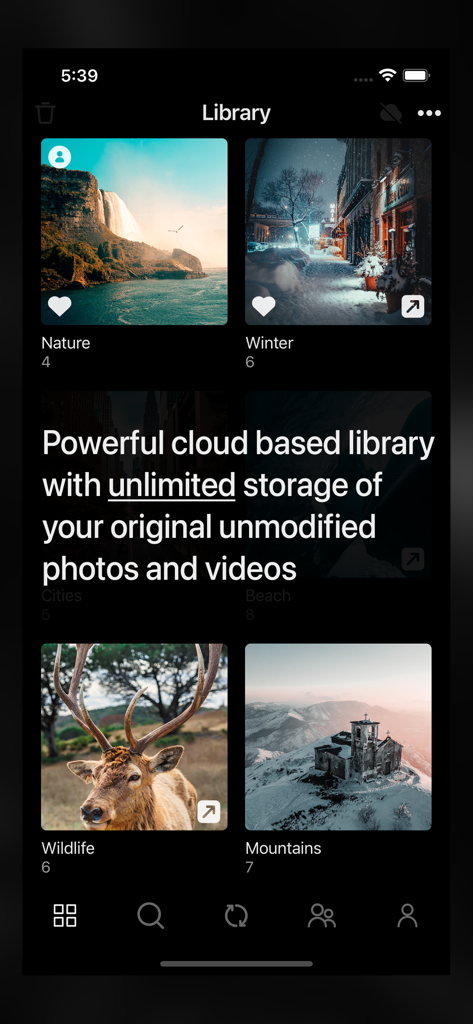
Photos Plus Cloud Library App zeigt Fotoalben mit unbegrenzter Speicherplatzmeldung an
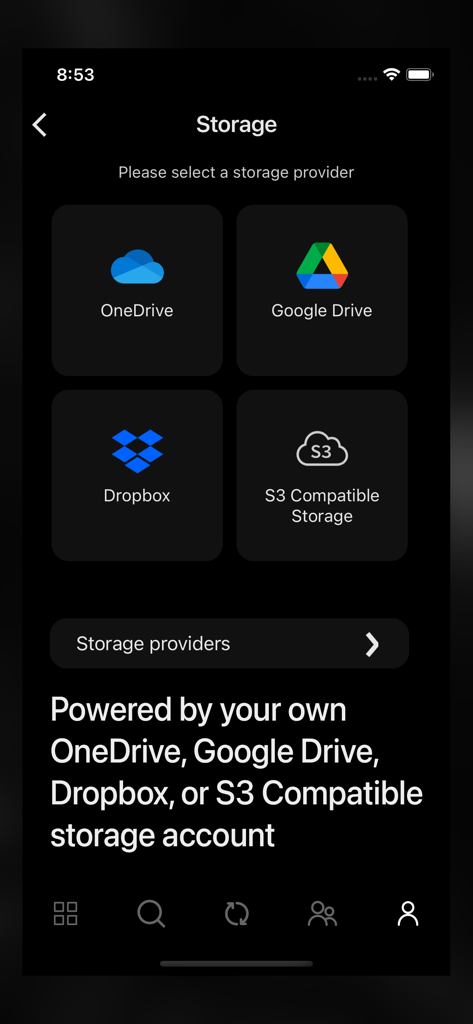
Photos+ App Speicherplatz-Auswahlbildschirm mit Optionen für OneDrive, Google Drive, Dropbox und S3-kompatible Speicherkonten
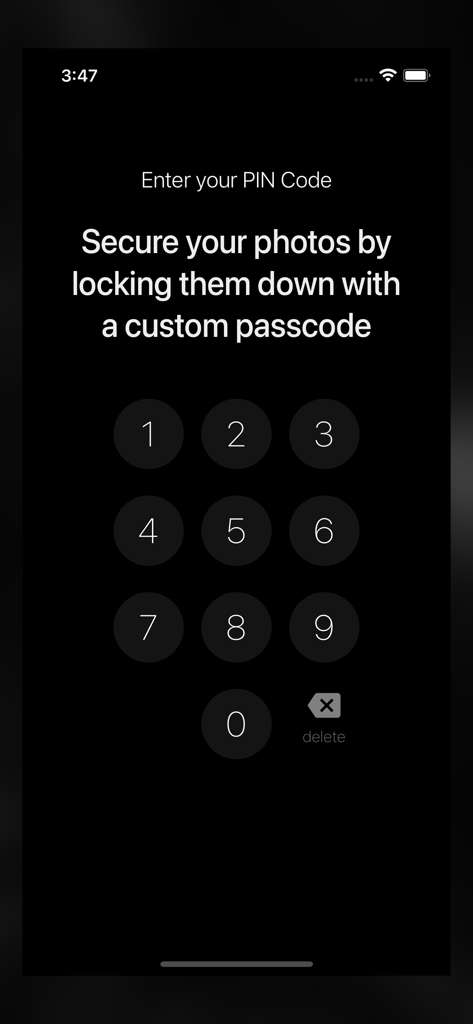
Eine numerische Tastaturoberfläche zur Eingabe eines benutzerdefinierten PIN-Codes zum Sichern von Fotos in der App.
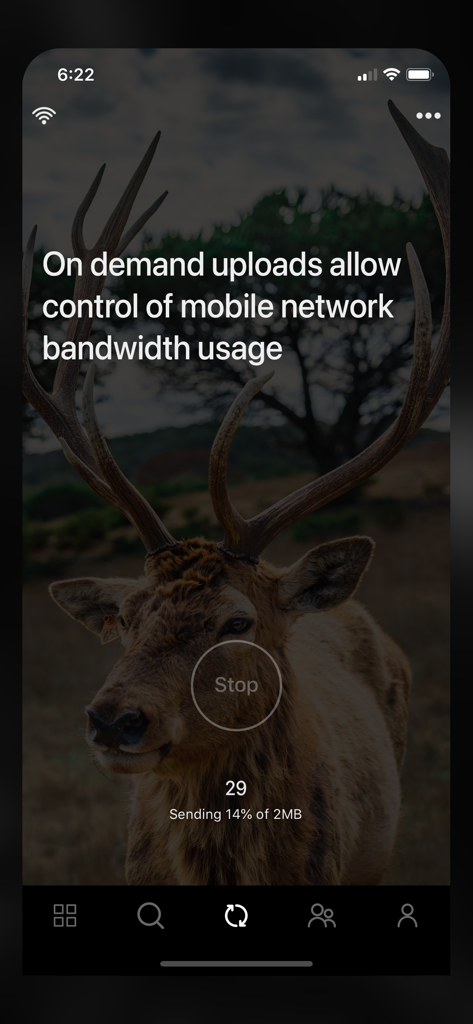
App-Oberfläche zeigt den Fortschritt des On-Demand-Uploads und die Steuerung der mobilen Bandbreite an
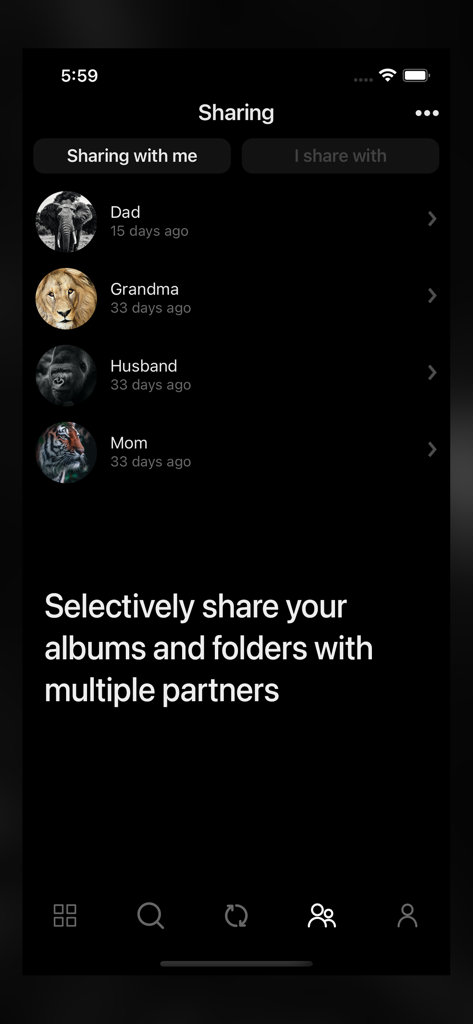
Freigabebildschirm in der Photos Plus App, der eine Liste von Partnern und die Option zum selektiven Teilen von Alben anzeigt
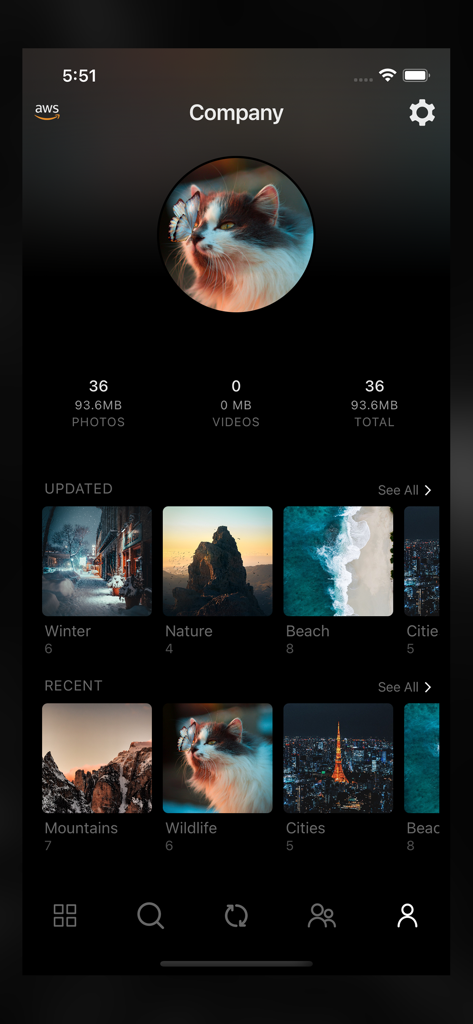
Oberfläche der Photos plus App, die ein Benutzerprofil mit Fotostatistiken und organisierten Bilderalben wie Natur und Wildtiere zeigt
Beschreibung
Download
Ähnliche Apps
Top-gerankte Apps in derselben Kategorie

CapCut: Photo & Video Editor
BYTEDANCE PTE. LTD.

Instagram, Inc.

YouTube
Google LLC

Canva: AI Photo & Video Editor
Canva Pty Ltd

Snapchat
Snap, Inc.

快手
Beijing Kwai Technology Co., Ltd.

Edits: Video Editor
Instagram, Inc.

Meitu- AI Photo & Video Editor
Xiamen Meitu Technology Co., Ltd.

Google Photos: Backup & Edit
Google LLC
Diese Seite ist keine offizielle Seite der App oder ihres Entwicklers, sondern eine unabhängige redaktionelle Veröffentlichung, die zu Informations- und Kommentarzwecken erstellt wurde. Sofern nicht ausdrücklich anders angegeben, sind weder die App noch ihr Entwickler mit MWM, Apple, Google Play, dem App-Herausgeber oder dem Entwickler der App verbunden, von ihnen unterstützt, gesponsert, autorisiert oder anderweitig offiziell verbunden, und nichts auf dieser Seite impliziert, dass die App unter Verwendung der Dienste von MWM entwickelt wurde. Alle Marken, Logos, Screenshots und andere Inhalte bleiben Eigentum ihrer jeweiligen Inhaber.