
Diese Seite ist keine offizielle Seite der App oder ihres Entwicklers, sondern eine unabhängige redaktionelle Veröffentlichung, die zu Informations- und Kommentarzwecken erstellt wurde. Sofern nicht ausdrücklich anders angegeben, sind weder die App noch ihr Entwickler mit MWM, Apple, Google Play, dem App-Herausgeber oder dem Entwickler der App verbunden, von ihnen unterstützt, gesponsert, autorisiert oder anderweitig offiziell verbunden, und nichts auf dieser Seite impliziert, dass die App unter Verwendung der Dienste von MWM entwickelt wurde. Alle Marken, Logos, Screenshots und andere Inhalte bleiben Eigentum ihrer jeweiligen Inhaber.

PicCollage: Magic Photo Editor
Ihre Fotos bleiben nicht mehr stumm. Sie werden zur packenden Geschichte, per Fingertipp.
Downloads
50M+Bewertung
Bewertungen gesamt
5.2MHerausgeber
Kategorie
Photo & VideoSprachen
11Neueste Version
8.60.1Größe
208.8 MBErstveröffentlichung
13. Juli 2011Analyse der Kernfunktionen von PicCollage: Magic Photo Editor
Eine Übersicht der primären Leistungsmerkmale, bewertet nach ihrem Einfluss auf die Kreativität und Nutzererfahrung der Zielgruppe.
Flexible Collage- & Kartenerstellung
Die App ermöglicht Nutzern die Erstellung vielfältiger Collagen und Karten, darunter Freestyle-Collagen, Bildsammlungen und Grußkarten, und unterstützt dabei sowohl Fotos als auch Videos.
Smarte Hintergrundentfernung
Es ermöglicht Nutzern, Hintergründe aus Fotos präzise zu entfernen und Objekte wie Personen oder Haustiere freizustellen, mit zusätzlichen Optionen für kreative Formen.
Kreative Personalisierung
Nutzer können ihre Kreationen mit einer Auswahl an Schriftarten (inklusive gebogener Texteffekte und KI-Paarung), exklusiven Stickern, Hintergründen und individuellen Kritzeleien persönlich gestalten.
Intuitive Bild- und Videobearbeitung
Dieses Tool verfügt über intuitive Bearbeitungsfunktionen wie Filter, Zuschneiden und Retusche, um Fotos und Videos perfekt in Collagen zu integrieren.
Zahlreiche Vorlagen & Layouts
Die App bietet eine breite Palette an vorgefertigten Layouts, Gittern und animierten Vorlagen, die durch KI-gestützte Highlight-Erkennung die Gestaltung vereinfachen.
Social-Media-Integration
Die App stellt spezifische Vorlagen für Instagram Stories und Reels bereit, um Inhalte direkt für soziale Plattformen zu optimieren und zu teilen.
Häufig gestellte Fragen
Alles, was Sie über wissen müssen PicCollage: Magic Photo Editor
What is PicCollage: AI Photo Editor?
PicCollage: AI Photo Editor is an app that allows users to create collages, cards, and slideshows from photos and videos. It offers tools for editing, personalizing, and enhancing visual content.
Is PicCollage: AI Photo Editor free to use?
Yes, PicCollage: AI Photo Editor is free to use, offering a starter pack with stickers to edit photos, create collages, and design cards. Additional advanced features are available via a VIP subscription.
What features does PicCollage VIP offer?
PicCollage VIP is a subscription that provides advanced features, removes watermarks and ads, and grants access to thousands of exclusive stickers, backgrounds, fonts, and layouts. It includes a 7-day free trial.
Can I remove photo backgrounds with PicCollage: AI Photo Editor?
Yes, PicCollage: AI Photo Editor features an AI-powered cutout tool that removes backgrounds from photos to isolate subjects like people or pets. It also offers shape-based cutouts.
Does PicCollage: AI Photo Editor have an object eraser tool?
Yes, PicCollage: AI Photo Editor includes an erase tool designed to remove unwanted objects from photos, as demonstrated by removing a trash can in the app's interface.
Can I add videos to collages in PicCollage: AI Photo Editor?
Yes, PicCollage: AI Photo Editor allows users to add videos to their collages, enabling the creation of video collages and slideshows. Users can also add pages and save them as videos.
Does PicCollage: AI Photo Editor offer templates for collages and cards?
Yes, PicCollage: AI Photo Editor provides ready-to-use layouts, grids, and animated templates for creating collages and cards. Users can also design in a freestyle mode.
What kind of fonts are available in PicCollage: AI Photo Editor?
PicCollage: AI Photo Editor offers a variety of fonts, including handwritten and formal styles. It also includes a curved text editor and AI-powered font pairing for designs.
Can I add stickers and backgrounds in PicCollage: AI Photo Editor?
Yes, PicCollage: AI Photo Editor provides thousands of exclusive stickers and backgrounds from collaborations with artists. Users can add these to photos and collages to personalize their creations.
Can PicCollage: AI Photo Editor help create Instagram Stories?
Yes, PicCollage: AI Photo Editor offers templates specifically for creating impressive Instagram posts, stories, or reels, which users can then share directly with their followers.
Die folgenden Screenshots und die Beschreibung stammen direkt aus dem offiziellen Store-Eintrag der App und sind Eigentum des Entwicklers.
App Store
Screenshots
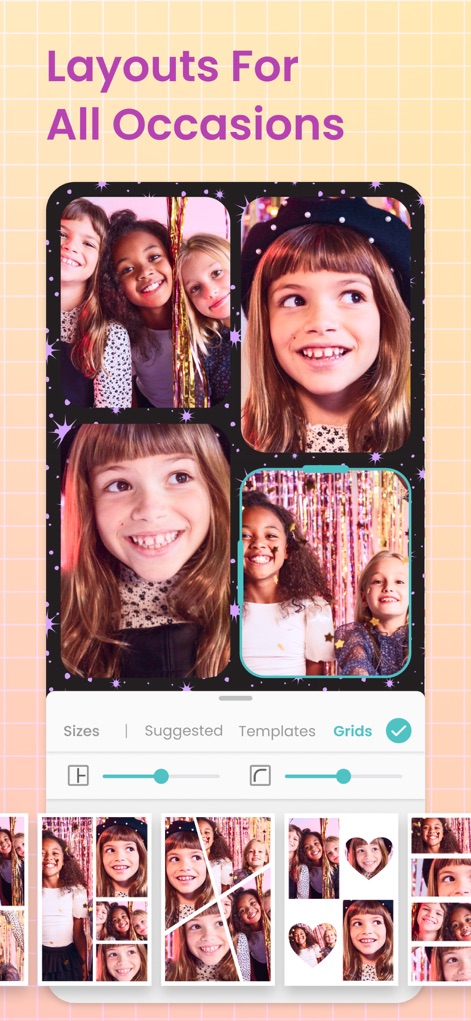
Flexible Layout-Gestaltung
Nutzer können ihre Erinnerungen in dynamischen Collagen mit einem Collage-Raster und verschiedenen Layout-Optionen organisieren.
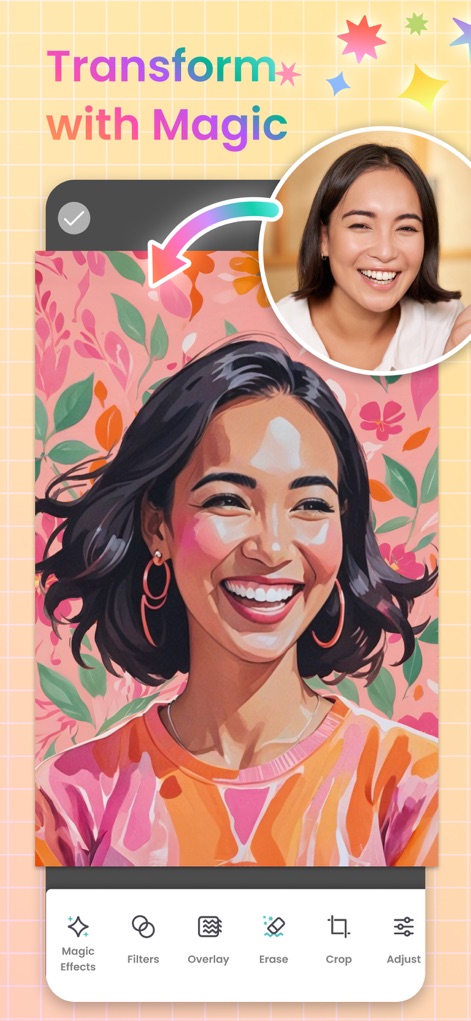
Magische Bildverwandlung
Dieses Tool ermöglicht Nutzern, Fotos mit einer KI-Transformation in einzigartige, künstlerische Effekte zu verwandeln.
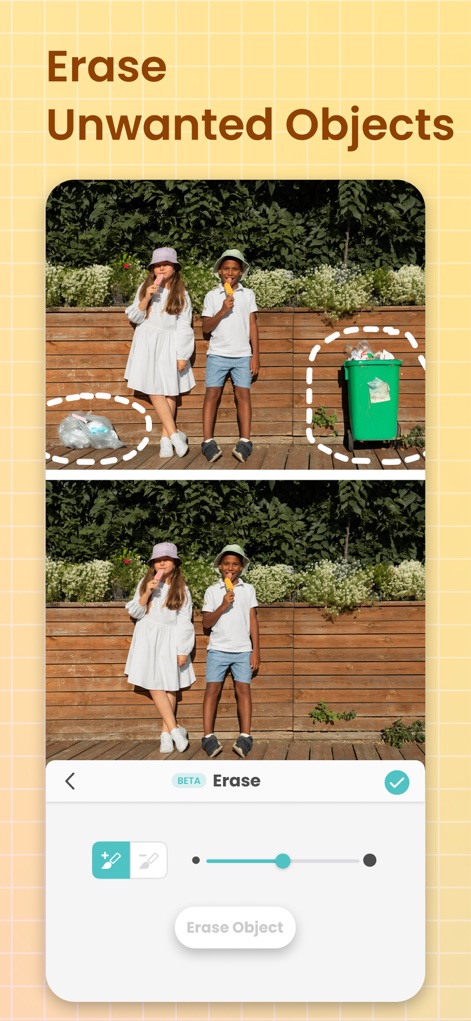
Unerwünschtes entfernen
Die App bietet präzise Objekterkennung, um störende oder unerwünschte Elemente mühelos aus Fotos zu entfernen.
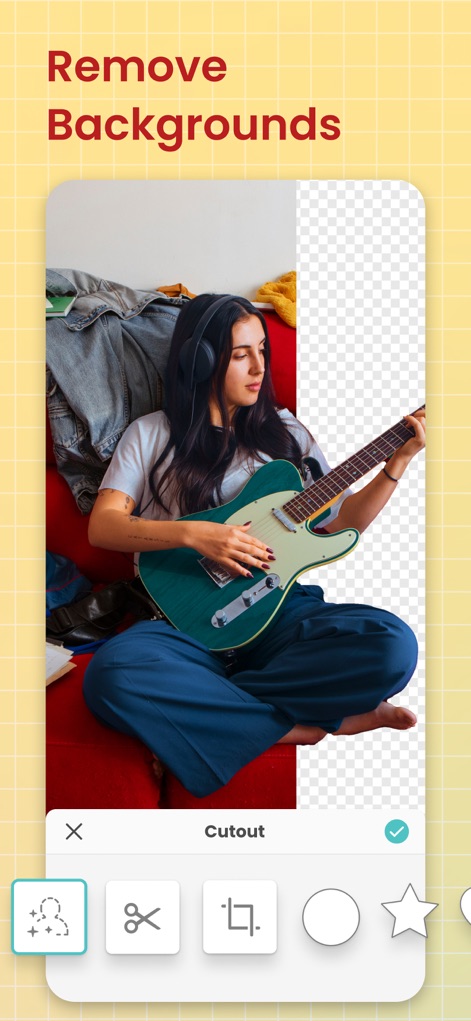
Hintergründe freistellen
Nutzer können mit der Funktion zur Hintergrundentfernung Motive isolieren und dafür präzise Auswahlwerkzeuge nutzen.
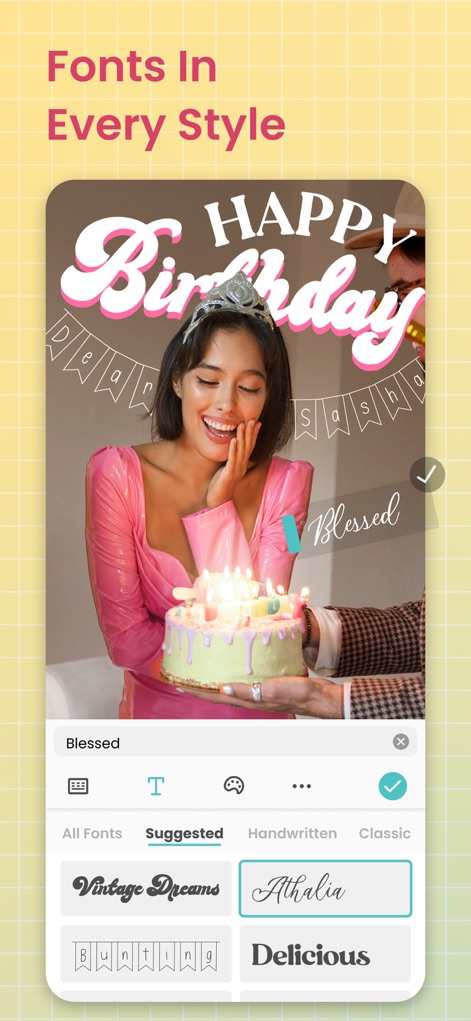
Schriftstile entdecken
Die App bietet eine umfangreiche Schriftartenbibliothek für personalisierte Nachrichten, einschließlich eines kurvigen Texteditors für kreative Gestaltungen.
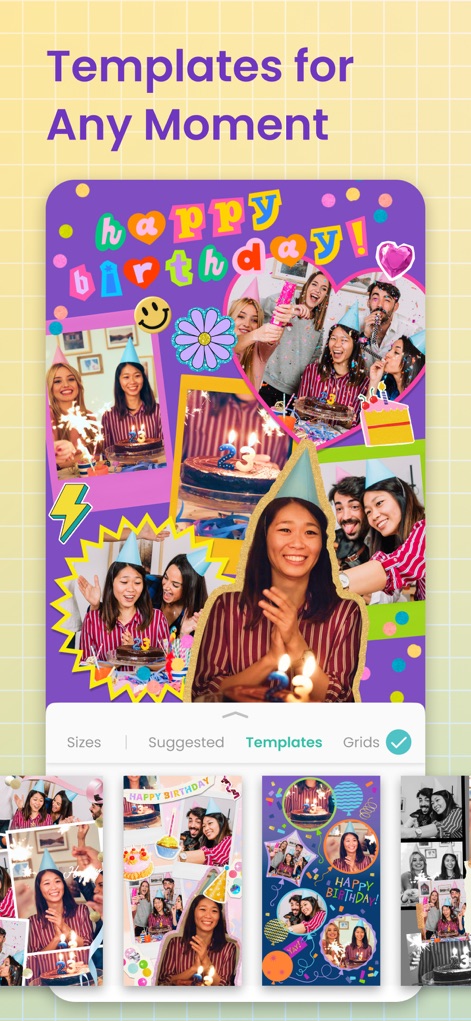
Vorlagen für Anlässe
Nutzer finden eine Vielzahl vorgefertigter Vorlagen, die es einfach machen, eindrucksvolle Kreationen mit themenbasierten Designs zu erstellen.

Fotos bearbeiten
Die App ermöglicht die Verbesserung von Fotos durch kreative Filtereffekte und bietet umfassende Bearbeitungsoptionen wie gezielte Lichteffekte.
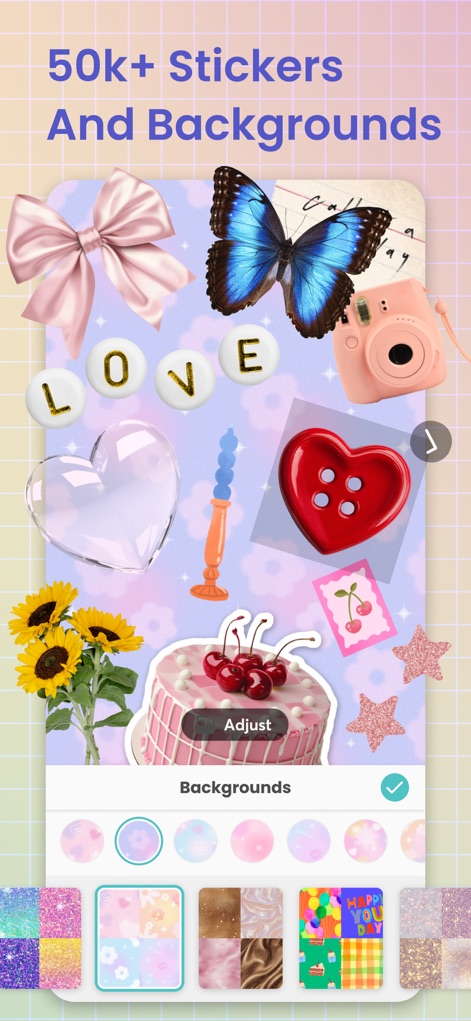
Sticker und Hintergründe
Eine riesige Sticker-Sammlung und vielfältige Hintergrundmuster stehen zur Verfügung, um jeder Kreation eine persönliche Note zu verleihen.
Beschreibung
Download
Ähnliche Apps
Apps mit ähnlichen Funktionen und Nutzererfahrung

SCRL: Photo Collage Maker
Appostrophe AB

PhotoGrid: Video Collage Maker
JUPITER PALACE PTE. LTD.

Layout for Instagram: Collage
Shamble, Inc.

Photo Collage Maker: InCollage
SHANTANU PTE. LTD.

TicPic
Zhuhai Kuxiong Network Technology Co., Ltd.

Collage Maker: CollagePlus
Shamble, Inc.

Photo Collage Montage Maker
Honk Honk Punch Pty Ltd

Photo Collage Maker & Creator
Honk Honk Punch Pty Ltd

Photo Collage Montage & Layout
Honk Honk Punch Pty Ltd
Diese Seite ist keine offizielle Seite der App oder ihres Entwicklers, sondern eine unabhängige redaktionelle Veröffentlichung, die zu Informations- und Kommentarzwecken erstellt wurde. Sofern nicht ausdrücklich anders angegeben, sind weder die App noch ihr Entwickler mit MWM, Apple, Google Play, dem App-Herausgeber oder dem Entwickler der App verbunden, von ihnen unterstützt, gesponsert, autorisiert oder anderweitig offiziell verbunden, und nichts auf dieser Seite impliziert, dass die App unter Verwendung der Dienste von MWM entwickelt wurde. Alle Marken, Logos, Screenshots und andere Inhalte bleiben Eigentum ihrer jeweiligen Inhaber.