
Diese Seite ist keine offizielle Seite der App oder ihres Entwicklers, sondern eine unabhängige redaktionelle Veröffentlichung, die zu Informations- und Kommentarzwecken erstellt wurde. Sofern nicht ausdrücklich anders angegeben, sind weder die App noch ihr Entwickler mit MWM, Apple, Google Play, dem App-Herausgeber oder dem Entwickler der App verbunden, von ihnen unterstützt, gesponsert, autorisiert oder anderweitig offiziell verbunden, und nichts auf dieser Seite impliziert, dass die App unter Verwendung der Dienste von MWM entwickelt wurde. Alle Marken, Logos, Screenshots und andere Inhalte bleiben Eigentum ihrer jeweiligen Inhaber.


Pixaki 4 Pro
Das ultimative Studio für Indie-Spieleentwickler und digitale Künstler. Erstellen Sie Pixel-perfekte Sprites, isometrische Welten und komplexe Animationen mit einem professionellen Workflow, der die Lücke zwischen Ihrer Couch und Ihrem Schreibtisch schließt.
Downloads
105K+Bewertung
Bewertungen gesamt
300Herausgeber
Kategorie
Graphics & DesignSprachen
1Neueste Version
4.6Größe
29.4 MBErstveröffentlichung
18. Dez. 2020Professionelle Pixel-Art, überall
Pixaki 4 Pro bringt Desktop-fähige Animationen, isometrische Werkzeuge und nahtlose Dateintegration auf Ihr iPad, entwickelt für den ernsthaften Indie-Entwickler und digitalen Künstler.
Pixel-perfektes Zeichnen
Erstellen Sie makellos saubere Linien mit intelligentem Pixel-perfektem Malen und dedizierten isometrischen Linienwerkzeugen, die für modernes Spieldesign entwickelt wurden.
Erweiterte Animations-Ebenen
Beherrschen Sie komplexe Bewegungen mit einer durchlaufbaren Timeline, gemeinsamen Ebenen über Frames hinweg und professionellem Onion-Skinning für flüssige Übergänge.
Die folgenden Screenshots und die Beschreibung stammen direkt aus dem offiziellen Store-Eintrag der App und sind Eigentum des Entwicklers.
App Store
Screenshots
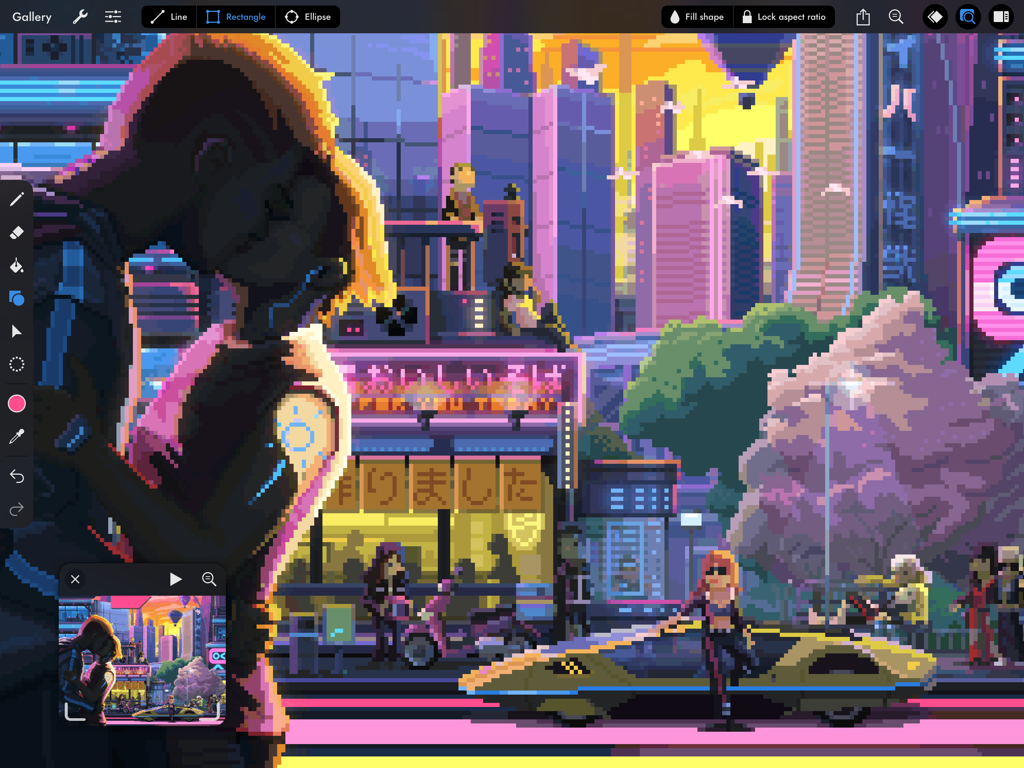
Detaillierte Cyberpunk-Stadt-Pixel-Art-Illustration in der Pixaki 4 Pro iPad-Oberfläche
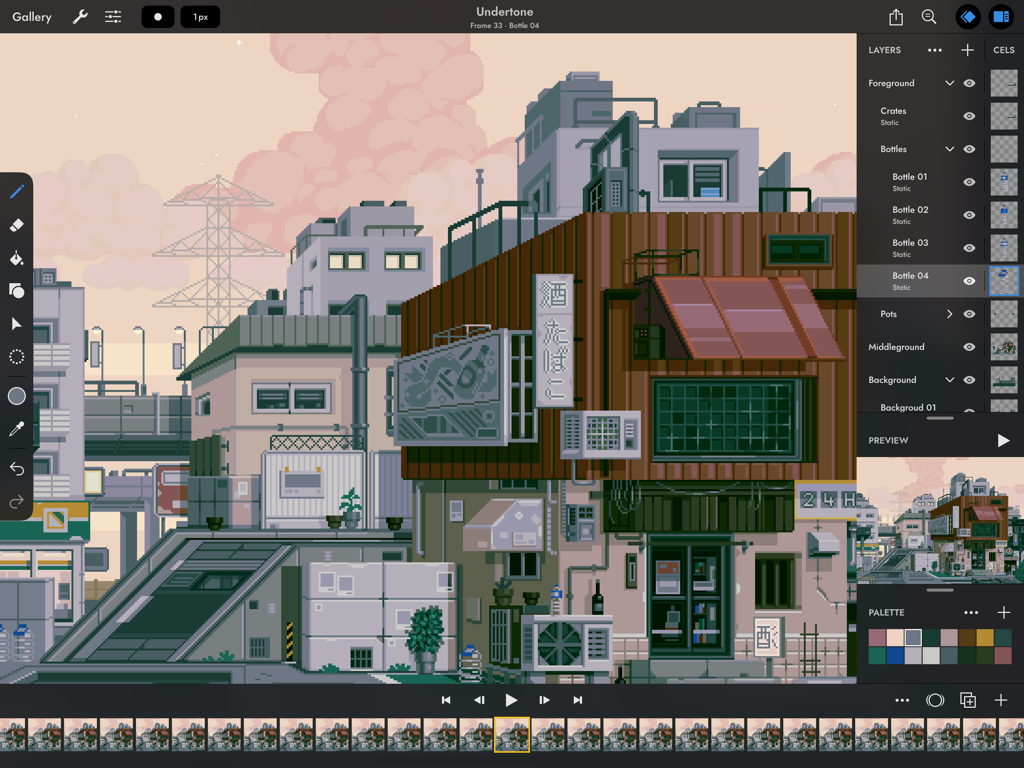
Pixaki 4 Pro App-Oberfläche auf dem iPad, die eine detaillierte Pixel-Art-Stadtlandschaft und eine Animations-Timeline zeigt

Pixaki 4 Pro App-Oberfläche, die eine Pixel-Art-Illustration eines Mädchens und einer schwarzen Katze zeigt
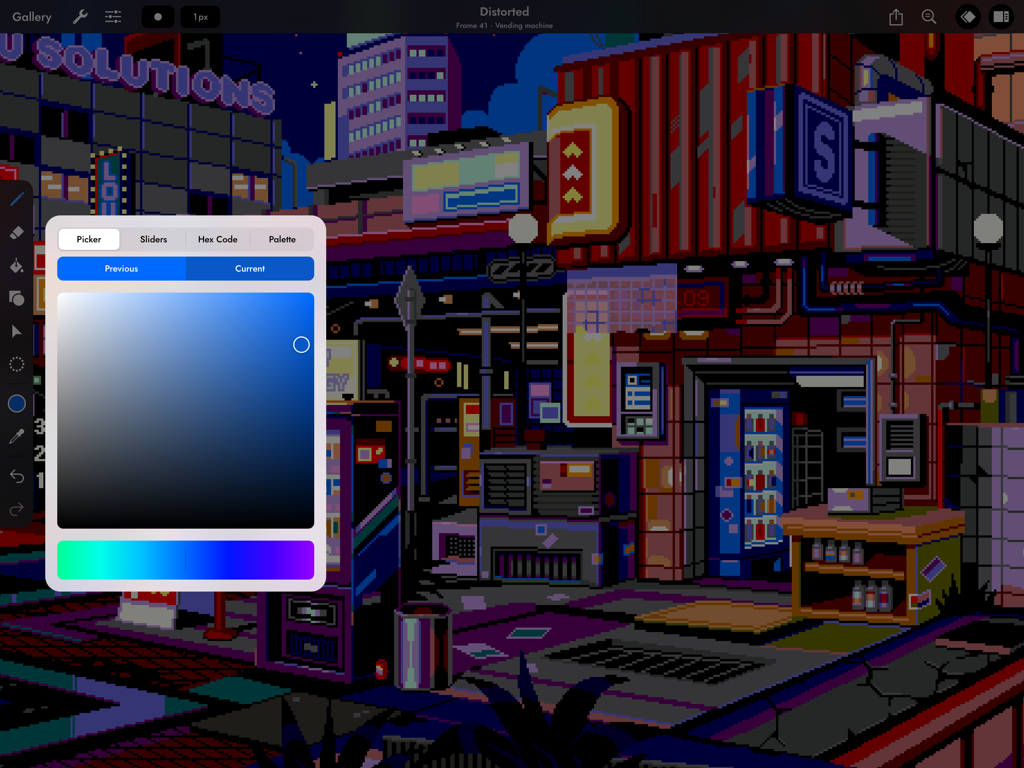
Eine Cyberpunk-Pixel-Art-Stadtszene auf dem iPad mit dem Farbwähler-Werkzeug von Pixaki 4 Pro.
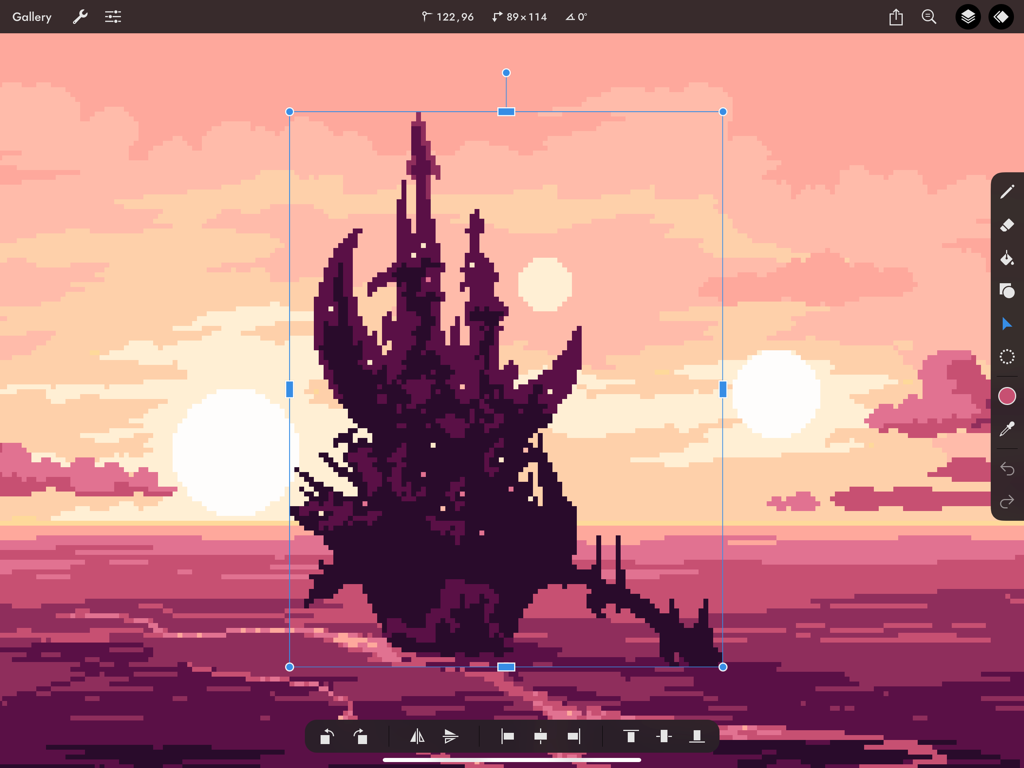
Eine dunkle Pixel-Art-Burg, die mit dem Transformationswerkzeug in Pixaki 4 Pro auf dem iPad vor einem pinken Sonnenuntergangshintergrund vergrößert wird.
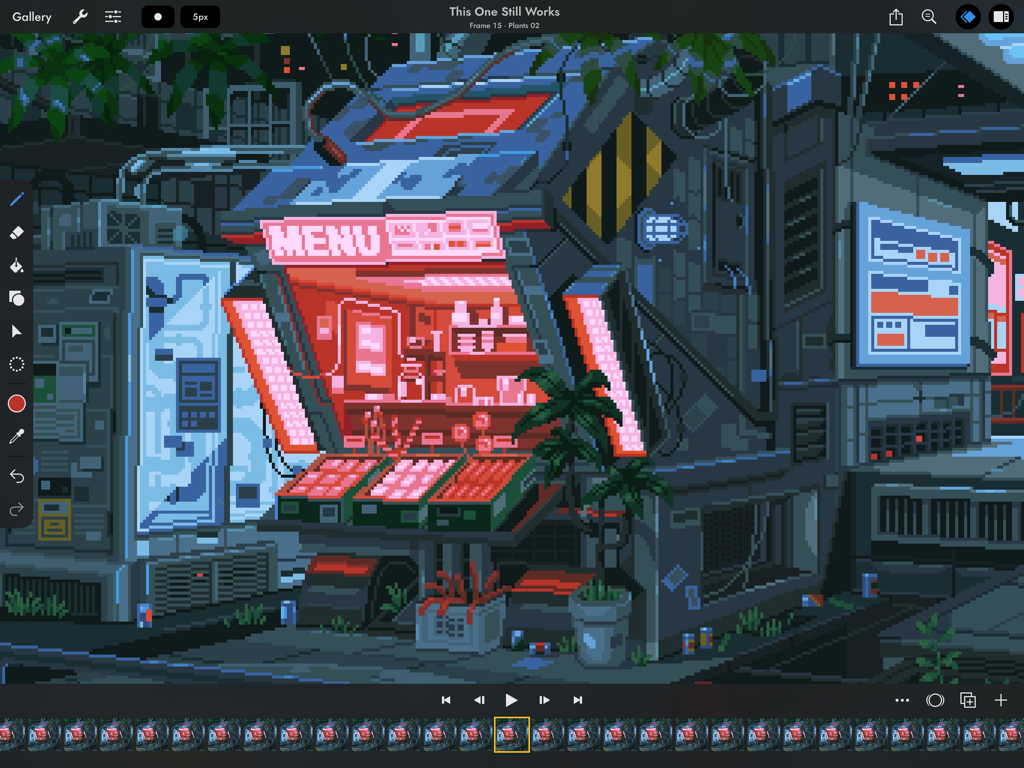
Pixel-Art-Animations-Oberfläche in Pixaki 4 Pro mit einem Cyberpunk-Ladenfront
Beschreibung
Download
Ähnliche Apps
Apps mit ähnlichen Funktionen und Nutzererfahrung



Diese Seite ist keine offizielle Seite der App oder ihres Entwicklers, sondern eine unabhängige redaktionelle Veröffentlichung, die zu Informations- und Kommentarzwecken erstellt wurde. Sofern nicht ausdrücklich anders angegeben, sind weder die App noch ihr Entwickler mit MWM, Apple, Google Play, dem App-Herausgeber oder dem Entwickler der App verbunden, von ihnen unterstützt, gesponsert, autorisiert oder anderweitig offiziell verbunden, und nichts auf dieser Seite impliziert, dass die App unter Verwendung der Dienste von MWM entwickelt wurde. Alle Marken, Logos, Screenshots und andere Inhalte bleiben Eigentum ihrer jeweiligen Inhaber.