Polaris Office Mobile

Polaris Office Mobile


Herunterladen auf App StoreHerunterladen auf Google Play
Logo von Polaris Office Mobile
Polaris Office: Ihr All-in-One Mobile Workspace für Dokumente und PDFs

Erleben Sie Desktop-taugliche Bearbeitung und perfekte Formatierung für Microsoft Office-Dateien. Greifen Sie in einer leistungsstarken App, die für effiziente Profis und Studenten unterwegs entwickelt wurde, auf Google Drive, Dropbox und iCloud zu.

Herausgeber

Polaris Office Corp.

Kategorie

Productivity

Downloads

468K+

Bewertung

4.2/5

Bewertungen gesamt

14K+

Sprachen

17

Effizienz in Aktion

Entdecken Sie die Oberfläche, die von 468K+ Nutzern verwendet wird.
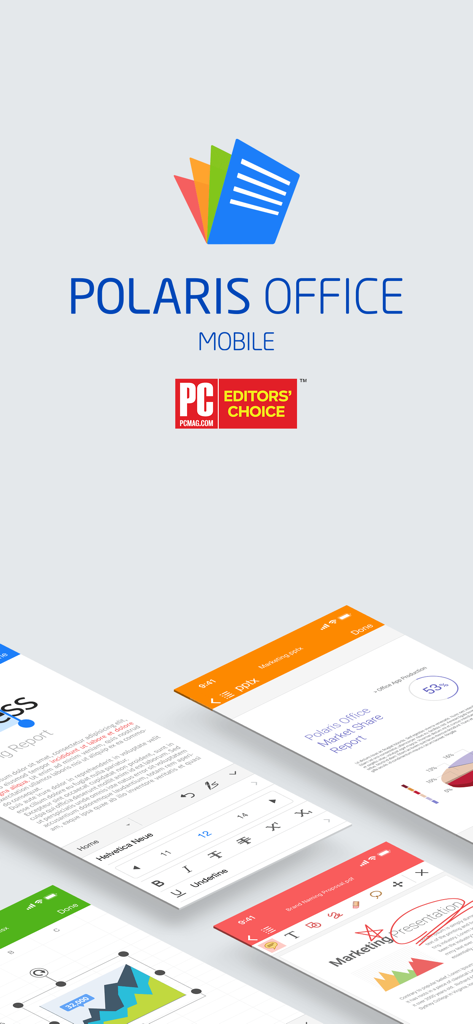
Benutzeroberfläche der Polaris Office Mobile App mit Dokumentenbearbeitungsbildschirmen und dem Editors Choice Award-Abzeichen von PC Mag

Benutzeroberfläche der Polaris Office Mobile App mit Dokumentenbearbeitungsbildschirmen und dem Editors Choice Award-Abzeichen von PC Mag

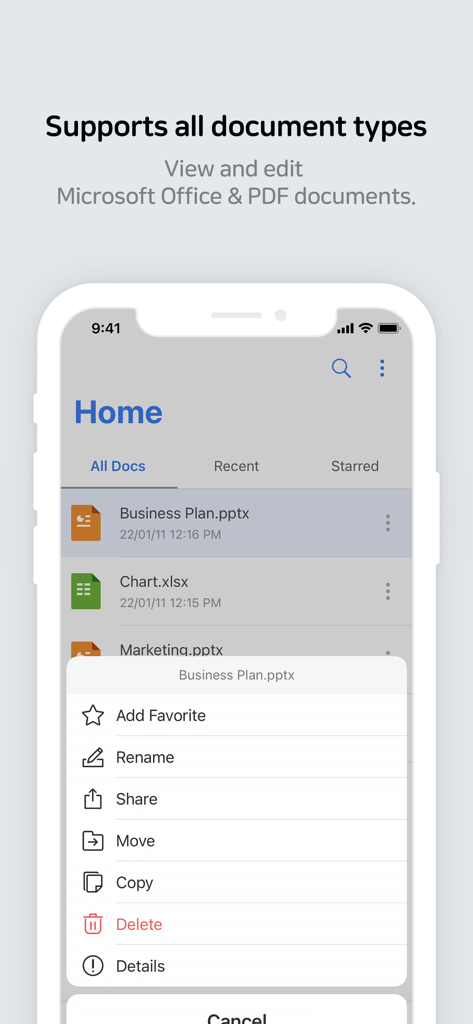
Benutzeroberfläche der Polaris Office Mobile App mit einer Liste von Dokumenten und Dateiverwaltungsoptionen

Benutzeroberfläche der Polaris Office Mobile App mit einer Liste von Dokumenten und Dateiverwaltungsoptionen

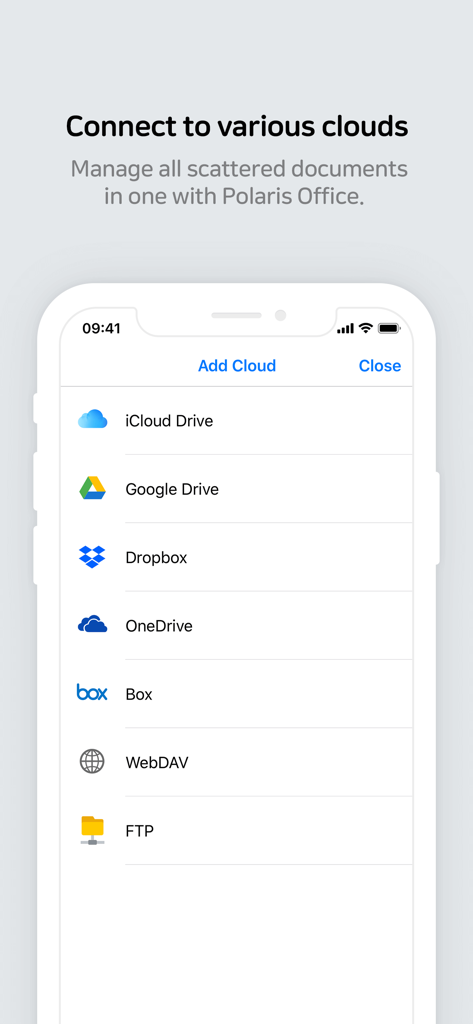
Polaris Office Mobile-Oberfläche zum Verbinden mehrerer Cloud-Speicherdienste, einschließlich iCloud, Google Drive und Dropbox

Polaris Office Mobile-Oberfläche zum Verbinden mehrerer Cloud-Speicherdienste, einschließlich iCloud, Google Drive und Dropbox

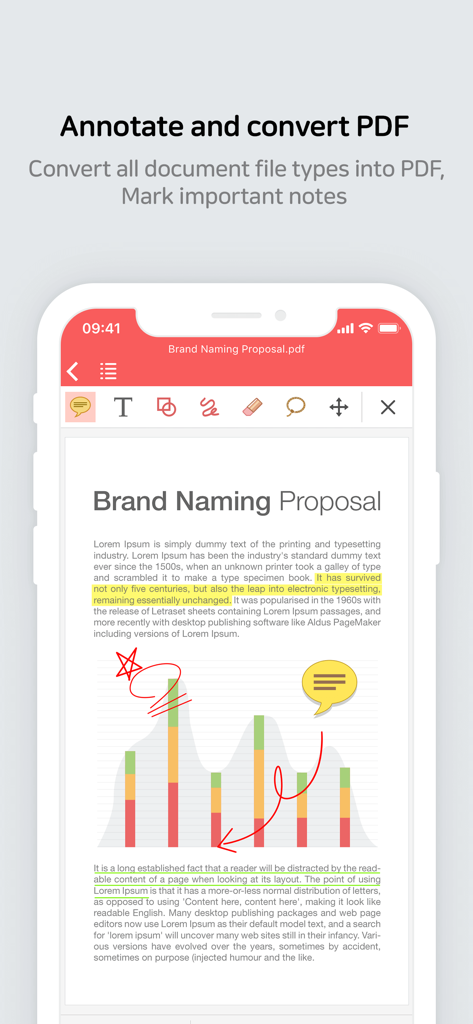
Benutzeroberfläche der Polaris Office Mobile App mit Werkzeugen zur PDF-Kommentierung und -Konvertierung auf einem Dokument

Benutzeroberfläche der Polaris Office Mobile App mit Werkzeugen zur PDF-Kommentierung und -Konvertierung auf einem Dokument

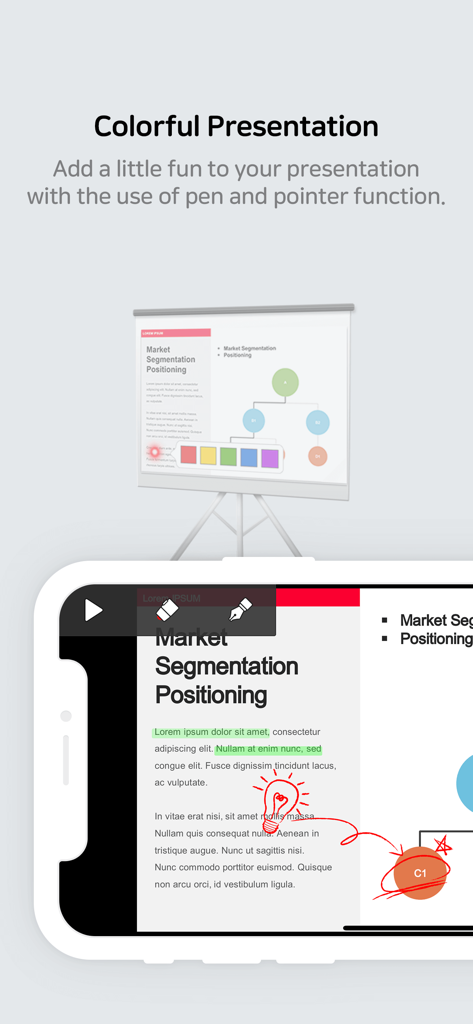
Ein Handybildschirm, der eine Präsentationsfolie zeigt, die in Polaris Office mit Stift- und Zeigerwerkzeugen bearbeitet wird.

Ein Handybildschirm, der eine Präsentationsfolie zeigt, die in Polaris Office mit Stift- und Zeigerwerkzeugen bearbeitet wird.

Stärken Sie Ihren mobilen Workflow

Die Tools, die diese App auszeichnen, gewählt von 468K+ Nutzern.

🚀

Desktop-taugliche Kompatibilität

Bearbeiten Sie Word-, Excel- und PowerPoint-Dateien mit perfekter Formatierungstreue und über 500 erweiterten Bearbeitungswerkzeugen auf Knopfdruck.

☁️

Einheitlicher Cloud-Hub

Hören Sie auf, zwischen Apps zu wechseln. Greifen Sie nahtlos auf Dateien von Google Drive, Dropbox, iCloud und OneDrive zu und verwalten Sie diese an einem zentralen Ort.

✍️

Profi-PDF- und Mobile-Tools

Kommentieren Sie Verträge, konvertieren Sie Dateien in PDF und scannen Sie Dokumente sofort mit Ihrer Kamera – perfekt für den Profi unterwegs.

Über die App

Alles, was Sie über wissen müssen Polaris Office Mobile.

Beschreibung

* Polaris Office - the choice of more than 100 million users worldwide! * Meet the new and improved Polaris Office Mobile with more powerful document editing features, Microsoft Office compatibility, and a faster document loading speed. ■ Introduction to Polaris Office Mobile Polaris Office Mobile is the best mobile office solution — it makes it easy for you to view or edit documents in various formats on your iPhone or iPad, due to its compatibility with MS Office. It supports features such as Annotate and Export to PDF. It also improves the efficiency of your work by offering features that are optimized especially for mobile devices, such as supporting various cloud storage services (iCloud, Google Drive, Dropbox, WebDAV etc), opening email attachments, and File Manager. ■ Media Coverage - "Polaris Office is the best solution for editing MS Office documents on the go." - "Polaris Office is one of the best productivity apps for iPad with solid performance and a reasonable price tag." - "Polaris Office boasts the most advanced editing technologies among its peers." ■ Advantages of Polaris Office Mobile High compatibility with Microsoft Office document Annotate and convert PDF Set TXT file background color More than 500 powerful editing functions Capable of more than 300 data analysis instances and fast document loading Support a variety of cloud services (iCloud, Google Drive, Dropbox, OneDrive, Box, WebDAV, FTP etc) Stunning presentation Simple and elegant design 24 templates / 20 2D/3D charts / 173 shapes / More than 300 functions and automatic data calculation View Conditional Formatting and Pivot Tables / Provide a Custom Keyboard for editing sheets Apply and edit 37 slide transition effects / View object animation Pointer and memo for Slideshow / Slideshow notes Add and edit header, footer, endnote, and footnote / Ruler function Camera mode that can be used to take pictures and apply them to the document / Insert and play video clips / Directly open zip files Support Split Window mode Strengthen the security via App lock function Manage documents which often view or edit as favorites Save a ducument form that often use as template Support 3D touch ■ Have you ever had trouble with broken formatting or non-visible charts when viewing Microsoft Office files on your mobile device? : Polaris Office Mobile displays Microsoft Office files that are almost identical to their original format. It is now possible to view or edit documents from your PC on your mobile devices. ■ Supported Devices and Requirements Compatible with iPhone, iPad, iPod touch / iOS 10.0 and above ■ Supported Formats Edit & View (doc/docx, xls/xlsx, ppt/pptx, txt, hwp, csv) / View (pdf, pps, ppsx, odt) (NEW) Now we support CSV format. ■ Supported Languages Supported UI languages (Korean, English, Japanese, Simplified Chinese, Traditional Chinese, German, French, Italian, Spanish, Portuguese, Hebrew) / Input languages (Most languages supported by iOS) ■ Online Channel Facebook : www.facebook.com/Polarisoffice ■ Terms of Service and Privacy Policy This application does not collect personal information and data from users. - Terms of Service : https://www.polarisoffice.com/en/terms - Privacy Policy : https://www.polarisoffice.com/en/privacy ■ Information about permission to access File access permission is required to provide this service. * How to change sharing option Settings > Privacy > Allow additional permissions Select category > Revoke access to Polaris Office

Neueste Version

9.7.3

Größe

117.6 MB

Erstveröffentlichung

16. Apr. 2012

Ihr gesamtes Büro, optimiert für Ihre Tasche

Schließen Sie sich noch heute über 100 Millionen Nutzern an. Erleben Sie Dokumentenbearbeitung auf Desktop-Niveau und nahtlose Cloud-Integration unterwegs. Laden Sie Polaris Office jetzt herunter.

Herunterladen auf App StoreHerunterladen auf Google Play

App information, icons, screenshots, and descriptions displayed on this page are sourced from the Apple App Store and are the property of their respective developers. Download estimates and rankings are based on MWM's proprietary models and may not reflect actual figures. This page is provided for informational and analytical purposes only.

Believe this page infringes your intellectual property? File a dispute