
Diese Seite ist keine offizielle Seite der App oder ihres Entwicklers, sondern eine unabhängige redaktionelle Veröffentlichung, die zu Informations- und Kommentarzwecken erstellt wurde. Sofern nicht ausdrücklich anders angegeben, sind weder die App noch ihr Entwickler mit MWM, Apple, Google Play, dem App-Herausgeber oder dem Entwickler der App verbunden, von ihnen unterstützt, gesponsert, autorisiert oder anderweitig offiziell verbunden, und nichts auf dieser Seite impliziert, dass die App unter Verwendung der Dienste von MWM entwickelt wurde. Alle Marken, Logos, Screenshots und andere Inhalte bleiben Eigentum ihrer jeweiligen Inhaber.

Pro Camera by Moment
Holen Sie sich Ihre kreative Vision zurück mit der manuellen Kamera-App für Kreative. Nehmen Sie in RAW, Apple Log und 4K mit professionellen Tools wie Focus Peaking, Wellenformen und LUTs auf – alles in einer schnellen, intuitiven Benutzeroberfläche.
Downloads
1M+Bewertung
Bewertungen gesamt
21K+Herausgeber
Kategorie
Photo & VideoSprachen
1Neueste Version
5.8.5Größe
118.5 MBErstveröffentlichung
18. Nov. 2014Professionelle Kontrolle für den modernen Kreativen
Holen Sie sich Ihre kreative Vision vom automatischen Processing zurück. Pro Camera bietet Ihnen die manuellen Werkzeuge und High-End-Video-Spezifikationen, die Sie benötigen, um kinoreife Inhalte ohne den Aufwand einer DSLR zu produzieren.
Präzise manuelle Steuerung
Feinabstimmung von ISO, Verschlusszeit und Fokus mit intuitiven Schiebereglern für schnelle, professionelle Anpassungen unterwegs.
Kinoreifes Filmen
Schalten Sie Apple Log, benutzerdefinierte LUTs und Echtzeit-Wellenformen frei, um einen High-End-Hollywood-Look direkt auf Ihrem Mobilgerät zu erzielen.
Häufig gestellte Fragen
Alles, was Sie über wissen müssen Pro Camera by Moment
Was ist Pro Camera von Moment?
Pro Camera von Moment ist eine manuelle Kamera-App, die volle kreative Kontrolle und professionelle Leistung zu einem erschwinglichen Preis bietet und von DSLR- und spiegellosen Kameras inspiriert ist.
Bietet Pro Camera von Moment manuelle Kamerasteuerungen?
Ja, Pro Camera von Moment bietet volle manuelle Kontrolle über Verschlusszeit, ISO, Belichtung, Fokus und Weißabgleich mithilfe intuitiver Schieberegler.
Können Benutzer benutzerdefinierte Kameraeinstellungen in Pro Camera von Moment speichern?
Ja, Pro Camera von Moment ermöglicht es Benutzern, ihre bevorzugten Kameraeinstellungen zu speichern und bei Bedarf schnell abzurufen.
Welche Filmfunktionen sind in Pro Camera von Moment verfügbar?
Pro Camera von Moment bietet Filmfunktionen wie LUTs, Farbräume, Bitraten, Zwei-Kanal-Audiopegelmesser, Echtzeit-Wellenformen und schnellen Zugriff auf Bildraten.
Unterstützt Pro Camera von Moment RAW-Fotoaufnahmen?
Ja, Pro Camera von Moment nimmt Fotos im RAW/ProRAW-Format zur besseren Bearbeitung auf und unterstützt auch TIFF- und RAW+JPG-Optionen für Fotografen.
Bietet Pro Camera von Moment Kundensupport oder Tutorials?
Pro Camera von Moment bietet Tipps für den Einstieg, Video-Tutorials und einen Vollzeit-Kundenservice, um Benutzern bei der Einrichtung und Nutzung der App zu helfen.
Was ist Focus Peaking in Pro Camera von Moment?
Focus Peaking in Pro Camera von Moment stellt den Fokus manuell ein, indem scharfe Bereiche hervorgehoben werden, um sicherzustellen, dass Motive scharf bleiben.
Wie funktionieren Zebra-Streifen in Pro Camera von Moment?
Zebra-Streifen in Pro Camera von Moment zeigen über- und unterbelichtete Bereiche schnell direkt im Sucher an und helfen bei der Belichtungssteuerung.
Enthält Pro Camera von Moment Audiopegelmesser für die Videoaufnahme?
Ja, Pro Camera von Moment verfügt über präzise Zwei-Kanal-Audiopegelmesser in Echtzeit, die Filmemachern helfen, optimale Tonpegel zu erzielen.
Ist der Zeitraffer-Modus in Pro Camera von Moment eine kostenlose Funktion?
Nein, der Zeitraffer-Modus in Pro Camera von Moment, der manuelle Steuerelemente für 4K-Zeitraffer bietet, ist eine Premium-Funktion, die einen In-App-Kauf erfordert.
Ist der Modus für langsame Verschlusszeiten in Pro Camera von Moment kostenlos enthalten?
Nein, der Modus für langsame Verschlusszeiten in Pro Camera von Moment, der Bewegungsunschärfe oder Lichtspureffekte erzeugt, ist eine Premium-Funktion, die einen In-App-Kauf erfordert.
Ist Pro Camera von Moment mit Moment-Objektiven kompatibel?
Ja, Pro Camera von Moment funktioniert mit Moment-Objektiven und bietet Optionen wie Anamorphot-De-Squeeze und Verzerrungskorrektur.
Kann ich benutzerdefinierte LUTs in Pro Camera von Moment verwenden?
Ja, Pro Camera von Moment ermöglicht es Benutzern, ihre bevorzugten LUTs zu importieren, zu organisieren und anzuwenden, um das Farbgrading im Videomodus durchzuführen.
Die folgenden Screenshots und die Beschreibung stammen direkt aus dem offiziellen Store-Eintrag der App und sind Eigentum des Entwicklers.
App Store
Screenshots
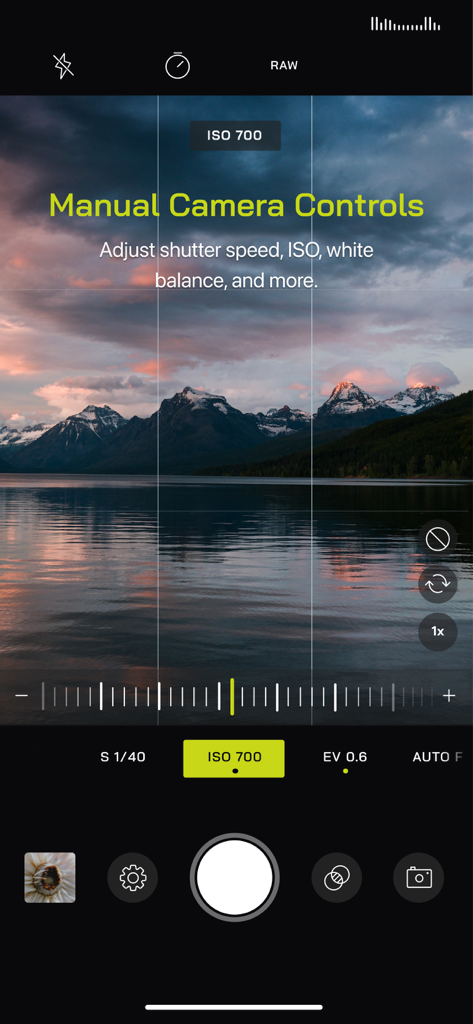
Benutzeroberfläche von Pro Camera by Moment mit manueller Belichtungs- und ISO-Steuerung über einem Landschaftsfoto von Bergen und einem See bei Sonnenuntergang.
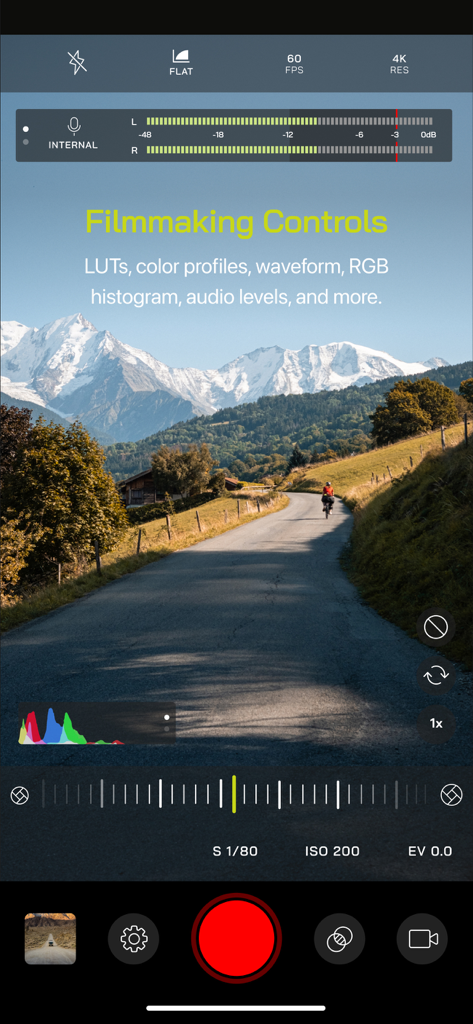
Pro Camera by Moment App-Oberfläche mit Filmsteuerungen, einschließlich Audiopegeln und manuellen Videoeinstellungen, über einer Berglandschaft
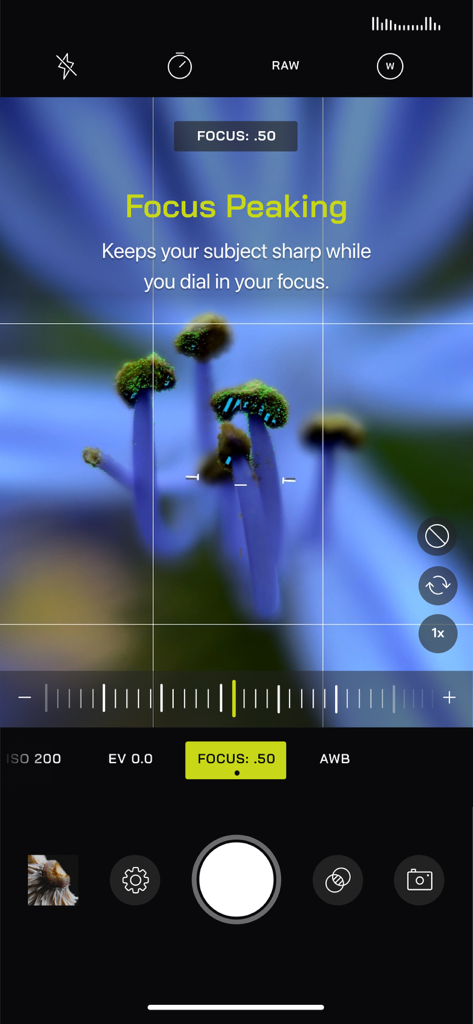
Pro Camera by Moment-Oberfläche, die die Focus Peaking-Funktion auf einem Nahaufnahme-Foto einer Blume zeigt
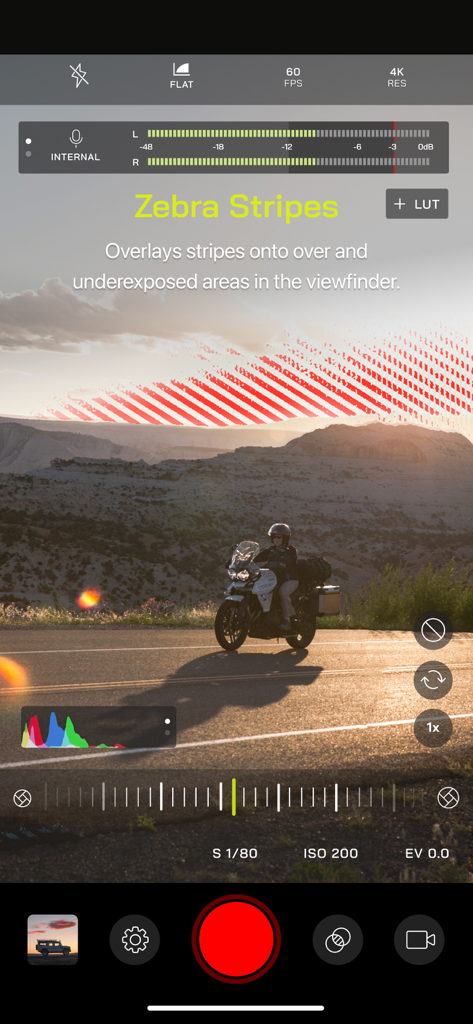
Pro Camera by Moment-Oberfläche mit Zebra-Streifen zur manuellen Belichtungssteuerung
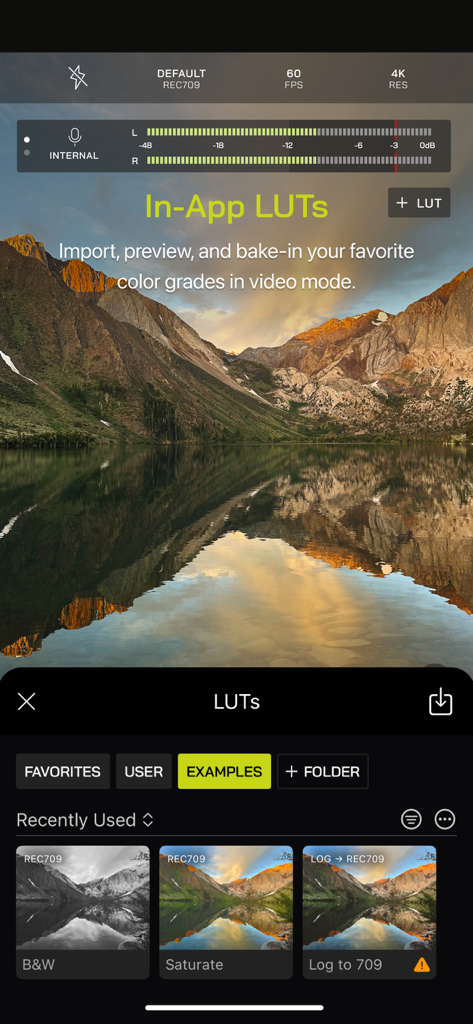
Pro Camera by Moment App-Oberfläche mit In-App-LUTs und Farbkorrekturoptionen für die professionelle Videobearbeitung.
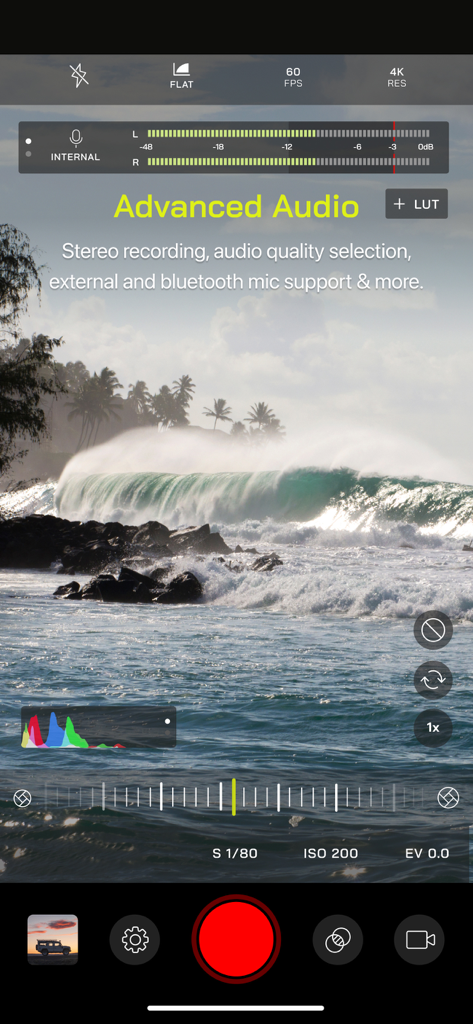
Videoaufnahmeschnittstelle von Pro Camera by Moment mit manuellen Steuerelementen und Audiopegelmessern
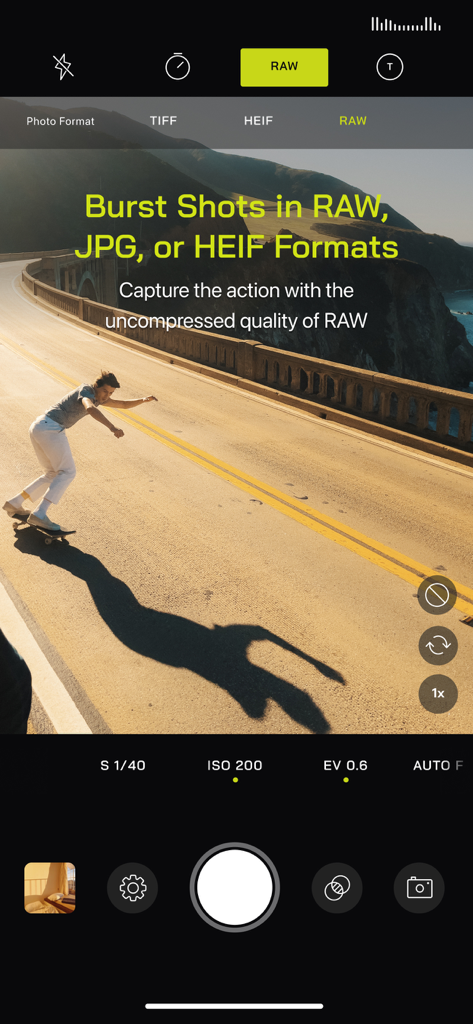
Pro Camera by Moment-Oberfläche, die Burst-Aufnahmen im RAW-Format mit einem Skateboarder in Aktion zeigt
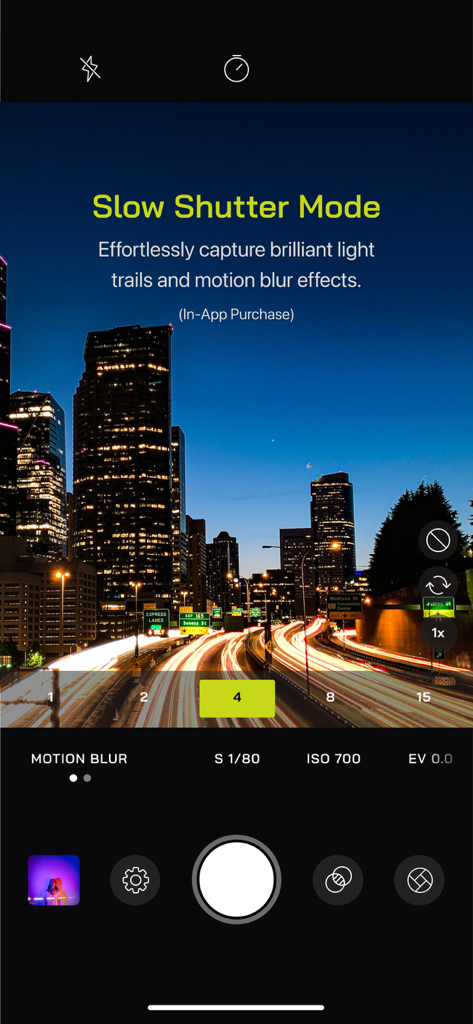
Pro Camera by Moment App-Oberfläche, die den Langzeitbelichtungsmodus mit Lichtspuren in einer nächtlichen Stadtlandschaft zeigt
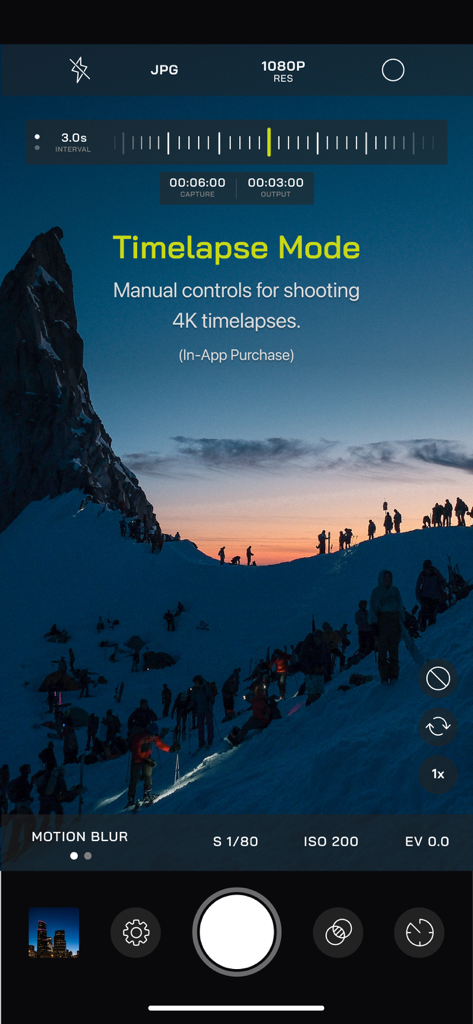
Pro Camera by Moment App-Oberfläche mit manuellen Zeitraffer-Modus-Steuerungen über einer verschneiten Berglandschaft
Beschreibung
Download
Ähnliche Apps
Apps mit ähnlichen Funktionen und Nutzererfahrung

Blackmagic Camera
Blackmagic Design Inc

飓风相机
Hangzhou Ostar Media Co.,Ltd.

ProMovie Recorder
Panda Apps Limited

ReLens Camera-DSLR Portrait
Pixl Concerto Technology Limited

Leica LUX - Pro Manual Camera
Leica Camera AG

FotorGear - Camera in Pocket
Shenzhen Fotorgear Technology Co., Ltd.

Unsharp
北北 宋

ProCam:Professional RAW Camera
BRAND CELLAR HOLDINGS PTE LTD

Vibe Cam - Moments Never Fade
森 林
Diese Seite ist keine offizielle Seite der App oder ihres Entwicklers, sondern eine unabhängige redaktionelle Veröffentlichung, die zu Informations- und Kommentarzwecken erstellt wurde. Sofern nicht ausdrücklich anders angegeben, sind weder die App noch ihr Entwickler mit MWM, Apple, Google Play, dem App-Herausgeber oder dem Entwickler der App verbunden, von ihnen unterstützt, gesponsert, autorisiert oder anderweitig offiziell verbunden, und nichts auf dieser Seite impliziert, dass die App unter Verwendung der Dienste von MWM entwickelt wurde. Alle Marken, Logos, Screenshots und andere Inhalte bleiben Eigentum ihrer jeweiligen Inhaber.