PRO SCANNER- PDF Document Scan

PRO SCANNER- PDF Document Scan

Herunterladen auf App Store
Logo von PRO SCANNER- PDF Document Scan

PRO SCANNER: Ihr professionelles Taschenbüro für nahtloses Dokumentenmanagement

Verwandeln Sie Ihr iPhone in einen Hochleistungs-Scanner. Scannen, signieren und sichern Sie Ihre Dokumente mühelos mit fortschrittlicher OCR, digitalen Signaturen und biometrischem Schutz, entwickelt für den modernen Unternehmer.

Herunterladen auf App Store

Herausgeber

Zafar Ullah

Kategorie

Business

Downloads

213K+

Bewertung

4.2/5

Bewertungen gesamt

4K+

Sprachen

11

Ihr Taschenbüro

Entdecken Sie die Oberfläche, die von 213K+ Nutzern verwendet wird.

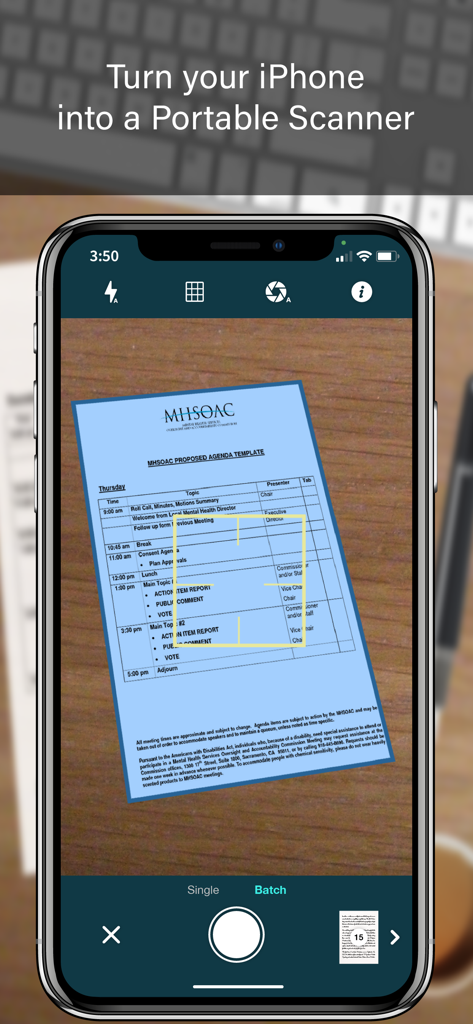
PRO SCANNER Mobile App-Oberfläche auf einem iPhone, das ein Dokument für das digitale Scannen erfasst
PRO SCANNER Mobile App-Oberfläche auf einem iPhone, das ein Dokument für das digitale Scannen erfasst

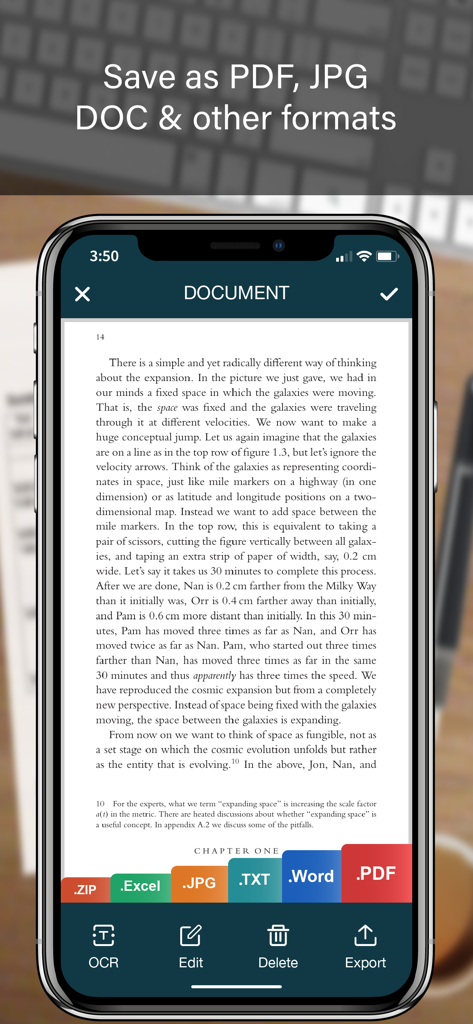
iPhone-Bildschirm mit einem gescannten Dokument und verschiedenen Optionen zum Exportieren von Dateien wie PDF, Word und Excel
iPhone-Bildschirm mit einem gescannten Dokument und verschiedenen Optionen zum Exportieren von Dateien wie PDF, Word und Excel

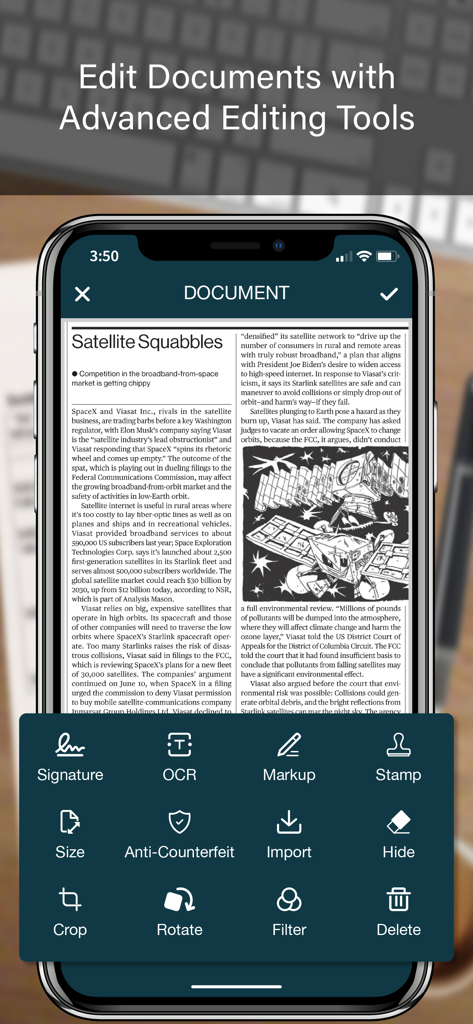
Fortschrittliche Dokumentenbearbeitungs-Oberfläche der PRO SCANNER App auf einem iPhone mit Werkzeugen wie Signatur, OCR und Markup.
Fortschrittliche Dokumentenbearbeitungs-Oberfläche der PRO SCANNER App auf einem iPhone mit Werkzeugen wie Signatur, OCR und Markup.

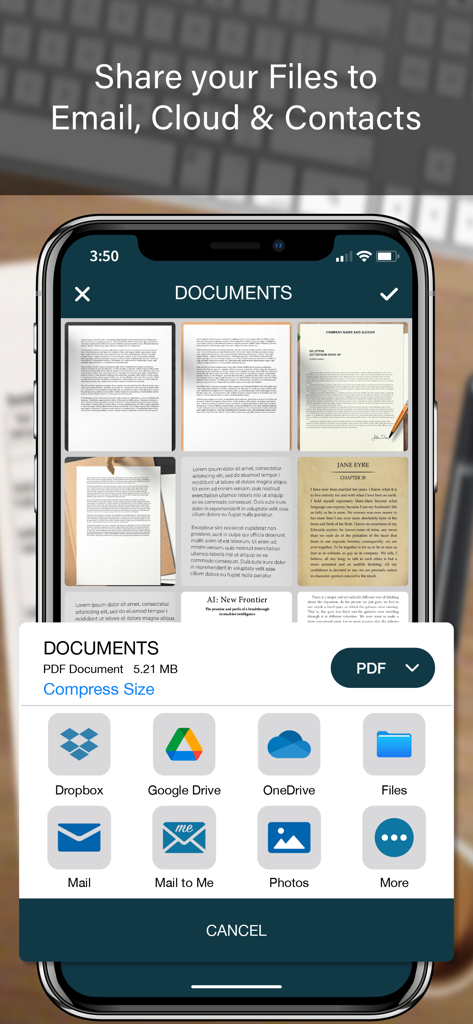
PRO SCANNER Mobile App-Freigabe-Bildschirm mit Cloud-Speicher- und E-Mail-Optionen
PRO SCANNER Mobile App-Freigabe-Bildschirm mit Cloud-Speicher- und E-Mail-Optionen

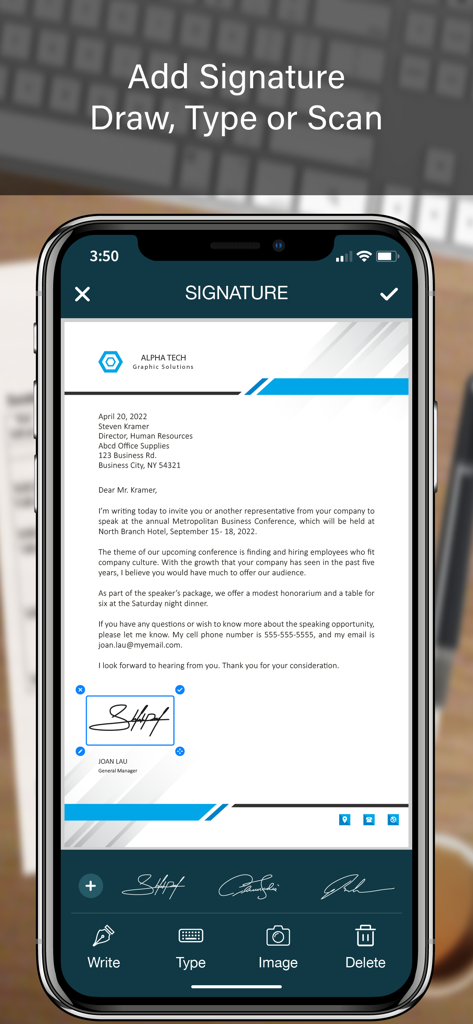
iPhone-Bildschirm, der die Funktion der PRO SCANNER App zum Hinzufügen einer digitalen Signatur zu einem PDF-Dokument zeigt
iPhone-Bildschirm, der die Funktion der PRO SCANNER App zum Hinzufügen einer digitalen Signatur zu einem PDF-Dokument zeigt

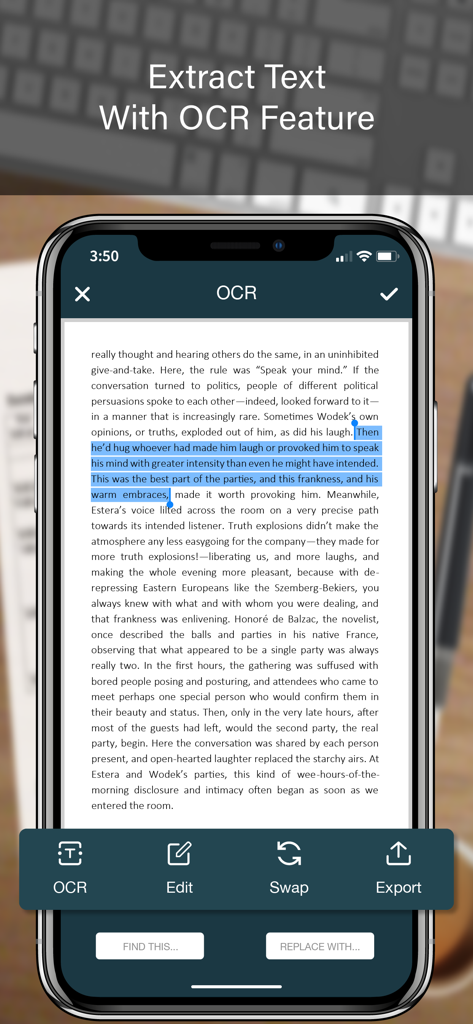
Smartphone-Bildschirm, der die OCR-Funktion der Pro Scanner App zeigt, die Text aus einem Dokument extrahiert
Smartphone-Bildschirm, der die OCR-Funktion der Pro Scanner App zeigt, die Text aus einem Dokument extrahiert

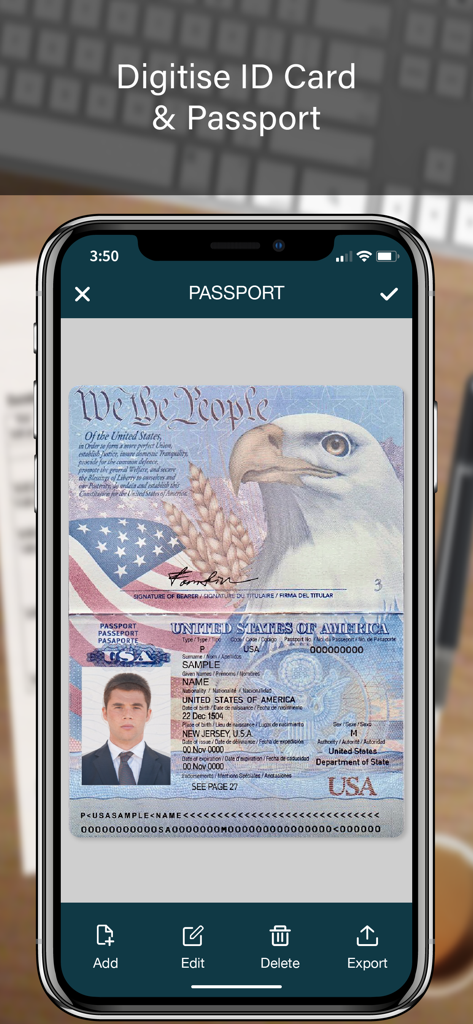
Digitalisierung eines US-Reisepasses mit der PRO SCANNER Mobile App
Digitalisierung eines US-Reisepasses mit der PRO SCANNER Mobile App

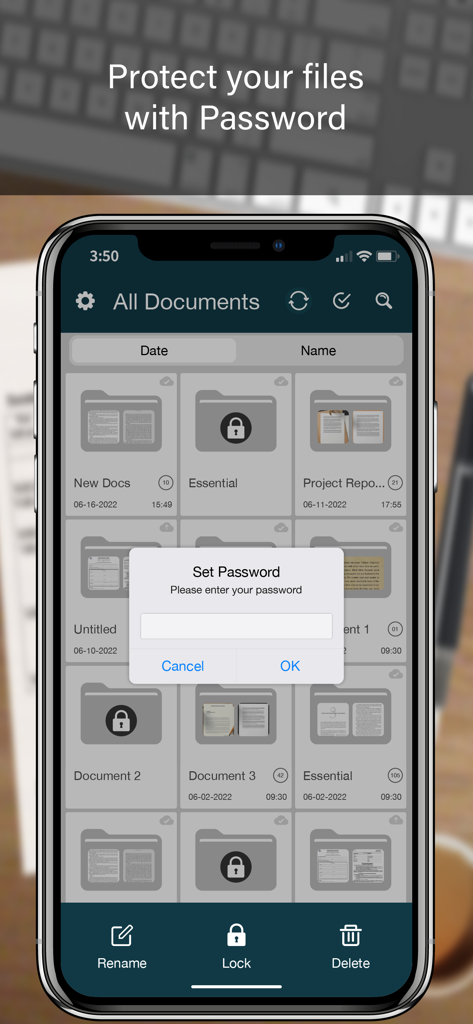
Eine mobile Oberfläche der PRO SCANNER App, die eine festgelegte Passwortabfrage zum Schutz von Dokumenten anzeigt
Eine mobile Oberfläche der PRO SCANNER App, die eine festgelegte Passwortabfrage zum Schutz von Dokumenten anzeigt

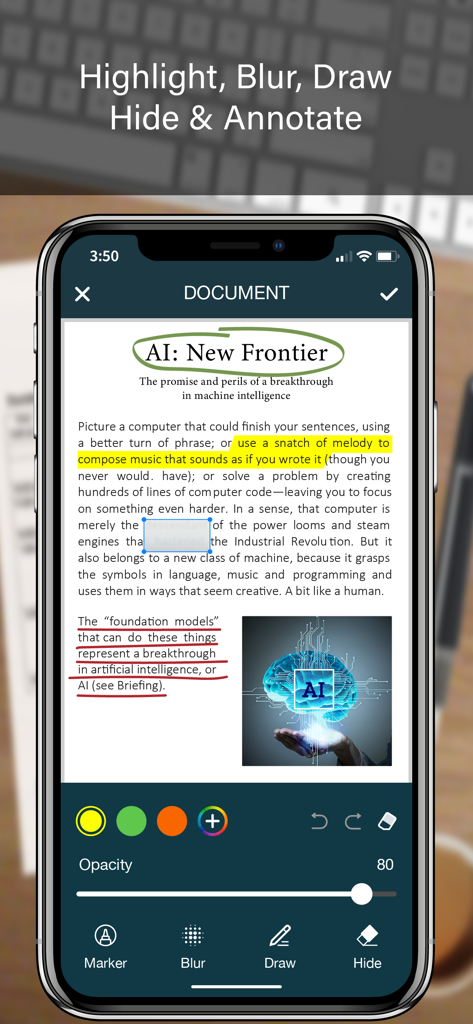
iPhone zeigt die PRO SCANNER App-Oberfläche mit Werkzeugen zur Dokumentenkommentierung wie Hervorheben, Weichzeichnen und Zeichnen auf einer PDF-Datei.
iPhone zeigt die PRO SCANNER App-Oberfläche mit Werkzeugen zur Dokumentenkommentierung wie Hervorheben, Weichzeichnen und Zeichnen auf einer PDF-Datei.

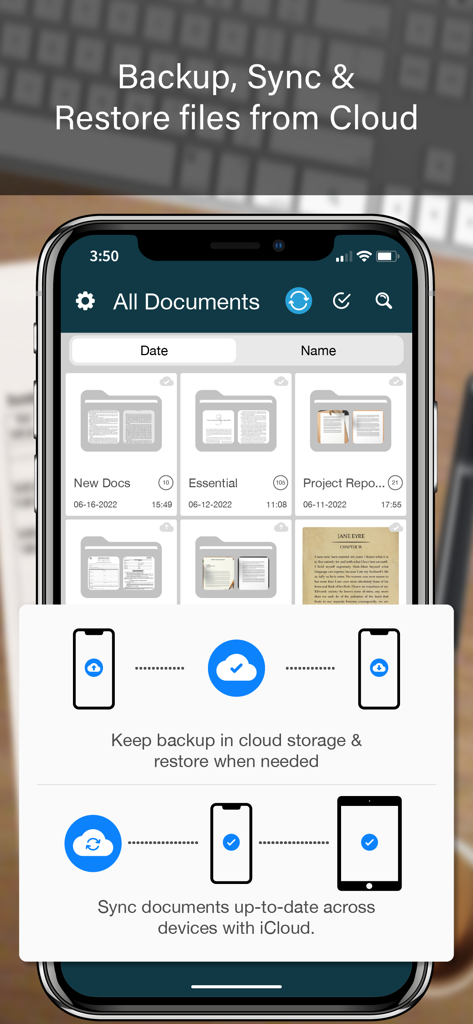
Pro Scanner App-Oberfläche, die Cloud-Backup- und Dokumentensynchronisierungsfunktionen anzeigt

Pro Scanner App-Oberfläche, die Cloud-Backup- und Dokumentensynchronisierungsfunktionen anzeigt

Ihr professionelles Büro, direkt in Ihrer Tasche

Die Tools, die diese App auszeichnen, gewählt von 213K+ Nutzern.

📄

Hochauflösendes Scannen & OCR

Verwandeln Sie physische Dokumente in durchsuchbare PDFs oder bearbeitbaren Text mit KI-gestützter Kantenerkennung und professioneller Textextraktion.

✍️

Dokumente sofort elektronisch signieren

Schließen Sie Geschäfte ab und finalisieren Sie Verträge in Sekundenschnelle, indem Sie sichere digitale Signaturen oder offizielle Siegel direkt von Ihrem iPhone aus hinzufügen.

🔒

Sicherer Tresor & biometrischer Schutz

Schützen Sie sensible Geschäftsdaten und vertrauliche Dateien mit Face ID, Touch ID oder benutzerdefinierten Ordnersperren für maximale Privatsphäre.

Bewertungsanalyse

Erkenntnisse aus Nutzerbewertungen.

Stimmungswert

33%
Negativ

Zusammenfassung

This app receives largely negative feedback, with a significant number of users reporting severe issues such as frequent crashes, freezing, and loss of scanned documents, often occurring after app updates. Many express frustration with the Pro version, citing that it offers little improvement, is overpriced, or even introduces more bugs, leading to accusations of the app being a "scam." Key functionalities like exporting, sharing, and document restoration are frequently problematic, with users often unable to access or manage their files effectively. While some users appreciate its basic scanning capabilities and ease of use, the overwhelming sentiment points to critical issues with app stability, data integrity, and the value proposition of the paid version, further exacerbated by a lack of responsive customer support.

Häufige Themen

Pro Version Value / Pricing(19)
App Stability(12)
Data Loss / Document Management(9)
Export & Sharing Functionality(9)
Ease of Use(5)
OCR / Text Recognition(5)
Customer Support(3)
Scanning Quality / Features(3)

Über die App

Alles, was Sie über wissen müssen PRO SCANNER- PDF Document Scan.

Beschreibung

PRO SCANNER is the easiest & simple app to use, which will turn your iPhone into a portable mobile scanner. Use PRO SCANNER to scan receipts, notes, invoices, whiteboard discussions, business cards, certificates, photo & just anything you want. Easily scan, save and share any document in PDF, DOC, EXCEL, TEXT, ZIP & JPEG format. ** Key Feature ** ============== ADVANCED & HIGHLY OPTIMIZED SCANNER : - Scan to create high quality PDF, DOC, EXCEL, TEXT, ZIP & JPEG file. - Auto edge detection for easy, fast and accurate scanning. - Batch Scan feature to scan multiple documents simultaneously. - Control flash and capture mode very easily. - Turn camera grid on/off based on needs. - Auto enhancement make the graphics & text look more clear & sharper. - Automatic noise removing, color correction & perspective correction. EXTRACT TEXT FROM IMAGE (OCR) : - Extract text from image & Turn your images into text file. - Best OCR performance to get most accurate text output from the image. - Search & replace specific text or phrase in OCR. BACKUP & SYNC: - Create backup of documents and restore it when needed. - Sync data with iCloud to keep it up-to-date. - Sync data across multiple devices. ADD DIGITAL SIGNATURE : - Sign in your documents just right in the app. - Add signature by drawing and typing. - Extract signature from image by scanning. - Adjust the size, color & rotation of your signature easily. CONVERTER : - Convert your files into PDF, DOC, EXCEL, TEXT, ZIP & JPEG format. - Compress and control file size very easily. FOLDER LOCK : - Keep you documents safe with folder lock. - Use Pin Code, Face ID & Touch ID to lock and unlock folder. FILE MANAGER : - Full featured file manager with custom folder creation. - Organize documents by copying and moving from one folder to another. - Edit, Sort, Rename & Delete your folder. DOCUMENT EDITOR : - Smart polygonal cropping with auto edge detection feature. - Professional filters to turn image into document. - Draw, mark and annotate document with markup. - Change document dimension into different paper sizes (Such as: A3, A4, A5, Letter, Legal). - Import image from camera and gallery to add on documents. - Hide unwanted/confidential parts of the document with color and blur effects. - Use stamp & seal to make official document. - Add anti-counterfeit watermark. - File rotation feature. SHARING : - 3rd Party Cloud Storage Service : Dropbox, OneDrive, Google Drive & Email. - Airdrop sharing to share your files to any cloud or social media you want. - Easily Print out your files with any WiFi printer. - Save scans to camera roll.

Neueste Version

2.4

Größe

65.9 MB

Erstveröffentlichung

8. Feb. 2017

Bereit, Ihr Berufsleben zu vereinfachen?

Schließen Sie sich über 213.000 Unternehmern und Fachleuten an, die PRO SCANNER vertrauen, um ihre Dokumente unterwegs zu scannen, zu signieren und zu sichern. Laden Sie noch heute Ihr Taschenbüro herunter.

Herunterladen auf App Store

App information, icons, screenshots, and descriptions displayed on this page are sourced from the Apple App Store and are the property of their respective developers. Download estimates and rankings are based on MWM's proprietary models and may not reflect actual figures. This page is provided for informational and analytical purposes only.

Believe this page infringes your intellectual property? File a dispute