
Diese Seite ist keine offizielle Seite der App oder ihres Entwicklers, sondern eine unabhängige redaktionelle Veröffentlichung, die zu Informations- und Kommentarzwecken erstellt wurde. Sofern nicht ausdrücklich anders angegeben, sind weder die App noch ihr Entwickler mit MWM, Apple, Google Play, dem App-Herausgeber oder dem Entwickler der App verbunden, von ihnen unterstützt, gesponsert, autorisiert oder anderweitig offiziell verbunden, und nichts auf dieser Seite impliziert, dass die App unter Verwendung der Dienste von MWM entwickelt wurde. Alle Marken, Logos, Screenshots und andere Inhalte bleiben Eigentum ihrer jeweiligen Inhaber.

ProCam - Capture ProRAW photos
Verwandeln Sie Ihr iPhone mit intuitiver Einhandbedienung für ISO, Verschlusszeit und Fokus in eine leistungsstarke DSLR. Nehmen Sie atemberaubende ProRAW-Fotos und Langzeitbelichtungen mit einem einfachen Einmalkauf auf – keine Abonnements erforderlich.
Downloads
422K+Bewertung
Bewertungen gesamt
4K+Herausgeber
Kategorie
Photo & VideoSprachen
4Neueste Version
4.9Größe
19.0 MBErstveröffentlichung
22. Juni 2021Professionelle Steuerung, vereinfacht.
ProCam bringt die Leistung einer High-End-DSLR auf Ihr iPhone und kombiniert fortschrittliche manuelle Einstellungen mit einer minimalistischen Einhandoberfläche, die für ernsthafte Kreative entwickelt wurde, die Wert auf Intentionalität legen.
Vollständige manuelle Beherrschung
Übernehmen Sie die volle Kontrolle über ISO, Verschlusszeit und Fokus mit intuitiven Wischsteuerungen, mit denen Sie die rechnerische Verarbeitung umgehen und genau die Stimmung einfangen können, die Sie sich vorstellen.
ProRAW & RAW-Workflow
Schöpfen Sie den maximalen Dynamikbereich Ihres Sensors aus. Erfassen Sie unkomprimierte Daten für maximale Flexibilität bei der Feinabstimmung Ihrer Meisterwerke in Lightroom oder Darkroom.
Häufig gestellte Fragen
Alles, was Sie über wissen müssen ProCam - Capture ProRAW photos
Ist ProCam eine kostenlose App?
Nein, ProCam bietet eine kostenlose Testversion mit 10 Aufnahmen. Unbegrenzter Zugriff erfordert einen einmaligen Kauf innerhalb der App.
Unterstützt ProCam Videoaufnahmen?
Nein, ProCam ist ausschließlich für die Fotografie konzipiert. Es unterstützt nur das Aufnehmen von Fotos und enthält keine Videofunktion.
Welche Aufnahmemodi bietet ProCam?
ProCam bietet zwei primäre Aufnahmemodi: den manuellen Modus für die Feinabstimmung der Einstellungen und den halbautomatischen Modus für schnelle Schnappschüsse.
Wie funktioniert der manuelle Modus von ProCam?
Der manuelle Modus von ProCam ermöglicht professionellen Fotografen die Feinabstimmung von Verschlusszeit, ISO, Fokus und Weißabgleich. Die Benutzer passen diese Bedienelemente durch horizontales Wischen an.
Wie funktioniert der halbautomatische Modus von ProCam?
Der halbautomatische Modus von ProCam ermöglicht schnelle Point-and-Shoot-Fotografie. Die Benutzer tippen auf das Kameradisplay, um Belichtung und Fokus einzustellen, mit der Option, manuelle Bedienelemente auszublenden.
Welche Bildformate unterstützt ProCam für die Aufnahme von Fotos?
ProCam unterstützt die Aufnahme von Fotos in den Formaten JPEG, HEIF, RAW, RAW+JPEG, ProRAW und ProRAW+JPEG. RAW und ProRAW bieten feinere Bearbeitungskontrolle.
Können Benutzer die Kamerasteuerung in ProCam sperren?
Ja, ProCam ermöglicht es Benutzern, alle Kamerasteuerungen, einschließlich Verschlusszeit, ISO, Fokus und Weißabgleich, mit einem einzigen Tastendruck nach der Einstellung der Parameter einzufrieren.
Enthält ProCam Belichtungsreihen?
Ja, ProCam verfügt über eine Belichtungsreihenfunktion, die drei Fotos mit unterschiedlichen Belichtungsstufen aufnimmt. Benutzer können diese mischen oder das am besten belichtete Bild auswählen.
Wie funktioniert der Belichtungsmesser in ProCam?
Der Belichtungsmesser in ProCam zeigt an, ob eine Aufnahme über- oder unterbelichtet ist. Benutzer verwenden diesen Messwert, um die Belichtung für eine optimale Fotoqualität anzupassen.
Kann ich Metadaten für mit ProCam aufgenommene Fotos anzeigen?
Ja, ProCam zeigt Fotometadaten an, einschließlich EXIF-Daten, Dateigröße, Abmessungen und Informationen für alle Versionen (z. B. Bearbeitungen wie Zuschneiden oder Filter).
Kann ProCam direkt vom Sperrbildschirm gestartet werden?
Ja, ProCam bietet Widgets für den Sperrbildschirm, die es Benutzern ermöglichen, die App schnell vom Sperrbildschirm aus zu starten, um direkt Fotos aufzunehmen.
Bietet ProCam eine Foto-Wiederherstellung an?
Ja, in seltenen Fällen eines Aufnahme- oder Speicherfehlers können ProCam-Benutzer im Einstellungsbereich der App auf wiederhergestellte Fotos zugreifen.
Kann ich ProCam-Fotos mit Autoren- und Copyright-Informationen versehen?
Ja, ProCam ermöglicht es Benutzern, Autorennamen und Copyright-Informationen für Fotos anzupassen. Diese Anpassung muss vor der Fotoaufnahme abgeschlossen werden.
Wie teilt ProCam verschiedene Fotoversionen?
ProCam ermöglicht das Teilen von Original-, bearbeiteten oder alternativen Versionen von Fotos, wie z. B. RAW/ProRAW-Bildern. Benutzer können auswählen, welche Versionen geteilt werden sollen.
Die folgenden Screenshots und die Beschreibung stammen direkt aus dem offiziellen Store-Eintrag der App und sind Eigentum des Entwicklers.
App Store
Screenshots
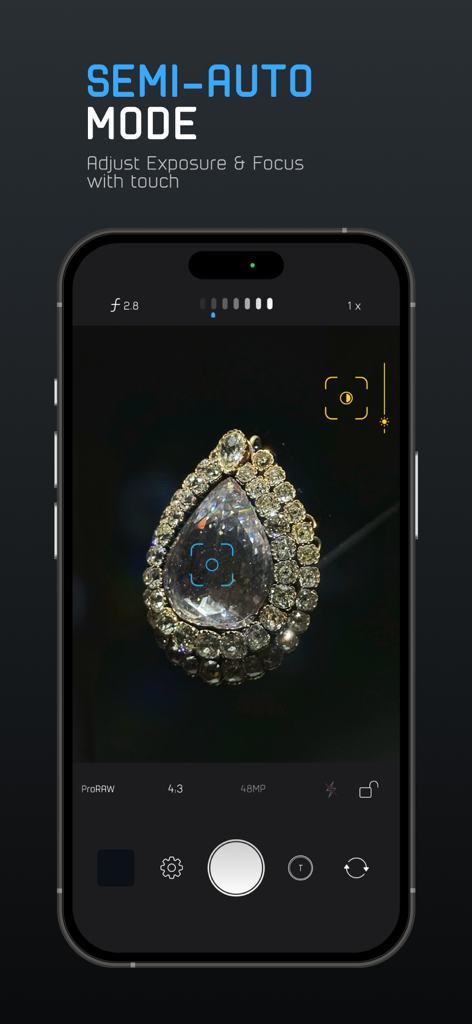
ProCam App-Oberfläche, die den halbautomatischen Modus mit Touch-Steuerung für Belichtung und Fokus auf einem iPhone zeigt.
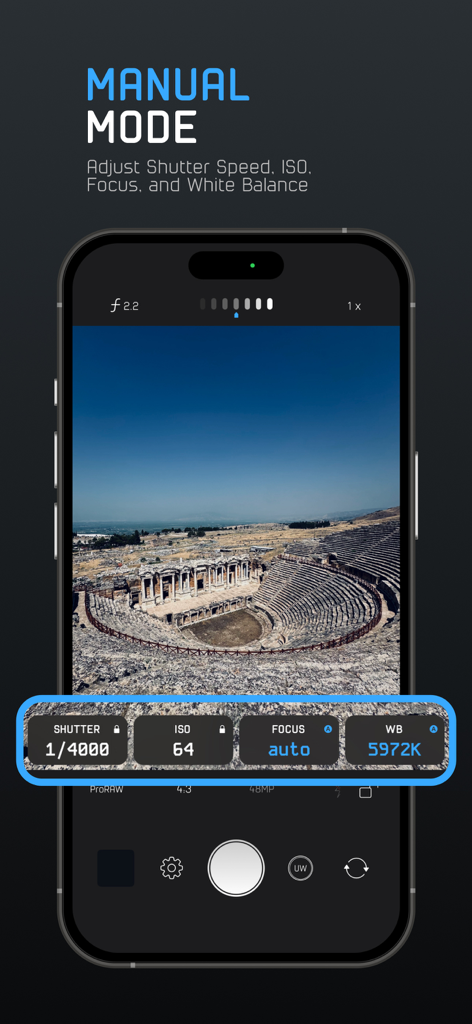
ProCam App-Oberfläche im manuellen Modus mit Steuerelementen für Verschlusszeit, ISO, Fokus und Weißabgleich über einem Landschaftsfoto
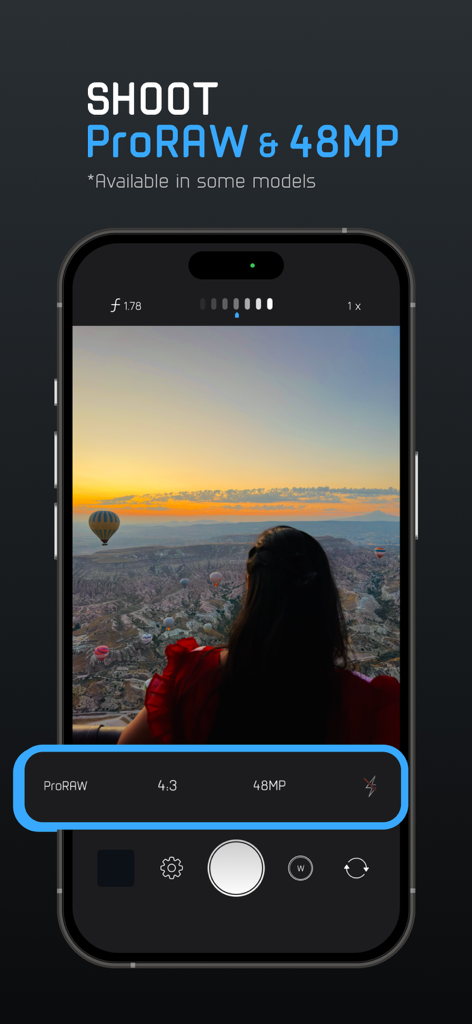
Oberfläche der ProCam App, die ProRAW- und 48MP-Fotografie-Einstellungen auf einem iPhone anzeigt
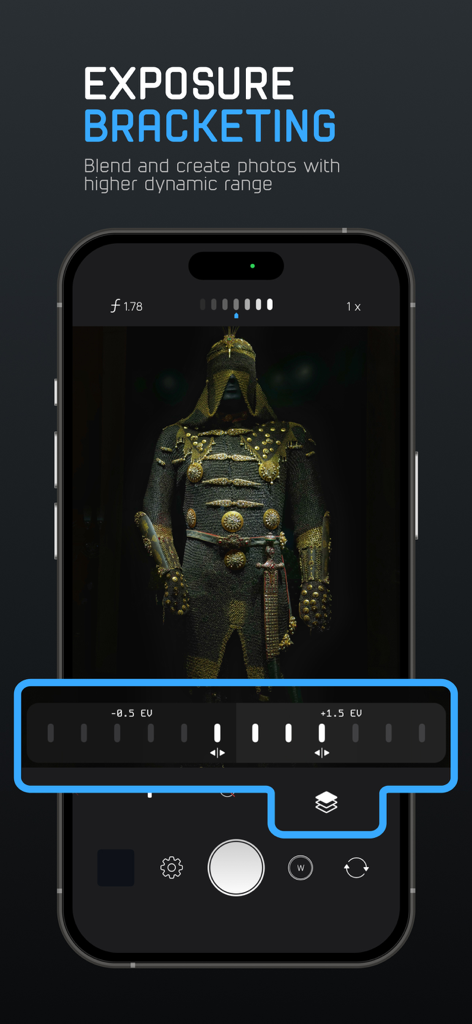
ProCam App-Oberfläche, die Belichtungsreihen-Steuerelemente zur Erfassung von Fotos mit höherem Dynamikbereich zeigt
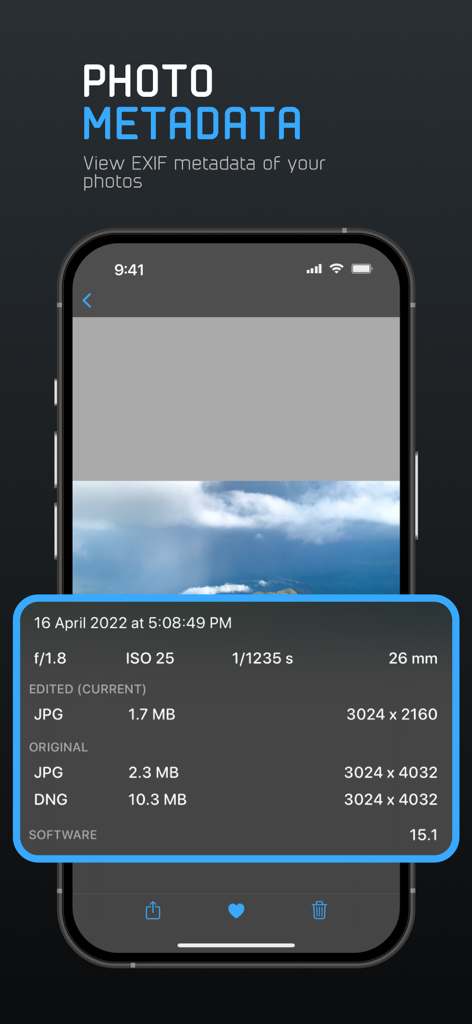
Ein Screenshot der ProCam App, der detaillierte EXIF-Metadaten für ein Foto anzeigt, einschließlich ISO, Verschlusszeit und Dateiformaten
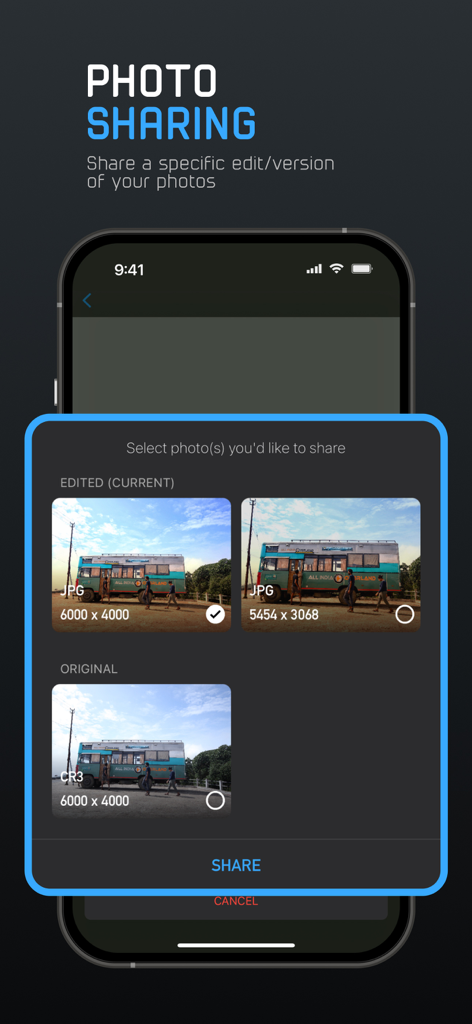
Oberfläche der ProCam App, die Optionen zum Teilen von Original- oder bearbeiteten Versionen eines Fotos in verschiedenen Formaten wie RAW und JPG anzeigt
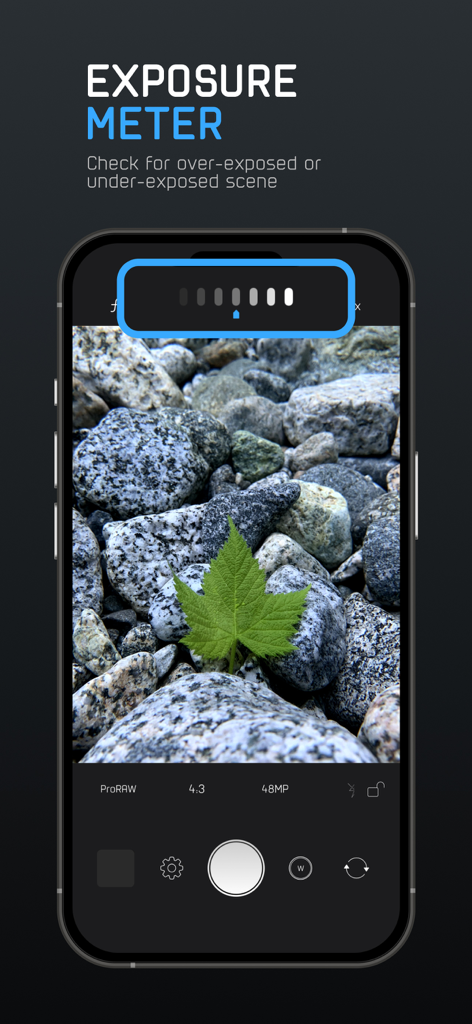
ProCam App-Screenshot, der das Belichtungsmessgerät-Tool für die manuelle Fotografie zeigt
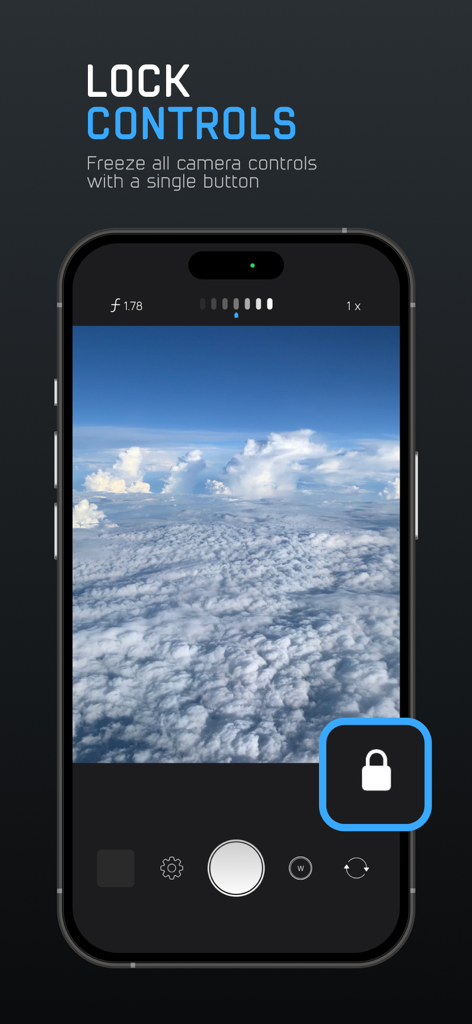
Smartphone-Bildschirm, der die ProCam App Lock Controls-Funktion zum Einfrieren manueller Kameraeinstellungen anzeigt
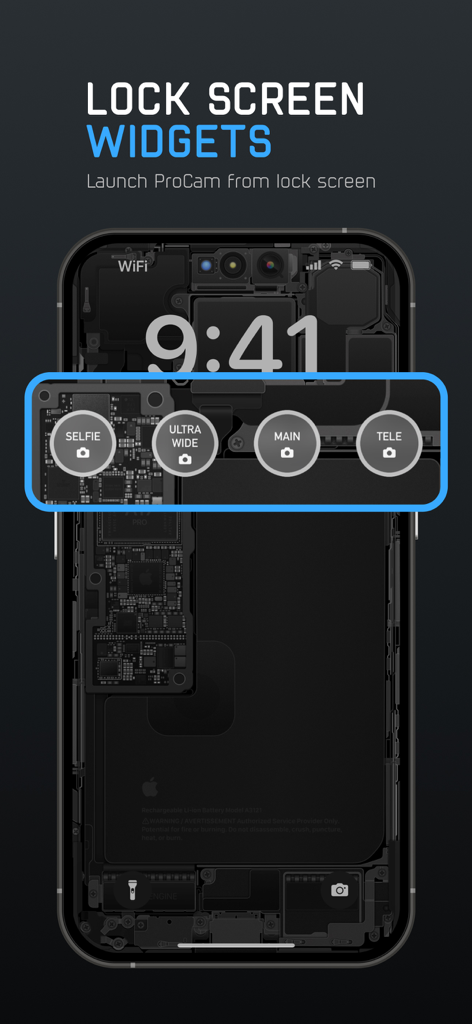
iPhone-Sperrbildschirm mit ProCam Widgets zum schnellen Starten der Selfie-, Ultraweitwinkel-, Haupt- und Telekamera-Modi
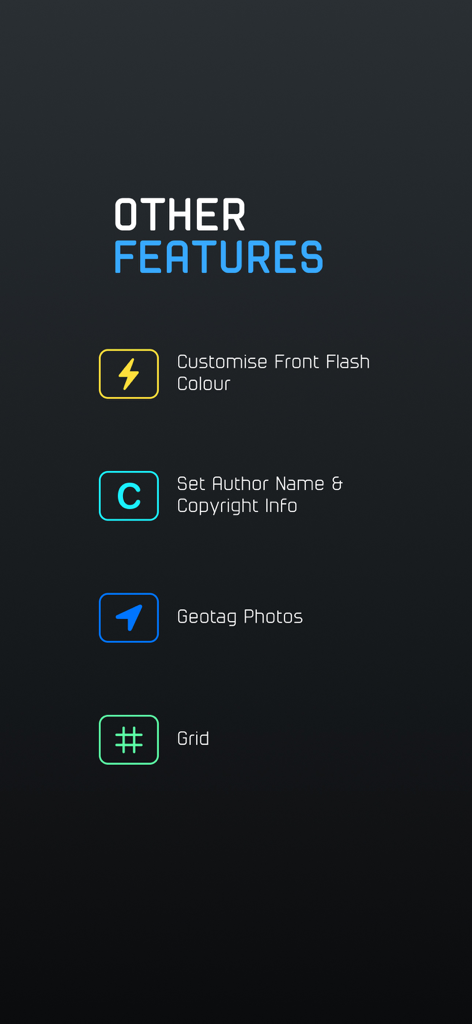
ProCam App-Bildschirm mit zusätzlichen Fotografie-Funktionen, einschließlich benutzerdefinierter Blitzfarbe, Copyright-Einstellungen, Geotagging und Kompositionsraster
Beschreibung
Download
Ähnliche Apps
Apps mit ähnlichen Funktionen und Nutzererfahrung

Blackmagic Camera
Blackmagic Design Inc

飓风相机
Hangzhou Ostar Media Co.,Ltd.

ProMovie Recorder
Panda Apps Limited

ReLens Camera-DSLR Portrait
Pixl Concerto Technology Limited

Leica LUX - Pro Manual Camera
Leica Camera AG

FotorGear - Camera in Pocket
Shenzhen Fotorgear Technology Co., Ltd.

Unsharp
北北 宋

ProCam:Professional RAW Camera
BRAND CELLAR HOLDINGS PTE LTD

Vibe Cam - Moments Never Fade
森 林
Diese Seite ist keine offizielle Seite der App oder ihres Entwicklers, sondern eine unabhängige redaktionelle Veröffentlichung, die zu Informations- und Kommentarzwecken erstellt wurde. Sofern nicht ausdrücklich anders angegeben, sind weder die App noch ihr Entwickler mit MWM, Apple, Google Play, dem App-Herausgeber oder dem Entwickler der App verbunden, von ihnen unterstützt, gesponsert, autorisiert oder anderweitig offiziell verbunden, und nichts auf dieser Seite impliziert, dass die App unter Verwendung der Dienste von MWM entwickelt wurde. Alle Marken, Logos, Screenshots und andere Inhalte bleiben Eigentum ihrer jeweiligen Inhaber.