Python3IDE -

Python3IDE -

Herunterladen auf App Store
Logo von Python3IDE -

Python3IDE - Professionelles Coding & Data Science überall

Verwandeln Sie Ihr Mobilgerät in einen leistungsstarken Arbeitsplatz. Erstellen, debuggen und visualisieren Sie mit Pandas und Matplotlib in einer intelligenten Python-Umgebung mit mehreren Tabs, die für Entwickler unterwegs entwickelt wurde.

Herausgeber

TERMUX LIMITED LIABILITY COMPANY

Kategorie

Developer Tools

Downloads

200

Bewertung

1.0/5

Bewertungen gesamt

0

Sprachen

1

Ihr mobiles Studio

Entdecken Sie die Oberfläche, die von 200 Nutzern verwendet wird.
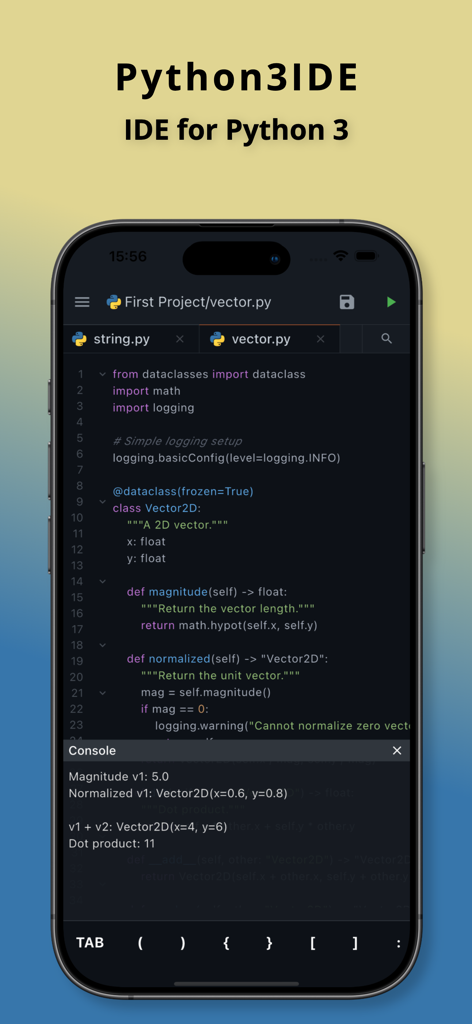
Python3IDE mobile Oberfläche zeigt einen Python-Code-Editor mit Syntaxhervorhebung und Konsolenausgabe auf einem iPhone

Python3IDE mobile Oberfläche zeigt einen Python-Code-Editor mit Syntaxhervorhebung und Konsolenausgabe auf einem iPhone

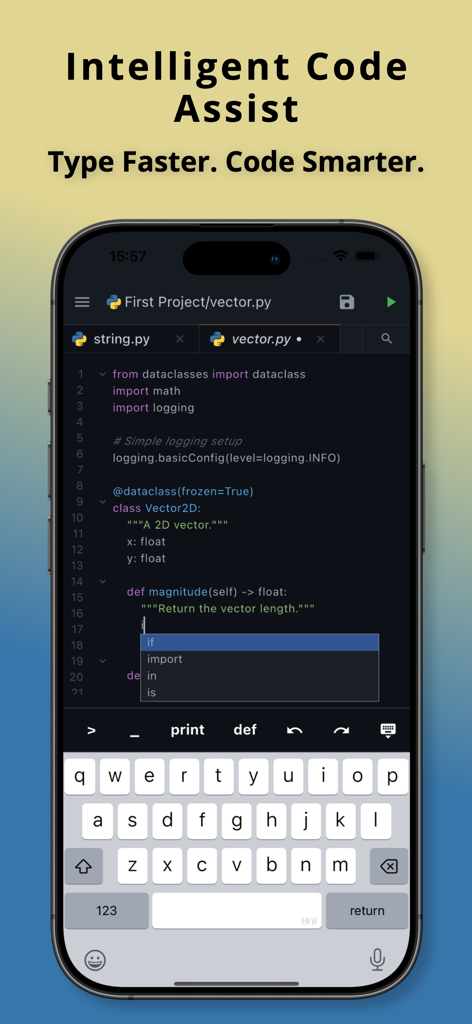
Python3IDE mobile App-Oberfläche zeigt intelligente Code-Vervollständigung und Syntaxvorschläge auf einem Smartphone-Bildschirm.

Python3IDE mobile App-Oberfläche zeigt intelligente Code-Vervollständigung und Syntaxvorschläge auf einem Smartphone-Bildschirm.

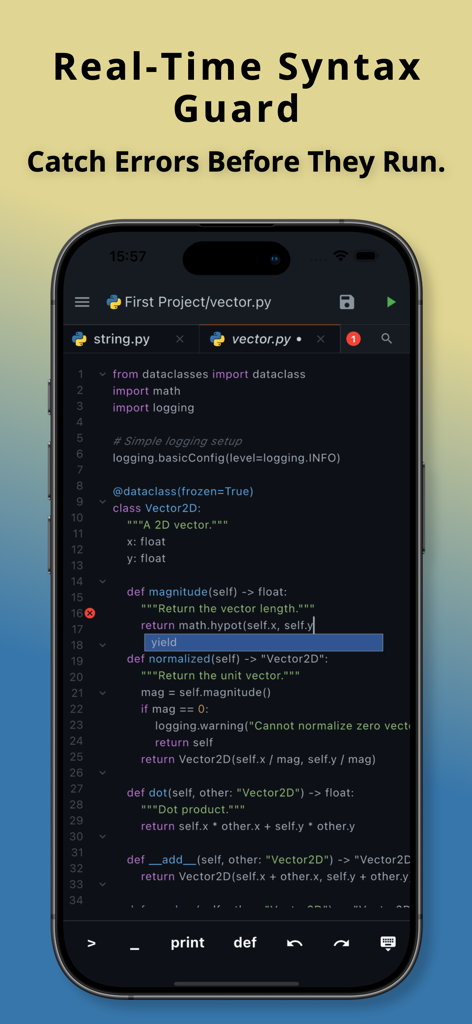
Python3IDE mobile App zeigt Echtzeit-Syntaxschutz und Fehlererkennung auf einem Code-Editor-Bildschirm

Python3IDE mobile App zeigt Echtzeit-Syntaxschutz und Fehlererkennung auf einem Code-Editor-Bildschirm

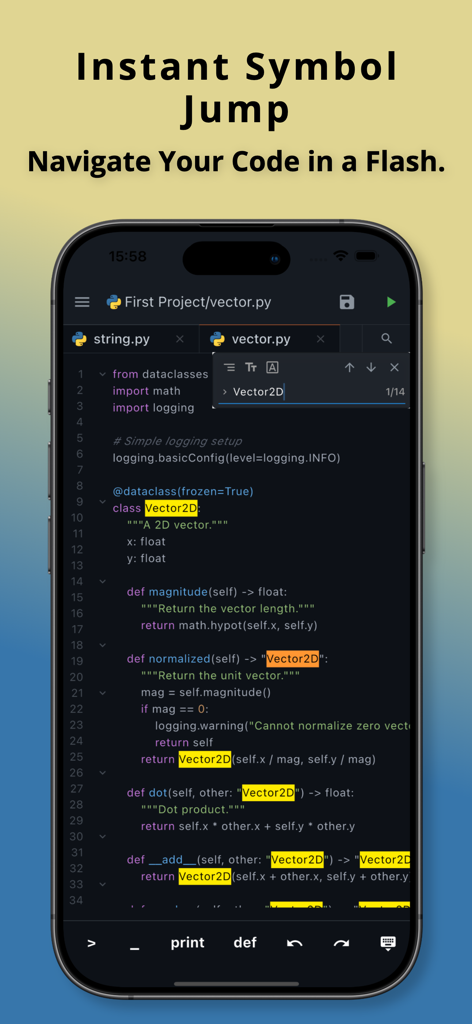
Python3IDE mobile App zeigt die Funktion für sofortige Sprünge zu Symbolen für schnelle Code-Navigation

Python3IDE mobile App zeigt die Funktion für sofortige Sprünge zu Symbolen für schnelle Code-Navigation

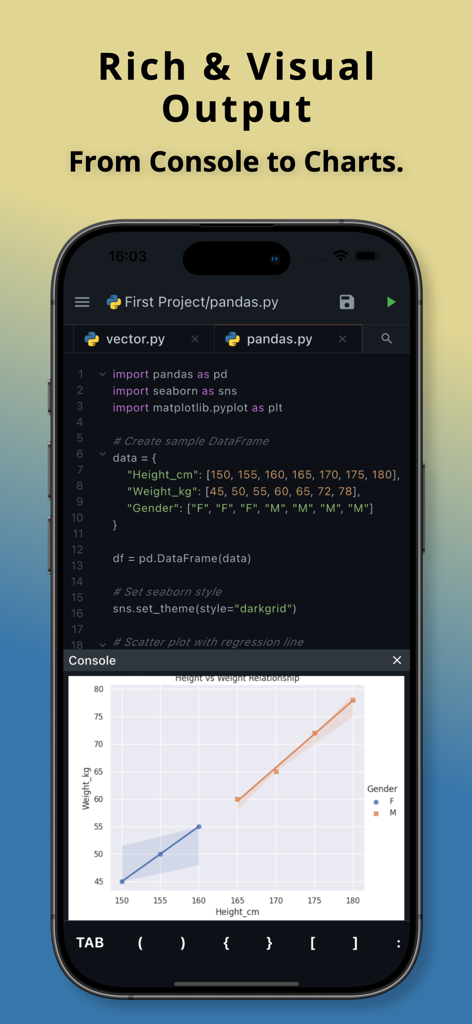
Python3IDE mobile App zeigt Python-Code und ein Streudiagramm für Datenvisualisierung

Python3IDE mobile App zeigt Python-Code und ein Streudiagramm für Datenvisualisierung

Eine professionelle Python-IDE in Ihrer Tasche

Die Tools, die diese App auszeichnen, gewählt von 200 Nutzern.

📊

Data Science überall

Visualisieren Sie Einblicke sofort mit integrierter Unterstützung für branchenübliche Bibliotheken wie Pandas, Matplotlib und Seaborn.

Intelligente Code-Unterstützung

Minimieren Sie mobile Tippreibung mit intelligenter Autovervollständigung, Echtzeit-Syntaxprüfung und schneller Symbolnavigation.

📂

Workflow der Desktop-Klasse

Verwalten Sie komplexe Projekte nahtlos mit einer Multi-Tab-Oberfläche, die für effizientes Multitasking und Projektorganisation entwickelt wurde.

Über die App

Alles, was Sie über wissen müssen Python3IDE -.

Beschreibung

A powerful and intuitive Python code editor designed for productivity on the go. Build, edit, and run Python code seamlessly on your mobile device. Whether you’re learning Python, prototyping ideas, or working with data, this app provides a clean, efficient, and feature-rich coding experience—anytime, anywhere. Key Features • Multi-Tab Workflow Open and switch between multiple files effortlessly. Manage your project with a smooth, tab-based interface. • Intelligent Code Assistance Get smart keyword and syntax suggestions while typing to code faster and with fewer mistakes. • Real-Time Syntax Checking Catch syntax errors instantly as you write, helping you debug early and stay focused. • Quick Symbol Navigation Jump directly to classes, functions, or variables using fast and powerful search. • Rich & Versatile Output Run Python code and view results instantly—from console output to data visualizations using popular libraries like pandas, seaborn, and matplotlib. Perfect For Python learners & students Developers coding on the go Data analysis & visualization Prototyping and testing scripts Designed with performance and simplicity in mind, this app turns your mobile device into a capable Python development environment.

Neueste Version

1.0.1

Größe

29.2 MB

Erstveröffentlichung

27. Jan. 2026

Verwandeln Sie Ihr Mobilgerät in einen professionellen Python-Arbeitsplatz

Verschwenden Sie Ihren Arbeitsweg nicht und fangen Sie an zu codieren. Schließen Sie sich Tausenden von Entwicklern und Studenten an, die Python3IDE verwenden, um Desktop-Klasse-Leistung direkt in Ihrer Tasche zu nutzen, um Daten zu erstellen, zu debuggen und zu visualisieren.

Herunterladen auf App Store

App information, icons, screenshots, and descriptions displayed on this page are sourced from the Apple App Store and are the property of their respective developers. Download estimates and rankings are based on MWM's proprietary models and may not reflect actual figures. This page is provided for informational and analytical purposes only.

Believe this page infringes your intellectual property? File a dispute