Radiant: AI Photo&Video Editor
Herunterladen auf App Store

Diese Seite ist keine offizielle Seite der App oder ihres Entwicklers, sondern eine unabhängige redaktionelle Veröffentlichung, die zu Informations- und Kommentarzwecken erstellt wurde. Sofern nicht ausdrücklich anders angegeben, sind weder die App noch ihr Entwickler mit MWM, Apple, Google Play, dem App-Herausgeber oder dem Entwickler der App verbunden, von ihnen unterstützt, gesponsert, autorisiert oder anderweitig offiziell verbunden, und nichts auf dieser Seite impliziert, dass die App unter Verwendung der Dienste von MWM entwickelt wurde. Alle Marken, Logos, Screenshots und andere Inhalte bleiben Eigentum ihrer jeweiligen Inhaber.


Logo von Radiant: AI Photo&Video Editor
Herunterladen auf App Store

Radiant: AI Photo&Video Editor

Werten Sie Ihre Medien mit unterstützender KI auf, die Tiefe, Balance und Details wiederherstellt, ohne den "überfilterten" Look. Verarbeiten Sie RAW-Dateien sofort in Stapeln mit professionellen Werkzeugen, die für absolute Privatsphäre vollständig offline arbeiten.

Kennzahlen

Downloads

9K+

Bewertung

4.5/5

Bewertungen gesamt

500

Herausgeber

Radiant Imaging Labs LP

Kategorie

Photo & Video

Sprachen

11

Neueste Version

2.1.9

Größe

180.0 MB

Erstveröffentlichung

21. Juni 2021
Funktionen

Professionelle Ergebnisse in Sekunden

Radiant Photo verwendet unterstützende KI, um Belichtung, Tiefe und Details sofort auszugleichen – und liefert lebensechte Ergebnisse, die nie überbearbeitet aussehen.

Stapelbearbeitung in großem Maßstab

Sparen Sie Stunden manueller Arbeit, indem Sie intelligente KI-Korrekturen gleichzeitig auf Hunderte von Fotos und Videos anwenden.

RAW-Unterstützung auf Desktop-Niveau

Importieren und bearbeiten Sie hochauflösende RAW-Dateien von jeder professionellen Kamera oder jedem Gerät direkt in Ihrem mobilen Workflow.

Die folgenden Screenshots und die Beschreibung stammen direkt aus dem offiziellen Store-Eintrag der App und sind Eigentum des Entwicklers.

App Store

Screenshots
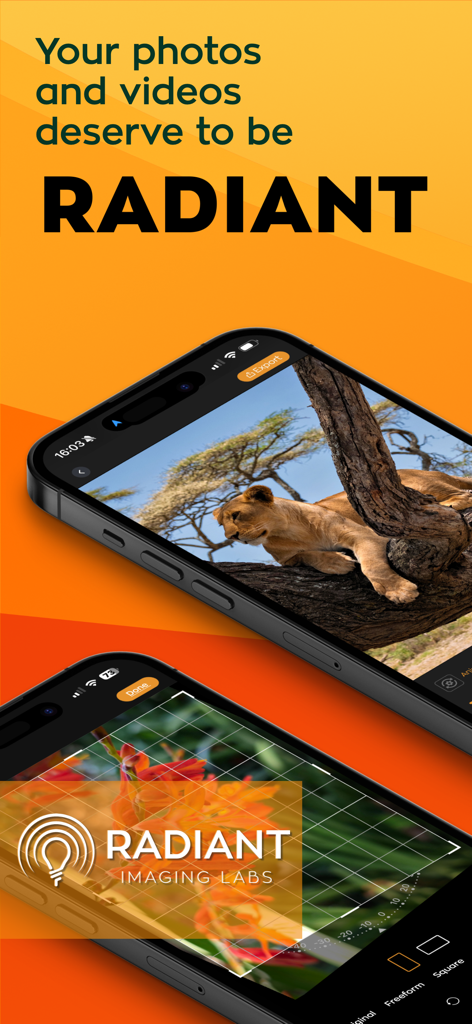
Radiant: AI Photo&Video Editor - Radiant KI-Foto- und Videobearbeitungs-Oberfläche, die professionelle Fotografie-Verbesserungen auf mobilen Geräten zeigt
Radiant KI-Foto- und Videobearbeitungs-Oberfläche, die professionelle Fotografie-Verbesserungen auf mobilen Geräten zeigt

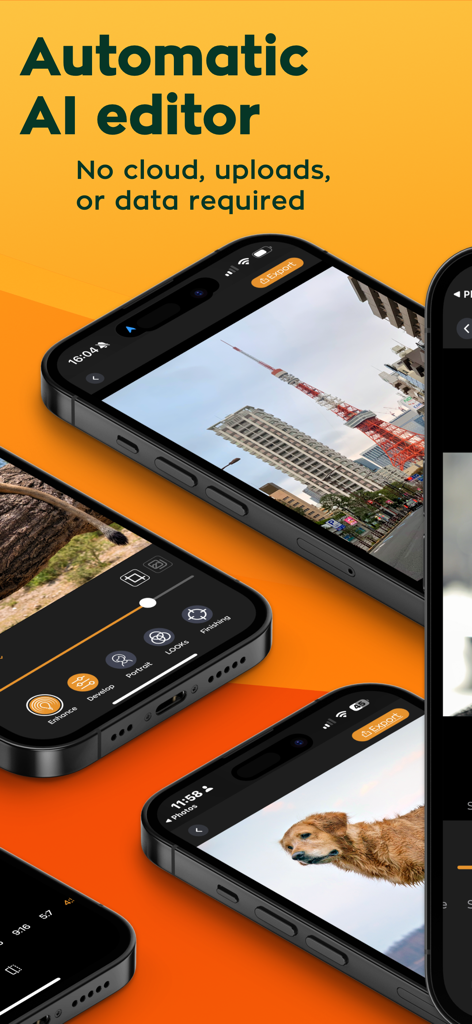
Radiant: AI Photo&Video Editor - Radiant KI-Foto- und Videobearbeitungs-App-Oberfläche auf mehreren iPhones, die Offline-Verarbeitungsfunktionen zeigt.
Radiant KI-Foto- und Videobearbeitungs-App-Oberfläche auf mehreren iPhones, die Offline-Verarbeitungsfunktionen zeigt.

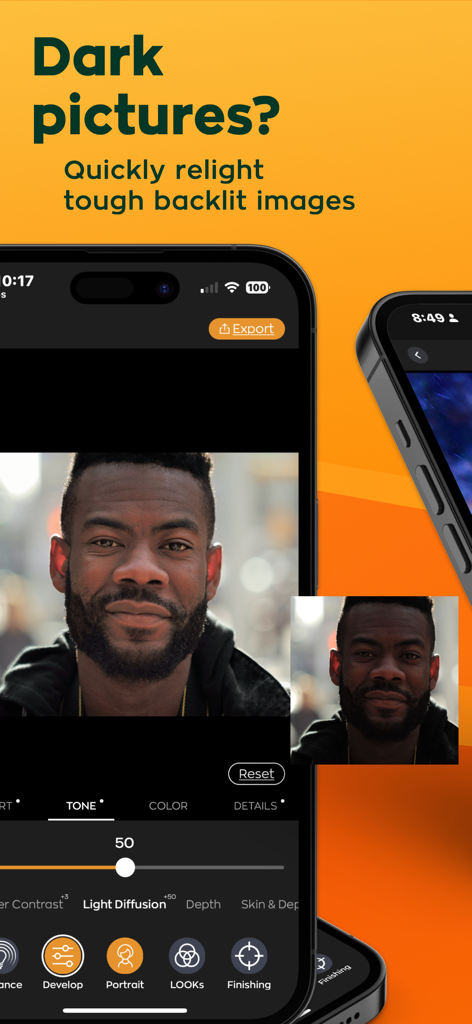
Radiant: AI Photo&Video Editor - Radiant KI-Fotoeditor beleuchtet ein dunkles, hinterleuchtetes Porträt neu, um Details und Belichtung zu verbessern
Radiant KI-Fotoeditor beleuchtet ein dunkles, hinterleuchtetes Porträt neu, um Details und Belichtung zu verbessern

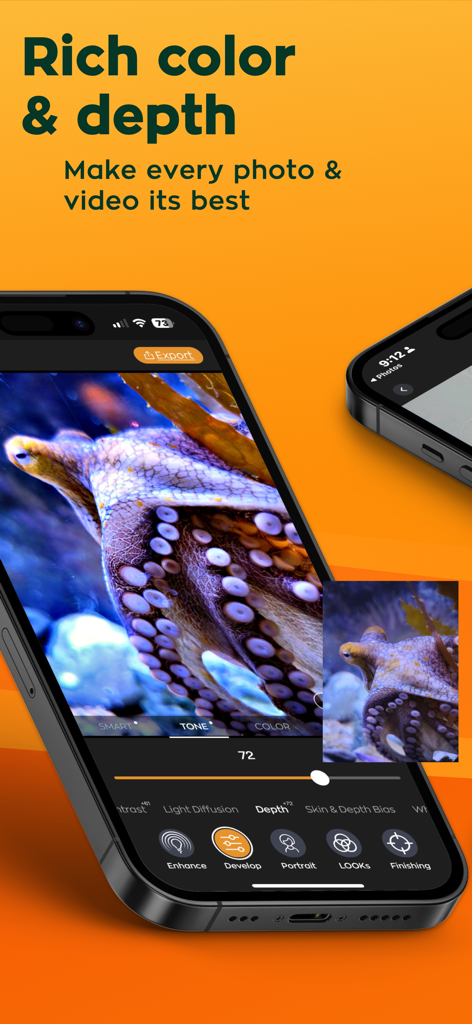
Radiant: AI Photo&Video Editor - iPhone-Bildschirm, der die Radiant KI-App-Bearbeitungsoberfläche für satte Farben und Tiefe bei einem Krakenfoto anzeigt
iPhone-Bildschirm, der die Radiant KI-App-Bearbeitungsoberfläche für satte Farben und Tiefe bei einem Krakenfoto anzeigt

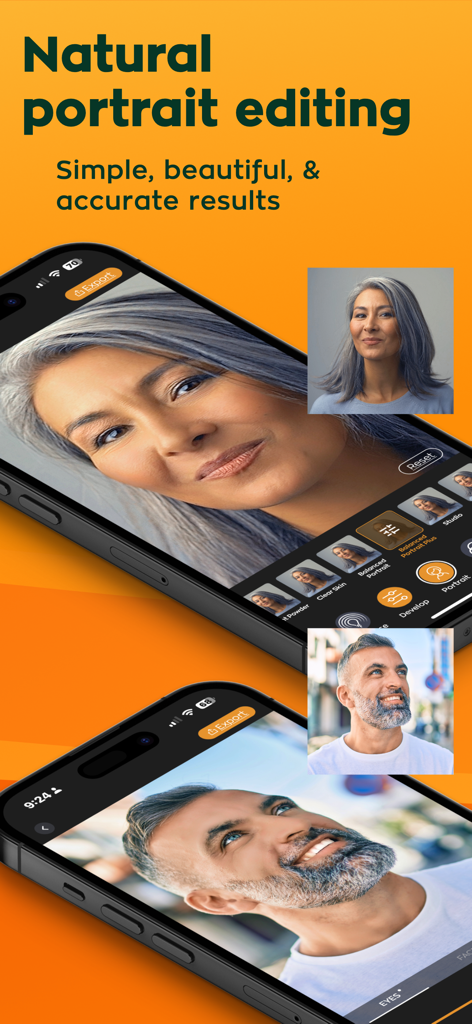
Radiant: AI Photo&Video Editor - Radiant KI-Fotoeditor-App-Oberfläche, die natürliche Porträtretusche-Ergebnisse bei einer Frau und einem Mann zeigt
Radiant KI-Fotoeditor-App-Oberfläche, die natürliche Porträtretusche-Ergebnisse bei einer Frau und einem Mann zeigt

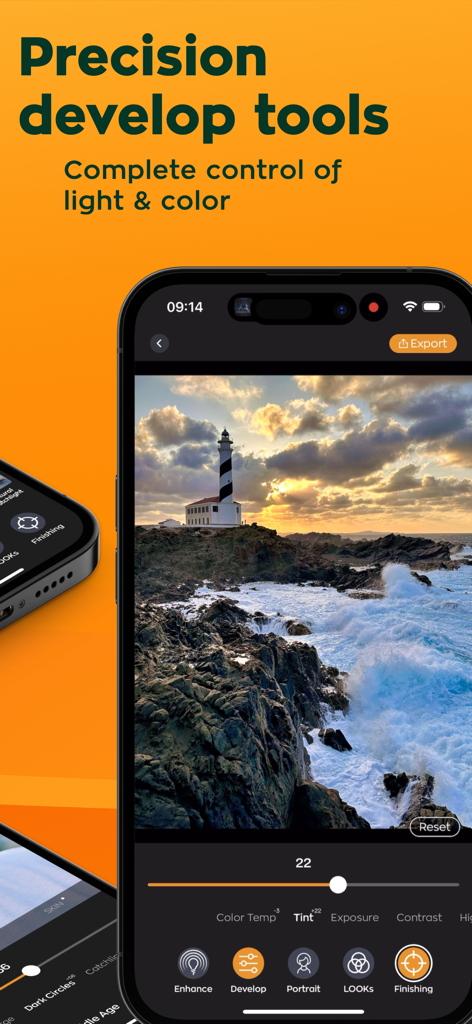
Radiant: AI Photo&Video Editor - Radiant KI-Fotoeditor-App-Oberfläche mit Präzisions-Entwicklerwerkzeugen für Licht- und Farbkontrolle auf einer Landschaftsaufnahme.
Radiant KI-Fotoeditor-App-Oberfläche mit Präzisions-Entwicklerwerkzeugen für Licht- und Farbkontrolle auf einer Landschaftsaufnahme.

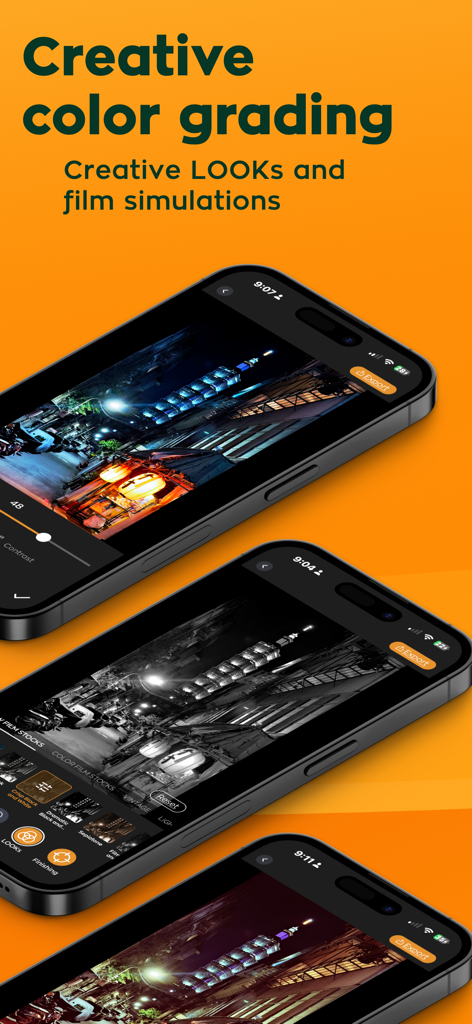
Radiant: AI Photo&Video Editor - iPhone-Bildschirme, die kreative Farbkorrektur und Filmsimulationen im Radiant KI-Fotoeditor zeigen
iPhone-Bildschirme, die kreative Farbkorrektur und Filmsimulationen im Radiant KI-Fotoeditor zeigen

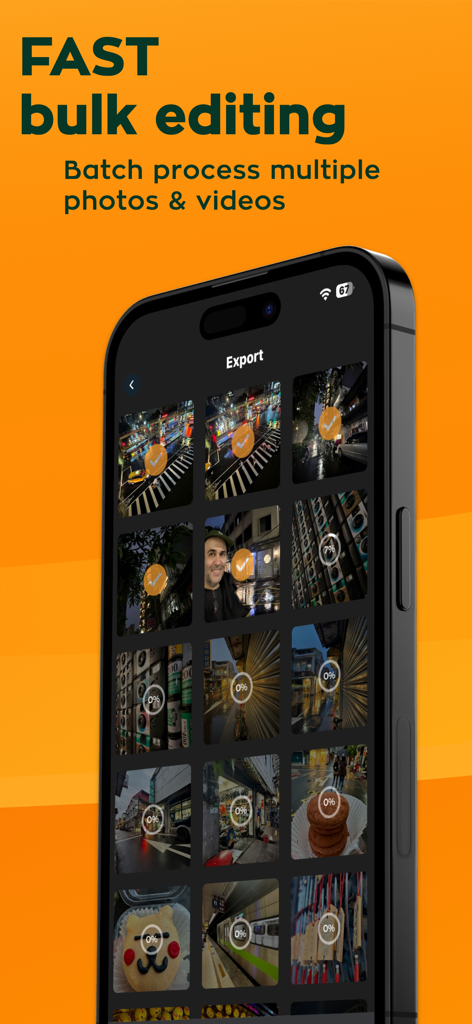
Radiant: AI Photo&Video Editor - Die Radiant KI-App-Oberfläche zeigt die Stapelverarbeitungs- und Massenbearbeitungsfunktion auf einem Smartphone
Die Radiant KI-App-Oberfläche zeigt die Stapelverarbeitungs- und Massenbearbeitungsfunktion auf einem Smartphone

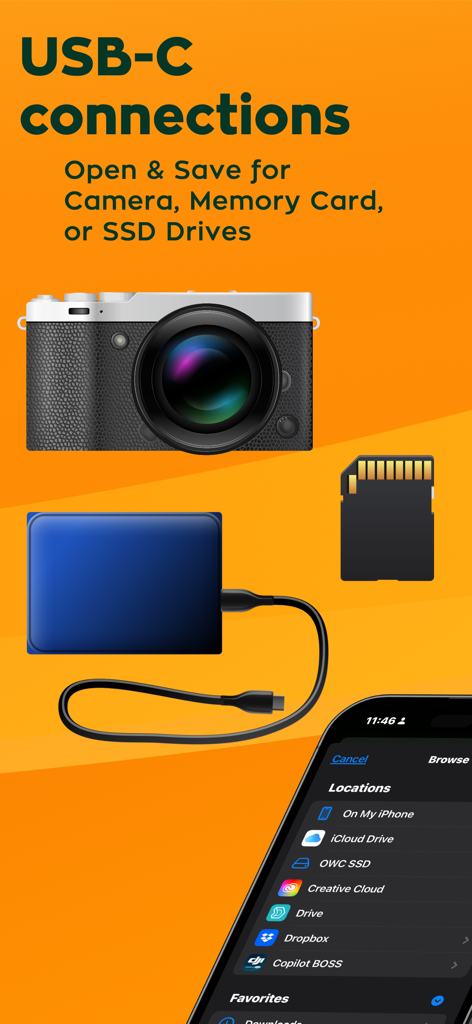
Radiant: AI Photo&Video Editor - Werbung für Radiant Photo Editor, die USB-C-Konnektivität für Kameras, Speicherkarten und SSDs zeigt.
Werbung für Radiant Photo Editor, die USB-C-Konnektivität für Kameras, Speicherkarten und SSDs zeigt.

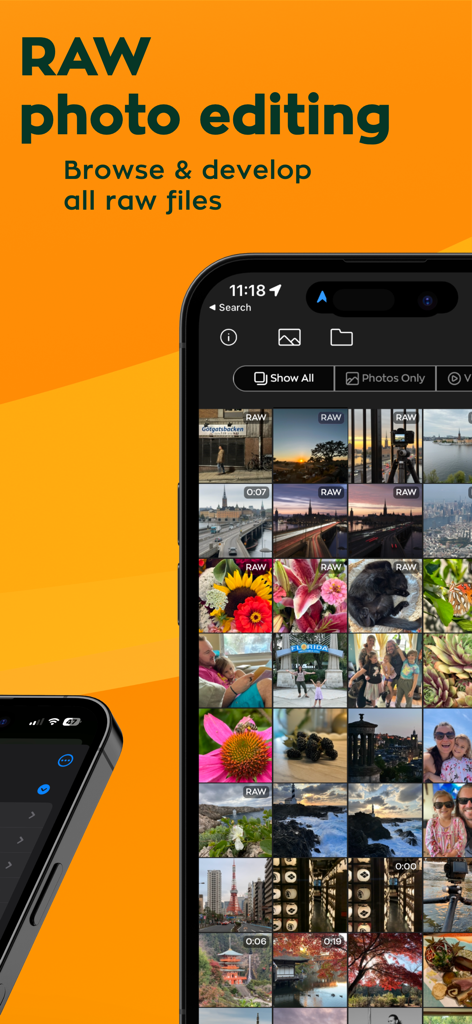
Radiant: AI Photo&Video Editor - Radiant App-Oberfläche, die eine Galerie von RAW-Fotodateien zur Bearbeitung zeigt

Radiant App-Oberfläche, die eine Galerie von RAW-Fotodateien zur Bearbeitung zeigt

Beschreibung

Transform Your Media with Radiant Photo: Assistive AI-Driven Photo & Video Editor Elevate your photos and videos instantly with Radiant Photo, the assistive AI editing tool designed to perfect your media effortlessly. Just open your images or videos and watch in real-time how Radiant Photo deftly balances exposure, boosts depth, and brings out stunning, lifelike details—all without the risk of over-enhancement. COMPREHENSIVE FEATURES FOR UNMATCHED QUALITY: Experience the full potential of your media with Radiant Photo, where technology meets creativity to transform your photos and videos. With its user-friendly interface and powerful features, Radiant Photo is ideal for professional photographers and hobbyists. Download now and start creating stunning, radiant visuals that capture the essence of your moments. Join the community of creators who trust Radiant Photo to bring their visions to life. - Intelligent Exposure Control: Automatically adjust exposure to achieve perfect brightness and contrast in every scene. Advanced Depth Enhancement: Enhance the depth of field to give your visuals a professional-grade dimensional feel and make them pop off the screen. - Precision Detail Recovery: Uncover hidden details with AI that knows precisely how much to enhance texture and color without creating an overly processed look. - Sophisticated Portrait Retouching: From skin smoothing to eye enhancing, our tools make it easy to retouch portraits like a pro with minimal effort. - Efficient Batch Processing: Apply edits to hundreds of photos and videos simultaneously, saving valuable time without sacrificing quality. - Dynamic Color Adjustment: Fine-tune colors with advanced color correction tools for vibrant visuals that stand out. - Creative Filters and Effects: Experiment with various filters and effects to add artistic flair to your photos and videos. - Real-time Color Grading for Video: Preview and apply built-in film and color grades to videos using our built-in LOOKs - Advanced RAW Photo Editing: Unlock the full potential of your photos with Radiant Photo's advanced RAW editing capabilities. Effortlessly open and edit native RAW files directly from any professional DSLR, mirrorless camera, or device. Experience the AI-enhanced power of Radiant Photo, optimized for all devices, not just iPhones. - Offline Editing—No Cloud Required: Edit anywhere without WiFi or cloud dependencies. Radiant Photo operates locally on your mobile device, conserving your data and ensuring your edits remain private and instantaneous. - Universal Compatibility: Radiant Photo is compatible with all camera brands and photo apps. With just a couple of taps via the Files or Share menu, you can easily import from and export to any app, ensuring a seamless workflow. - Seamless Integration: Sync your projects across all devices with cloud integration, allowing for a flexible editing process whether you're at home or on the go. CHOOSE YOUR EXPERIENCE: FREE OR PRO Start with the forever-free version of Radiant Photo and access powerful auto-enhancement tools without any ads or watermarks. Ready for even more creative control? Upgrade to Radiant Photo Pro: - Pro Features: Gain access to an expanded suite of tools and custom LOOKs. - Flexible Plans: Choose from a one-time payment for lifetime access or convenient monthly/annual subscriptions. - Try Before You Buy: The free version of Radiant Photo will remain accessible forever. Use it as long as you want. SUBSCRIPTION DETAILS: - Payment is charged at confirmation of purchase. - Automatically renews unless auto-renew is disabled at least 24 hours before the end of the current period. - Manage your subscription in account settings after purchase. Powered by the Perfectly Clear Engine Leverage the same industry-leading image correction technology trusted by professional photo labs globally. Our Perfectly Clear Engine enhances over 140 million images daily, guaranteeing your photos are Radiant.

Download

Herunterladen auf App Store

Diese Seite ist keine offizielle Seite der App oder ihres Entwicklers, sondern eine unabhängige redaktionelle Veröffentlichung, die zu Informations- und Kommentarzwecken erstellt wurde. Sofern nicht ausdrücklich anders angegeben, sind weder die App noch ihr Entwickler mit MWM, Apple, Google Play, dem App-Herausgeber oder dem Entwickler der App verbunden, von ihnen unterstützt, gesponsert, autorisiert oder anderweitig offiziell verbunden, und nichts auf dieser Seite impliziert, dass die App unter Verwendung der Dienste von MWM entwickelt wurde. Alle Marken, Logos, Screenshots und andere Inhalte bleiben Eigentum ihrer jeweiligen Inhaber.








