
Diese Seite ist keine offizielle Seite der App oder ihres Entwicklers, sondern eine unabhängige redaktionelle Veröffentlichung, die zu Informations- und Kommentarzwecken erstellt wurde. Sofern nicht ausdrücklich anders angegeben, sind weder die App noch ihr Entwickler mit MWM, Apple, Google Play, dem App-Herausgeber oder dem Entwickler der App verbunden, von ihnen unterstützt, gesponsert, autorisiert oder anderweitig offiziell verbunden, und nichts auf dieser Seite impliziert, dass die App unter Verwendung der Dienste von MWM entwickelt wurde. Alle Marken, Logos, Screenshots und andere Inhalte bleiben Eigentum ihrer jeweiligen Inhaber.

RAW Power
Schöpfen Sie das volle Potenzial Ihrer ProRAW- und Kamera-Bilder mit der fortschrittlichen Engine hinter Apples legendären Profi-Tools aus. Erleben Sie nicht-destruktive Bearbeitung, Stapelverarbeitung und vollständige technische Kontrolle – alles perfekt synchronisiert über Ihr iPhone, iPad und Mac.
Downloads
289K+Bewertung
Bewertungen gesamt
3K+Herausgeber
Kategorie
Photo & VideoSprachen
6Neueste Version
3.5.4Größe
41.5 MBErstveröffentlichung
14. Nov. 2017Professionelle Bearbeitung für Ihre Profi-Kamera
Schöpfen Sie das volle Potenzial Ihrer RAW- und ProRAW-Bilder mit der branchenweit leistungsfähigsten Apple-integrierten Imaging-Engine, entwickelt für Kreative, die Perfektion verlangen.
Profi-RAW-Engine
Nutzen Sie die gleiche High-End-Verarbeitung wie in Apples professioneller Software. Beherrschen Sie jedes Pixel mit unvergleichlicher Lichterwiederherstellung und präziser Farbtiefe.
Native iCloud-Workflow
Keine Importe, keine Duplikate. Bearbeiten Sie direkt in Ihrer iOS-Fotobibliothek und synchronisieren Sie jede nicht-destruktive Änderung sofort über Ihr iPhone, iPad und Mac.
Die folgenden Screenshots und die Beschreibung stammen direkt aus dem offiziellen Store-Eintrag der App und sind Eigentum des Entwicklers.
App Store
Screenshots
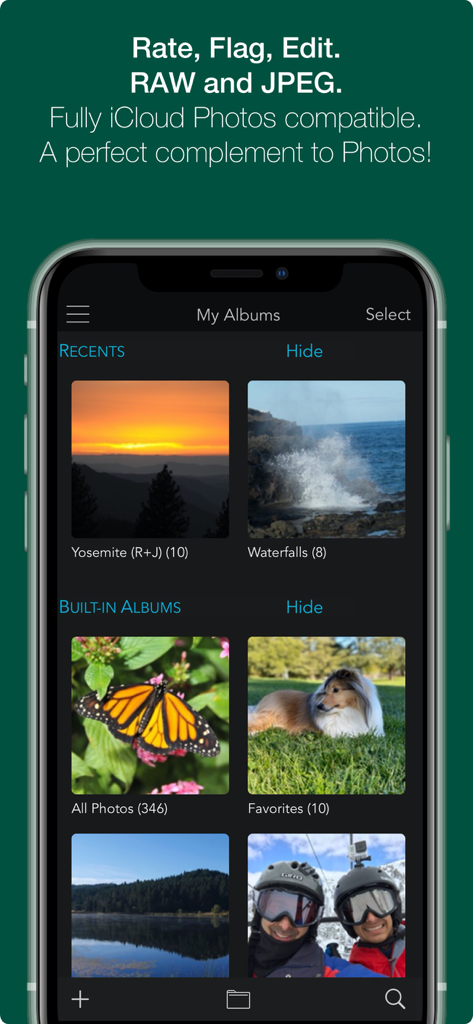
RAW Power App-Oberfläche auf dem iPhone, die organisierte Fotoalben und iCloud-Synchronisierungsfunktionen zeigt.
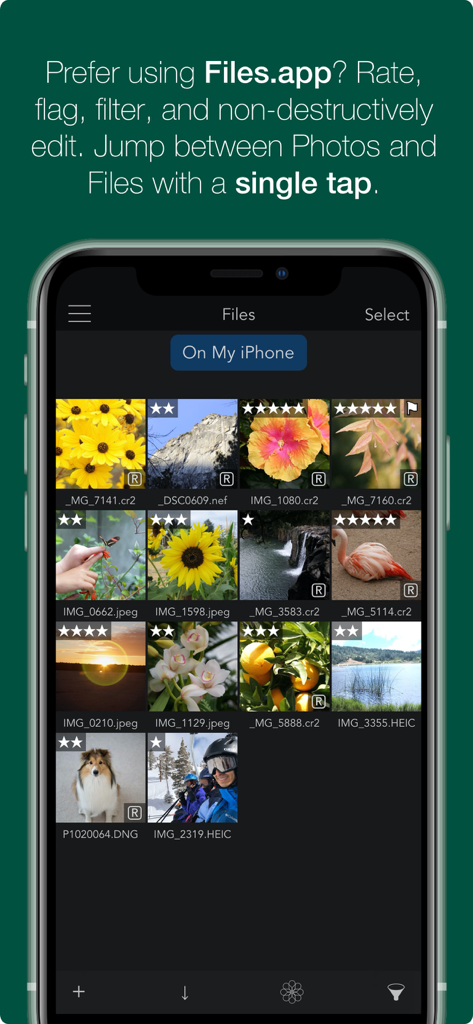
RAW Power App-Oberfläche, die die Verwaltung der Fotobibliothek mit Bewertungen und Markierungen in der Files App-Integration zeigt.
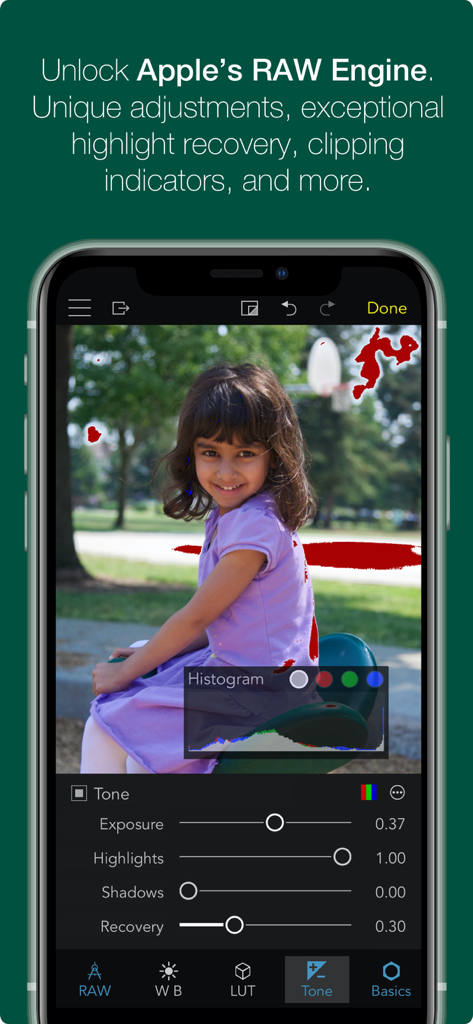
Screenshot der RAW Power Mobile App, die erweiterte RAW-Bearbeitungswerkzeuge wie Histogramm und Clipping-Indikatoren auf einem iPhone zeigt.
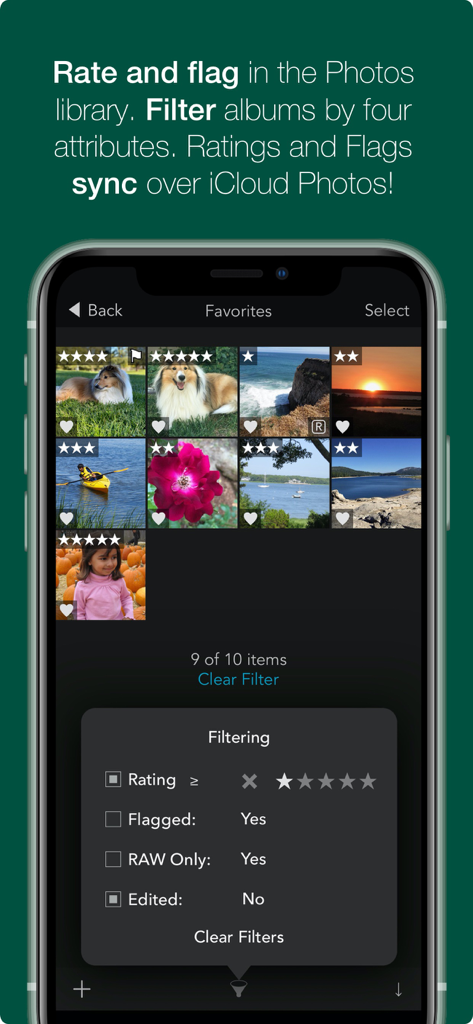
Oberfläche der RAW Power App, die Foto-Bewertungen, Markierungen und Filteroptionen in der iOS-Bibliothek zeigt.
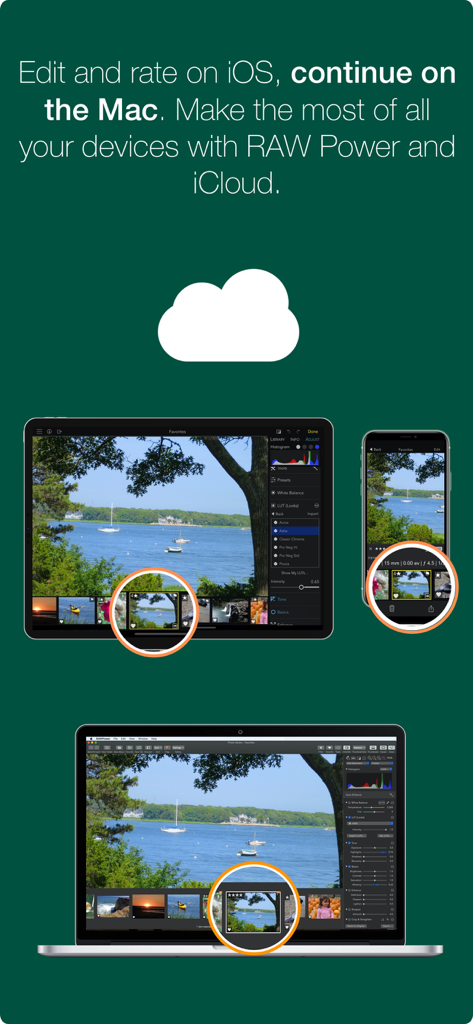
RAW Power App-Oberfläche synchronisiert über iPhone, iPad und Mac mithilfe von iCloud.
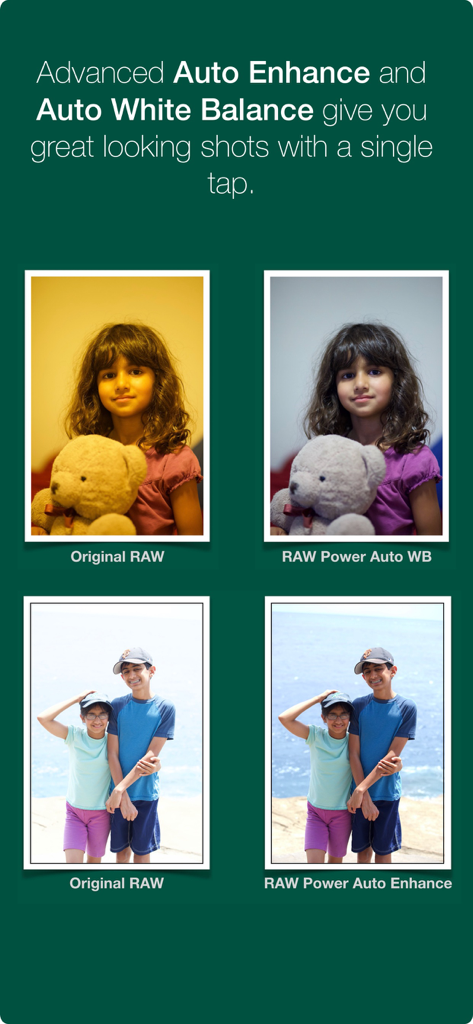
Seitenvergleich von originalen RAW-Fotos mit den Auto-Weißabgleich- und Auto-Verbesserungsfunktionen von RAW Power.
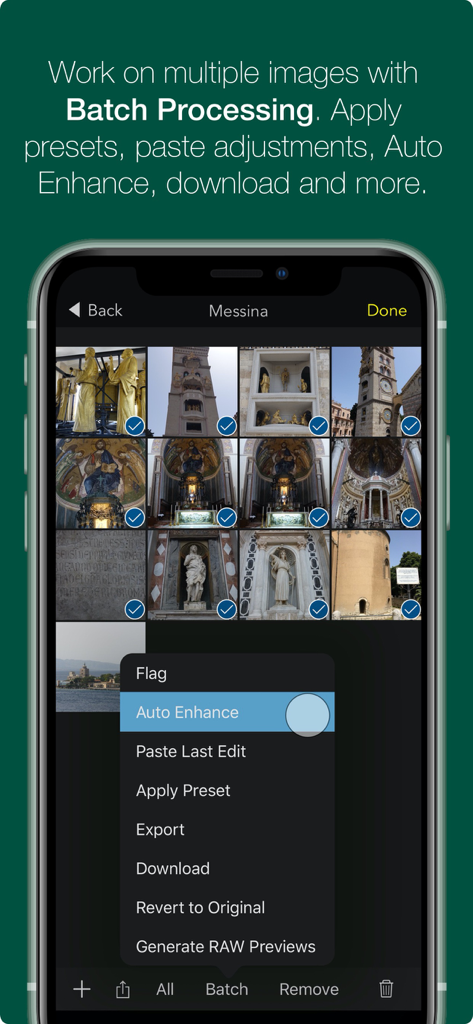
iPhone-Bildschirm, der das Stapelverarbeitungsmenü der RAW Power App für mehrere ausgewählte Fotos anzeigt.
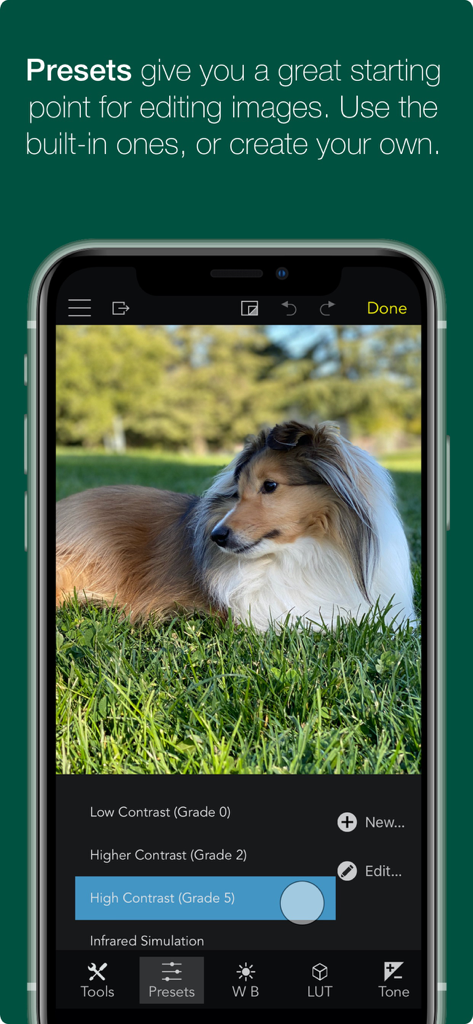
RAW Power App-Oberfläche, die Foto-Bearbeitungsvoreinstellungen mit einem Bild eines Hundes zeigt.
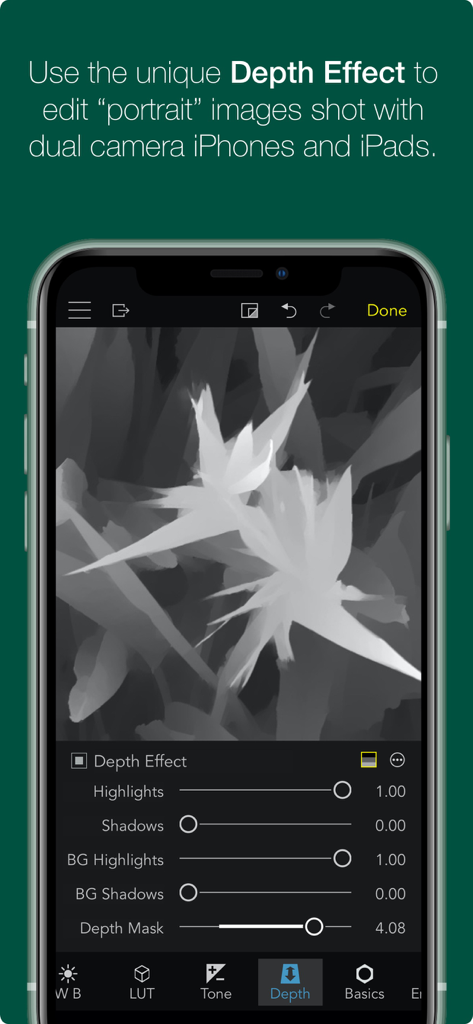
RAW Power App Tiefeneffekt-Bearbeitungsoberfläche für Porträtbilder.
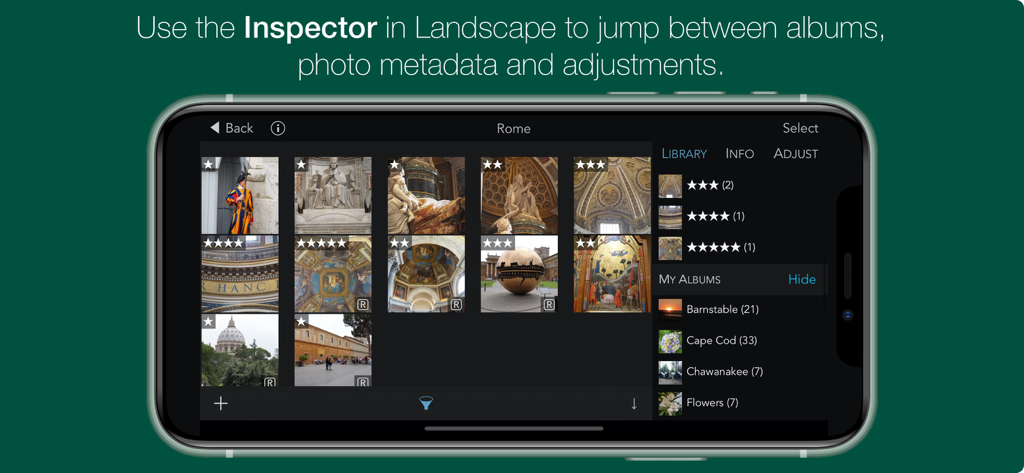
RAW Power App-Oberfläche auf dem iPhone im Querformat, die die Fotobibliothek und die Inspector-Seitenleiste zeigt.
Beschreibung
Download
Ähnliche Apps
Top-gerankte Apps in derselben Kategorie

CapCut: Photo & Video Editor
BYTEDANCE PTE. LTD.

Instagram, Inc.

YouTube
Google LLC

Canva: AI Photo & Video Editor
Canva Pty Ltd

Snapchat
Snap, Inc.

快手
Beijing Kwai Technology Co., Ltd.

Edits: Video Editor
Instagram, Inc.

Meitu- AI Photo & Video Editor
Xiamen Meitu Technology Co., Ltd.

Google Photos: Backup & Edit
Google LLC
Diese Seite ist keine offizielle Seite der App oder ihres Entwicklers, sondern eine unabhängige redaktionelle Veröffentlichung, die zu Informations- und Kommentarzwecken erstellt wurde. Sofern nicht ausdrücklich anders angegeben, sind weder die App noch ihr Entwickler mit MWM, Apple, Google Play, dem App-Herausgeber oder dem Entwickler der App verbunden, von ihnen unterstützt, gesponsert, autorisiert oder anderweitig offiziell verbunden, und nichts auf dieser Seite impliziert, dass die App unter Verwendung der Dienste von MWM entwickelt wurde. Alle Marken, Logos, Screenshots und andere Inhalte bleiben Eigentum ihrer jeweiligen Inhaber.