
Diese Seite ist keine offizielle Seite der App oder ihres Entwicklers, sondern eine unabhängige redaktionelle Veröffentlichung, die zu Informations- und Kommentarzwecken erstellt wurde. Sofern nicht ausdrücklich anders angegeben, sind weder die App noch ihr Entwickler mit MWM, Apple, Google Play, dem App-Herausgeber oder dem Entwickler der App verbunden, von ihnen unterstützt, gesponsert, autorisiert oder anderweitig offiziell verbunden, und nichts auf dieser Seite impliziert, dass die App unter Verwendung der Dienste von MWM entwickelt wurde. Alle Marken, Logos, Screenshots und andere Inhalte bleiben Eigentum ihrer jeweiligen Inhaber.


Record3D — 3D Videos
Verwandeln Sie Ihr iPhone in eine hochauflösende 3D-Kamera. Erfassen, streamen und exportieren Sie volumetrische Videos in FBX-, OBJ- oder Spatial Video-Formaten für professionelle 3D-Pipelines und immersive AR/VR-Erlebnisse – mit 100 % Datenschutz auf dem Gerät.
Downloads
21K+Bewertung
Bewertungen gesamt
100Herausgeber
Kategorie
Photo & VideoSprachen
1Neueste Version
1.10.6Größe
24.1 MBErstveröffentlichung
6. Sept. 2019Professionelle volumetrische Erfassung für Kreative
Schließen Sie die Lücke zwischen mobiler Hardware und professioneller 3D-Produktion. Record3D ermöglicht es Künstlern und Entwicklern, hochauflösende räumliche Inhalte zu erfassen, zu streamen und zu exportieren.
3D-Aufnahme in Kinoqualität
Nutzen Sie die Leistung von LiDAR und FaceID, um immersive volumetrische Videos aufzunehmen, die mit unserem spezialisierten True3D-Viewer von der Leinwand springen.
Produktionsfertige Exporte
Integrieren Sie direkt in Ihre Pipeline. Exportieren Sie nach FBX, glTF und Alembic oder erstellen Sie Spatial Videos für Apple Vision Pro und Meta Quest.
Die folgenden Screenshots und die Beschreibung stammen direkt aus dem offiziellen Store-Eintrag der App und sind Eigentum des Entwicklers.
App Store
Screenshots
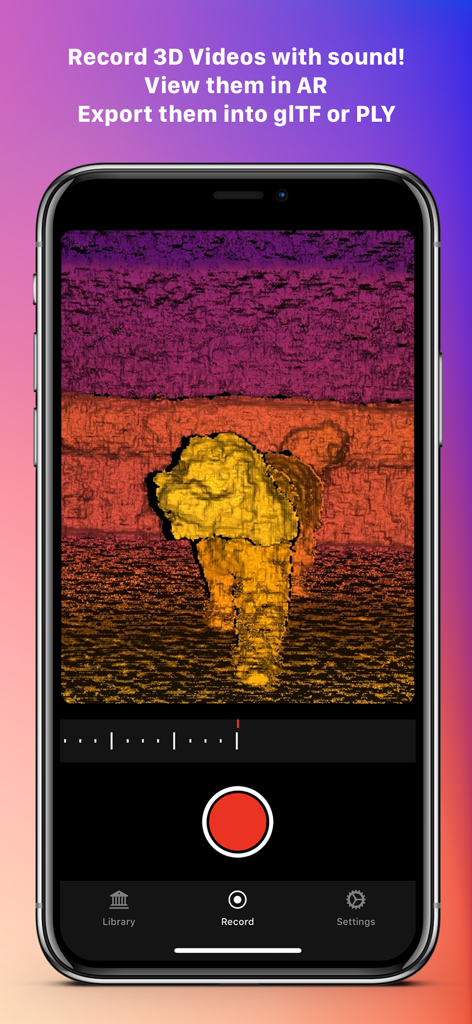
Ein Smartphone, das die Benutzeroberfläche der Record3D-App anzeigt, während es mit Tiefenabbildung ein volumetrisches 3D-Video eines Hundes aufnimmt.
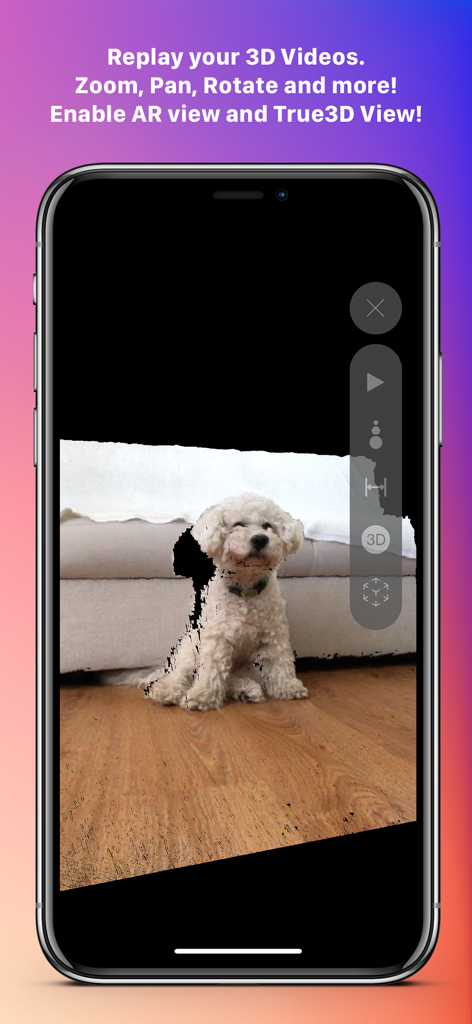
Die Record3D-App-Oberfläche zeigt eine 3D-Volumenwiedergabe eines kleinen weißen Hundes auf einem iPhone an
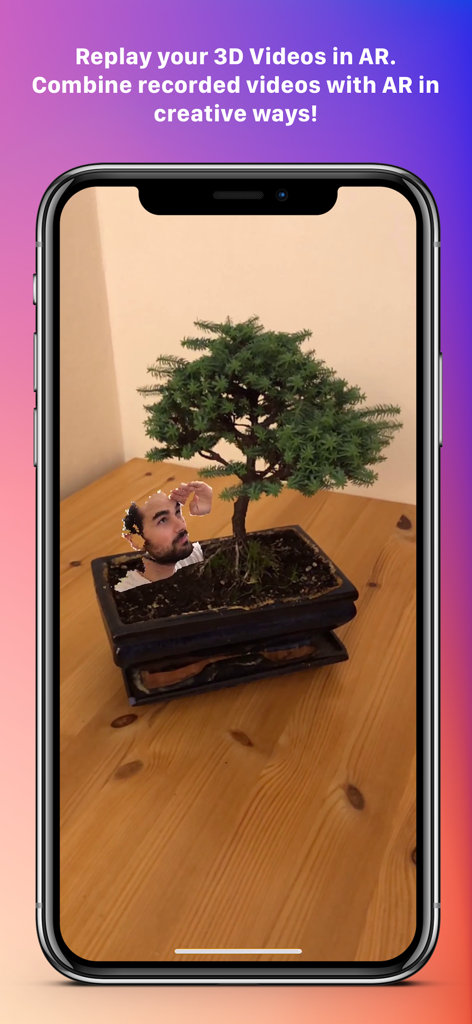
Ein 3D-Video eines menschlichen Kopfes, das mithilfe von Augmented Reality in einen echten Bonsai-Baum integriert ist
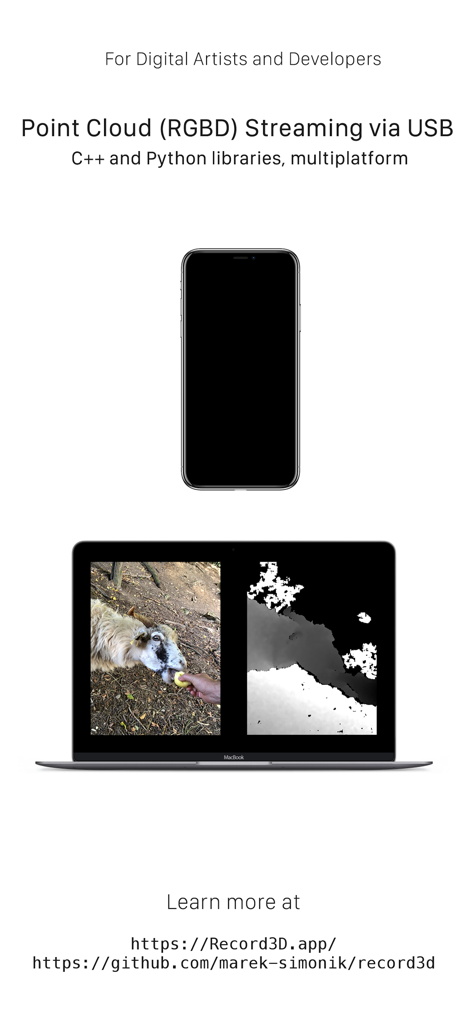
iPhone streamt RGBD-Punktwolken-Videodaten mit Record3D zur Entwicklerverwendung auf einen Laptop
Beschreibung
Download
Ähnliche Apps
Top-gerankte Apps in derselben Kategorie

CapCut: Photo & Video Editor
BYTEDANCE PTE. LTD.

Instagram, Inc.

YouTube
Google LLC

Canva: AI Photo & Video Editor
Canva Pty Ltd

快手
Beijing Kwai Technology Co., Ltd.

Snapchat
Snap, Inc.

Edits: Video Editor
Instagram, Inc.

Google Photos: Backup & Edit
Google LLC

Meta AI - Vibes & AI Glasses
Meta Platforms, Inc.
Diese Seite ist keine offizielle Seite der App oder ihres Entwicklers, sondern eine unabhängige redaktionelle Veröffentlichung, die zu Informations- und Kommentarzwecken erstellt wurde. Sofern nicht ausdrücklich anders angegeben, sind weder die App noch ihr Entwickler mit MWM, Apple, Google Play, dem App-Herausgeber oder dem Entwickler der App verbunden, von ihnen unterstützt, gesponsert, autorisiert oder anderweitig offiziell verbunden, und nichts auf dieser Seite impliziert, dass die App unter Verwendung der Dienste von MWM entwickelt wurde. Alle Marken, Logos, Screenshots und andere Inhalte bleiben Eigentum ihrer jeweiligen Inhaber.