Scan Cam: Docs PDF Scanner App
Herunterladen auf App Store

Diese Seite ist keine offizielle Seite der App oder ihres Entwicklers, sondern eine unabhängige redaktionelle Veröffentlichung, die zu Informations- und Kommentarzwecken erstellt wurde. Sofern nicht ausdrücklich anders angegeben, sind weder die App noch ihr Entwickler mit MWM, Apple, Google Play, dem App-Herausgeber oder dem Entwickler der App verbunden, von ihnen unterstützt, gesponsert, autorisiert oder anderweitig offiziell verbunden, und nichts auf dieser Seite impliziert, dass die App unter Verwendung der Dienste von MWM entwickelt wurde. Alle Marken, Logos, Screenshots und andere Inhalte bleiben Eigentum ihrer jeweiligen Inhaber.


Logo von Scan Cam: Docs PDF Scanner App
Herunterladen auf App Store

Scan Cam: Docs PDF Scanner App

Verwandeln Sie Ihr iPhone in ein professionelles Scan-Kraftpaket. Scannen, signieren und teilen Sie mehrseitige PDFs mühelos in Sekundenschnelle mit intelligenter Auto-Verbesserung und sicherer Speicherung.

Kennzahlen

Downloads

1K+

Bewertung

5.0/5

Bewertungen gesamt

0

Herausgeber

CODEBAKER BILISIM HIZMETLERI VE TICARET LIMITED SIRKETI

Kategorie

Productivity

Sprachen

30

Neueste Version

1.2.3

Größe

87.4 MB

Erstveröffentlichung

8. Sept. 2023
Funktionen

Alles, was Sie brauchen, um papierlos zu werden

Verwandeln Sie Ihr iPhone in ein Hochleistungs-Büro. Scannen, signieren und organisieren Sie Ihre Dokumente in Sekundenschnelle mit professioneller Qualität.

Profi-Smart-Scanning

Erfassen Sie gestochen scharfe PDFs mit automatischer Zuschneidung und Verbesserung. Perfekt für komplexe Verträge und mehrseitige Berichte.

Sofortige E-Signaturen

Unterschreiben Sie Verträge und NDAs unterwegs, ohne drucken zu müssen. Fügen Sie mit nur wenigen Fingertipps sichere digitale Signaturen zu jedem Dokument hinzu.

Die folgenden Screenshots und die Beschreibung stammen direkt aus dem offiziellen Store-Eintrag der App und sind Eigentum des Entwicklers.

App Store

Screenshots
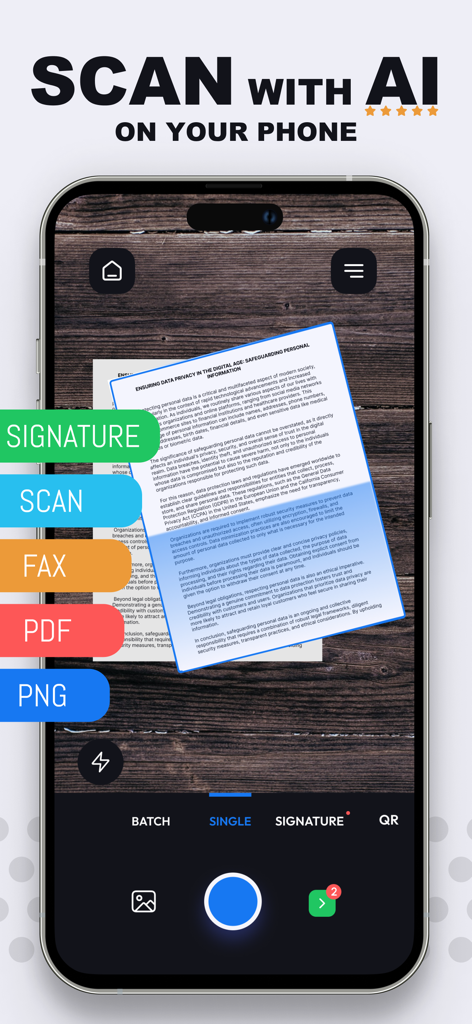
Scan Cam: Docs PDF Scanner App - Scan Cam App-Oberfläche für hochwertiges KI-Dokumentenscanning und digitale Signaturen auf einem Smartphone.
Scan Cam App-Oberfläche für hochwertiges KI-Dokumentenscanning und digitale Signaturen auf einem Smartphone.

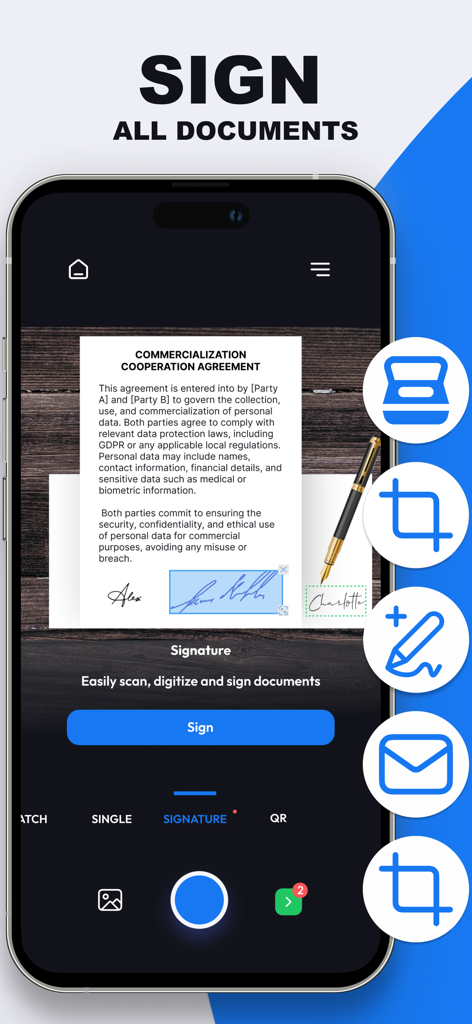
Scan Cam: Docs PDF Scanner App - Smartphone-Bildschirm, der zeigt, wie eine digitale Signatur auf ein Geschäftsdokument innerhalb der Scan Cam App angewendet wird.
Smartphone-Bildschirm, der zeigt, wie eine digitale Signatur auf ein Geschäftsdokument innerhalb der Scan Cam App angewendet wird.

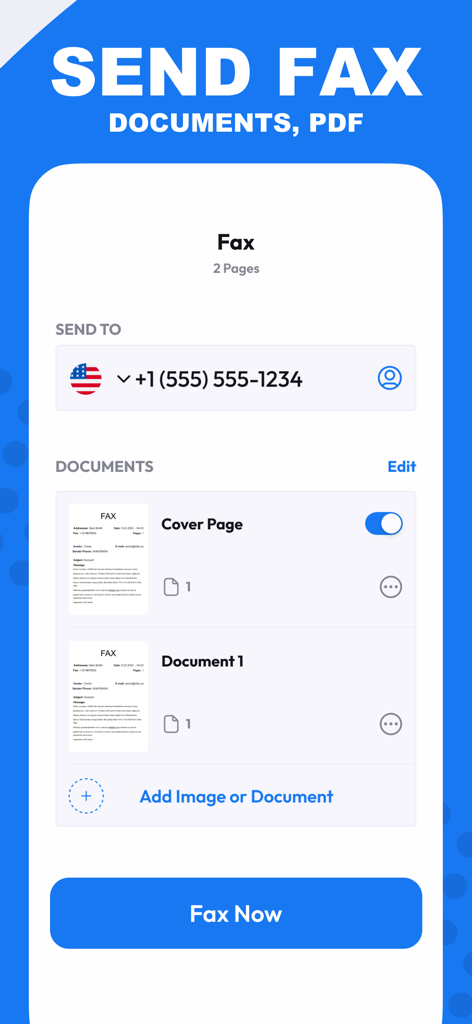
Scan Cam: Docs PDF Scanner App - Scan Cam App-Oberfläche zum Senden von Dokumenten und PDFs per Fax.
Scan Cam App-Oberfläche zum Senden von Dokumenten und PDFs per Fax.

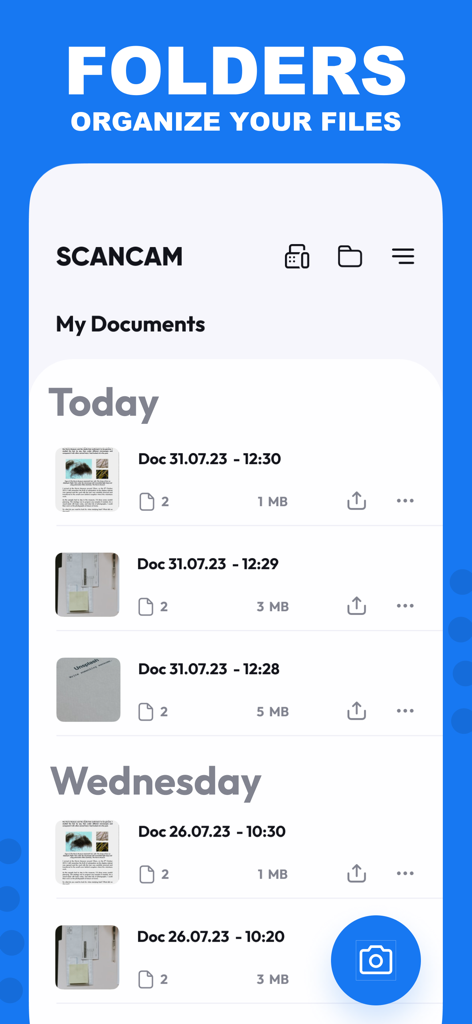
Scan Cam: Docs PDF Scanner App - Scan Cam App-Oberfläche mit einer Liste organisierter PDF-Dokumente, sortiert nach Datum.
Scan Cam App-Oberfläche mit einer Liste organisierter PDF-Dokumente, sortiert nach Datum.

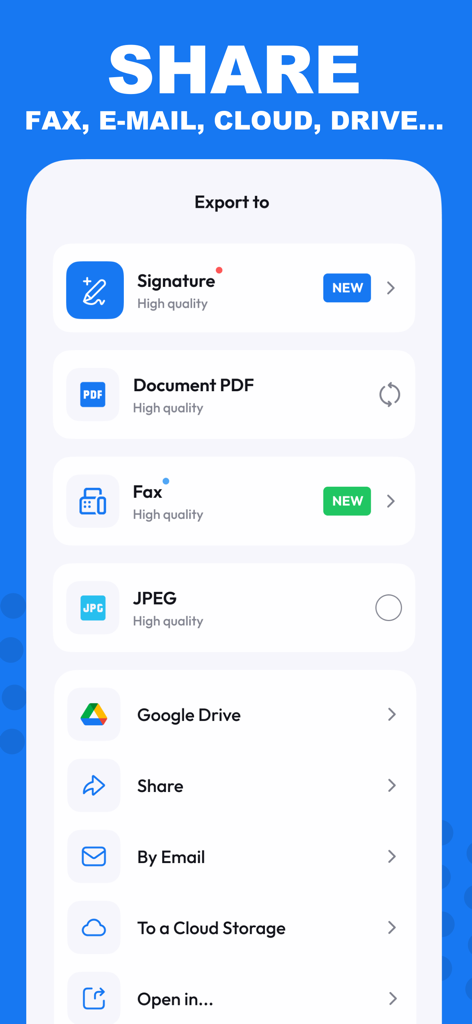
Scan Cam: Docs PDF Scanner App - Scan Cam App-Oberfläche, die Optionen zum Exportieren von Dokumenten als PDF, JPEG oder über E-Mail und Cloud-Dienste anzeigt.
Scan Cam App-Oberfläche, die Optionen zum Exportieren von Dokumenten als PDF, JPEG oder über E-Mail und Cloud-Dienste anzeigt.

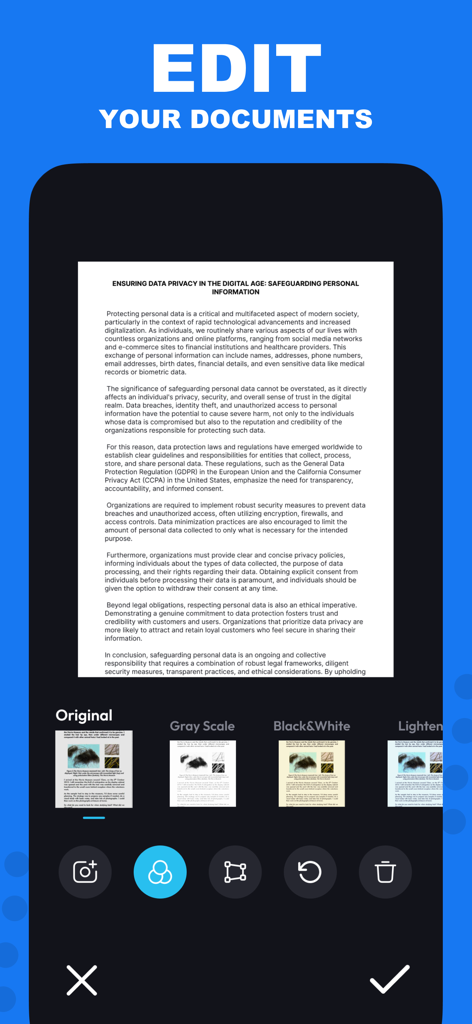
Scan Cam: Docs PDF Scanner App - iPhone-Oberfläche mit Dokumentenbearbeitungsfiltern in der Scan Cam App.
iPhone-Oberfläche mit Dokumentenbearbeitungsfiltern in der Scan Cam App.

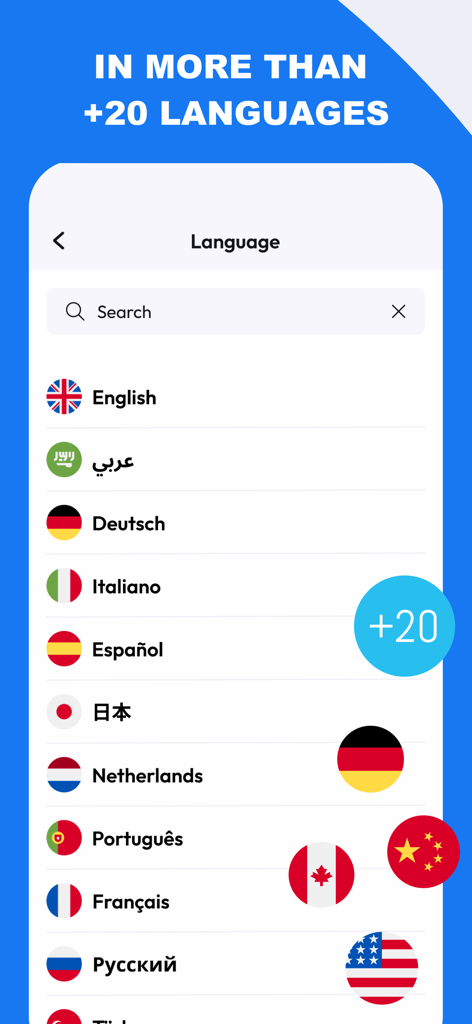
Scan Cam: Docs PDF Scanner App - Scan Cam App-Bildschirm mit einer Liste von über zwanzig unterstützten Sprachen mit Nationalflaggen.
Scan Cam App-Bildschirm mit einer Liste von über zwanzig unterstützten Sprachen mit Nationalflaggen.

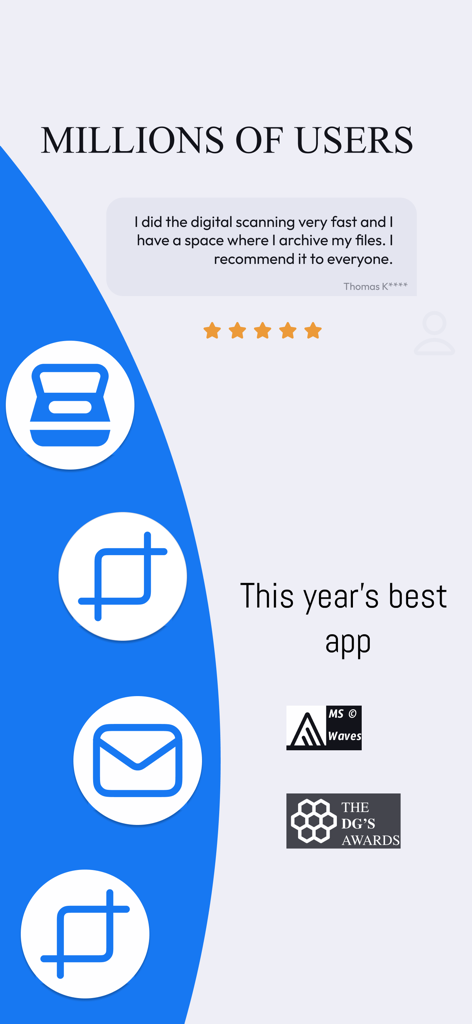
Scan Cam: Docs PDF Scanner App - Positive Benutzerbewertungen und Auszeichnungshighlights für die Scan Cam PDF-Scanner-App.

Positive Benutzerbewertungen und Auszeichnungshighlights für die Scan Cam PDF-Scanner-App.

Beschreibung

Need a handy scanner app? Give ScanCam a try! Turn your phone into an efficient scanning powerhouse with ScanCam's swift and user-friendly smart scan feature. It helps you work faster and saves you time. Download ScanCam to scan, save, edit, convert and share files in PDF and PNG formats in a flash. Why should you pick ScanCam Pro Subscription? * Fast Scanning: Scan your papers, pictures, and notes in seconds. ScanCam saves you time. * Signature: Digitally sign your documents with ease. ScanCam lets you add secure and professional signatures in seconds. * High Quality: Scan and store your papers in high resolution. ScanCam keeps your documents clear and readable without losing quality. * PDF Conversion: Turn your scanned papers into PDF files for sharing with ease. * Multi-Page Document Support: Effortlessly compile multiple scans into a single document with ScanCam, making it perfect for handling comprehensive reports, lengthy articles, and extensive contracts. * User-Friendly: ScanCam is easy to use for quick scanning. FEATURES * Fast Document Scanning This scanner app is a must-have for students and professionals alike. Scan anything you need - from receipts and contracts to paper notes and even books. You can save your scans as multi-page PDF or PNG files. * Innovative PDF Scanner Scan papers and pictures to PDF or PNG. You can even scan many pages into one document easily. * E-Signature Effortlessly add your digital signature to documents with ScanCam. Sign contracts, forms, and paperwork securely in just a few taps—no printing required. * Best Scan Quality Smart cropping and auto-enhancement make sure your scans are sharp and colourful, with top quality. * Easy Document Sharing Share documents in PDF or PNG on social media, in email attachments, or download links. You can print PDF files like contracts and invoices directly from the app. * Fast Document Search & Folder Management Can't find your documents? Tag your documents in the ScanCam app for easy searching. Find your document fast, manage your files with folders, and order them with drag & drop. * Secure and Private Your scans and data are always secure. We value your privacy and ensure your documents are stored safely. * Quick support with live chat is now available! We're here to assist you promptly through our live chat. If there's a delay in our response, enjoy a game of Crispy Bird while you wait. Speed up your scanning with ScanCam. Give it a go and discover the remarkable efficiency and simplicity of scanning, saving, and sharing your documents! With just a few taps, you can transform your iPhone into a scanning powerhouse, making it easier than ever to digitize and distribute your important papers, photos, and notes. Experience the convenience of ScanCam today and streamline your document management like never before. ABOUT SUBSCRIPTION –You can subscribe to get unlimited access to all features of the scanner app. –Payment will be charged to iTunes Account at confirmation of purchase. –Subscription renews automatically unless auto-renew is turned off at least 24 hours before the end of the current period. –Account will be charged for renewal within 24 hours prior to the end of the current period. The cost depends on the selected plan. –Subscriptions may be managed by the user, and auto-renewal may be turned off by going to the user's Account Settings after purchase. –Any unused portion of the free-trial will be forfeited when the user purchases a subscription. For Terms of Use, please visit https://static.scancamapp.com/page/ios/terms For Privacy Policy, please visit https://static.scancamapp.com/page/ios/privacy

Download

Herunterladen auf App Store

Diese Seite ist keine offizielle Seite der App oder ihres Entwicklers, sondern eine unabhängige redaktionelle Veröffentlichung, die zu Informations- und Kommentarzwecken erstellt wurde. Sofern nicht ausdrücklich anders angegeben, sind weder die App noch ihr Entwickler mit MWM, Apple, Google Play, dem App-Herausgeber oder dem Entwickler der App verbunden, von ihnen unterstützt, gesponsert, autorisiert oder anderweitig offiziell verbunden, und nichts auf dieser Seite impliziert, dass die App unter Verwendung der Dienste von MWM entwickelt wurde. Alle Marken, Logos, Screenshots und andere Inhalte bleiben Eigentum ihrer jeweiligen Inhaber.








