Scanner ProMax : PDF Converter
Herunterladen auf App Store

Diese Seite ist keine offizielle Seite der App oder ihres Entwicklers, sondern eine unabhängige redaktionelle Veröffentlichung, die zu Informations- und Kommentarzwecken erstellt wurde. Sofern nicht ausdrücklich anders angegeben, sind weder die App noch ihr Entwickler mit MWM, Apple, Google Play, dem App-Herausgeber oder dem Entwickler der App verbunden, von ihnen unterstützt, gesponsert, autorisiert oder anderweitig offiziell verbunden, und nichts auf dieser Seite impliziert, dass die App unter Verwendung der Dienste von MWM entwickelt wurde. Alle Marken, Logos, Screenshots und andere Inhalte bleiben Eigentum ihrer jeweiligen Inhaber.

Logo von Scanner ProMax : PDF Converter
Herunterladen auf App Store

Scanner ProMax : PDF Converter

Scannen mit Lichtgeschwindigkeit, Dokumente sofort signieren und Text mit präziser OCR extrahieren. Erleben Sie leistungsstarke PDF-Verwaltung, die für Ihren schnelllebigen Geschäftsablauf entwickelt wurde.

Kennzahlen

Downloads

17K+

Bewertung

4.5/5

Bewertungen gesamt

200

Herausgeber

AS GRUP BILGI TEKNOLOJILERI PAZARLAMA VE TICARET LIMITED SIRKETI

Kategorie

Business

Sprachen

5

Neueste Version

2.3

Größe

67.8 MB

Erstveröffentlichung

25. Apr. 2023
Funktionen

Ihr Vorstandsbüro in der Tasche

Scanner ProMax verwandelt Ihr Mobilgerät in eine Hochleistungs-Workstation und liefert die Geschwindigkeit, Qualität und Sicherheit, die Top-Profis verlangen.

Ultraschnelles High-Res-Scannen

Erfassen Sie in Sekundenschnelle gestochen scharfe PDFs mit intelligenter Kantenerkennung und automatischer Bildoptimierung für den mobilen Manager.

Digitale Signaturen & OCR

Schließen Sie Deals unterwegs, indem Sie Verträge sofort signieren und Text aus Bildern mit fortschrittlicher Offline-OCR-Technologie extrahieren.

Die folgenden Screenshots und die Beschreibung stammen direkt aus dem offiziellen Store-Eintrag der App und sind Eigentum des Entwicklers.

App Store

Screenshots
Scanner ProMax : PDF Converter - iPhone-Bildschirm zeigt Text an: Dokumente signieren und in PDF konvertieren mit Ihrem Telefon
iPhone-Bildschirm zeigt Text an: Dokumente signieren und in PDF konvertieren mit Ihrem Telefon

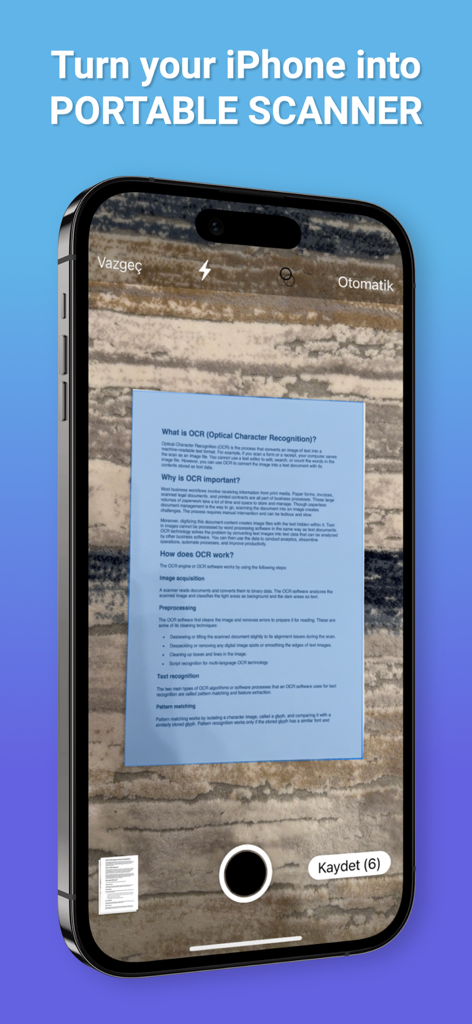
Scanner ProMax : PDF Converter - Ein iPhone-Bildschirm zeigt die Scanner ProMax-App an, die ein Dokument mit automatischer Kantenerkennung auf einer strukturierten Oberfläche erfasst.
Ein iPhone-Bildschirm zeigt die Scanner ProMax-App an, die ein Dokument mit automatischer Kantenerkennung auf einer strukturierten Oberfläche erfasst.

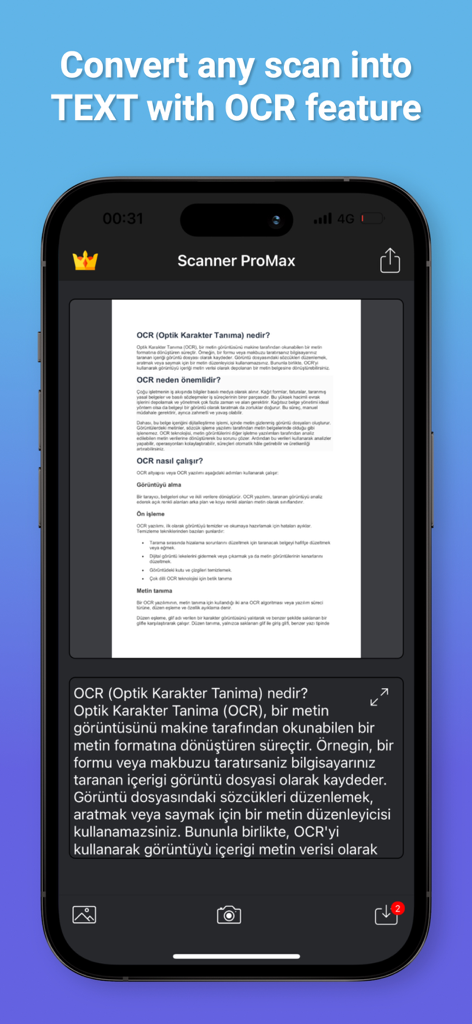
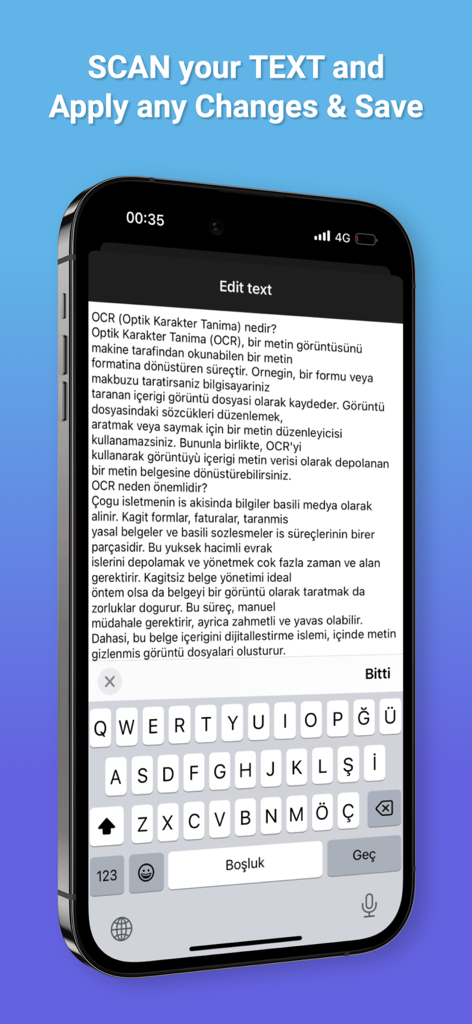
Scanner ProMax : PDF Converter - Smartphone-Bildschirm der Scanner ProMax-App, die einen Dokumentenscan mithilfe der OCR-Funktion in Text umwandelt.
Smartphone-Bildschirm der Scanner ProMax-App, die einen Dokumentenscan mithilfe der OCR-Funktion in Text umwandelt.

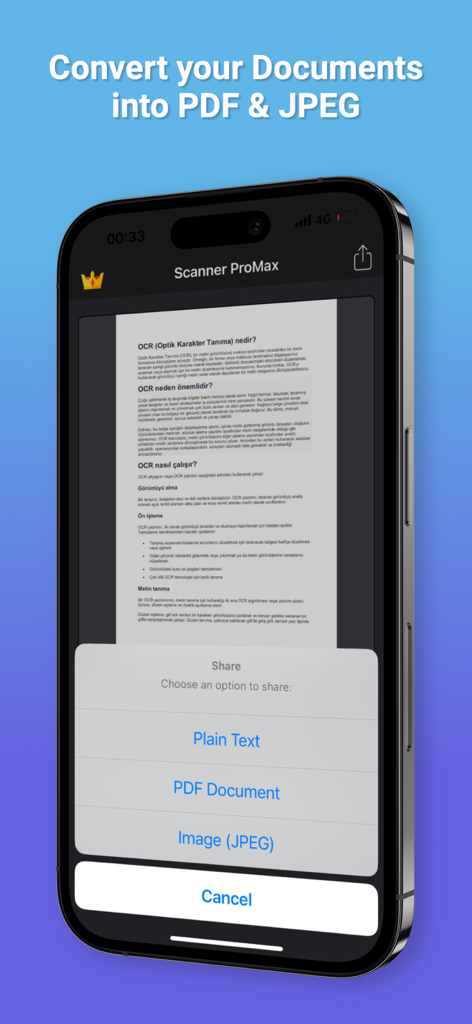
Scanner ProMax : PDF Converter - Scanner ProMax mobile App zeigt Optionen zur Konvertierung von Dokumenten in PDF und JPEG
Scanner ProMax mobile App zeigt Optionen zur Konvertierung von Dokumenten in PDF und JPEG

Scanner ProMax : PDF Converter - Smartphone-Bildschirm, der die OCR-Textbearbeitungsoberfläche in der Scanner ProMax-App zeigt
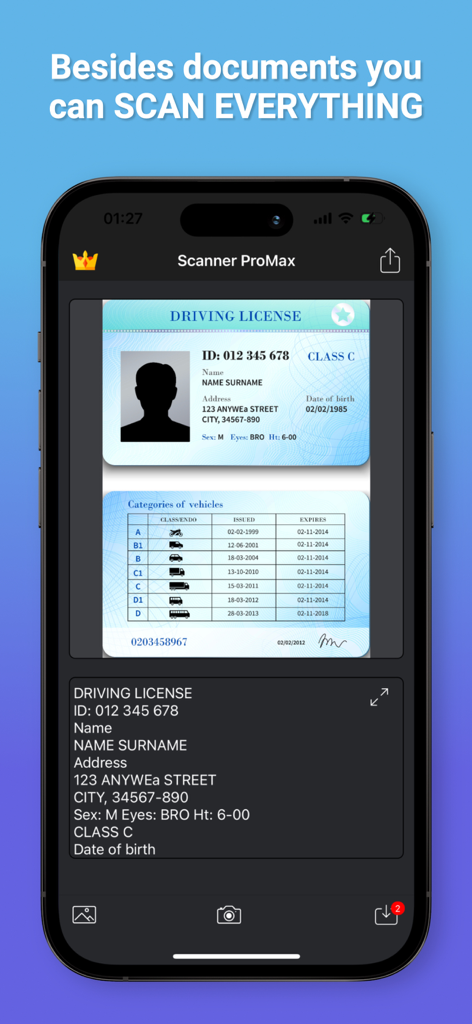
Smartphone-Bildschirm, der die OCR-Textbearbeitungsoberfläche in der Scanner ProMax-App zeigt

Scanner ProMax : PDF Converter - Scanner ProMax App-Oberfläche, die OCR auf einem gescannten Führerschein durchführt
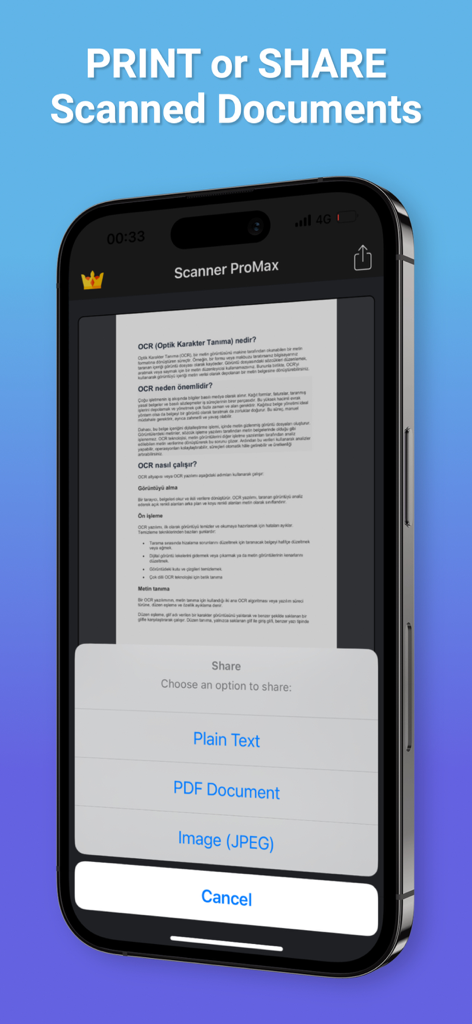
Scanner ProMax App-Oberfläche, die OCR auf einem gescannten Führerschein durchführt

Scanner ProMax : PDF Converter - Smartphone-Bildschirm mit Optionen zum Teilen von Dokumenten als Nur-Text, PDF und JPEG in der Scanner ProMax-App.
Smartphone-Bildschirm mit Optionen zum Teilen von Dokumenten als Nur-Text, PDF und JPEG in der Scanner ProMax-App.

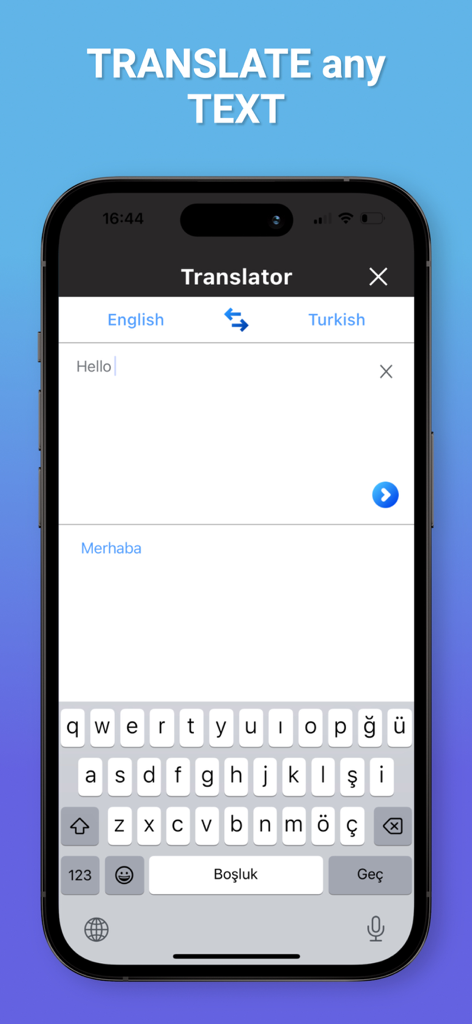
Scanner ProMax : PDF Converter - Scanner ProMax App-Bildschirm, der die Textübersetzung von Englisch nach Türkisch zeigt

Scanner ProMax App-Bildschirm, der die Textübersetzung von Englisch nach Türkisch zeigt

Beschreibung

Scanner ProMax is currently the fastest and most powerful tool for scanning documents. Scanner ProMax will turn your iPhone or iPad into a powerful mobile scanner. You can create and manage a virtual copy of credit cards, books, checks, recipes, timetables and any paper documents by using Scanner ProMax. Quickly scan, edit, sign, save, and share any document in PDF JPEG or TXT format. The application supports optical character recognition (OCR) technology and allows you to extract the text from the image. It doesn’t require an Internet connection, as all scans are stored locally on your device. Scanner ProMax can process the captured from the camera images and already existing photos in the gallery. The application allows you to adjust and apply the filters for images with the built-in editor. Experiment with your documents and edit and signature them, you can always revert to the original image. You can save your finished pictures to gallery, send by mail, message in JPEG, TXT and PDF formats. Say goodbye to old office scanners and get this PDF scanner for your daily business needs! High speed and quality of image processing without tedious manual corrections will make Scanner ProMax your ideal companion for business and education. FEATURE HIGHLIGHTS: — Scan premium quality PDFs or JPGs; — Signature Documents; — An automatic or manual image capturing modes; — Enhance your scans: edge detection, optimization and color corrections; — Flash settings; — Ability to turn on a grid; — Fastest recognition using Vision API; — Cloud integrations: iCloud, Dropbox, Evernote, Yandex Disk, Box, OneDrive, Google Drive, and other cloud services; — Creating and saving the documents in colored, grayscale, black and white formats; — High performance and stability of the application — User friendly navigation Scan HIGH-QUALITY: Scanner ProMax captures the best possible image in the perfect moment. The edges of the document are automatically identified so that only the document itself is scanned. Scan QUICKLY: Scanner ProMax is very quickly. Make scans with just a tap. Scan ANYTHING: Scanner ProMax works on all occasions with all kind of documents. Scan to SHARE: Scanned documents can be shared anywhere. Share and upload scanned documents to cloud services like iCloud, Dropbox, Evernote, Yandex Disk, Box, OneDrive, or Google Drive. The app contains the following subscription options: - Current Scanner ProMax subscription price starts at $5.99 USD/week, one-month and 12-month packages are available. - Payment will be charged to iTunes Account at confirmation of purchase. - Subscription automatically renews unless auto-renew is turned off at least 24-hours before the end of the current period. - Account will be charged for renewal within 24 hours prior to the end of the current period, and identify the cost of the renewal. - Subscriptions may be managed by the user and auto-renewal may be turned off by going to the user's Account Settings at iTunes Store after purchase. - No cancellation of the current subscription is allowed during active subscription period. - Privacy Policy: https://scnpromax.com/privacy-policy - Terms of Use: https://scnpromax.com/terms-of-use

Download

Herunterladen auf App Store

Diese Seite ist keine offizielle Seite der App oder ihres Entwicklers, sondern eine unabhängige redaktionelle Veröffentlichung, die zu Informations- und Kommentarzwecken erstellt wurde. Sofern nicht ausdrücklich anders angegeben, sind weder die App noch ihr Entwickler mit MWM, Apple, Google Play, dem App-Herausgeber oder dem Entwickler der App verbunden, von ihnen unterstützt, gesponsert, autorisiert oder anderweitig offiziell verbunden, und nichts auf dieser Seite impliziert, dass die App unter Verwendung der Dienste von MWM entwickelt wurde. Alle Marken, Logos, Screenshots und andere Inhalte bleiben Eigentum ihrer jeweiligen Inhaber.








