ScannerHD Pro - PDF Scan
Herunterladen auf App Store

Diese Seite ist keine offizielle Seite der App oder ihres Entwicklers, sondern eine unabhängige redaktionelle Veröffentlichung, die zu Informations- und Kommentarzwecken erstellt wurde. Sofern nicht ausdrücklich anders angegeben, sind weder die App noch ihr Entwickler mit MWM, Apple, Google Play, dem App-Herausgeber oder dem Entwickler der App verbunden, von ihnen unterstützt, gesponsert, autorisiert oder anderweitig offiziell verbunden, und nichts auf dieser Seite impliziert, dass die App unter Verwendung der Dienste von MWM entwickelt wurde. Alle Marken, Logos, Screenshots und andere Inhalte bleiben Eigentum ihrer jeweiligen Inhaber.

Logo von ScannerHD Pro - PDF Scan
Herunterladen auf App Store

ScannerHD Pro - PDF Scan

Digitalisieren Sie Verträge, Belege und Notizen sofort mit blitzschneller OCR, automatischer Kantenerkennung und nahtloser Cloud-Synchronisierung. Entwickelt für hocheffiziente Berufstätige und Studenten.

Kennzahlen

Downloads

143K+

Bewertung

4.8/5

Bewertungen gesamt

1K+

Herausgeber

HiThink Financial Services Inc.

Kategorie

Business

Sprachen

3

Neueste Version

2.2.5

Größe

44.3 MB

Erstveröffentlichung

22. Sept. 2019
Funktionen

Ein professioneller Scanner in Ihrer Tasche

Verwandeln Sie Ihren Workflow mit hochwertiger Digitalisierung, sofortiger Texterkennung und nahtloser Cloud-Synchronisierung, entwickelt für den modernen Berufstätigen.

Präzise Kantenerkennung

Sparen Sie Zeit mit automatischer Dokumentenranderkennung und Perspektivkorrektur für jedes Mal gestochen scharfe Ergebnisse in Profiqualität.

Intelligente OCR-Technologie

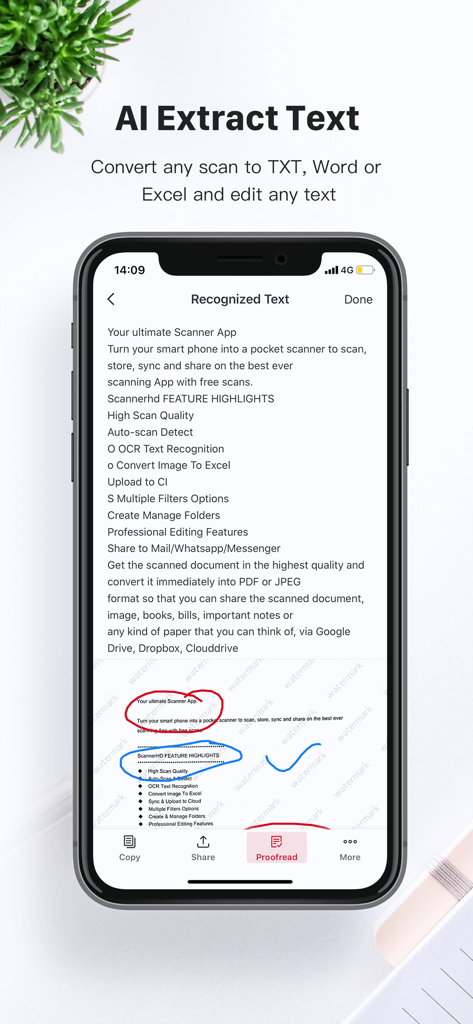
Extrahieren Sie Text aus jedem Scan, um ihn zu durchsuchen, zu bearbeiten oder zu teilen, und verwandeln Sie statische Bilder in dynamische, nutzbare Daten für Ihre Projekte.

Die folgenden Screenshots und die Beschreibung stammen direkt aus dem offiziellen Store-Eintrag der App und sind Eigentum des Entwicklers.

App Store

Screenshots
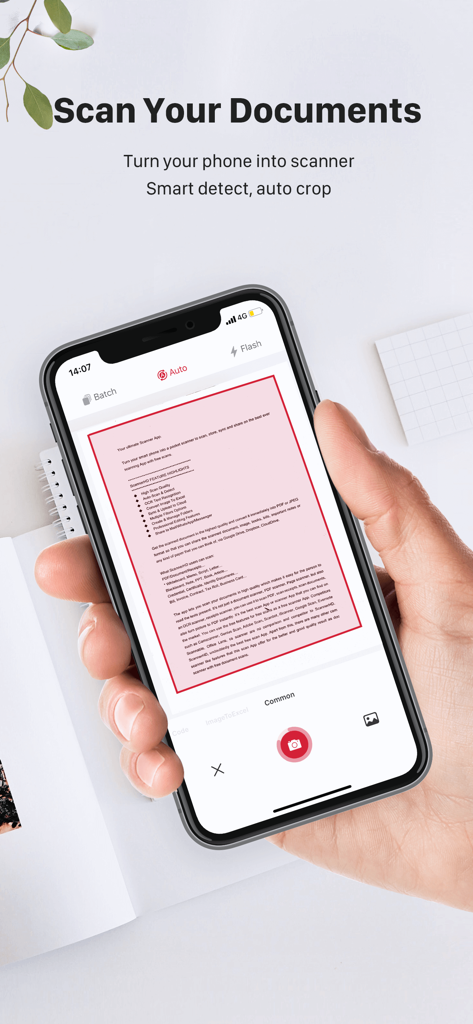
ScannerHD Pro - PDF Scan - Eine Person, die ein Smartphone hält und ScannerHD Pro zum Scannen eines Dokuments mit automatischer Kantenerkennung verwendet
Eine Person, die ein Smartphone hält und ScannerHD Pro zum Scannen eines Dokuments mit automatischer Kantenerkennung verwendet

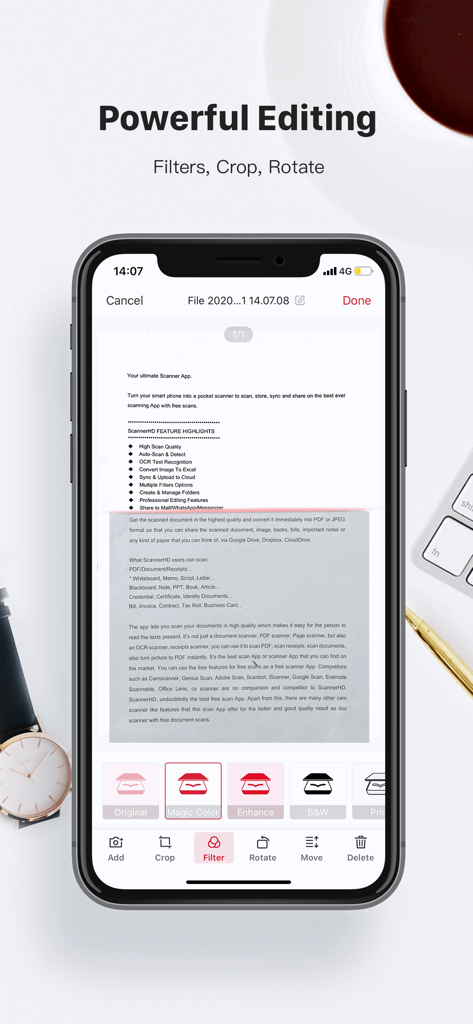
ScannerHD Pro - PDF Scan - ScannerHD Pro mobile App mit professionellen Dokumentbearbeitungswerkzeugen wie Filtern, Zuschneiden und Drehen
ScannerHD Pro mobile App mit professionellen Dokumentbearbeitungswerkzeugen wie Filtern, Zuschneiden und Drehen

ScannerHD Pro - PDF Scan - ScannerHD Pro App zeigt KI-Textextraktion aus einem gescannten Dokument
ScannerHD Pro App zeigt KI-Textextraktion aus einem gescannten Dokument

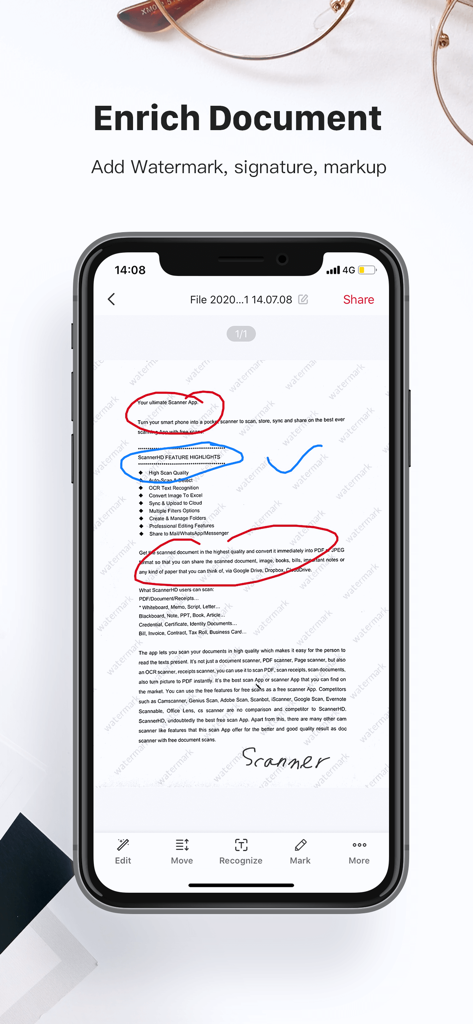
ScannerHD Pro - PDF Scan - Ein Smartphone zeigt die ScannerHD Pro App-Oberfläche zum Hinzufügen von Wasserzeichen, Signaturen und Markierungen zu gescannten Dokumenten.
Ein Smartphone zeigt die ScannerHD Pro App-Oberfläche zum Hinzufügen von Wasserzeichen, Signaturen und Markierungen zu gescannten Dokumenten.

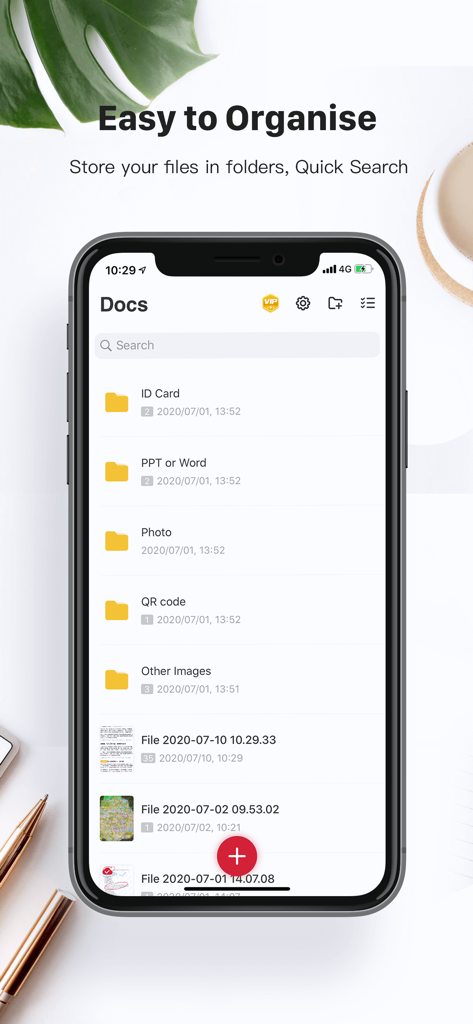
ScannerHD Pro - PDF Scan - ScannerHD Pro App-Oberfläche mit organisierten Ordnern für Ausweise und Fotos mit einer Suchleiste.
ScannerHD Pro App-Oberfläche mit organisierten Ordnern für Ausweise und Fotos mit einer Suchleiste.

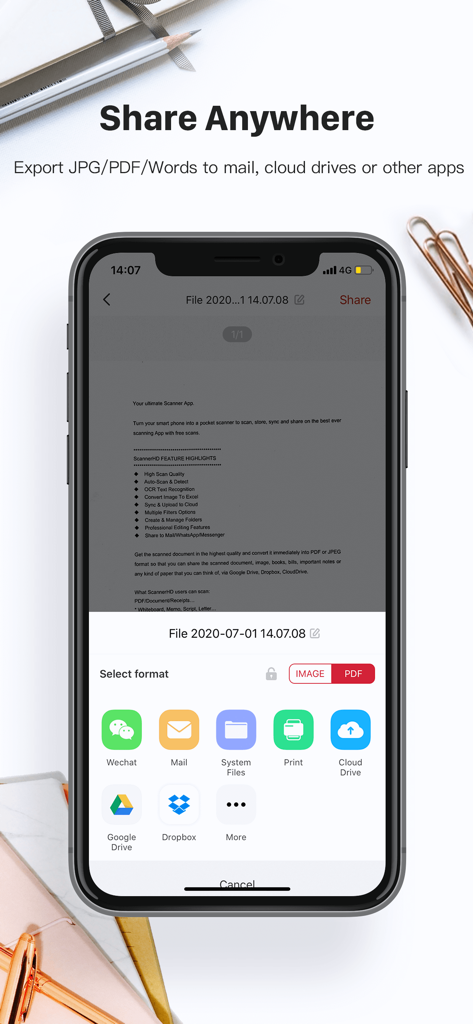
ScannerHD Pro - PDF Scan - ScannerHD Pro App-Oberfläche mit Optionen zum Exportieren von Dokumenten in Cloud-Dienste wie Google Drive und Dropbox

ScannerHD Pro App-Oberfläche mit Optionen zum Exportieren von Dokumenten in Cloud-Dienste wie Google Drive und Dropbox

Beschreibung

ScannerHD Pro is the best scanning app with hassle free work that saves a huge amount of both time and money. So get this amazing mini pocket scanner app now in your smartphones and get the scanning done from any part of the world and send the scanned image to any person at any location. * High Scan Quality * OCR Text Recognition * Sync & Auto-upload * Create & Manage Folders * Sync & Auto-upload * Cloud Storage/Space * OCR Text Recognition ScannerHD Pro users scan and manage * Bill, Invoice, Contract, Tax Roll, Business Card… * Whiteboard, Memo, Script, Letter… * Blackboard, Note, PPT, Book, Article… * Credential, Certificate, Identity Documents 3rd Party Cloud Storage Services Supported: - CloudDrive, Google Drive, Dropbox, Evernote(soon) Now convert your smart phone into a mini pocket scanner and enjoy the high quality image in your device within just one touch with the best ever scanning mobile app ScannerHD Pro - Scanner to scan PDF. “ScannerHD Pro” is a must for every person be it a school student, college student, business person or lawyer, office clerks, or any other person. The app lets you scan your photographs and documents in high quality which makes it easy for the person to read the texts present. The app automatically detects the corner of the file that you want to scan for better quality along with you can also crop the part of the document that you want to scan. Share the files immediately over mail, Dropbox, CloudDrive, Google Drive, or via link to enjoy the joy of scanning. ScannerHD Pro allows the user to convert the scanned document to JPEG format or PDF format. You can even print the scanned document or image over air print. The app also offers various professional editing features even after saving the images along with various multiple filters. ************* - Automatic document edge detection and perspective correction - Extremely Fast Processing - Professional quality results with multiple filter options: enhance, B&W, Print, Grayscale, - Flexible editing, able to edit file after save - Easily create and manage folders - Document naming, storage inside the app - Adding or Deleting one page or the whole document - Page reordering after adding or deleting - Set page sizes for PDF (Letter, Legal, A4, and more) - Email specific pages or whole document - Print PDF file via Cloud Print - Open PDFs or JPEGs in other apps such as Dropbox, Google Drive, Evernote, etc. to send to clouds - Extract Texts from image OCR ,transfer images to texts so you can search, edit or share - Tiny app size ScannerHD PRO Auto Renewal Product Description: 1. Payment: The automatic renewal items includes “monthly subscription VIP” and “yearly subscription VIP". 2. Subscription price: “monthly subscription VIP” is $4.99 per month, “yearly subscription VIP" is $39.99 per year. After confirming the purchase, you will deduct the fee from your Apple iTunes account, first subscription, free trial for the first 7 days, and cancellation of the subscription during the trial period will be exempt from deduction. 3. Renewal membership: 24 hours before the expiration of your membership, Apple will automatically deduct the charge from your iTunes account, and the validity period will be automatically extended by one cycle. 4. Cancellation of Renewal: If you need to cancel the automatic renewal, please turn it off in "iOS-Account Settings" 24 hours before the expiration date. 5. Privacy Policy:https://scanner.hithink.com/#/privacyPolicy 6. Terms of Use: https://scanner.hithink.com/website/termsofservice 7. Auto Renewal Product Agreement: https://scanner.hithink.com/website/auto_renewal_policy/index.html ************* Say Hello ************* We’d love to hear your feedback: scanner@hithink.com Follow us on Twitter: https://twitter.com/ScannerHD1 Like us on Facebook: https://www.facebook.com/ScannerHDoffcial/ Follow us on Instagram: https://www.instagram.com/scannerhdpro/ Website: https://scanner.hithink.com

Download

Herunterladen auf App Store

Diese Seite ist keine offizielle Seite der App oder ihres Entwicklers, sondern eine unabhängige redaktionelle Veröffentlichung, die zu Informations- und Kommentarzwecken erstellt wurde. Sofern nicht ausdrücklich anders angegeben, sind weder die App noch ihr Entwickler mit MWM, Apple, Google Play, dem App-Herausgeber oder dem Entwickler der App verbunden, von ihnen unterstützt, gesponsert, autorisiert oder anderweitig offiziell verbunden, und nichts auf dieser Seite impliziert, dass die App unter Verwendung der Dienste von MWM entwickelt wurde. Alle Marken, Logos, Screenshots und andere Inhalte bleiben Eigentum ihrer jeweiligen Inhaber.








