Screen Mirroring: Cast to TV
Herunterladen auf App Store

Diese Seite ist keine offizielle Seite der App oder ihres Entwicklers, sondern eine unabhängige redaktionelle Veröffentlichung, die zu Informations- und Kommentarzwecken erstellt wurde. Sofern nicht ausdrücklich anders angegeben, sind weder die App noch ihr Entwickler mit MWM, Apple, Google Play, dem App-Herausgeber oder dem Entwickler der App verbunden, von ihnen unterstützt, gesponsert, autorisiert oder anderweitig offiziell verbunden, und nichts auf dieser Seite impliziert, dass die App unter Verwendung der Dienste von MWM entwickelt wurde. Alle Marken, Logos, Screenshots und andere Inhalte bleiben Eigentum ihrer jeweiligen Inhaber.

Logo von Screen Mirroring: Cast to TV
Herunterladen auf App Store

Screen Mirroring: Cast to TV

Die ultimative Brücke zwischen Ihren iOS-Geräten und jedem Smart TV. Spiegeln Sie mühelos Apps, streamen Sie Webvideos und nutzen Sie Ihr Telefon als Universalfernbedienung – ohne zusätzliche Hardware.

Kennzahlen

Downloads

405K+

Bewertung

2.9/5

Bewertungen gesamt

100

Herausgeber

Constantin Hanganu

Kategorie

Reference

Sprachen

1

Neueste Version

1.5

Größe

62.6 MB

Erstveröffentlichung

10. Feb. 2021
Funktionen

Schöpfen Sie das volle Potenzial Ihres Fernsehers aus

Erleben Sie nahtloses, hochwertiges Bildschirm-Mirroring und Smart-Steuerung für Samsung, LG, Roku und mehr – alles aus einer leistungsstarken App.

Sofortiges Bildschirm-Mirroring

Teilen Sie den Bildschirm Ihres iPhones oder iPads in Echtzeit. Perfekt, um Fotos von der Familie zu zeigen, Handyspiele zu spielen oder für eine Gruppe zu präsentieren – ganz ohne unordentliche Kabel.

Webvideos & Filme streamen

Haben Sie ein Online-Video oder einen Live-Sport-Stream gefunden? Übertragen Sie ihn mit einem Fingertipp direkt auf Ihren Smart TV. Genießen Sie Ihre Lieblingsinhalte aus dem Web in hoher Qualität auf dem großen Bildschirm.

Die folgenden Screenshots und die Beschreibung stammen direkt aus dem offiziellen Store-Eintrag der App und sind Eigentum des Entwicklers.

App Store

Screenshots
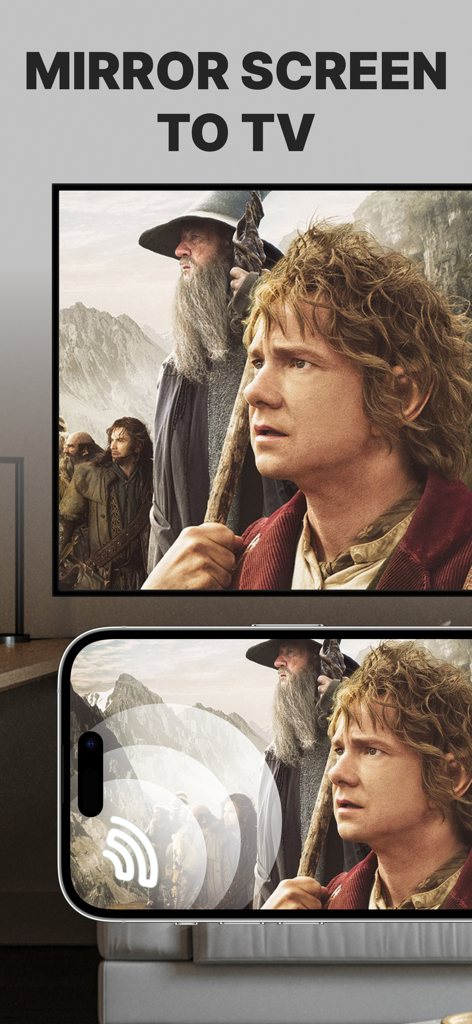
Screen Mirroring: Cast to TV - Ein iPhone-Bildschirm, der einen Film auf einen großen Smart-TV-Bildschirm spiegelt
Ein iPhone-Bildschirm, der einen Film auf einen großen Smart-TV-Bildschirm spiegelt

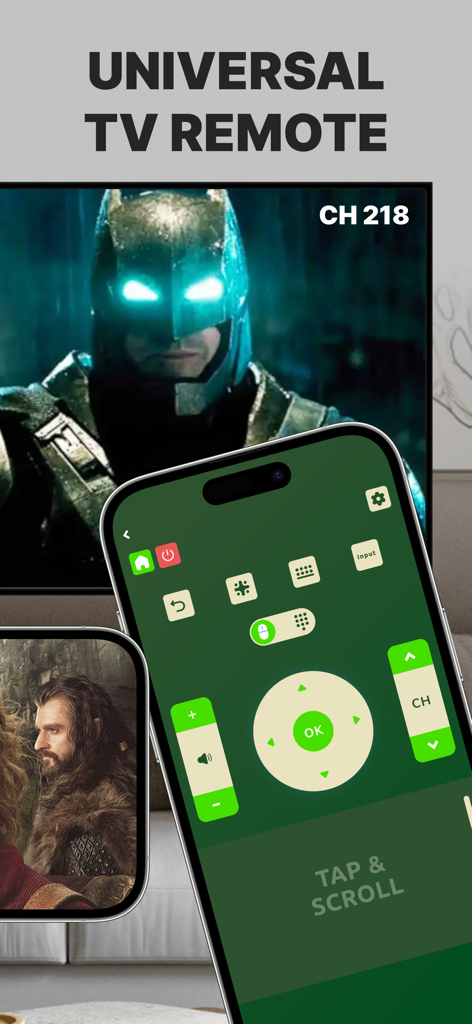
Screen Mirroring: Cast to TV - Benutzeroberfläche einer universellen TV-Fernbedienung auf einem iPhone-Bildschirm neben einem Smart TV.
Benutzeroberfläche einer universellen TV-Fernbedienung auf einem iPhone-Bildschirm neben einem Smart TV.

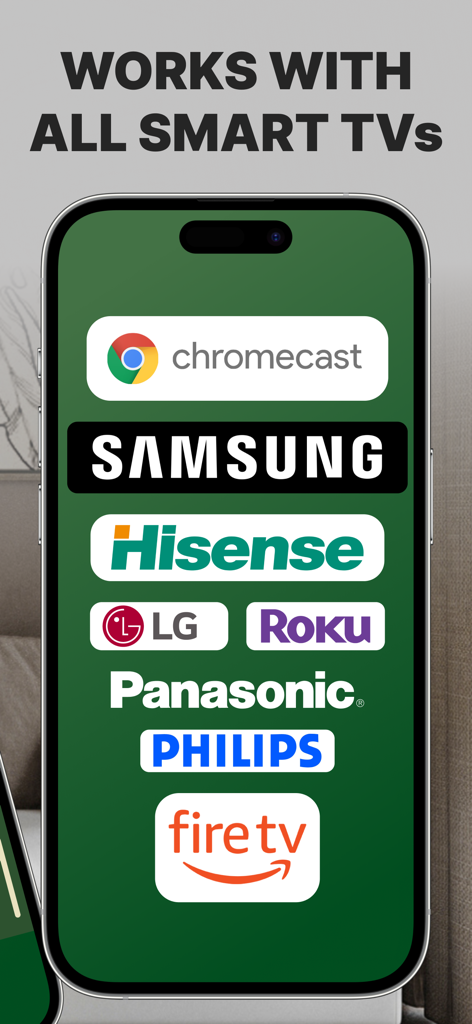
Screen Mirroring: Cast to TV - Ein Smartphone-Bildschirm, der Logos kompatibler Smart-TV-Marken wie Samsung Roku LG und Fire TV anzeigt

Ein Smartphone-Bildschirm, der Logos kompatibler Smart-TV-Marken wie Samsung Roku LG und Fire TV anzeigt

Beschreibung

Introducing Screen Mirroring: Cast to TV, the ultimate app for seamlessly mirroring your iPhone or iPad screen on your Smart TV. Our app is compatible with a wide range of TV models, including popular brands like LG, Samsung, and Roku. With Screen Mirroring: Cast to TV, you can easily connect your device and your Smart TV through the same Wi-Fi network and enjoy wirelessly mirroring any app, game, video, or photo from your iPhone or iPad on your TV. Our app also features a built-in universal TV remote control, making it easier than ever to control your TV and navigate between channels. In addition to mirroring your screen, our app also lets you stream or cast photos, videos, and music from your iPhone or iPad to your TV. You can even cast any web video to your Smart TV with just a few taps. And with support for multiple versions and models of Smart TVs, including popular brands like Sony, Vizio, and Toshiba, you can trust that Screen Mirroring: Cast to TV will work perfectly with your TV. Here are just a few of the TV models that Screen Mirroring: Cast to TV works flawlessly with: - Samsung Smart TVs - LG Smart TVs - Sony Smart TVs - Vizio Smart TVs - Toshiba Smart TVs - Sharp Smart TVs - Philips Smart TVs - Panasonic Smart TVs - Hisense Smart TVs - TCL Smart TVs - Insignia Smart TVs - JVC Smart TVs - RCA Smart TVs - Hitachi Smart TVs With our app, you can enjoy secure connections that protect your data, files, and applications, making it the perfect choice for anyone who values their privacy. Plus, our app is incredibly easy to use, so you can start enjoying all your favorite content on the big screen in no time. So why wait? Download Screen Mirroring: Cast to TV today and experience the ultimate in mirroring and casting technology! Note: Make sure your iPhone/iPad and your Smart TV, smartphone, tablet, Mac, PC, or other device that you want to use, are all connected to the same Wi-Fi network. Screen Mirroring: Cast to TV offers a premium subscription. The subscription plan renews automatically, but you can cancel it at any time. * Screen Mirroring Premium - the duration of the plan is one week (which comes with a 3-day free trial) and the price is 3.99 USD per week. There is also a monthly subscription, but it is available for users who subscribed from the last versions. We didn't delete it to give the possibility to restore it if needed. * Subscription payments will be charged to your iTunes account at confirmation of your purchase and upon commencement of each renewal term. Subscription with a free trial period will automatically renew to a paid subscription. You can cancel your subscription or free trial in the iTunes settings at least 24-hours before the end of the free trial period. The cancellation will take effect the day after the last day of the current subscription period and you will be downgraded to the free service. Account will be charged for renewal within 24-hours prior to the end of the current period, and identify the cost of the renewal. Subscriptions may be managed by the user and auto-renewal may be turned off by going to the user's Account Settings after purchase. You can cancel your subscription via this url: https://support.apple.com/en-us/HT202039 * Any unused portion of a free trial period (if offered) will be forfeited when you purchase a premium subscription during the free trial period. Before using Screen Mirroring: Cast to TV, please read and accept our Privacy Policy and Terms of Service. You can access them from within the app or from our website using the links below: Privacy Policy: https://screencast.dartcomitlabs.com/privacy.html Terms of Service: https://screencast.dartcomitlabs.com/terms.html

Download

Herunterladen auf App Store

Diese Seite ist keine offizielle Seite der App oder ihres Entwicklers, sondern eine unabhängige redaktionelle Veröffentlichung, die zu Informations- und Kommentarzwecken erstellt wurde. Sofern nicht ausdrücklich anders angegeben, sind weder die App noch ihr Entwickler mit MWM, Apple, Google Play, dem App-Herausgeber oder dem Entwickler der App verbunden, von ihnen unterstützt, gesponsert, autorisiert oder anderweitig offiziell verbunden, und nichts auf dieser Seite impliziert, dass die App unter Verwendung der Dienste von MWM entwickelt wurde. Alle Marken, Logos, Screenshots und andere Inhalte bleiben Eigentum ihrer jeweiligen Inhaber.








