
Diese Seite ist keine offizielle Seite der App oder ihres Entwicklers, sondern eine unabhängige redaktionelle Veröffentlichung, die zu Informations- und Kommentarzwecken erstellt wurde. Sofern nicht ausdrücklich anders angegeben, sind weder die App noch ihr Entwickler mit MWM, Apple, Google Play, dem App-Herausgeber oder dem Entwickler der App verbunden, von ihnen unterstützt, gesponsert, autorisiert oder anderweitig offiziell verbunden, und nichts auf dieser Seite impliziert, dass die App unter Verwendung der Dienste von MWM entwickelt wurde. Alle Marken, Logos, Screenshots und andere Inhalte bleiben Eigentum ihrer jeweiligen Inhaber.


Secret Photo Vault - Hide Pics
Schützen Sie Ihre persönlichen Fotos und Videos mit Face ID, benutzerdefinierten Passwörtern und sofortigen Einbruchwarnungen. Halten Sie Schnüffler fern und Ihre Erinnerungen sicher mit dem Tresor für absolute Sicherheit.
Downloads
167K+Bewertung
Bewertungen gesamt
100Herausgeber
Kategorie
Photo & VideoSprachen
33Neueste Version
2.76Größe
94.0 MBErstveröffentlichung
2. Aug. 2023Ihr persönlicher Sichtschutz
Sichern Sie Ihre sensiblen Fotos und Videos mit einem erstklassigen Schutz für Ihren digitalen Lebensstil.
Einbrecher fangen
Erfassen Sie automatisch ein Foto von jedem, der versucht, in Ihren Tresor zu spähen, damit Sie genau wissen, wer schnüffelt.
Vollständige biometrische Kontrolle
Entsperren Sie Ihre geheimen Dateien sofort mit FaceID, TouchID oder einzigartigen PINs für jedes einzelne Album.
Häufig gestellte Fragen
Alles, was Sie über wissen müssen Secret Photo Vault - Hide Pics
Wie versteckt Secret Photo Vault Fotos und Videos?
Secret Photo Vault verwendet einen fortschrittlichen Passwortschutz, um private Fotos und Videos zu sichern. Benutzer erstellen mehrere Alben und legen für jedes zur Sicherheit ein eindeutiges Passwort fest.
Ist Secret Photo Vault sicher für private Dateien?
Ja, Secret Photo Vault ist sicher. Es bietet fortschrittlichen Passwortschutz, Sichtschutzbildschirme, Eindringlingswarnungen und sichere Sperrbildschirmoptionen, einschließlich PIN, Face ID oder Touch ID.
Bietet Secret Photo Vault eine kostenlose Version an?
Ja, Secret Photo Vault bietet eine grundlegende kostenlose Version an. Um darauf zuzugreifen, melden Sie sich für ein Konto an und tippen Sie während der Aufforderung zur Premium-Abonnement auf das 'X' in der oberen linken Ecke.
Wie funktioniert das Premium-Abonnement für Secret Photo Vault?
Secret Photo Vault bietet wöchentliche oder jährliche Abonnements mit einer 3-tägigen kostenlosen Testphase an. Abonnements verlängern sich automatisch, sofern sie nicht 24 Stunden vor Ablauf des Zeitraums deaktiviert werden. Die Abrechnung erfolgt über das iTunes-Konto.
Was sind Eindringlingswarnungen in Secret Photo Vault?
Eindringlingswarnungen in Secret Photo Vault erfassen einen Schnappschuss und zeichnen Datum und Uhrzeit auf, wenn jemand versucht, unbefugten Zugriff zu erhalten. Dies ermöglicht es den Benutzern, spätere Zugriffsversuche zu überprüfen.
Kann ich Fotos in Secret Photo Vault importieren und exportieren?
Ja, Secret Photo Vault ermöglicht den einfachen Import von Fotos und Videos in jedes Album. Es erleichtert auch den Export und die gemeinsame Nutzung von Dateien aus Alben zurück auf Ihr Gerät.
Welche Sperrbildschirmoptionen bietet Secret Photo Vault?
Secret Photo Vault bietet einen sicheren Sperrbildschirm. Benutzer können zwischen einer PIN wählen oder Face ID oder Touch ID aktivieren, um schnell und sicher auf die App zuzugreifen.
Unterstützt Secret Photo Vault die Sicherung auf mehreren Geräten?
Ja, Secret Photo Vault unterstützt die Sicherung auf mehreren Geräten. Diese Funktion hält Ihre Dateien gesichert und auf mehreren Geräten zugänglich, sodass Sie Ihre wertvollen Erinnerungen nie verlieren.
Kann ich Fotos direkt in Secret Photo Vault aufnehmen?
Ja, Secret Photo Vault verfügt über eine integrierte Kamera. Benutzer können neue Momente direkt in der App aufnehmen, indem sie auf die Schaltfläche '+' tippen und die Option 'Kamera' auswählen.
Was passiert mit gelöschten Dateien in Secret Photo Vault?
Secret Photo Vault enthält ein Sicherheitsnetz mit Papierkorb. Gelöschte Dateien werden in den Papierkorb verschoben, sodass Benutzer sie flexibel in jedes Album wiederherstellen oder dauerhaft löschen können.
Die folgenden Screenshots und die Beschreibung stammen direkt aus dem offiziellen Store-Eintrag der App und sind Eigentum des Entwicklers.
App Store
Screenshots
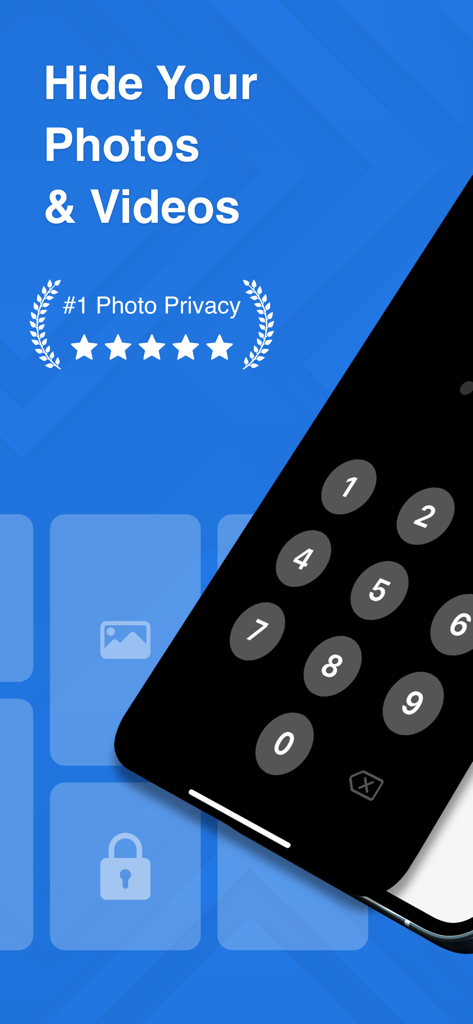
Secret Photo Vault App-Bildschirm mit Passwortsperre für private Fotos und Videos.
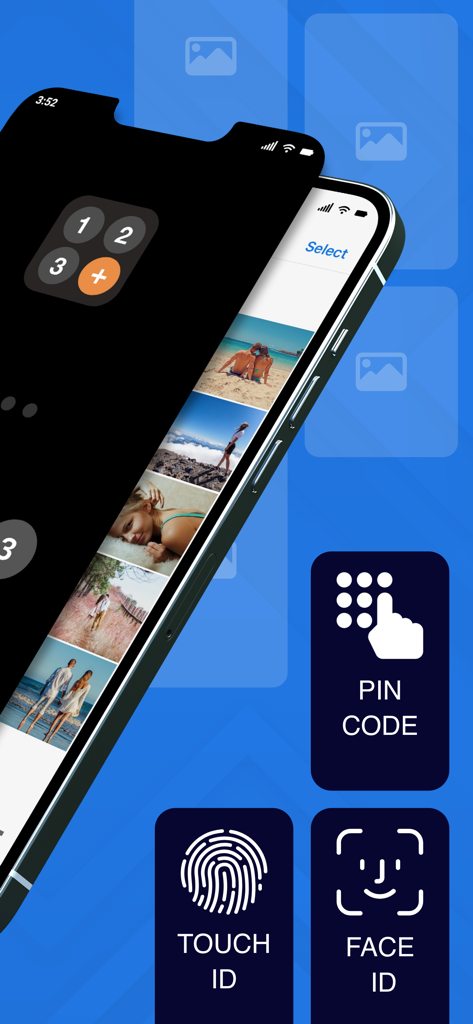
Secret Photo Vault App-Oberfläche mit PIN, Touch ID und Face ID-Sperroptionen über einer privaten Fotogalerie.
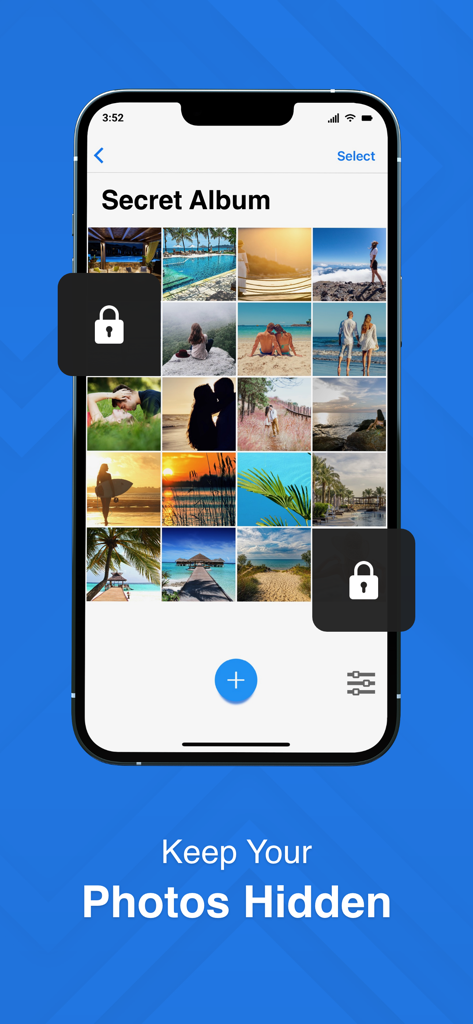
iPhone-Bildschirm, der ein geheimes Fotoalbum mit Schloss-Symbolen und der Beschriftung „Halten Sie Ihre Fotos versteckt“ anzeigt
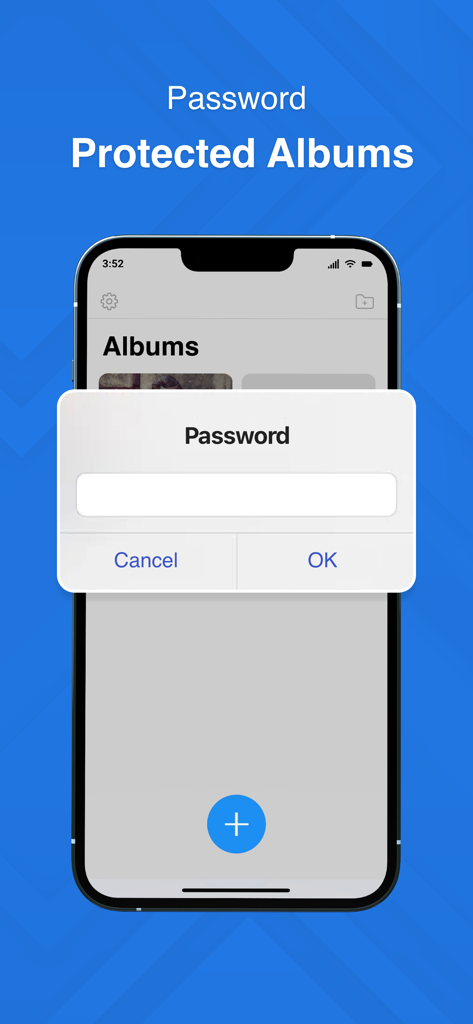
Ein Smartphone-Bildschirm, der eine Passwortabfrage für sichere und private Fotoalben in der Secret Photo Vault-App anzeigt.
Beschreibung
Download
Ähnliche Apps
Apps mit ähnlichen Funktionen und Nutzererfahrung

Private Photo Vault - Pic Safe
Legendary Software Labs LLC

PBox-Private Photo Vault
宇 刘

Safe Lock - Hidden Photo Vault
Katerina Akhlebinina

SV - Private Photo Vault PRO
Legendary Software Labs LLC

PV - Secret Photo Album
Haibin Jiao

Converter: Hidden Photo Vault
Dmitry Petrov

Calculator Lock - Secure Vault
MacyMind

Secret Photo Vault: Keepsafe
KeepSafe Software, Inc

Digiposte: secure storage
la poste
Diese Seite ist keine offizielle Seite der App oder ihres Entwicklers, sondern eine unabhängige redaktionelle Veröffentlichung, die zu Informations- und Kommentarzwecken erstellt wurde. Sofern nicht ausdrücklich anders angegeben, sind weder die App noch ihr Entwickler mit MWM, Apple, Google Play, dem App-Herausgeber oder dem Entwickler der App verbunden, von ihnen unterstützt, gesponsert, autorisiert oder anderweitig offiziell verbunden, und nichts auf dieser Seite impliziert, dass die App unter Verwendung der Dienste von MWM entwickelt wurde. Alle Marken, Logos, Screenshots und andere Inhalte bleiben Eigentum ihrer jeweiligen Inhaber.