Secure Folder: Photo Vault
Herunterladen auf App Store

Diese Seite ist keine offizielle Seite der App oder ihres Entwicklers, sondern eine unabhängige redaktionelle Veröffentlichung, die zu Informations- und Kommentarzwecken erstellt wurde. Sofern nicht ausdrücklich anders angegeben, sind weder die App noch ihr Entwickler mit MWM, Apple, Google Play, dem App-Herausgeber oder dem Entwickler der App verbunden, von ihnen unterstützt, gesponsert, autorisiert oder anderweitig offiziell verbunden, und nichts auf dieser Seite impliziert, dass die App unter Verwendung der Dienste von MWM entwickelt wurde. Alle Marken, Logos, Screenshots und andere Inhalte bleiben Eigentum ihrer jeweiligen Inhaber.

Logo von Secure Folder: Photo Vault
Herunterladen auf App Store

Secure Folder: Photo Vault

Verkleiden Sie Ihre privaten Fotos, Passwörter und Notizen hinter einem funktionsfähigen Taschenrechner. Nutzen Sie Face ID, gefälschte Passwörter und den Stealth-Modus, um Ihr Privatleben wirklich privat zu halten.

Kennzahlen

Downloads

85K+

Bewertung

4.6/5

Bewertungen gesamt

1K+

Herausgeber

Huynh Thuy

Kategorie

Photo & Video

Sprachen

33

Neueste Version

5.1.2

Größe

33.8 MB

Erstveröffentlichung

22. Apr. 2019
Funktionen

Verstecken Sie Ihr Privatleben offen sichtbar

Ein sekundärer, unsichtbarer Bereich für Ihre sensibelsten Daten. Secure Folder fungiert als Geistertresor für alles, was Sie nicht der Welt zeigen möchten.

Stealth-Taschenrechner-Modus

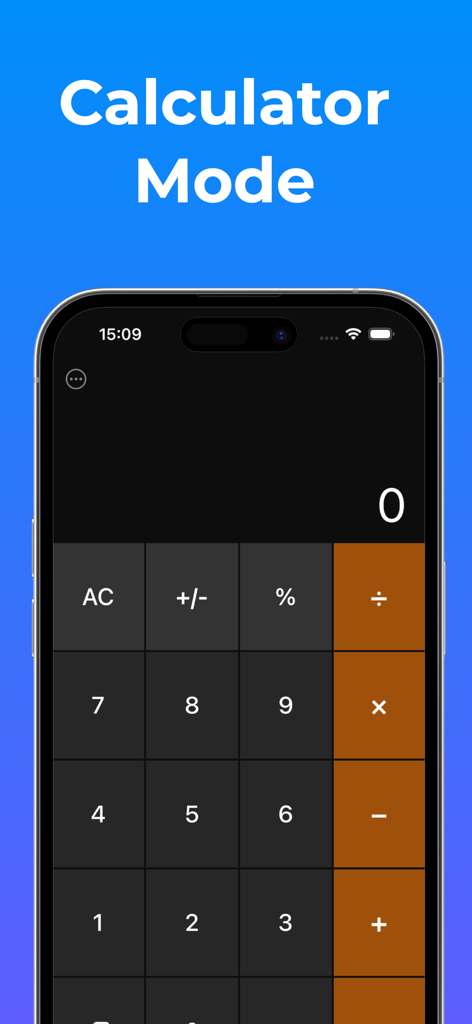
Vollständige Tarnung für Ihre Privatsphäre. Verkleiden Sie Ihren gesamten Tresor als voll funktionsfähigen Taschenrechner, um absolute Glaubwürdigkeit zu wahren.

Täuschungs-Tresor & gefälschtes Passwort

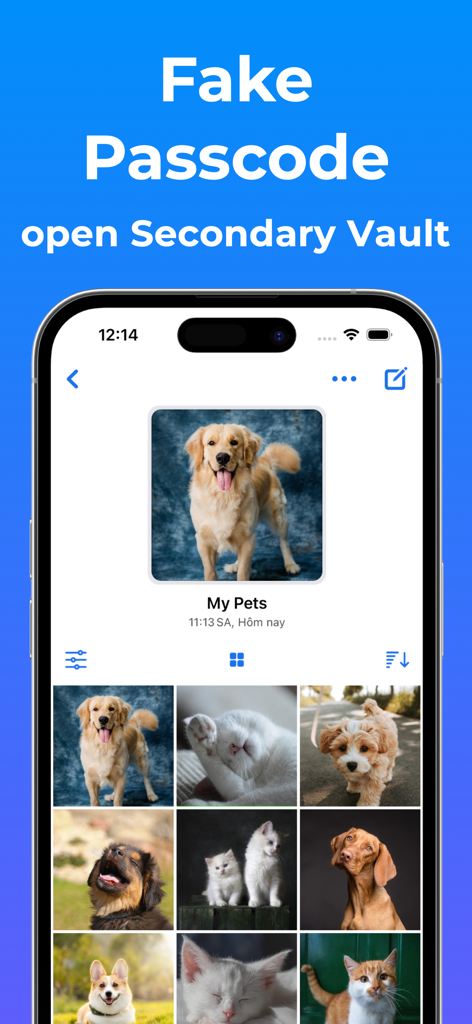
Die ultimative Verteidigung gegen neugierige Benutzer. Richten Sie ein sekundäres Passwort ein, das einen Dummy-Tresor öffnet, um Ihre echten Geheimnisse selbst unter Druck zu schützen.

Die folgenden Screenshots und die Beschreibung stammen direkt aus dem offiziellen Store-Eintrag der App und sind Eigentum des Entwicklers.

App Store

Screenshots
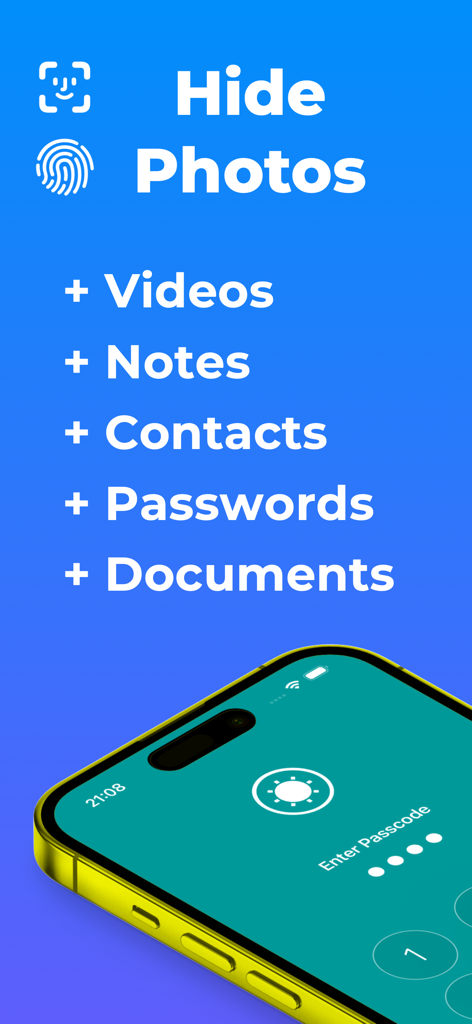
Secure Folder: Photo Vault - Secure Folder App-Bildschirm mit Funktionen zum Verstecken von Fotos, Videos, Notizen, Kontakten, Passwörtern und Dokumenten mit biometrischer Sicherheit
Secure Folder App-Bildschirm mit Funktionen zum Verstecken von Fotos, Videos, Notizen, Kontakten, Passwörtern und Dokumenten mit biometrischer Sicherheit

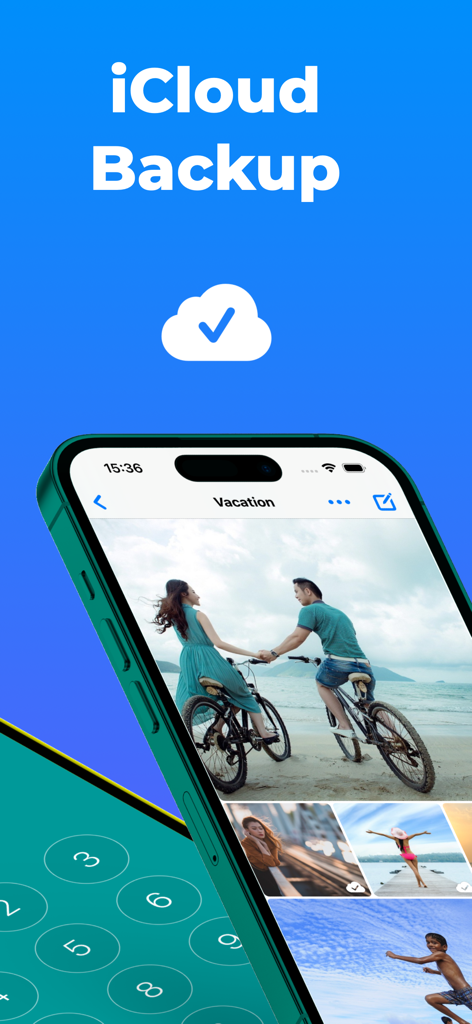
Secure Folder: Photo Vault - Secure Folder App-Oberfläche mit iCloud-Backup für private Fotoalben
Secure Folder App-Oberfläche mit iCloud-Backup für private Fotoalben

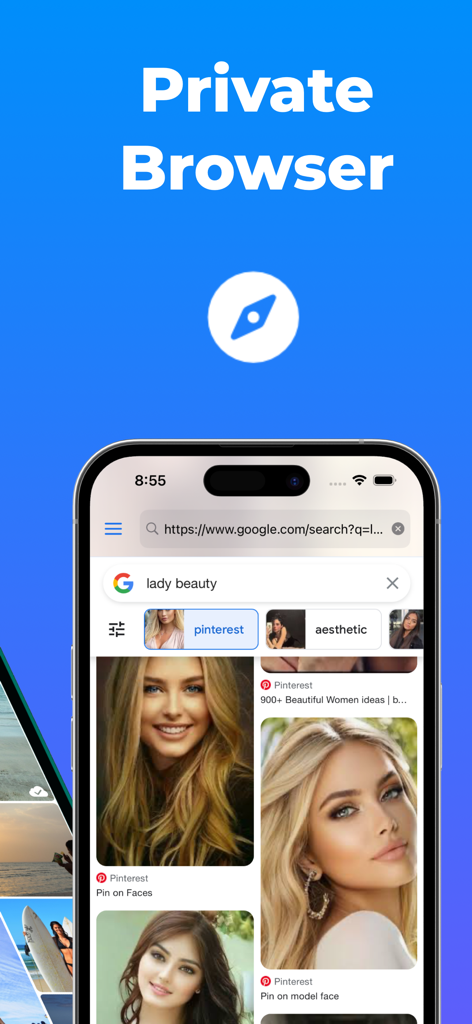
Secure Folder: Photo Vault - Private Browser-Oberfläche innerhalb der Secure Folder Photo Vault App mit einem sicheren Suchergebnis
Private Browser-Oberfläche innerhalb der Secure Folder Photo Vault App mit einem sicheren Suchergebnis

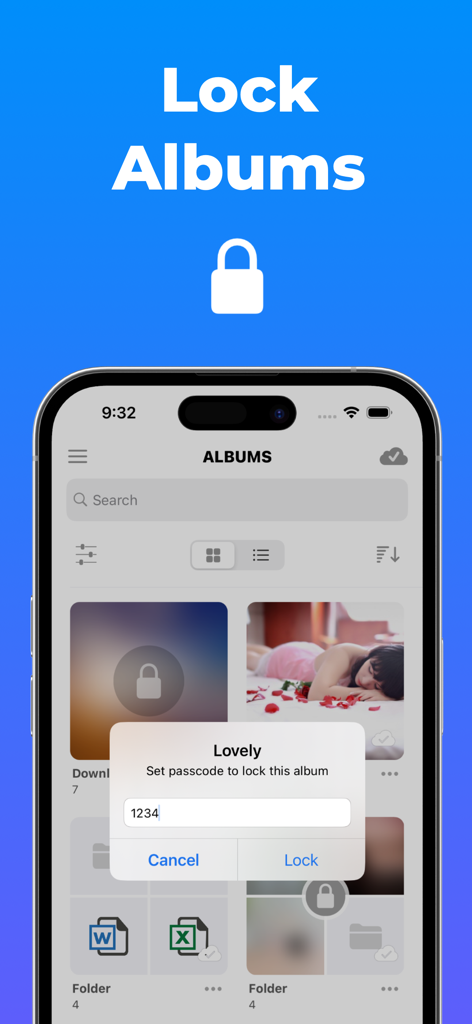
Secure Folder: Photo Vault - Secure Folder App zeigt eine Aufforderung zur Eingabe eines eindeutigen Passworts für ein Fotoalbum mit dem Titel Lovely an
Secure Folder App zeigt eine Aufforderung zur Eingabe eines eindeutigen Passworts für ein Fotoalbum mit dem Titel Lovely an

Secure Folder: Photo Vault - Ein Smartphone, das einen sekundären Dummy-Tresor in der Secure Folder App mit einem Fotoalbum mit Haustierfotos zeigt.
Ein Smartphone, das einen sekundären Dummy-Tresor in der Secure Folder App mit einem Fotoalbum mit Haustierfotos zeigt.

Secure Folder: Photo Vault - Eine funktionierende Taschenrechner-Oberfläche, die den Inhalt der Secure Photo Vault App versteckt
Eine funktionierende Taschenrechner-Oberfläche, die den Inhalt der Secure Photo Vault App versteckt

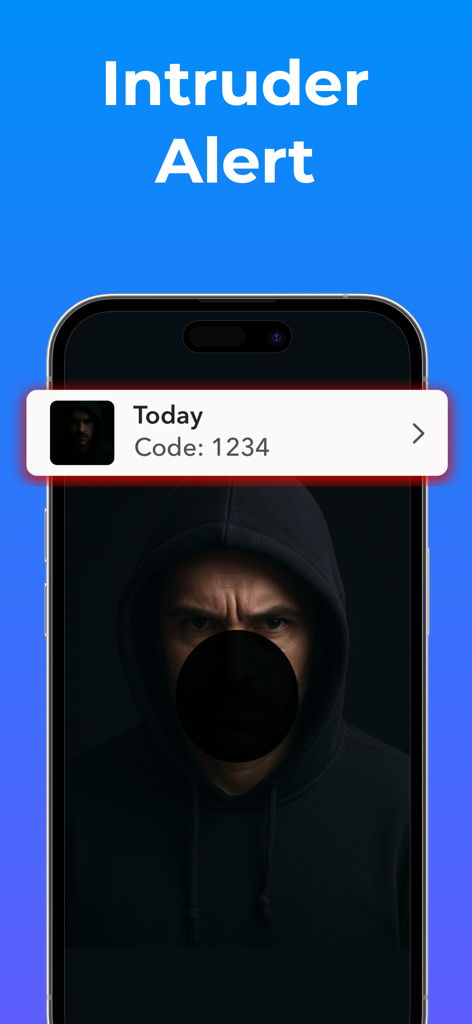
Secure Folder: Photo Vault - Ein Smartphone-Bildschirm mit einer Benachrichtigung über einen Eindringlingsalarm und einem Foto einer Person, die versucht, auf den Tresor zuzugreifen.
Ein Smartphone-Bildschirm mit einer Benachrichtigung über einen Eindringlingsalarm und einem Foto einer Person, die versucht, auf den Tresor zuzugreifen.

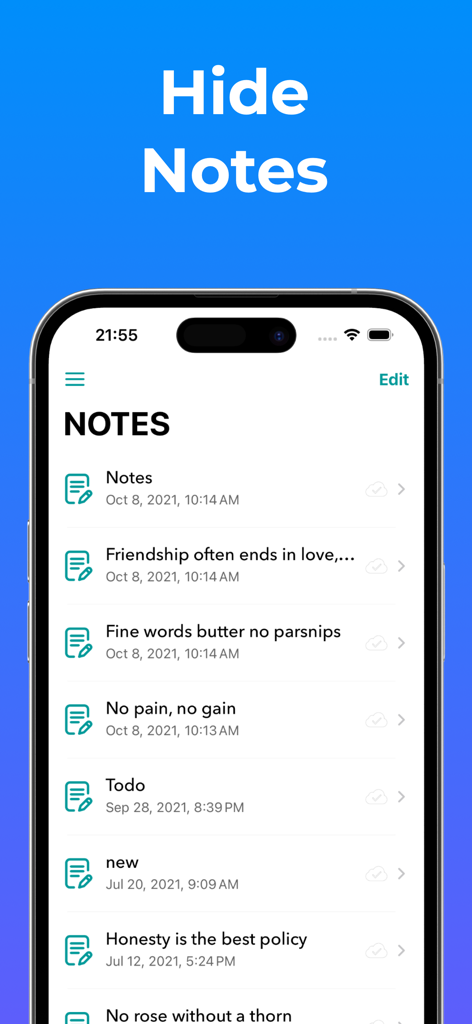
Secure Folder: Photo Vault - Benutzeroberfläche der Secure Folder App mit einer Liste versteckter persönlicher Notizen
Benutzeroberfläche der Secure Folder App mit einer Liste versteckter persönlicher Notizen

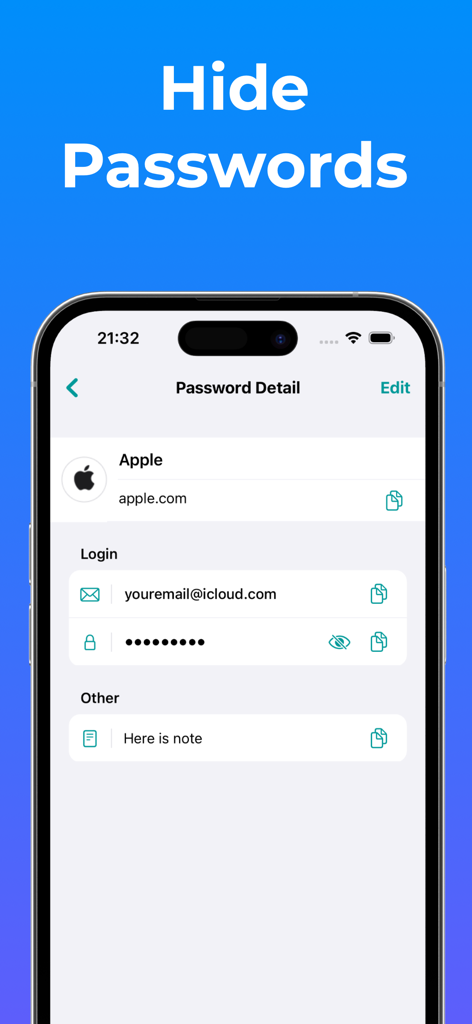
Secure Folder: Photo Vault - Eine mobile Benutzeroberfläche, die die Passwortverwaltungsfunktion in der Secure Folder App mit versteckten Anmeldedaten für ein Apple-Konto zeigt.
Eine mobile Benutzeroberfläche, die die Passwortverwaltungsfunktion in der Secure Folder App mit versteckten Anmeldedaten für ein Apple-Konto zeigt.

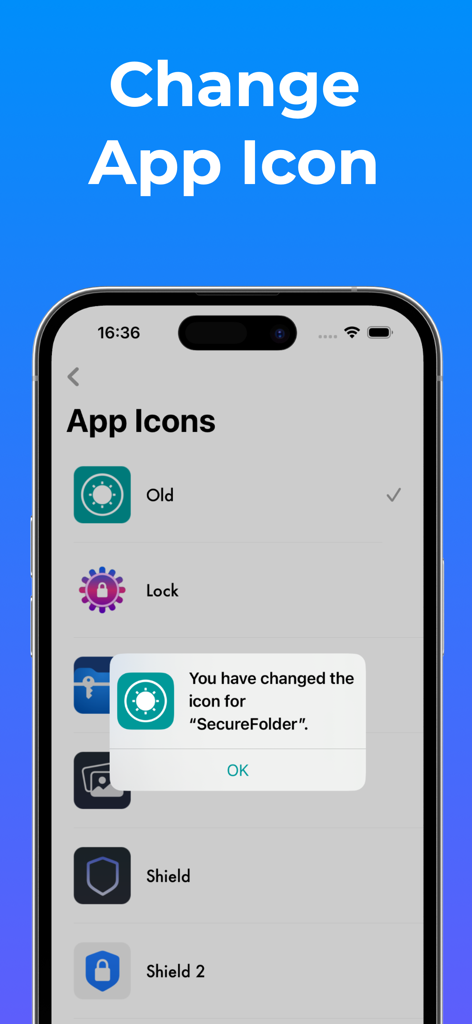
Secure Folder: Photo Vault - Eine mobile Benutzeroberfläche mit verschiedenen Icon-Optionen zur Anpassung und Tarnung der Secure Folder Fototresor-App.

Eine mobile Benutzeroberfläche mit verschiedenen Icon-Optionen zur Anpassung und Tarnung der Secure Folder Fototresor-App.

Beschreibung

Secure Folder is your personal vault to lock and hide private photos, videos, contacts, notes, passwords, and more behind Face ID, Touch ID, or a secure PIN. All in a clean, elegant, and easy-to-use interface. Whether it’s family memories, confidential documents, or sensitive contacts, Secure Folder keeps your personal content truly private. Everything stays on your device or in your private iCloud, never on our servers. Powerful Protection: - Lock the entire app with Face ID / Touch ID / PIN - Lock specific albums or folders with their own PINs - Fake Passcode (Optional): Set up a separate passcode to unlock a secondary vault. Content in this vault is added by you and stored only on your device, not synced to iCloud. - Calculator Mode: Use a functional calculator interface to securely access your private space. You can enable or disable this mode anytime in Settings. - Automatically sync your data to your private iCloud for safe access across all your devices (only if you enable it). Organize Everything: - Create unlimited folders and albums - Nest albums inside folders for better organization - Customize album covers with any photo you like Enjoy Your Media: - Import from Camera, Photo Library, Files, or Wi-Fi - View photos & videos in fullscreen or slideshow mode - Smooth transitions, zoomable thumbnails, and editing support Store More Than Just Photos: - Save secure notes, contacts, and passwords - Browse the web privately, with no trace left behind - Attach files to notes for quick reference Tailored to You: - Custom app tint colors and icons - Full dark mode support - Simple, beautiful design for a smooth experience Premium Features: - Album & Folder Lock: Add an extra layer of privacy by assigning individual passwords to specific albums or folders. - Custom Album Covers: Personalize each album by choosing a cover photo from within the album or selecting an external image. - iCloud Sync (optional): Automatically back up and sync your data to your private iCloud storage for secure access across devices and protection against data loss. - Trash Recovery: Restore photos and videos you’ve accidentally deleted. - File Attachments for Notes: Enhance your notes by attaching relevant files for quick reference. - Unlimited Storage: Save as many photos, videos, documents, contacts, passwords and notes as you need with no limits on your device. ======================== Premium Subscription: Secure Folder includes an optional auto-renewable subscription to access current and future premium categories: - a 1-week subscription - a 1-month subscription - a 1-year subscription with 3 days free trial • Check in app for exact pricing in your region • Payment will be charged to your iTunes account at confirmation of purchase and will automatically renew (at the duration/price selected) unless auto-renew is turned off at least 24 hours before the end of the current period. • Account will be charged for renewal within 24-hours prior to the end of the current period, and identify the cost of the renewal. • Any unused portion of a free trial period, if offered, will be forfeited when the user purchases a subscription to that publication, where applicable • You can manage your subscription and/or turn off auto-renewal by going to your iTunes Account Settings, but refunds will not be given for any unused portion of the term. ======================== Privacy Policy: https://huynhthuyapps.blogspot.com/2021/05/privacy-policy.html Terms of Service: https://huynhthuyapps.blogspot.com/2021/06/terms-of-service.html Email support: privatephotovideolocker@gmail.com

Download

Herunterladen auf App Store

Diese Seite ist keine offizielle Seite der App oder ihres Entwicklers, sondern eine unabhängige redaktionelle Veröffentlichung, die zu Informations- und Kommentarzwecken erstellt wurde. Sofern nicht ausdrücklich anders angegeben, sind weder die App noch ihr Entwickler mit MWM, Apple, Google Play, dem App-Herausgeber oder dem Entwickler der App verbunden, von ihnen unterstützt, gesponsert, autorisiert oder anderweitig offiziell verbunden, und nichts auf dieser Seite impliziert, dass die App unter Verwendung der Dienste von MWM entwickelt wurde. Alle Marken, Logos, Screenshots und andere Inhalte bleiben Eigentum ihrer jeweiligen Inhaber.








