
Diese Seite ist keine offizielle Seite der App oder ihres Entwicklers, sondern eine unabhängige redaktionelle Veröffentlichung, die zu Informations- und Kommentarzwecken erstellt wurde. Sofern nicht ausdrücklich anders angegeben, sind weder die App noch ihr Entwickler mit MWM, Apple, Google Play, dem App-Herausgeber oder dem Entwickler der App verbunden, von ihnen unterstützt, gesponsert, autorisiert oder anderweitig offiziell verbunden, und nichts auf dieser Seite impliziert, dass die App unter Verwendung der Dienste von MWM entwickelt wurde. Alle Marken, Logos, Screenshots und andere Inhalte bleiben Eigentum ihrer jeweiligen Inhaber.

Shoot Pro Webcam & Telestrator
Verabschieden Sie sich von Ihrer körnigen Webcam und genießen Sie gestochen scharfes High-Definition-Video. Beherrschen Sie Ihre Aufnahmen mit vollständiger manueller Steuerung und veranschaulichen Sie Ideen in Echtzeit mit dem integrierten Telestrator.
Downloads
66K+Bewertung
Bewertungen gesamt
800Herausgeber
Kategorie
Photo & VideoSprachen
6Neueste Version
3.13.3Größe
25.3 MBErstveröffentlichung
18. Feb. 2015Verbessern Sie Ihren Stream mit professioneller Steuerung
Verwandeln Sie Ihr iPhone in eine hochzuverlässige High-Definition-Webcam mit der Präzision einer DSLR und der Leistung eines Live-Whiteboards.
Vollständige manuelle Kamerasteuerung
Eliminieren Sie Fokus-Jagd und inkonsistente Belichtung. Übernehmen Sie die volle Kontrolle über ISO, Verschlusszeit und Weißabgleich, um professionelle Hauttöne und Beleuchtung zu gewährleisten.
Live-Telestrator & Anmerkungen
Binden Sie Ihr Publikum ein, indem Sie direkt auf Ihrem Videostream zeichnen. Nutzen Sie Sprache-zu-Text für sofortige Beschriftungen oder pausieren Sie den Live-Stream, um komplexe Punkte zu veranschaulichen.
Die folgenden Screenshots und die Beschreibung stammen direkt aus dem offiziellen Store-Eintrag der App und sind Eigentum des Entwicklers.
App Store
Screenshots
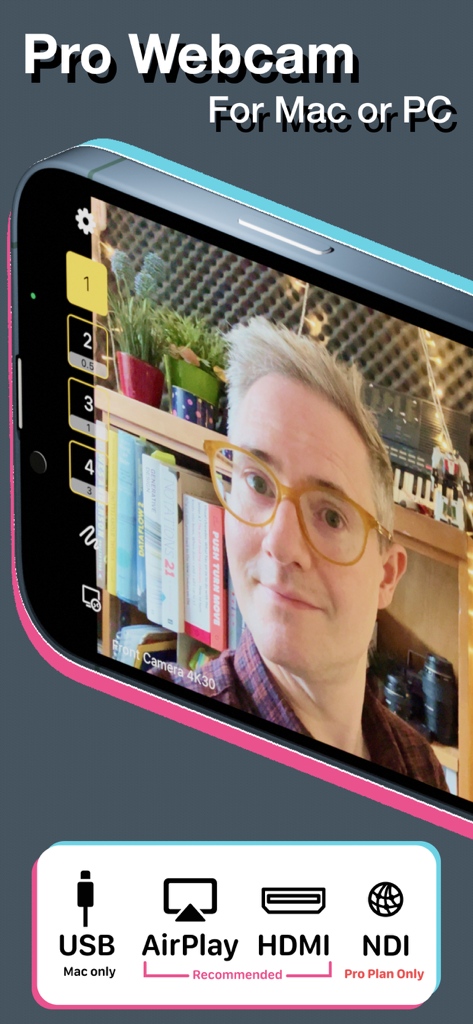
Shoot Pro Webcam App-Oberfläche mit hochwertigem Video-Feed und Verbindungsoptionen für USB, AirPlay, HDMI und NDI.
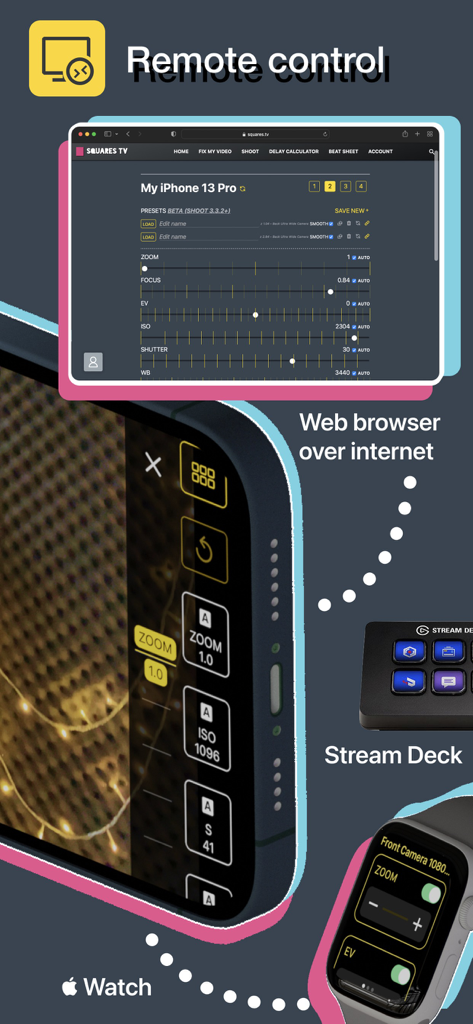
Fernsteuerungsoptionen für Shoot Pro Webcam, einschließlich Webbrowser, Apple Watch und Stream Deck.
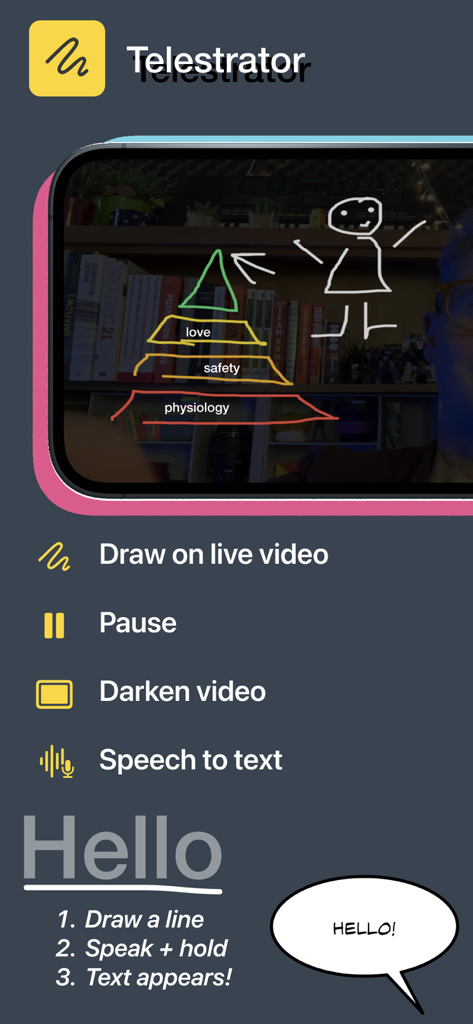
Mobile App-Oberfläche für Shoot Pro Webcam, die die Telestrator-Funktion zum Zeichnen auf Live-Videos mit Sprache-zu-Text-Anweisungen zeigt.
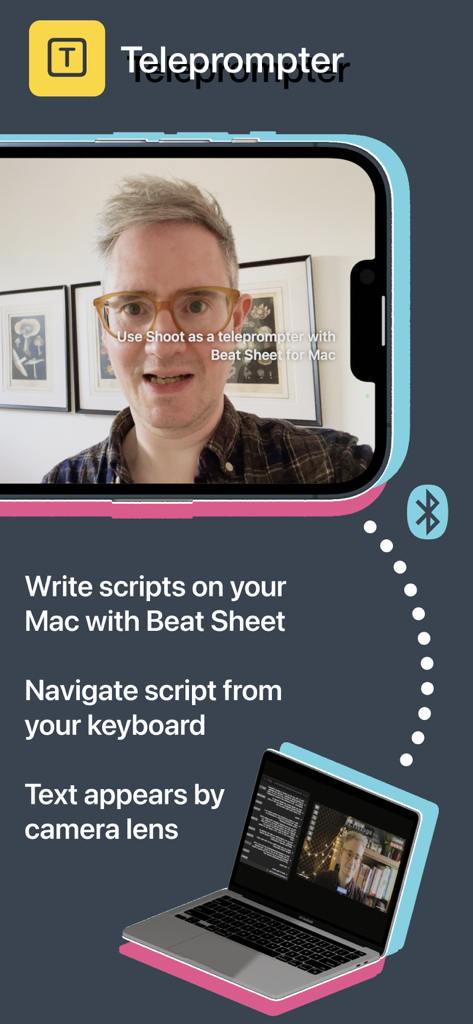
Shoot Pro Webcam App zeigt die Teleprompter-Funktion, synchronisiert mit einem Mac zur Skriptlesung.
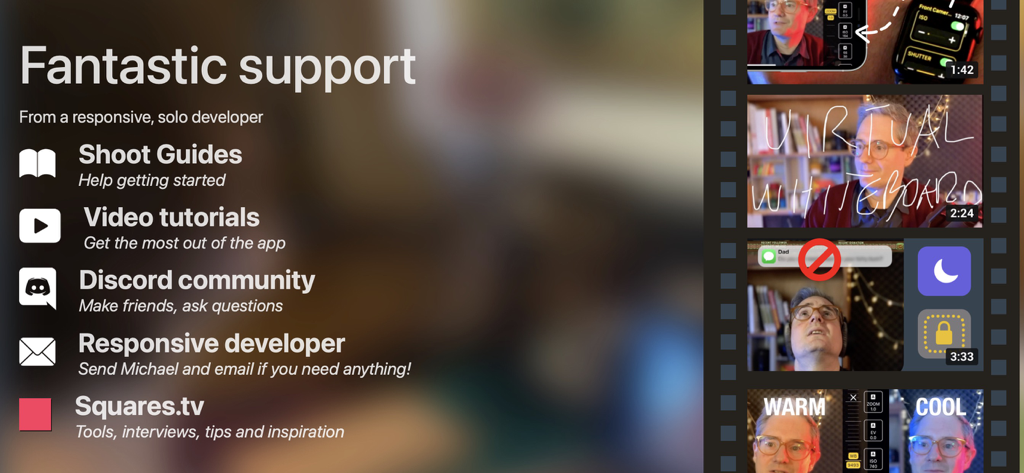
Eine Liste von Support-Optionen für die Shoot Pro Webcam App, einschließlich Anleitungen, Video-Tutorials und Discord-Community.
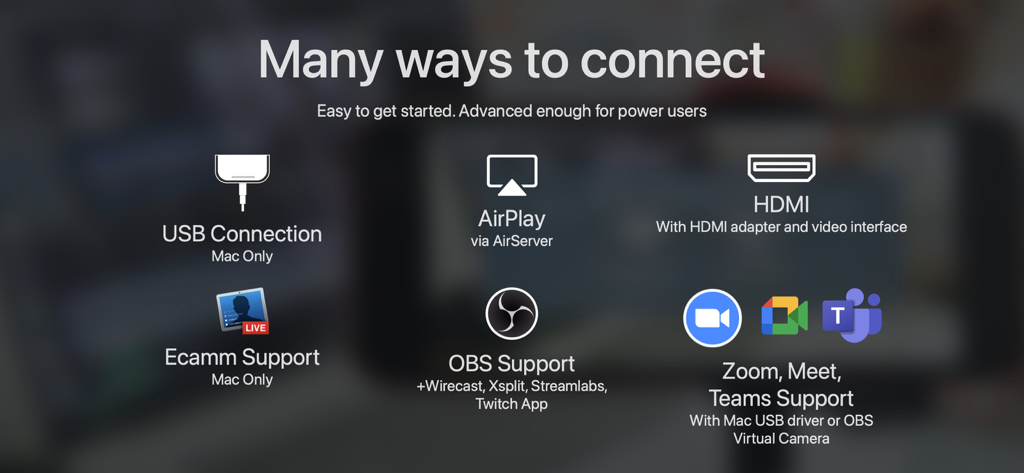
Übersicht über die Verbindungsoptionen der Shoot Pro Webcam, einschließlich USB, HDMI, AirPlay, OBS und Zoom.
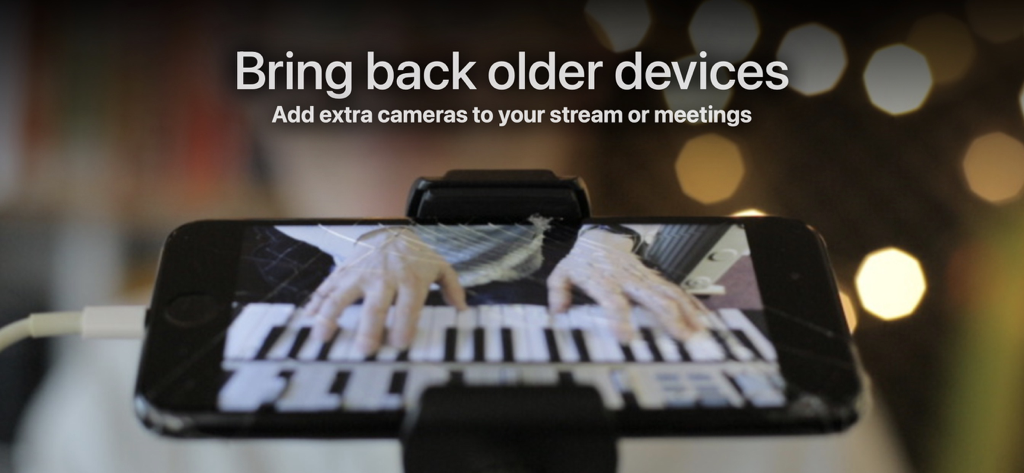
Ein iPhone auf einem Stativ, das als Webcam für das Streaming einer Live-Klavieraufführung verwendet wird.
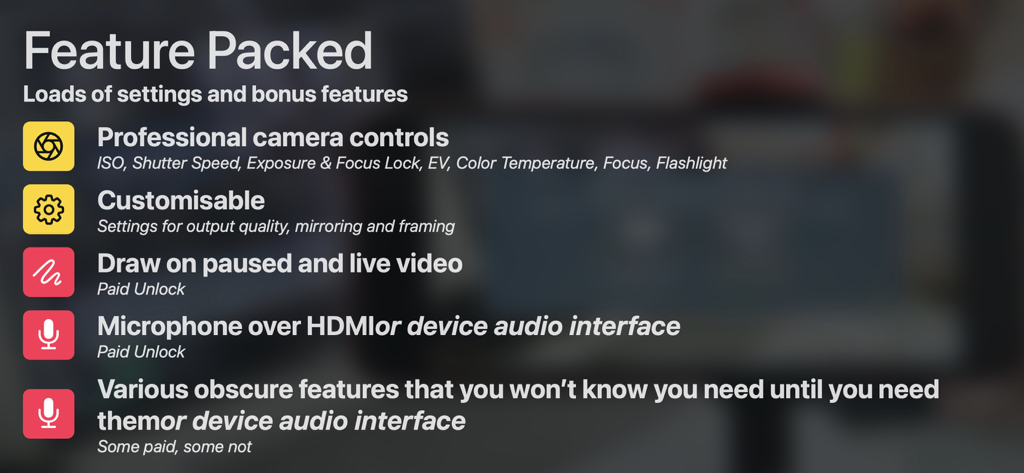
Liste der Funktionen der Shoot Pro Webcam, einschließlich professioneller Kamerasteuerungen, Zeichenwerkzeugen und Audio-Interface-Optionen.
Beschreibung
Download
Ähnliche Apps
Top-gerankte Apps in derselben Kategorie

CapCut: Photo & Video Editor
BYTEDANCE PTE. LTD.

Instagram, Inc.

YouTube
Google LLC

Canva: AI Photo & Video Editor
Canva Pty Ltd

Snapchat
Snap, Inc.

快手
Beijing Kwai Technology Co., Ltd.

Edits: Video Editor
Instagram, Inc.

Meitu- AI Photo & Video Editor
Xiamen Meitu Technology Co., Ltd.

Google Photos: Backup & Edit
Google LLC
Diese Seite ist keine offizielle Seite der App oder ihres Entwicklers, sondern eine unabhängige redaktionelle Veröffentlichung, die zu Informations- und Kommentarzwecken erstellt wurde. Sofern nicht ausdrücklich anders angegeben, sind weder die App noch ihr Entwickler mit MWM, Apple, Google Play, dem App-Herausgeber oder dem Entwickler der App verbunden, von ihnen unterstützt, gesponsert, autorisiert oder anderweitig offiziell verbunden, und nichts auf dieser Seite impliziert, dass die App unter Verwendung der Dienste von MWM entwickelt wurde. Alle Marken, Logos, Screenshots und andere Inhalte bleiben Eigentum ihrer jeweiligen Inhaber.