
Diese Seite ist keine offizielle Seite der App oder ihres Entwicklers, sondern eine unabhängige redaktionelle Veröffentlichung, die zu Informations- und Kommentarzwecken erstellt wurde. Sofern nicht ausdrücklich anders angegeben, sind weder die App noch ihr Entwickler mit MWM, Apple, Google Play, dem App-Herausgeber oder dem Entwickler der App verbunden, von ihnen unterstützt, gesponsert, autorisiert oder anderweitig offiziell verbunden, und nichts auf dieser Seite impliziert, dass die App unter Verwendung der Dienste von MWM entwickelt wurde. Alle Marken, Logos, Screenshots und andere Inhalte bleiben Eigentum ihrer jeweiligen Inhaber.

Shot Designer
Das All-in-One-Tool für Regisseure und DPs zur Erstellung professioneller Kameradiagramme, automatisierter Shotlisten und Echtzeit-Animationen. Optimieren Sie Ihren Workflow und setzen Sie Ihre Vision um, auch wenn die Zeit am Set knapp wird.
Downloads
96K+Bewertung
Bewertungen gesamt
600Herausgeber
Kategorie
Photo & VideoSprachen
1Neueste Version
1.80.8Größe
81.8 MBErstveröffentlichung
10. Okt. 2012Beherrschen Sie das Set mit präzisem Blocking
Shot Designer revolutioniert Ihren Workflow, indem es Kameradiagramme, Shotlisten und Storyboards in einem nahtlosen, professionellen Werkzeug vereint, das für hochkarätige Produktionen entwickelt wurde.
Blitzschnelles Blocking
Erstellen Sie komplexe Kameradiagramme in Sekundenschnelle. Unsere intelligente Software ordnet Kameras automatisch neu, wenn Sie Charaktere bewegen, sodass Sie neu blocken können, auch wenn Schauspieler warten.
Sich selbst schreibende Shotlisten
Verschwenden Sie keine Zeit mehr mit Tabellenkalkulationen. Ihre Shotliste ist direkt mit Ihrem Diagramm verknüpft und aktualisiert sich in Echtzeit, während Sie arbeiten, sodass Ihr Plan und Ihre Liste immer synchron sind.
Die folgenden Screenshots und die Beschreibung stammen direkt aus dem offiziellen Store-Eintrag der App und sind Eigentum des Entwicklers.
App Store
Screenshots
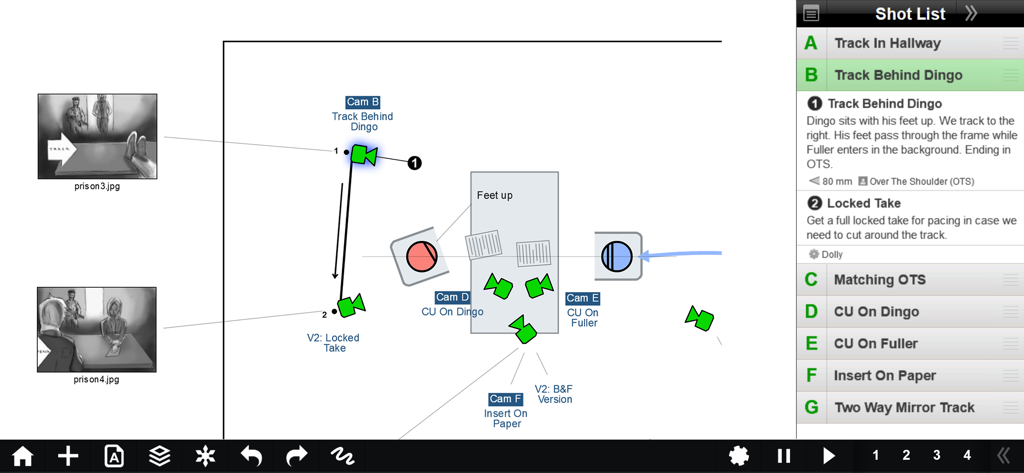
Shot Designer App-Oberfläche, die ein Kamera-Blocking-Diagramm mit Charakterbewegungen und einer integrierten Shotliste anzeigt
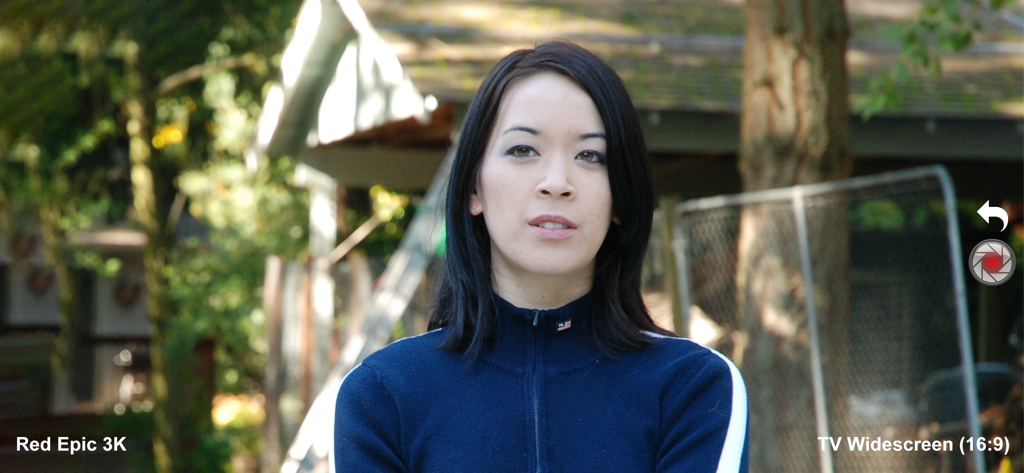
Shot Designer App Director's Viewfinder zeigt Red Epic 3K-Kamerasimulation und Breitbildformat an
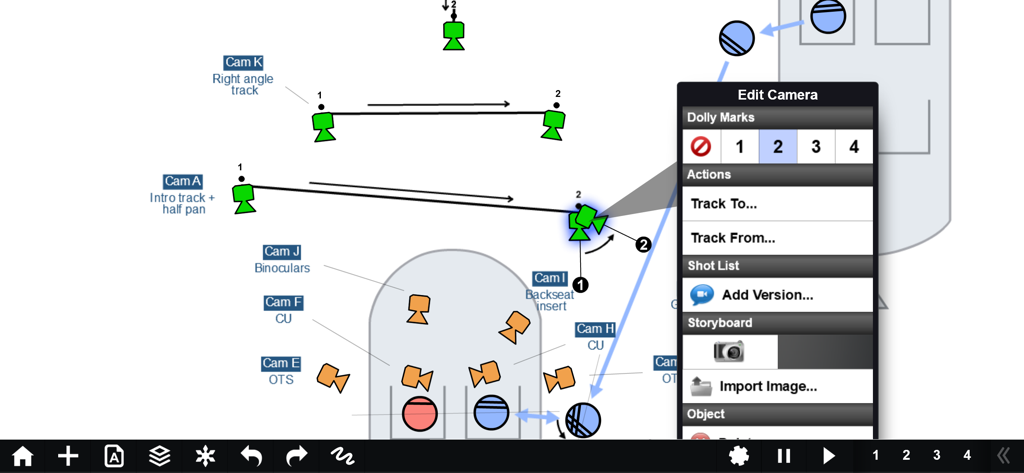
Ein professionelles Kamera-Blocking-Diagramm in der Shot Designer App, das Kamera-Tracking-Bewegungen und Dolly-Markierungen zeigt.
Beschreibung
Download
Ähnliche Apps
Apps mit ähnlichen Funktionen und Nutzererfahrung




Diese Seite ist keine offizielle Seite der App oder ihres Entwicklers, sondern eine unabhängige redaktionelle Veröffentlichung, die zu Informations- und Kommentarzwecken erstellt wurde. Sofern nicht ausdrücklich anders angegeben, sind weder die App noch ihr Entwickler mit MWM, Apple, Google Play, dem App-Herausgeber oder dem Entwickler der App verbunden, von ihnen unterstützt, gesponsert, autorisiert oder anderweitig offiziell verbunden, und nichts auf dieser Seite impliziert, dass die App unter Verwendung der Dienste von MWM entwickelt wurde. Alle Marken, Logos, Screenshots und andere Inhalte bleiben Eigentum ihrer jeweiligen Inhaber.