Slow Motion Video & Speed Up
Herunterladen auf App Store

Diese Seite ist keine offizielle Seite der App oder ihres Entwicklers, sondern eine unabhängige redaktionelle Veröffentlichung, die zu Informations- und Kommentarzwecken erstellt wurde. Sofern nicht ausdrücklich anders angegeben, sind weder die App noch ihr Entwickler mit MWM, Apple, Google Play, dem App-Herausgeber oder dem Entwickler der App verbunden, von ihnen unterstützt, gesponsert, autorisiert oder anderweitig offiziell verbunden, und nichts auf dieser Seite impliziert, dass die App unter Verwendung der Dienste von MWM entwickelt wurde. Alle Marken, Logos, Screenshots und andere Inhalte bleiben Eigentum ihrer jeweiligen Inhaber.

Logo von Slow Motion Video & Speed Up
Herunterladen auf App Store

Slow Motion Video & Speed Up

Der einfachste Weg, Ihre Highlights zu verlangsamen oder Ihre Vlogs zu beschleunigen. Passen Sie bestimmte Abschnitte an, fügen Sie Ihre Lieblingsmusik hinzu und teilen Sie sie direkt auf Instagram und TikTok ohne komplexe Bearbeitung.

Kennzahlen

Downloads

100K+

Bewertung

4.3/5

Bewertungen gesamt

14K+

Herausgeber

out thinking private limited

Kategorie

Photo & Video

Sprachen

1

Neueste Version

1.93

Größe

42.6 MB

Erstveröffentlichung

31. Okt. 2014
Funktionen

Meistern Sie jeden Moment

Verwandeln Sie Ihr Rohmaterial in virale Inhalte. Verlangsamen Sie die Highlights oder beschleunigen Sie den Prozess mit intuitiven Werkzeugen für Social-Media-Kreative.

Präzise Geschwindigkeitszuordnung

Bearbeiten Sie nicht nur das ganze Video – wählen Sie bestimmte Segmente aus, um sie für dramatische Betonung zu verlangsamen oder zu überspringen, um die Füllung zu überspringen. Perfekt für Skate-Tricks und Beat-Drops.

Untermalen Sie Ihre Geschichte mit Musik

Tauschen Sie ganz einfach den ursprünglichen Hintergrundton gegen Ihr Lieblingsaudio aus. Verleihen Sie Ihren filmischen Zeitlupen- oder energiegeladenen Zeitraffer-Edits mit einem Fingertipp die perfekte Stimmung.

Die folgenden Screenshots und die Beschreibung stammen direkt aus dem offiziellen Store-Eintrag der App und sind Eigentum des Entwicklers.

App Store

Screenshots
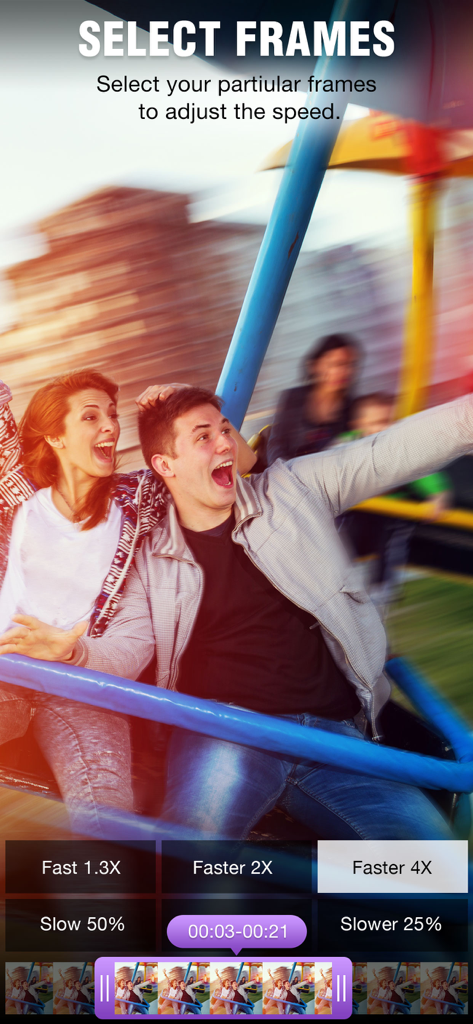
Slow Motion Video & Speed Up - Der Bildschirm „Frames auswählen“ der ClipSpeed-App mit Schaltflächen zur Geschwindigkeitsanpassung und einer Videowiedergabe.
Der Bildschirm „Frames auswählen“ der ClipSpeed-App mit Schaltflächen zur Geschwindigkeitsanpassung und einer Videowiedergabe.

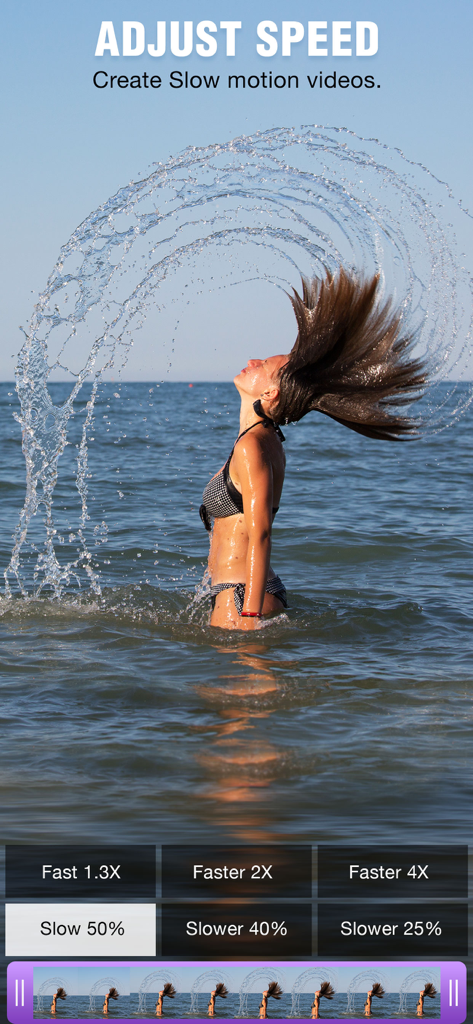
Slow Motion Video & Speed Up - Oberfläche einer Zeitlupen-App, die eine Frau zeigt, die ihre Haare im Meer schüttelt

Oberfläche einer Zeitlupen-App, die eine Frau zeigt, die ihre Haare im Meer schüttelt

Slow Motion Video & Speed Up - Oberfläche einer mobilen App, die verschiedene Videofilter wie Sepia und Vignette zeigt, die auf ein Sommer-Video angewendet werden
Oberfläche einer mobilen App, die verschiedene Videofilter wie Sepia und Vignette zeigt, die auf ein Sommer-Video angewendet werden

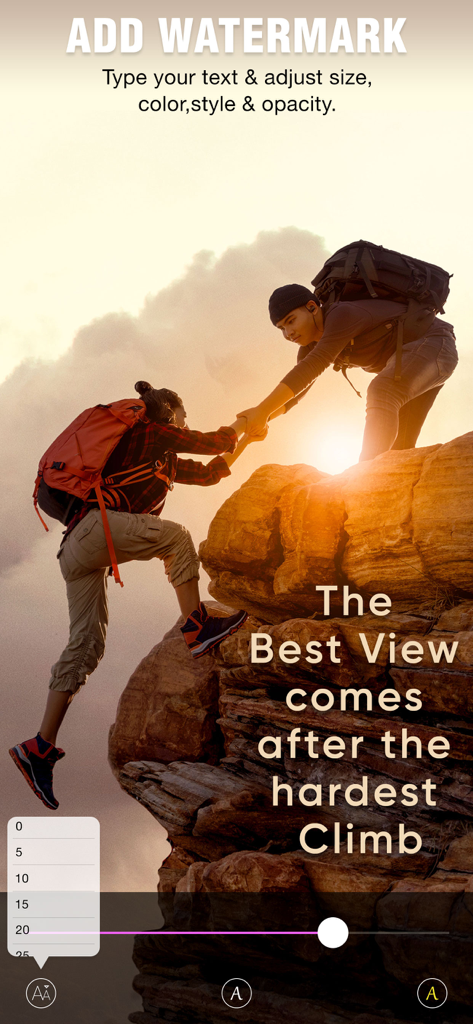
Slow Motion Video & Speed Up - Bildschirm der ClipSpeed-App, der die Oberfläche zum Hinzufügen und Anpassen von Text-Wasserzeichen zu einem Video zeigt
Bildschirm der ClipSpeed-App, der die Oberfläche zum Hinzufügen und Anpassen von Text-Wasserzeichen zu einem Video zeigt

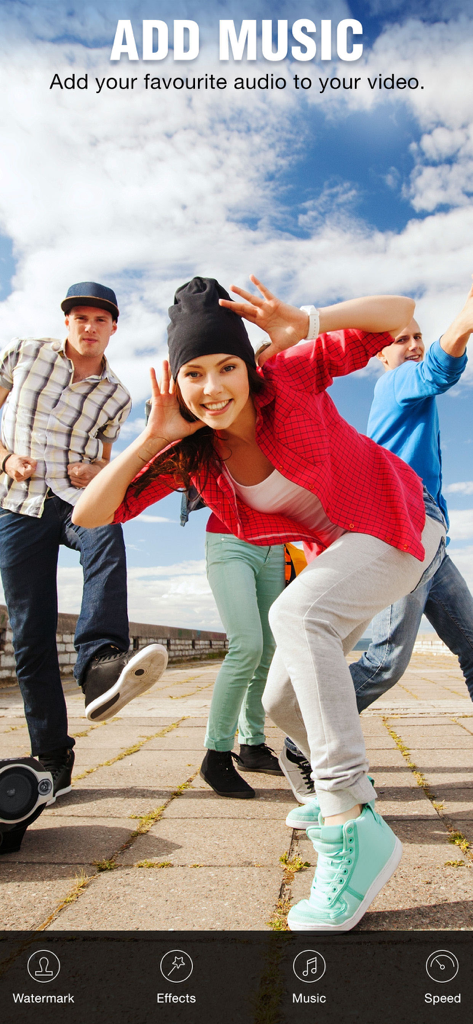
Slow Motion Video & Speed Up - Oberfläche der ClipSpeed-App, die die Funktion „Musik hinzufügen“ über einem Lifestyle-Video von jungen Freunden zeigt

Oberfläche der ClipSpeed-App, die die Funktion „Musik hinzufügen“ über einem Lifestyle-Video von jungen Freunden zeigt

Slow Motion Video & Speed Up - Ein Bildschirm aus der ClipSpeed-App, der einen Surfer auf einer Welle mit Optionen zum Speichern und Teilen des bearbeiteten Videos zeigt.

Ein Bildschirm aus der ClipSpeed-App, der einen Surfer auf einer Welle mit Optionen zum Speichern und Teilen des bearbeiteten Videos zeigt.

Beschreibung

ClipSpeed, increase or decrease video speed easily on your device. If you are looking for an app to make your video in slow motion or to make your video in fast motion, then download our ClipSpeed app to your iOS device. In this app you can also add background audio to your video clip. This app is exclusively designed to do only two task- to slow video and to fasten your video. If you are researching for what is the best slow motion app? then why don’t to try this app once? with our clipspeed app you can easily adjust the speed of the video without bothering much settings. Key Features of ClipSpeed app : 1. ClipSpeed app is exclusively designed to make slow motion video or fast motion video easily 2. Simple user interface 3. You can select the particular region of video clip to increase or decrease video speed 4. Add music to your video 4. Save to camera roll, upload to instagram, mail, upload to youtube, upload to viddy option are provided in the app itself. Steps to Slow down video or speed up video with ClipSpeed App: 1. Select the video clip that you want to increase or decrease video speed. 2. In the next screen you will be in “Adjust Speed” screen. Here you can increase or decrease the speed of the video. By default our clip speed app will select complete video, but you can choose only particular portion of that video by using selecting scroll bar at the bottom of Adjust speed window. Once you select the particular video position that you want to increase or decrease the video speed, next you decide whether you need to make slow motion video or fast motion video of the selected video clip. If you wish to make Fast Motion video, then drag the Video Speed controlling slider towards right side, if you wish to slow down the video then drag the video speed controller slider towards left side. Once you done that just click on the Right mark icon on the top right corner to generate new video clip. Once you done generating video you can save that generated video clip to your Camera roll, upload to instagram, you can mail that clip, upload to youtube or share it on viddy with our built-in social sharing option. 3. If you wish to add music to your video then click on Music icon on Adjust speed screen and choose the audio file that you need to add to your video If you are searching for slow motion video app or fast motion video app then download our ClipSpeed app to your device. Subscription Terms - Subscribe to get unlimited access to all premium features. - Upon confirmation of purchase, the payment will be charged to the iTunes account. - Until you turn off the auto-renew at least 24 hours before the end of the current period it will be automatically renewed. - If you decide to turn off auto-renewal, you can turn it off maybe by going to the account settings after purchase. - As per the policy, cancellation of the current subscription is not allowed during the active subscription period. Once purchased, refunds will not be returned for any unused portion of the subscription period. - The renewal amount will be charged from the account within 24 hours before the end of the current period. Terms of use - https://www.outthinkingindia.com/terms-of-use/ Privacy policy - https://www.outthinkingindia.com/privacy-policy/

Download

Herunterladen auf App Store

Diese Seite ist keine offizielle Seite der App oder ihres Entwicklers, sondern eine unabhängige redaktionelle Veröffentlichung, die zu Informations- und Kommentarzwecken erstellt wurde. Sofern nicht ausdrücklich anders angegeben, sind weder die App noch ihr Entwickler mit MWM, Apple, Google Play, dem App-Herausgeber oder dem Entwickler der App verbunden, von ihnen unterstützt, gesponsert, autorisiert oder anderweitig offiziell verbunden, und nichts auf dieser Seite impliziert, dass die App unter Verwendung der Dienste von MWM entwickelt wurde. Alle Marken, Logos, Screenshots und andere Inhalte bleiben Eigentum ihrer jeweiligen Inhaber.








