Smoovie Stop Motion
Smoovie Stop Motion
Herunterladen auf App Store

Diese Seite ist keine offizielle Seite der App oder ihres Entwicklers, sondern eine unabhängige redaktionelle Veröffentlichung, die zu Informations- und Kommentarzwecken erstellt wurde. Sofern nicht ausdrücklich anders angegeben, sind weder die App noch ihr Entwickler mit MWM, Apple, Google Play, dem App-Herausgeber oder dem Entwickler der App verbunden, von ihnen unterstützt, gesponsert, autorisiert oder anderweitig offiziell verbunden, und nichts auf dieser Seite impliziert, dass die App unter Verwendung der Dienste von MWM entwickelt wurde. Alle Marken, Logos, Screenshots und andere Inhalte bleiben Eigentum ihrer jeweiligen Inhaber.


Logo von Smoovie Stop Motion
Herunterladen auf App Store

Smoovie Stop Motion

Das intuitive iPad-Animationswerkzeug für Klassenzimmer und kreative Haushalte. Verwandeln Sie jedes Thema mit Greenscreen, Sofortwiedergabe und sofort einsatzbereiten Lehrerressourcen in eine fesselnde Lektion.

Kennzahlen

Downloads

75K+

Bewertung

3.8/5

Bewertungen gesamt

100

Herausgeber

Open Planet Software Limited

Kategorie

Photo & Video

Sprachen

1

Neueste Version

22.1

Größe

33.7 MB

Erstveröffentlichung

28. Okt. 2011
Funktionen

Befähigt die nächste Generation von Geschichtenerzählern

Das ultimative iPad-Klassenzimmerwerkzeug für die MINT-Bildung, das entwickelt wurde, um Schüler mit Sofortwiedergabe und professionellen Animationsfunktionen zu Kreativen zu machen.

Unterrichtsfertige Ressourcen

Sparen Sie Vorbereitungszeit mit herunterladbaren Unterrichtsplänen, Storyboards und MINT-konformen Anleitungen, die sich nahtlos in jeden Lehrplan integrieren lassen.

Profi-Werkzeuge für junge Animatoren

Meistern Sie Hollywood-Techniken wie Greenscreen und Onion Skinning mit einer einfachen, intuitiven Benutzeroberfläche, die speziell für Kinder entwickelt wurde.

Die folgenden Screenshots und die Beschreibung stammen direkt aus dem offiziellen Store-Eintrag der App und sind Eigentum des Entwicklers.

App Store

Screenshots
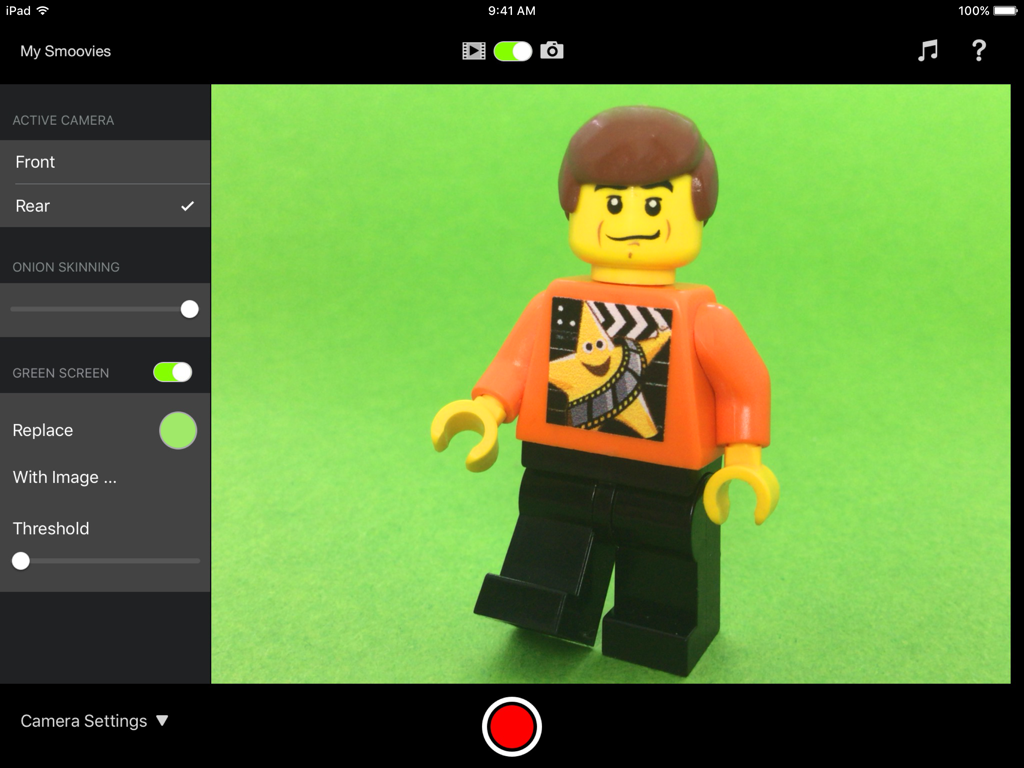
Smoovie Stop Motion - Oberfläche der Smoovie Stop Motion App auf dem iPad mit Anzeige von Greenscreen- und Onion-Skinning-Einstellungen mit einer LEGO-Minifigur
Oberfläche der Smoovie Stop Motion App auf dem iPad mit Anzeige von Greenscreen- und Onion-Skinning-Einstellungen mit einer LEGO-Minifigur

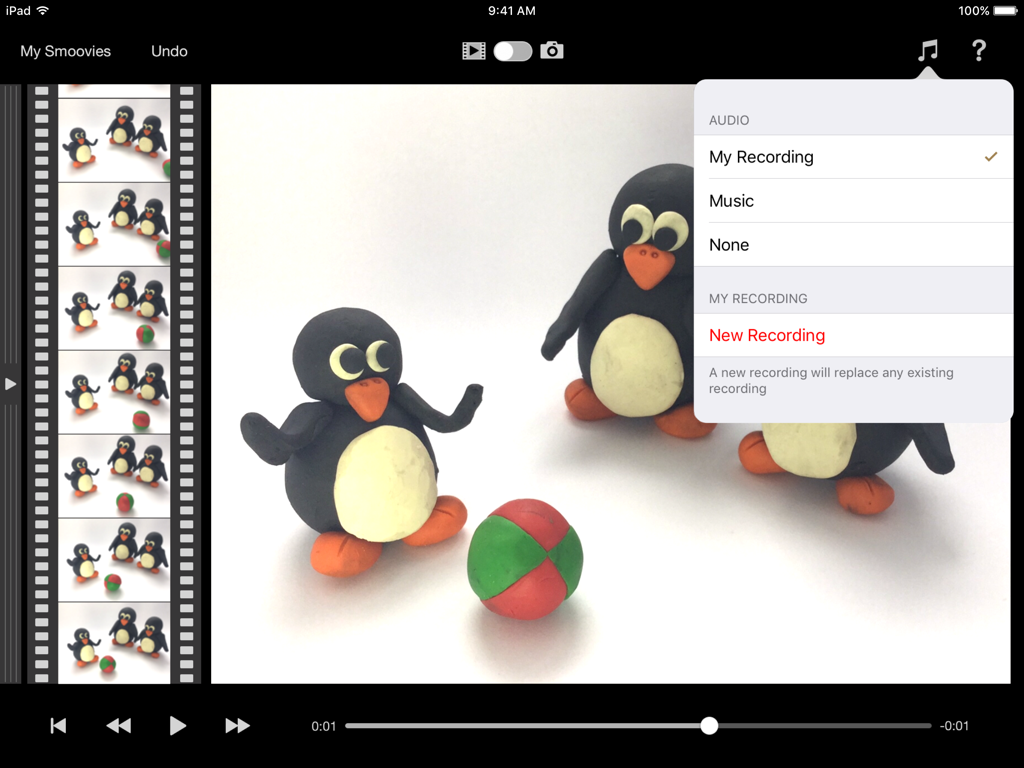
Smoovie Stop Motion - Oberfläche der Smoovie Stop Motion App mit Tonfiguren und Optionen zur Audioaufnahme
Oberfläche der Smoovie Stop Motion App mit Tonfiguren und Optionen zur Audioaufnahme

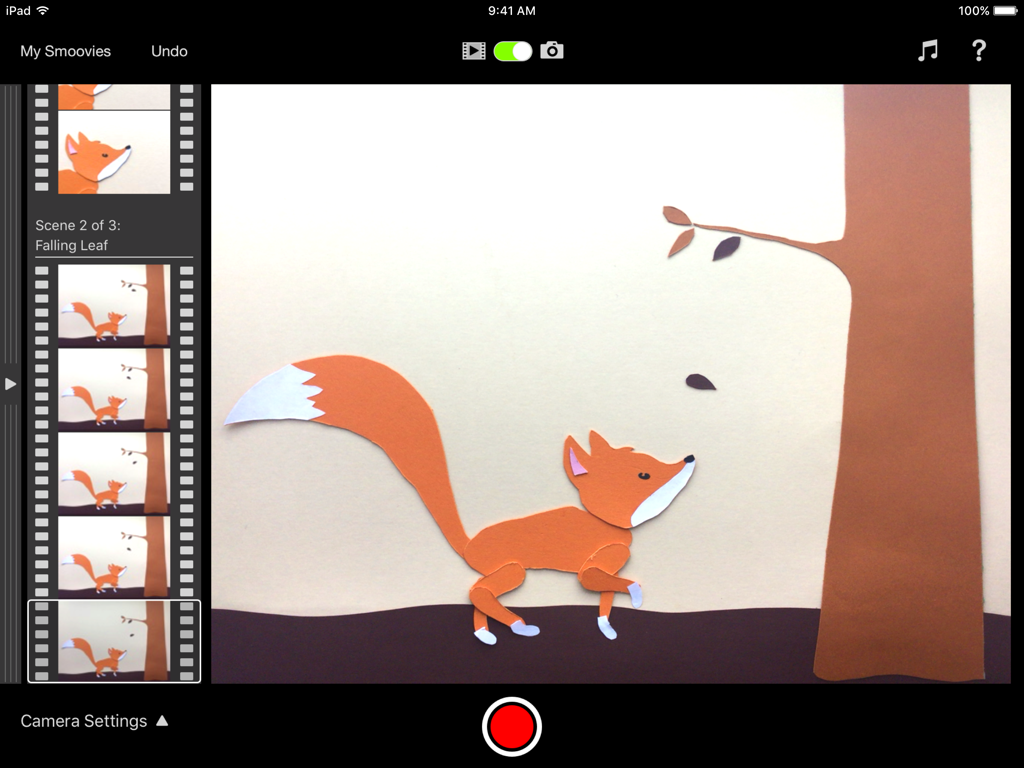
Smoovie Stop Motion - Oberfläche der Smoovie Stop Motion App auf dem iPad mit einer Szenenanzeige einer Papierfiguren-Fuchs-Animation
Oberfläche der Smoovie Stop Motion App auf dem iPad mit einer Szenenanzeige einer Papierfiguren-Fuchs-Animation

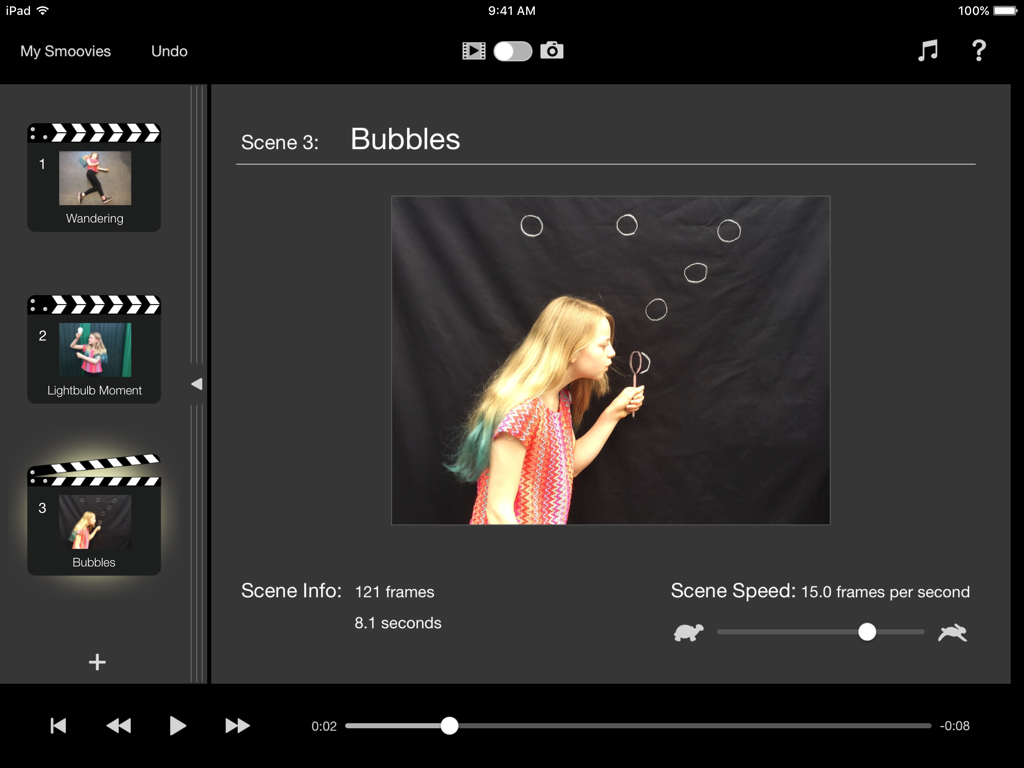
Smoovie Stop Motion - iPad-Oberfläche der Smoovie Stop Motion App mit Szenenbearbeitungs- und Wiedergabeeinstellungen
iPad-Oberfläche der Smoovie Stop Motion App mit Szenenbearbeitungs- und Wiedergabeeinstellungen

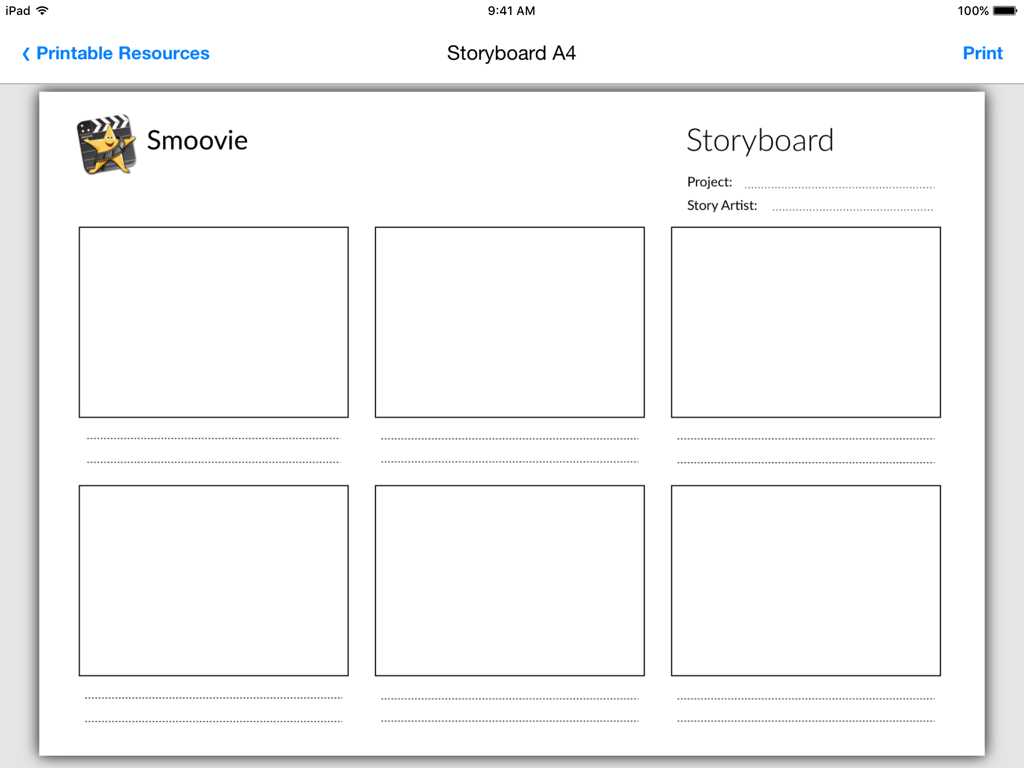
Smoovie Stop Motion - Eine druckbare Storyboard-Vorlage innerhalb der Smoovie App zur Planung von Stop-Motion-Animationsprojekten

Eine druckbare Storyboard-Vorlage innerhalb der Smoovie App zur Planung von Stop-Motion-Animationsprojekten

Beschreibung

"Smoovie will help you to create a lesson that your children will remember, whatever your subject." * FIVE STARS * - Teacher Review, Educational App Store Smoovie is a stop motion animation app with a unique user interface based on scenes and frames, designed to make it easy for kids to tell stories in a fun way. Simple and intuitive to use, it has all the features that pupils need to be as creative as they like without having to struggle with over-complicated software. Green Screen lets them explore the furthest reaches of their imagination and, with audio recording, they can add their very own narration, giving their projects even deeper learning value. Pupils and teachers are our priority, and our in-app teacher resources give easy access to downloadable PDFs, example lesson plans and stop motion animation ideas … everything you need to get your class up and running! "We love the app here in school! One of the most engaging and enjoyable apps out there!" - Elementary school teacher, Ireland KEY FEATURES AND BENEFITS Instant Playback - No rendering means you can instantly play back your work each time you make a change to your project, without having to wait. Green Screen - Set your movie against any background of your choice. You can make your characters fly or walk on the moon. Wherever your imagination takes you! In-app Teacher Resources - Download and print right from inside the app. Storyboard, scene script, character profile, set design and props list templates. Example cross-curriculum lesson plans and stop motion animation techniques all ensure you have enough resources to get your pupils planning their projects and animating in no time. Onion Skinning - Possibly the most important feature of a stop motion animation app. It helps the animator to perfect the tiny adjustments required between frames and create the illusion of smooth motion in the finished movie. The live camera feed is made semi-transparent and superimposed onto the previous frame taken, so it's easy to see where to place your objects for the next shot. Record your own voiceover or import a soundtrack - Pupils can plan and record their own audio right into their project, or browse the iPad’s music library to choose the perfect soundtrack. Scenes - Arranging content into scenes is a fundamental part of the professional film-making process, and Smoovie is the only stop motion app that lets you do this. Each scene has an independently adjustable playback speed (from 1 to 30 frames per second) allowing you to vary the pace and mood of your animation. You can add new scenes, cut unwanted scenes, capture new action into existing scenes and drag scenes around to change the running order - all with full undo support so you're safe to experiment. Frames Filmstrip - With a quick swipe gesture you move from the scene list to the virtual filmstrip which contains all the individual frames of the project, arranged by scene. Another fundamental part of professional film-making is the ability to edit projects right down at individual frame level. Cut, copy and paste frames, drag frames from one scene to another and even copy frames from other Smoovie projects, all with full undo support. Create, copy and paste from other apps - Open up a whole new world of creative possibilities for making content for your animations. Copy and paste content from the Photos app, create titles with Keynote or turn sketches from your favourite drawing app into cartoons. Extend the creativity - Smoovie makes it easy to export your animations to be used as content for other apps. You could write your own soundtrack in GarageBand or add some opening effects in iMovie. Share - Export your animations in HD to AirDrop, the Files and Photos apps or any other destination that accepts movie files. And if you've got Apple TV, you can display your masterpieces on television with AirPlay Mirroring.

Download

Herunterladen auf App Store

Diese Seite ist keine offizielle Seite der App oder ihres Entwicklers, sondern eine unabhängige redaktionelle Veröffentlichung, die zu Informations- und Kommentarzwecken erstellt wurde. Sofern nicht ausdrücklich anders angegeben, sind weder die App noch ihr Entwickler mit MWM, Apple, Google Play, dem App-Herausgeber oder dem Entwickler der App verbunden, von ihnen unterstützt, gesponsert, autorisiert oder anderweitig offiziell verbunden, und nichts auf dieser Seite impliziert, dass die App unter Verwendung der Dienste von MWM entwickelt wurde. Alle Marken, Logos, Screenshots und andere Inhalte bleiben Eigentum ihrer jeweiligen Inhaber.








