Speech Assist Switch

Speech Assist Switch

Herunterladen auf App Store
Logo von Speech Assist Switch

Speech Assist Switch: Stärken Sie Ihre Stimme durch effiziente Switch-Steuerung

Die professionelle AAC-Lösung, die speziell für iPad-Benutzer mit motorischen Schwierigkeiten entwickelt wurde. Kommunizieren Sie mit Unabhängigkeit, indem Sie anpassbare Scan-Muster, personalisierte Phrasenbibliotheken und hochwertige Stimmen verwenden, die auf Ihre individuellen Bedürfnisse zugeschnitten sind.

Herausgeber

Ton Schalke

Kategorie

Medical

Downloads

29K+

Bewertung

1.0/5

Bewertungen gesamt

0

Sprachen

4

Befähigung sichtbar gemacht

Entdecken Sie die Oberfläche, die von 29K+ Nutzern verwendet wird.

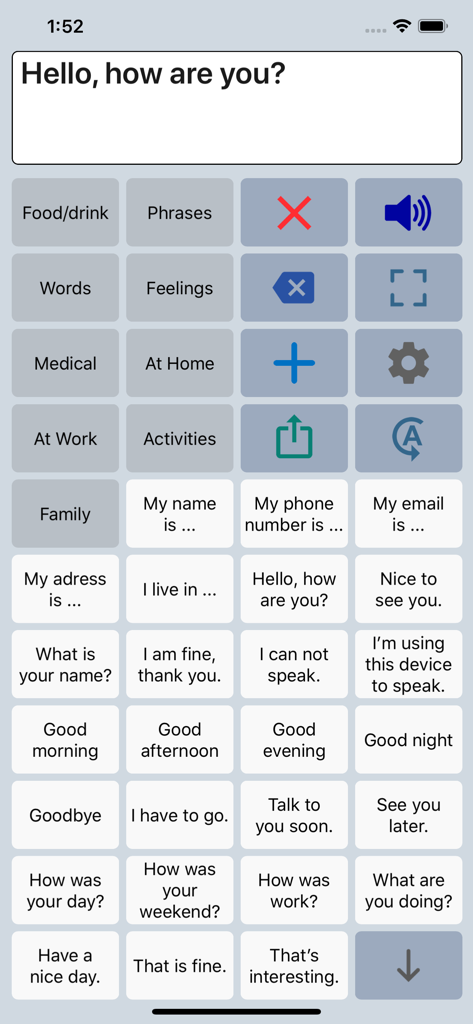
Oberfläche der Speech Assist Switch AAC-App mit einem Raster von anpassbaren Phrasen und Kategorien für Sprachunterstützung.
Oberfläche der Speech Assist Switch AAC-App mit einem Raster von anpassbaren Phrasen und Kategorien für Sprachunterstützung.

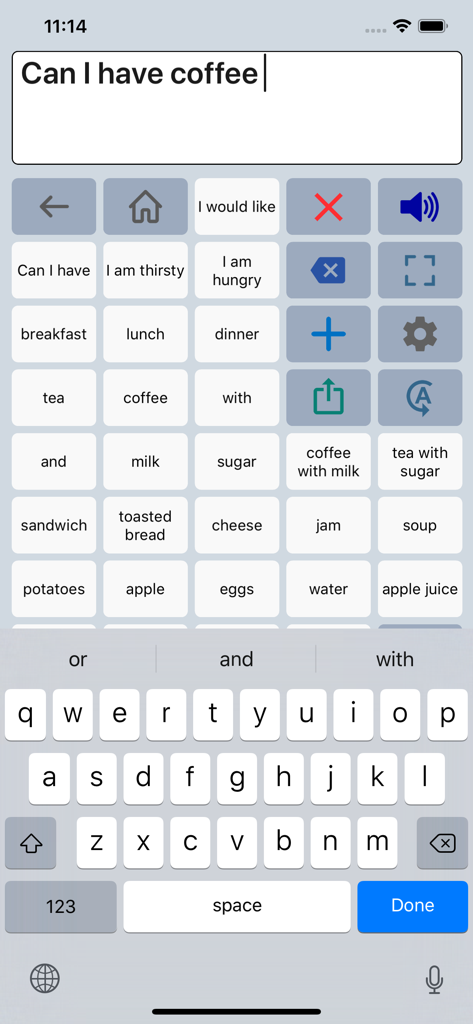
Speech Assist Switch App-Oberfläche, die ein Raster von Phrasen und eine Tastatur für die Kommunikation zeigt
Speech Assist Switch App-Oberfläche, die ein Raster von Phrasen und eine Tastatur für die Kommunikation zeigt

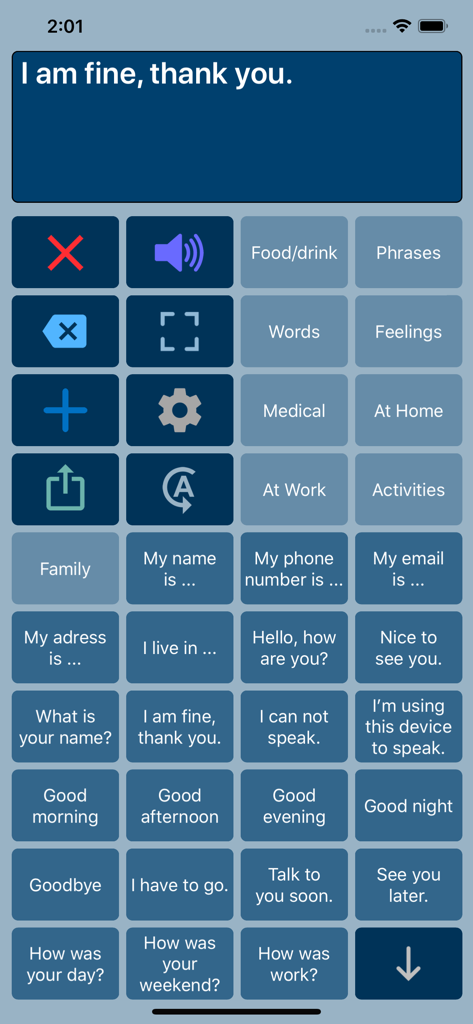
Speech Assist Switch App-Oberfläche, die ein Raster von Kommunikationsschaltflächen mit gebräuchlichen Phrasen und Kategorieoptionen zeigt
Speech Assist Switch App-Oberfläche, die ein Raster von Kommunikationsschaltflächen mit gebräuchlichen Phrasen und Kategorieoptionen zeigt

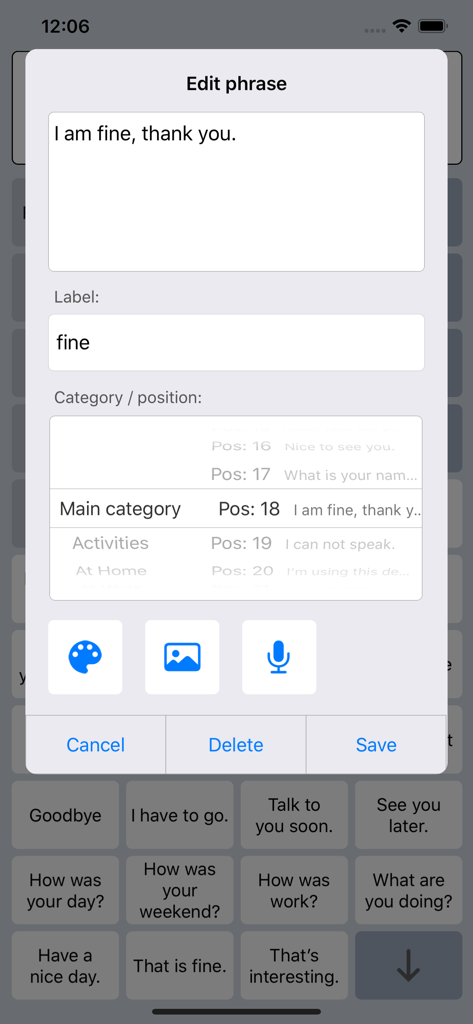
Oberfläche zum Bearbeiten und Anpassen von Phrasen in der Speech Assist Switch App
Oberfläche zum Bearbeiten und Anpassen von Phrasen in der Speech Assist Switch App

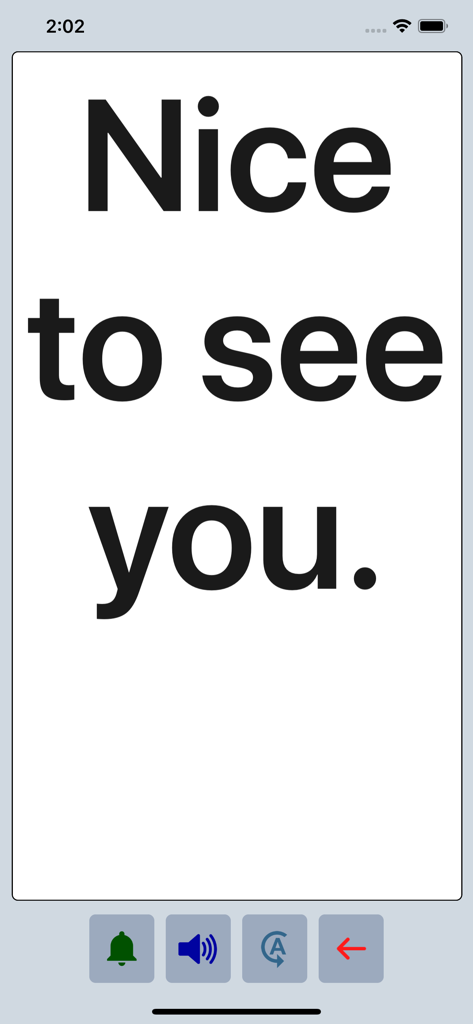
Speech Assist Switch App zeigt die Phrase Nice to see you in großer fetter Schrift im Vollbildmodus an.

Speech Assist Switch App zeigt die Phrase Nice to see you in großer fetter Schrift im Vollbildmodus an.

Jede Stimme mit präziser Barrierefreiheit stärken

Die Tools, die diese App auszeichnen, gewählt von 29K+ Nutzern.

🔘

Optimierte Scan-Effizienz

Reduzieren Sie körperliche Ermüdung durch einstellbare Zeilen- und Tasten gruppierungen, die so konzipiert sind, dass die Anzahl der erforderlichen Switch-Drücke zur Findung der richtigen Wörter minimiert wird.

📄

Scrollfreie Navigation

Erleben Sie flüssige Interaktion durch dedizierte Page-Up- und Page-Down-Tasten, wodurch die Schwierigkeit des Scrollens für Benutzer mit motorischen Beeinträchtigungen entfällt.

🗣️

Eine Stimme, die wirklich Ihnen gehört

Wählen Sie aus über 90 natürlichen iOS-Stimmen und personalisieren Sie Ihre Bibliothek mit benutzerdefinierten Symbolen, Fotos und Kategorien, die auf Ihren Alltag zugeschnitten sind.

Weltweit von Nutzern geliebt

Vertraut von 29K+ Menschen, die diese App lieben.

"

"Als Sprachtherapeut ist es selten, eine AAC-App zu finden, die die iOS-Switch-Steuerung wirklich optimiert. Die Möglichkeit, Scan-Muster anzupassen und Seiten-Navigation anstelle von Scrollen zu verwenden, hat die Kommunikationsmüdigkeit meiner Schüler erheblich reduziert. Es ist ein professionelles Werkzeug, das der Barrierefreiheits-Community einen unglaublichen Mehrwert bietet."

Sarah Miller, M.S., CCC-SLP
"

"Diese App hat mir meine Stimme zurückgegeben. Das Layout ist perfekt für mein Switch-Setup, und ich kann endlich meine Phrasen durchlaufen, ohne die Frustration des Scrollens. Die benutzerdefinierten Symbole und hochwertigen Stimmen lassen es persönlich und natürlich wirken. Es ist leicht das zuverlässigste Kommunikationsmittel, das ich auf meinem iPad habe."

David Jenkins, Benutzer & Behindertenbeauftragter

Über die App

Alles, was Sie über wissen müssen Speech Assist Switch.

Beschreibung

Speech Assist Switch is an AAC app for people who are speech impaired and is designed to be used with iOS Switch Control. With Switch Control people with motor difficulties can operate their iPad with a switch. The app has special features for scanning with iOS Switch Control like the option to adjust the scanning pattern and has page up/down navigation buttons to avoid scrolling. If you don’t need these features, the original app ‘Speech Assistant AAC’ is the better choice. Key features • The app is designed for the iPad. • Easy to use and completely customizable to your needs and preferences. • Categories and subcategories to organize your phrases. • History for quick access to previously typed phrases. • Option to select photos from your Photo Library or Symbols on the buttons. • Option to record speech or use one of the many iOS text-to-speech voices. • Full screen button to show your message with a large font. • iCloud backup and restore (also for recordings). Special features for iOS Switch Control • The scanning pattern can be adjusted in the settings. • All the button are created in one large grid. • The buttons can be made very small, in the settings you can choose from 6 to 12 buttons per row on an iPad. • The category buttons can be placed anywhere and it is possible to create subcategories. • Navigation through the pages can be done with page up/down buttons. • A special optional bar for the keyboard with buttons to move the cursor a letter or word. Scanning pattern • When iOS Switch Control is enabled, the default scanning pattern scans row by row and then button by button. This is not always efficient and therefore the scanning pattern can be adjusted in the settings: • The number of rows that will be grouped during scanning. • The number of buttons in a row that will be grouped during scanning. Categories and phrases • Add, change or delete your own (sub)categories and phrases. • You can create an unlimited number of categories to organize your phrases for quick access. • Create users with their own categories, phrases and voice for different languages, persons or situations. • In the settings you can quickly and easily edit multiple phrases at once. • Backup and Restore your categories and phrases to iCloud, also convenient for transferring them to another iPhone/iPad. Fully Customizable • The size of the buttons, the textbox and the text can be adjusted. • The app has various color schemes and you can also create a personal color scheme. • Change the colors of the icons on the buttons. Full screen • Show your message full screen with a very large font. • Useful for communicating in a noisy environment. • Button to rotate the text to show your message to the person opposite of you. Speech • Pronunciation corrections can be defined in the settings. • The rate and pitch of the speech can be adjusted. • Option to speak each Word or Character directly while typing. • Optional highlighting of the spoken words. • Pause and resume speaking by tapping the speak button (optional setting). Other features • Connect a bluetooth keyboard and create shortcuts for the functions Speak, Clear, Show and Attention Sound. • Button to share your message to mail, text and social media. • Attention sound button on Main and Full screen. • Option to select symbols from the set of 3400 Mulberry Symbols (mulberrysymbols.org) to place on the buttons. About the app • This app is developed by ASoft. • Ben Fullerton, who has Cerebral Palsy, has been a great help with the special features for iOS Switch Control. • For feedback or questions, please contact: speechassistant@asoft.nl Voices • The voice can be selected in the settings of the app. • The app uses the built-in iOS text-to-speech voices. • There are 90 voices in 27 languages available, for instance 9 English US, 6 English UK and 4 Australian voices available.

Neueste Version

3.5.2

Größe

67.7 MB

Erstveröffentlichung

3. Mai 2019

Geben Sie Ihrer Stimme die Freiheit, die sie verdient

Schließen Sie sich Tausenden von Benutzern an, die ihre Unabhängigkeit mit der spezialisierten AAC-Lösung wiedererlangen, die gemeinsam für Effizienz und nahtlose iOS-Switch-Steuerung entwickelt wurde. Laden Sie Speech Assist Switch noch heute auf Ihr iPad herunter.

Herunterladen auf App Store