Starry sky Camera
Starry sky Camera
Herunterladen auf App Store

Diese Seite ist keine offizielle Seite der App oder ihres Entwicklers, sondern eine unabhängige redaktionelle Veröffentlichung, die zu Informations- und Kommentarzwecken erstellt wurde. Sofern nicht ausdrücklich anders angegeben, sind weder die App noch ihr Entwickler mit MWM, Apple, Google Play, dem App-Herausgeber oder dem Entwickler der App verbunden, von ihnen unterstützt, gesponsert, autorisiert oder anderweitig offiziell verbunden, und nichts auf dieser Seite impliziert, dass die App unter Verwendung der Dienste von MWM entwickelt wurde. Alle Marken, Logos, Screenshots und andere Inhalte bleiben Eigentum ihrer jeweiligen Inhaber.

Logo von Starry sky Camera
Herunterladen auf App Store

Starry sky Camera

Schöpfen Sie das volle Potenzial Ihres iPhones mit fortschrittlichem Bild-Stacking und professionellen manuellen Bedienelementen aus. Entwickelt für den geduldigen Schöpfer, der atemberaubende 4K-Langzeitbelichtungen und die wahre Brillanz der Milchstraße einfangen möchte.

Kennzahlen

Downloads

23K+

Bewertung

2.3/5

Bewertungen gesamt

100

Herausgeber

HIROFUMI MARUO

Kategorie

Photo & Video

Sprachen

2

Neueste Version

6.2

Größe

23.5 MB

Erstveröffentlichung

22. Mai 2014
Funktionen

Erfassen Sie den Kosmos mit professioneller Präzision

Verwandeln Sie Ihr iPhone mit fortschrittlichen Stacking-Algorithmen und vollständigen manuellen Bedienelementen, die für den dunklen Himmel entwickelt wurden, in ein leistungsstarkes Astrofotografie-Werkzeug.

Intelligentes Sternen-Stacking

Wählen Sie aus drei spezialisierten Kompositionsmodi, um Helligkeit und Klarheit zu maximieren und gleichzeitig digitales Rauschen bei Langzeitbelichtungen zu eliminieren.

Professionelle manuelle Bedienelemente

Übernehmen Sie die volle Kontrolle über Ihren Sensor mit granularen Einstellungen für ISO, Verschlusszeit, manuellen Fokus und Kelvin-Farbtemperatur.

Die folgenden Screenshots und die Beschreibung stammen direkt aus dem offiziellen Store-Eintrag der App und sind Eigentum des Entwicklers.

App Store

Screenshots
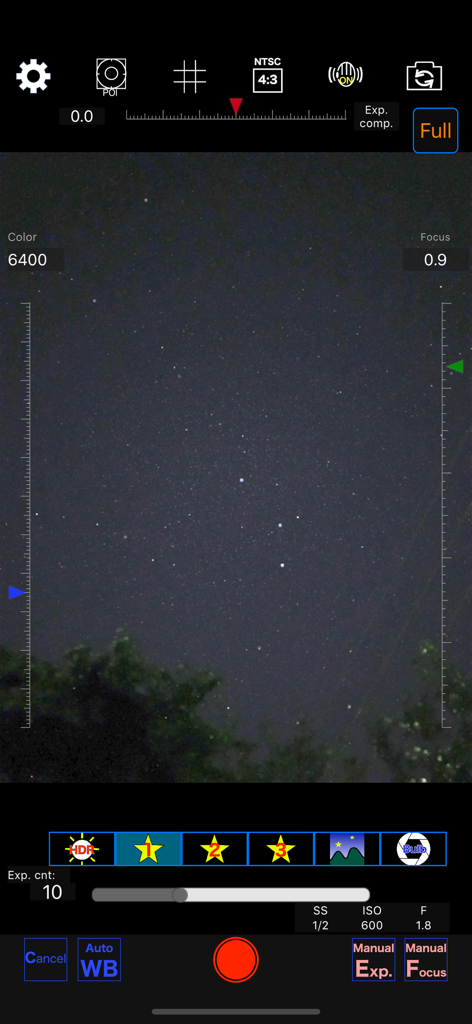
Starry sky Camera - Oberfläche der Sternenhimmel Kamera App mit manuellen Einstellungen für Nachtfotografie
Oberfläche der Sternenhimmel Kamera App mit manuellen Einstellungen für Nachtfotografie

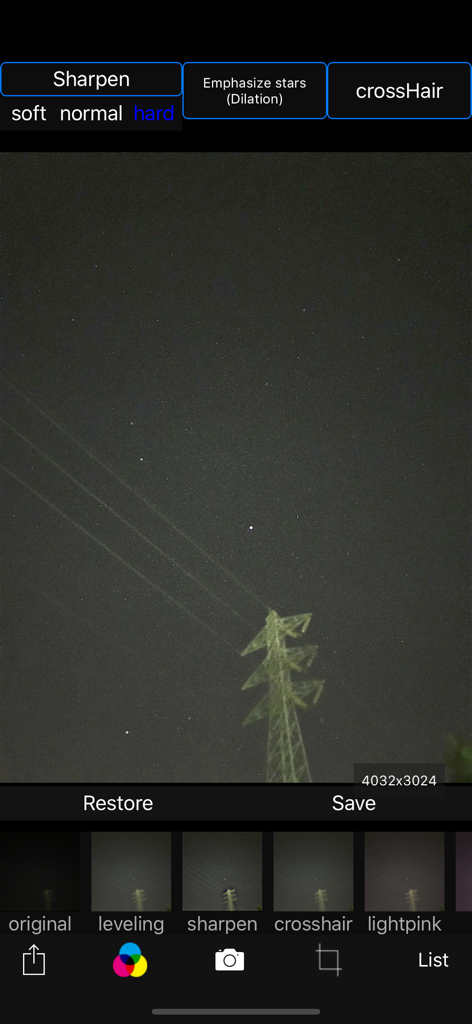
Starry sky Camera - Oberfläche der Sternenhimmel Kamera App für die Bearbeitung von Nachthimmelfotos mit Sternen-Schärfungsfiltern
Oberfläche der Sternenhimmel Kamera App für die Bearbeitung von Nachthimmelfotos mit Sternen-Schärfungsfiltern

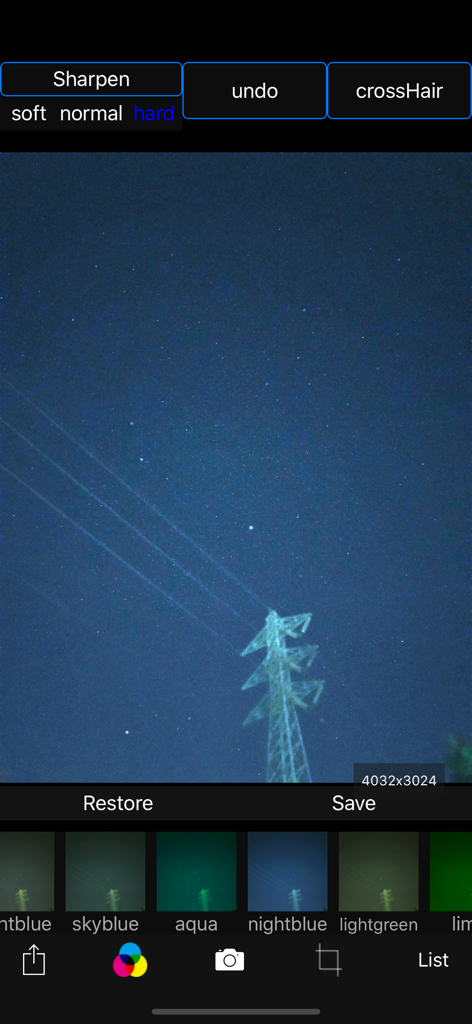
Starry sky Camera - Oberfläche der Sternenhimmel Kamera App, die ein Nachthimmelfoto mit verschiedenen Farbfiltern und Schärfungsoptionen zeigt
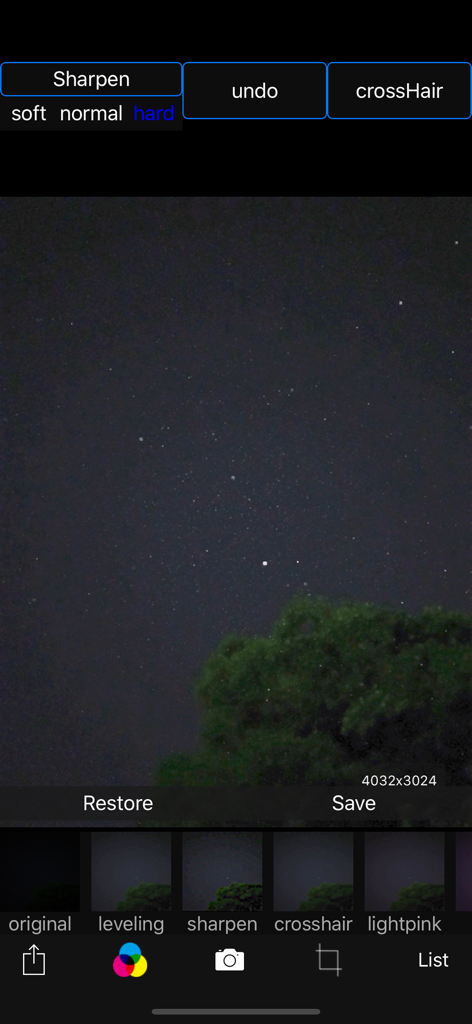
Oberfläche der Sternenhimmel Kamera App, die ein Nachthimmelfoto mit verschiedenen Farbfiltern und Schärfungsoptionen zeigt

Starry sky Camera - Bearbeitungsoberfläche der Sternenhimmel Kamera App mit einem Nachthimmelfoto und Filteroptionen
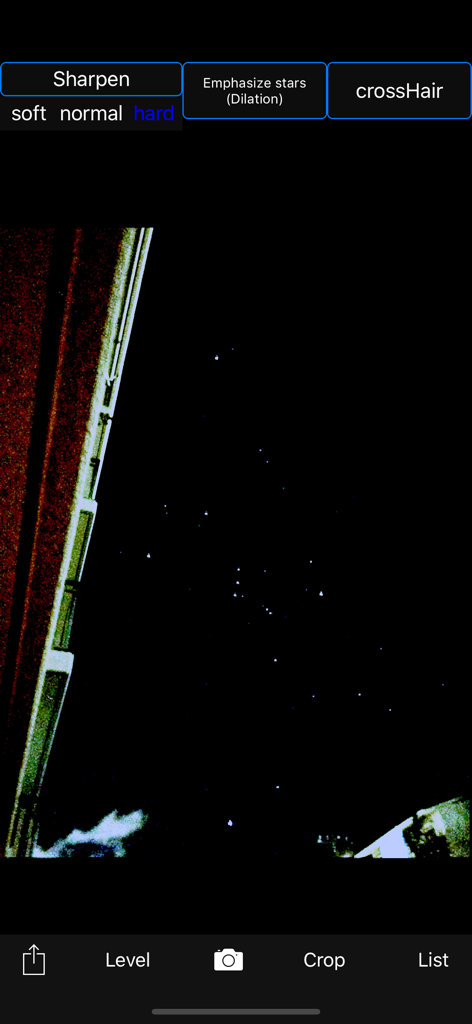
Bearbeitungsoberfläche der Sternenhimmel Kamera App mit einem Nachthimmelfoto und Filteroptionen

Starry sky Camera - Sternenhimmel Kamera App bearbeitet ein Nachthimmelfoto mit Sternen-Schärfungs-Tools
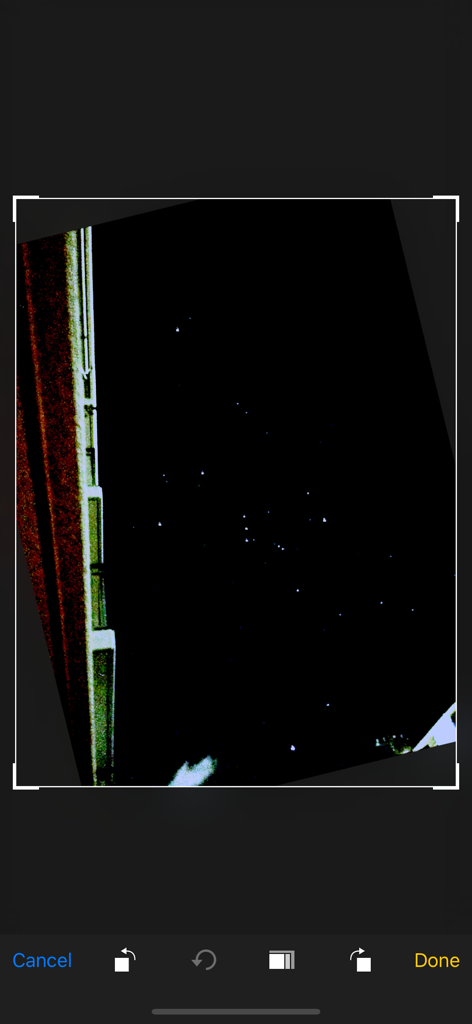
Sternenhimmel Kamera App bearbeitet ein Nachthimmelfoto mit Sternen-Schärfungs-Tools

Starry sky Camera - Screenshot eines Nachthimmelfotos, das in der Oberfläche der Sternenhimmel Kamera App bearbeitet wird
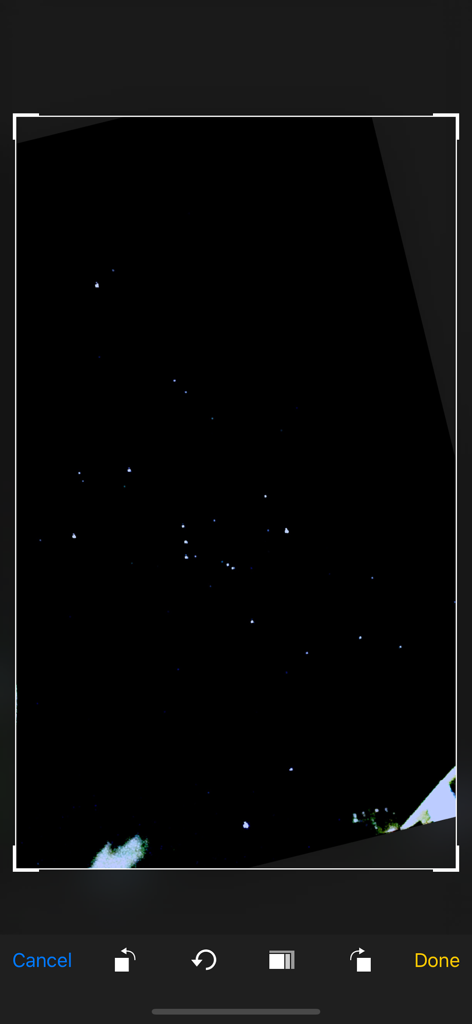
Screenshot eines Nachthimmelfotos, das in der Oberfläche der Sternenhimmel Kamera App bearbeitet wird

Starry sky Camera - Ein mobiler App-Bildschirm, der ein Sternennachtfoto zeigt, das zugeschnitten und bearbeitet wird.

Ein mobiler App-Bildschirm, der ein Sternennachtfoto zeigt, das zugeschnitten und bearbeitet wird.
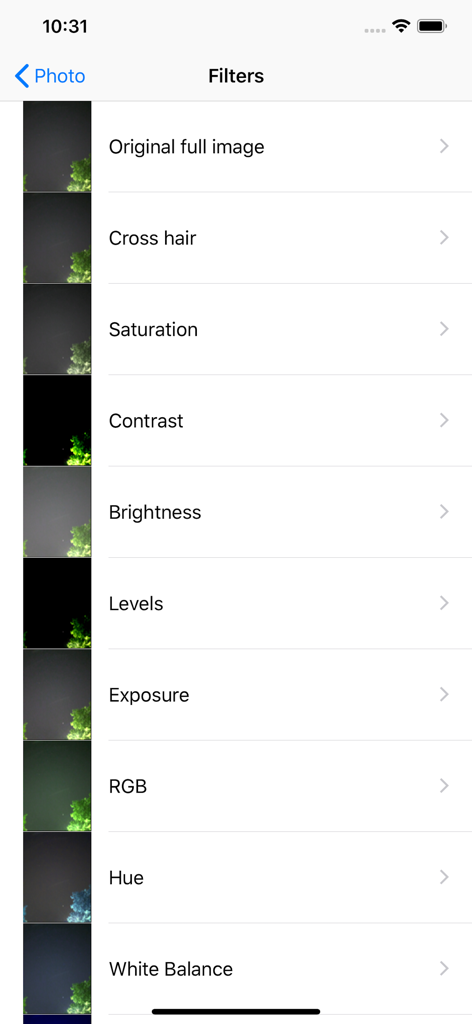
Starry sky Camera - Liste der Fotobearbeitungsfilter in der Sternenhimmel Kamera App mit Optionen wie Sättigung, Kontrast und Helligkeit

Liste der Fotobearbeitungsfilter in der Sternenhimmel Kamera App mit Optionen wie Sättigung, Kontrast und Helligkeit

Beschreibung

This camera app is able to take pictures of a real starry sky. You can take stars of the first magnitude and stars of the second magnitude or less in good condition. You can also get the pictures processed through dozens or more kinds of image processing filter. To take pictures of the starry sky, you have only to (1)set your iPhone camera toward a starry sky on a tripod, (2)tap the star icon (star1, star2 or star3), (Star1 is recommended.) (3)release the shutter, and just wait a minute or so. For Star 1, select the brightest pixel for each pixel in the continuous shooting image to highlight the brightness of the stars in the dark night sky. Star 2 raises the tone of brightness according to the number of continuous shots and shoots brightly. Star 3 adds brightness to each pixel of the continuous shooting image and shoots very brightly. Even with the same number of exposures, the images are brightly combined in the low to high order of star 1, star 2, star 3. However, please note that the brightness of Star 3 tends to be saturated. If the picture you took is dark, try increasing the number of exposures or setting the exposure compensation to a positive value. On the other hand, if the picture you took is too bright, try reducing the number of exposures or setting the exposure compensation to negative. Also, if you set the number of exposures to 1, you can use it as a camera app similar to a normal camera app. The main features of this app are as follows. [Initial setting] (1) Camera position / library selection (setting screen) You can select the front camera and the rear camera. Also, if you select the library, you can import photos from the camera roll. (2) Selection of resolution You can select 4K (2K) and the highest resolution. (3) Shooting scene settings The following scenes (functions) can be set. Daytime (HDR), Starry sky 1 (comparative bright composition), Starry sky 2 (screen composition), Starry sky 3 (additional composition), Night view Valve (superimposed) (4) Color temperature setting When white balance is set to manual, 1000 K to 12000 K can be selected as the color temperature. If it is set to auto, the automatic setting value will be used. (5) Focus setting If the focus is set to manual, you can set the focus at any distance within the range of device performance. If set to auto, it will be the automatic setting value. (6) Exposure compensation settings It can be set within the range of device performance. (7) Camera shake correction function The camera shake correction function is useful for minute camera shake. Also, even if the star moves during shooting due to diurnal movement, the deviation is corrected and combined. (8) HDR (high dynamic range) function You can take multiple pictures with automatically changed exposure and combine them to take a picture with a pseudo-widened dynamic range. (9) Manual exposure setting function The shutter speed and ISO value can be manually set to any value within the range of device performance. [Camera function] Camera work is possible according to the contents set in the initial settings. You can also pinch in and out for digital zoom. The shutter also has a 2-second or 10-second timer to avoid camera shake when tapping. These can be selected by pressing and holding the shutter icon. [List display function] Photos taken with this app are stored in this app at the same time as they are stored in the camera roll, and can be displayed in a list with shooting date and time information on the list display screen. You can delete the tapped image by tapping Select, selecting the image, and tapping the trash can icon. [Image processing function] Tap the displayed image to display the filter list for image processing. There are about 70 types of filters such as brightness adjustment, contrast, blur, sharpening, sepia, monochrome, edge detection, sketch, etc.

Download

Herunterladen auf App Store

Diese Seite ist keine offizielle Seite der App oder ihres Entwicklers, sondern eine unabhängige redaktionelle Veröffentlichung, die zu Informations- und Kommentarzwecken erstellt wurde. Sofern nicht ausdrücklich anders angegeben, sind weder die App noch ihr Entwickler mit MWM, Apple, Google Play, dem App-Herausgeber oder dem Entwickler der App verbunden, von ihnen unterstützt, gesponsert, autorisiert oder anderweitig offiziell verbunden, und nichts auf dieser Seite impliziert, dass die App unter Verwendung der Dienste von MWM entwickelt wurde. Alle Marken, Logos, Screenshots und andere Inhalte bleiben Eigentum ihrer jeweiligen Inhaber.








