
Diese Seite ist keine offizielle Seite der App oder ihres Entwicklers, sondern eine unabhängige redaktionelle Veröffentlichung, die zu Informations- und Kommentarzwecken erstellt wurde. Sofern nicht ausdrücklich anders angegeben, sind weder die App noch ihr Entwickler mit MWM, Apple, Google Play, dem App-Herausgeber oder dem Entwickler der App verbunden, von ihnen unterstützt, gesponsert, autorisiert oder anderweitig offiziell verbunden, und nichts auf dieser Seite impliziert, dass die App unter Verwendung der Dienste von MWM entwickelt wurde. Alle Marken, Logos, Screenshots und andere Inhalte bleiben Eigentum ihrer jeweiligen Inhaber.


Timestamp Camera - Time & GPS
Die App erweist sich als digitales Alibi. Sie liefert nicht nur Bilder, sondern unbestreitbare Beweise – perfekt für jeden, der seine Aufnahmen unanfechtbar machen will. MWMs Kreation konzentriert sich auf die Entwertung von Manipulation.
Downloads
100k+Bewertung
Bewertungen gesamt
2.1KHerausgeber
Kategorie
Photo & VideoSprachen
1Neueste Version
2.0.3Größe
132.5 MBErstveröffentlichung
16. Jan. 2025Dieses Tool wird für seine präzisen Dokumentationsmöglichkeiten und professionellen Exportoptionen bewertet, die es zu einem unverzichtbaren Helfer für Fachleute machen.
Analyse der Kernfunktionen von Timestamp Camera - Time & GPS
Geolocation-Tags & GPS-Daten
Die App bettet automatisch genaue GPS-Koordinaten, Adressen oder Karten-Overlays in Bilder und Videos ein, was die Verifizierung des Aufnahmeortes stark verbessert und für Feldarbeiter sowie Reisende unerlässlich ist.
Automatische Zeit- und Datumsstempel
Es ermöglicht Nutzern, präzise Zeit- und Datumsstempel automatisch in Fotos und Videos einzubetten. Dies ist entscheidend für die Authentifizierung und dient der revisionssicheren Dokumentation in zahlreichen Berufsfeldern.
Exportfunktion für professionelle Berichte
Dieses Tool ermöglicht den direkten Export von Inspektions- und Baustellenfotos sowie Arbeitsnachweisen in professionelle PDF-Berichte oder Excel-Tabellen, was die Nachvollziehbarkeit und Berichterstattung erheblich vereinfacht.
Anpassbare Wasserzeichen
Die App bietet die Möglichkeit, Fotos und Videos mit benutzerdefinierten Texten, Logos oder Grafiken als Wasserzeichen zu versehen. Dies schützt den Inhalt und stärkt die Markenpräsenz von Unternehmen und Social-Media-Erstellern.
Vielfältige Wasserzeichen-Stile
Es verfügt über eine Auswahl an Wasserzeichen-Vorlagen, die Zeit- und Standortstempel umfassen und an den individuellen Stil und das Thema des Inhalts angepasst werden können.
Hochauflösende Aufnahmen
Die App ermöglicht die Aufnahme von Fotos und Videos in hoher Auflösung und voller Klarheit, was für detaillierte professionelle Dokumentationen und Präsentationen von großer Bedeutung ist.
Dynamische Wasserzeichenpositionierung
Dieses Tool bietet die Möglichkeit, die Platzierung von Wasserzeichen auf Fotos oder Videos in Echtzeit anzupassen. Dadurch wird sichergestellt, dass wichtige Elemente der Aufnahme nicht verdeckt werden.
Benutzerfreundliche Oberfläche
Die App zeichnet sich durch eine intuitive und übersichtliche Benutzeroberfläche aus, die eine einfache Navigation und mühelose Anpassung der Kameraeinstellungen für optimale Aufnahmen ermöglicht.
Häufig gestellte Fragen
Alles, was Sie über wissen müssen Timestamp Camera - Time & GPS
How do I add timestamps to my photos and videos using Timestamp Camera GPS Map Camera?
Yes, Timestamp Camera GPS Map Camera automatically adds precise timestamps or date stamps to your photos and videos. You can customize their styles, formats, and placements within the app.
Can Timestamp Camera GPS Map Camera add custom watermarks to my content?
Yes, Timestamp Camera GPS Map Camera allows adding custom text, logos, or graphics as watermarks to photos and videos. Users adjust the size, position, opacity, and style to protect and brand content.
Does Timestamp Camera GPS Map Camera provide geolocation tags for photos and videos?
Yes, Timestamp Camera GPS Map Camera automatically tags photos and videos with accurate GPS coordinates, addresses, or map overlays. This captures precise location data for contextualization.
Are there different watermark templates available in Timestamp Camera GPS Map Camera?
Yes, Timestamp Camera GPS Map Camera offers multiple customizable watermark templates, including various timestamp and location stamp styles. Users personalize each to match their content's theme.
Can I adjust the position of watermarks dynamically in Timestamp Camera GPS Map Camera?
Yes, Timestamp Camera GPS Map Camera provides dynamic watermark positioning. Users adjust watermark placement on photos or videos in real-time, preventing obstruction of important elements.
Does Timestamp Camera GPS Map Camera offer photo and video filters?
Yes, Timestamp Camera GPS Map Camera includes a wide selection of professional filters and effects. Users enhance photos and videos to achieve various aesthetic looks.
How do I upgrade to Timestamp Camera Pro for more features?
Users unlock Timestamp Camera Pro by subscribing within the app. Subscriptions offer advanced customization, higher resolution support, and professional tools, managed via your App Store account.
What privacy protections does Timestamp Camera GPS Map Camera offer?
Timestamp Camera GPS Map Camera outlines its privacy practices in its Privacy Policy. Users access the full policy document via the provided link in the app description.
Can Timestamp Camera GPS Map Camera add custom notes or logos to my images?
Yes, Timestamp Camera GPS Map Camera allows users to add custom notes and logos. This includes toggles for location, coordinates, altitude, and custom content within the editing interface.
Can I use Timestamp Camera GPS Map Camera for business branding?
Yes, Timestamp Camera GPS Map Camera supports business and branding needs. Users protect and promote their brand by overlaying custom watermarks with logos or text onto images and videos.
Die folgenden Screenshots und die Beschreibung stammen direkt aus dem offiziellen Store-Eintrag der App und sind Eigentum des Entwicklers.
App Store
Screenshots
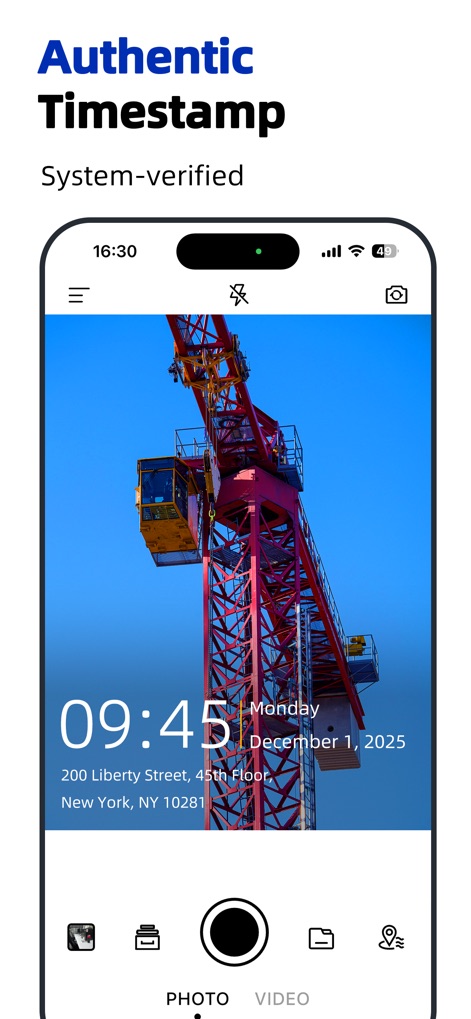
Dieser Screenshot demonstriert die Integration von präzisen Zeit- und Datumsangaben sowie die genaue Adressanzeige auf dem Foto.
Authentischer Zeitstempel
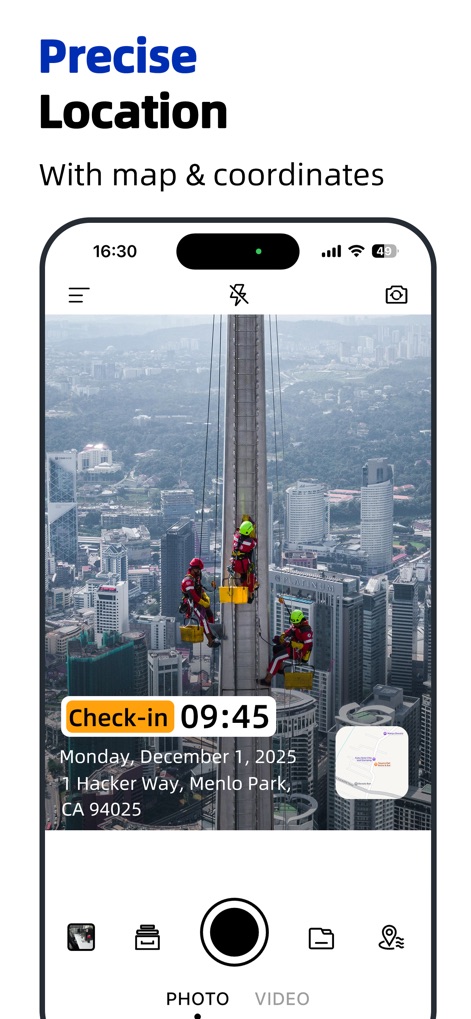
Nutzer können hier eine „Check-in“ Zeitangabe und eine vollständige Adressinformation sehen, ergänzt durch eine kleine Kartenansicht zur visuellen Bestätigung.
Präzise Standortdaten
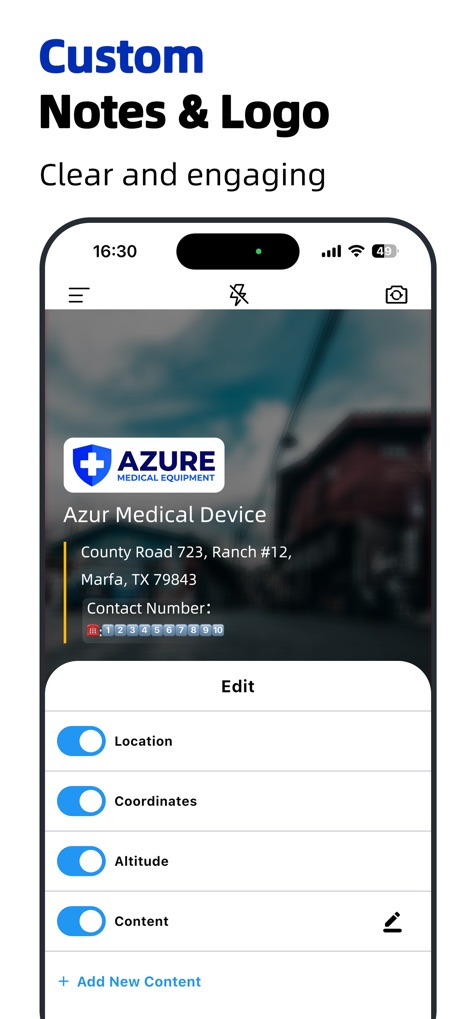
Das Bild zeigt die Möglichkeit, ein individuelles Logo und anpassbare Textfelder für detaillierte Informationen wie Standort und Kontaktdaten hinzuzufügen.
Eigene Notizen & Logos

Hier werden verschiedene Wasserzeichen-Vorlagen präsentiert, darunter Optionen für die Kombination von Uhrzeit und Ort sowie spezielle „Clock in/out“-Layouts.
Vielfältige Vorlagen
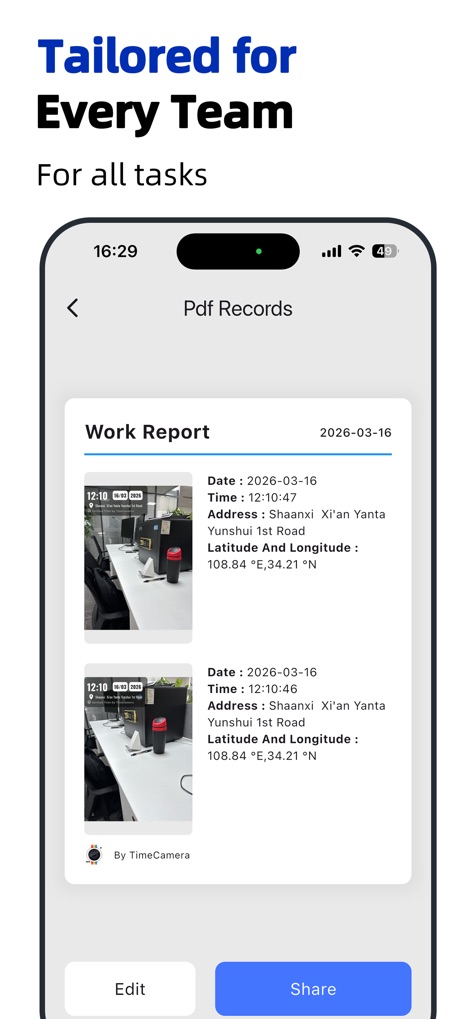
Dieser Screenshot stellt einen Arbeitsbericht im PDF-Format dar, der Fotos mit zugehörigen Zeitstempeln und GPS-Koordinaten übersichtlich dokumentiert.
Bericht-Generierung
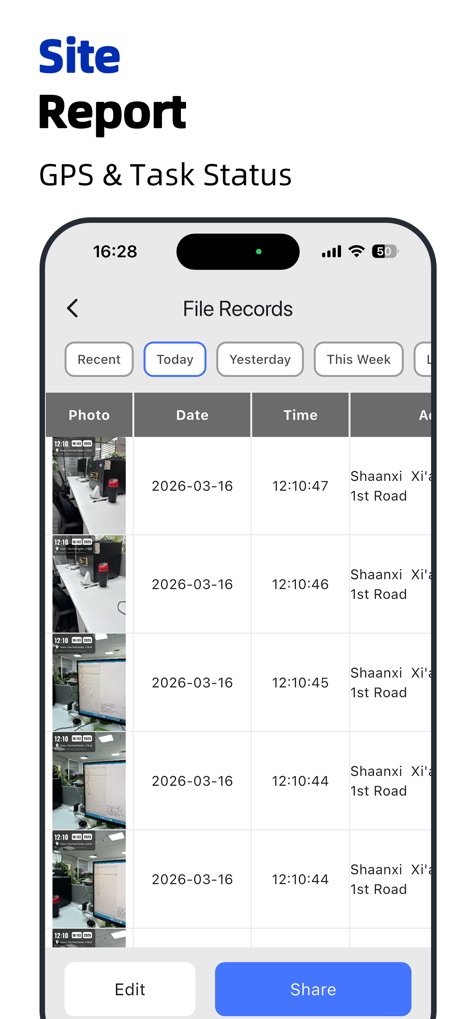
Die App bietet eine tabellarische Ansicht von Dateidatensätzen, die Fotos mit ihren jeweiligen Datum- und Zeitinformationen klar anzeigt.
Übersichtliche Dateiverwaltung
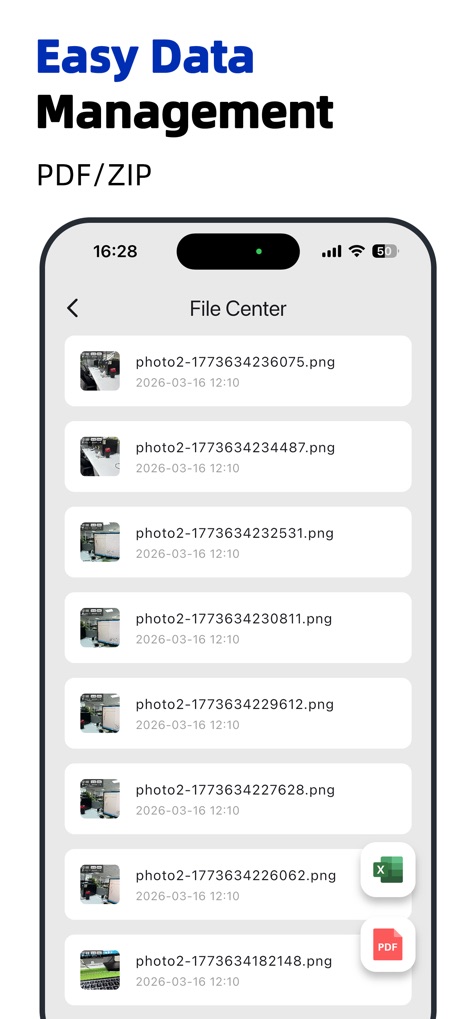
Der Screenshot veranschaulicht das Dateicenter, in dem Bilder organisiert sind und Exportoptionen für PDF- und Excel-Dateien zur Verfügung stehen.
Einfache Datenverwaltung
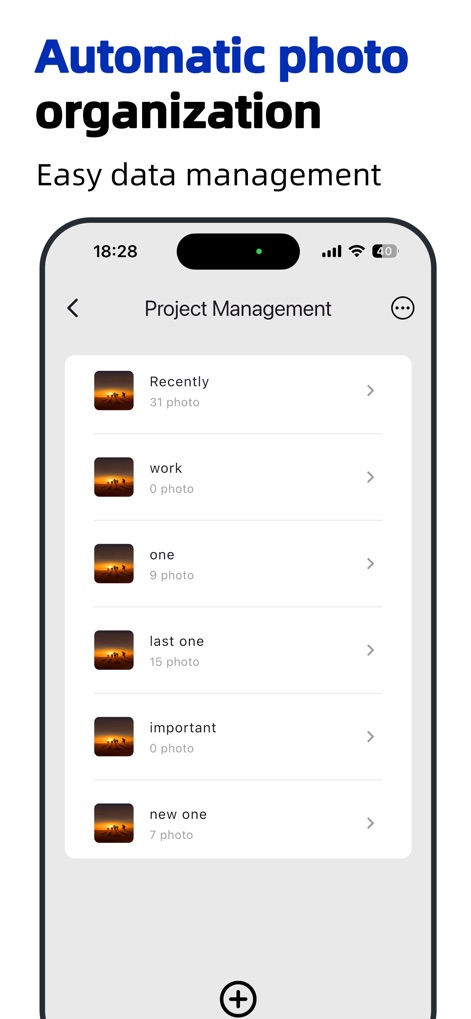
Dieses Bild zeigt die Projektmanagement-Funktion, die eine ordentliche Gliederung in verschiedene Ordnerkategorien und die Anzeige der Fotoanzahl ermöglicht.
Automatische Fotoorganisation
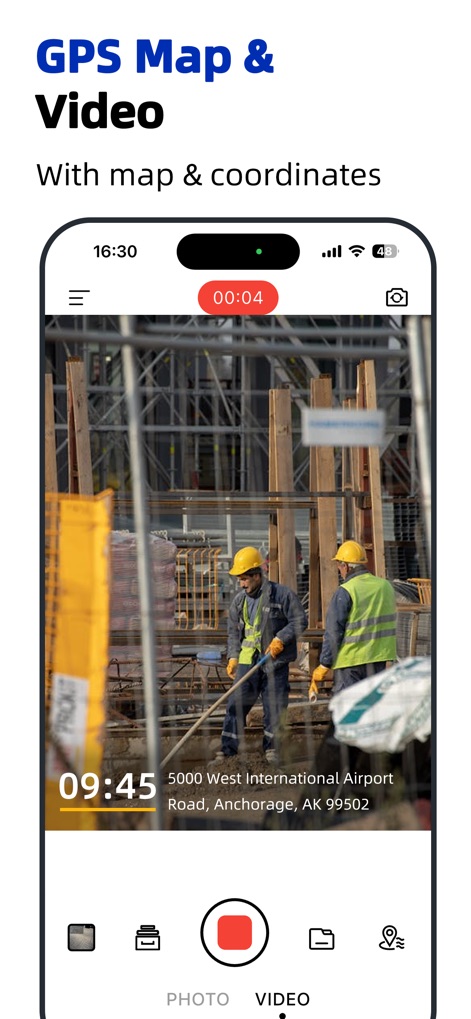
Hier wird die Videoaufnahmefunktion illustriert, bei der präzise GPS-Standortdaten und eine Kartenansicht direkt in das Videobild eingebettet werden.
GPS-Karte im Video
Beschreibung
Download
Ähnliche Apps
Apps mit ähnlichen Funktionen und Nutzererfahrung

Timestamp Camera -AI Timestamp
Shanghai Zongchong Information Technology Co., Ltd

Timestamp Camera - Date Stamp
Artify Inc.

Timestamp Camera: Time & GPS
Practical Apps from Sweden AB

Timestamp camera - gps cam
Guangzhou Siyue Network Technology Co., Ltd.

DateStamper
Jordan Hipwell

Timestamp Camera Basic
玉彬 陈

GPS Map Camera : Geo Photos
Chirag Gabani

Timestamp Camera: Time stamp
燕倩 费

Timestamp Camera - Aio GPS Cam
周萍 黄
Diese Seite ist keine offizielle Seite der App oder ihres Entwicklers, sondern eine unabhängige redaktionelle Veröffentlichung, die zu Informations- und Kommentarzwecken erstellt wurde. Sofern nicht ausdrücklich anders angegeben, sind weder die App noch ihr Entwickler mit MWM, Apple, Google Play, dem App-Herausgeber oder dem Entwickler der App verbunden, von ihnen unterstützt, gesponsert, autorisiert oder anderweitig offiziell verbunden, und nichts auf dieser Seite impliziert, dass die App unter Verwendung der Dienste von MWM entwickelt wurde. Alle Marken, Logos, Screenshots und andere Inhalte bleiben Eigentum ihrer jeweiligen Inhaber.