
Diese Seite ist keine offizielle Seite der App oder ihres Entwicklers, sondern eine unabhängige redaktionelle Veröffentlichung, die zu Informations- und Kommentarzwecken erstellt wurde. Sofern nicht ausdrücklich anders angegeben, sind weder die App noch ihr Entwickler mit MWM, Apple, Google Play, dem App-Herausgeber oder dem Entwickler der App verbunden, von ihnen unterstützt, gesponsert, autorisiert oder anderweitig offiziell verbunden, und nichts auf dieser Seite impliziert, dass die App unter Verwendung der Dienste von MWM entwickelt wurde. Alle Marken, Logos, Screenshots und andere Inhalte bleiben Eigentum ihrer jeweiligen Inhaber.

ToonSquid
Kombiniere den Charme handgezeichneter Animationen mit leistungsstarkem Keyframing und Bone-Rigging. Von Frame-by-Frame-Skizzen bis hin zu komplexen Charakter-Rigs – erwecke deine Vision in 4K zum Leben mit einem Desktop-Workflow, der für iPad-Künstler entwickelt wurde.
Downloads
265K+Bewertung
Bewertungen gesamt
1K+Herausgeber
Kategorie
Graphics & DesignSprachen
2Neueste Version
2.0.17Größe
46.3 MBErstveröffentlichung
1. Aug. 2022Das Desktop-Studio für dein iPad
Höre auf, deinen mobilen Workflow zu kompromittieren. ToonSquid liefert High-End-Animationsfunktionen wie Rigging und Keyframing in einer leistungsstarken, abonnementfreien Umgebung.
Frame-by-Frame trifft Keyframes
Das Beste aus beiden Welten: Zeichne deine Animationen von Hand oder verwende professionelle Easing-Kurven, um Bewegung und Ebeneneigenschaften sofort zu automatisieren.
Fortschrittliches Rigging & Bones
Erwecke Charaktere mit inverser Kinematik zum Leben. Erstelle ausgeklügelte Rigs, die sich natürlich bewegen, ohne jeden einzelnen Frame neu zeichnen zu müssen.
Häufig gestellte Fragen
Alles, was Sie über wissen müssen ToonSquid
Was ist ToonSquid?
ToonSquid ist ein leistungsstarkes 2D-Kunst- und Animationsstudio für das iPad. Es kombiniert handgezeichnete traditionelle Animation mit Keyframes, einem flexiblen Ebenensystem und einer breiten Palette an anpassbaren künstlerischen Werkzeugen, um Visionen zum Leben zu erwecken.
Unterstützt ToonSquid traditionelle Frame-by-Frame-Animationen?
Ja, ToonSquid unterstützt traditionelle, handgezeichnete Frame-by-Frame-Animationen. Benutzer können einzelne Zeichnungen erstellen und deren Anzeigedauer innerhalb der Zeitleiste für präzise Animationssequenzen steuern.
Können Benutzer Ebeneneigenschaften in ToonSquid mit Keyframes animieren?
Ja, ToonSquid ermöglicht es Benutzern, Ebenen- und Effekteigenschaften im Laufe der Zeit mit Keyframes zu animieren. Es bietet eine umfangreiche Liste anpassbarer Easing-Kurven-Voreinstellungen, um flüssige und organische Bewegungen zwischen Keyframes zu erzeugen.
Welche Arten von Pinseln sind in ToonSquid verfügbar?
ToonSquid bietet eine Bibliothek mit anpassbaren Pixel- und Vektor-Pinseln zum Skizzieren, Tuschen, Malen und für Pixel-Art. Benutzer können auch benutzerdefinierte Texturen und ihre vorhandenen Adobe Photoshop-Pinsel importieren.
Enthält ToonSquid Vektor-Formwerkzeuge?
Ja, ToonSquid enthält Vektor-Formwerkzeuge. Benutzer können mit einem Pfadwerkzeug benutzerdefinierte Formen erstellen, gängige Vektorformen aus einer Bibliothek hinzufügen, SVG-Dateien importieren und diese mit Verläufen füllen/umranden.
Wie erleichtert ToonSquid Lippen-Synchronisations-Animationen?
ToonSquid erleichtert die Lippen-Synchronisation, indem es Benutzern ermöglicht, Audioclips zur Zeitleiste hinzuzufügen. Es integriert einen effizienten Symbol-Workflow mit Frame-Markern, was den Prozess der Synchronisierung von Charakterdialogen beschleunigt.
Welche Exportformate unterstützt ToonSquid?
ToonSquid unterstützt zahlreiche Exportformate, darunter MP4, MOV, GIF, PNG, JPEG und PSD. Benutzer können ihre Arbeit als Videos, Bilder oder Bildsequenzen exportieren und Auflösungs- sowie FPS-Einstellungen anpassen.
Kann ToonSquid Charakter-Rigs mit Inverse Kinematics erstellen?
Ja, ToonSquid ermöglicht es Benutzern, Charakter-Rigs mit Knochen zu erstellen und Inverse Kinematics (IK)-Beschränkungen anzuwenden. Es unterstützt auch benutzerdefinierte Meshes zur Verformung von Pixel-Ebenen, wenn diese Teil eines Knochen-Rigs sind.
Welche Funktionen sind in ToonSquids Ebenensystem enthalten?
ToonSquids Ebenensystem bietet flexible Zeitleisten, Ebenengruppierung, Kameraebenen zur Exportkontrolle, Ebenenmaskierung und 27 branchenübliche Mischmodi für wunderschöne Compositing-Effekte.
Welche maximale Zeichenauflösung wird von ToonSquid unterstützt?
ToonSquid unterstützt das Zeichnen in Auflösungen von bis zu 4K. Dies ermöglicht es Animatoren, hochwertige Grafiken und Animationen zu erstellen, die für verschiedene professionelle und persönliche Projekte geeignet sind.
Die folgenden Screenshots und die Beschreibung stammen direkt aus dem offiziellen Store-Eintrag der App und sind Eigentum des Entwicklers.
App Store
Screenshots
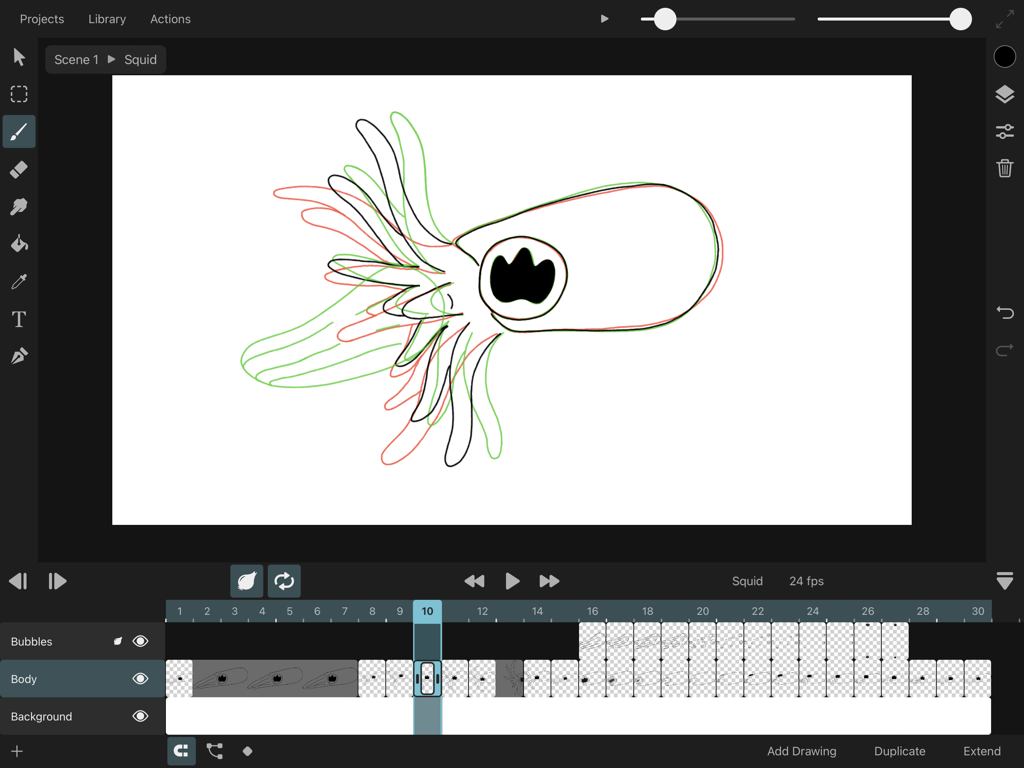
ToonSquid iPad Animations-Interface, das Onion-Skinning und eine Frame-by-Frame-Zeitleiste zeigt
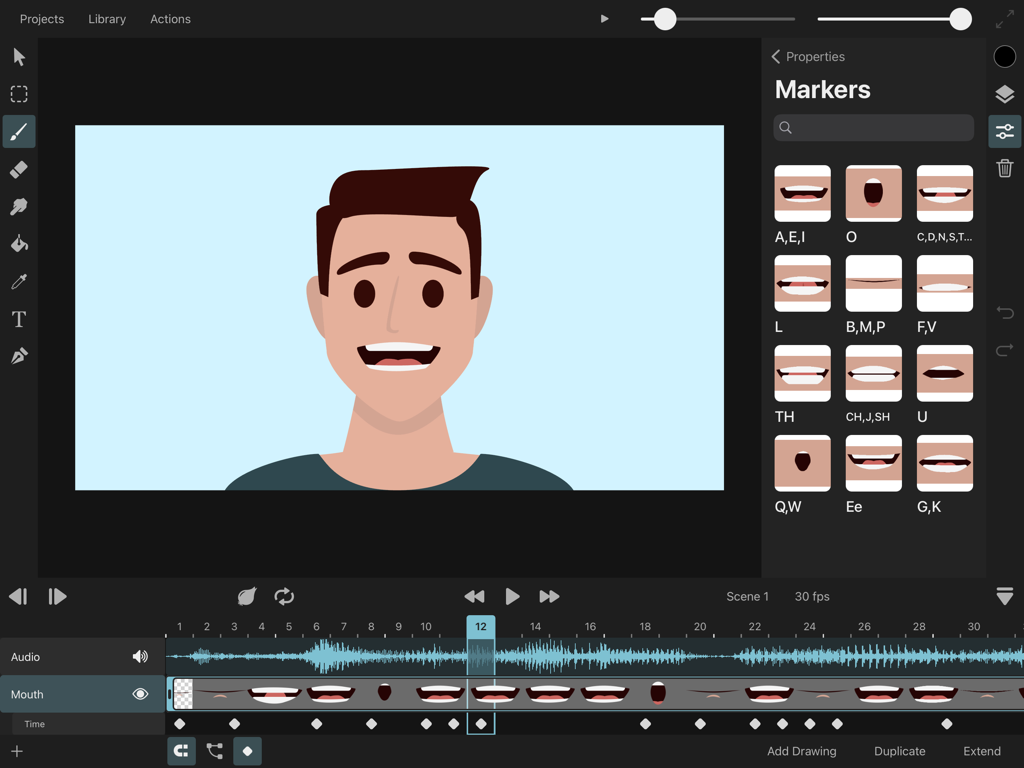
ToonSquid App-Interface, das eine Charakteranimation mit Lip-Sync-Phonem-Markierungen und einer Audio-Wellenform auf einem iPad zeigt
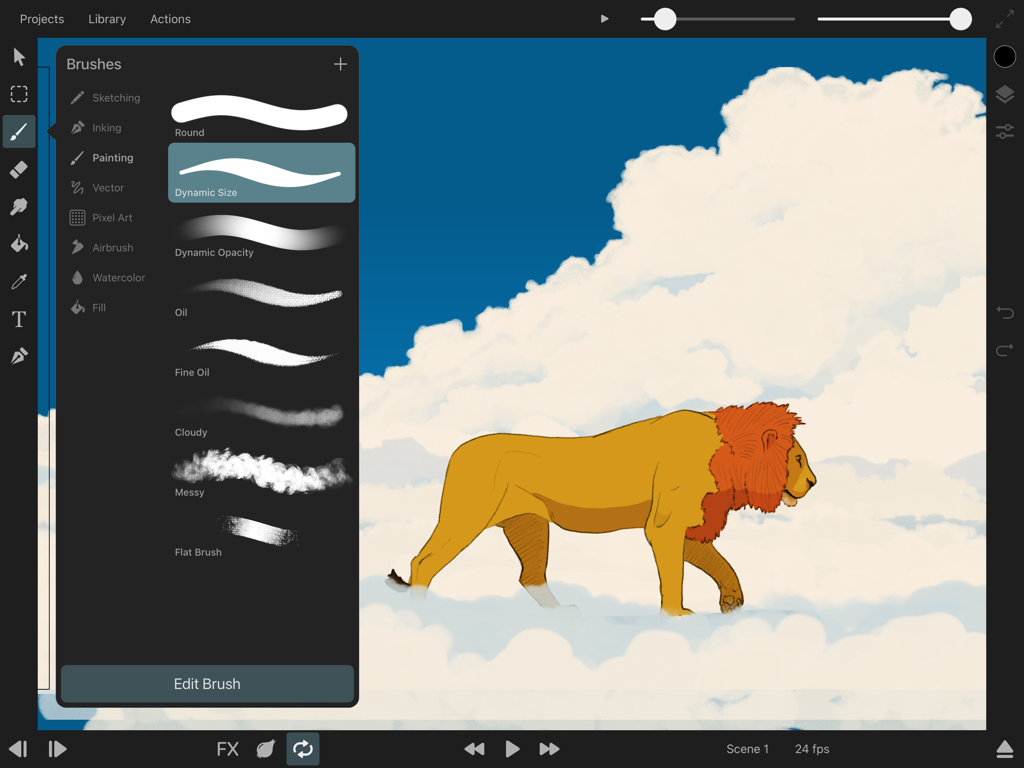
ToonSquid App-Interface, das das Menü zur Pinselauswahl und eine Löwenillustration auf Wolken zeigt
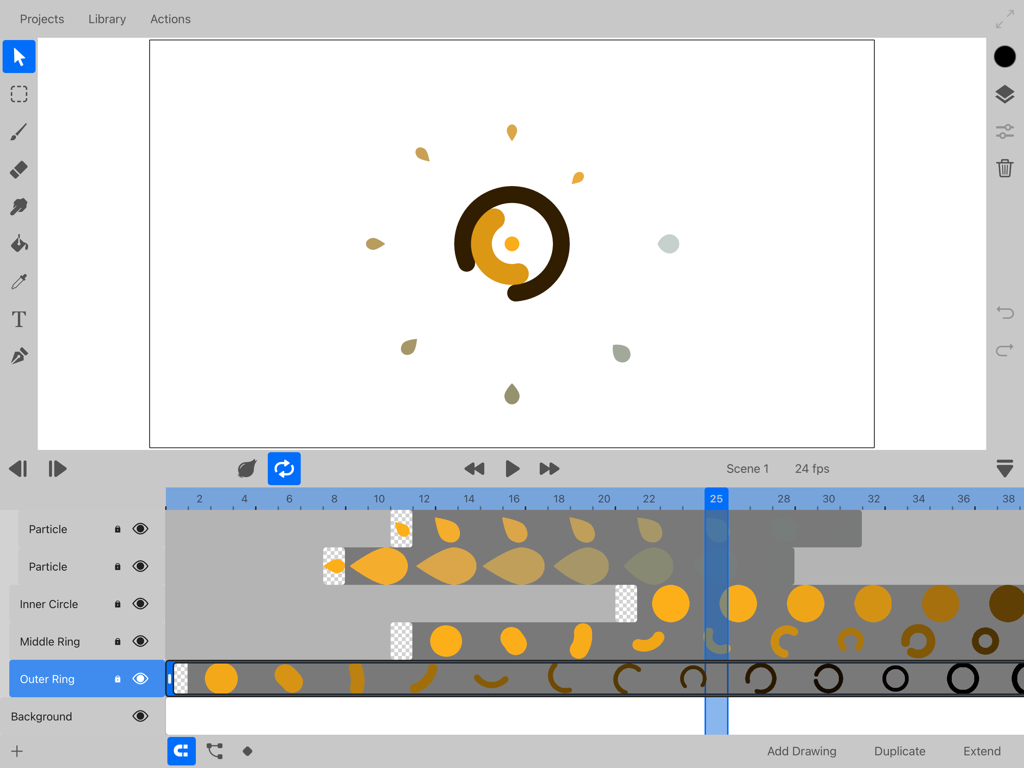
ToonSquid App-Interface, das die 2D-Animation-Zeitleiste mit Ebenen und Keyframes zeigt
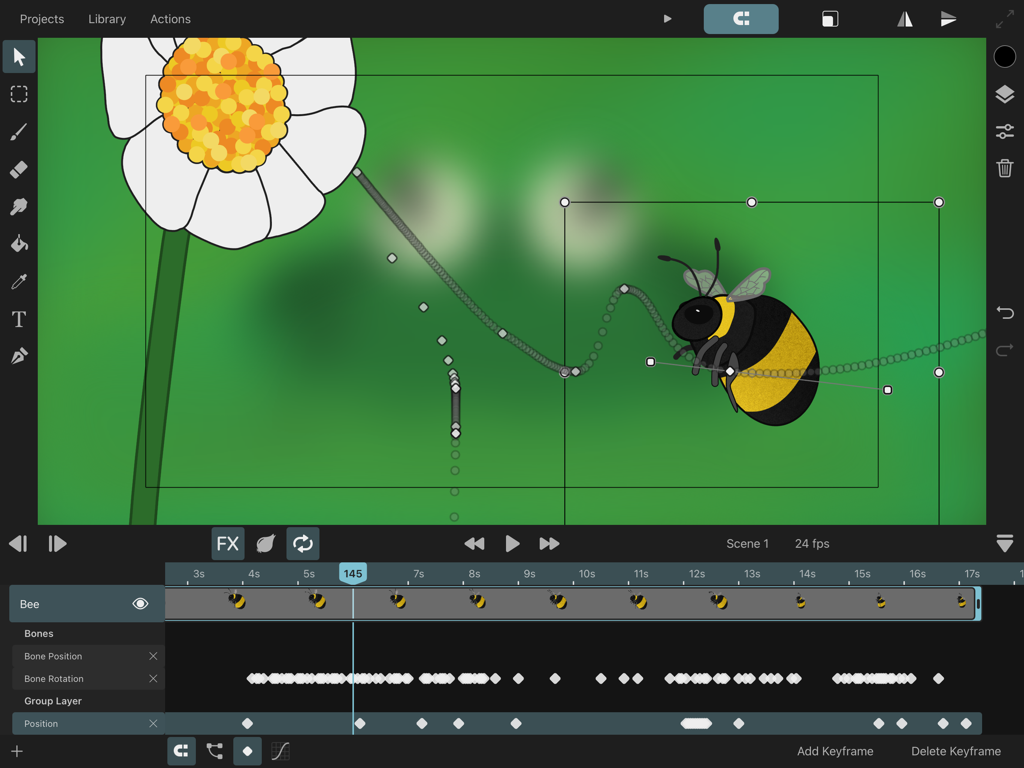
ToonSquid App-Interface, das eine Bienanimation mit einem Bewegungspfad und Keyframe-Zeitleisten zeigt
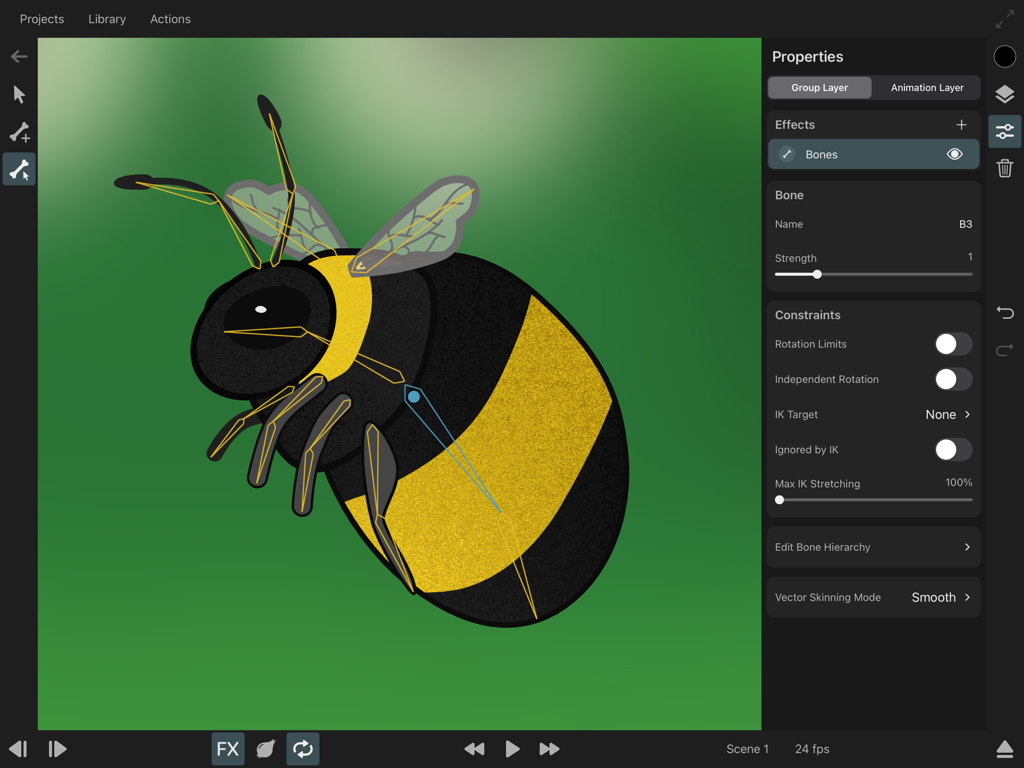
Ein Hummelcharakter, der mit Skelettknochen und inversen Kinematik-Constraints in der ToonSquid-Animations-App geriggt wird
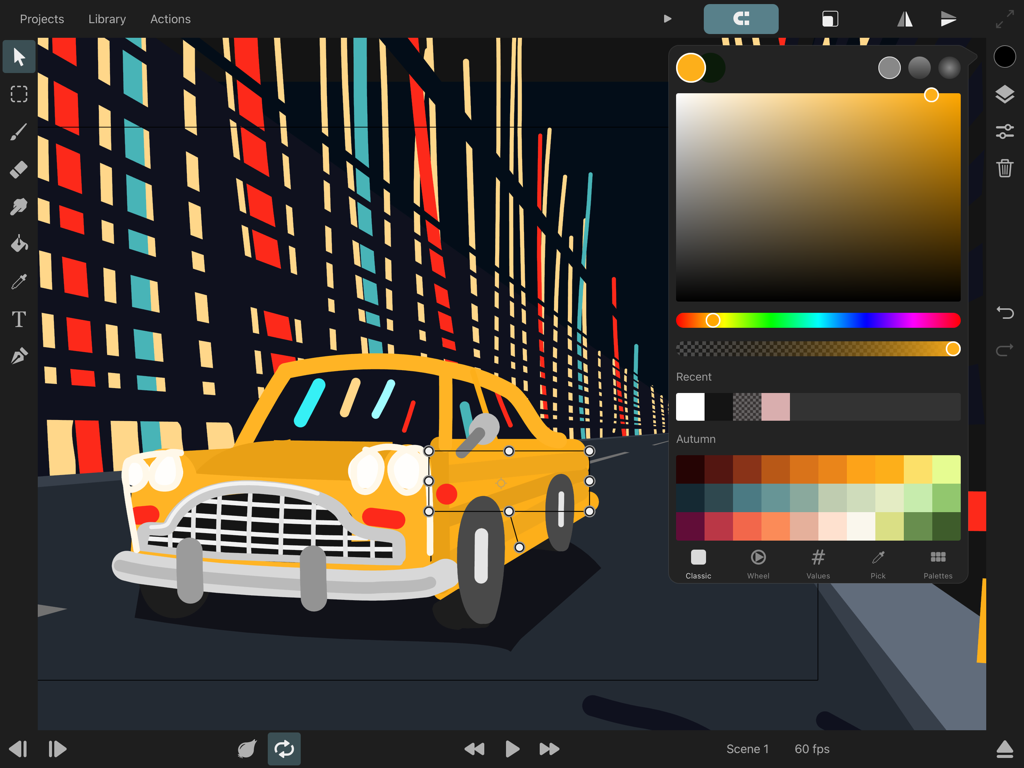
ToonSquid App-Interface, das eine 2D-Animation eines gelben Autos mit geöffnetem Farbwähler auf einem iPad zeigt
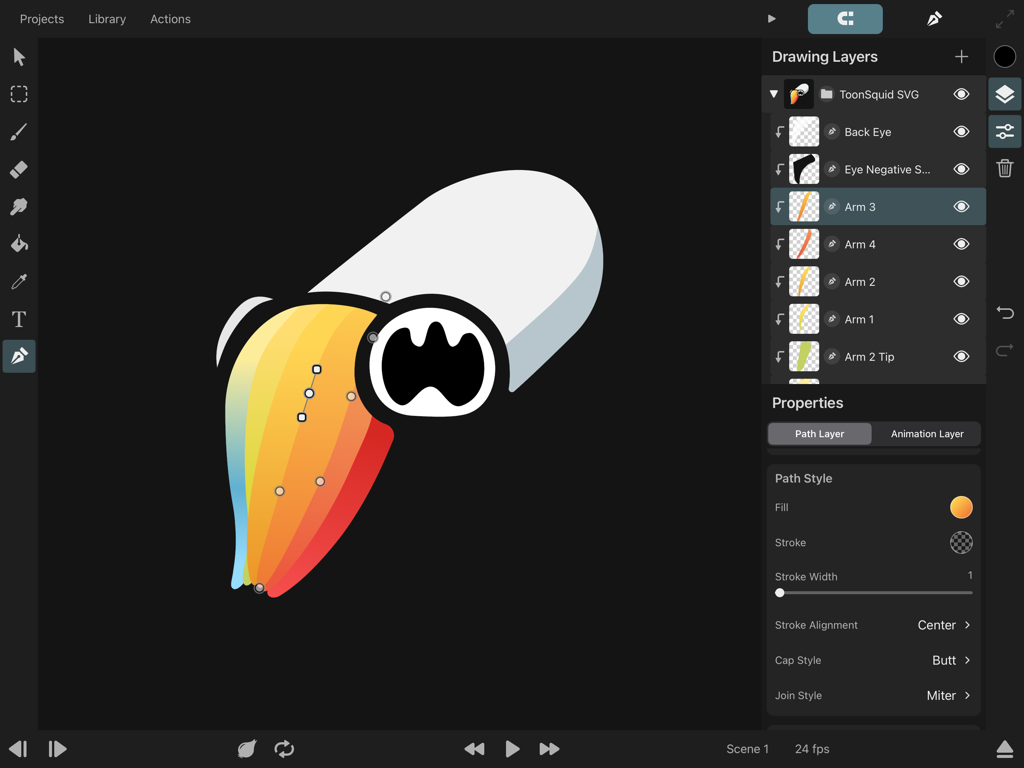
ToonSquid Animations-App-Interface auf dem iPad, das Zeichenebenen und Vektorpfadbearbeitung für einen farbenfrohen Charakter zeigt
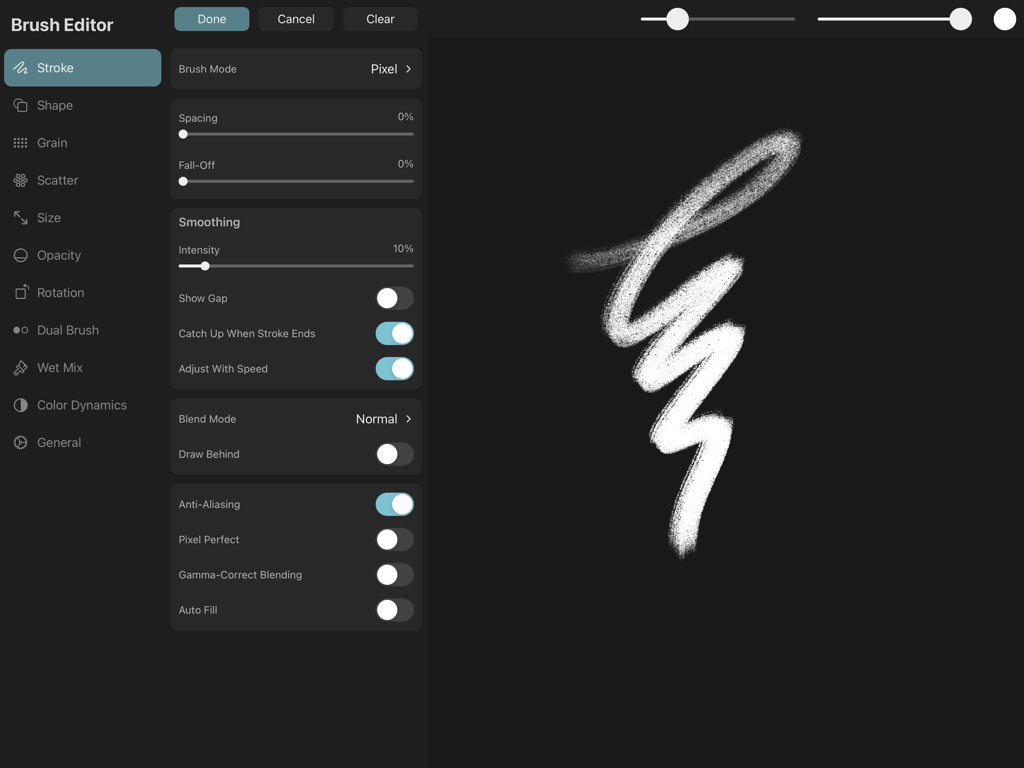
Das Pinsel-Editor-Interface in ToonSquid mit Einstellungen für Strich und einer Vorschau für strukturierte Pinsel.
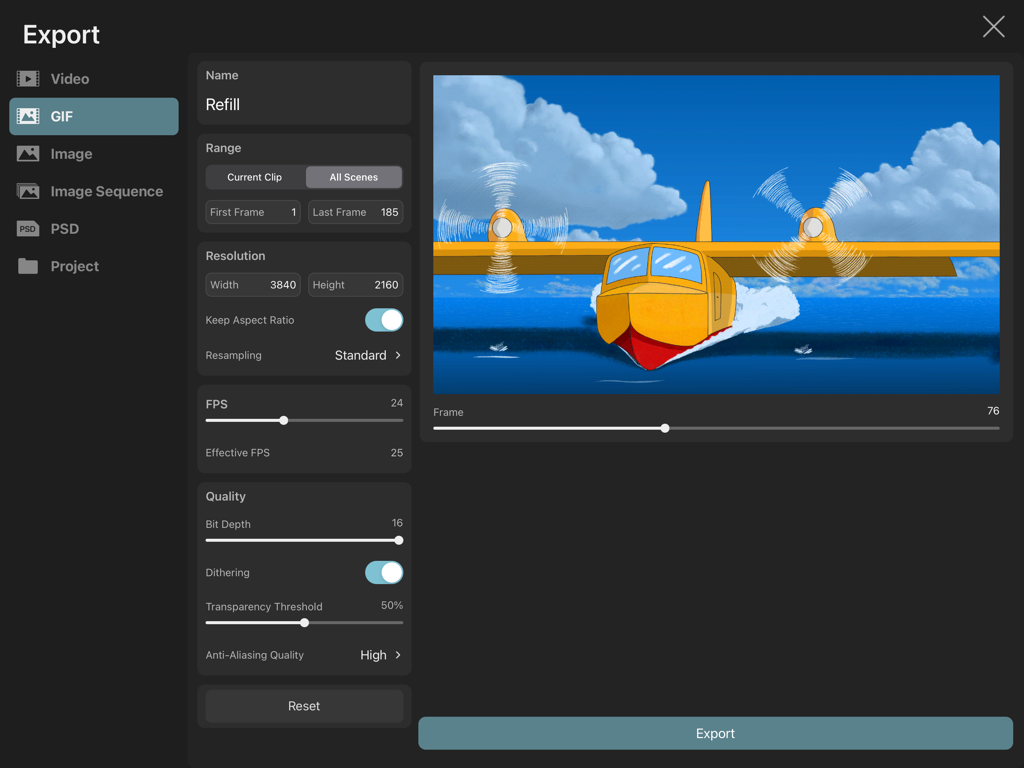
ToonSquid App-Interface mit Exporteinstellungen für ein 4K-animiertes GIF eines gelben Wasserflugzeugs.
Beschreibung
Download
Ähnliche Apps
Apps mit ähnlichen Funktionen und Nutzererfahrung




Diese Seite ist keine offizielle Seite der App oder ihres Entwicklers, sondern eine unabhängige redaktionelle Veröffentlichung, die zu Informations- und Kommentarzwecken erstellt wurde. Sofern nicht ausdrücklich anders angegeben, sind weder die App noch ihr Entwickler mit MWM, Apple, Google Play, dem App-Herausgeber oder dem Entwickler der App verbunden, von ihnen unterstützt, gesponsert, autorisiert oder anderweitig offiziell verbunden, und nichts auf dieser Seite impliziert, dass die App unter Verwendung der Dienste von MWM entwickelt wurde. Alle Marken, Logos, Screenshots und andere Inhalte bleiben Eigentum ihrer jeweiligen Inhaber.