
Diese Seite ist keine offizielle Seite der App oder ihres Entwicklers, sondern eine unabhängige redaktionelle Veröffentlichung, die zu Informations- und Kommentarzwecken erstellt wurde. Sofern nicht ausdrücklich anders angegeben, sind weder die App noch ihr Entwickler mit MWM, Apple, Google Play, dem App-Herausgeber oder dem Entwickler der App verbunden, von ihnen unterstützt, gesponsert, autorisiert oder anderweitig offiziell verbunden, und nichts auf dieser Seite impliziert, dass die App unter Verwendung der Dienste von MWM entwickelt wurde. Alle Marken, Logos, Screenshots und andere Inhalte bleiben Eigentum ihrer jeweiligen Inhaber.


touchAble Pro
Verabschieden Sie sich von der Maus und verwandeln Sie Ihr iPad in eine professionelle, maßgeschneiderte Workstation. Von der tiefgreifenden Piano-Roll-Bearbeitung bis hin zu benutzerdefinierten Performance-Layouts haben Sie die volle taktile Kontrolle über Ihre Musik, vom Studio bis zur Bühne.
Downloads
103K+Bewertung
Bewertungen gesamt
300Herausgeber
Kategorie
MusicSprachen
1Neueste Version
1.761Größe
48.0 MBErstveröffentlichung
3. Okt. 2018Meistern Sie Ihren Mix mit totaler taktiler Freiheit
Befreien Sie sich von der Maus. touchAble Pro bietet Ihnen tiefen, drahtlosen Zugriff auf jede Ecke von Ableton Live, von der Session-Ansicht bis zu den komplexesten Geräteparametern.
Dynamische Performance-Oberfläche
Starten Sie Clips, mischen Sie Spuren und spielen Sie virtuelle Instrumente mit einer Latenz-armen Touch-Reaktion, die für Bühne und Studio konzipiert ist.
Tiefe MIDI- & Automationsbearbeitung
Visualisieren Sie Wellenformen und zeichnen Sie komplexe Automationskurven direkt auf Ihrem Bildschirm, für einen organischeren und flüssigeren Musikproduktionsablauf.
Die folgenden Screenshots und die Beschreibung stammen direkt aus dem offiziellen Store-Eintrag der App und sind Eigentum des Entwicklers.
App Store
Screenshots
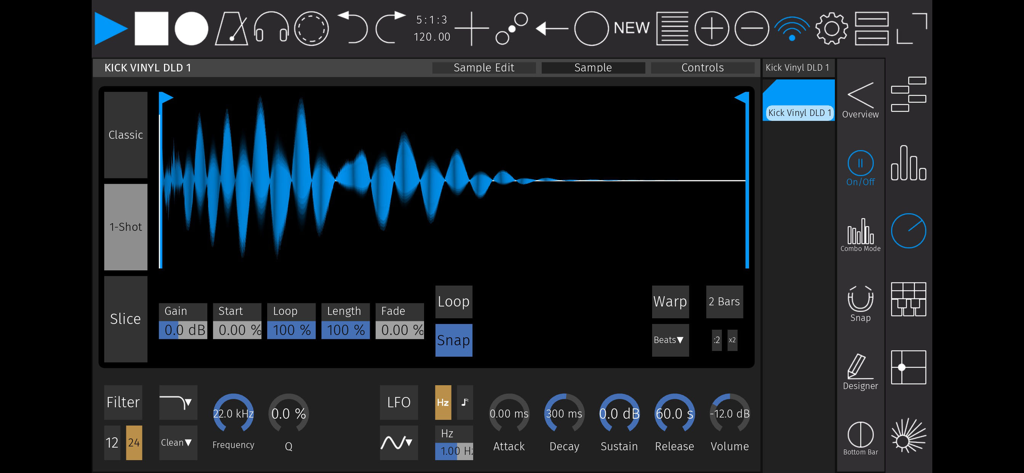
Audio-Sample-Editor in touchAble Pro mit Wellenformansicht und Synthesesteuerungen
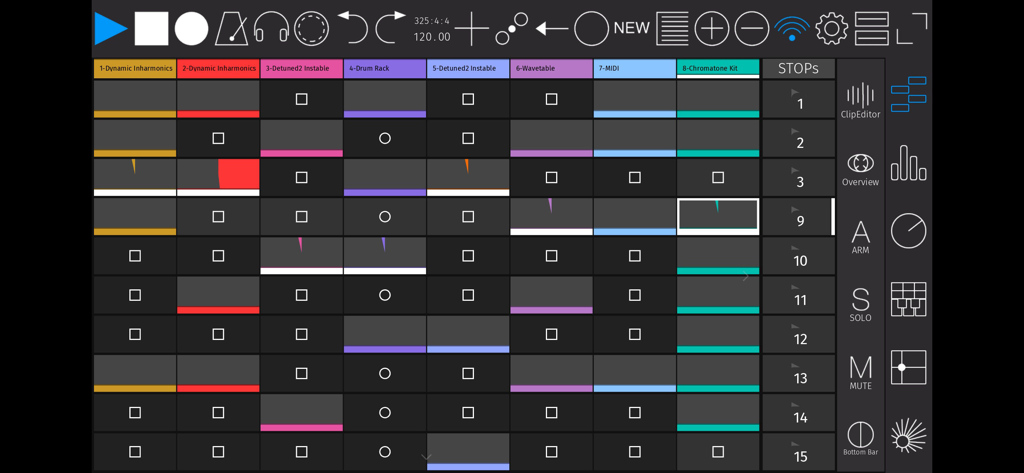
touchAble Pro App-Oberfläche zeigt ein Raster von Clips und Transportsteuerungen für Ableton Live
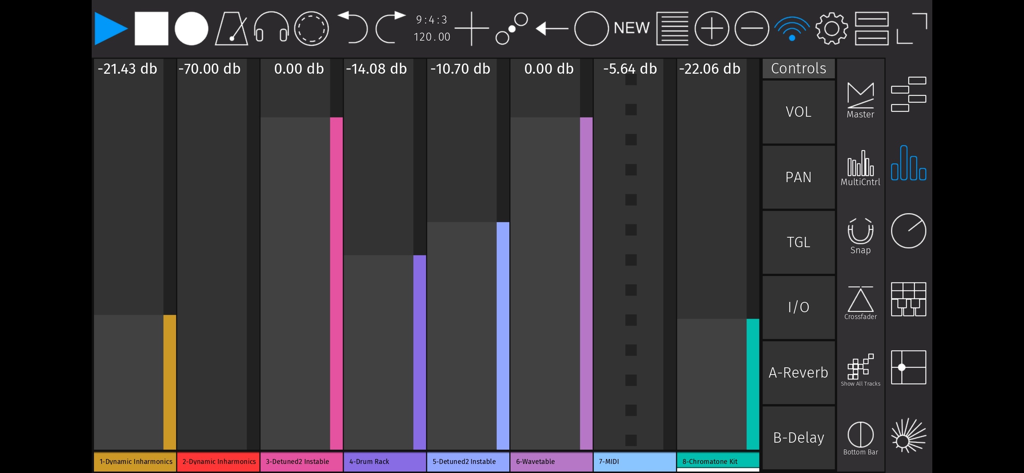
Digitale Mischpultoberfläche der touchAble Pro App mit Audio-Spur-Fadern und Steuerelementen für Ableton Live
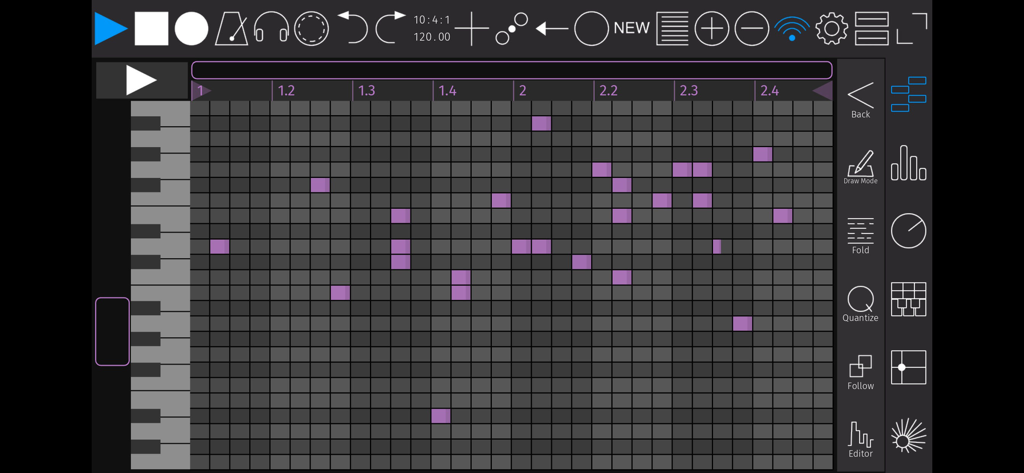
MIDI-Piano-Roll-Editor-Oberfläche in der touchAble Pro App für die Musikproduktion
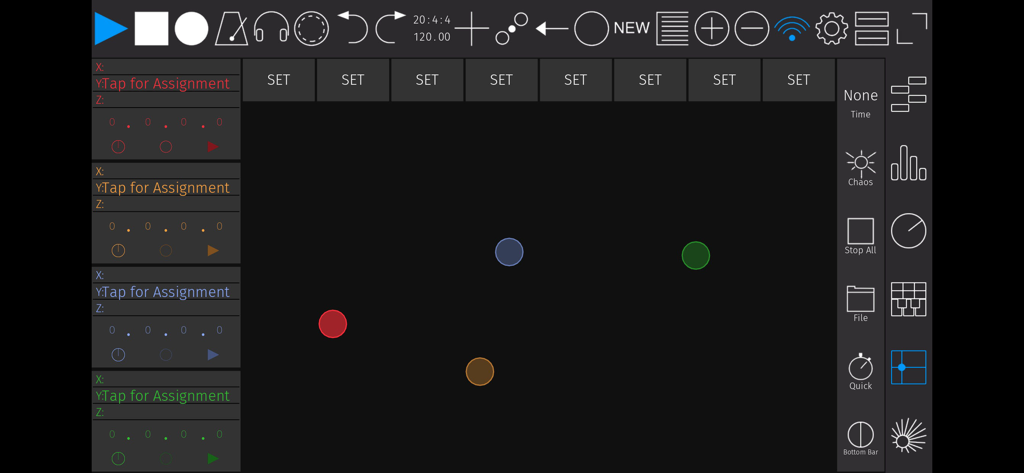
Anpassbare XY-Pad-Oberfläche in touchAble Pro für die MIDI-Steuerung von Ableton Live
Beschreibung
Download
Ähnliche Apps
Apps mit ähnlichen Funktionen und Nutzererfahrung

TouchOSC
Hexler LLC

MixEffect (Trial & Pro Unlock)
Adam Tow

Blackout Lighting Console
Blackout Lighting Console LLC

Logic Remote
Apple Inc.

LK - Ableton & Midi Controller
Imaginando Lda

Eos Remote
Trent Barclay

Mixing Station
Mixing Station GmbH

TouchOSC Mk1
Hexler LLC

MIDI Guitar
Jam Origin ApS
Diese Seite ist keine offizielle Seite der App oder ihres Entwicklers, sondern eine unabhängige redaktionelle Veröffentlichung, die zu Informations- und Kommentarzwecken erstellt wurde. Sofern nicht ausdrücklich anders angegeben, sind weder die App noch ihr Entwickler mit MWM, Apple, Google Play, dem App-Herausgeber oder dem Entwickler der App verbunden, von ihnen unterstützt, gesponsert, autorisiert oder anderweitig offiziell verbunden, und nichts auf dieser Seite impliziert, dass die App unter Verwendung der Dienste von MWM entwickelt wurde. Alle Marken, Logos, Screenshots und andere Inhalte bleiben Eigentum ihrer jeweiligen Inhaber.