TV Cast for DLNA Smart TV

TV Cast for DLNA Smart TV

Herunterladen auf App StoreHerunterladen auf Google Play
Logo von TV Cast for DLNA Smart TV

TV Cast für DLNA Smart TV: Streame jedes Web-Video auf deinen großen Bildschirm

Die ultimative Lösung für Cord-Cutter. Streame mühelos Online-Filme, Live-Sportübertragungen und persönliche Medien von deinem iPhone oder iPad auf deinen Samsung, LG, Sony TV oder deine Xbox – ohne zusätzliche Hardware.

Herausgeber

Kraus und Karnath GbR 2Kit Consulting

Kategorie

Photo & Video

Downloads

557K+

Bewertung

3.5/5

Bewertungen gesamt

1K+

Sprachen

1

Ein Einblick in die Action

Entdecken Sie die Oberfläche, die von 557K+ Nutzern verwendet wird.

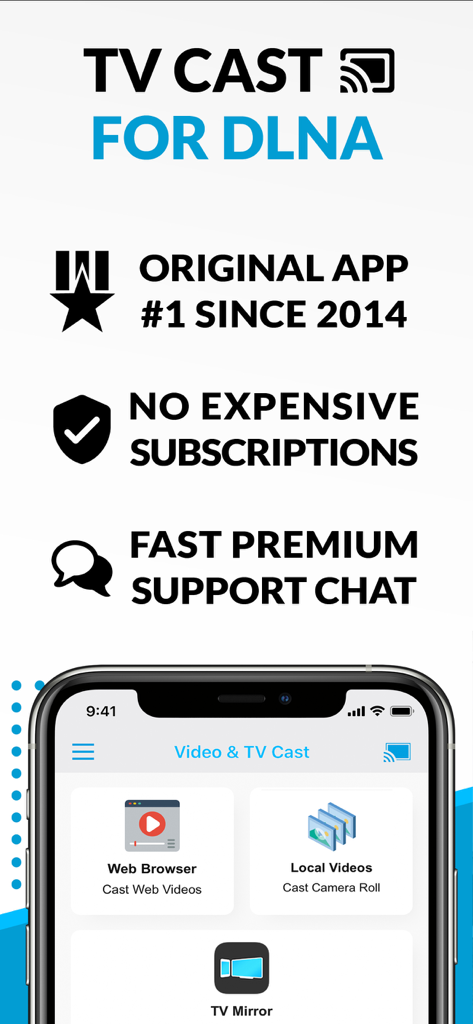
Screenshot der TV Cast für DLNA App mit Funktionen für Web-Video-Casting, lokales Video-Streaming und TV-Spiegelungsoptionen.
Screenshot der TV Cast für DLNA App mit Funktionen für Web-Video-Casting, lokales Video-Streaming und TV-Spiegelungsoptionen.

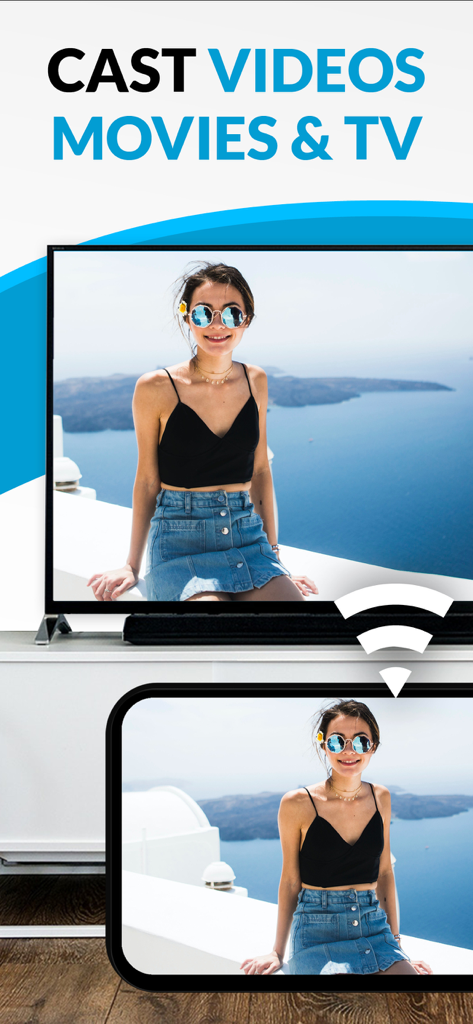
Casting eines Fotos von einem mobilen Gerät auf einen Smart TV mit der TV Cast App.
Casting eines Fotos von einem mobilen Gerät auf einen Smart TV mit der TV Cast App.

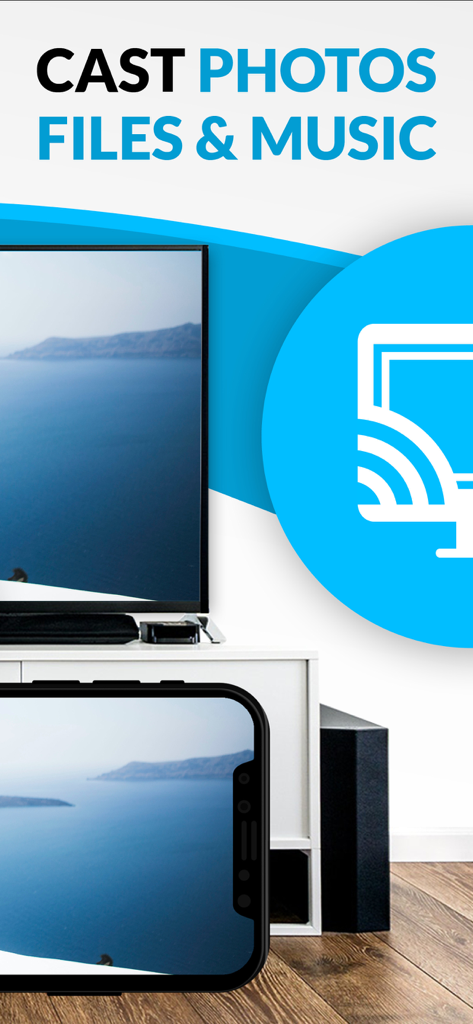
Ein iPhone-Bildschirm, der eine Küstenlandschaft zeigt, die auf einen großen Smart-TV-Bildschirm übertragen wird.

Ein iPhone-Bildschirm, der eine Küstenlandschaft zeigt, die auf einen großen Smart-TV-Bildschirm übertragen wird.

Schöpfe das volle Potenzial deines Fernsehers aus

Die Tools, die diese App auszeichnen, gewählt von 557K+ Nutzern.

🌐

Universelles Web-Streaming

Durchsuche jede Website und streame Nischen-Sportarten, Live-Nachrichten oder web-exklusive Filme, für die es keine native App auf deinem Fernseher gibt.

📶

Hardwarelose Verbindung

Spar dir das 130-Dollar-Apple-TV. Mache deinen vorhandenen Samsung, Sony oder LG Smart TV mit einer einfachen Ein-Tipp-Verbindung zu einem Kraftpaket.

🛡️

Werbefreies Seherlebnis

Blockiere aufdringliche Web-Pop-ups und streame deine privaten iCloud-Erinnerungen oder Dropbox-Videos ohne Unterbrechungen und mit voller Privatsphäre.

Über die App

Alles, was Sie über wissen müssen TV Cast for DLNA Smart TV.

Beschreibung

Watch webvideos, online movies, live tv streams and your personal photos, videos & music on your DLNA powered TV, video game console or blu-ray player. Enjoy the show on your big screen. Browse the web and stream your favorite webvideo or online TV show on a DLNA player like Hisense TV, Grundig TV, Samsung TV, LG TV, Sony TV, Philips TV, Toshiba TV, Panasonic TV, Xbox 360, Xbox One, EZCast, WD TV, Kodi (XBMC), SONOS and many other devices that use DLNA / UPnP / AllShare. Please try the free app version to check if your specific DLNA player is supported. Mp4, m3u8, hls live streaming, video over https and of course Full HD are supported. And there is no time limit at all! Just open Video & TV Cast, navigate to a website, wait for video link detection and send the video with a single tap to your DLNA player. The discovered link is shown below the browser. A tap on the link will start the show. * The app only works with a DLNA player that is capable of "media rendering". * Sony Bravia TVs: Please enable the renderer function of your TV to enable casting. See http://bit.ly/1VKM60A * iTunes movies, Flash video and DRM protected videos like Amazon Prime, Netflix, Hulu, Vudu, DirecTV, Xfinity, HBO now are not supported! * Please test your favorite videos with the free edition before upgrading! * Please use the hardware remote of your DLNA player to forward, rewind and pause a running video. * The app streams only the video part of a website and not the whole website content (No screen or tab mirroring!). * Sometimes it is necessary to play the video on your iPad or iPhone first before it gets discovered by the app for streaming. It may also be neccessary to try it multiple times until it works on your specific DLNA player. * If a video does not cast, please check the FAQ on the app startpage. FAQ did not help? Please drop us a mail and give us the chance to help you before leaving a negative comment on the App Store. We will try to add support for that website as soon as possible. >>> UPGRADE FEATURES (available as in-app purchases) * Premium Edition: Unlocks all of the features listed here. Also future features are included, so you do not have to pay for them when they are released in an updated app version. * Personal Media: Cast unlimited personal photos, videos and music directly from your device or from cloud services like iCloud and Dropbox. * Ad-Blocker: Blocks ads & popups on most websites and removes the sponsoring ads from the app. You can update and enable/disable ad-blocking at any time in the settings. * Bookmarks: Save unlimited website bookmarks. Synchronize and transfer them between different TV Cast apps and iOS devices by using backup and restore via iCloud. * Desktop Mode: Change the browser user-agent and cloak your iPhone/iPad as a desktop PC to load the desktop website instead of a mobile website. Please note that this will NOT enable video casting on websites that serve Flash videos in desktop mode. * Change Homepage: Set your personal homepage in the settings. >>> A MESSAGE FROM THE DEVELOPERS Please note that this app may not work with all DLNA devices out there. But we are working hard to improve this app with every update. Your feedback will drive our work ahead and you’ll see improvements and new features in the next update. Please send your feedback to info@video-tv-cast.com Disclaimer: This app is not affiliated with the Digital Living Network Alliance or any other trademark mentioned here.

Neueste Version

3.6

Größe

41.4 MB

Erstveröffentlichung

9. Apr. 2015

Bereit, alles auf deinem großen Bildschirm anzusehen?

Schließe dich über 550.000 Cord-Cuttern an, die ihr Heimkino aufgerüstet haben. Streame Web-Videos, persönliche Fotos und Livestreams mit einem Fingertipp direkt auf deinen Smart TV – keine zusätzliche Hardware erforderlich.

Herunterladen auf App StoreHerunterladen auf Google Play

App information, icons, screenshots, and descriptions displayed on this page are sourced from the Apple App Store and are the property of their respective developers. Download estimates and rankings are based on MWM's proprietary models and may not reflect actual figures. This page is provided for informational and analytical purposes only.

Believe this page infringes your intellectual property? File a dispute