Valence 3D

Valence 3D

Herunterladen auf App Store
Logo von Valence 3D

Valence 3D: Professionelle Desktop-taugliche Modellierung für iPad und iPhone

Entfesseln Sie Ihre Kreativität mit einer leistungsstarken 3D-Design-Suite, die nur einmal gekauft werden muss. Von LiDAR-Raumscans bis hin zu Path-Tracing-Renderings, erstellen Sie professionelle Assets überall ohne Abo-Müdigkeit.

Herunterladen auf App Store

Herausgeber

Hi-Rez, Inc

Kategorie

Graphics & Design

Downloads

52K+

Bewertung

4.2/5

Bewertungen gesamt

300

Sprachen

13

Präzision in jedem Pixel

Entdecken Sie die Oberfläche, die von 52K+ Nutzern verwendet wird.

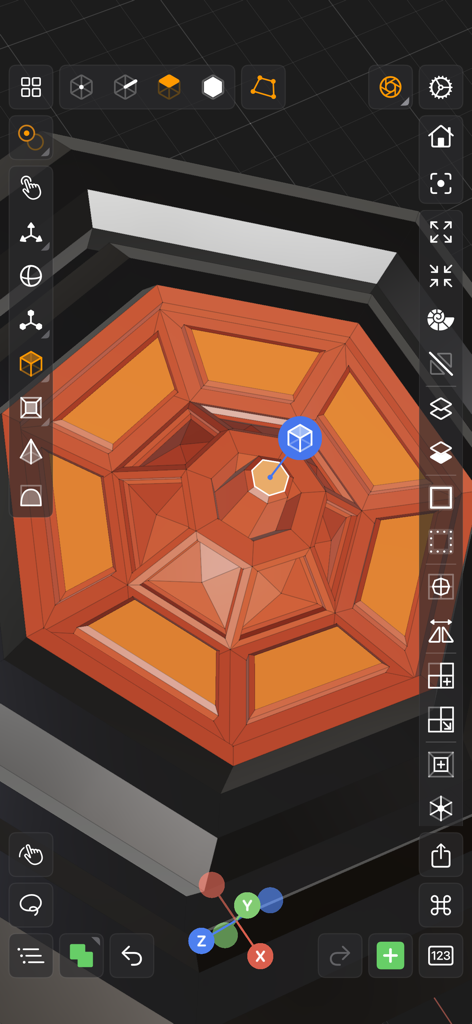
Valence 3D mobile Modellierungs-Oberfläche mit professionellen Werkzeugen und einer orangefarbenen geometrischen Struktur
Valence 3D mobile Modellierungs-Oberfläche mit professionellen Werkzeugen und einer orangefarbenen geometrischen Struktur

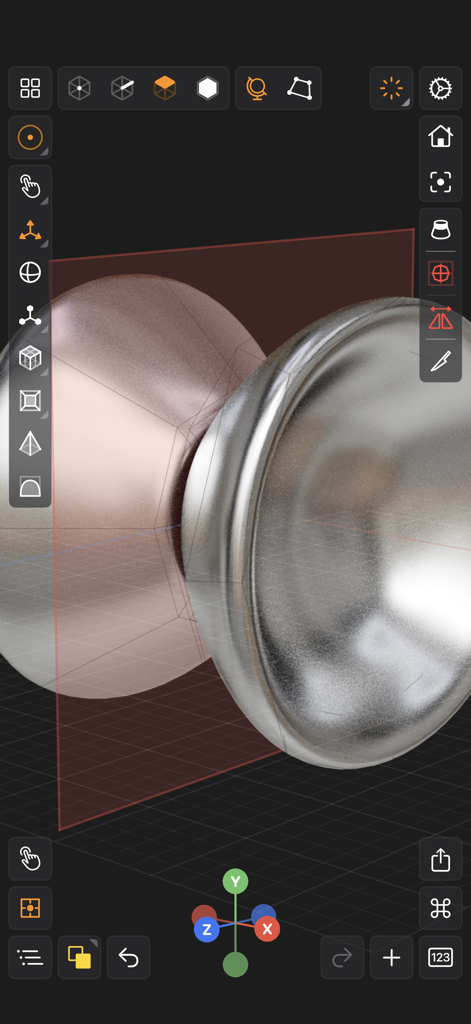
Valence 3D App-Oberfläche, die professionelle 3D-Modellierung mit einem metallischen Objekt und Transformationswerkzeugen zeigt
Valence 3D App-Oberfläche, die professionelle 3D-Modellierung mit einem metallischen Objekt und Transformationswerkzeugen zeigt

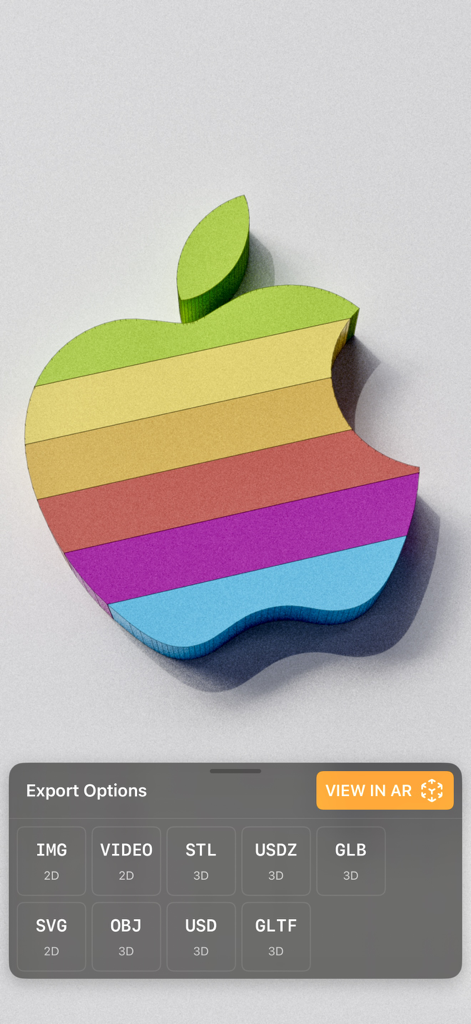
Ein 3D-Regenbogen-Apple-Logo-Modell, angezeigt in Valence 3D mit verschiedenen Exportoptionen und einem 'View in AR'-Button
Ein 3D-Regenbogen-Apple-Logo-Modell, angezeigt in Valence 3D mit verschiedenen Exportoptionen und einem 'View in AR'-Button

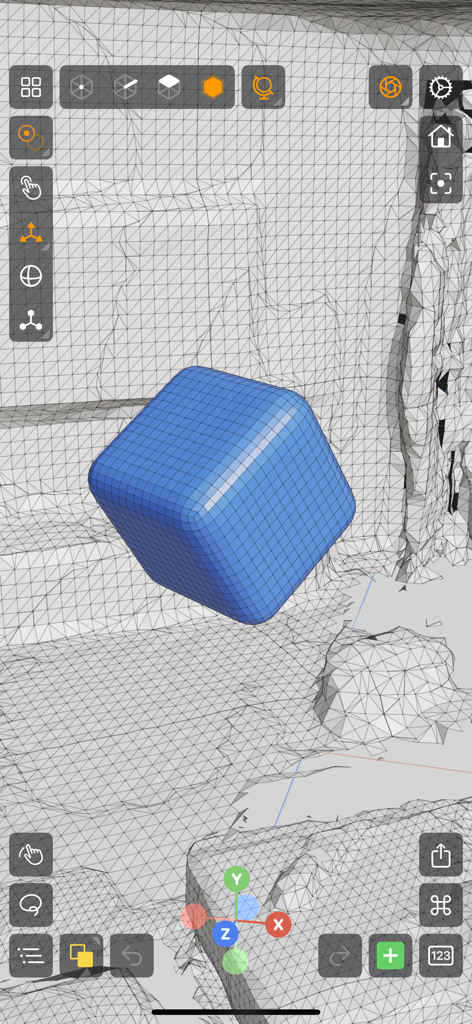
Valence 3D App-Oberfläche mit einem blauen, abgerundeten Würfel in einer Drahtgitter-Umgebung
Valence 3D App-Oberfläche mit einem blauen, abgerundeten Würfel in einer Drahtgitter-Umgebung

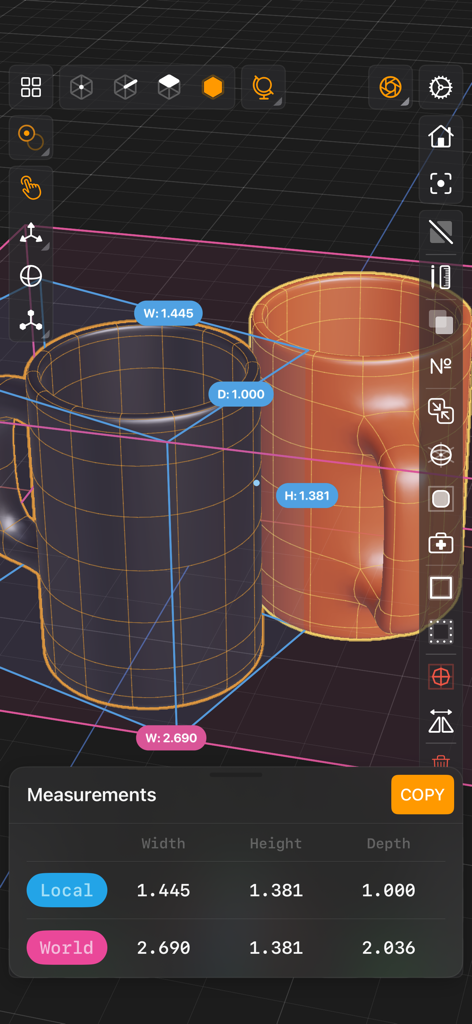
Valence 3D App-Oberfläche mit Messwerkzeugen an zwei 3D-Tassen
Valence 3D App-Oberfläche mit Messwerkzeugen an zwei 3D-Tassen

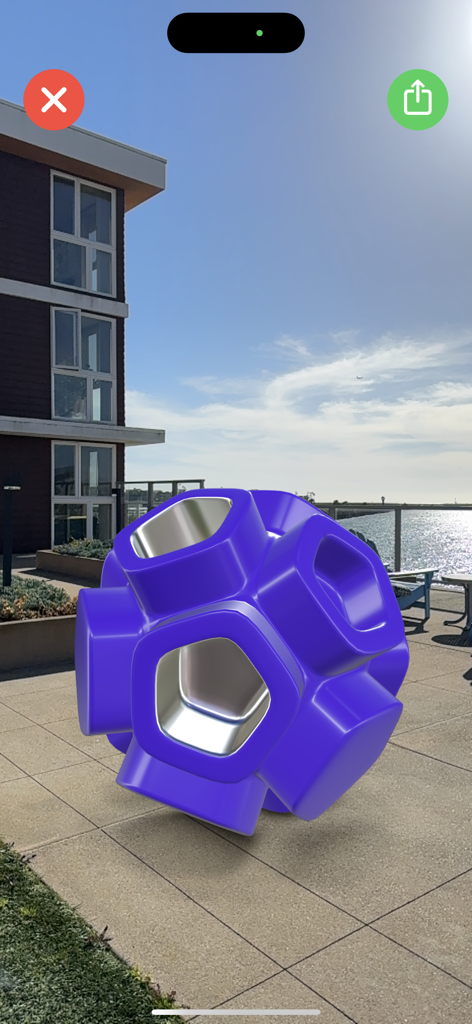
Ein violettes 3D-geometrisches Modell, gerendert in Augmented Reality auf einer Außenterrasse mit Valence 3D.
Ein violettes 3D-geometrisches Modell, gerendert in Augmented Reality auf einer Außenterrasse mit Valence 3D.

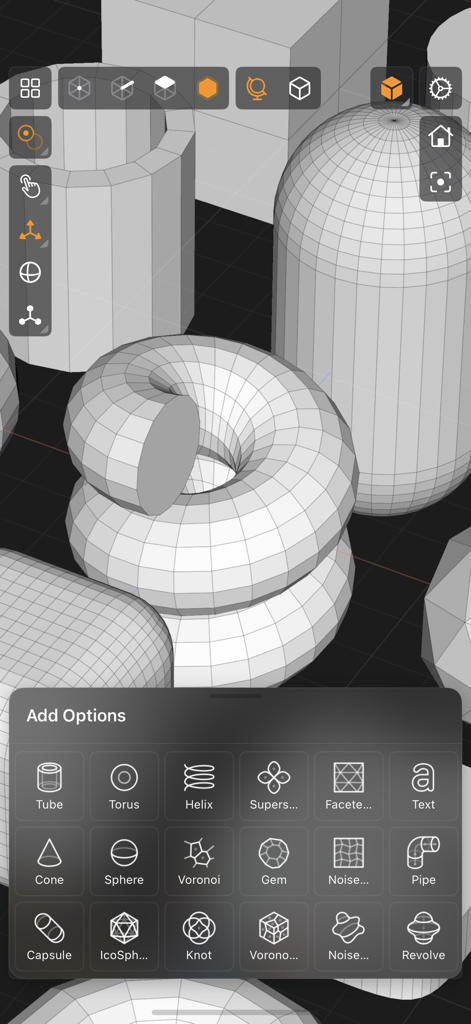
Ein Screenshot der Valence 3D App-Oberfläche, der ein Menü mit 3D-Primitiven und Drahtgitter-Modellen in einer Ansicht zeigt
Ein Screenshot der Valence 3D App-Oberfläche, der ein Menü mit 3D-Primitiven und Drahtgitter-Modellen in einer Ansicht zeigt

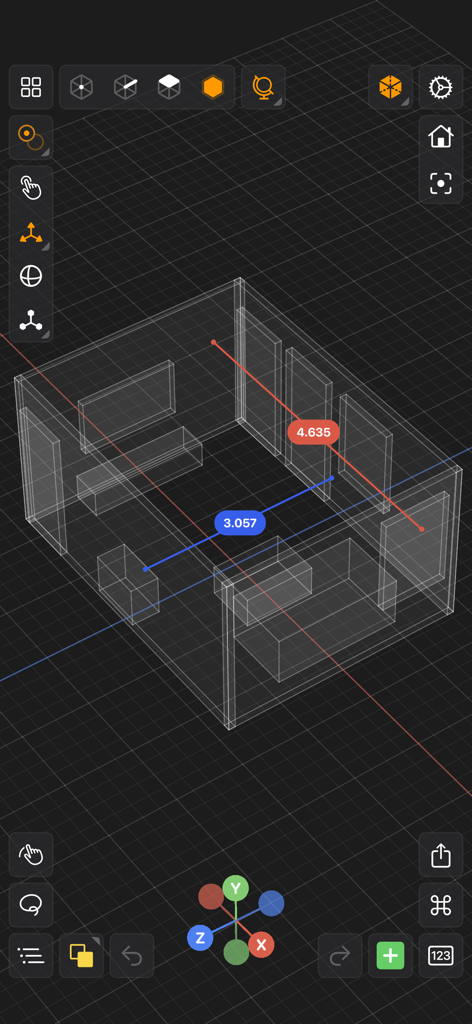
Ein 3D-Drahtgitter-Raummodell mit Mess-Beschriftungen in der Valence 3D App-Oberfläche
Ein 3D-Drahtgitter-Raummodell mit Mess-Beschriftungen in der Valence 3D App-Oberfläche

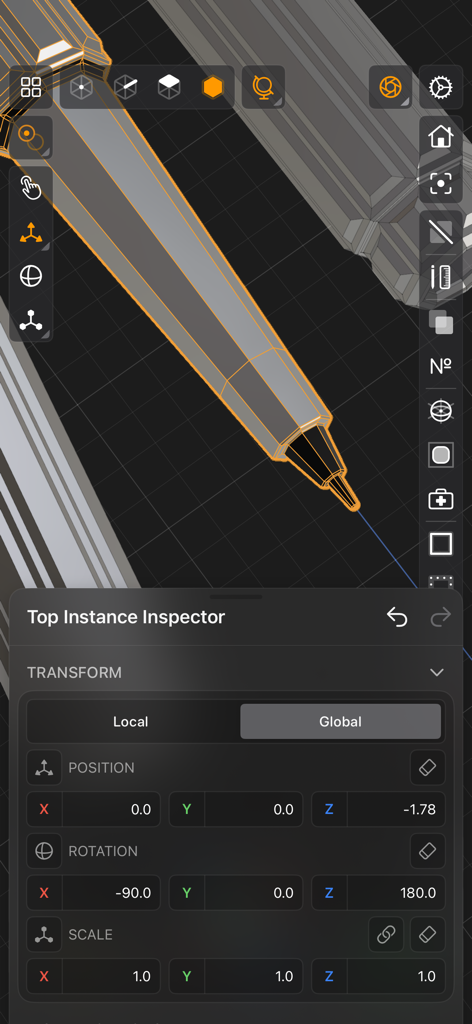
Valence 3D mobile Oberfläche mit dem Transform Inspector-Panel, das Positions-, Rotations- und Skalierungseinstellungen für ein 3D-Stift-Modell zeigt.
Valence 3D mobile Oberfläche mit dem Transform Inspector-Panel, das Positions-, Rotations- und Skalierungseinstellungen für ein 3D-Stift-Modell zeigt.

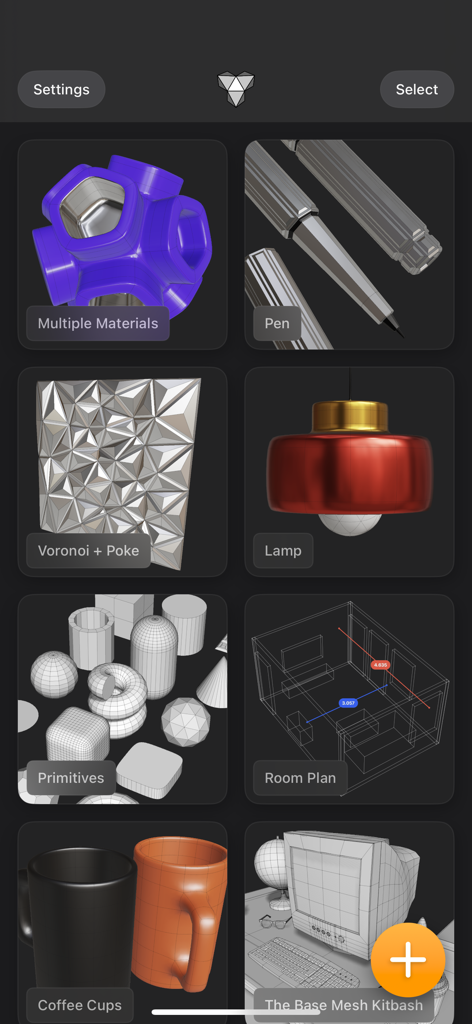
Valence 3D App-Oberfläche, die eine Galerie verschiedener 3D-Modellierungs-Projekte zeigt, darunter eine Lampe, Kaffeetassen und ein Raumplan.

Valence 3D App-Oberfläche, die eine Galerie verschiedener 3D-Modellierungs-Projekte zeigt, darunter eine Lampe, Kaffeetassen und ein Raumplan.

Professionelles 3D-Design, Überall

Die Tools, die diese App auszeichnen, gewählt von 52K+ Nutzern.

📐

Desktop-taugliche Präzision

Nutzen Sie eine vollständige Suite von Profi-Werkzeugen, einschließlich Boolescher Operationen, Messer-Schnitte und Subdivision-Modellierung, speziell verfeinert für Apple Pencil und Touch.

🌌

LiDAR zu AR Workflow

Verwandeln Sie physische Räume in digitale Assets mit LiDAR-Scanning und sehen Sie Ihre Kreationen sofort in der realen Welt mit integrierter AR und USDZ-Exporten.

💎

Keine Abonnements, Jemals

Befreien Sie sich von monatlichen Gebühren mit einem einmaligen Kauf, der das vollständige Pro-Erlebnis auf Ihrem iPhone und iPad mit nahtloser iCloud-Synchronisierung freischaltet.

Über die App

Alles, was Sie über wissen müssen Valence 3D.

Beschreibung

Valence 3D is a new powerful, beautiful & easy-to-use 3D modeler & design tool built from the ground up for iPad & iPhone. No matter whether you're learning 3D modeling for the first time or a professional working in design, construction, gaming, web dev, digital fabrication, architecture, or spatial computing, Valence 3D has what you need to get started! CREATE, IMPORT, EDIT & EXPORT 3D MODELS • 25 primitive shapes are built-in & ready to help you start modeling: plane, box, sphere, squircle, rounded box, arc, circle, cylinder, tube, cone, capsule, torus, icosphere, pipe, revolve, helix, voronoi, text, super shape, noise surfaces, torus knot, faceted gem & tube. • Import existing models, reference images, lidar scans and room plans • Imports: OBJ, STL, USD, USDZ • Exports: PNG, SVG, OBJ, STL, USD, USDZ, GLTF, GLB • Knife tool to create complex and detailed geometry • Move, Rotate, & Scale gizmos make it easy to transform nodes, faces, edges & vertices • Powerful modeling gizmos for extruding, insetting, beveling, poking, creasing & cutting • Multiple selection & automatic loop selection help accelerate your modeling • Tap on one of the gizmo handles to bring up an input field for precise transformations & mesh operations • Robust snapping & alignment commands • Selection operations: grow, shrink, select shell & deselect • Mesh operations: duplicate, instance, set / center pivot, trim by plane, boolean, apply transform & subdivide • Face operations: separate, combine, bridge, extract, poke, collapse, delete, dissolve, harden & soften • Edge operations: extrude, insert vertex, collapse, dissolve, bridge, harden & soften • Vertex operations: insert edge, dissolve, delete & merge • Non-destructive & configurable mesh modifiers: mirror & subdivision • Apply complex transformations using different gizmo pivot points & orientations EASILY NAVIGATE & STAY IN FLOW WHILE DESIGNING • Carefully crafted & fully optimized for iPhone & iPad • Designed to minimize cognitive overload by only showing tools & commands that are contextually relevant • Easily navigate to any part of your model by dragging and pinching: two finger pinch to zoom and roll, and one finger drag to rotate • Pop into the standard orthographic views by tapping one of the handles of the orientation gizmo • Use two & three finger tap gestures to undo & redo • Select components by dragging or using the rectangular selection mode • Your work is saved automatically every two minutes and every time you go back to the gallery • Get an overview of your scene’s structure from the Outliner • Long press on a node in the Outliner to easily rename, duplicate, instance, delete, parent & reorder any object in your scene • Precisely adjust any node’s position, rotation & scale with the Inspector • Adjust material properties, display & modifier options with the Inspector STAY ORGANIZED ACROSS ALL YOUR DEVICES • Preview, share, duplicate, delete & rename your models from the gallery • iCloud syncing keeps all your models up to date, private & accessible across all your devices PREVIEW, MEASURE, & RENDER YOUR CREATIONS • 6 powerful rendering modes: Matcap, Modeling, Wireframe, Physically Based, X-Ray & Path Traced • Export renders in any aspect ratio & scale • Preview your model in AR in two taps • Export your scene as a USDZ & be confident it’ll look consistent on all Apple devices • Tweak your model’s material & see changes in real-time • Tweak-able scene settings: camera field of view, background type, blurriness, intensity & rotation • Get model measurements in one click • Add persistent dimensions between any two surfaces in your scene PURCHASE & COMPATIBILITY • One time purchase unlocks both iPhone & iPad versions • Apple Pencil supported on select iPads • 120 FPS supported on devices with ProMotion displays • Path Tracing is supported on iPads with M series chips & iPhones with A15 Bionic & later • Lidar Scan & Room Plan is supported on devices with a lidar sensor

Neueste Version

1.3.9

Größe

193.6 MB

Erstveröffentlichung

14. März 2024

Bauen Sie die Zukunft, Einmaliger Kauf.

Hören Sie auf, für Abonnements zu bezahlen und fangen Sie an zu kreieren. Holen Sie sich den Desktop-tauglichen 3D-Modellierer, mit dem Sie überall entwerfen, rendern und exportieren können, ohne monatliche Gebühren.

Herunterladen auf App Store

App information, icons, screenshots, and descriptions displayed on this page are sourced from the Apple App Store and are the property of their respective developers. Download estimates and rankings are based on MWM's proprietary models and may not reflect actual figures. This page is provided for informational and analytical purposes only.

Believe this page infringes your intellectual property? File a dispute