VivuVideo Maker & Editor
Herunterladen auf App Store

Diese Seite ist keine offizielle Seite der App oder ihres Entwicklers, sondern eine unabhängige redaktionelle Veröffentlichung, die zu Informations- und Kommentarzwecken erstellt wurde. Sofern nicht ausdrücklich anders angegeben, sind weder die App noch ihr Entwickler mit MWM, Apple, Google Play, dem App-Herausgeber oder dem Entwickler der App verbunden, von ihnen unterstützt, gesponsert, autorisiert oder anderweitig offiziell verbunden, und nichts auf dieser Seite impliziert, dass die App unter Verwendung der Dienste von MWM entwickelt wurde. Alle Marken, Logos, Screenshots und andere Inhalte bleiben Eigentum ihrer jeweiligen Inhaber.


Logo von VivuVideo Maker & Editor
Herunterladen auf App Store

VivuVideo Maker & Editor

Verwandle deine Lieblingstracks und Fotos in virale Inhalte mit professionellen Audiospektren, ästhetischen Lofi-Effekten und hochwertigen Exporten für TikTok, Reels und YouTube.

Kennzahlen

Downloads

95K+

Bewertung

4.4/5

Bewertungen gesamt

100

Herausgeber

Cao Hoang

Kategorie

Photo & Video

Sprachen

2

Neueste Version

2.4

Größe

63.9 MB

Erstveröffentlichung

13. Juli 2021
Funktionen

Verwandle deine Musik in visuelle Meisterwerke

Schließe dich Tausenden von Kreativen an, die VivuVideo nutzen, um beeindruckende EDM-, Lofi- und TikTok-fähige Inhalte mit professionellem Beat-Sync und Audiospektren zu produzieren.

Pro Audiospektren

Visualisiere deinen Sound mit über 20 anpassbaren Musikwellen, die dynamisch auf jede Frequenz reagieren und für einen professionellen Studio-Look sorgen.

Auto-Beat-Synchronisation

Erstelle mühelos energiegeladene 'Velocity'-Edits, während deine Fotos zur Intensität deiner Lieblingstracks pulsieren und wackeln.

Die folgenden Screenshots und die Beschreibung stammen direkt aus dem offiziellen Store-Eintrag der App und sind Eigentum des Entwicklers.

App Store

Screenshots
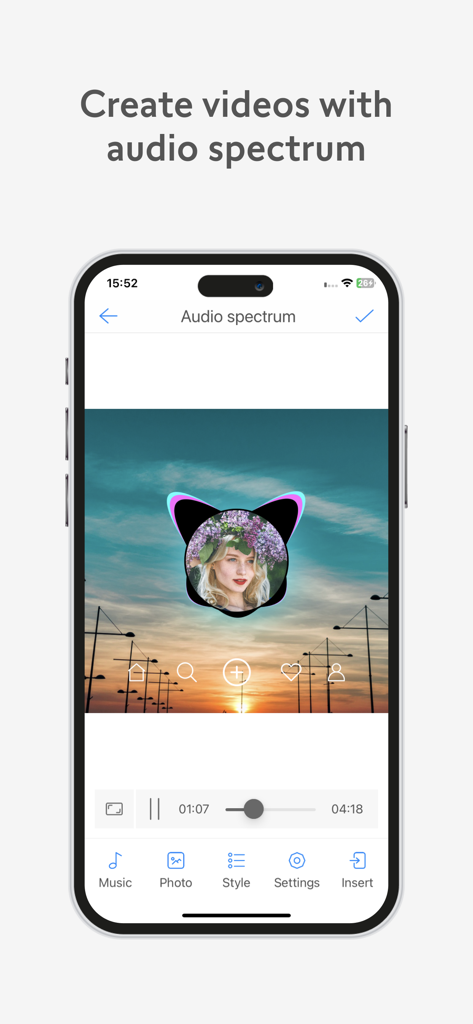
VivuVideo Maker & Editor - Oberfläche der VivuVideo-App, die zeigt, wie ein Video mit einem Audiospektrum-Visualizer über einem benutzerdefinierten Foto erstellt wird.
Oberfläche der VivuVideo-App, die zeigt, wie ein Video mit einem Audiospektrum-Visualizer über einem benutzerdefinierten Foto erstellt wird.

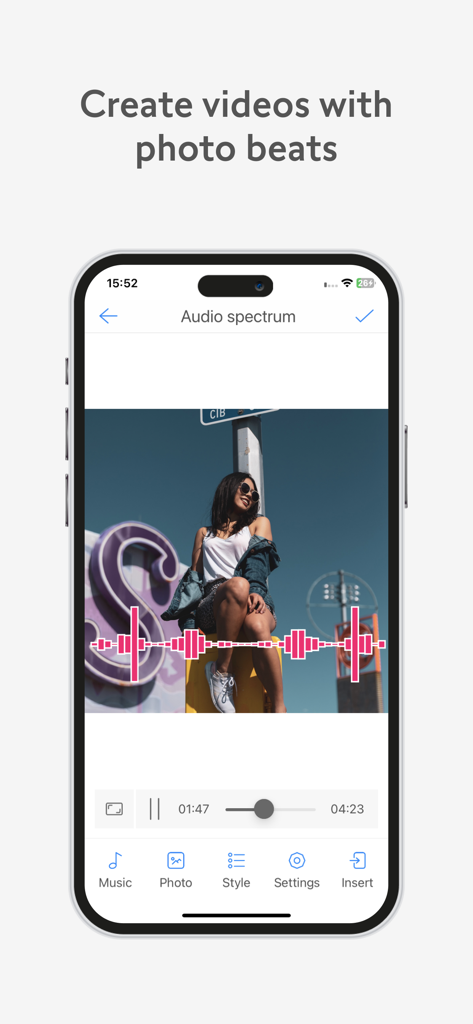
VivuVideo Maker & Editor - Mobile App-Oberfläche von VivuVideo Maker und Editor, die einen Audiospektrum-Effekt auf einem Foto zeigt.
Mobile App-Oberfläche von VivuVideo Maker und Editor, die einen Audiospektrum-Effekt auf einem Foto zeigt.

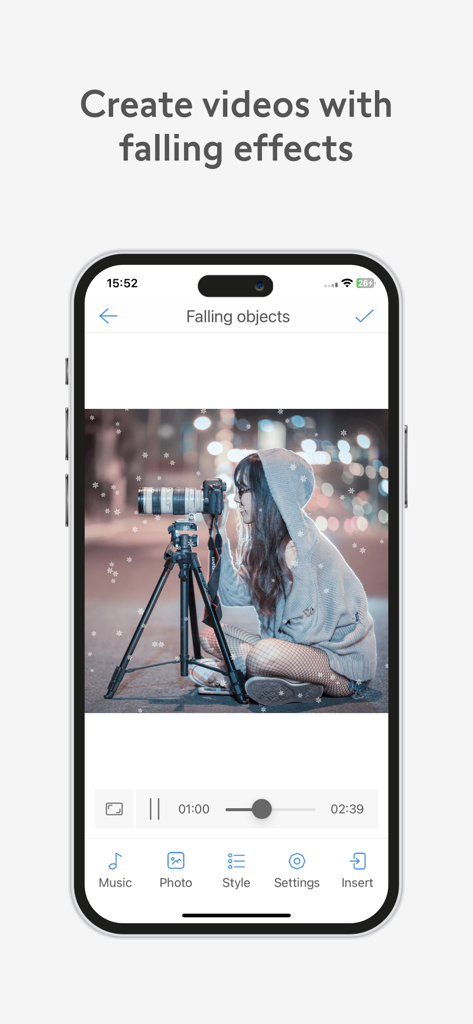
VivuVideo Maker & Editor - Oberfläche der VivuVideo-App, die den fallenden Schnee-Effekt über einem Foto einer Person mit einer Kamera demonstriert.
Oberfläche der VivuVideo-App, die den fallenden Schnee-Effekt über einem Foto einer Person mit einer Kamera demonstriert.

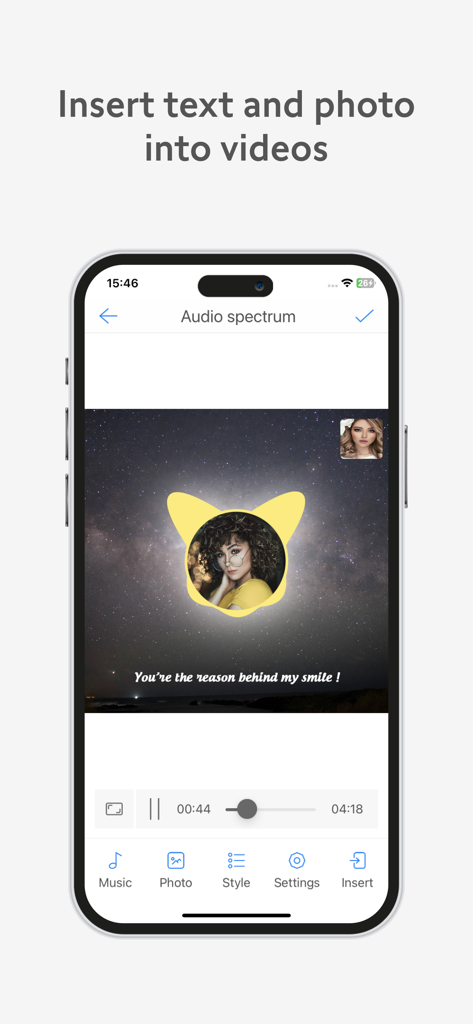
VivuVideo Maker & Editor - Mobile VivuVideo-Oberfläche, die zeigt, wie Text und ein kreisförmiges Foto über ein Audiospektrum-Video mit sternenhintergrund eingefügt werden.
Mobile VivuVideo-Oberfläche, die zeigt, wie Text und ein kreisförmiges Foto über ein Audiospektrum-Video mit sternenhintergrund eingefügt werden.

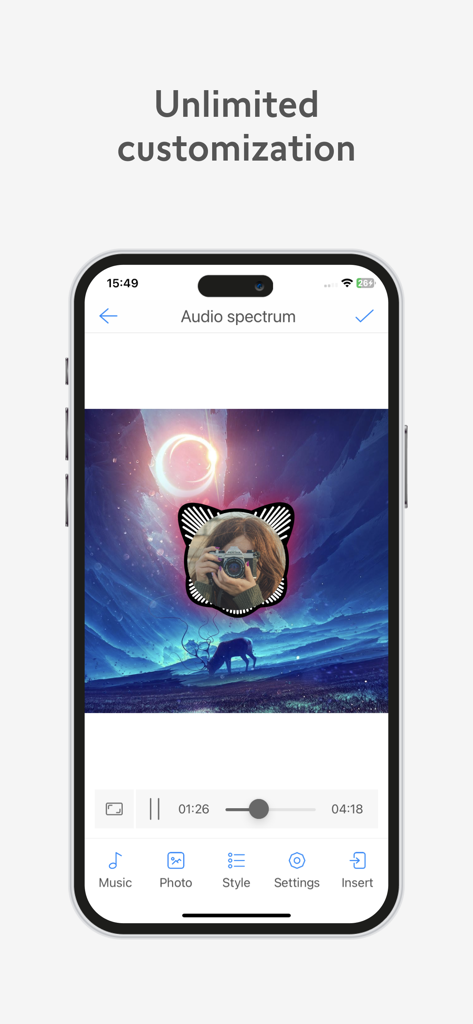
VivuVideo Maker & Editor - Oberfläche der VivuVideo-App, die eine kreisförmige Audiospektrum-Anpassung über einem Foto zeigt.

Oberfläche der VivuVideo-App, die eine kreisförmige Audiospektrum-Anpassung über einem Foto zeigt.

Beschreibung

VivuVideo Maker & Editor is an application that creates videos from photos and music with limitless customization. This application is completely free and is constantly updated with new features. Choose a favorite music, a beautiful image and add some effects to create an amazing video as you like. With many video effects, beautifully displayed audio images and excellent sound quality, VivuVideo Maker & Editor is very suitable for creating videos for friends, lovers or creating EDM, Remix, Lofi, Chill music videos to share on social networks like YouTube, TikTok, Facebook Stories, etc. The main features of VivuVideo Maker & Editor include: - Create videos with a falling effect. - Create video with audio spectrum (music wave, audio visualization video maker). - Create photo beats with music videos. - Create videos with a timer. - Create videos with compact disc rotation effects. - Create videos with glitch images. - Create videos with progress bars. Video maker with drop effect: - Create videos from photos and music with beautiful drop effects. - Support falling snow, falling flowers, falling leaves, dropping hearts and many other effects. - There are more than 50 built-in falling objects for you to choose from. - Customize the size, speed and density of falling objects. - Objects can fall randomly or in a straight line. - Objects can fall from above or from many directions. Video maker with audio spectrum: - Create videos from images with a sound screen. - Create videos from music with a sound screen. - The screen will generate sound waves according to the frequency of the sound. - More than 20 beautiful sound screens have been integrated. - Symmetrical, circular and horizontal audio spectrum support. - Support rabbit ear wave, external or internal music wave. - Change image center and size for music waves. - Move music waves to many different locations. - Customize amp, wave thickness, color. - Advanced features: shake, bang, glitch, strobe, rotate. Make photo beats with music video: - Create a video with an image that beats according to the intensity of the sound. - Customize the level of hitting for photos (hit hard or light). - Change effects for images: black and white, blur, etc. - Advanced features: vibration, shock, flash, flying dust. Video maker with timer: - Create videos with the time of the song. - Support count types: count up, countdown. - Customize font, font color, font size, animation. - Make a copy of the clock with a mirror effect. Some other features: - Supports multiple video ratios: 1:1, 1:2, 2:1, 2:3, 3:2, 3:4, 4:3, 9:16, 16:9. - Change effects, brightness for video background images. - Background effects: shake, glitch, beat, flash. - The flying dust effect makes the video more vivid. - Insert text into video, support more than 100+ different fonts. - Insert text into multiple parts in the same video. - Insert photos into video. - Insert logo into video. - Insert stickers into videos. - Insert images into video. - Export video in 720p (HD) or 1080p (full HD) quality, which varies by device. - Video output up to 60 FPS (fps), varies by device. - Video is output with high quality and fast speed. - Easily manage and share created video cross-platform. - And many other features that cannot be fully listed here. You can use VivuVideo Maker & Editor to: - Create videos from photos. - Create videos from music. - Create videos from images. - Create remix music videos, EDM. - Create music videos Lofi, Chill... - Create videos with lyrics... - Create videos with many effects... - Create videos to share to YouTube. - Create videos to share with Tiktok. - Create videos to share on Facebook. - Create videos to share to Instagram. - Create videos to share on Twitter. Do you like VivuVideo Maker & Editor? Please leave your rating and suggestions, it will help us to make this app better in the next versions! Thank you!

Download

Herunterladen auf App Store

Diese Seite ist keine offizielle Seite der App oder ihres Entwicklers, sondern eine unabhängige redaktionelle Veröffentlichung, die zu Informations- und Kommentarzwecken erstellt wurde. Sofern nicht ausdrücklich anders angegeben, sind weder die App noch ihr Entwickler mit MWM, Apple, Google Play, dem App-Herausgeber oder dem Entwickler der App verbunden, von ihnen unterstützt, gesponsert, autorisiert oder anderweitig offiziell verbunden, und nichts auf dieser Seite impliziert, dass die App unter Verwendung der Dienste von MWM entwickelt wurde. Alle Marken, Logos, Screenshots und andere Inhalte bleiben Eigentum ihrer jeweiligen Inhaber.








