
このページはアプリまたはその開発者の公式ページではなく、情報提供および論評を目的として作成された独立した編集出版物です。明示的に別段の記載がない限り、アプリおよびその開発者は、MWM、Apple、Google Play、アプリのパブリッシャー、またはアプリの開発者と提携、承認、後援、認可、またはその他の公式的な関係はなく、このページのいかなる内容も、アプリがMWMのサービスを使用して開発されたことを意味するものではありません。すべての商標、ロゴ、スクリーンショット、その他のコンテンツはそれぞれの所有者の財産です。

3D GO | 3D Printing Models
タブの切り替えはもう不要。主要な3Dモデルライブラリをすべて検索し、3Dでファイルをプレビューし、Bambu、Prusa、Crealityプリンター用のGコードを生成できます。すべて1つの強力なアプリから。
ダウンロード
147K+ユーザー評価
評価数
3K+開発元
カテゴリ
Utilities対応言語
1最新バージョン
1.3.10サイズ
50.8 MBリリース日
2023年10月9日現代のクリエイターのための究極のツールキット
タブ間を移動するのはやめましょう。世界最大のライブラリから数千ものモデルを1つのシームレスなモバイル体験で検索、表示、スライスできます。
統合されたモデル発見
Thingiverse、Printables、Cults3Dなどを同時に検索。次のプロジェクトに最適なSTLを、手間なく数秒で見つけられます。
モバイルスライス&Gコード
デスクトップから解放されましょう。電話から直接モデルをプリント準備完了のGコードに変換し、外出先でPLA、PETG、またはABS用のファイルを準備します。
よくある質問
について知っておくべきこと 3D GO | 3D Printing Models
3D GOとは何ですか?
3D GOは、3Dモデルの検索、プレビュー、整理、スライスを行うためのオールインワン3Dプリンティングアプリです。通常は複数のウェブサイトやスライサーアプリケーションに分散している機能を一元化します。
3D GOはどの3Dモデルサイトに対応していますか?
3D GOは、Thingiverse、Printables、Cults3D、MakerWorld、MyMiniFactoryを横断した同時検索をサポートしています。これらの主要な3Dモデルリポジトリを統合します。
3D GOでSTLファイルをプレビューできますか?
はい、3D GOには完全な3DプレビューとSTLビューアが含まれています。ユーザーは、アプリ内で直接ダウンロードまたはスライスする前に、モデルを回転、ズーム、検査できます。
3D GOには3Dモデル用の組み込みスライサーが含まれていますか?
はい、3D GOには組み込みの3Dスライサーが搭載されています。STLファイルを印刷準備完了のGコードに変換し、PLA、PETG、ABS、TPUなどの素材や様々なプリンターをサポートします。
3D GOと互換性のある3Dプリンターの種類は何ですか?
3D GOは、Bambu Lab、Prusa、Creality、Anycubic、Flashforge、Ultimakerなど、主要な3Dプリンターすべてと互換性があります。既存のワークフローと統合します。
3D GOで3Dモデルを整理できますか?
はい、3D GOでは、ユーザーは任意のサイトからモデルを保存し、カスタムコレクションに整理できます。これにより、大規模なSTLライブラリを効果的に管理できます。
3D GOはプライバシーポリシーを提供していますか?
はい、3D GOはプライバシーポリシーを提供しています。ユーザーは、提供されたURL:https://3dgo.app/privacyで詳細を確認できます。
3D GOは新しい3Dモデルの発見にどのように役立ちますか?
3D GOでは、ユーザーはトレンドの3Dモデルを閲覧し、デザインコンテストを発見できます。3Dプリンティングの世界全体のコンテンツを一元化します。
3D GOでデバイスからSTLファイルを開くことはできますか?
はい、3D GOでは、ユーザーはデバイスから直接任意のSTLファイルを開くことができます。アプリケーション内で即座に表示する機能を提供します。
以下のスクリーンショットと説明は、アプリの公式ストアリスティングから直接取得されたものであり、アプリ開発者の所有物です。
アプリストア
スクリーンショット
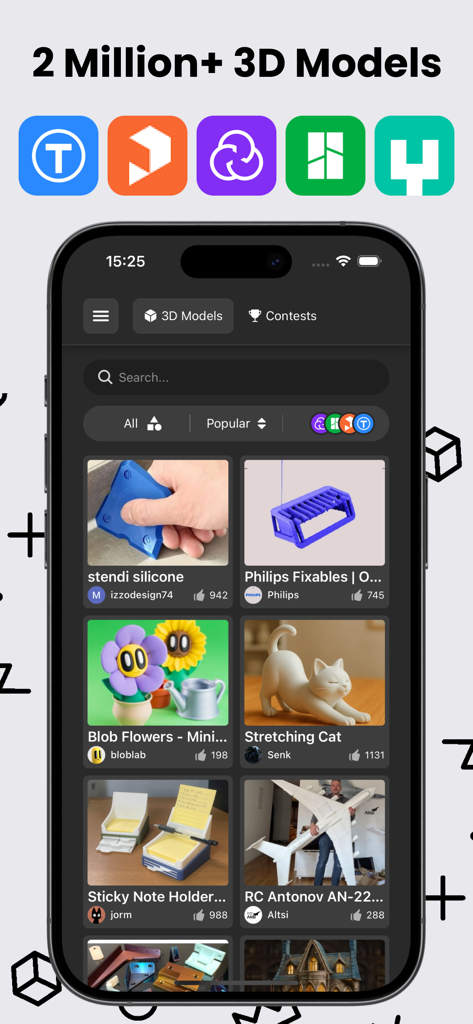
ThingiverseやPrintablesなどのサポートされているプラットフォームのアイコンが表示された、多様な3Dプリントモデルのギャラリーを表示する3D GOのモバイルアプリインターフェイス
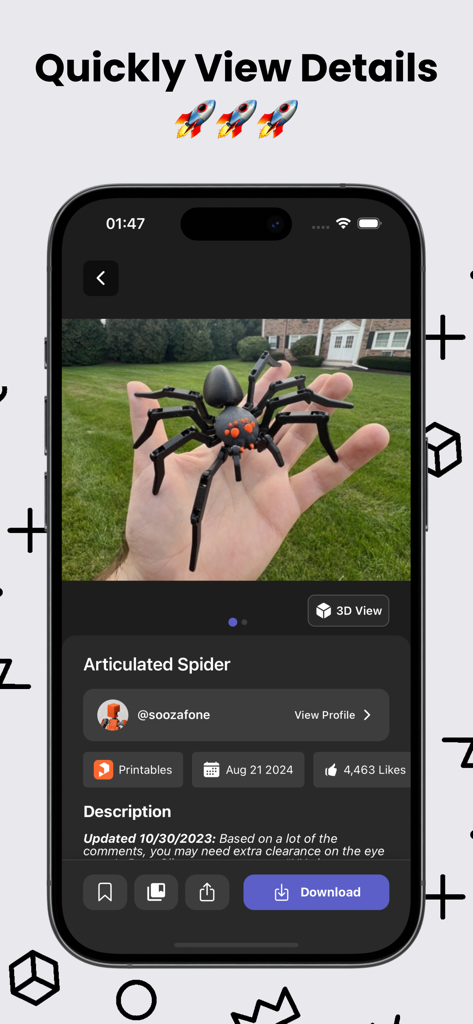
関節式クモの3Dプリントモデルの詳細と写真が表示されている3D GOアプリのインターフェイス
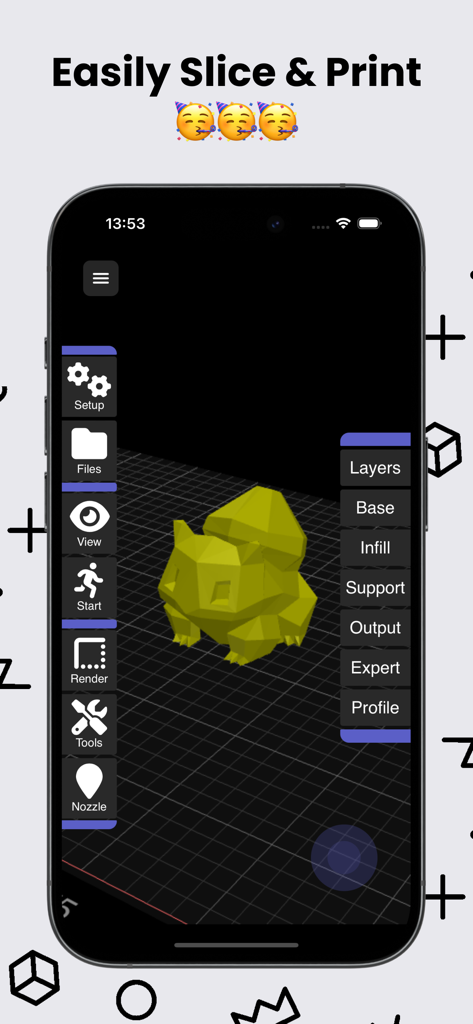
レイヤーとインフィル設定で3Dモデルがスライシンググリッドに表示されている3D GOアプリのインターフェイス
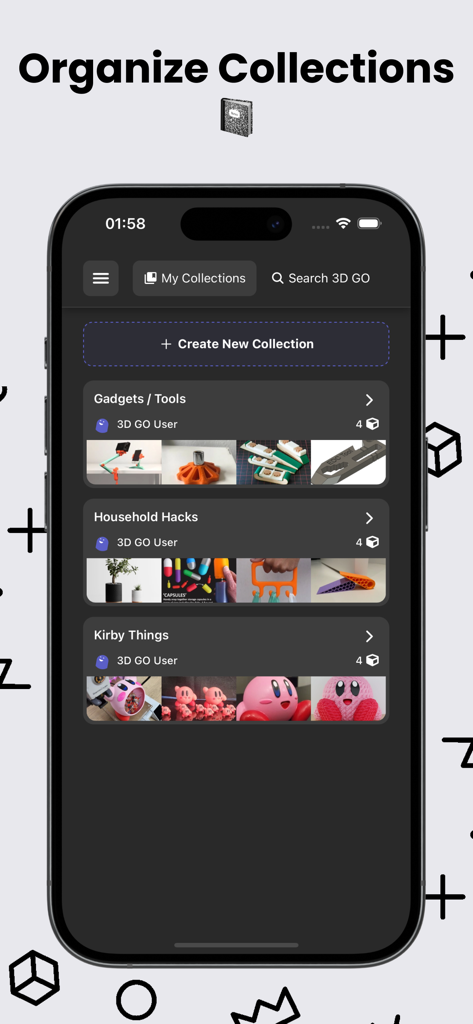
ガジェットや家庭用ハックなどの整理された3Dモデルコレクションが表示されている3D GOアプリのモバイルインターフェイス
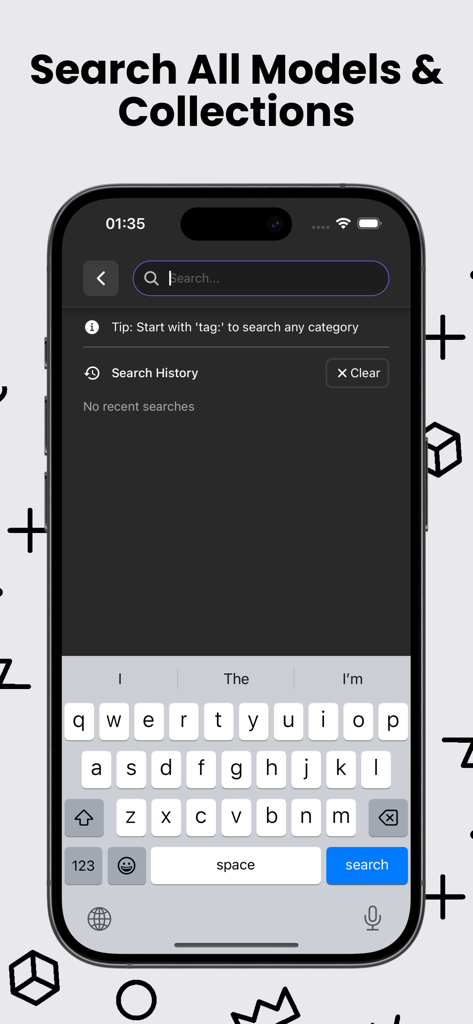
複数のプラットフォームで3DプリントモデルやSTLコレクションを検索するためのモバイル検索インターフェイス
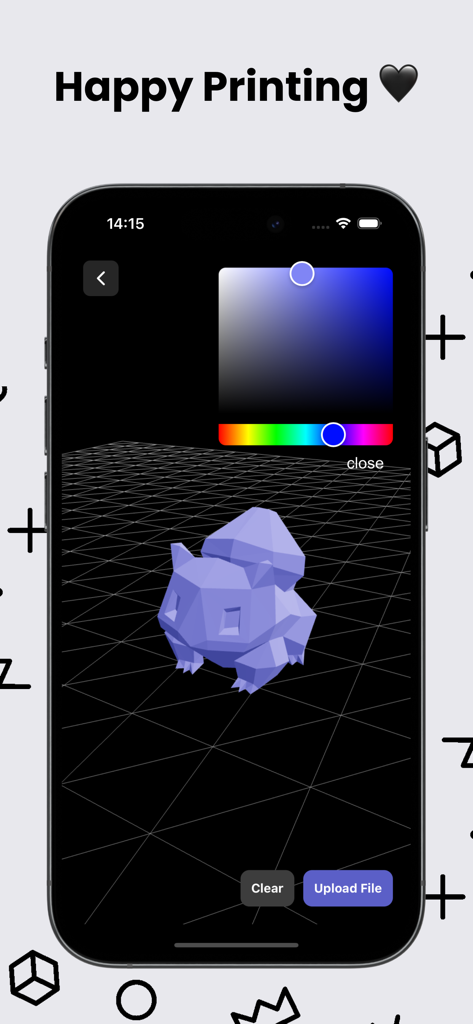
カラーピッカーツールを備えた3D GOモバイルアプリ内の3Dモデルプレビュー
3Dキューブアイコンと「今すぐダウンロード」のコールトゥアクションが特徴の3D GOアプリのダウンロード画面
説明
Download
類似アプリ
似た機能とユーザー体験を持つアプリ

Hypelist: Create & Share Lists
Hypelist, Limited Liability Company

Pinterest, Inc.

InSave : Story, Reels, Video
Veselin Ilianov

Cosmos: Search & Discover
Cosmos Entity, INC.

Milanote
Milanote Pty Ltd

Albo: Save & Organize
Sortd:Do the thing Limited

Pearltrees
Broceliand

3Drop: 3D Printing Models STL
WU FU-HUNG

Are.na
When It Changed Inc.
このページはアプリまたはその開発者の公式ページではなく、情報提供および論評を目的として作成された独立した編集出版物です。明示的に別段の記載がない限り、アプリおよびその開発者は、MWM、Apple、Google Play、アプリのパブリッシャー、またはアプリの開発者と提携、承認、後援、認可、またはその他の公式的な関係はなく、このページのいかなる内容も、アプリがMWMのサービスを使用して開発されたことを意味するものではありません。すべての商標、ロゴ、スクリーンショット、その他のコンテンツはそれぞれの所有者の財産です。