3D Mappa - GIS & Topo Analysis
ダウンロード: App Store

このページはアプリまたはその開発者の公式ページではなく、情報提供および論評を目的として作成された独立した編集出版物です。明示的に別段の記載がない限り、アプリおよびその開発者は、MWM、Apple、Google Play、アプリのパブリッシャー、またはアプリの開発者と提携、承認、後援、認可、またはその他の公式的な関係はなく、このページのいかなる内容も、アプリがMWMのサービスを使用して開発されたことを意味するものではありません。すべての商標、ロゴ、スクリーンショット、その他のコンテンツはそれぞれの所有者の財産です。


ロゴ: 3D Mappa - GIS & Topo Analysis
ダウンロード: App Store

3D Mappa - GIS & Topo Analysis

iPhoneやiPadを強力な地理空間ワークステーションに変えましょう。等高線、傾斜、流動パターンをリアルタイムで視覚化し、現場にいながら高精度なデータをAutoCADやGISソフトウェアに直接エクスポートできます。

主要数値

ダウンロード

7K+

ユーザー評価

5.0/5

評価数

0

開発元

Andres Narvaez

カテゴリ

Navigation

対応言語

1

最新バージョン

1.5.0

サイズ

232.3 MB

リリース日

2024年4月11日
機能

フィールド対応GIS解析

オフィスでの待ち時間はもう不要です。iPhoneやiPadから直接、地形を分析し、流動パターンをシミュレーションし、プログレードのデータをエクスポートできます。

現場でのデスクトップパワー

傾斜、方位、流動解析といった複雑な解析を、その場で実行できます。これにより、コストのかかる再訪問を削減し、フィールドの効率を向上させます。

シームレスなCAD連携

解析結果を業界標準のDXF、SHP、CSV形式でエクスポートし、フィールドデータをAutoCADやArcGISプロジェクトに直接取り込めます。

以下のスクリーンショットと説明は、アプリの公式ストアリスティングから直接取得されたものであり、アプリ開発者の所有物です。

アプリストア

スクリーンショット
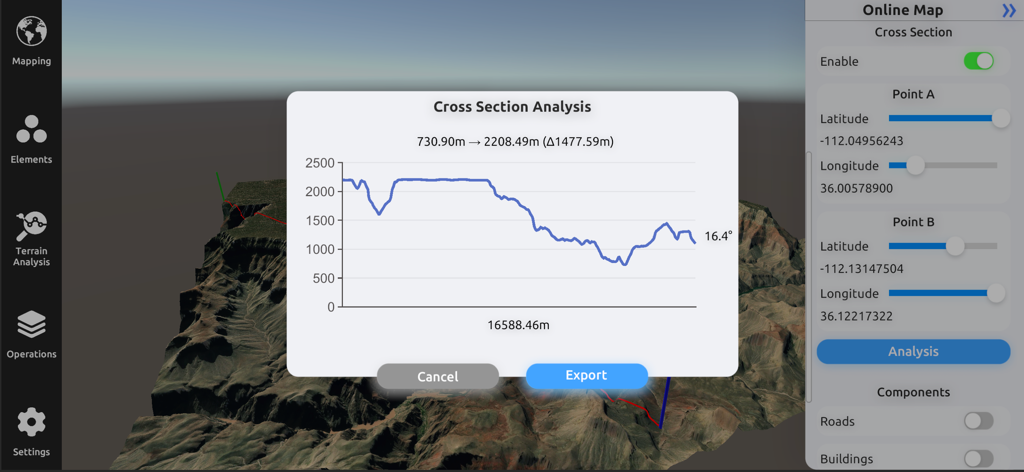
3D Mappa - GIS & Topo Analysis - 3D地形モデル上に標高プロファイルが表示された断面解析グラフを示す3D Mappaのインターフェース
3D地形モデル上に標高プロファイルが表示された断面解析グラフを示す3D Mappaのインターフェース

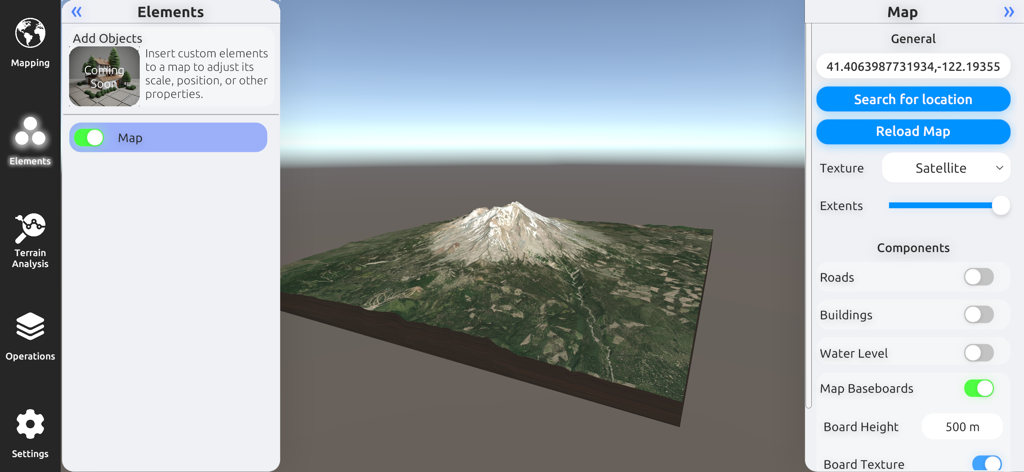
3D Mappa - GIS & Topo Analysis - 衛星画像とマップ設定を備えた山の3D地形モデル。3D Mappa GISアプリ
衛星画像とマップ設定を備えた山の3D地形モデル。3D Mappa GISアプリ

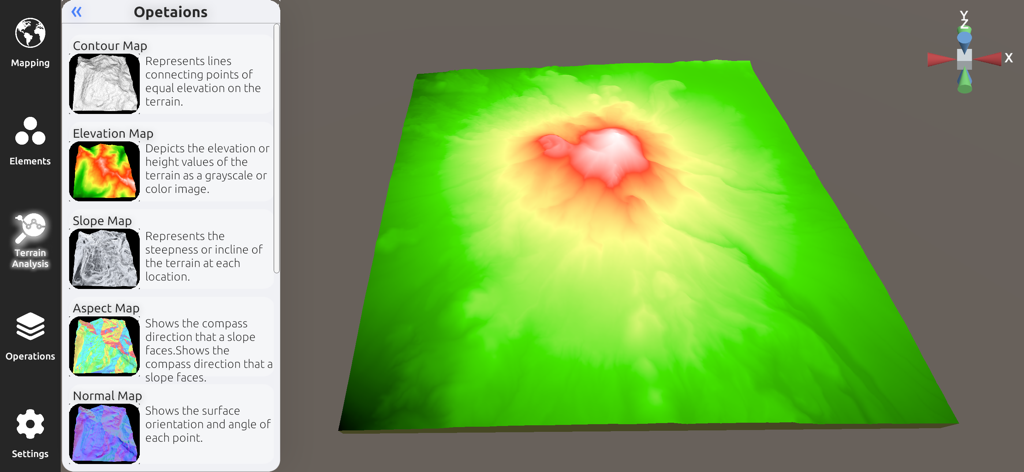
3D Mappa - GIS & Topo Analysis - 3D Mappaアプリの3D標高モデルと地形解析サイドバー

3D Mappaアプリの3D標高モデルと地形解析サイドバー

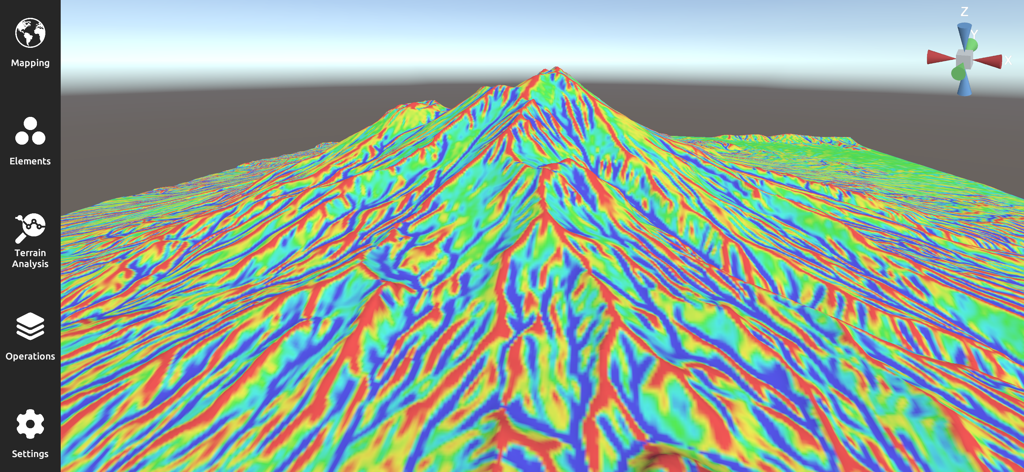
3D Mappa - GIS & Topo Analysis - 3D Mappaアプリの山岳風景にカラフルな傾斜マップが表示された3D地形の視覚化
3D Mappaアプリの山岳風景にカラフルな傾斜マップが表示された3D地形の視覚化

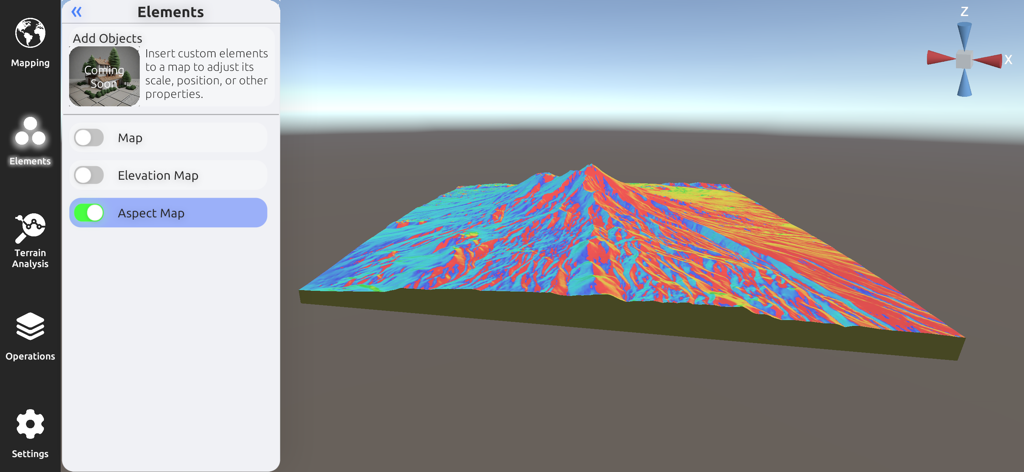
3D Mappa - GIS & Topo Analysis - 地形解析用の詳細なカラフルな3D方位マップを表示する3D Mappaモバイルインターフェース
地形解析用の詳細なカラフルな3D方位マップを表示する3D Mappaモバイルインターフェース

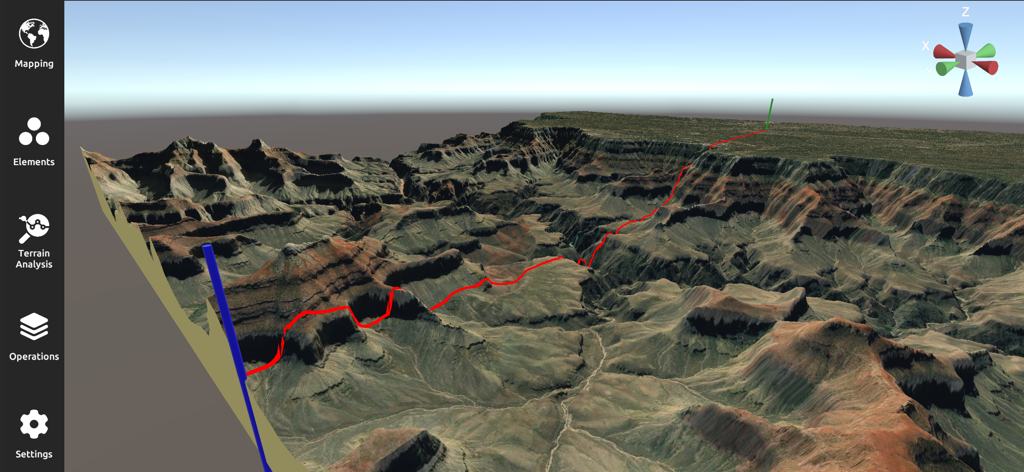
3D Mappa - GIS & Topo Analysis - 赤い経路を持つ険しい渓谷の風景を示すプロフェッショナルな3D地形解析およびマッピングインターフェース
赤い経路を持つ険しい渓谷の風景を示すプロフェッショナルな3D地形解析およびマッピングインターフェース

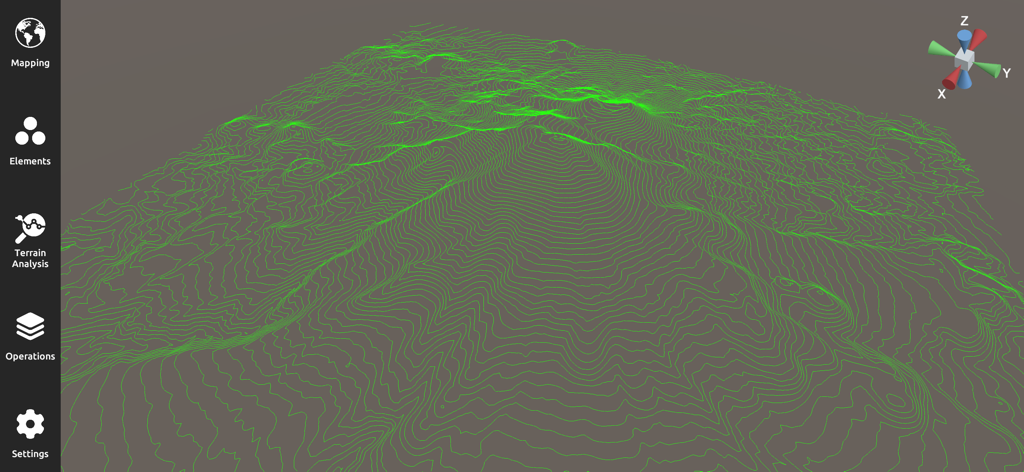
3D Mappa - GIS & Topo Analysis - GIS地形解析用の緑色の等高線が表示された3D地形図

GIS地形解析用の緑色の等高線が表示された3D地形図

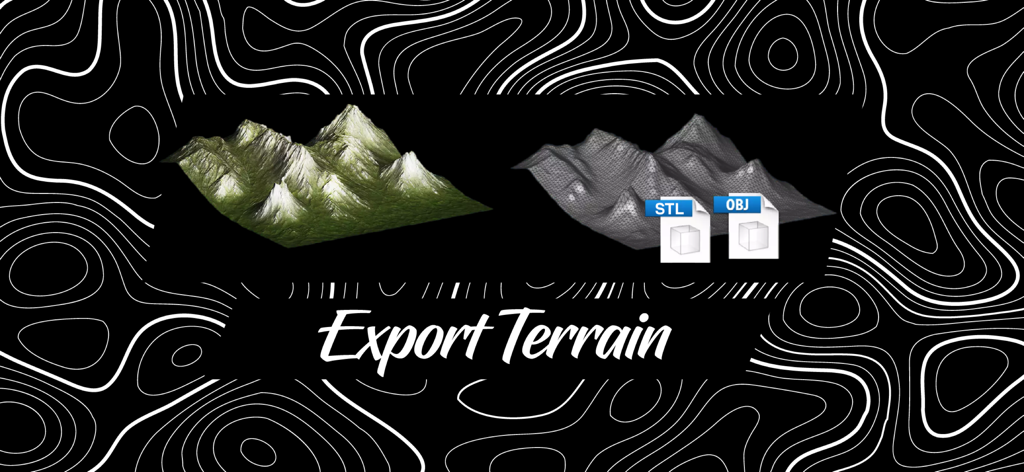
3D Mappa - GIS & Topo Analysis - 3D MappaでSTLおよびOBJ形式で3D地形モデルをエクスポート

3D MappaでSTLおよびOBJ形式で3D地形モデルをエクスポート

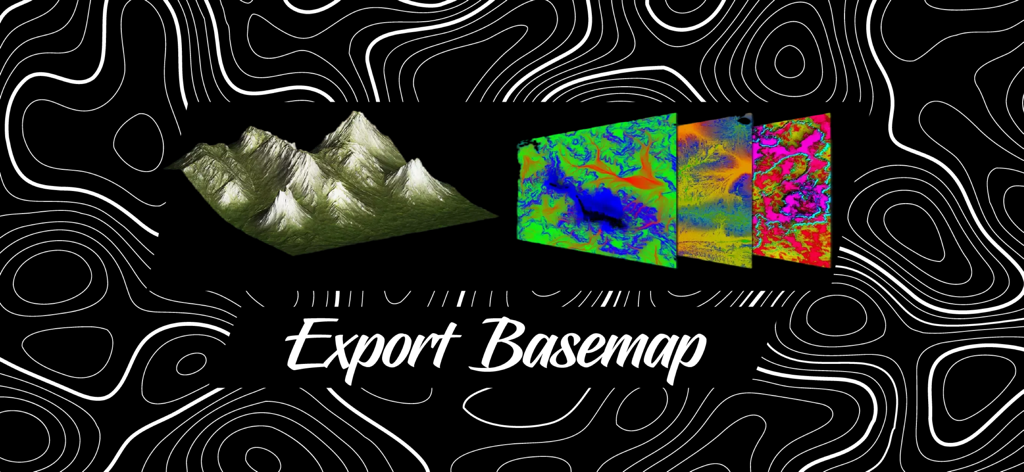
3D Mappa - GIS & Topo Analysis - エクスポートベースマップと表示されたテキストを持つ、カラフルな地形ベースマップレイヤーと3D地形モデル

エクスポートベースマップと表示されたテキストを持つ、カラフルな地形ベースマップレイヤーと3D地形モデル

説明

3D Mappa revolutionizes GIS on mobile. Our app puts powerful terrain analysis tools in the palm of your hand, making complex tasks effortless. Instantly visualize elevation, slope, contours, and more. Simplify workflows with intuitive features designed for speed and efficiency. Export data in seconds to industry-standard formats like DXF, SHP, CSV, OBJ, glTIF, and STL, ensuring compatibility with AutoCAD, and GIS software. Say goodbye to cumbersome processes and hello to streamlined GIS on mobile. KEY FEATURES: - Cross Section: Visualize changes in elevation and other terrain characteristics in a 2D plot. - Contour Map: Represents lines connecting points of equal elevation on the terrain. - Elevation Map: Depicts the elevation or height values of the terrain as a grayscale or color image. - Slope Map: Represents the steepness or incline of the terrain at each location. - Aspect Map: Shows the compass direction that a slope faces. - Normal Map: Shows the surface orientation and angle of each point. - Flow Map: Illustrates the direction of water flow or drainage patterns across the landscape. - Landform Map: Depicts the different types of landforms or land features present in the area. - Curvature Map: Indicates the amount and direction of curvature of the terrain. - Residual Map: Highlights variations or deviations from a baseline, often used in geological analysis. ADDITIONAL FUNCTIONALITIES: - Digital Elevation Models from Data Servers: Create digital elevation models (DEMs) directly from data servers like Google Maps and Mapbox. This functionality allows you to seamlessly integrate high-resolution elevation data from popular map services into your projects, enhancing your analysis with up-to-date and accurate terrain information. - Import Custom XYZ Files: Import your own XYZ files to create digital elevation models using Delaunay triangulation. This feature allows you to bring your own data into the app, providing flexibility and precision in modeling terrain. The Delaunay triangulation method ensures that your elevation models are accurate and well-formed, making it easier to analyze and visualize complex landscapes. UPCOMING FEATURES: - Import LiDAR Files: Display LiDAR data in 2D and 3D for geospatial analysis. This feature will allow you to represent high-precision data obtained by LiDAR technology, providing a detailed view of the terrain and its vegetation. - Add Objects: Insert custom elements into a map to adjust its scale, position, or other properties. This functionality will facilitate the customization and enhancement of your maps with specific objects according to your needs. - Buffer: Create buffer zones around points, lines, or areas for spatial analysis. This tool will be useful for evaluating impacts and conducting proximity studies. - Clipping and Intersect Tools: Perform clipping and intersection operations on your maps to analyze and manipulate spatial data precisely. These tools will allow you to extract and combine specific areas of interest. - Flood Simulation: Simulate flood scenarios to assess risks and plan mitigation measures. This feature will enable the prediction of water behavior under various conditions and help plan appropriate responses. Terms of Use: https://www.apple.com/legal/internet-services/itunes/dev/stdeula/

Download

ダウンロード: App Store

このページはアプリまたはその開発者の公式ページではなく、情報提供および論評を目的として作成された独立した編集出版物です。明示的に別段の記載がない限り、アプリおよびその開発者は、MWM、Apple、Google Play、アプリのパブリッシャー、またはアプリの開発者と提携、承認、後援、認可、またはその他の公式的な関係はなく、このページのいかなる内容も、アプリがMWMのサービスを使用して開発されたことを意味するものではありません。すべての商標、ロゴ、スクリーンショット、その他のコンテンツはそれぞれの所有者の財産です。