ABUKAI Expense Reports Receipt
ダウンロード: App Store

このページはアプリまたはその開発者の公式ページではなく、情報提供および論評を目的として作成された独立した編集出版物です。明示的に別段の記載がない限り、アプリおよびその開発者は、MWM、Apple、Google Play、アプリのパブリッシャー、またはアプリの開発者と提携、承認、後援、認可、またはその他の公式的な関係はなく、このページのいかなる内容も、アプリがMWMのサービスを使用して開発されたことを意味するものではありません。すべての商標、ロゴ、スクリーンショット、その他のコンテンツはそれぞれの所有者の財産です。


ロゴ: ABUKAI Expense Reports Receipt
ダウンロード: App Store

ABUKAI Expense Reports Receipt

手入力に時間を費やすのはやめましょう。レシートの写真を撮るだけで、自動で分類、為替レート、レポート作成を行います。

主要数値

ダウンロード

35K+

ユーザー評価

4.6/5

評価数

5K+

開発元

Abukai, Inc.

カテゴリ

Finance

対応言語

11

最新バージョン

6.201

サイズ

11.8 MB

リリース日

2010年8月5日
機能

勝手に作成される経費レポート

手入力に週末を費やすのはやめましょう。ABUKAIは、レシートの取り込みから会社への精算まで、プロセス全体を自動化します。多忙な出張者のために特別に設計されています。

ワンステップのレシート取り込み

出先でレシートの写真を撮るだけです。ベンダー、日付、金額が自動的に抽出されるため、データ入力をする必要はありません。

自動分類

当社のシステムは経費をインテリジェントに分類し、複雑な通貨換算にも対応するため、レポートは正確かつ即座に承認準備が整います。

以下のスクリーンショットと説明は、アプリの公式ストアリスティングから直接取得されたものであり、アプリ開発者の所有物です。

アプリストア

スクリーンショット
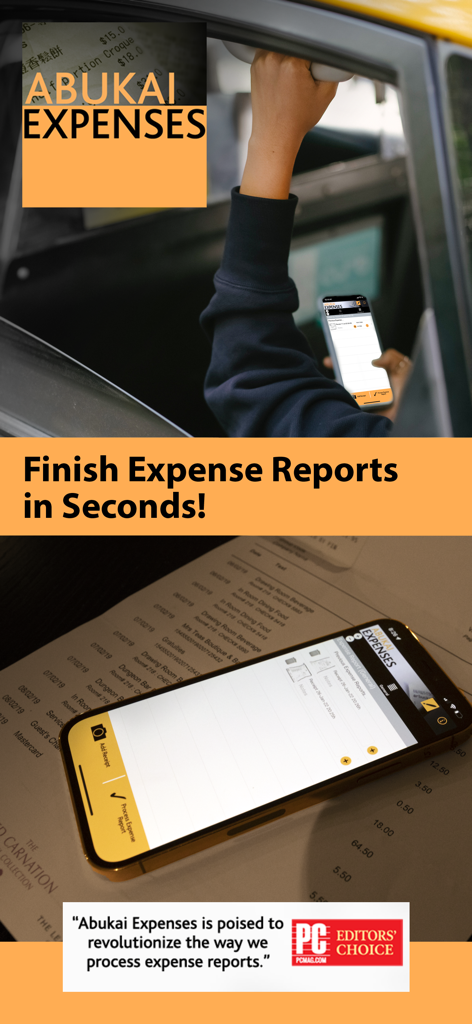
ABUKAI Expense Reports Receipt - 自動レシートスキャンとビジネス経費レポート用のABUKAIアプリが表示されたスマートフォン。
自動レシートスキャンとビジネス経費レポート用のABUKAIアプリが表示されたスマートフォン。

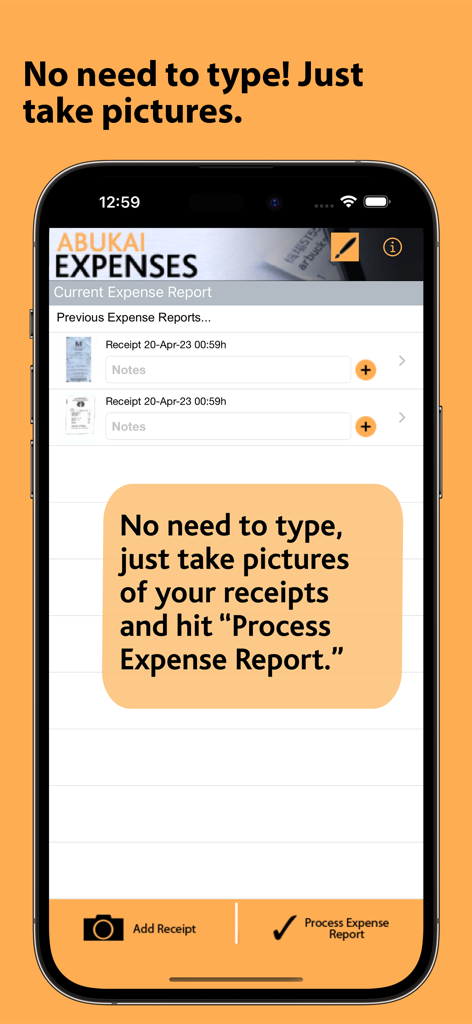
ABUKAI Expense Reports Receipt - レシートリストと経費レポート処理ボタンを表示するABUKAI Expensesアプリのインターフェイス。
レシートリストと経費レポート処理ボタンを表示するABUKAI Expensesアプリのインターフェイス。

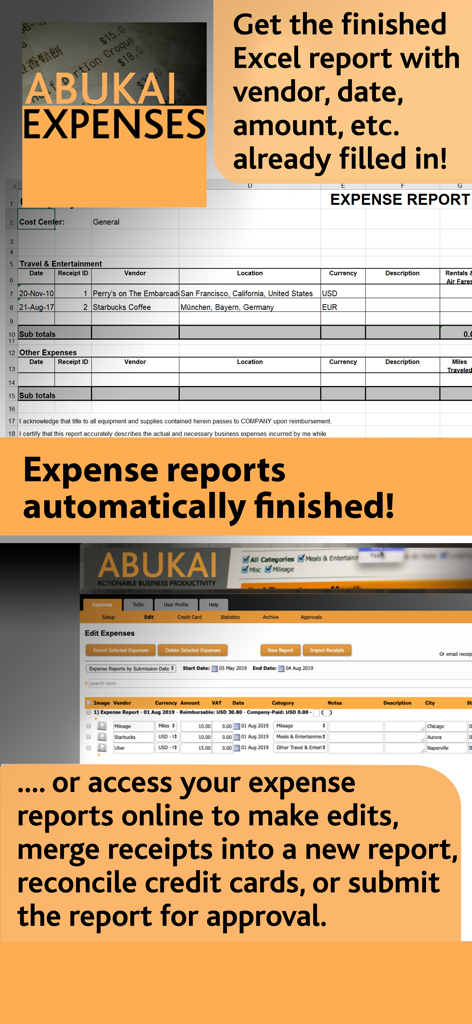
ABUKAI Expense Reports Receipt - ABUKAI自動Excel経費レポートプレビューとオンライン管理ポータルのインターフェイス。
ABUKAI自動Excel経費レポートプレビューとオンライン管理ポータルのインターフェイス。

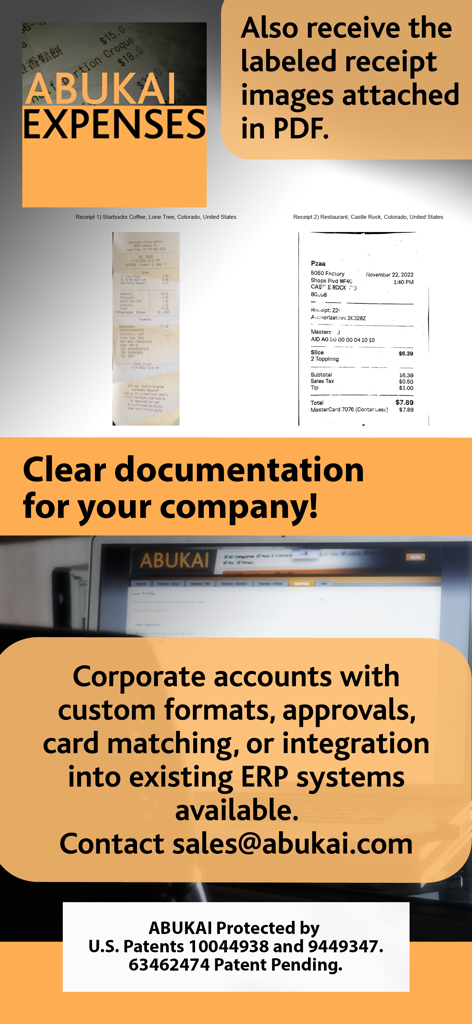
ABUKAI Expense Reports Receipt - スキャンされたレシートと経費レポート用の企業アカウント統合機能を表示するABUKAIアプリのディスプレイ。
スキャンされたレシートと経費レポート用の企業アカウント統合機能を表示するABUKAIアプリのディスプレイ。

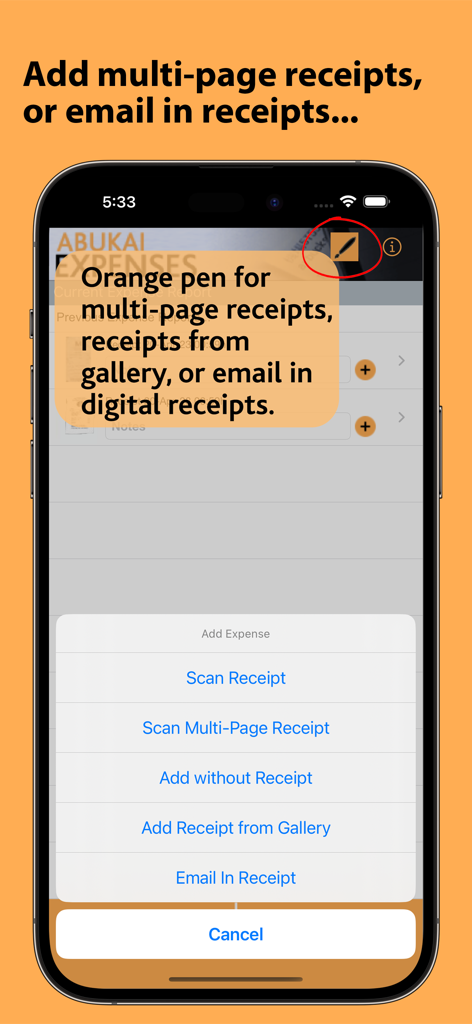
ABUKAI Expense Reports Receipt - 複数ページレシートのスキャンとデジタルレシートのメール送信に関するメニューオプションを表示するABUKAIアプリのスクリーンショット。
複数ページレシートのスキャンとデジタルレシートのメール送信に関するメニューオプションを表示するABUKAIアプリのスクリーンショット。

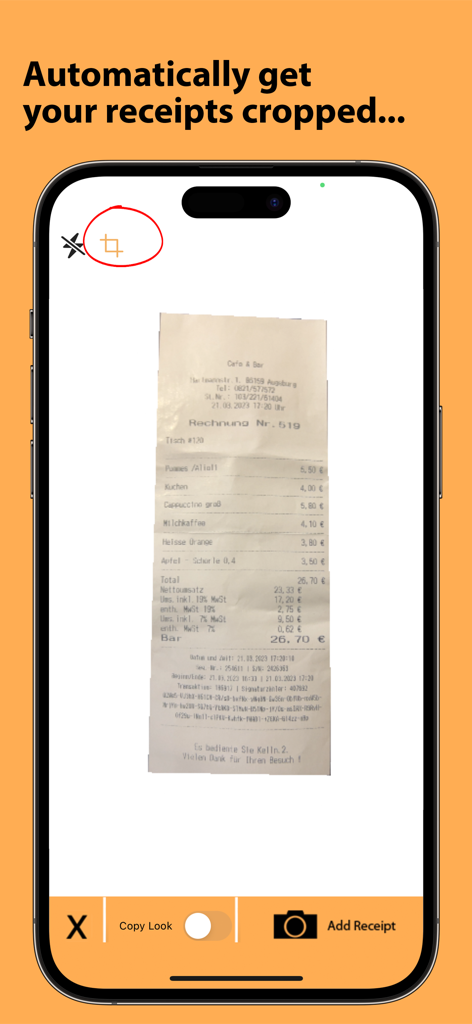
ABUKAI Expense Reports Receipt - 経費レポート用にレシートを自動でトリミングするABUKAIアプリ。

経費レポート用にレシートを自動でトリミングするABUKAIアプリ。

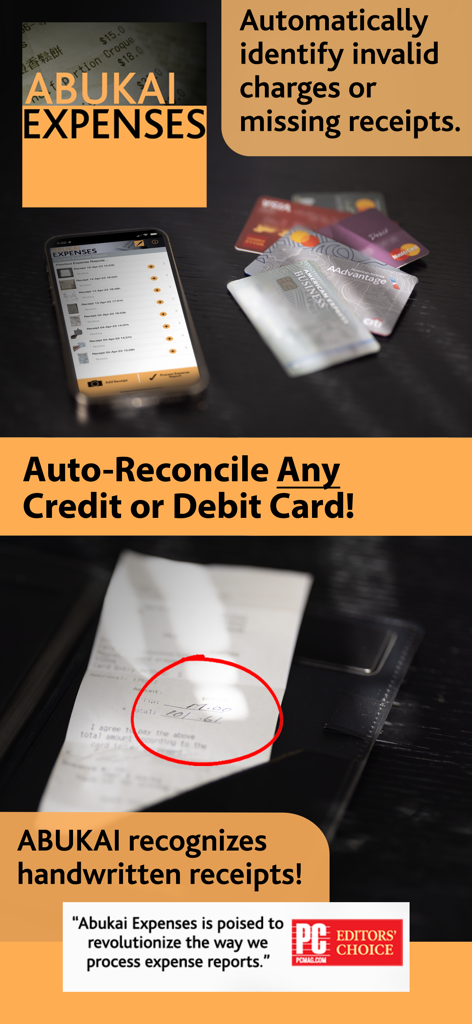
ABUKAI Expense Reports Receipt - クレジットカードの自動照合と手書きレシート認識、PC Magazineの推薦を紹介するABUKAIアプリの機能。
クレジットカードの自動照合と手書きレシート認識、PC Magazineの推薦を紹介するABUKAIアプリの機能。

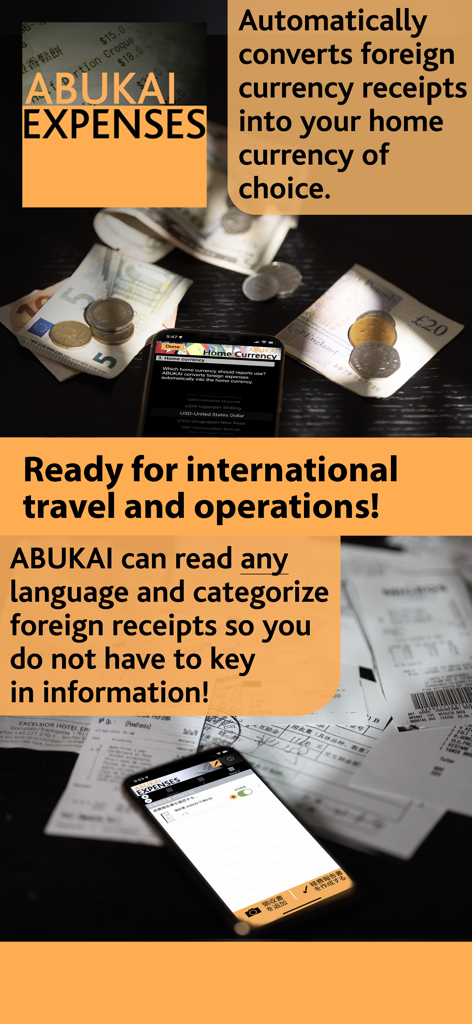
ABUKAI Expense Reports Receipt - 国際的な出張のための自動外貨両替と多言語レシートスキャンを実演するABUKAIアプリのインターフェイス。
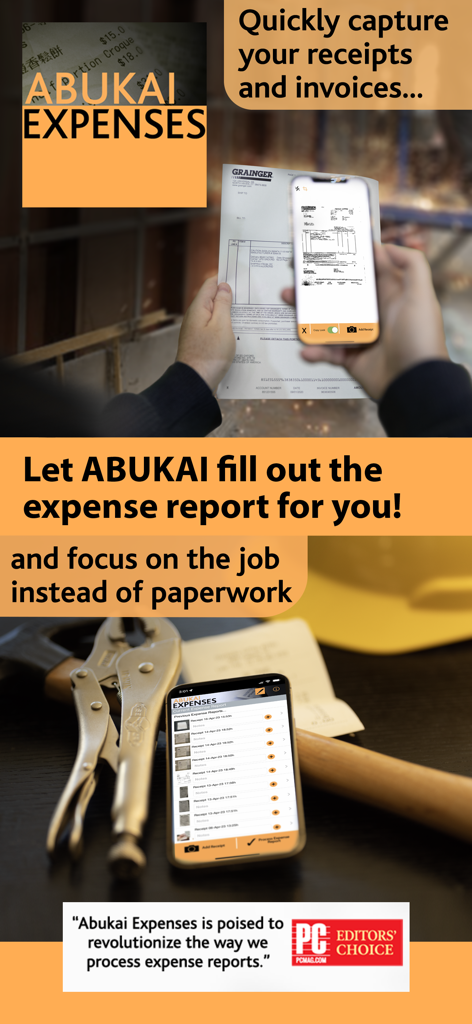
国際的な出張のための自動外貨両替と多言語レシートスキャンを実演するABUKAIアプリのインターフェイス。

ABUKAI Expense Reports Receipt - ユーザーがABUKAIアプリでレシートをスキャンし、自動的に経費レポートを生成している様子。
ユーザーがABUKAIアプリでレシートをスキャンし、自動的に経費レポートを生成している様子。

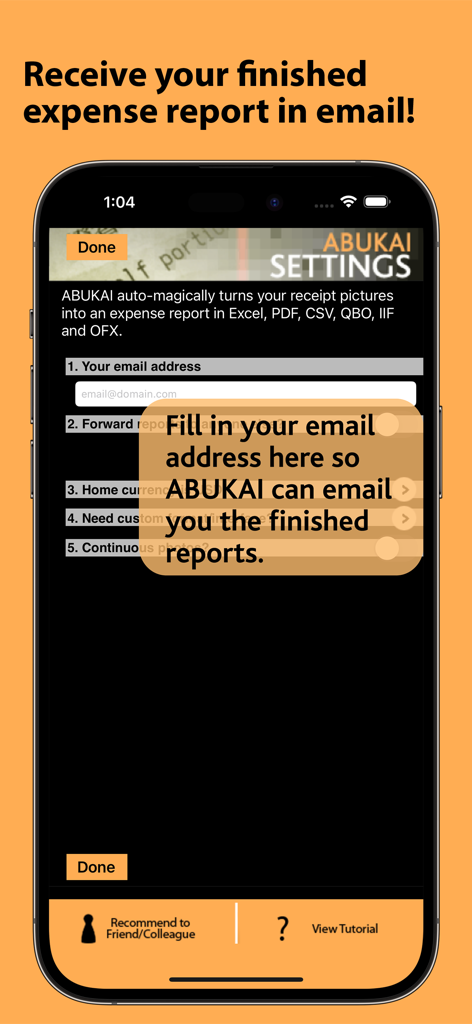
ABUKAI Expense Reports Receipt - 自動経費レポート受信のためのメール設定を表示するABUKAIアプリの設定画面。

自動経費レポート受信のためのメール設定を表示するABUKAIアプリの設定画面。

説明

Tired of expense reports? Finish your expenses in seconds with ABUKAI! Step 1. Simply take a picture of each receipt while on the road or in the office. Step 2. Hit “Process Expense Report” anytime you are ready. You will receive your finished expense report with cost categorization, date, vendor and all the other information already filled in for you. Named one of the six Best Mobile Small Business Apps by Staples. Named one of the Top 5 Apps for Investing and Finance by Nasdaq. Named one of the Top 20 Cloud Services for Small Businesses by PC Magazine. PC Magazine Editors Choice: "ABUKAI Expenses is a knock-your-socks off mobile app... ABUKAI is right there at the top of the list. I was blown away by the accuracy... It's an obvious Editors Choice for business users. ABUKAI Expenses is poised to revolutionize the way we process expense reports." AGuys: "An application and a service that I have been wishing for ever since I was able to spend money... You answered my prayer…Your app and service are amazing!" ABUKAI's receipt scanner eliminates all the cumbersome work associated with creating expense reports and business expenses including typing data from receipts, categorizing expenses and looking up exchange rates. ABUKAI will "automagically” create your expense report and email it to you once you submit your receipts. Downloading the ABUKAI Expenses mobile scanner application is completely free, and includes 12 expense reports/year (counted as sets of 10 receipts). Additional expense report submissions or customization require subscription to an ABUKAI Expenses account plan. Do you require customizations or have a different expense report template? With the standard version available for download, you will receive expense reports via email in Excel and PDF. ABUKAI can tailor reports to your company’s existing Excel format or directly post your expenses into your company's expense web portal, document management system or ERP system. For example, ABUKAI can directly post your expenses into tools such as Exact, FreshBooks, Intacct, MYOB, QuickBooks, Sage, or Xero Accounting. ABUKAI can also be customized to upload expenses into Oracle or SAP. Please email us at support@abukai.com with your feedback. Note: ABUKAI’s software and services target businesses and not individuals.

Download

ダウンロード: App Store

このページはアプリまたはその開発者の公式ページではなく、情報提供および論評を目的として作成された独立した編集出版物です。明示的に別段の記載がない限り、アプリおよびその開発者は、MWM、Apple、Google Play、アプリのパブリッシャー、またはアプリの開発者と提携、承認、後援、認可、またはその他の公式的な関係はなく、このページのいかなる内容も、アプリがMWMのサービスを使用して開発されたことを意味するものではありません。すべての商標、ロゴ、スクリーンショット、その他のコンテンツはそれぞれの所有者の財産です。