Acronis Cyber Files
Acronis Cyber Files
ダウンロード: App Store

このページはアプリまたはその開発者の公式ページではなく、情報提供および論評を目的として作成された独立した編集出版物です。明示的に別段の記載がない限り、アプリおよびその開発者は、MWM、Apple、Google Play、アプリのパブリッシャー、またはアプリの開発者と提携、承認、後援、認可、またはその他の公式的な関係はなく、このページのいかなる内容も、アプリがMWMのサービスを使用して開発されたことを意味するものではありません。すべての商標、ロゴ、スクリーンショット、その他のコンテンツはそれぞれの所有者の財産です。


ロゴ: Acronis Cyber Files
ダウンロード: App Store

Acronis Cyber Files

FIPS 140-2認定セキュリティにより、iOSデバイスで、安全かつ即座に社内ファイルサーバーやSharePointにアクセスし、モバイルワークフォ gydaを強化します。ドキュメントの編集、注釈付け、共同作業が可能です。

主要数値

ダウンロード

121K+

ユーザー評価

3.6/5

評価数

0

開発元

Group Logic, Inc.

カテゴリ

Business

対応言語

12

最新バージョン

25.200

サイズ

254.7 MB

リリース日

2011年5月22日
機能

オフィスとモバイルのギャップを安全に埋める

FIPS認定セキュリティとの高速生産性を組み合わせ、社内サーバーやSharePointへの即時アクセスで、ワークフォースを強化します。

統合サーバーアクセス

安全でないパブリッククラウドを必要とせずに、どこからでも会社のWindowsファイルサーバーやNASにシームレスに接続できます。

統合ドキュメント編集

アプリ内でMS OfficeファイルやPDFを表示、編集、注釈付けでき、機密性の高い作業が安全なエコシステムから離れることを防ぎます。

以下のスクリーンショットと説明は、アプリの公式ストアリスティングから直接取得されたものであり、アプリ開発者の所有物です。

アプリストア

スクリーンショット
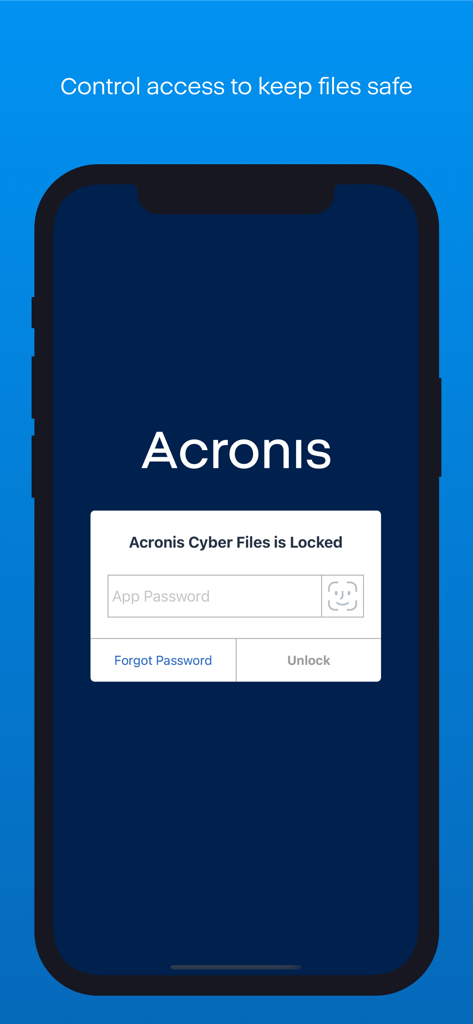
Acronis Cyber Files - Acronis Cyber Filesアプリは、パスワード入力とFace ID認証オプションを備えた安全なロック画面を表示しています。
Acronis Cyber Filesアプリは、パスワード入力とFace ID認証オプションを備えた安全なロック画面を表示しています。

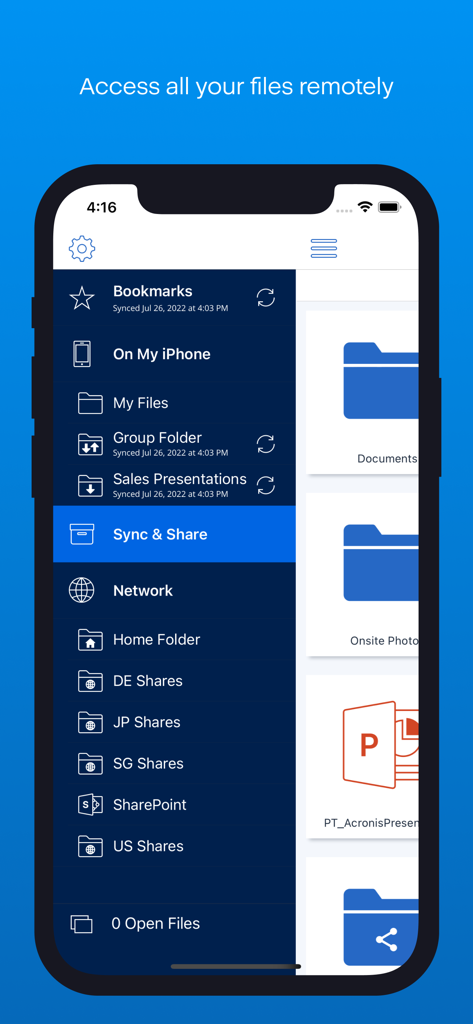
Acronis Cyber Files - Acronis Cyber Filesアプリのサイドバーメニューには、iPhoneでのリモートファイルアクセスオプションが表示されています。
Acronis Cyber Filesアプリのサイドバーメニューには、iPhoneでのリモートファイルアクセスオプションが表示されています。

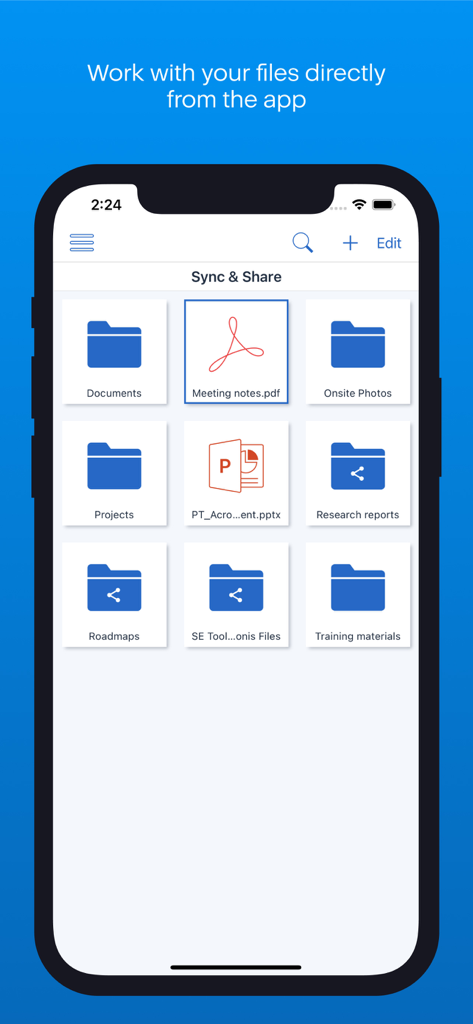
Acronis Cyber Files - Acronis Cyber Filesアプリの画面には、整理されたフォルダーとドキュメントが表示され、安全なエンタープライズ同期と共有が可能です。
Acronis Cyber Filesアプリの画面には、整理されたフォルダーとドキュメントが表示され、安全なエンタープライズ同期と共有が可能です。

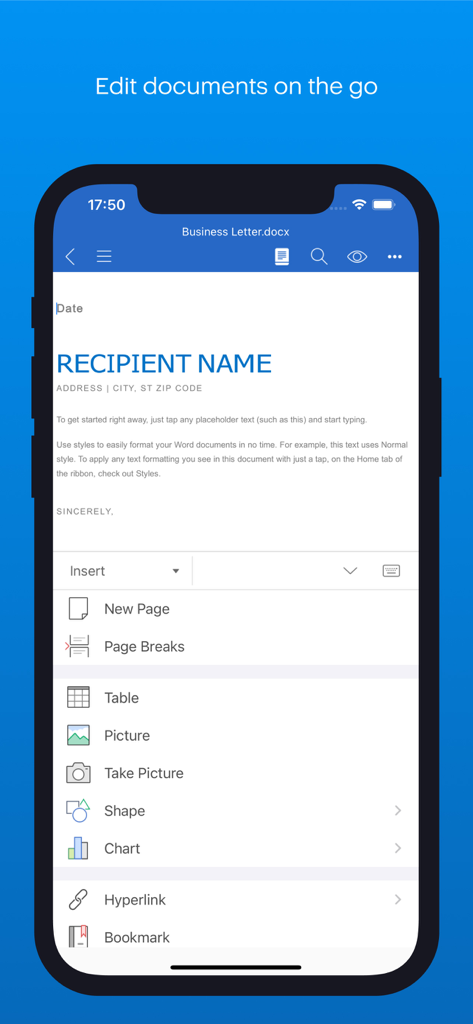
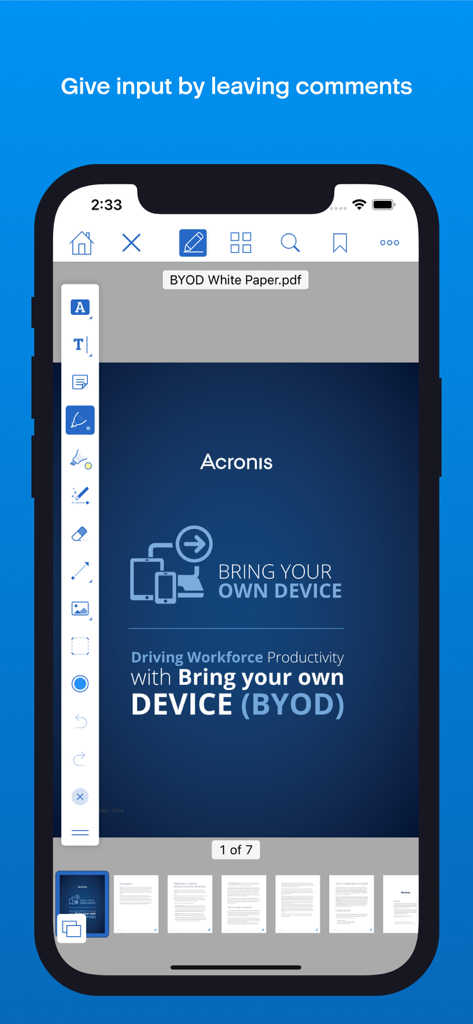
Acronis Cyber Files - Acronis Cyber Filesモバイルアプリでのセキュアなドキュメント編集インターフェース
Acronis Cyber Filesモバイルアプリでのセキュアなドキュメント編集インターフェース

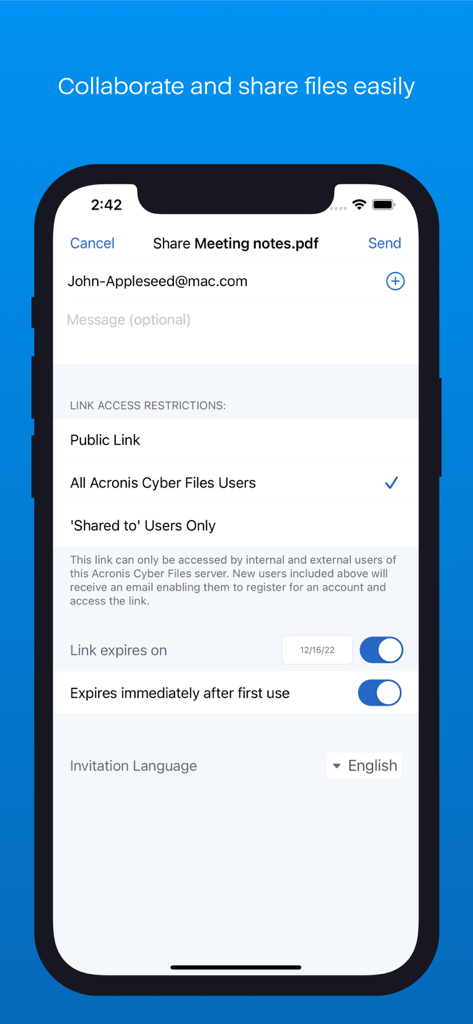
Acronis Cyber Files - Acronis Cyber Filesのセキュアなファイル共有インターフェースには、リンクアクセス制限と有効期限オプションが表示されています。
Acronis Cyber Filesのセキュアなファイル共有インターフェースには、リンクアクセス制限と有効期限オプションが表示されています。

Acronis Cyber Files - Acronis Cyber Filesアプリは、iPhoneでのPDF注釈とドキュメント編集を表示しています。

Acronis Cyber Filesアプリは、iPhoneでのPDF注釈とドキュメント編集を表示しています。

説明

With Acronis Cyber Files you can safely access your business files from anywhere and any device. You can easily share documents with colleagues, customers and vendors, keeping files and data secure and private, where only you and your organization can touch them. The app is designed for extreme ease of use, combined with incomparable security, privacy and management capabilities. When working with Acronis Cyber Files servers, files can be stored on your company’s Windows File Servers, SharePoint and NAS devices. NOTE: The Acronis Cyber Files app is free and used with both Cyber Files or Files Cloud servers. For further details about the app setup, please contact your system administrator. Acronis Cyber Files enables iPad and iPhone users to: • Find and preview files, located in Files Cloud or on company servers: File, SharePoint and NAS • Create and edit Microsoft Office documents and text files • Annotate PDF files • Search for files by their name or contents • Store files and folders locally on mobile devices for anytime, anywhere access • Automatically use 1- or 2-way sync for files and folders from server to device • Receive files from other apps to save on a server or local storage • Copy and capture photos from the device storage or camera to Files Cloud or local storage • Share and collaborate on files and folders, with fully centralized audit trail and sharing policy restrictions available • Create, rename and delete files and folders • … plus many more exciting features! How exactly Acronis Cyber Files secures the files of your organization: - All files, stored by the Acronis Cyber Files app, are encrypted with FIPS 140-2 certified in-app file encryption - The entire network communication with the secure HTTPS protocol is also encrypted - Support for HTTPS Reverse Proxy password and certificate authentication NOTE: When Acronis Cyber Files works with a Cyber Files server, it can function as a MobileIron AppConnect-enabled app and can also be part of the AppConnect ecosystem, providing additional mobile device management capabilities. Find more details in our online documentation. IMPORTANT NOTE: This application is specifically designed to work with Acronis Cyber Files and Acronis Files Cloud, and does not provide any access to files in Cyber Backup or Acronis True Image.

Download

ダウンロード: App Store

このページはアプリまたはその開発者の公式ページではなく、情報提供および論評を目的として作成された独立した編集出版物です。明示的に別段の記載がない限り、アプリおよびその開発者は、MWM、Apple、Google Play、アプリのパブリッシャー、またはアプリの開発者と提携、承認、後援、認可、またはその他の公式的な関係はなく、このページのいかなる内容も、アプリがMWMのサービスを使用して開発されたことを意味するものではありません。すべての商標、ロゴ、スクリーンショット、その他のコンテンツはそれぞれの所有者の財産です。








