Add Watermark to PDF

Add Watermark to PDF

ダウンロード: App Store
ロゴ: Add Watermark to PDF

PDFに透かしを追加: ドキュメントを即座に保護・ブランド化

フリーランサーおよびビジネスオーナー向けのプロフェッショナルな選択肢。カスタム透かしとプロフェッショナルなブランディングで知的財産を保護し、プライバシーを完全に確保するためにデバイス上でローカルに処理されます。

ダウンロード: App Store

開発元

健生 任

カテゴリ

Business

ダウンロード

100

ユーザー評価

1.0/5

評価数

0

対応言語

1

数秒でプロフェッショナリズム

このインターフェースを利用する 100 人のユーザー.

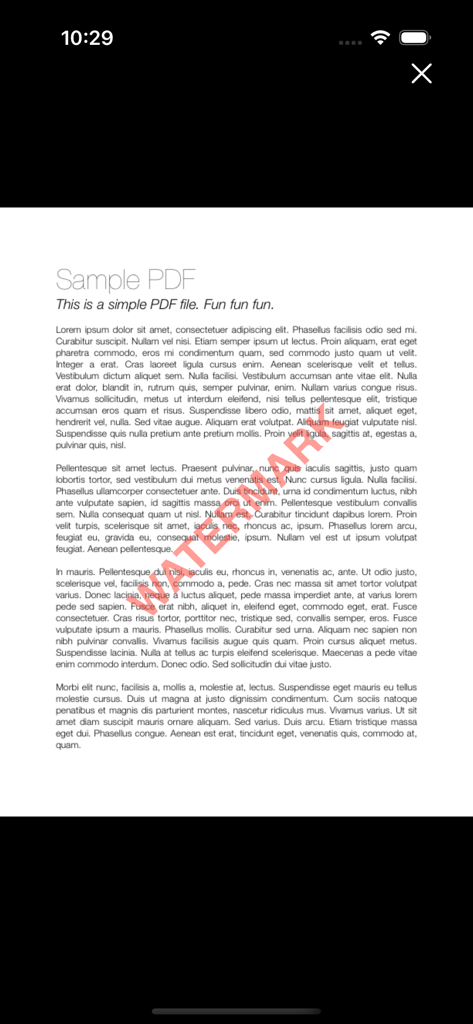
保護のために赤色の対角線透かしテキストオーバーレイを示すサンプルPDFドキュメント。
保護のために赤色の対角線透かしテキストオーバーレイを示すサンプルPDFドキュメント。

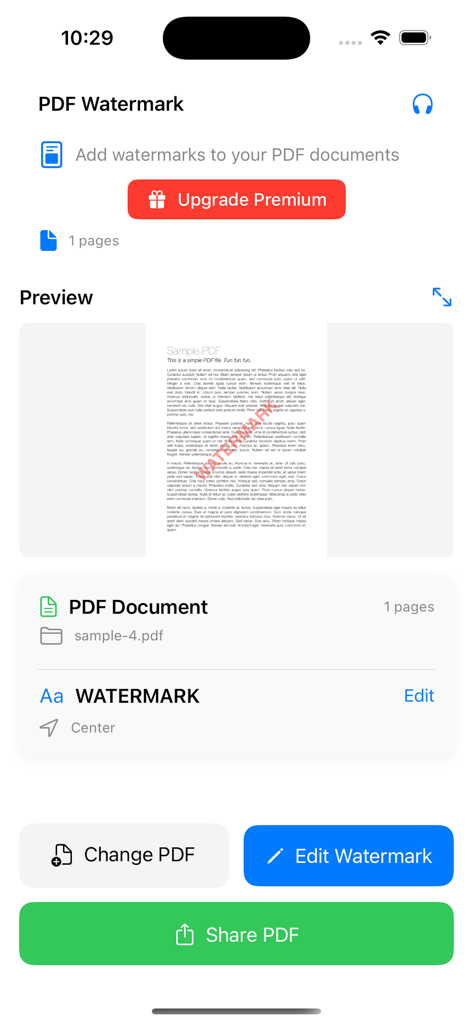
赤色のテキスト透かしが付いたドキュメントプレビューを示すAdd Watermark to PDFアプリのインターフェース。
赤色のテキスト透かしが付いたドキュメントプレビューを示すAdd Watermark to PDFアプリのインターフェース。

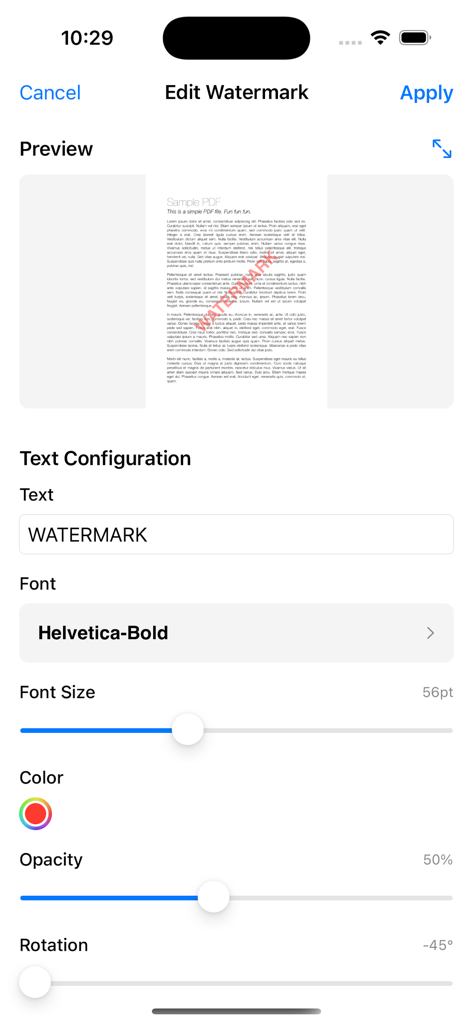
PDFドキュメントでのテキスト透かし設定を構成するためのモバイルインターフェース

PDFドキュメントでのテキスト透かし設定を構成するためのモバイルインターフェース

ドキュメントを即座に保護・ブランド化

このアプリを際立たせるツール、 100 人のユーザーが選択.

🔒

100%ローカルプライバシー

機密ファイルはデバイスから離れることはありません。すべての透かし処理はローカルで実行されるため、ビジネスデータはプライベートに保たれます。

高速ワークフロー

マイクロ生産性のために構築されています。プロフェッショナルな透かしを追加し、変更をプレビューし、60秒未満でPDFを共有します。

🎨

完全なブランドカスタマイズ

カスタムフォント、ブランドに合わせた色、すべてのドキュメントの正確な配置により、プロフェッショナルな外観を維持します。

アプリについて

について知っておくべきこと Add Watermark to PDF.

説明

PDF Watermark - Add Text Watermarks to Your Documents Transform your PDF documents with professional watermarks in seconds. Whether you're protecting intellectual property, branding documents, or adding copyright notices, PDF Watermark makes it simple and fast. KEY FEATURES: • Add custom text watermarks to any PDF document • Real-time preview before applying changes • Adjustable font size - completely free to customize • Simple, intuitive interface designed for everyone • High-quality output maintains document integrity • Instant sharing capabilities PREMIUM FEATURES: • Custom colors beyond the default red • Multiple font styles and typefaces • Adjustable transparency and opacity • Custom rotation angles for perfect positioning • Flexible positioning (9 preset locations) • Custom margins and spacing • Batch processing for multiple pages • Advanced page range selection PERFECT FOR: - Business professionals protecting documents - Content creators adding copyright notices - Legal professionals marking confidential files - Students watermarking academic work - Freelancers branding their portfolios - Anyone needing document security SIMPLE WORKFLOW: 1. Select your PDF document 2. Customize your watermark text and size 3. Preview changes in real-time 4. Apply and share your watermarked PDF WHY CHOOSE PDF WATERMARK: * No complicated setup - works immediately * Professional results every time * Respects your document formatting * Privacy-focused - all processing done locally * Regular updates and improvements * Responsive customer support Start protecting and branding your documents today. Download PDF Watermark and see how easy professional document marking can be. Premium subscription unlocks all advanced customization options for the ultimate watermarking experience. ==================================== Auto Renewable Subscription Terms: - Weekly subscription for US $4.99 - Yearly subscription for US $17.99 * Payment will be charged to your iTunes Account at confirmation of purchase. * Subscriptions automatically renew unless auto-renew is turned off at least 24-hours before the end of the current period. * Accounts will be charged for renewal within 24-hours prior to the end of the current period, and will identify the cost of the renewal. * Subscriptions may be managed by you and auto-renewal may be turned off by going to your Account Settings after purchase. * Privacy Policy: https://coolappbox.com/privacy * Terms of Service: https://coolappbox.com/terms

最新バージョン

1.0

サイズ

2.7 MB

リリース日

2025年7月21日

ドキュメントを数秒で保護・ブランド化

外出先でのプライベート、ローカル、プロフェッショナルグレードのドキュメント保護のためにPDF透かしを信頼する数千人ものプロフェッショナルに加わりましょう。

ダウンロード: App Store

App information, icons, screenshots, and descriptions displayed on this page are sourced from the Apple App Store and are the property of their respective developers. Download estimates and rankings are based on MWM's proprietary models and may not reflect actual figures. This page is provided for informational and analytical purposes only.

Believe this page infringes your intellectual property? File a dispute