
このページはアプリまたはその開発者の公式ページではなく、情報提供および論評を目的として作成された独立した編集出版物です。明示的に別段の記載がない限り、アプリおよびその開発者は、MWM、Apple、Google Play、アプリのパブリッシャー、またはアプリの開発者と提携、承認、後援、認可、またはその他の公式的な関係はなく、このページのいかなる内容も、アプリがMWMのサービスを使用して開発されたことを意味するものではありません。すべての商標、ロゴ、スクリーンショット、その他のコンテンツはそれぞれの所有者の財産です。


ダウンロード
100k+ユーザー評価
評価数
471開発元
カテゴリ
Navigation対応言語
12最新バージョン
2.15.1サイズ
71.2 MBリリース日
2016年3月31日精密な地理情報取得のための主要機能とユーザーインパクト
アプリケーション機能分析: 'AddressFinder - Zipcode Lookup'
地図上での位置情報特定
ユーザーは地図を直感的に操作するだけで、完全な住所、郵便番号、タイムゾーン、緯度経度などの詳細な位置情報を正確に取得できます。
全機能の無料提供
このアプリケーションの全ての主要機能は無料で利用可能であり、ユーザーは追加費用なしで精密な位置情報ツールを最大限に活用できます。
テキストによる場所検索
ユーザーは都市名、地名、国名などのキーワードを入力することで、広範な地理情報に迅速にアクセスし、目的の場所を検索できます。
座標からの位置情報取得
ユーザーは緯度と経度を入力するだけで、特定の座標に関連する詳細な住所、郵便番号、その他の位置情報を効率的に確認できます。
写真からの位置情報抽出
ユーザーはジオタグ付きの写真を参照するだけで、その写真が撮影された正確な場所の完全な住所情報を簡単に特定できます。
広告非表示オプション
有料サブスクリプションを利用することで、ユーザーは広告なしでアプリを利用でき、より集中できるクリーンなインターフェースで作業を進められます。
以下のスクリーンショットと説明は、アプリの公式ストアリスティングから直接取得されたものであり、アプリ開発者の所有物です。
アプリストア
スクリーンショット
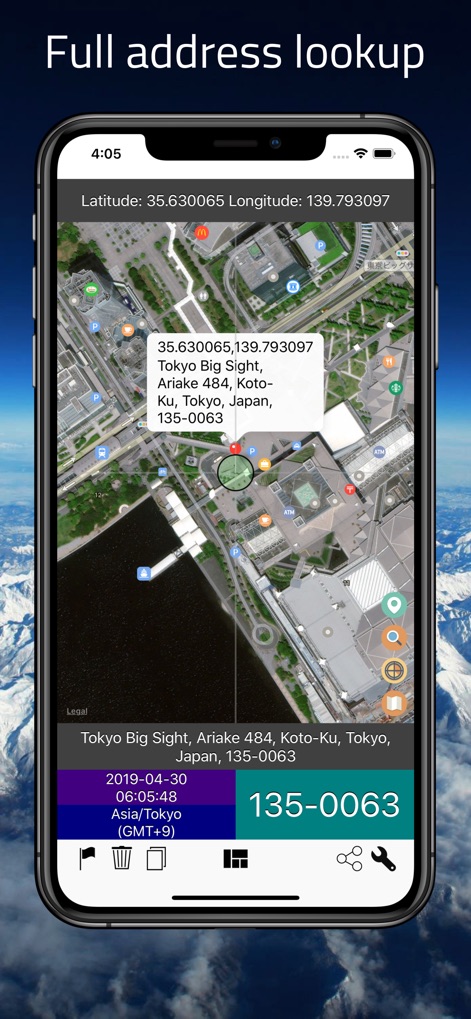
このアプリは、マップ上のピンとポップアップ表示を通じて、選択された地点の正確な住所と緯度経度、そして日付と郵便番号を瞬時に提供します。
正確な住所を瞬時に
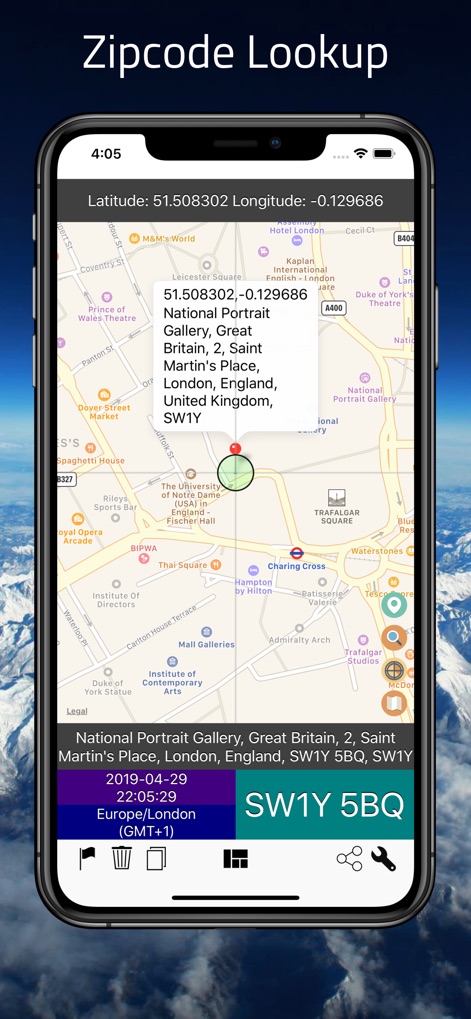
マップ上のピンと所在地情報から、本ツールは指定された場所の郵便番号とタイムゾーンを迅速に表示します。
世界中の郵便番号を検索
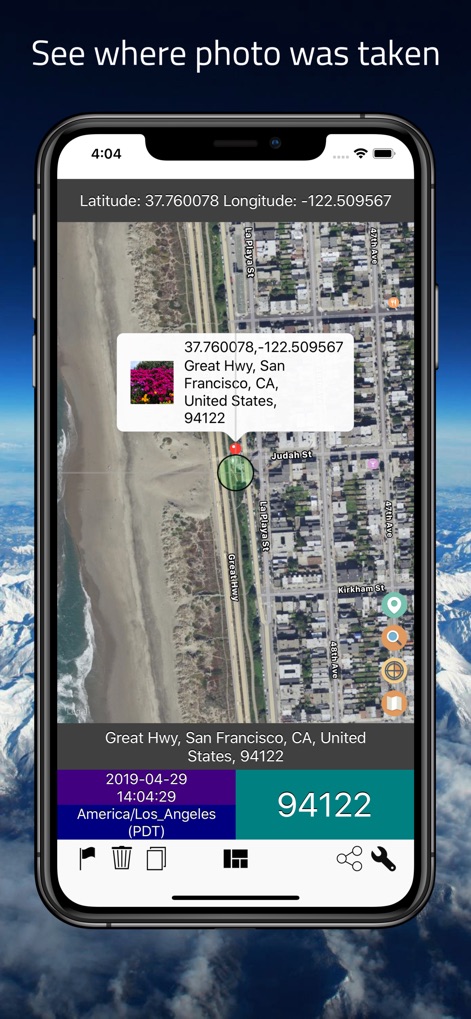
ユーザーは地理タグ付きの写真から撮影された場所の正確な位置を特定でき、その住所と郵便番号が明確に表示されます。
写真から場所を特定
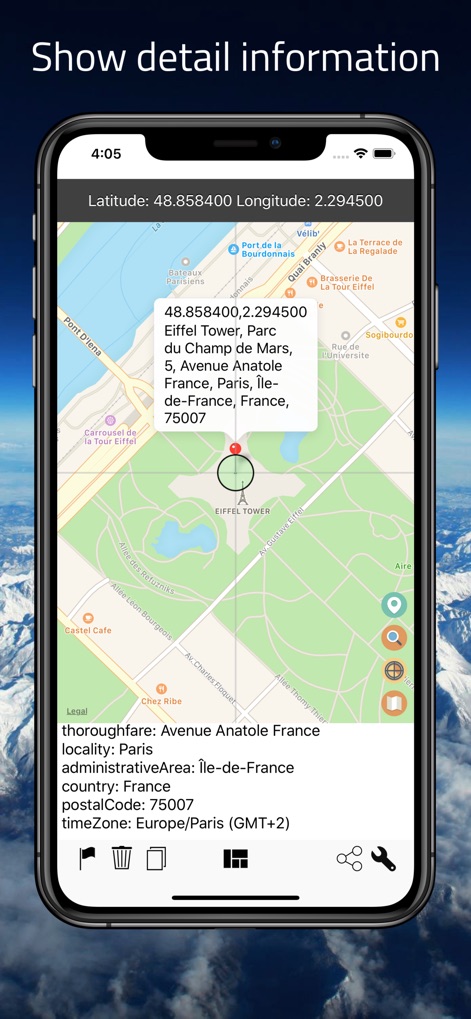
マップ上の地点について、このアプリは詳細な住所データと地域のタイムゾーンを含む包括的な情報を提供します。
包括的な詳細情報
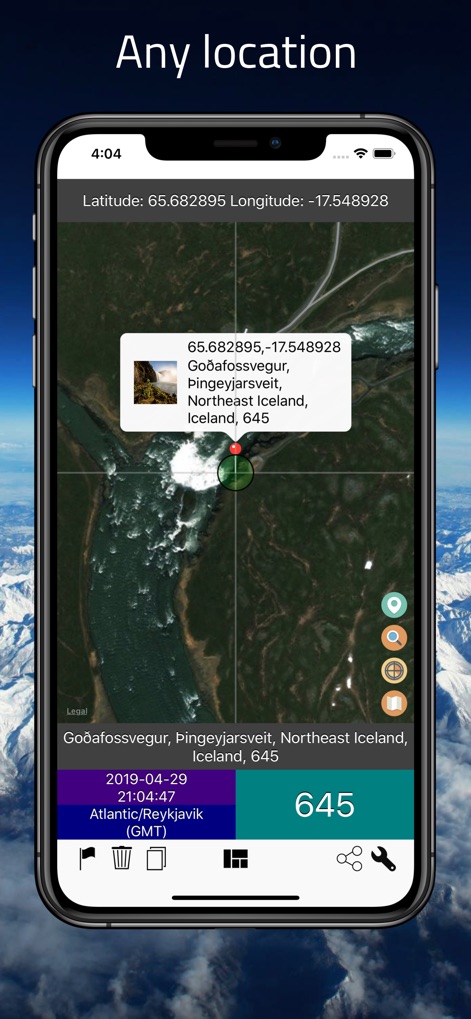
このツールは世界中のあらゆる場所を検索対象とし、マップ上の指定地点の住所と郵便番号を迅速に提供します。
地球上のどこでも検索
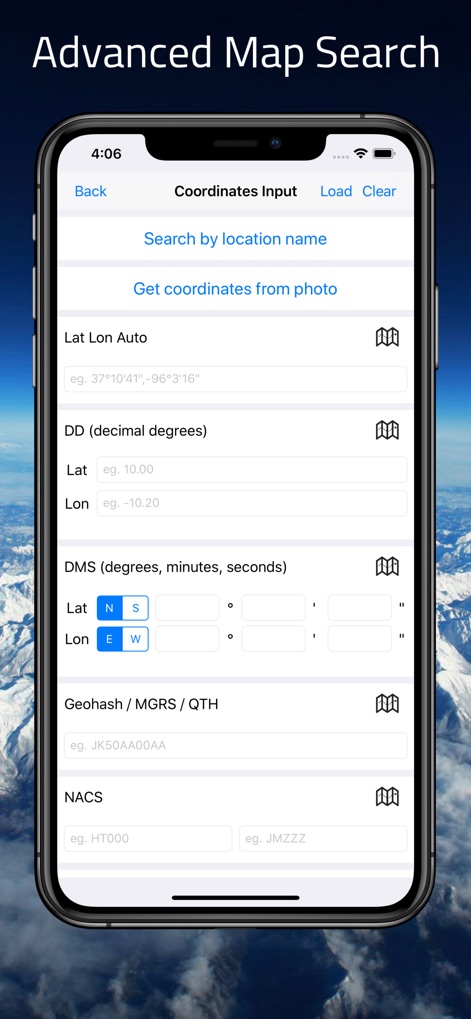
ユーザーは多様な座標入力形式による高度な検索オプションを利用でき、地名検索や写真からの座標取得機能も活用できます。
多角的な検索オプション
説明
Download
類似アプリ
同じカテゴリのトップランクアプリ

Google Maps
Google LLC

Waze Navigation & Live Traffic
waze

AMap Global
AutoNavi Information Technology Co. Ltd.

百度地图-路线规划,出行必备
Beijing Baidu Netcom Science & Technology Co.,Ltd

Moovit: Bus & Transit Tracker
Moovit App Global LTD

Transit • Subway & Bus Times
9280-0366 Quebec inc.

ParkMobile: Park. Pay. Go.
Parkmobile USA, Inc

腾讯地图-路线规划,导航地铁打车出行
Shenzhen Tencent Computer Systems Company Limited

Île-de-France Mobilités
Ile de France Mobilites
このページはアプリまたはその開発者の公式ページではなく、情報提供および論評を目的として作成された独立した編集出版物です。明示的に別段の記載がない限り、アプリおよびその開発者は、MWM、Apple、Google Play、アプリのパブリッシャー、またはアプリの開発者と提携、承認、後援、認可、またはその他の公式的な関係はなく、このページのいかなる内容も、アプリがMWMのサービスを使用して開発されたことを意味するものではありません。すべての商標、ロゴ、スクリーンショット、その他のコンテンツはそれぞれの所有者の財産です。