Adobe Connect

Adobe Connect

ダウンロード: App Store
ロゴ: Adobe Connect

Adobe Connect: 無制限のプロフェッショナルコラボレーション

モバイルデバイスから、高いインパクトのあるバーチャルクラスルームや安全なエンタープライズ会議を、完全なインタラクティビティとともにリードしましょう。

開発元

Adobe Inc.

カテゴリ

Business

ダウンロード

1M+

ユーザー評価

3.2/5

評価数

300

対応言語

3

モバイル会議室

このインターフェースを利用する 1M+ 人のユーザー.

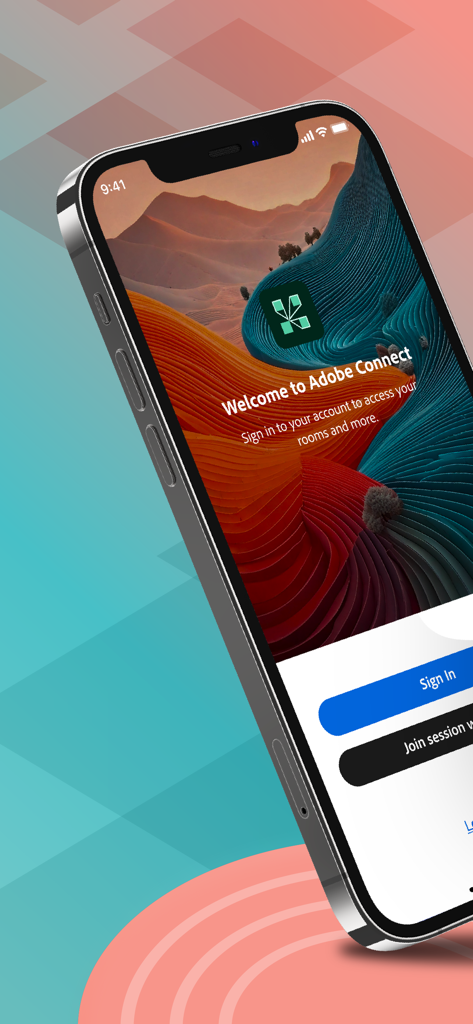
サインインとセッション参加ボタンが表示されたAdobe Connectアプリのウェルカムスクリーン

サインインとセッション参加ボタンが表示されたAdobe Connectアプリのウェルカムスクリーン

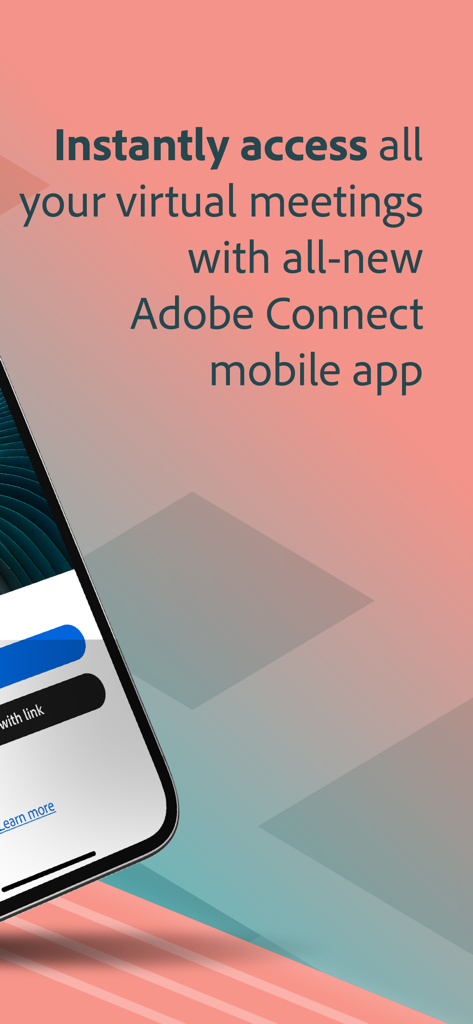
バーチャル会議やクラスルームにアクセスするためのAdobe Connectモバイルアプリの画面

バーチャル会議やクラスルームにアクセスするためのAdobe Connectモバイルアプリの画面

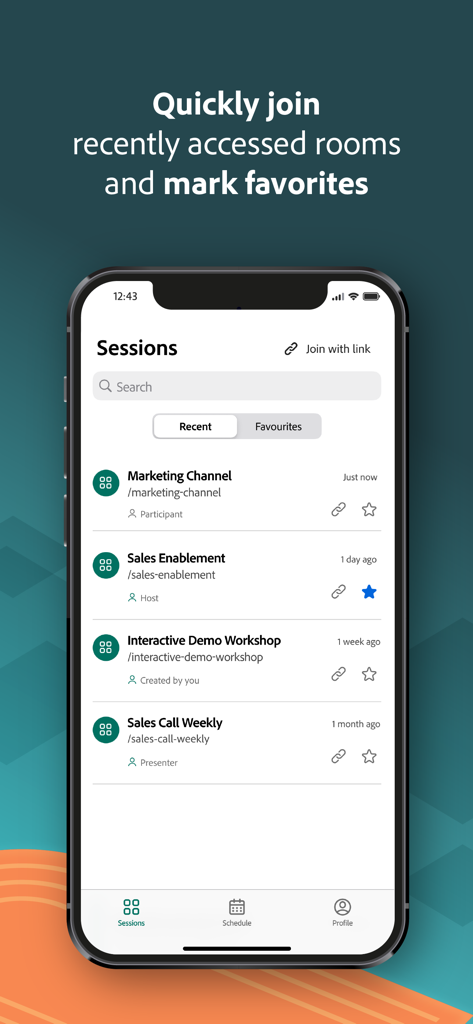
iPhone画面に最近およびお気に入りの会議セッションのリストが表示されたAdobe Connectモバイルアプリのインターフェース

iPhone画面に最近およびお気に入りの会議セッションのリストが表示されたAdobe Connectモバイルアプリのインターフェース

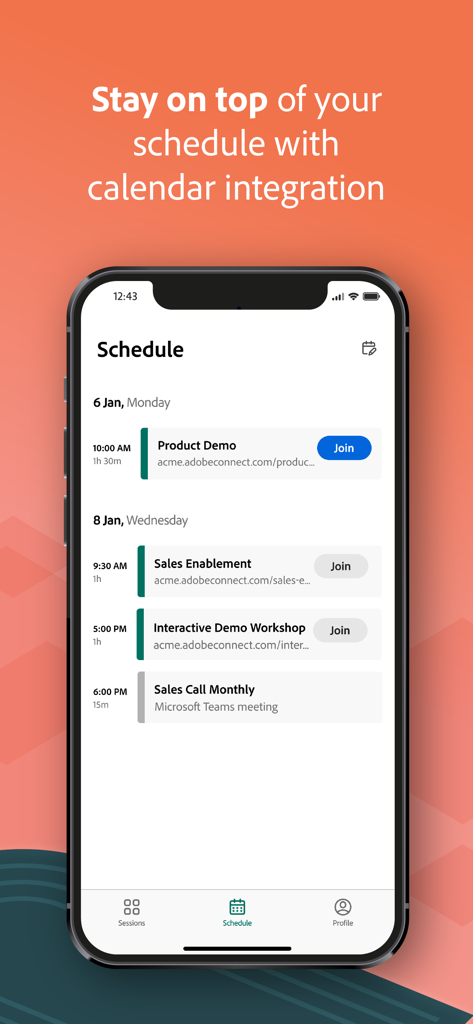
今後の会議とカレンダー統合が表示されたAdobe Connectアプリのスケジュール画面

今後の会議とカレンダー統合が表示されたAdobe Connectアプリのスケジュール画面

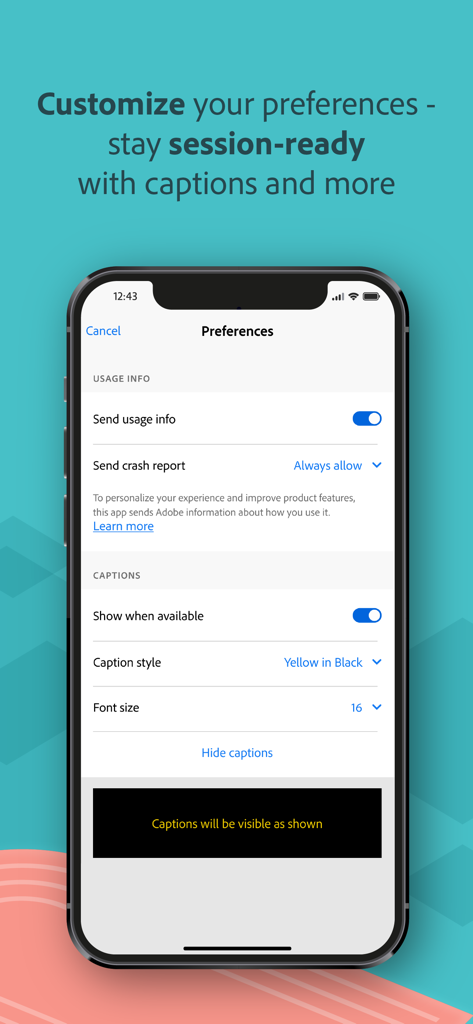
使用状況情報とキャプションカスタマイズ設定が表示されたAdobe Connectアプリの設定画面

使用状況情報とキャプションカスタマイズ設定が表示されたAdobe Connectアプリの設定画面

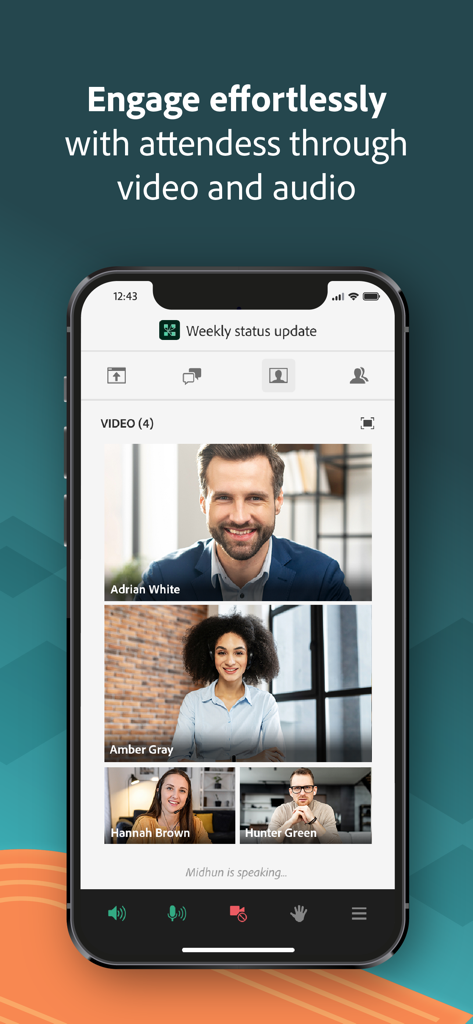
4人の参加者が表示されたAdobe Connectモバイルインターフェースでのビデオ会議

4人の参加者が表示されたAdobe Connectモバイルインターフェースでのビデオ会議

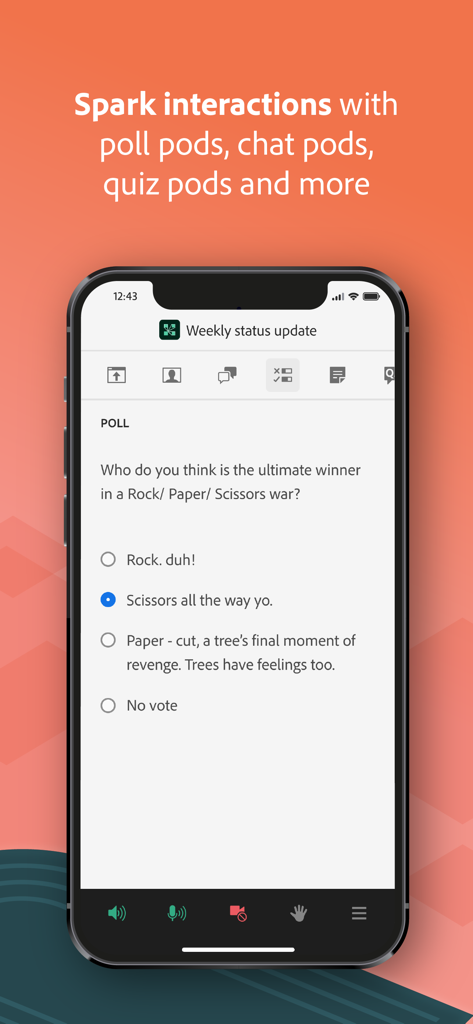
バーチャル会議中にインタラクティブな投票質問が表示されたAdobe Connectモバイルアプリ

バーチャル会議中にインタラクティブな投票質問が表示されたAdobe Connectモバイルアプリ

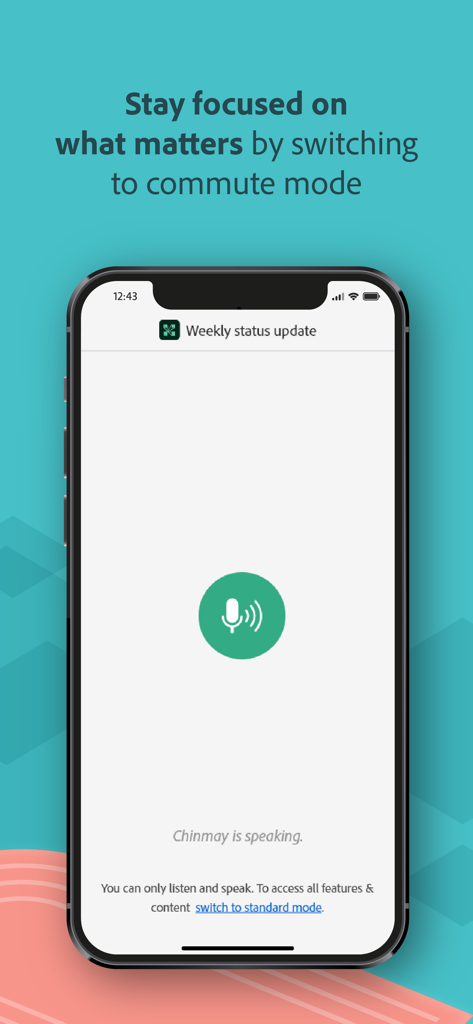
外出先でのプロフェッショナル会議用の通勤モードが表示されたAdobe Connectモバイルアプリ

外出先でのプロフェッショナル会議用の通勤モードが表示されたAdobe Connectモバイルアプリ

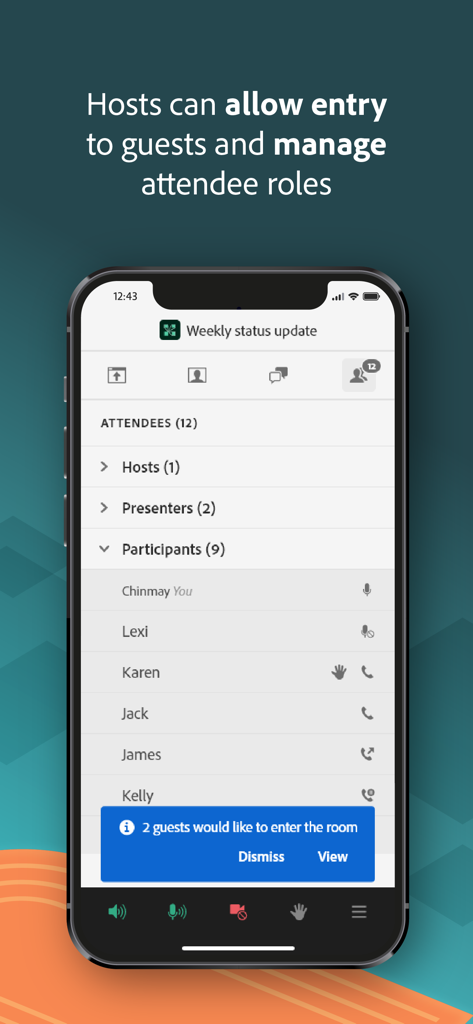
参加者リストとゲスト入場通知が表示されたAdobe Connectモバイルアプリのインターフェース

参加者リストとゲスト入場通知が表示されたAdobe Connectモバイルアプリのインターフェース

制約のないプロフェッショナルコラボレーション

このアプリを際立たせるツール、 1M+ 人のユーザーが選択.

🤝

真のインタラクティブエンゲージメント

受動的なリスニングを超えて、ブレイクアウトルーム、ライブ投票、複数選択クイズに参加し、セッション中は生産性を維持し、単位を獲得しましょう。

📈

高解像度コンテンツ

PowerPointスライド、高解像度PDF、モバイルディスプレイに最適化されたライブ画面共有の鮮明なサポートで、あらゆる詳細を確認できます。

🛡️

エンタープライズグレードのセキュリティ

セキュアなシングルサインオン(SSO)と多要素認証により、機密性の高い企業や政府の会議にも、完全に安心して参加できます。

レビュー分析

ユーザーレビューの分析.

感情スコア

29%
ネガティブ

概要

The mobile app garners predominantly negative feedback, with users frequently reporting significant functional and stability issues. While a few users appreciate its ease of use, improved performance, and smoother interface compared to previous versions, the overall experience is often frustrating. Major complaints span chronic audio problems, frequent crashes, disconnections, and difficulties viewing shared content such as PDFs and slides, alongside limited host functionality. Version-specific bugs include non-functionality on iOS 26, audio output problems on iPhone 14 Pro, and constant crashing on iOS 16 for iPhone 14 Plus, with iPad users also noting lag and display issues.

主なテーマ

User Interface(3)
Ease of Use(2)
Performance(2)
Reliability(1)
Feature Set(1)
General Functionality(1)

アプリについて

について知っておくべきこと Adobe Connect.

説明

Attend meetings, webinars, and virtual classrooms with Adobe Connect. Adobe Connect for iOS brings critical meeting capabilities to your mobile device, enabling you to attend meetings directly from your iPhone or iPad. The Adobe Connect application delivers a modern user interface, supports high resolution camera broadcast, and supports both landscape and portrait viewing. Join any Standard View or Enhanced Audio/Video Experience enabled meetings. Use your built-in microphone and speakers, a connected headset, or a Bluetooth device such as Apple AirPods to join meeting audio. Or join a telephone conference if included with the meeting. Participate in video conferencing using your device’s cameras. View high quality PowerPoint® presentations, videos, PDF documents, images, GIF animations, or desktop computer screens being shared. Participate in chat, vote in polls, read notes, download files, click links, ask questions, raise your hand, agree/disagree, or let the host know you have stepped away. FEATURES: • Talk and listen using your microphone and speakers (VoIP) or another device • View cameras being shared and share your camera if allowed • View PowerPoint slides being shared • View screen sharing being shared • View whiteboards or annotations on content • View MP4 videos, JPG and PNG images, and animated GIFs being shared • View PDF documents being shared • Listen to MP3 audio being shared • View and participate with custom pods • Participate in chat, including selecting colors and private chats in chat pods and chat panel • Participate in polls, including multiple-choice, multiple-answer, and short answer • View notes including formatting and hyperlinks • Ask questions and see other questions and responses in Q&A • Download files directly to your device • Click on links to visit websites with your mobile browser • Change your status: including Raise Hand, Agree / Disagree, and Stepped Away • Participate in breakout rooms with audio, cameras, and chat • Support for Single Sign-On requiring two-factor authentication • As a host, login, accept guests, and promote others • Participant can access and participate in Quiz • Participant can see Closed Captions if enabled by host for the room. Support for additional meeting activities will be coming soon. This application does not yet support drawing on whiteboards, or note taking. These activities can be accessed by joining the meeting using a standard mobile browser. Note: This application is NOT for watching recordings. Adobe Connect recordings can be viewed using a standard mobile browser while online. Requirements: iOS 13.0 or higher. Devices supported: iPhone 6s or higher, iPad 5th generation or higher. Requires WiFi or a standard 4G/5G mobile connection.

最新バージョン

4.2

サイズ

145.3 MB

リリース日

2021年6月3日

プロフェッショナルなワークスペースをどこへでも

iOS版Adobe Connectをダウンロードして、iPhoneまたはiPadで、プロフェッショナルグレードのセキュリティとインタラクティブ機能を備えた、重要な会議やバーチャルクラスルームに参加しましょう。

ダウンロード: App Store
FAQ

よくある質問

について知っておくべきこと Adobe Connect

Adobe Connectアプリとは何ですか?

Adobe Connectアプリを使用すると、iPhoneまたはiPadから直接会議、ウェビナー、バーチャルクラスルームに参加できます。モダンなユーザーインターフェイスを備え、高解像度ブロードキャストをサポートしています。

Adobe ConnectアプリのiOS要件は何ですか?

Adobe Connectアプリは、機能するためにiOS 13.0以降が必要です。iPhone 6s以降およびiPad第5世代以降のデバイスと互換性があります。

Adobe Connectアプリで会議の音声に参加するにはどうすればよいですか?

はい、ユーザーはデバイスの組み込みマイクとスピーカー、接続されたヘッドセット、Apple AirPodsのようなBluetoothデバイス、または含まれている場合は電話会議を使用して会議の音声に参加できます。

iOSのAdobe Connect会議でカメラを共有できますか?

はい、ユーザーはデバイスのカメラを共有することでビデオ会議に参加できます。また、許可されていれば、Adobe Connectアプリで他の参加者が共有しているカメラを表示することもできます。

モバイルのAdobe Connect会議でどのようなコンテンツを表示できますか?

PowerPointプレゼンテーション、ビデオ、PDFドキュメント、画像、GIFアニメーション、共有デスクトップコンピューター画面を表示できます。Adobe Connect会議中にMP3オーディオファイルを聴くこともできます。

Adobe Connectアプリはどのようなインタラクティブ機能を提供していますか?

このアプリは、チャット、投票、メモ、ファイルダウンロード、クリック可能なリンク、Q&A、および「手を挙げる」や「離席中」などのステータス変更を提供します。ブレイクアウトルームもインタラクションのためにサポートされています。

ホストはAdobe Connect iOSアプリを使用して参加者を管理できますか?

はい、ホストはAdobe Connect iOSアプリから直接ログインし、ゲストを受け入れ、他の人を昇格させ、参加者の役割を管理できます。

Adobe Connect for iOSアプリで直接録画を視聴できますか?

いいえ、Adobe Connectアプリケーションは録画の視聴をサポートしていません。録画は、オンライン中に標準のモバイルブラウザを使用して視聴する必要があります。

Adobe Connectアプリはホワイトボードへの描画やメモを取ることをサポートしていますか?

いいえ、Adobe Connectアプリはまだホワイトボードへの描画やメモを取ることをサポートしていません。これらのアクティビティは、標準のモバイルブラウザ経由で会議に参加することでアクセスできます。

Adobe Connectアプリはシングルサインオン(SSO)をサポートしていますか?

はい、Adobe Connectアプリはシングルサインオン(SSO)をサポートしており、安全なアクセスには多要素認証が必要になる場合があります。

Adobe Connect for iOSは私のカレンダーと統合されますか?

はい、Adobe Connectアプリはカレンダー統合を提供し、ユーザーが会議スケジュールを把握するのに役立ちます。

Adobe Connectアプリは会議でクローズドキャプションをサポートしていますか?

はい、ホストが会議室で有効にしている場合、参加者はクローズドキャプションを見ることができます。ユーザーはアプリ内でキャプション表示設定をカスタマイズすることもできます。

Adobe Connectアプリには「通勤モード」がありますか?

はい、Adobe Connectアプリには、ユーザーが会議中に集中できるようにするための「通勤モード」が含まれています。このモードでは、ユーザーは聴いたり話したりできます。

リンクを使用してAdobe Connectセッションに参加できますか?

はい、ユーザーはアプリ内のリンクを使用してAdobe Connectセッションに直接参加できます。この機能は、「リンクで参加」オプションによって明確に示されています。

App information, icons, screenshots, and descriptions displayed on this page are sourced from the Apple App Store and are the property of their respective developers. Download estimates and rankings are based on MWM's proprietary models and may not reflect actual figures. This page is provided for informational and analytical purposes only.

Believe this page infringes your intellectual property? File a dispute