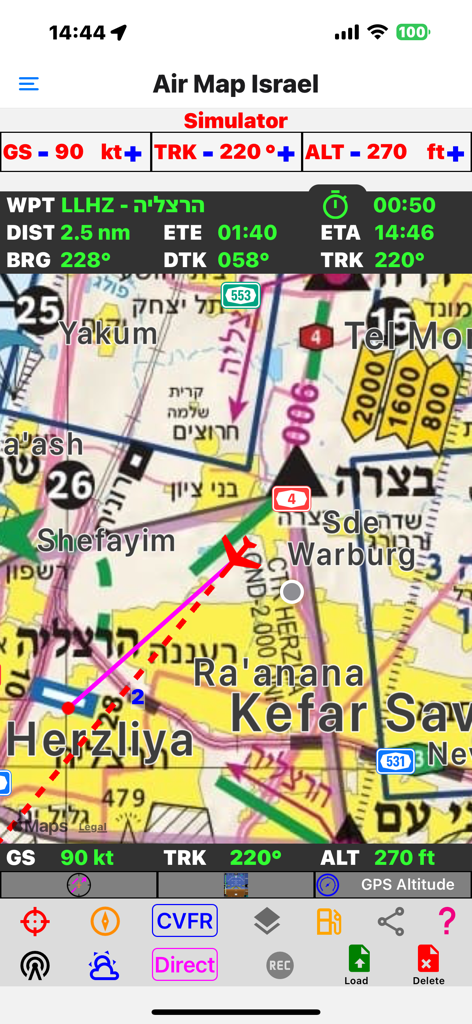
Air Map Israelモバイルアプリのインターフェイス。リアルタイムのパイロットデータが表示された飛行ナビゲーションおよびシミュレーターモードを示しています。
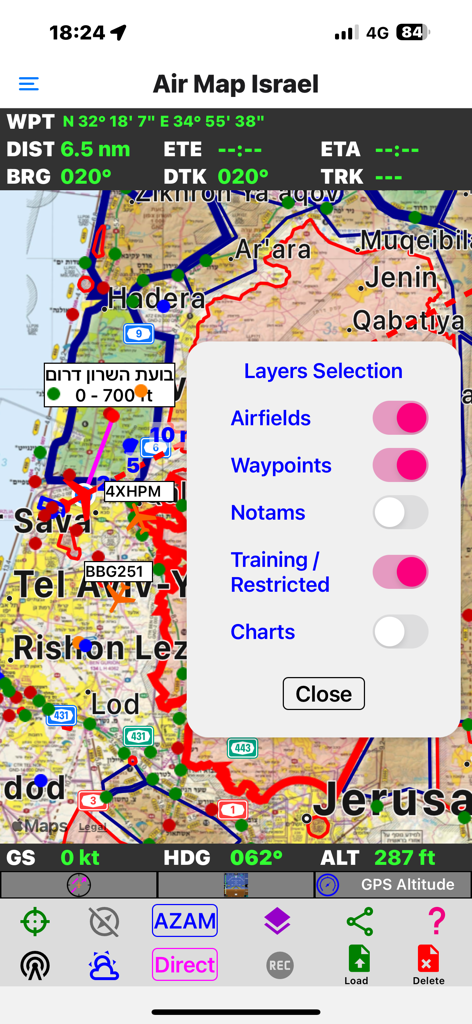
Air Map Israelナビゲーション画面。飛行マップ上に表示される飛行場と制限区域のトグルが含まれるレイヤー選択メニューを示しています。
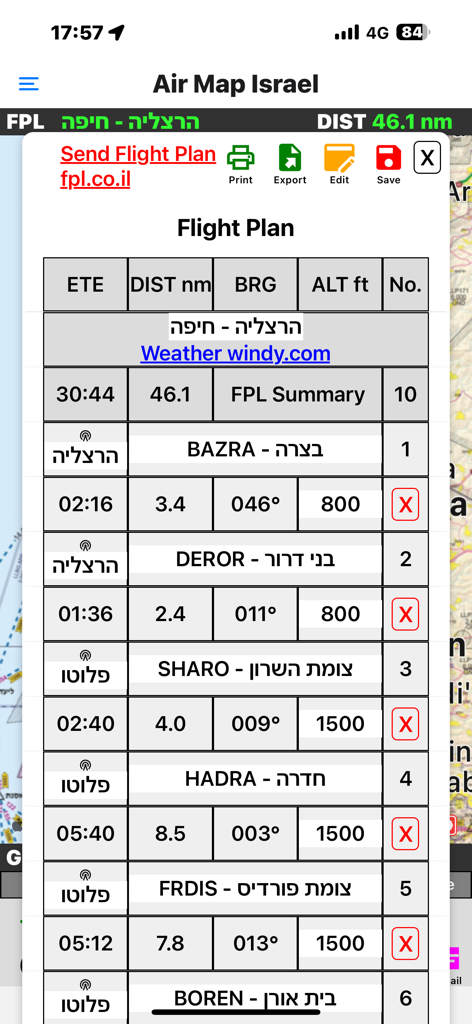
Air Map Israelアプリ内の詳細な飛行計画表示。ナビゲーションウェイポイント、高度、距離データが表示されます。
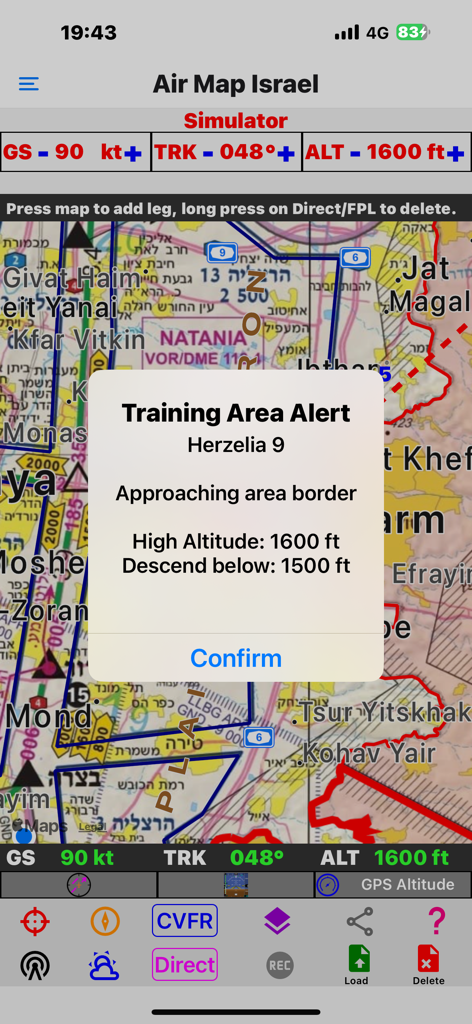
Air Map Israelアプリのインターフェイス。飛行ナビゲーションマップ上で高度警告付きの訓練区域アラートポップアップを示しています。
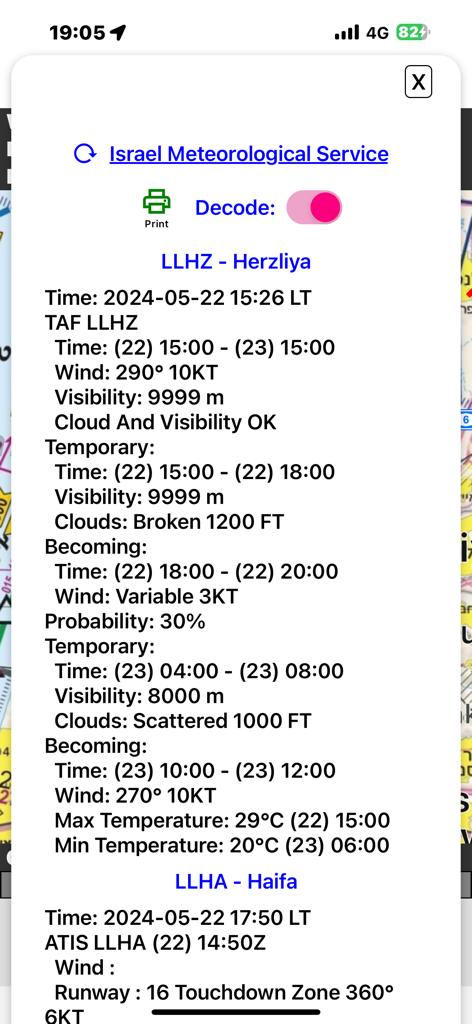
ヘルツリヤ空港とハイファ空港の航空気象レポート画面。風と視界のデータが表示されます。
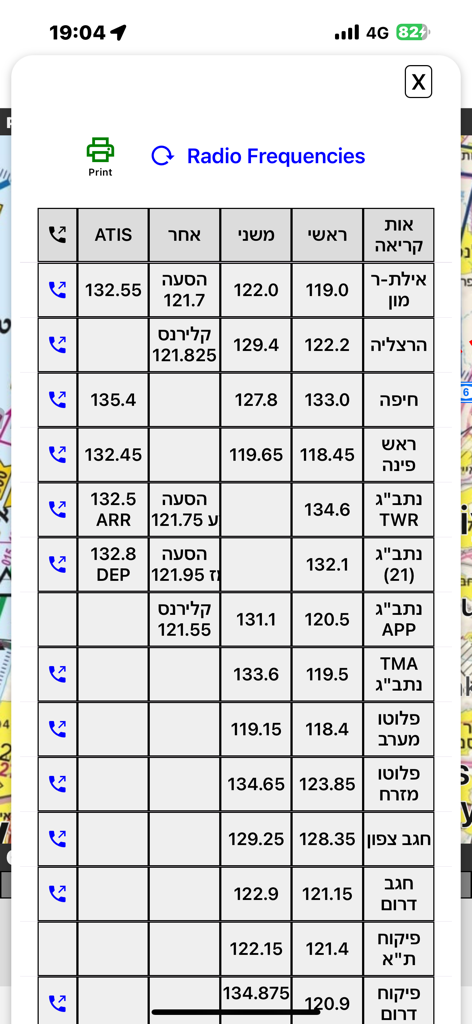
イスラエル全土の空港および空域の航空無線周波数の包括的な表。
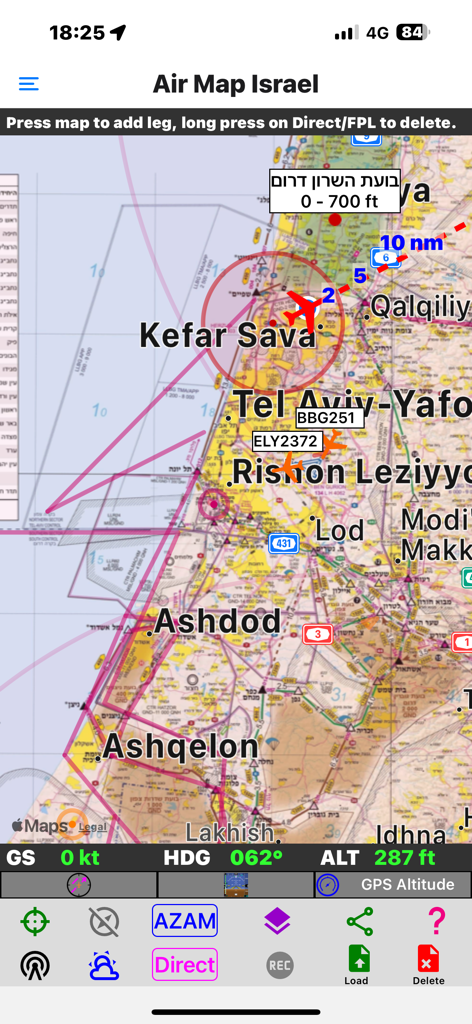
Air Map Israelモバイルアプリのインターフェイス。テルアビブとその周辺地域上空のVFR飛行チャートでのリアルタイム航空機追跡を示しています。
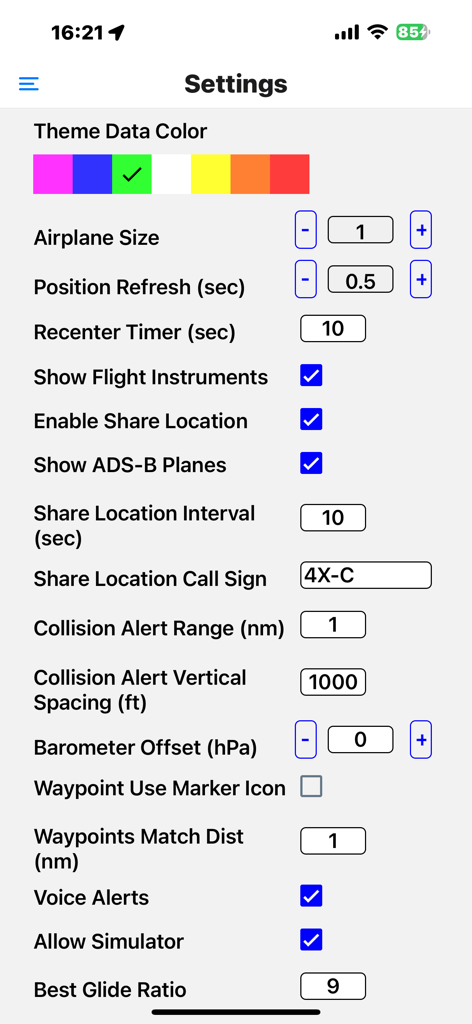
Air Map Israelアプリの設定メニュー。飛行計器および安全アラートの設定が表示されます。
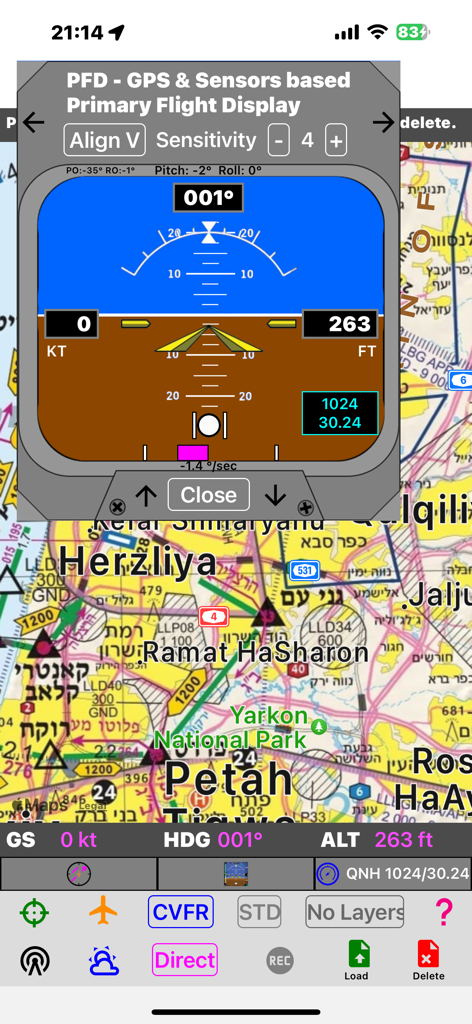
Air Map Israelアプリのインターフェイス。詳細な航空ナビゲーションマップ上にプライマリ飛行ディスプレイオーバーレイが表示されます。
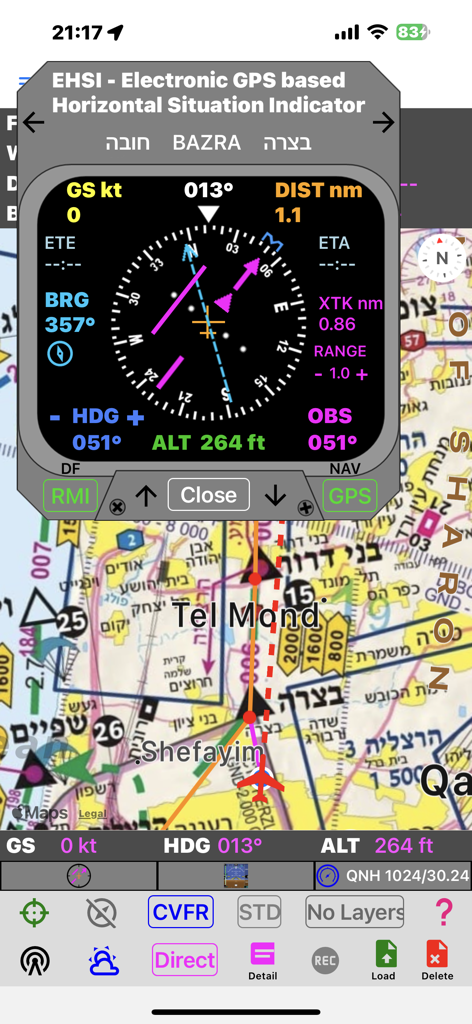
Air Map Israelアプリケーションのインターフェイス。VFR航空チャート上に電子水平状況指示器オーバーレイが表示されます。
説明
Air Map Israel is a navigation application for Controlled Visual Flight Regulation as an aid for pilots
Visit us on https://sites.google.com/view/airmap-israel
Terms of Use: https://www.apple.com/legal/internet-services/itunes/dev/stdeula/
Available Features:
* Show the device location on the map as a plane with its Speed, Direction, Altitude and Geo Information.
Option to add 2,5,10 markers on the plane directional line in distances (nm) or times minutes.
* Tracks the movement on the map with different orientation modes: North Up / Track Up / Off.
* Direct mode - Allow placing a marker by touching the map at any point.
Markers will focus on a nearby known waypoint when possible.
This will calculate in Realtime the:
DIST: distance to the marker in nautical miles.
BRG: Bearing to marker.
ETA: Estimated time of arrival based on current speed.
ETE: Estimated time in route based on current speed.
* FPL mode - Flight Plan management mode.
Create new Flight Plan by placing sequential LEG markers on the map.
Markers will focus on a nearby known waypoint when possible.
* Options to Load, Delete, Save, Undo last LEG, Reverse Flight Plan and View the Flight Plan.
* Option to edit existing Flight Plan:
From the details page edit custom names remove leg points and
From the map add middle point and drag a point on the Flight Plan to a different location.
* Option for Flight Plan Auto Tracking, Leg Tracking Alerts and Off Track distance and altitude Alerts.
Including Voice Alerts.
* Fuel Consumption - Allows monitoring the fuel consumption status during flight.
* Weight and Balance - Allows calculation C.G., Moment, fuel endurance and load charts
* Licences and Logbook - Supports Adding Editing Importing Exporting and Printing the pilot licences and logbook entries.
* Flight Recorder - Allows recording and storing flight tracks.
* Options to Load, Delete, Save, and View the Flight Recordings.
This will include Time, Location, Altitude, Heading, Speed, and Distance.
* Adding Layers of Airfields with traffic patterns, Waypoints, Notams, Training & Restricted areas and Charts of airfields.
* Option for Restricted areas Alerts and Training area borders and altitude Alerts, including Voice Alerts.
When Training & Restricted Areas layers are on.
* Option to create and manage custom waypoint on the map.
* Print PDF, Export and Import of Flight Plans, Custom Waypoint and Flight Recording in GPX - GPS Exchange Format.
* Air Map Selection: General Aviation CVFR , Light Sport Aircraft AZAM, Helicopters HEL and IFR ATS Routes Map.
Other Map Selection: RTG nature reserves map, STD standard street map and SAT satellite + street map.
* Altimeter Mode - Option to select GPS / Barometer along with setting QNH.
* EHSI - Electronic GPS based Horizontal Situation Indicator.
* PFD - Primary Flight Display with Attitude Indicator, Direction, Speed, Height, Turn rate and Slip Coordinator.
* Glide mode based on AGL - Above Ground Level info and best glide ratio settings.
* Open Radio common air spaces data.
* Open Weather information ATIS / METAR / TAF of Israel airports for pilots.
* View and Share location with APP users.
* Option to view ADS-B out supported Airplanes on the map (Transponder Mode S) Israel area only.
* Air Map Simulator - Allows simulating a flight from chosen location speed and heading.
* Screen orientation Portrait, Landscape, Auto - design for iPad and tablets.
* Measure distance between points on the map.
* World VFR, IFR charts
Main menu:
* Air Map page.
* Settings page - Map Settings, Flight Plan, Recordings, Alerts and other application settings.
* Weather page.
* Radio Frequencies page.
* Weight and Balance page.
* Pilot Licences page.
* Logbook page.
* Notam page - service and airspace filtering.
* Waypoint page for managing Custom Waypoints.
* Resources page for managing the APP maps charts and other downloaded resources.
* Help page - In APP help, APP Version, check for newer version.