AirBeam Video Surveillance
ダウンロード: App Store

このページはアプリまたはその開発者の公式ページではなく、情報提供および論評を目的として作成された独立した編集出版物です。明示的に別段の記載がない限り、アプリおよびその開発者は、MWM、Apple、Google Play、アプリのパブリッシャー、またはアプリの開発者と提携、承認、後援、認可、またはその他の公式的な関係はなく、このページのいかなる内容も、アプリがMWMのサービスを使用して開発されたことを意味するものではありません。すべての商標、ロゴ、スクリーンショット、その他のコンテンツはそれぞれの所有者の財産です。


ロゴ: AirBeam Video Surveillance
ダウンロード: App Store

AirBeam Video Surveillance

双方向オーディオとマルチカメラ対応の遅延なし1080p監視を体験。高価なハードウェアや月額料金は不要—お使いのAppleデバイスがそのまま活用できます。

主要数値

ダウンロード

394K+

ユーザー評価

4.1/5

評価数

1K+

開発元

Appologics UG (haftungsbeschrankt)

カテゴリ

Photo & Video

対応言語

2

最新バージョン

2.5.5

サイズ

33.3 MB

リリース日

2011年4月26日
機能

プロ仕様の監視、新しいハードウェアは不要

すでに最高の光学系をお持ちなのに、なぜ高価なカメラを購入する必要があるのでしょうか?AirBeamは、お使いの余っているiPhone、iPad、Macを数秒で高解像度監視ネットワークに変えます。

Appleデバイスをアップサイクル

古いデバイスに新しい命を吹き込みましょう。技術的な設定は一切不要で、すぐにマルチカメラのホームセキュリティシステムやベビーモニターをセットアップできます。

リアルタイムHDパフォーマンス

超低遅延で、クリスタルクリアな1080pビデオと双方向オーディオを体験。従来のIPカメラの遅延なしに、あらゆる詳細をその場で確認・聴取できます。

以下のスクリーンショットと説明は、アプリの公式ストアリスティングから直接取得されたものであり、アプリ開発者の所有物です。

アプリストア

スクリーンショット
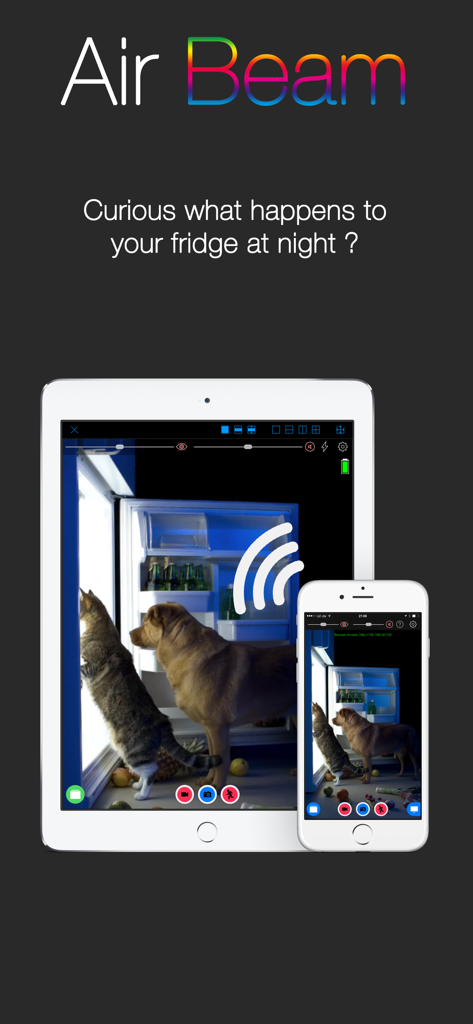
AirBeam Video Surveillance - AirBeamアプリのインターフェース、iPadとiPhoneでペット監視を表示
AirBeamアプリのインターフェース、iPadとiPhoneでペット監視を表示

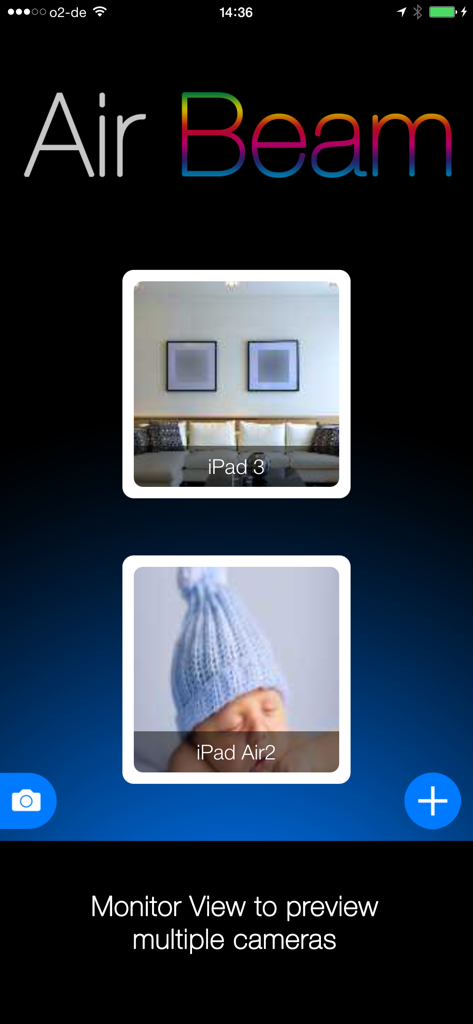
AirBeam Video Surveillance - AirBeamアプリのインターフェース、ホームセキュリティとベビーモニター用の複数のライブカメラプレビューを表示するモニタービュー

AirBeamアプリのインターフェース、ホームセキュリティとベビーモニター用の複数のライブカメラプレビューを表示するモニタービュー

AirBeam Video Surveillance - AirBeamアプリのインターフェース、青い帽子をかぶって眠っている赤ちゃんのライブビデオフィードを表示
AirBeamアプリのインターフェース、青い帽子をかぶって眠っている赤ちゃんのライブビデオフィードを表示

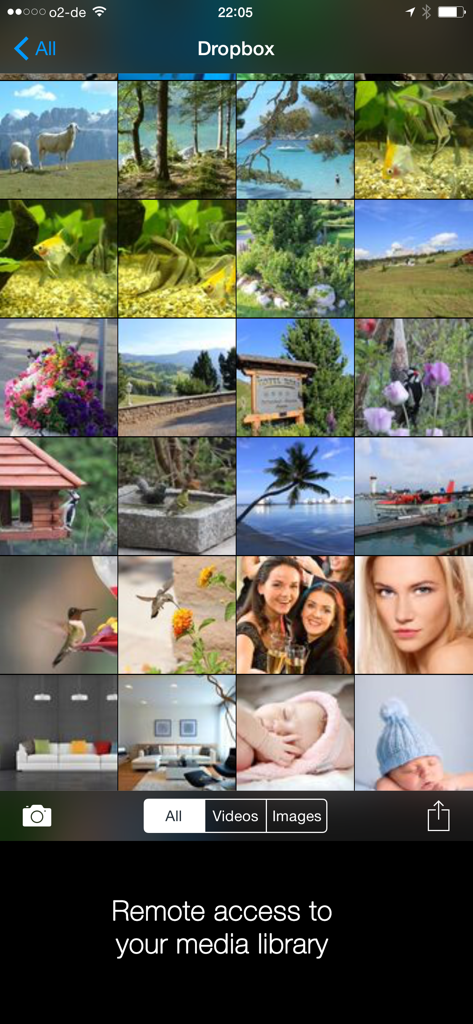
AirBeam Video Surveillance - AirBeamアプリのインターフェース、Dropboxメディアライブラリへのリモートアクセスを備えた写真とビデオのグリッドを表示
AirBeamアプリのインターフェース、Dropboxメディアライブラリへのリモートアクセスを備えた写真とビデオのグリッドを表示

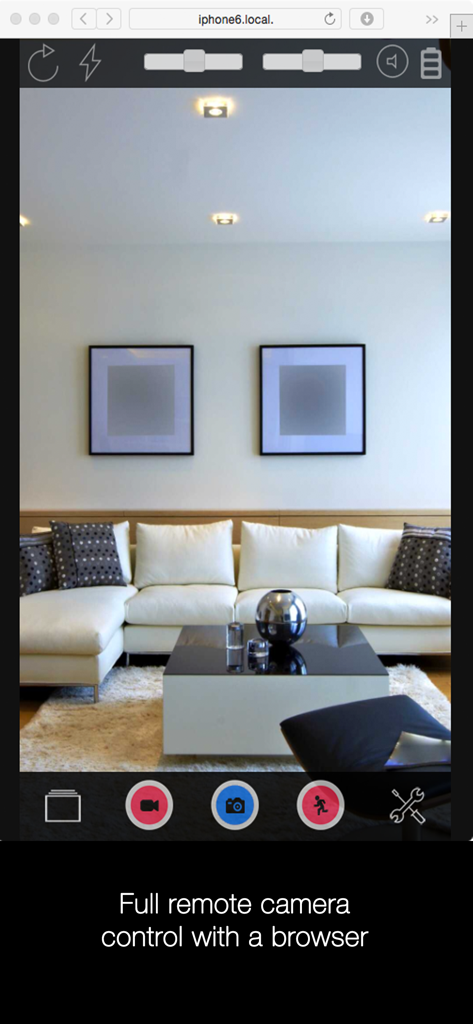
AirBeam Video Surveillance - リビングルームを表示するリモートカメラ監視用のWebブラウザインターフェース

リビングルームを表示するリモートカメラ監視用のWebブラウザインターフェース

説明

AirBeam turns your iDevices into a realtime audio and video surveillance system. AirBeam streams live video and audio from the cameras and microphones of iPhones, iPods, iPads. You can watch the stream on any other iDevice, Mac, Web browser or AppleTV - even on multiple screens simultaneously. Use your iDevices as luxury babyphones, for serious surveillance, to keep an eye on your pets, a FPV cam in your remote controlled toys…there are hundreds of useful and not so useful things you can do with it. Even if you have just a single device AirBeam is an awesome tool for motion controlled video recording. AirBeams features in detail: * High Quality Realtime: Watch video and hear audio on your remote device in amazing quality with resolution up to Full-HD 1080p, 30 frames per second and CD quality audio. Watch and hear in realtime thanks to AirBeam's low latency encoding and transmission technology. * Zero Configuration: No need to manually configure device addresses. AirBeam automatically discovers all AirBeam cams on your network and you can instantly watch them. * Multi Camera, Multi Monitor: Launch as many camera devices as you want and monitor them simultaneously. Or follow a single camera on multiple screens at the same time. On an iPad you can watch up to four cameras at a time. * Recording: Seeing or hearing something on AirBeam you want to remember? Just press the record button and the video and audio will be recorded. You can also capture still images. * Motion and audio detection: Trigger alarms or recordings when something happens in front of the camera to create a single track of events that happened during a day. * Dropbox integration (requires iOS>=9): Uploads recordings directly to your Dropbox account. * Web interface: Use a browser to watch (no audio in a browser) the live video, download your recordings or adjust the camera settings. * Two-way audio: Audio streaming works both ways so that you can also talk through the camera device. * Full remote control: Adjust all camera settings and access to your photo and video library remotely from the monitor device. * Virtual reality mode: Render the video stream in stereo for watching with a virtual reality headset such as the FreeFlyVR orCardboard. * Motrr Galileo supported: Remotely pan and tilt your iPhone camera when mounted in a Galileo robotic motion platform. * AND COMPLETELY FOR FREE: AirBeam viewer app for Mac and AppleTV available in the Mac and AppleTV AppStore. Important notes ============= * Best video quality is achieved when AirBeam is used within a local WiFi network. With port forwarding configured in your WiFi router it is also possible to monitor AirBeam cameras on your WiFi at home from anywhere in the Internet. Do do this you need to configure a port forwarding for port 8123 in your WiFi router - see the FAQ pages on our homepage for more details. And check your data plan, live video over cellular consumes quite some bandwidth... * Please consider regulations for video surveillance in your country.

Download

ダウンロード: App Store

このページはアプリまたはその開発者の公式ページではなく、情報提供および論評を目的として作成された独立した編集出版物です。明示的に別段の記載がない限り、アプリおよびその開発者は、MWM、Apple、Google Play、アプリのパブリッシャー、またはアプリの開発者と提携、承認、後援、認可、またはその他の公式的な関係はなく、このページのいかなる内容も、アプリがMWMのサービスを使用して開発されたことを意味するものではありません。すべての商標、ロゴ、スクリーンショット、その他のコンテンツはそれぞれの所有者の財産です。