
このページはアプリまたはその開発者の公式ページではなく、情報提供および論評を目的として作成された独立した編集出版物です。明示的に別段の記載がない限り、アプリおよびその開発者は、MWM、Apple、Google Play、アプリのパブリッシャー、またはアプリの開発者と提携、承認、後援、認可、またはその他の公式的な関係はなく、このページのいかなる内容も、アプリがMWMのサービスを使用して開発されたことを意味するものではありません。すべての商標、ロゴ、スクリーンショット、その他のコンテンツはそれぞれの所有者の財産です。


Airbrush: Face Photo Editor
AIが自撮りの欠点を一掃し、デジタル上の自己像を完全に掌握させる。それがAirbrushの提供する能力だ。
ダウンロード
25M+ユーザー評価
評価数
624.7K開発元
カテゴリ
Photo & Video対応言語
9最新バージョン
8.5.0サイズ
596.1 MBリリース日
2015年10月8日「Airbrush: Face Photo Editor」機能分析
ソーシャルメディア向けコンテンツ強化のための主要ツール評価
AIレタッチ
このアプリはAI技術を駆使し、ポートレートの細部を完璧に調整することで、ユーザーの美しさを最大限に引き出します。
動画顔レタッチ
本ツールは、写真編集で評価の高い顔のレタッチ機能を動画に適用することで、ユーザーが動画コンテンツでも自然で魅力的な印象を与えることを可能にします。
顔・体型調整
ユーザーは顔の輪郭や体型を簡単に調整し、あらゆる角度から見たときに最も魅力的な姿を演出できます。
バーチャルメイク
このアプリは、眉毛から口紅まで、プロのメイクアップツールに匹敵する仮想メイクアップ機能を提供し、ユーザーの魅力を高めます。
ニキビ・シミ除去
本ツールは、ニキビやシミを精密に除去することで、ユーザーが欠点のない滑らかな肌を実現することを支援します。
プロフィール写真生成
ユーザーはスタジオ撮影なしでプロ品質のヘッドショットを瞬時に生成し、SNSやビジネス用途で活用できます。
背景編集
このアプリは、写真の背景をぼかしたり、別の背景にシームレスに置き換えたりすることで、被写体を際立たせ、プロフェッショナルな印象を与えます。
肌質平滑化
本ツールは、シワを滑らかにし、肌のトーンを均一にすることで、ユーザーに若々しい輝きをもたらします。
オブジェクト除去
ユーザーは写真や動画から不要なオブジェクトや写り込みを簡単に除去し、コンテンツの視覚的な質を向上させることができます。
フィルター&エフェクト
このアプリは、多種多様なフィルターとエフェクトを提供し、ユーザーが創造性を発揮し、個性的な写真や動画を制作することを可能にします。
よくある質問
について知っておくべきこと Airbrush: Face Photo Editor
Does Airbrush use AI for photo retouching?
Yes, Airbrush features AI Retouch to fine-tune portrait details. It leverages artificial intelligence to elevate photo quality with precision.
Can Airbrush remove blemishes from photos?
Yes, Airbrush provides a Blemish Removal tool. This precision editing feature eliminates acne and blemishes, leaving skin spotless and smooth in photos.
How does Airbrush smooth skin in photos?
Airbrush uses its Smooth feature to soften wrinkles and balance skin tones. This contributes to a natural, youthful glow in portraits, enhancing overall appearance.
Does Airbrush have a highlighter tool for features?
Yes, Airbrush includes a Highlighter tool. It illuminates your best features by adding texture or highlighter, making them pop and enhancing natural beauty in photos.
Can I reshape facial features using Airbrush?
Yes, Airbrush offers a Reshape tool. It allows users to effortlessly sculpt facial features, ensuring every angle presents their best appearance in photos.
What eye enhancements does Airbrush offer?
Airbrush's Eye Enhancer feature allows users to overcome red eyes, erase dark circles, and experiment with vibrant eye colors. This creates a captivating look.
Can Airbrush whiten teeth in photos?
Yes, Airbrush features a Teeth tool to brighten smiles. It also offers the capability to whiten clothing, ensuring an immaculate and polished style in photos.
Does Airbrush offer virtual makeup tools?
Yes, Airbrush includes comprehensive virtual Makeup tools. Users can apply makeup, from eyebrows to lipstick, rivaling a professional beauty editor's kit.
Can I change hair color with Airbrush?
Yes, Airbrush's Hair feature allows users to add depth, explore new hair colors, or darken tresses. This creates dramatic effects and personalized styles in photos.
How do I change photo backgrounds in Airbrush?
Airbrush's Background feature enables seamless swapping or blurring of distractions. This allows users to creatively compose scenes by altering the photo background.
Can Airbrush remove unwanted objects from photos?
Yes, Airbrush provides a Photo Cleaner with Eraser or Stamp tools. These features efficiently remove unwanted objects and clutter, perfecting the shot.
Does Airbrush use AI for photo adjustments?
Yes, Airbrush incorporates AI-Powered Adjustments. This feature optimizes image balance by intelligently tweaking photo temperature, saturation, and other elements.
Does Airbrush include photo filters and effects?
Yes, Airbrush offers a variety of Filter & Effects. Users can apply these to their photos to enhance creativity and achieve different artistic styles.
Can Airbrush enhance low-quality photos?
Yes, Airbrush features AI Repair to enhance lower quality photos. It effortlessly breathes new life into every pixel, improving overall image clarity and detail.
Can Airbrush retouch faces in videos?
Yes, Airbrush extends its renowned face retouching capabilities to videos. Users can apply these enhancements for perfected video selfies and footage.
Does Airbrush support object removal in videos?
Yes, Airbrush includes Object Removal for videos. This feature allows users to clear up scenes by effectively removing unwanted distractions from their footage.
How does Airbrush enhance video quality?
Airbrush enhances video quality by upgrading clarity. This feature ensures every video moment becomes crisp, memorable, and visually superior for users.
Can Airbrush change facial expressions in photos?
Yes, Airbrush features a Mood Swapper tool. It allows users to change facial expressions in seconds, adding versatility and different emotions to portraits.
Does Airbrush offer style variations for portraits?
Yes, Airbrush's Style Explorer allows users to see themselves in various styles. This feature helps discover unique portrait variations, showcasing individual versatility.
Can Airbrush generate professional headshots?
Yes, Airbrush offers a Pro Headshots feature. It instantly generates professional headshots without needing a studio, maintaining high quality and convenience.
Does Airbrush offer body contouring?
Yes, Airbrush includes Body Contouring features. Options like Slim, Waist, Arms, and Breast adjustments are available to reshape body figures within photos.
Can Airbrush adjust lighting in photos?
Yes, Airbrush's 'Relight Photos' feature allows users to adjust lighting. Options include Flash, Sunlit, Custom, and various Studio settings for enhanced illumination.
What is included with Airbrush Premium?
Airbrush Premium grants unlimited access to its full suite of advanced retouching tools, cutting-edge AI tools, filters, and other exclusive features.
Does Airbrush offer a free trial for Premium?
Yes, Airbrush Premium offers a free trial to start a subscription. This trial is limited to one per Apple account for eligible users.
What happens after the Airbrush Premium free trial ends?
After the Airbrush Premium free trial concludes, users are charged a nominal subscription fee. The subscription automatically renews unless manually turned off.
How do I cancel Airbrush Premium auto-renewal?
To cancel Airbrush Premium auto-renewal, turn off the auto-renew option in your Apple account settings. This must be done at least 24 hours before the current period ends.
Does a promotional discount for Airbrush Premium last indefinitely?
No, any promotional discount for Airbrush Premium expires at the end of the current period. Upon renewal, the standard subscription rate applies automatically.
Where do I manage my Airbrush Premium subscription?
Users manage their Airbrush Premium subscription, including turning off auto-renew and viewing billing details, directly through their Apple account settings.
Where can I find Airbrush's Privacy Policy?
The official Privacy Policy for Airbrush is available on its website. Access it directly via the provided link: https://airbrush.com/legal/privacy-policy.
以下のスクリーンショットと説明は、アプリの公式ストアリスティングから直接取得されたものであり、アプリ開発者の所有物です。
アプリストア
スクリーンショット
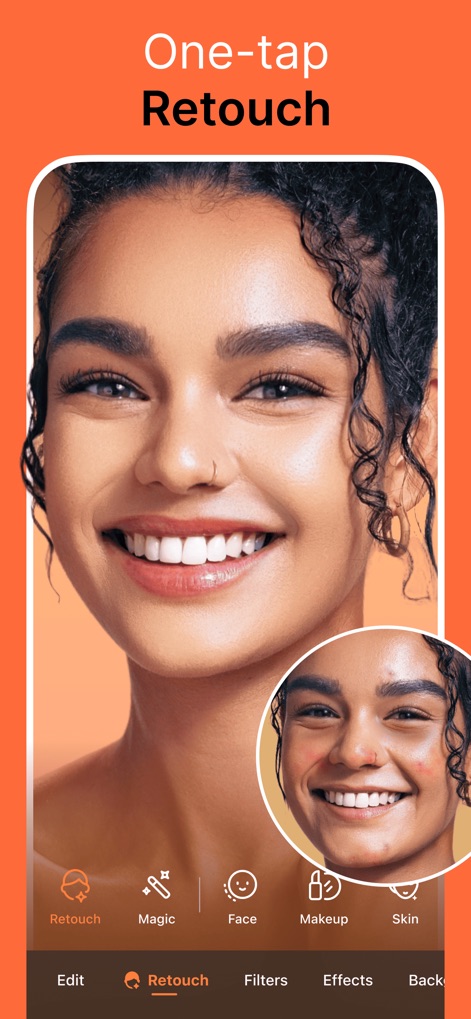
ワンタップ美肌補正
このアプリは、傷やシミの除去で肌を完璧にし、自然な肌のなめらかさを再現します。
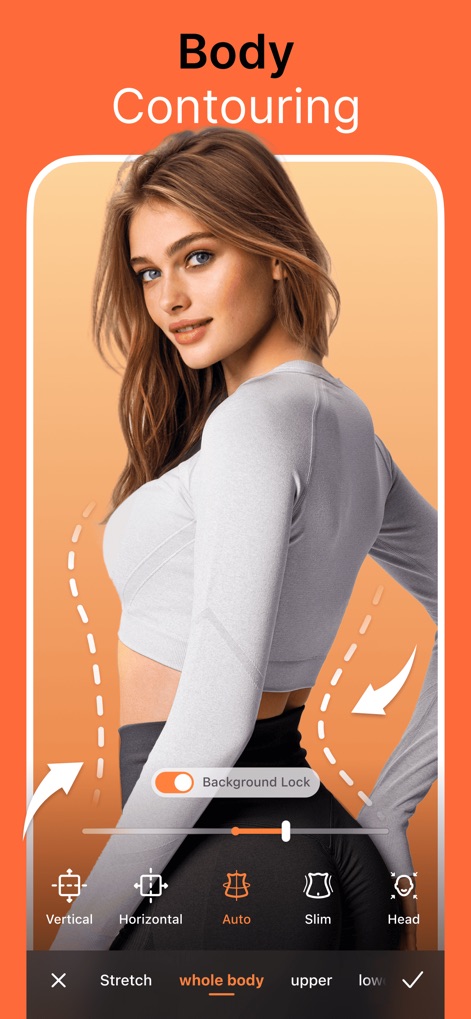
理想のボディライン
本ツールは、ボディラインの調整機能と全身の自動補正により、ユーザーが求める理想のシルエットを実現します。
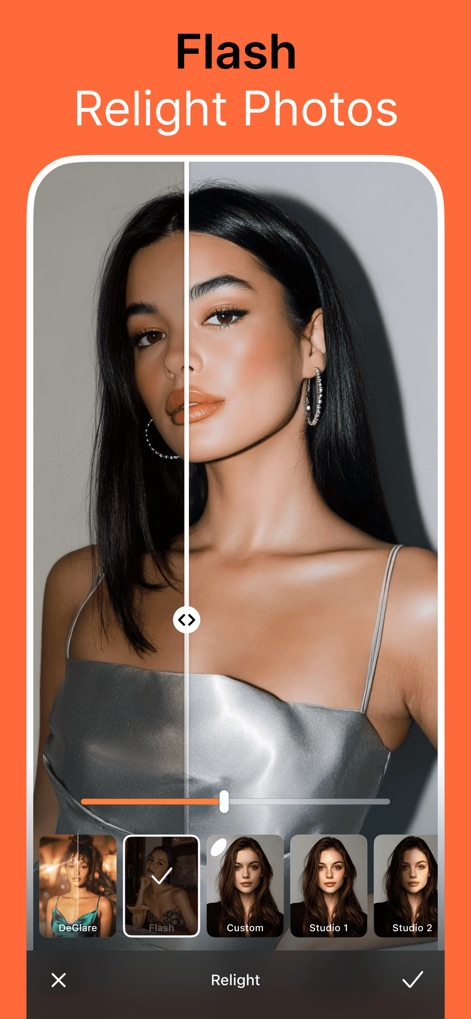
光を操る写真
フラッシュ効果の適用と高度な光の補正により、あらゆる写真にプロのようなライティングを施します。
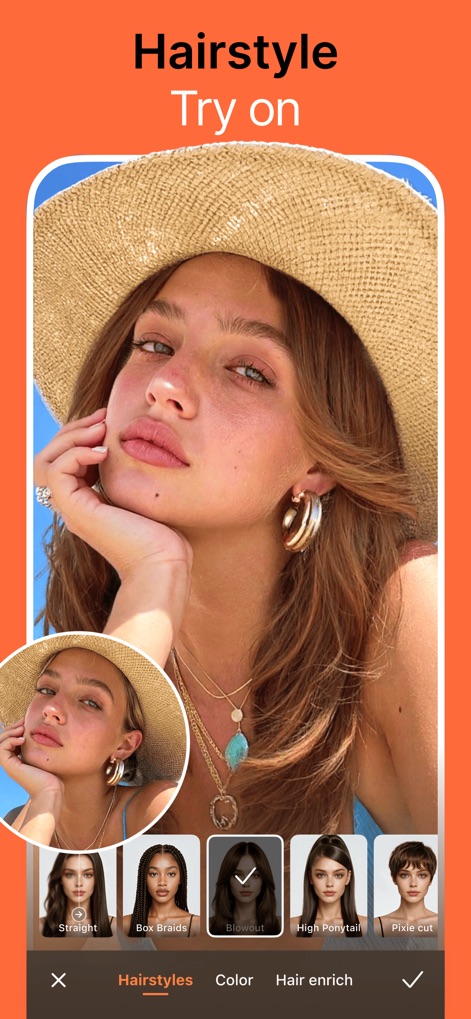
髪型チェンジ体験
ユーザーは髪型の試着機能で新しいスタイルを発見し、髪色の変更で印象を自在に変えることができます。
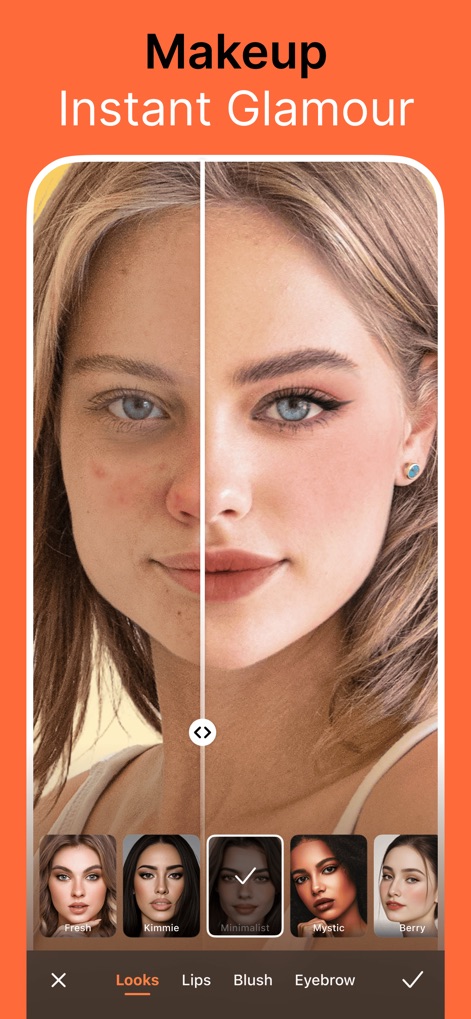
瞬間変身メイク
顔全体のメイクアップを施し、肌の赤み補正を行うことで、どんな写真も魅力的なポートレートに仕上げます。
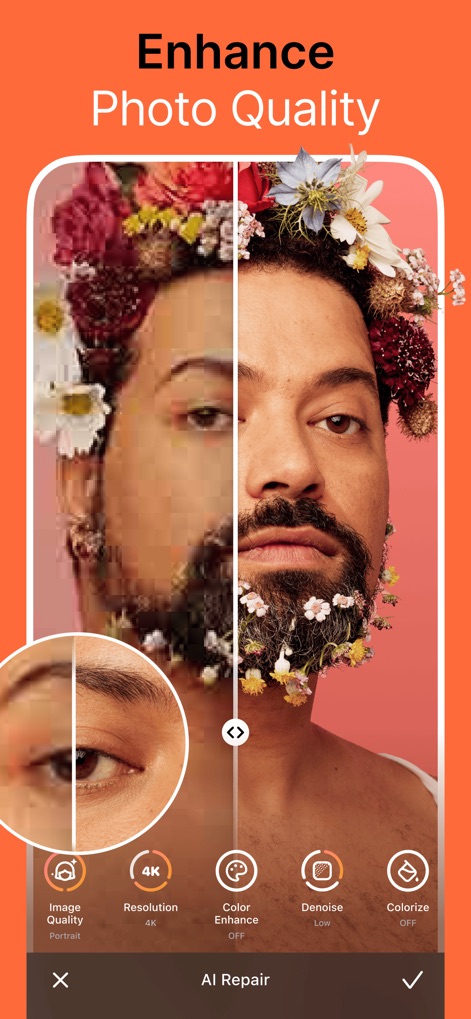
画質を劇的に向上
この機能は、画質の向上と解像度の補正により、低品質な写真でも細部まで鮮明に蘇らせます。
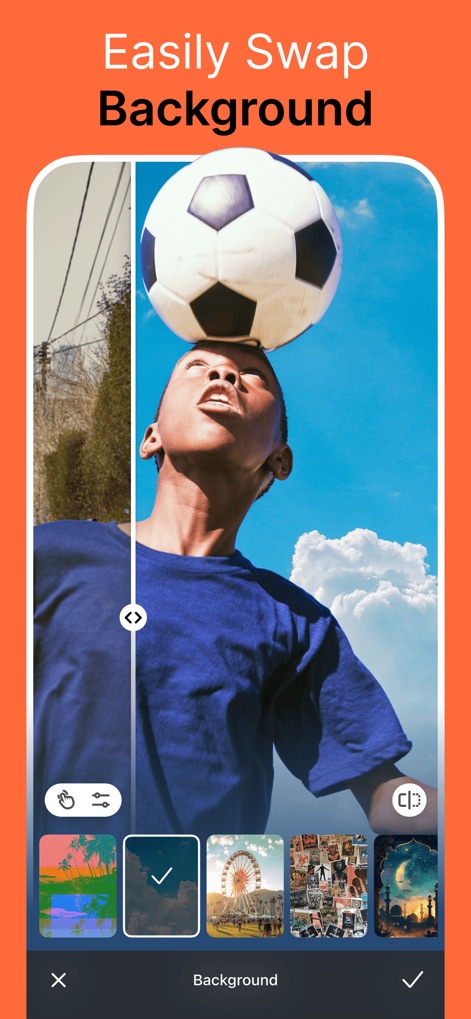
背景を自由に変える
背景の自動切り抜き技術により、ユーザーは簡単に背景を差し替え、複数の背景選択肢から最適なシーンを選べます。
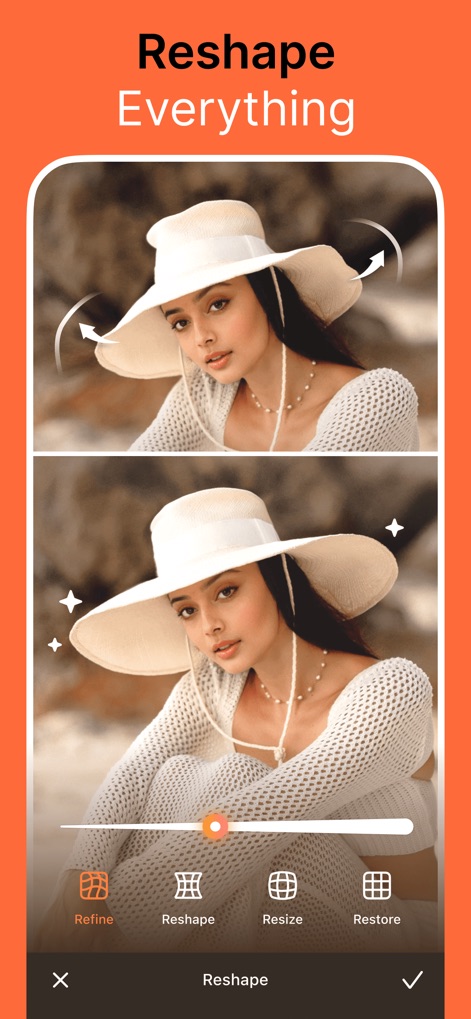
全体を自在に調整
全身のシルエット補正と細部の調整機能により、写真内のあらゆる要素を理想的な形に整えることができます。
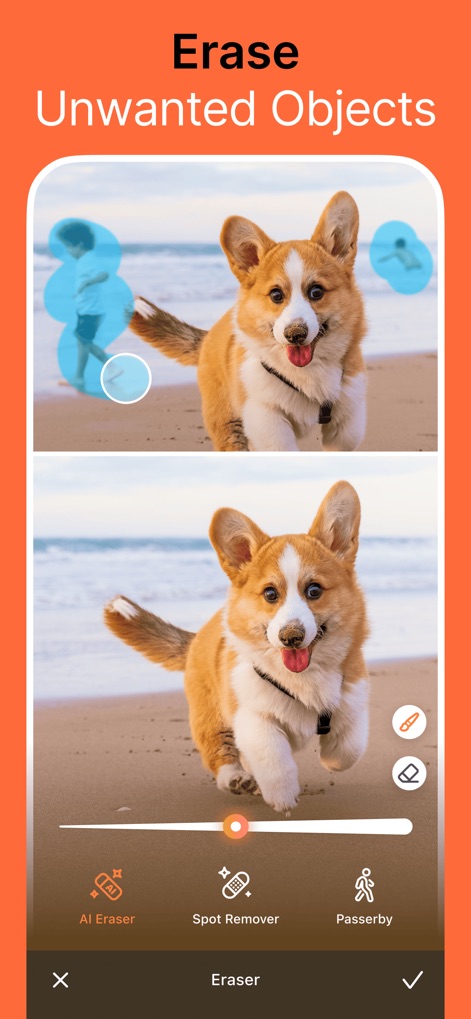
不要物を一掃
このアプリは、不要なオブジェクトの除去機能と背景の通行人の消去により、写真から邪魔な要素を簡単に取り除きます。
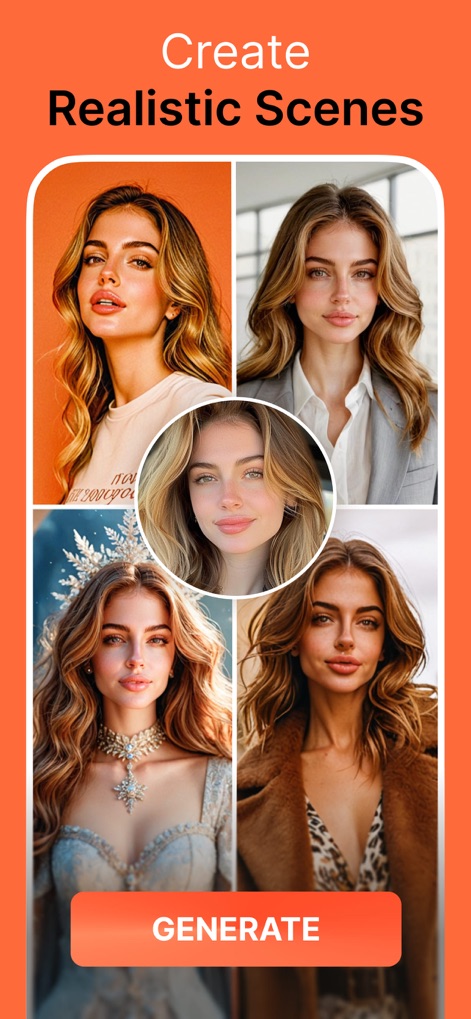
AIが創る多様な表情
AIによるスタイル生成を活用し、ユーザーは同じ人物の肖像を複数のシーンバリエーションで楽しむことができます。
説明
Download
類似アプリ
似た機能とユーザー体験を持つアプリ

Meitu- AI Photo & Video Editor
Xiamen Meitu Technology Co., Ltd.

BeautyCam-AI Photo Editor
Xiamen Meitu Technology Co., Ltd.

BeautyPlus-Selfie Photo Editor
PIXOCIAL TECHNOLOGY (SINGAPORE) PTE. LTD.

Peachy - AI Face & Body Editor
SHANTANU PTE. LTD.
YouCam Perfect AI Photo Editor
PERFECT MOBILE CORP.

Persona: AI Beauty Editor
TICKET TO THE MOON, INC.

Wuta Camera - Nice Shot Always
Shanghai Benqumark Network Tech Co., Ltd.

Perfect365 Makeup Photo Editor
Perfect365, Inc.

Polish - AI Photo Editor
SHANTANU PTE. LTD.
このページはアプリまたはその開発者の公式ページではなく、情報提供および論評を目的として作成された独立した編集出版物です。明示的に別段の記載がない限り、アプリおよびその開発者は、MWM、Apple、Google Play、アプリのパブリッシャー、またはアプリの開発者と提携、承認、後援、認可、またはその他の公式的な関係はなく、このページのいかなる内容も、アプリがMWMのサービスを使用して開発されたことを意味するものではありません。すべての商標、ロゴ、スクリーンショット、その他のコンテンツはそれぞれの所有者の財産です。