AirTrack Classic
AirTrack Classic
ダウンロード: App Store

このページはアプリまたはその開発者の公式ページではなく、情報提供および論評を目的として作成された独立した編集出版物です。明示的に別段の記載がない限り、アプリおよびその開発者は、MWM、Apple、Google Play、アプリのパブリッシャー、またはアプリの開発者と提携、承認、後援、認可、またはその他の公式的な関係はなく、このページのいかなる内容も、アプリがMWMのサービスを使用して開発されたことを意味するものではありません。すべての商標、ロゴ、スクリーンショット、その他のコンテンツはそれぞれの所有者の財産です。

ロゴ: AirTrack Classic
ダウンロード: App Store

AirTrack Classic

モバイルデバイスでプログレードのMFD、PFD、FMCを使用して、シミュレーターに命を吹き込みましょう。長距離フライトをリモートで監視し、オートパイロットを制御し、MSFS、X-Plane、Navigraphとシームレスに統合します。

主要数値

ダウンロード

262K+

ユーザー評価

4.2/5

評価数

400

開発元

Haversine Ltd

カテゴリ

Navigation

対応言語

1

最新バージョン

3.21

サイズ

188.6 MB

リリース日

2010年8月3日
機能

プロフェッショナルフライトデッキ統合

モバイルデバイスを高忠実度アビオニクススイートに変えましょう。実際のコックピットのような精度で、バーチャルフライトの制御、監視、ナビゲーションを行います。

アンテザードフライト監視

コントロールを失うことなくデスクから離れましょう。リアルタイムWiFi同期を介して、家の中のどこからでも高度、対気速度、ETAを監視できます。

リモートオートパイロット&FMC

専用FMCインターフェースを介してMCPを調整し、ラジオをチューニングし、フライトプランを管理し、iPadを機能的なタッチスクリーンコックピットパネルに変えます。

以下のスクリーンショットと説明は、アプリの公式ストアリスティングから直接取得されたものであり、アプリ開発者の所有物です。

アプリストア

スクリーンショット
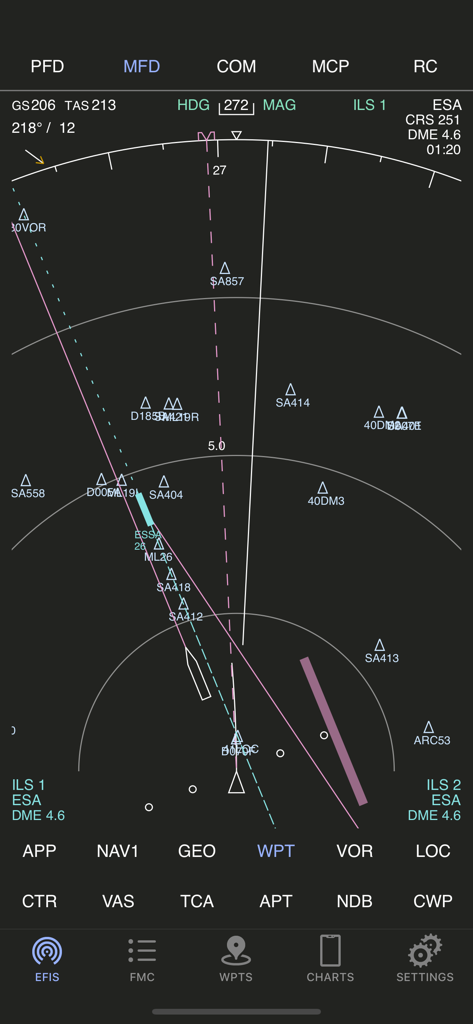
AirTrack Classic - AirTrack Classicアプリの多機能ディスプレイ。フライトナビゲーションとウェイポイントを表示。
AirTrack Classicアプリの多機能ディスプレイ。フライトナビゲーションとウェイポイントを表示。

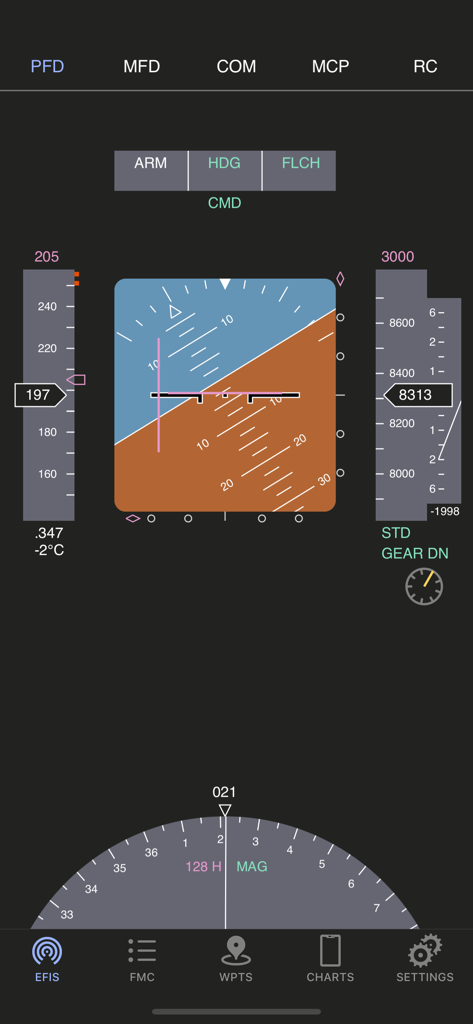
AirTrack Classic - AirTrack Classicプライマリフライトディスプレイインターフェース。フライト計器を表示。
AirTrack Classicプライマリフライトディスプレイインターフェース。フライト計器を表示。

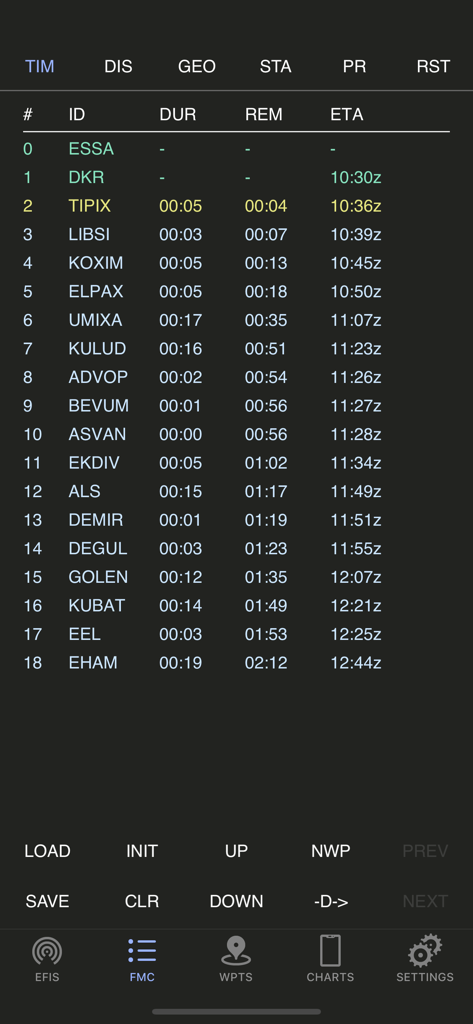
AirTrack Classic - AirTrack Classicアプリ。フライトマネジメントコンピュータのルートプランナースクリーンを表示。
AirTrack Classicアプリ。フライトマネジメントコンピュータのルートプランナースクリーンを表示。

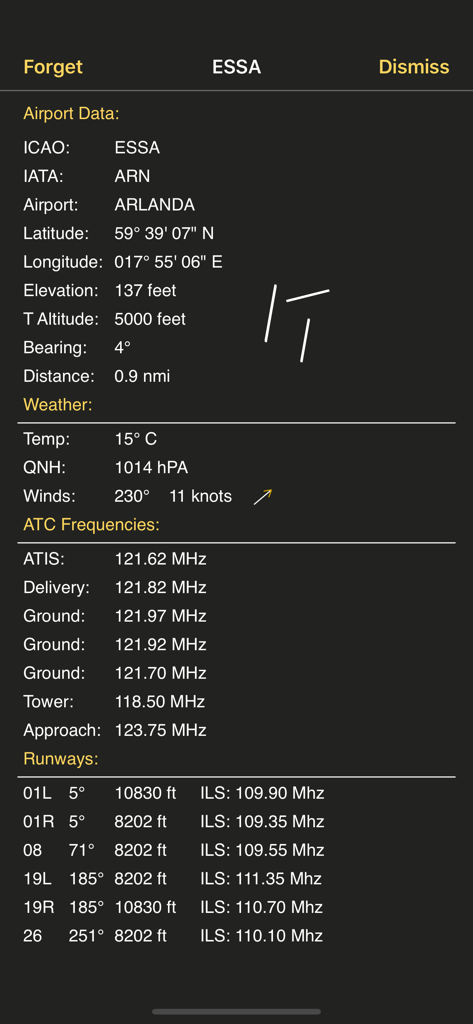
AirTrack Classic - AirTrack Classicのスクリーンショット。ESSAアルランダ空港の詳細な空港データ(天気、ATC周波数、滑走路情報を含む)を表示。
AirTrack Classicのスクリーンショット。ESSAアルランダ空港の詳細な空港データ(天気、ATC周波数、滑走路情報を含む)を表示。

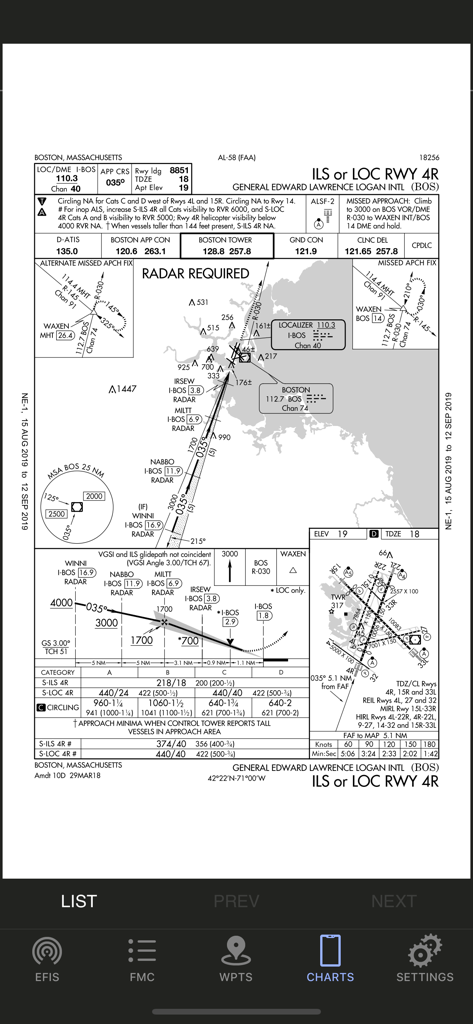
AirTrack Classic - AirTrack Classicアプリに表示されているボストン・ローガン国際空港の航空計器進入方式図。

AirTrack Classicアプリに表示されているボストン・ローガン国際空港の航空計器進入方式図。

説明

AirTrack integrates with multiple data sources in order to report flight and navigation data wirelessly and in real time. Designed to be used with a Flight Simulator, with the aid of a plugin this application allows you to track your virtual flights in real-time in the palm of your hand, as well as to remotely control your simulated flights. You no longer need to stay glued to the computer in order to know if you're still flying at 39,000 feet, if you're still heading to the right waypoint, how long you've got left or what the weather is going to be like at your destination airport; you can now relax and do it in the garden or anywhere within WiFi reach really and control your flight with your thumb. But if this isn't enough, AirTrack can also use your device's built-in GPS, Accelerometer and Gyro to determine your current movements and attitude and the Internet to download real weather to simulate an aircraft's sensors. Turn your car trip into a flight experience by getting information about your instant position, heading and surrounding waypoints. See yourself in an EFIS style navigation display / primary flight display or plan your multi-leg trip with the built in route planner FMC which gives you real-time information about your waypoints, how far they are and how long it will take you to reach them. With its built-in database of FIX, VOR, NDB and Airports, AirTrack can also be used as a flight simulator companion allowing you to plan and monitor your trip, target a VOR or even perform a full IFR approach without ever needing to look at the screen. The AirTrack features include: - A full Primary Flight Display with speed, altitude, vertical speed, barometric pressure - Also in the PFD, compass, AI with roll/pitch, auto-pilot status and settings. - Instant GS, IAS, MACH, TAS and VS when available. - An MFD with APP, VOR, MAP and PLN mode with centered and expanded views. - The whole world as a map of geo contours in the MFD. - NAV / ADF and ILS / Approach guidance in the PFD and MFD. - An MCP panel to control the Aircraft's Auto-Pilot. - Wind speed and direction indicators. - Next waypoint reporting on the MFD. - Electronic Flight Bag style interface for iPad, - An advanced multimode navigation display. - A multi-leg FMC style route planner. - Enroute Airways decoder. - SID, STAR and Approach procedures decoder. - Bi-directional radio stack. - AutoTransponder Mode. - Customizable waypoints. - Saved waypoints and Nearby waypoints. - Real-Time weather information for airports. - Detailed airport information including runways. - A database of localities worldwide. - Built-in database of intersections, VORs and NDBs. - Support for NAVIGRAPH FMS AIRAC cycles. - Tracking of VATSIM / IVAO/ PilotEdge surrounding air traffic on the MFD. - Tracking of which controllers are online in VATSIM/IVAO. - Auto-tuning of ATC frequencies to COM1/COM2. - Automatic position report generation for oceanic. - Enhanced graphics with high-res Retina Display. - Remote Yoke/Joystick/Rudder for flight simulator. - Support for X-Plane - Support for Flight Simulator 2020 - Support for FS9 and FSX(*) - Cloud Services flight plan and waypoint sync. - Cloud based auto-sync advanced flight planner - Cloud based Approach plate / charts viewer with user charts. - And much more ... (*) Support for the old FS9 and FSX simulators is limited and provided by a third party plugin which is no longer actively maintained.

Download

ダウンロード: App Store

このページはアプリまたはその開発者の公式ページではなく、情報提供および論評を目的として作成された独立した編集出版物です。明示的に別段の記載がない限り、アプリおよびその開発者は、MWM、Apple、Google Play、アプリのパブリッシャー、またはアプリの開発者と提携、承認、後援、認可、またはその他の公式的な関係はなく、このページのいかなる内容も、アプリがMWMのサービスを使用して開発されたことを意味するものではありません。すべての商標、ロゴ、スクリーンショット、その他のコンテンツはそれぞれの所有者の財産です。