Professional version includes all extra features: user accounts and access restrictions, activity log, profit and loss report, projects and tags.
"The app is very user friendly, easy to use and is full of functions that covers almost all needs for making and following personal budget. Great! 10 out of 10!" - Guntars Kaneps
Key features:
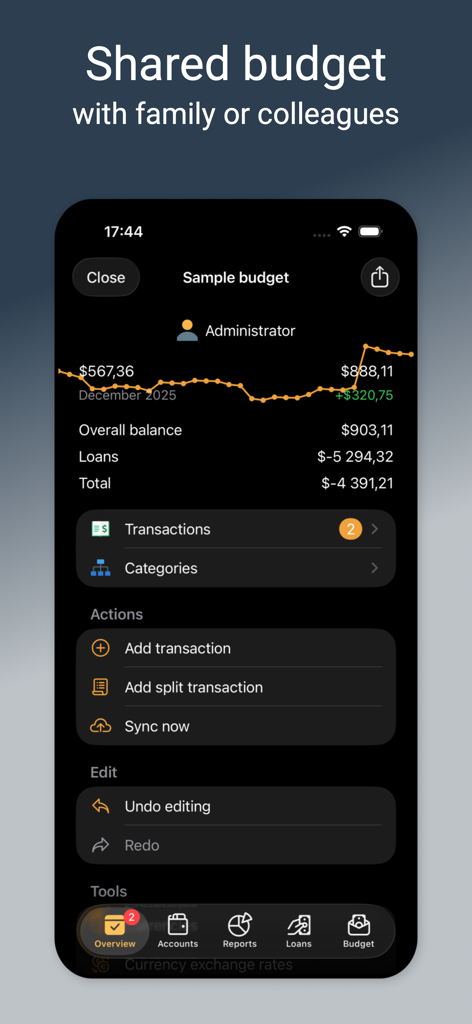
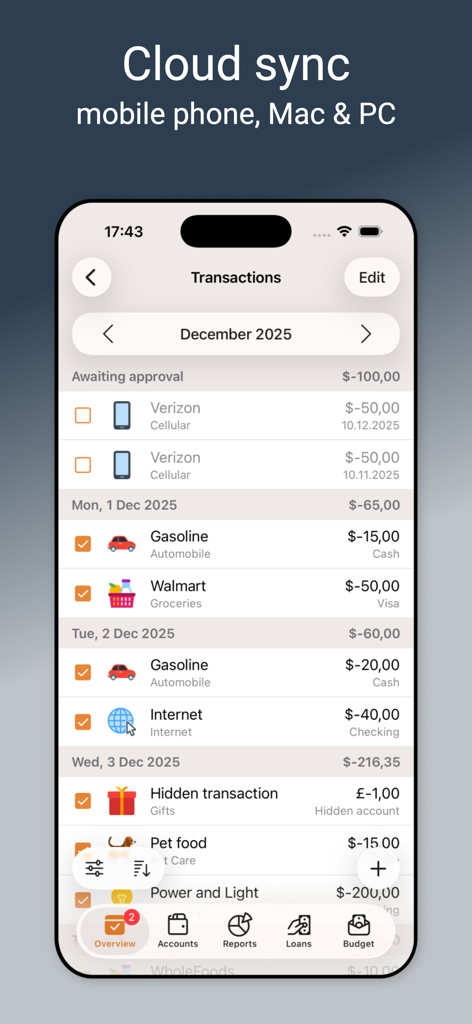
• Sync data across multiple devices and PC
Several users can work with a single database and sync changes over the Internet. Alzex Finance is integrated with Files app: you can use virtually any cloud service (or SMB, FTP, WebDAV, etc) to share your budget with your family or colleagues. Instruction: https://community.alzex.com/knowledge-base/article/sync_ios
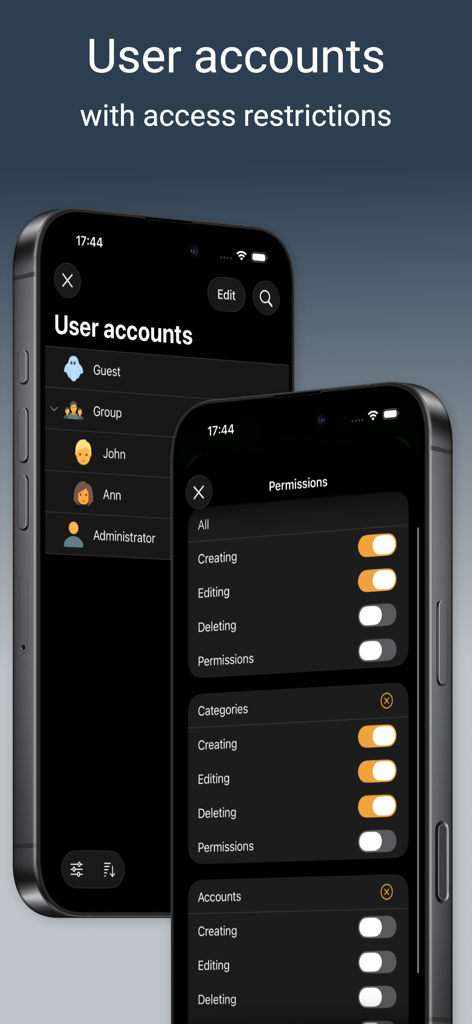
• Password protection and user accounts
Several people can work with the database. It allows you to track users who create transactions, protect transactions from changes with a password and hide them from other users.
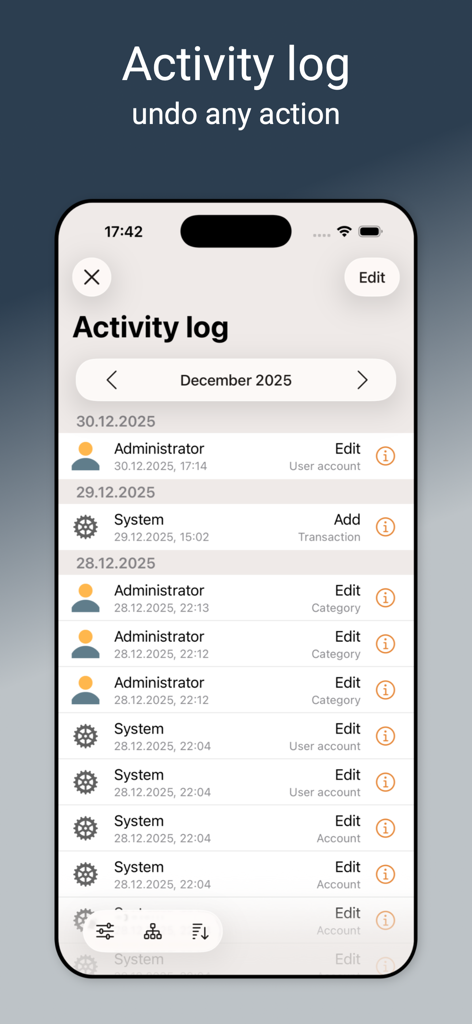
• Activity log
Activity log allows user to see who, when and what exactly edited, deleted or added and undo any action.
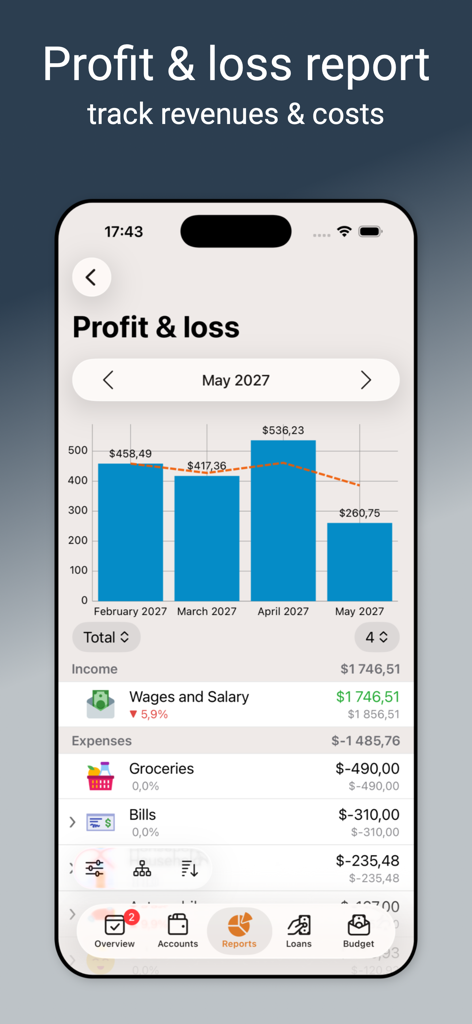
• Profit and loss report
It is a financial statement that summarizes the revenues, costs, and expenses incurred during a specified period (month, quarter or year).
• Entering recurring data with a single click
You can enter recurring transactions very quickly, simply type first few letters and select a transaction from the list of frequently used transactions, and then the program fills data to all fields of the form.
• A rich set of data management tools
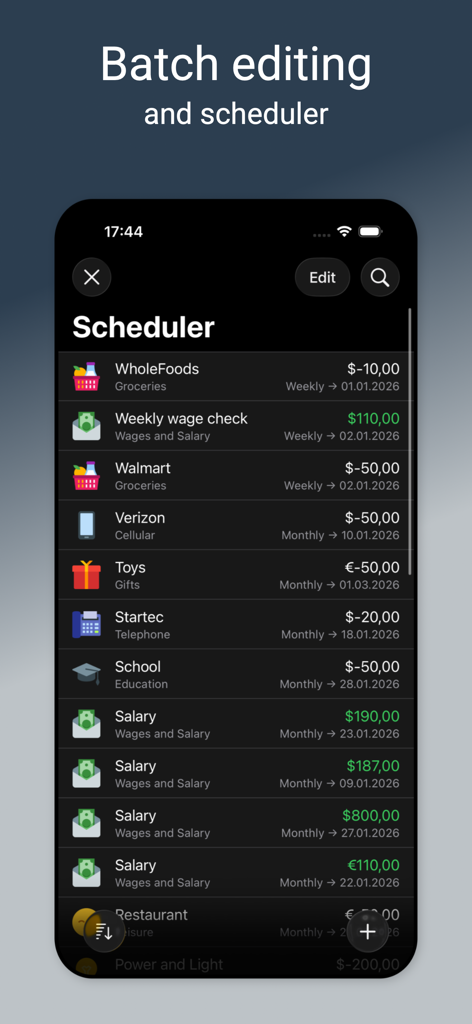
A possibility to undo and redo any changes. Batch editing (grouping, renaming and other actions over sets of records).
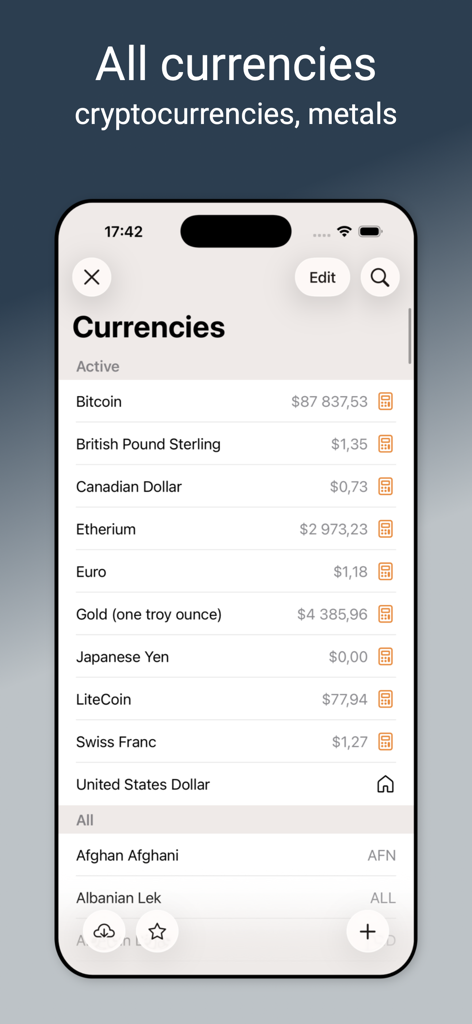
• Currencies
The program supports an unlimited number of currencies, cryptocurrencies and precious metals. Also you can add your own currencies, including "virtual" ones, i.e. you can keep track of money and other things. Exchange rates can be downloaded from the Internet.
• Accounts
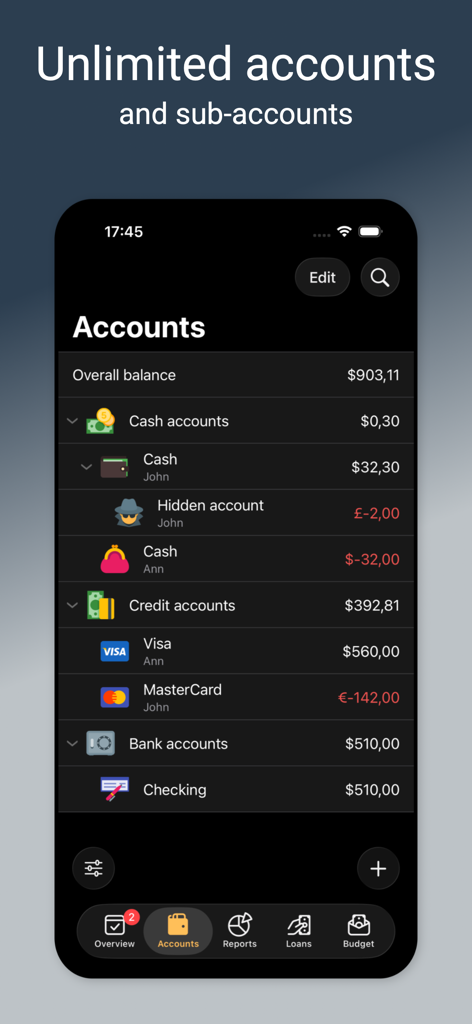
This is the main way of separating transactions in the program. You can create any number of accounts, such as credit cards, bank accounts, cash, electronic money, etc.
• Categories, family members, payee, projects and tags
The program offers many features for organizing transactions – division by categories, family members, payee and projects. Each transaction can be defined with many tags.
• Scheduler
The scheduler lets you create recurring transactions automatically. These transactions will be created automatically, without any user intervention, or with his confirmation, if needed.
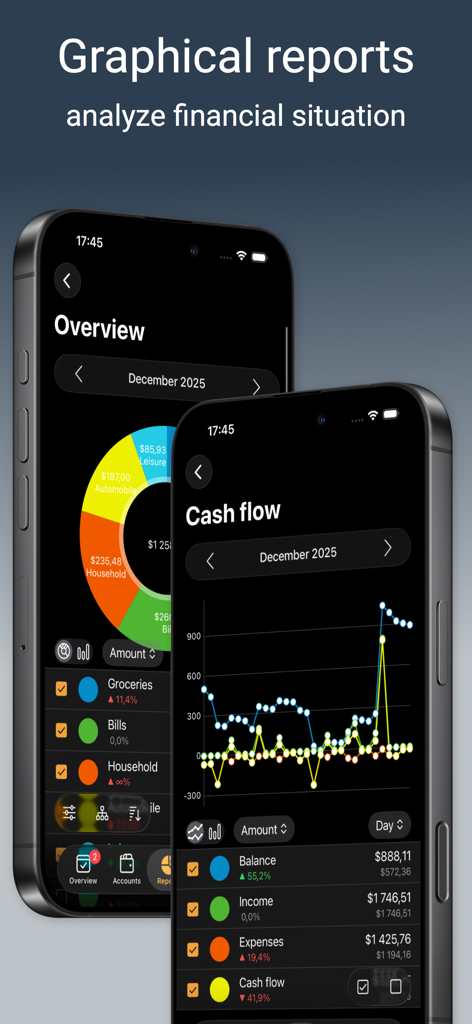
• Reports
Reports help you to analyze your financial situation. It will help you to understand where your money is going and manage your income in the most efficient way.
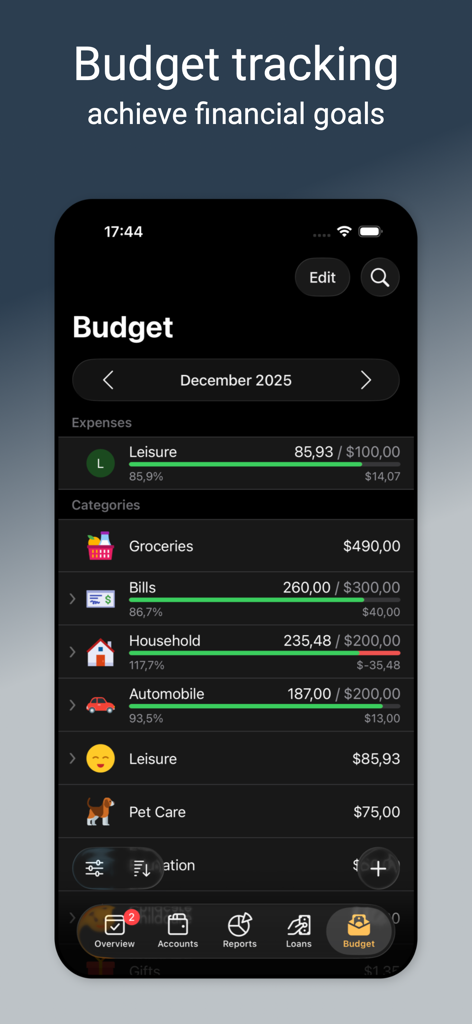
• Budget
The program makes it easy to monitor progress in achieving your financial goals and control expenses.
• Loans
Tracking debts and credits. You can borrow and lend money, and it will be displayed in the program. To repay debts, you can use any account and any currency.
Paid subscription is required.
In all the countries (except the USA) actual charges will be converted to the local currency. Payment will be charged to iTunes Account at confirmation of purchase. Account will be charged for renewal within 24-hours prior to the end of the current period, and identify the cost of the renewal. Any unused portion of a free trial period, if offered, will be forfeited when the user purchases a subscription to that publication, where applicable.
Privacy policy: www.alzex.com/privacy-policy.html
Terms of service: https://www.alzex.com/terms-of-service.html
Contacts:
support@alzex.com
http://community.alzex.com
Your feedback is important to us in order to get an idea of how to make Alzex Finance software a better product for you. If you have a good idea of a new feature, or a better way of doing something, please drop us a note.
Technical support is provided by email. You can contact us at support@alzex.com.
Icons are provided by icons8.com