App Icon: Resize for all OS
ダウンロード: App Store

このページはアプリまたはその開発者の公式ページではなく、情報提供および論評を目的として作成された独立した編集出版物です。明示的に別段の記載がない限り、アプリおよびその開発者は、MWM、Apple、Google Play、アプリのパブリッシャー、またはアプリの開発者と提携、承認、後援、認可、またはその他の公式的な関係はなく、このページのいかなる内容も、アプリがMWMのサービスを使用して開発されたことを意味するものではありません。すべての商標、ロゴ、スクリーンショット、その他のコンテンツはそれぞれの所有者の財産です。


ロゴ: App Icon: Resize for all OS
ダウンロード: App Store

App Icon: Resize for all OS

インディー開発者やデザイナーにとって、iOS、macOS、watchOS向けのピクセルパーフェクトなアイコンをエクスポートする最も効率的な方法です。手動でのリサイズをやめて、プロフェッショナルなワークフローでアプリをより速くリリースしましょう。

主要数値

ダウンロード

37K+

ユーザー評価

1.0/5

評価数

0

開発元

Ashvin Ajadiya

カテゴリ

Developer Tools

対応言語

1

最新バージョン

1.2.8

サイズ

12.8 MB

リリース日

2019年10月20日
機能

自動化されたアセットでより速くリリース

手動でのリサイズに何時間も費やすのをやめましょう。Appleのエコシステム全体向けのプロフェッショナルで、すぐに使えるxcassetカタログを数秒で生成します。

ユニバーサルプラットフォームサポート

iOS、iPadOS、watchOS、macOSのすべてのアイコンサイズを単一のエクスポートで生成し、最新のハードウェアに完全対応しています。

Xcode対応のxcassets

手動でのマッピングは不要です。当社のツールはxcasset形式に直接エクスポートするため、ドラッグ&ドロップするだけでコーディングに戻れます。

以下のスクリーンショットと説明は、アプリの公式ストアリスティングから直接取得されたものであり、アプリ開発者の所有物です。

アプリストア

スクリーンショット
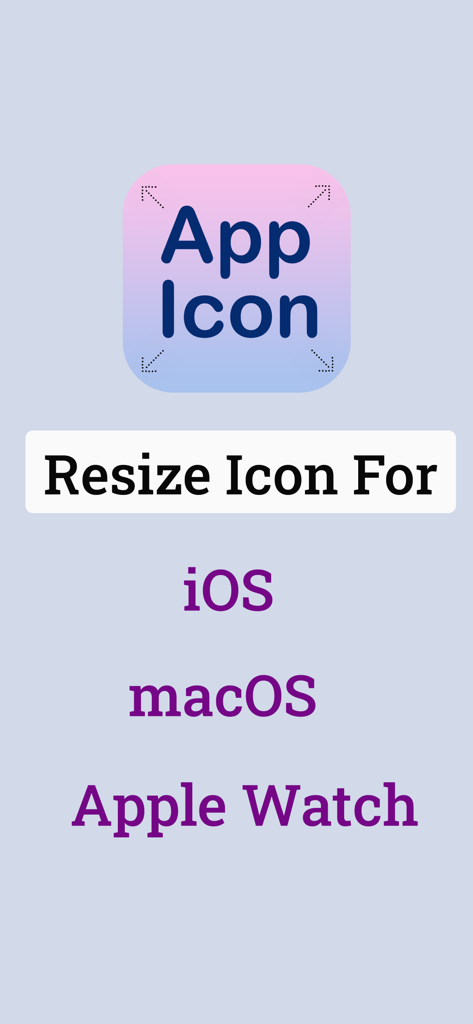
App Icon: Resize for all OS - iOS macOSおよびApple Watchプラットフォーム向けのアプリアイコンリサイズオプションを示すスクリーンショット
iOS macOSおよびApple Watchプラットフォーム向けのアプリアイコンリサイズオプションを示すスクリーンショット

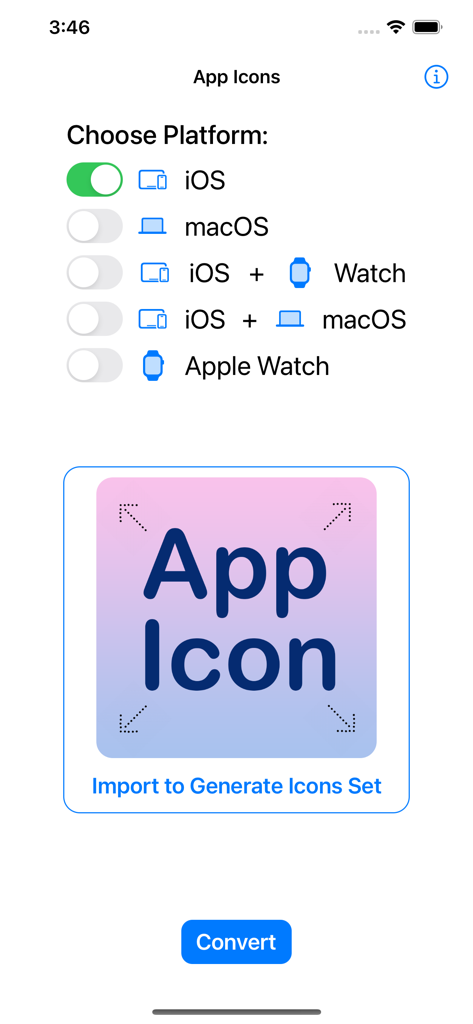
App Icon: Resize for all OS - アイコンセットを生成するためにiOSやmacOSなどのプラットフォームを選択するためのアプリインターフェース
アイコンセットを生成するためにiOSやmacOSなどのプラットフォームを選択するためのアプリインターフェース

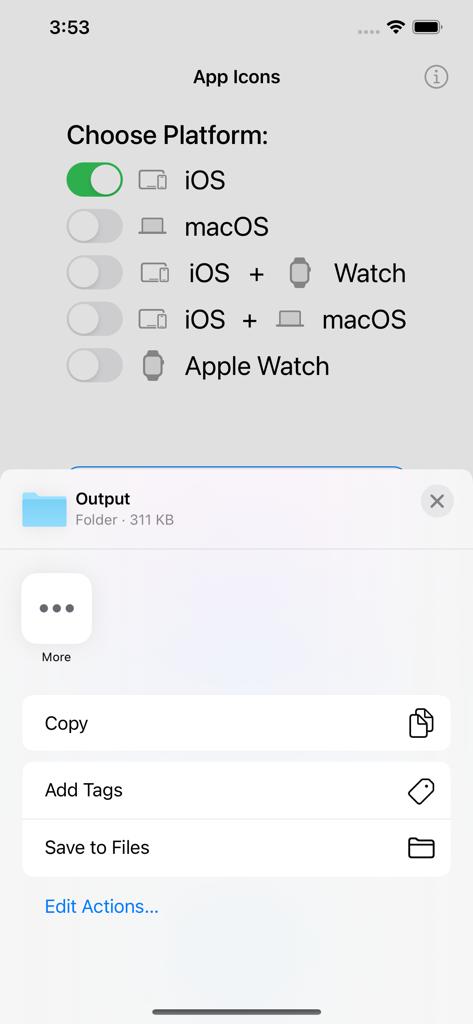
App Icon: Resize for all OS - 出力フォルダを保存するオプションとともに、アプリアイコンを生成するためにAppleプラットフォームを選択するためのインターフェース

出力フォルダを保存するオプションとともに、アプリアイコンを生成するためにAppleプラットフォームを選択するためのインターフェース

説明

App Icon: Resizer for all OS App help to import any image & convert it into a complete & ready-to-use app icon. It supports every type of icon you'll ever need for any of Apple's platforms; iOS, iPadOS, watchOS, tvOS and macOS. It uses the xcasset catalog format & it's always updated for the very latest devices & software. It can make any icon within your app; converting your image into all the required 1x, 2x(retina) & 3x formats & image set. App Icon Resizer tool is designed to be quick & easy to use & fit seamlessly into your workflow. All you need to do is import an image, select the app platform(iOS, macOS or Apple Watch) then generate a complete set of icons & export based on your choices. Best Asset catalog creator, universal icon creator *****SUPPORTED ASSET PLATFORMS***** # Apple: iOS, macOS, watchOS *****FEATURES***** # Updated for all the latest devices iOS 16 with iPhone 14, Apple Watch Series 8, iPad Pro icons, Ventura Catalina etc. # Platform combinations to convert and export in a single attempt - iOS & Apple Watch, iOS & macOS # Batch exporting (Multiple platform selection & export) # Auto image naming & renaming # Export icons for all selected platforms ***** CUSTOMER SUPPORT ***** We're working hard & smart to make an App as simple and efficient as possible for you to use. We would love to hear your thoughts via email and make any improvements to future versions of this app. We intend to have an active development cycle powered by your feedback, love and support! # If you have any questions or suggestions, please contact us at macd.developer@gmail.com

Download

ダウンロード: App Store

このページはアプリまたはその開発者の公式ページではなく、情報提供および論評を目的として作成された独立した編集出版物です。明示的に別段の記載がない限り、アプリおよびその開発者は、MWM、Apple、Google Play、アプリのパブリッシャー、またはアプリの開発者と提携、承認、後援、認可、またはその他の公式的な関係はなく、このページのいかなる内容も、アプリがMWMのサービスを使用して開発されたことを意味するものではありません。すべての商標、ロゴ、スクリーンショット、その他のコンテンツはそれぞれの所有者の財産です。







