AppSheet
AppSheet
ダウンロード: App Store

このページはアプリまたはその開発者の公式ページではなく、情報提供および論評を目的として作成された独立した編集出版物です。明示的に別段の記載がない限り、アプリおよびその開発者は、MWM、Apple、Google Play、アプリのパブリッシャー、またはアプリの開発者と提携、承認、後援、認可、またはその他の公式的な関係はなく、このページのいかなる内容も、アプリがMWMのサービスを使用して開発されたことを意味するものではありません。すべての商標、ロゴ、スクリーンショット、その他のコンテンツはそれぞれの所有者の財産です。


ロゴ: AppSheet
ダウンロード: App Store

AppSheet

ビジネス向けの主要なノーコードプラットフォーム。Googleスプレッドシート、Excel、またはSQLのデータを接続して、どこでも動作するプロフェッショナルなモバイルアプリを構築、展開、管理しましょう。オフラインでも利用可能です。

主要数値

ダウンロード

2M+

ユーザー評価

3.5/5

評価数

800

開発元

Solvebot Inc.

カテゴリ

Business

対応言語

1

最新バージョン

16.9

サイズ

35.7 MB

リリース日

2013年11月1日
機能

ビジネスに必要なカスタムツールを構築

スプレッドシートを強力なモバイルアプリに変えましょう。AppSheetは、一行のコードも書かずに、どこからでもワークフローを自動化し、データをキャプチャできるようにチームに力を与えます。

コードゼロ、無限の可能性

ExcelまたはGoogleスプレッドシートを数分で完全に機能するアプリに変えましょう。開発者も高コストも不要—あなたのデータがより賢く機能します。

フィールド向けに構築

オフラインデータ入力、GPS追跡、バーコードスキャンでリモートチームに力を与えましょう。どこでも重要な情報をキャプチャし、自動的にオフィスに同期します。

FAQ

よくある質問

について知っておくべきこと AppSheet

AppSheetとは何ですか?

AppSheetを使用すると、コードを書かずにカスタムモバイルおよびWebアプリケーションを作成および配布できます。さまざまなビジネスシナリオに対応するため、コンテンツの表示、メモの作成、フォームの作成、写真、署名、GPSデータの取得、バーコードのスキャンをサポートしています。

AppSheetはどのようなデータソースと統合されますか?

AppSheetは、Google Sheets、Office365上のExcel、Dropbox、Box、Smartsheetなどのクラウドストレージサービスと統合されます。また、データ管理のためにSQLServer、mySQL、Postgres、DynamoDBなどのさまざまなデータベースにも接続します。

AppSheetは場所を記録し、地図を表示するアプリを作成できますか?

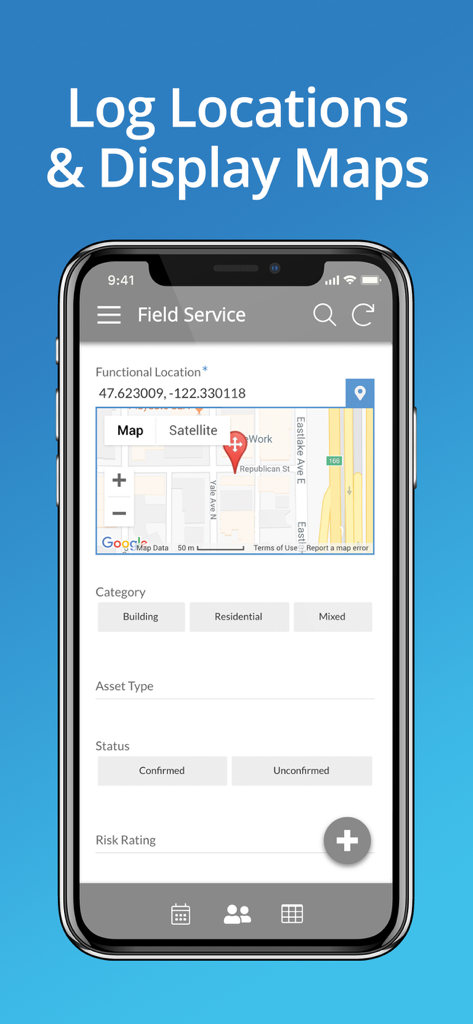
はい、AppSheetは場所を記録し、地図を表示するアプリを作成できます。たとえば、フィールドサービスアプリは機能的な場所を追跡し、マップインターフェイスに表示できるため、ユーザーは効率的に特定の場所ベースのデータを入力できます。

以下のスクリーンショットと説明は、アプリの公式ストアリスティングから直接取得されたものであり、アプリ開発者の所有物です。

アプリストア

スクリーンショット
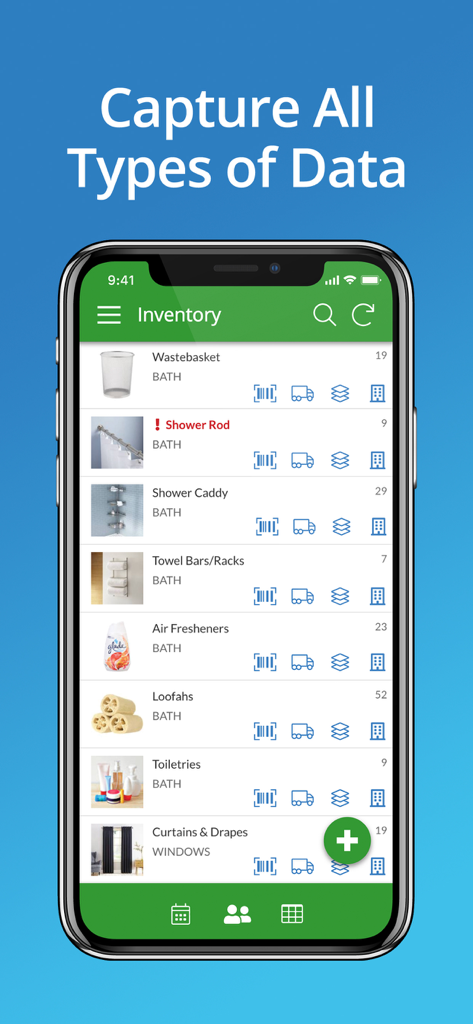
AppSheet - AppSheetのモバイルアプリのスクリーンショット。バスルーム製品の在庫リストとデータキャプチャアイコンが表示されています。
AppSheetのモバイルアプリのスクリーンショット。バスルーム製品の在庫リストとデータキャプチャアイコンが表示されています。

AppSheet - AppSheetフィールドサービスアプリのインターフェース。GPS座標とマップ統合が表示され、位置追跡が可能です。
AppSheetフィールドサービスアプリのインターフェース。GPS座標とマップ統合が表示され、位置追跡が可能です。

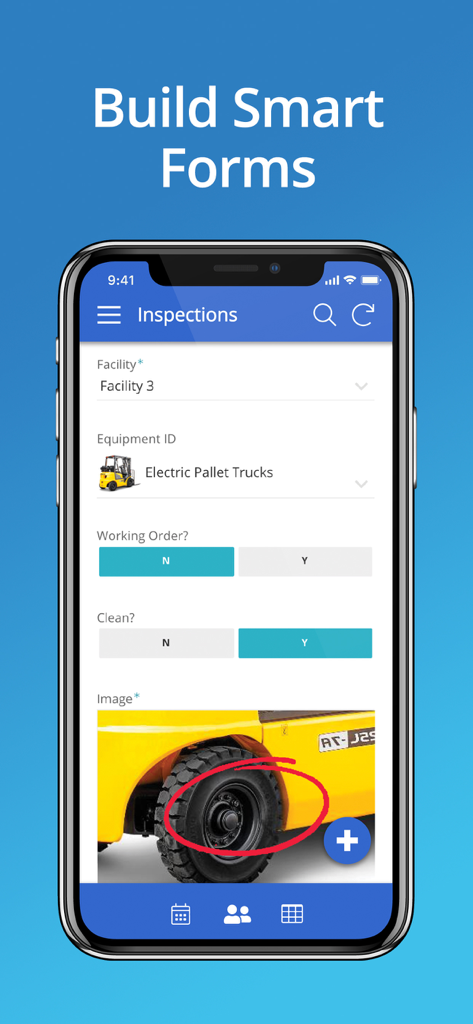
AppSheet - AppSheetで構築された検査フォームが表示されている携帯電話

AppSheetで構築された検査フォームが表示されている携帯電話

説明

With AppSheet, you can create and distribute your own custom mobile apps without writing code or hiring developers. These apps can display content, take notes, create forms, capture photos, signatures and GPS, scan bar codes, and generate workflows for a wide variety of business scenarios. You can also build web apps and chatbots. AppSheet uses data from your cloud storage -- Google Sheets, Excel on Office365, Dropbox or Box, Smartsheet, SalesForce, and a variety of databases (SQLServer, mySQL, Postgres, and DynamoDB). You can create an app in minutes and enhance it to create rich custom apps for your team, business, or enterprise. Check review sites like Capterra to learn how AppSheet’s modern technology platform outpaces older low-code solutions like PowerApps, Salesforce1, and App Maker. AppSheet is an ideal solution for many business, including those in property management, agriculture, supply chain, operations, salesforce management, education and more. Here are just a few scenarios: WORKING WITH REMOTE TEAMS Apps built with AppSheet can help a remote team work with centralized data saved in spreadsheets (eg: in Google Drive, Box, or Droppox) or SQL databases. PROJECT MANAGEMENT Millions of people manage projects using Google Sheets, Excel, and Smartsheets. Project managers can build apps with AppSheet to display and share project data through a mobile device with other team members and stakeholders. Keep data centralized in a core spreadsheet and share only the parts that their audience needs to see. No more managing dozens of files that go back and forth via email! EDUCATION Manage study plans, school rosters, grading, and group work by creating a custom app with charts, maps, text summaries and image galleries. Share the app securely with students and colleagues. CUSTOMER SUPPORT AND ENGAGEMENT: Keep track of your customer pipeline on a Google Sheet but get the benefits of a streamlined custom mobile app using AppSheet. You can also interact with your data in new ways like building maps from your data, calling or messaging to telephone numbers, sending emails to contacts, and building catalogs using image galleries.

Download

ダウンロード: App Store

このページはアプリまたはその開発者の公式ページではなく、情報提供および論評を目的として作成された独立した編集出版物です。明示的に別段の記載がない限り、アプリおよびその開発者は、MWM、Apple、Google Play、アプリのパブリッシャー、またはアプリの開発者と提携、承認、後援、認可、またはその他の公式的な関係はなく、このページのいかなる内容も、アプリがMWMのサービスを使用して開発されたことを意味するものではありません。すべての商標、ロゴ、スクリーンショット、その他のコンテンツはそれぞれの所有者の財産です。