Artmator
Artmator
ダウンロード: App Store

このページはアプリまたはその開発者の公式ページではなく、情報提供および論評を目的として作成された独立した編集出版物です。明示的に別段の記載がない限り、アプリおよびその開発者は、MWM、Apple、Google Play、アプリのパブリッシャー、またはアプリの開発者と提携、承認、後援、認可、またはその他の公式的な関係はなく、このページのいかなる内容も、アプリがMWMのサービスを使用して開発されたことを意味するものではありません。すべての商標、ロゴ、スクリーンショット、その他のコンテンツはそれぞれの所有者の財産です。

ロゴ: Artmator
ダウンロード: App Store

Artmator

タブレットをデスクトップクラスのワークステーションに変えましょう。ベジェ曲線、完全なクラウド連携、シームレスなベクターワークフローの精度で、スケーラブルなロゴ、テクニカルな間取り図、見事なイラストを作成できます。

主要数値

ダウンロード

50K+

ユーザー評価

4.0/5

評価数

0

開発元

AMIT CHAUDHARY

カテゴリ

Entertainment

対応言語

10

最新バージョン

2.42

サイズ

10.8 MB

リリース日

2019年8月19日
機能

限界のないデザイン

デスクトップクラスのベクターツールで、iPadをプロフェッショナルなクリエイティブスタジオに変えましょう。精度、スピード、シームレスなモビリティのために設計されています。

プログレードのベクター精度

高品質を失うことなく、あらゆるサイズで、強力なペンツールとベジェ曲線を使用して、シャープなロゴと無限にスケーラブルなグラフィックを作成します。

シームレスなクラウドワークフロー

iOSネイティブのファイルアプリ連携を使用し、iCloud、Dropbox、Boxから直接ファイルを開き、自動保存することで、どこからでも作業できます。

以下のスクリーンショットと説明は、アプリの公式ストアリスティングから直接取得されたものであり、アプリ開発者の所有物です。

アプリストア

スクリーンショット
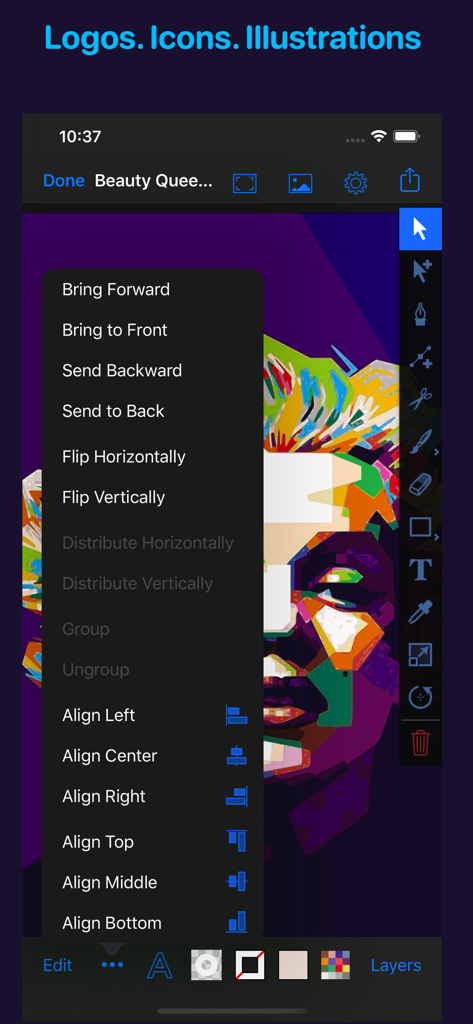
Artmator - Artmatorアプリのインターフェース。カラフルなベクターポートレートと、オブジェクトの配置・整列メニューが表示されています。
Artmatorアプリのインターフェース。カラフルなベクターポートレートと、オブジェクトの配置・整列メニューが表示されています。

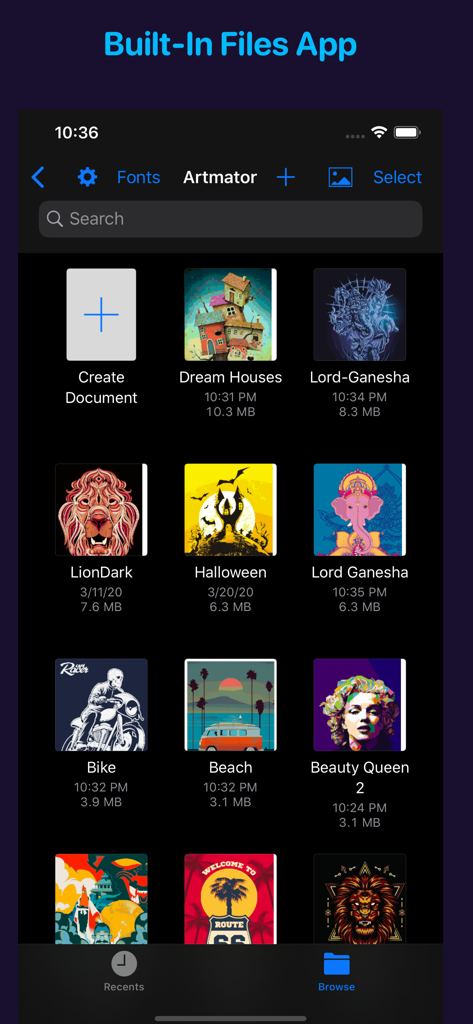
Artmator - Artmatorアプリのギャラリービュー。ベクターイラストプロジェクトと、ダークモードで統合されたファイルアプリ管理が表示されています。
Artmatorアプリのギャラリービュー。ベクターイラストプロジェクトと、ダークモードで統合されたファイルアプリ管理が表示されています。

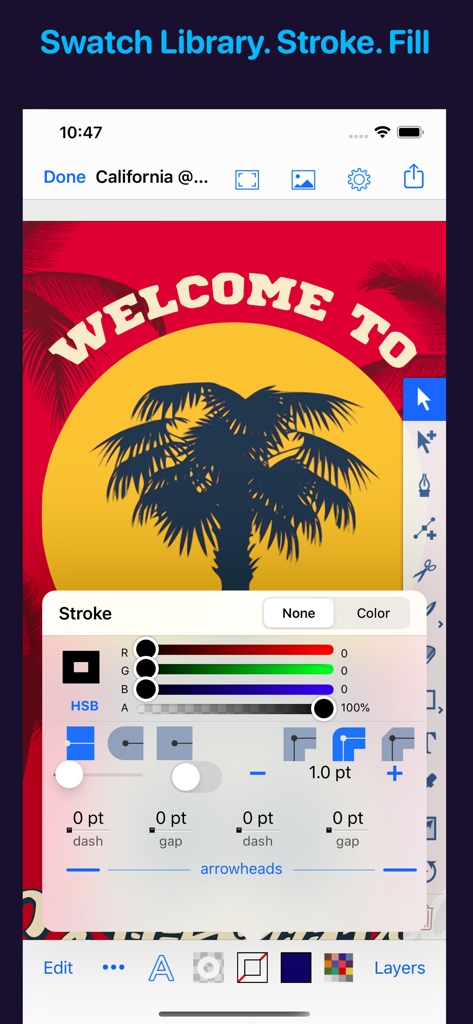
Artmator - Artmatorモバイルインターフェース。高度なストローク設定と、ベクターヤシの木のイラストが表示されています。
Artmatorモバイルインターフェース。高度なストローク設定と、ベクターヤシの木のイラストが表示されています。

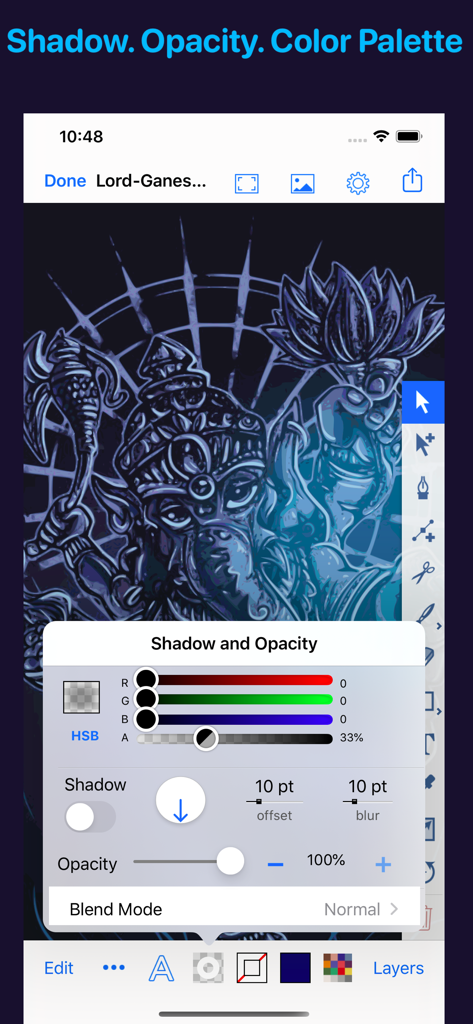
Artmator - Artmatorベクターアプリのインターフェース。影と不透明度の調整コントロールが表示されています。
Artmatorベクターアプリのインターフェース。影と不透明度の調整コントロールが表示されています。

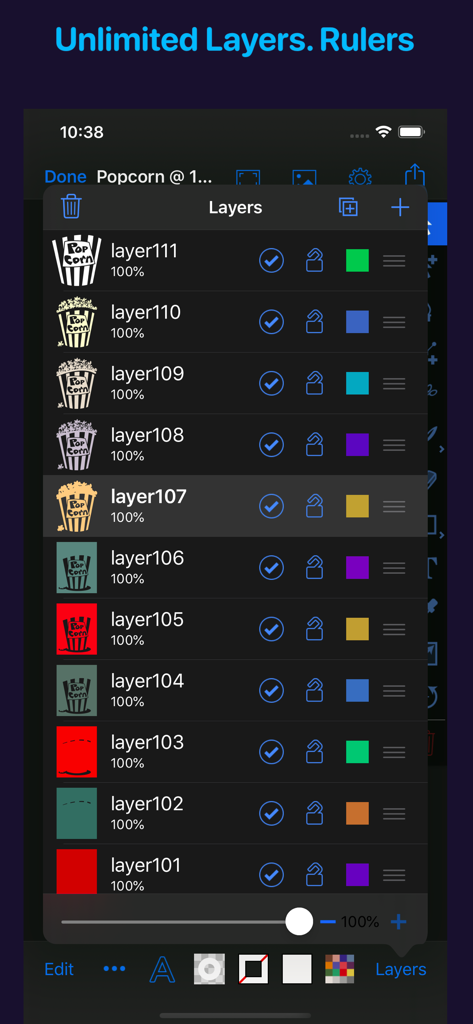
Artmator - Artmatorベクター描画アプリのスクリーンショット。様々なイラストコンポーネントが表示された、レイヤー無制限パネルが表示されています。
Artmatorベクター描画アプリのスクリーンショット。様々なイラストコンポーネントが表示された、レイヤー無制限パネルが表示されています。

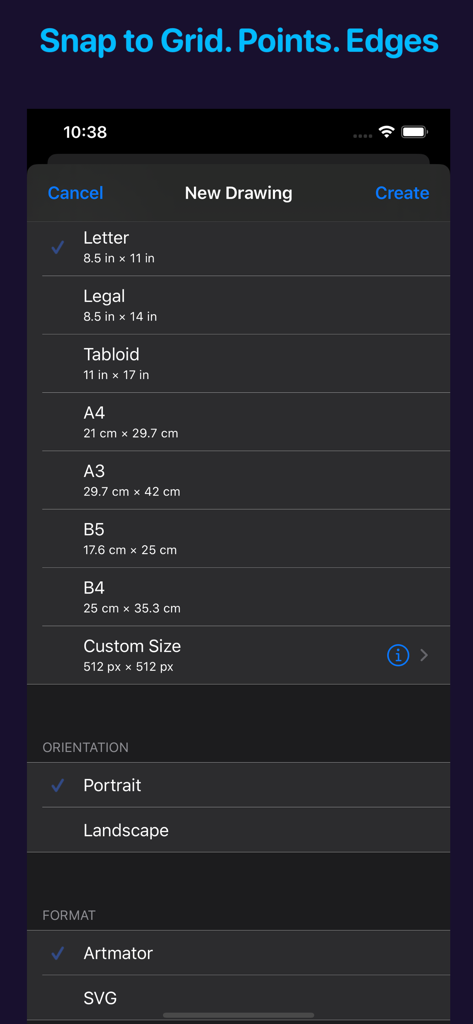
Artmator - Artmatorアプリの新しい描画設定オプション。様々なページサイズとベクターフォーマットが表示されています。
Artmatorアプリの新しい描画設定オプション。様々なページサイズとベクターフォーマットが表示されています。

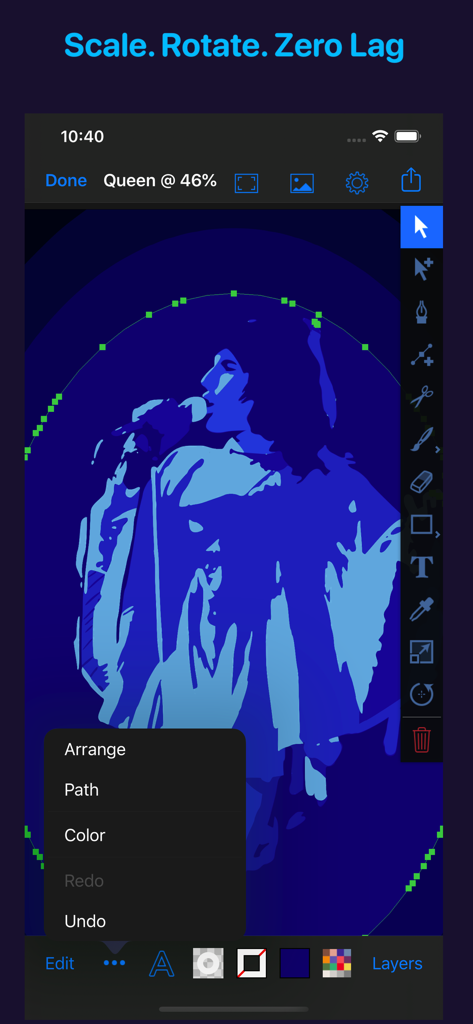
Artmator - Artmatorアプリのインターフェース。プロフェッショナルなデザインツールの選択と編集メニューが開かれた状態で、青いベクターの人物イラストが表示されています。
Artmatorアプリのインターフェース。プロフェッショナルなデザインツールの選択と編集メニューが開かれた状態で、青いベクターの人物イラストが表示されています。

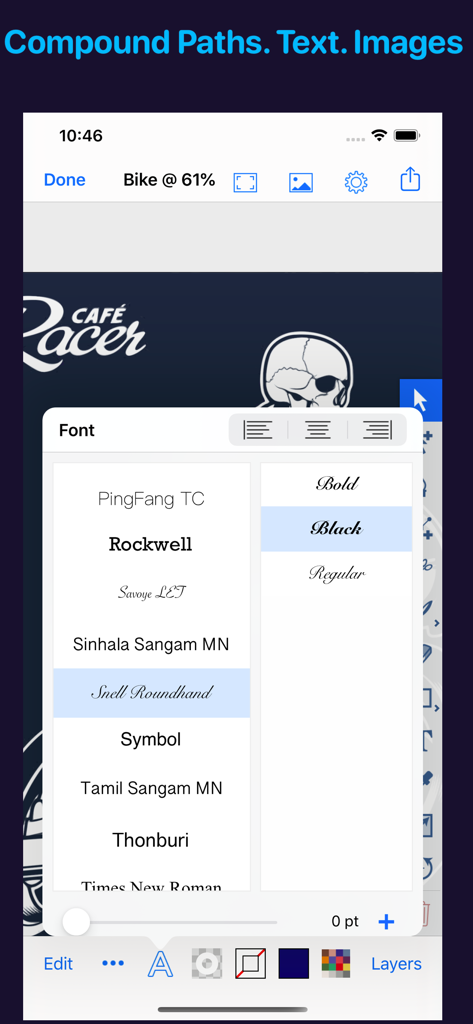
Artmator - iPhone上のベクターロゴデザインの上に、Artmatorアプリのフォント選択メニューが表示されています。
iPhone上のベクターロゴデザインの上に、Artmatorアプリのフォント選択メニューが表示されています。

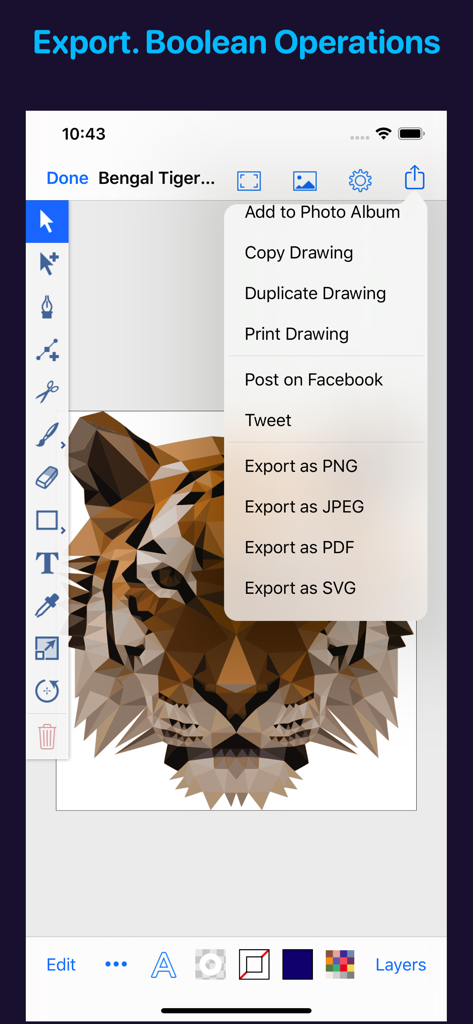
Artmator - Artmatorアプリのインターフェース。ローポリのタイガーのベクターイラストと、SVGおよびPDFオプションのあるエクスポートメニューが表示されています。
Artmatorアプリのインターフェース。ローポリのタイガーのベクターイラストと、SVGおよびPDFオプションのあるエクスポートメニューが表示されています。

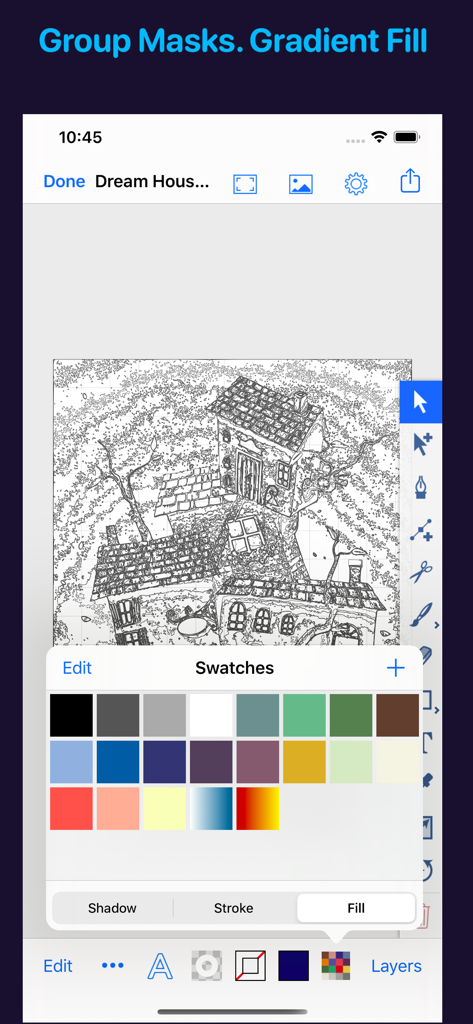
Artmator - Artmatorモバイルアプリのインターフェース。開いたカラーセレクションパレットを持つ、家の線画ベクターイラストが表示されています。

Artmatorモバイルアプリのインターフェース。開いたカラーセレクションパレットを持つ、家の線画ベクターイラストが表示されています。

説明

Artmator is the most powerful and connected vector drawing and illustration app available on the iPad and on the iPhone with built-in iOS/ iPadOS Files app support. • Design logos, posters, floor plans, technical drawings, fun fashions, web graphics, illustrations, and many more. • Built-In iOS/ iPadOS files app integration. Open or create, edit, auto-save vector files from any cloud service provider like dropbox, iCloud, box, etc. • Multiple Window Support for iPadOS • System Dark Mode. • Draw with fabulous shapes, flowing curves, and beautifully rendered text. • Select, scale, sketch and rotate thousands of objects with zero lag. • Create arbitrary bezier paths with the Pen tool. • Create compound paths, masks and groups. • Create text objects. • More than 60 keyboard shortcuts for drawing in the editor. • UI elements respond to the cursor on iPadOS 13.4 when connecting a mouse or trackpad. • Place photos from your albums. • Boolean operators on paths (Unite, Intersect, Exclude, Subtract Front, etc.). • Powerful scale and rotate tools. Gradient fills with interactive editing on canvas. • Arbitrary stroke dash patterns. • Swatch library. • Unlimited layers per drawing. • Rename, duplicate, rearrange, delete, hide and lock layers. • Adjust layer transparency or opacity. Snap to grid, points, and path edges. • Isolate the active layer for easy editing. •. Create new drawings in SVG (.svg) or in Artmator (.inkpad) format. • Email drawings as SVG, PDF, PNG and JPEG. • Duplicate in place. • Anchor tool and scissors tool (path splitting). • Outline editing mode. • Increase maximum zoom to 6400%. • Maximum font size 200 pt available. • Accurate and responsive freehand tool. • Reverse gradients (swipe left or right on the gradient bar in the fill panel). • Evenly distribute gradient stops (double tap on the gradient bar in the fill panel). • Custom drawing sizes, rulers and units are available. • Convert text to editable paths. • Use text objects also to create masks. • Shape libraries (rounded rectangles, stars, polygons, oval, lines, etc.). • Apply strokes to text. • Dimension lines. • Canvas scale, Rulers, and Units (mm, cm, inches). • Brush and Pencil tools for fluid dawning and sketching. • Color Balance panel, Hue and Saturation panel. • Start a drawing with a photo from the built-in cameras. • Distribute objects horizontally and vertically. • Spiral ToolObject blending modes (Multiply, Overlay, Screen, etc.). •. Touch ID/ Face ID Support. • Tweet drawings, Post drawings to Facebook • Desaturate colors, Invert colors • Comprehensive help documentation. If you have any questions/ issues/suggestions then please contact me via email (artmatorapp@gmail.com) or on twitter (@Artmatorapp)

Download

ダウンロード: App Store

このページはアプリまたはその開発者の公式ページではなく、情報提供および論評を目的として作成された独立した編集出版物です。明示的に別段の記載がない限り、アプリおよびその開発者は、MWM、Apple、Google Play、アプリのパブリッシャー、またはアプリの開発者と提携、承認、後援、認可、またはその他の公式的な関係はなく、このページのいかなる内容も、アプリがMWMのサービスを使用して開発されたことを意味するものではありません。すべての商標、ロゴ、スクリーンショット、その他のコンテンツはそれぞれの所有者の財産です。








