aSmart HUD
aSmart HUD
ダウンロード: App Store

このページはアプリまたはその開発者の公式ページではなく、情報提供および論評を目的として作成された独立した編集出版物です。明示的に別段の記載がない限り、アプリおよびその開発者は、MWM、Apple、Google Play、アプリのパブリッシャー、またはアプリの開発者と提携、承認、後援、認可、またはその他の公式的な関係はなく、このページのいかなる内容も、アプリがMWMのサービスを使用して開発されたことを意味するものではありません。すべての商標、ロゴ、スクリーンショット、その他のコンテンツはそれぞれの所有者の財産です。


ロゴ: aSmart HUD
ダウンロード: App Store

aSmart HUD

プロ仕様のヘッドアップディスプレイで、よりスマートに運転しましょう。リアルタイムの速度を監視し、48時間の天気予報を取得し、スマート速度制限アラートで安全を確保しましょう—すべて視線上に表示されます。

主要数値

ダウンロード

167K+

ユーザー評価

3.0/5

評価数

700

開発元

Vitalijs Lennojs

カテゴリ

Navigation

対応言語

1

最新バージョン

12.1

サイズ

7.4 MB

リリース日

2009年2月6日
機能

究極のダッシュボードアップグレード

安全性、精度、スタイルに合わせて設計されたプロ仕様のテレメトリと未来的なヘッドアップディスプレイで、運転体験を変えましょう。

視界を遮らないHUD

フロントガラスにダッシュボードを直接投影し、夜間や夕暮れ時の運転をより安全でハイテクなものにします。

スマートスピード保護

4つの異なる速度制限に対応したカスタマイズ可能な視覚および音声アラートで、高額なチケットを回避しましょう。都市部と高速道路の運転に最適です。

以下のスクリーンショットと説明は、アプリの公式ストアリスティングから直接取得されたものであり、アプリ開発者の所有物です。

アプリストア

スクリーンショット
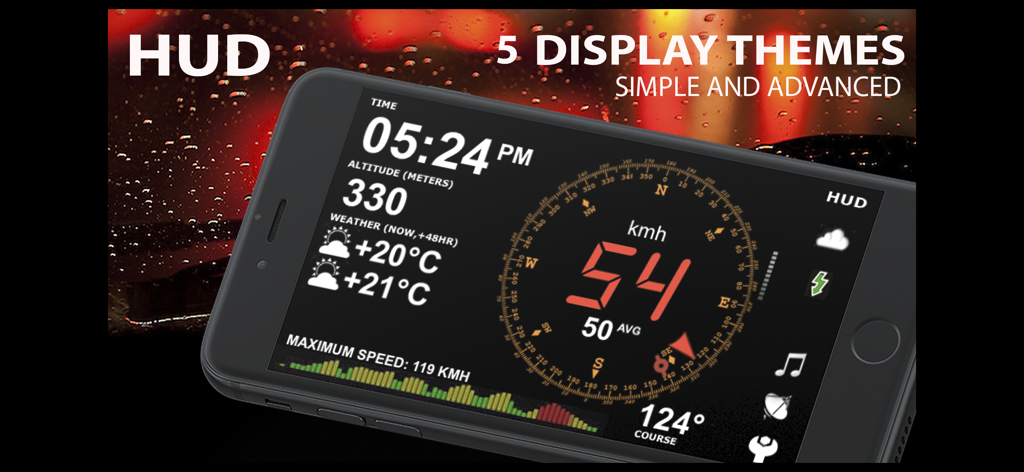
aSmart HUD - aSmart HUDアプリのインターフェース。デジタル速度計、高度、天気、コンパスがスマートフォンの画面に表示されている
aSmart HUDアプリのインターフェース。デジタル速度計、高度、天気、コンパスがスマートフォンの画面に表示されている

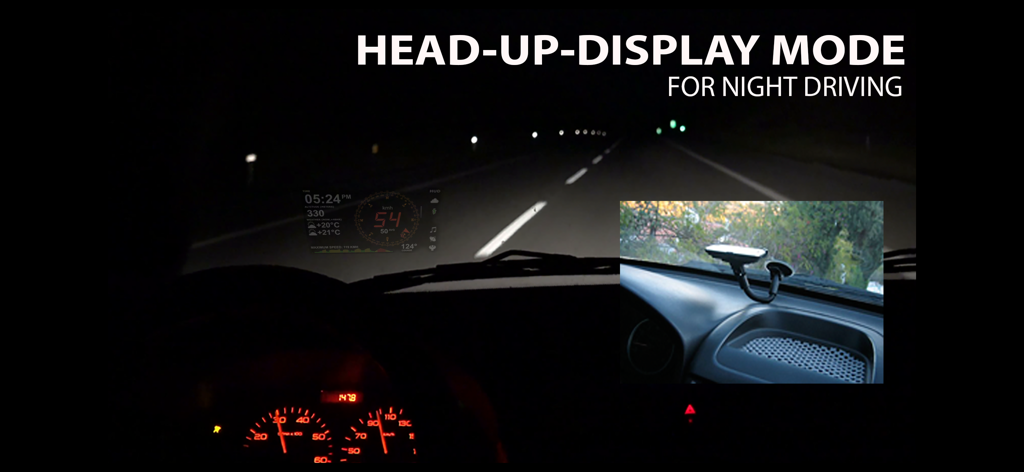
aSmart HUD - 夜間走行中に車のフロントガラスに投影されたaSmart HUDアプリのインターフェース
夜間走行中に車のフロントガラスに投影されたaSmart HUDアプリのインターフェース

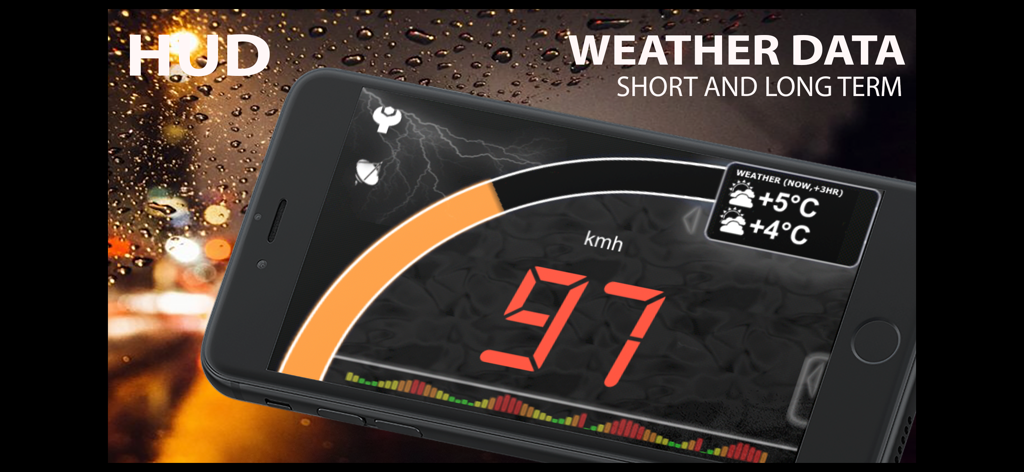
aSmart HUD - aSmart HUDアプリがデジタル速度計と天気予報をスマートフォンに表示
aSmart HUDアプリがデジタル速度計と天気予報をスマートフォンに表示

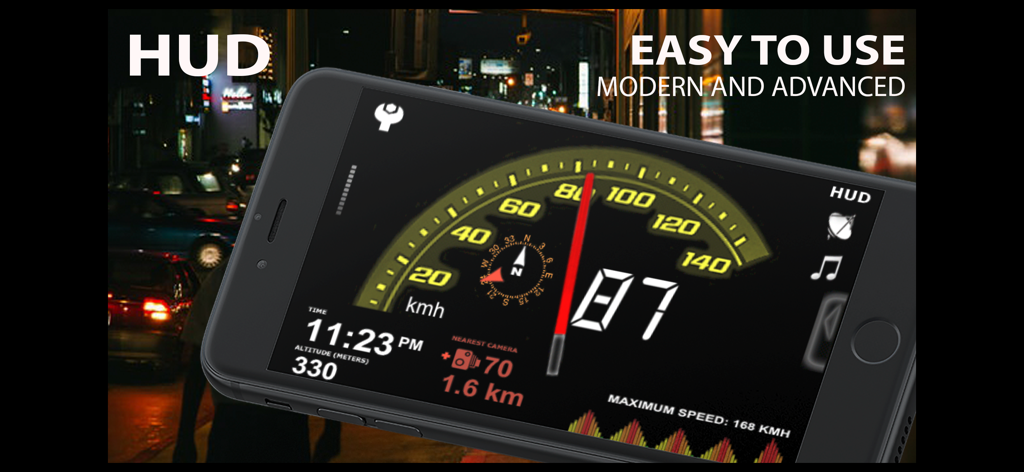
aSmart HUD - aSmart HUDアプリ。夜間走行用のデジタル速度計、高度、コンパスを搭載
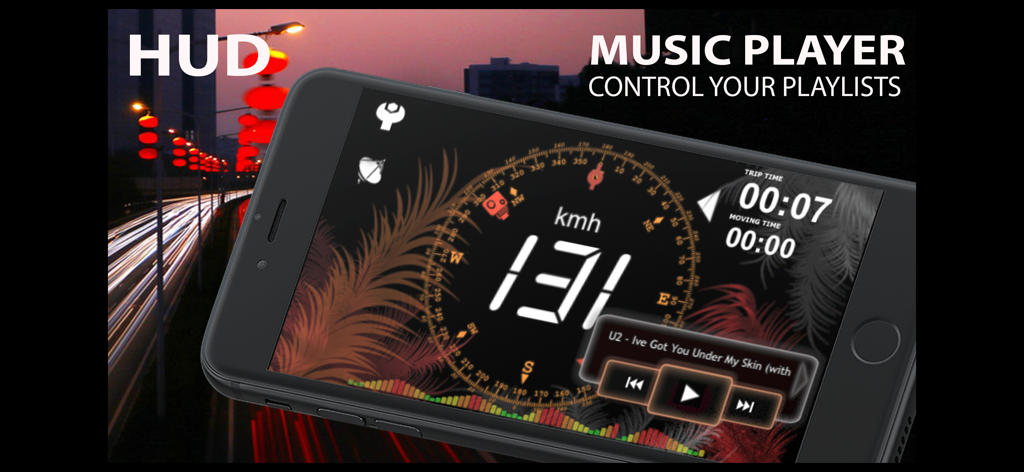
aSmart HUDアプリ。夜間走行用のデジタル速度計、高度、コンパスを搭載

aSmart HUD - aSmart HUDアプリのインターフェース。デジタル速度計と音楽プレーヤーのコントロールを搭載
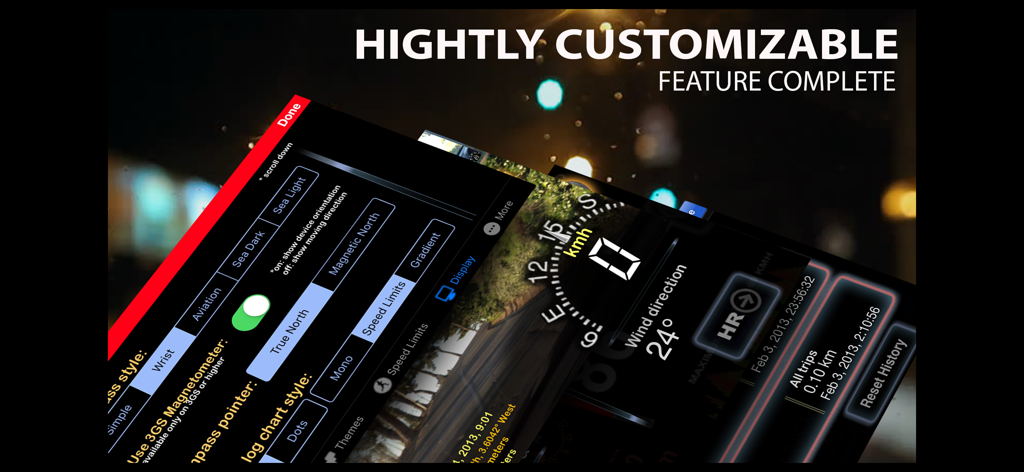
aSmart HUDアプリのインターフェース。デジタル速度計と音楽プレーヤーのコントロールを搭載

aSmart HUD - aSmart HUDアプリのインターフェースのスクリーンショット。高度にカスタマイズ可能な設定とデジタル速度計が暗い背景に表示されている

aSmart HUDアプリのインターフェースのスクリーンショット。高度にカスタマイズ可能な設定とデジタル速度計が暗い背景に表示されている

説明

aSmartHUD is simple and clear vehicle digital dashboard featured by - HUD mode - SHORT-TERM WEATHER FORECAST - IPOD MUSIC PLAYLIST CONTROL - PHOTO CAMERA WITH IMAGE MARKING - ADJUSTABLE TRANSPARENCY APPLE MAPS SCREEN It visualizes your - current speed, - average speed, - current time, - elapsed trip time, - heading, - altitude, - trip elapsed time, - distance/time/direction to home location, - weather forecast for nearest 48 hours the with 3-hour time interval, - direct distance (kilometers, miles, nautical miles supported) to the starting point of your trip. - maximum reached speed, altitude and distance to start point, for the current trip and all the trips your ever did. Comparing with others HUD displays on the market - better look and more features for no price. Tapping the "HUD" icon mirrors all the text, so if you position the iPhone horizontally under your car's windscreen you can see perfectly readable half-transparent reflection of the picture displayed. We love this mode! We found it much more convenient compared to traditional car dashboards (especially on the roads of Western Europe, which are full of speed cameras and where you need to watch your speedometer all the time). And last but not the least - it just looks cool. 
Note: this mode works pretty well at night time and twilight, but on direct sunlight the screen brightness can be insufficient. - "aSmart HUD" can keep track on 4 speed limits, giving a warning (sound and visual) each time you crossing it. Normally, it's legal speed limits within cities, local roads and high-speed motorways. "Never exceed speed" is the speed you should not exceed under any conditions. For example, it can be a technical limit of your vehicle or the point where government can arrest your driving license. - You can skip/rewind/play/pause your current iPod music track, select the playlist or set the Shuffle or Repeat iPod mode. - Weather forecast time intervals and temperature units (C, F) are selectable in Preferences. - You can quickly take a photo of what's going on the road. Photo will be automatically saved into the Photos Album. The speedometer image, map and a some of other useful information will be placed over your photo. - Landscape and Portrait screen layouts support. - Three different compass styles, sound themes, colors, etc. - 4 functionally different display themes. - Speed history log chart. - "Location Info" - longitude and latitude, GPS measurement precision and some more data. - "Records" screen (left upper button on the "Location Info" screen), where you can see your maximum reached speed (during the current trip or all of your trips), maximum altitude and maximum distance from start. - Tap the speed indicator to switch into speed fullscreen mode. IMPORTANT: for more screenshots and details visit the http://atoll-ordenadores.com website Limitations - The precision is affected by the satellite signal quality. If unsure, use the program only for reference, don't rely on it for 100%. Application requires real A-GPS chip - so, no iPod and not-3G iPad supported. On iPad 3G application function only in "double pixel" mode. Thanks to everyone for your suggestions about additional functionality! THE BEST AND FASTEST WAY TO CONTACT US IS SENDING YOUR REQUESTS AND BUG REPORTS to support@atoll-ordenadores.com. WE ARE REALLY INTERESTED IN DIALOG, what is not possible when you leaving the bug-report as AppStore review.

Download

ダウンロード: App Store

このページはアプリまたはその開発者の公式ページではなく、情報提供および論評を目的として作成された独立した編集出版物です。明示的に別段の記載がない限り、アプリおよびその開発者は、MWM、Apple、Google Play、アプリのパブリッシャー、またはアプリの開発者と提携、承認、後援、認可、またはその他の公式的な関係はなく、このページのいかなる内容も、アプリがMWMのサービスを使用して開発されたことを意味するものではありません。すべての商標、ロゴ、スクリーンショット、その他のコンテンツはそれぞれの所有者の財産です。








