Attendant Pro for Zoom
ダウンロード: App Store

このページはアプリまたはその開発者の公式ページではなく、情報提供および論評を目的として作成された独立した編集出版物です。明示的に別段の記載がない限り、アプリおよびその開発者は、MWM、Apple、Google Play、アプリのパブリッシャー、またはアプリの開発者と提携、承認、後援、認可、またはその他の公式的な関係はなく、このページのいかなる内容も、アプリがMWMのサービスを使用して開発されたことを意味するものではありません。すべての商標、ロゴ、スクリーンショット、その他のコンテンツはそれぞれの所有者の財産です。


ロゴ: Attendant Pro for Zoom
ダウンロード: App Store

Attendant Pro for Zoom

iPadを専用のスイッチボードに変えましょう。参加者、ブレイクアウトルーム、待機室を簡単に管理し、スムーズでプロフェッショナルな会議をリードすることに集中できます。

主要数値

ダウンロード

9K+

ユーザー評価

4.9/5

評価数

0

開発元

Think Tap Work, LLC

カテゴリ

Business

対応言語

5

最新バージョン

3.2

サイズ

213.6 MB

リリース日

2020年10月22日
機能

会議を完全にコントロールしましょう

iPadやiPhoneをプロフェッショナルな会議スイッチボードに変えましょう。メニューを掘り下げるのをやめ、セカンドスクリーンから楽々と正確にリードしましょう。

ワンタップ参加者コントロール

「全員ミュート」や「自動ミュート」機能で、瞬時に邪魔な音を排除しましょう。ネストされたZoomメニューを操作することなく、プロフェッショナルな雰囲気​​を維持できます。

プロレベルのエンゲージメントワークフロー

Q&Aセッションをマスターしましょう。ワンタップで、参加者が手を挙げたときに音声、ビデオ、スポットライトを同時に処理し、会話の流れを維持できます。

以下のスクリーンショットと説明は、アプリの公式ストアリスティングから直接取得されたものであり、アプリ開発者の所有物です。

アプリストア

スクリーンショット
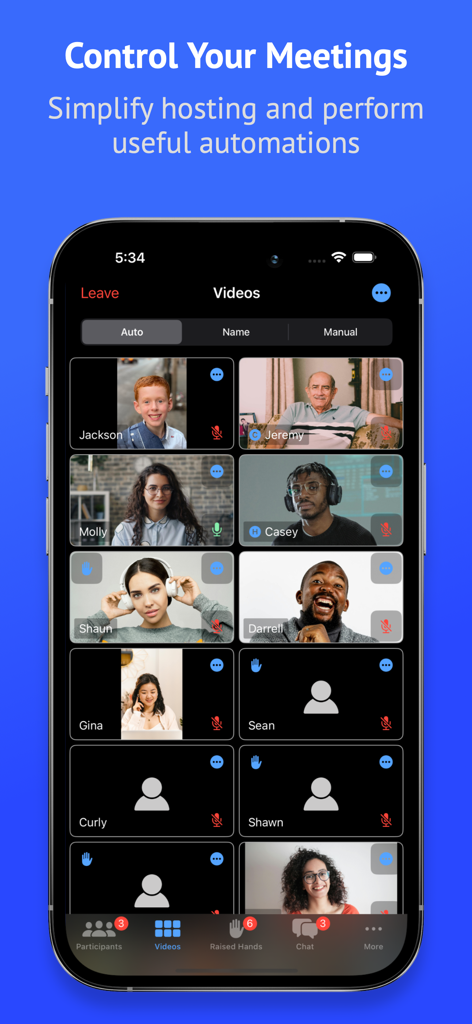
Attendant Pro for Zoom - Attendant Pro for Zoomアプリのインターフェース。ホスティングコントロールを備えた会議参加者のビデオグリッドを表示しています。
Attendant Pro for Zoomアプリのインターフェース。ホスティングコントロールを備えた会議参加者のビデオグリッドを表示しています。

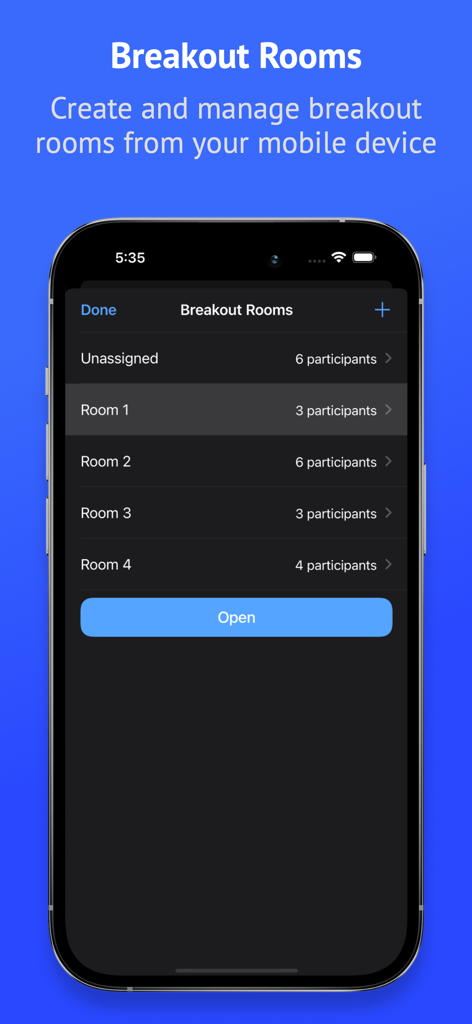
Attendant Pro for Zoom - Attendant Pro for Zoomのインターフェース。モバイルデバイスでのブレイクアウトルーム作成と参加者管理を表示しています。
Attendant Pro for Zoomのインターフェース。モバイルデバイスでのブレイクアウトルーム作成と参加者管理を表示しています。

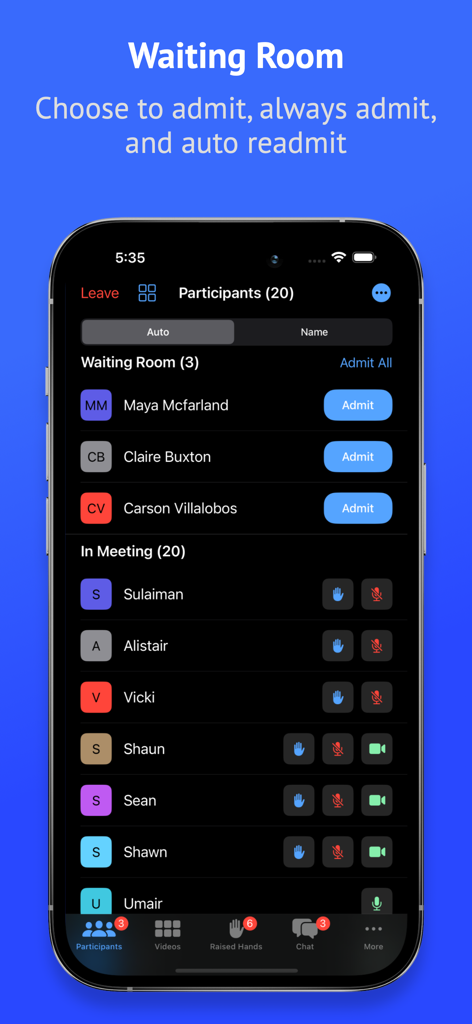
Attendant Pro for Zoom - Attendant Pro for Zoomのインターフェース。モバイルデバイスでの待機室と参加者リスト管理を表示しています。
Attendant Pro for Zoomのインターフェース。モバイルデバイスでの待機室と参加者リスト管理を表示しています。

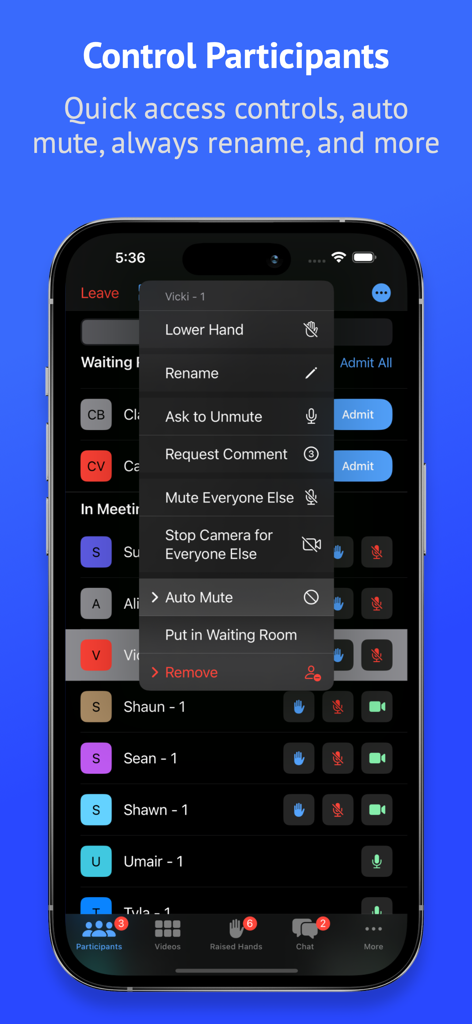
Attendant Pro for Zoom - Attendant Pro for Zoomのモバイルアプリインターフェース。ミュート全員や待機室コントロールを含む高度な参加者管理ツールを表示しています。
Attendant Pro for Zoomのモバイルアプリインターフェース。ミュート全員や待機室コントロールを含む高度な参加者管理ツールを表示しています。

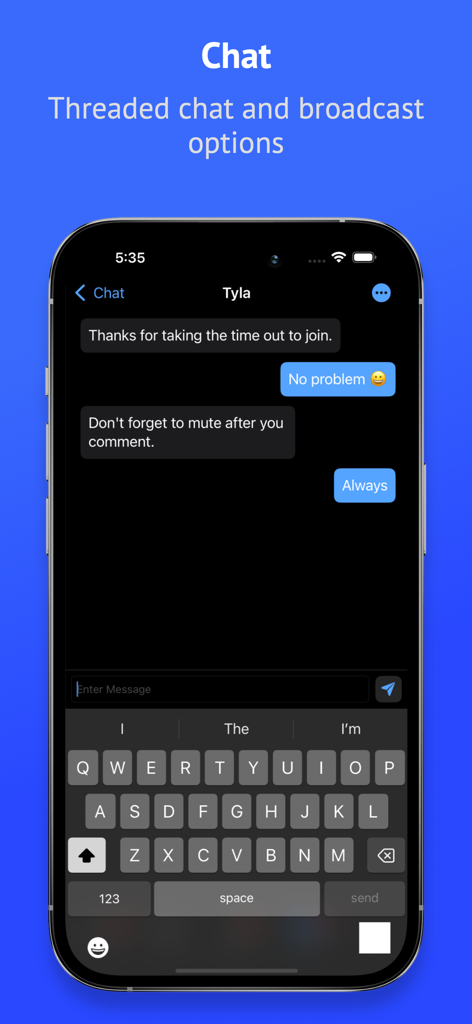
Attendant Pro for Zoom - Attendant Pro for Zoomアプリのスレッドチャットとブロードキャストオプション画面。
Attendant Pro for Zoomアプリのスレッドチャットとブロードキャストオプション画面。

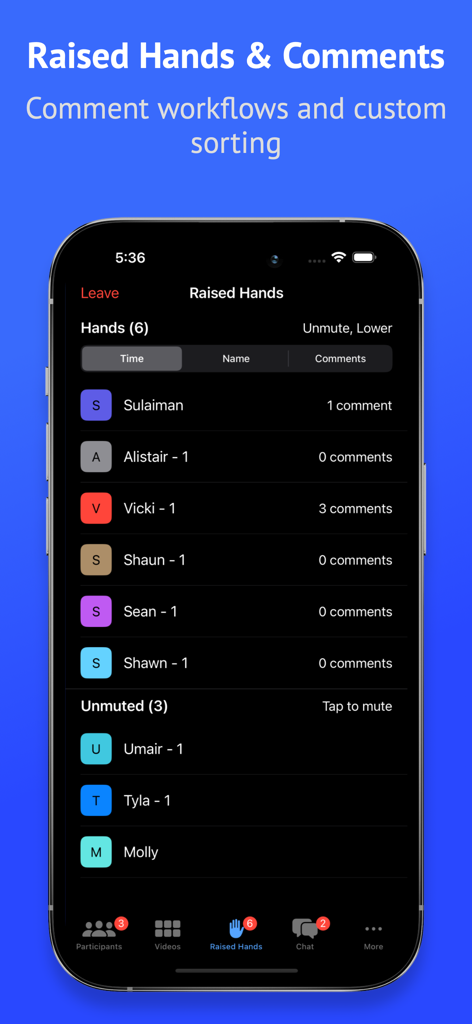
Attendant Pro for Zoom - Attendant Pro for Zoomのインターフェース。会議管理のために、手を挙げた参加者のリストとコメント数を表示しています。
Attendant Pro for Zoomのインターフェース。会議管理のために、手を挙げた参加者のリストとコメント数を表示しています。

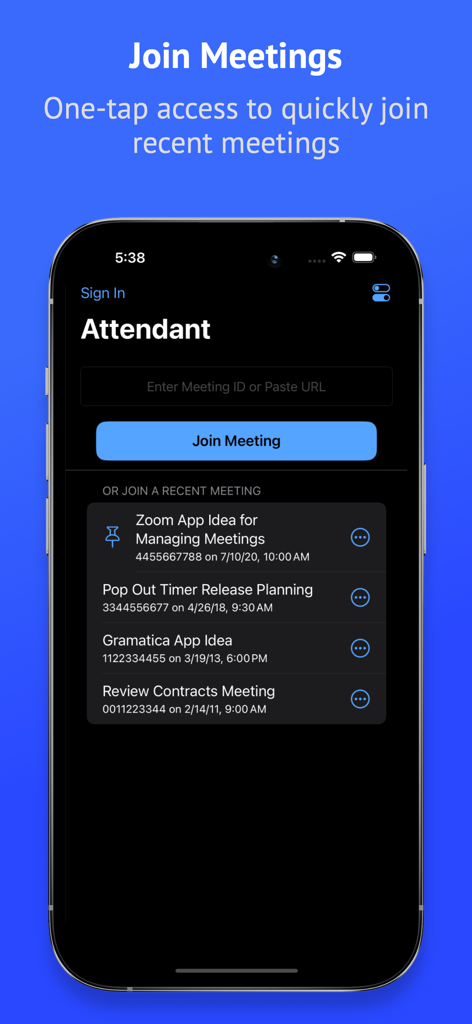
Attendant Pro for Zoom - Attendant Pro for Zoomのモバイルインターフェース。最近の会議リストと会議IDを入力するフィールドを備えた会議参加画面を表示しています。
Attendant Pro for Zoomのモバイルインターフェース。最近の会議リストと会議IDを入力するフィールドを備えた会議参加画面を表示しています。

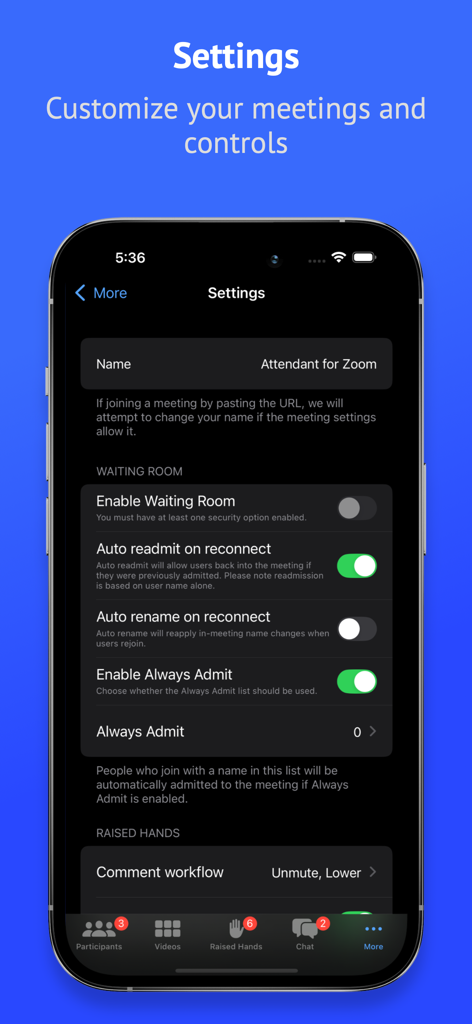
Attendant Pro for Zoom - Attendant Pro for Zoomの設定インターフェース。待機室と挙手ワークフローのカスタマイズオプションを表示しています。
Attendant Pro for Zoomの設定インターフェース。待機室と挙手ワークフローのカスタマイズオプションを表示しています。

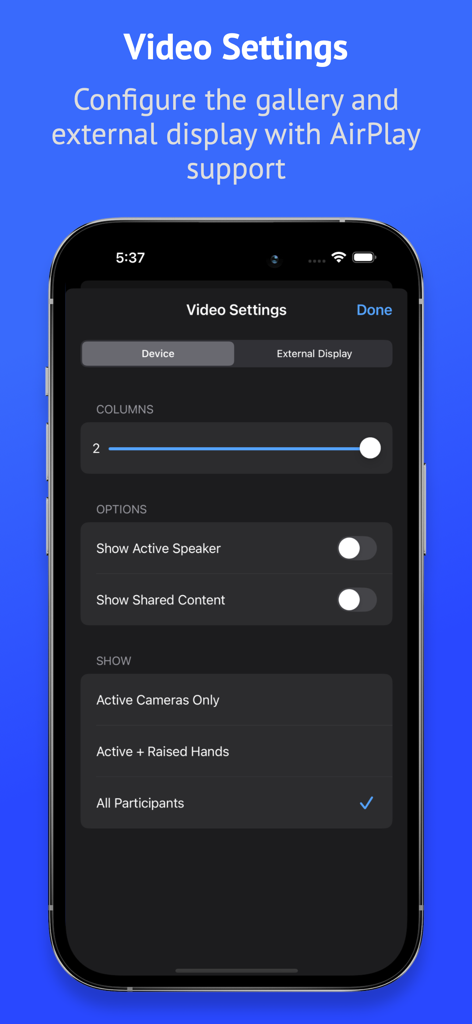
Attendant Pro for Zoom - Attendant Pro for Zoomのビデオ設定画面。ギャラリーレイアウトと外部ディスプレイ構成オプションを表示しています。
Attendant Pro for Zoomのビデオ設定画面。ギャラリーレイアウトと外部ディスプレイ構成オプションを表示しています。

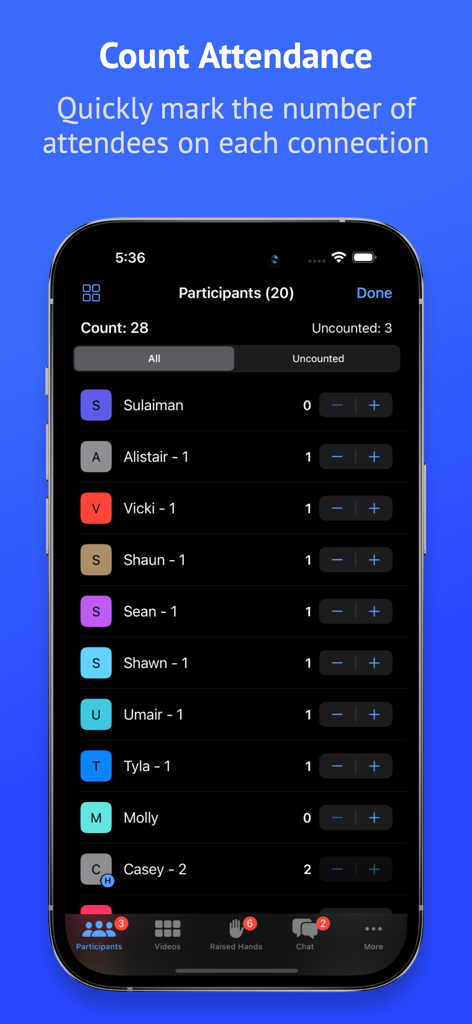
Attendant Pro for Zoom - Attendant Pro for Zoomアプリの出席カウント機能を表示するスマートフォンの画面。

Attendant Pro for Zoomアプリの出席カウント機能を表示するスマートフォンの画面。

説明

Search for "Attendant for Zoom" to try a free version before your purchase. Easily manage audio/video, counts, raised hands, breakout rooms, chats, and your waiting room. Use Attendant as host/co-host while connected to a Zoom meeting from another device. Tap into these useful features: PARTICIPANTS • Quick tap management of participant audio/video • Export participant list for record keeping • Actions to mute/unmute all and turn on/off all cameras • Mute Everyone Else (everyone but selected participant) • Turn Off Camera for Everyone Else (everyone but selected participant) • Count attendance to quickly mark the number of attendees on each connection (based on count in name) • Rename mode to quickly rename participants • Always Rename: optionally choose to apply a rename any time a user connects • Auto Mute: Attendant will attempt to mute designated participants whenever they unmute themselves VIDEO • Manage participants from the video grid • Search from the video grid • Configure columns to fit more videos on screen • Manually sort • Custom configuration of external display (connected or with AirPlay) • Quick Action: choose between controlling the mic or camera or requesting a comment BREAKOUT ROOMS • Create breakout rooms from your mobile device • Make user assignments • Open, close, rename, and remove rooms • Shuffle: reorganize rooms automatically CHAT • Threaded chat • Chat broadcast: send a direct message to multiple participants at once RAISED HANDS • Configure comment workflow: control audio, video, spotlighting, and hand with a single tap • Comment counting • Sort raised hands by time, name, or comment count WAITING ROOM • Easily manage your Waiting Room • Always Admit: optionally choose to always admit specific names into your meeting • Auto readmit participants when they reconnect Please note that webinars are not currently supported. Attendant for Zoom uses the Zoom SDK but is not endorsed, certified, warrantied, or supported by Zoom Video Communications, Inc. If Zoom changes their policies or capabilities of their SDK this app may lose access.

Download

ダウンロード: App Store

このページはアプリまたはその開発者の公式ページではなく、情報提供および論評を目的として作成された独立した編集出版物です。明示的に別段の記載がない限り、アプリおよびその開発者は、MWM、Apple、Google Play、アプリのパブリッシャー、またはアプリの開発者と提携、承認、後援、認可、またはその他の公式的な関係はなく、このページのいかなる内容も、アプリがMWMのサービスを使用して開発されたことを意味するものではありません。すべての商標、ロゴ、スクリーンショット、その他のコンテンツはそれぞれの所有者の財産です。








